Knob16
64-Knob MIDI Controller + AUv3
Designed for iPhone, iPad
Free · In-app purchases
- Age rating4+
- CategoryMusic
- DeveloperJURIJS KOSKINS
- LanguagesEnglish+ 9 more
- Size14.0 MB
Links to the official App Store page
Download.org hosts no file of Knob16. The button opens its official App Store page, published by JURIJS KOSKINS. Listing last checked on Nov 23, 2026.
Screenshots


About
Knob16 is a MIDI controller for producers and performers who want hands-on control from their iPhone or iPad.
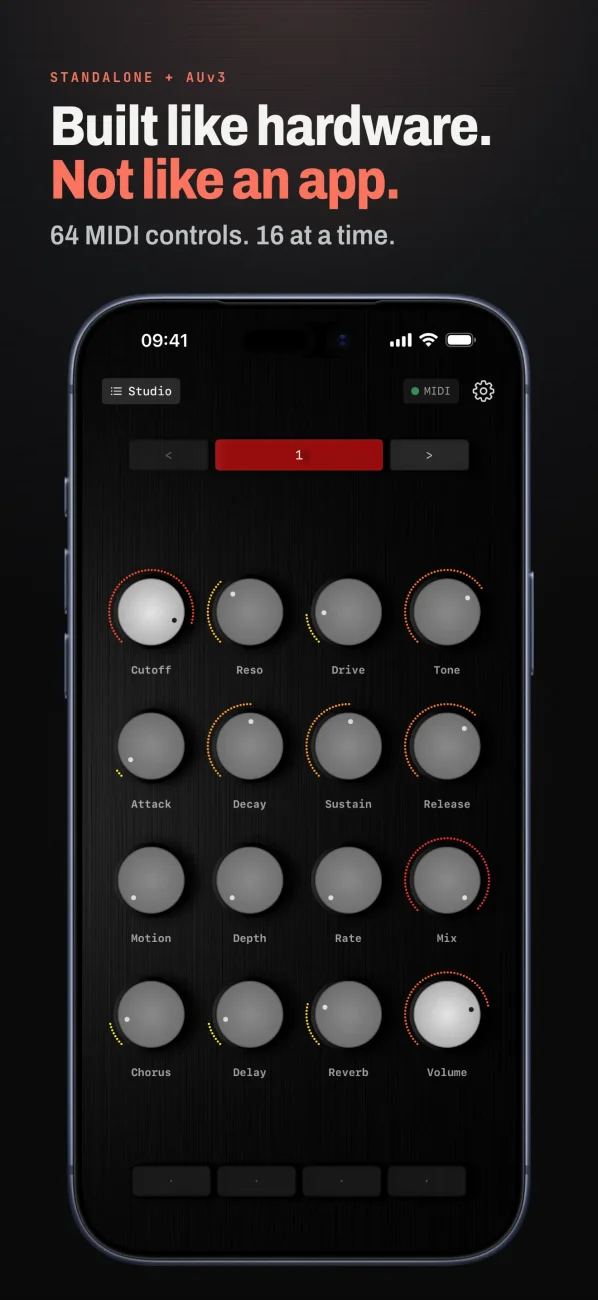
64 Knobs Across 4 Banks
16 knobs per bank, instantly switchable. Configure each knob's CC number, channel, output range, label, and fine-tune multiplier.
Bidirectional MIDI
Send MIDI CC values and receive feedback. When your DAW or MIDI device sends CC values back, matching knob positions update on screen.
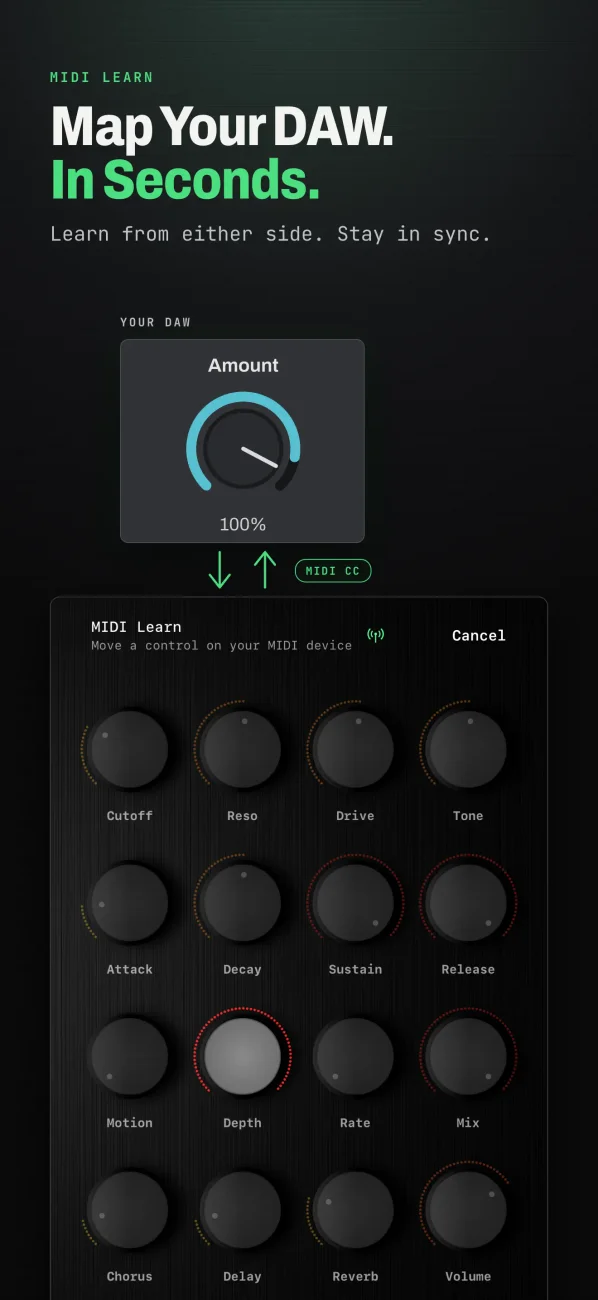
MIDI Learn
Enable MIDI Learn. Double-tap an ordinary knob. Send a CC from your MIDI controller. Done.
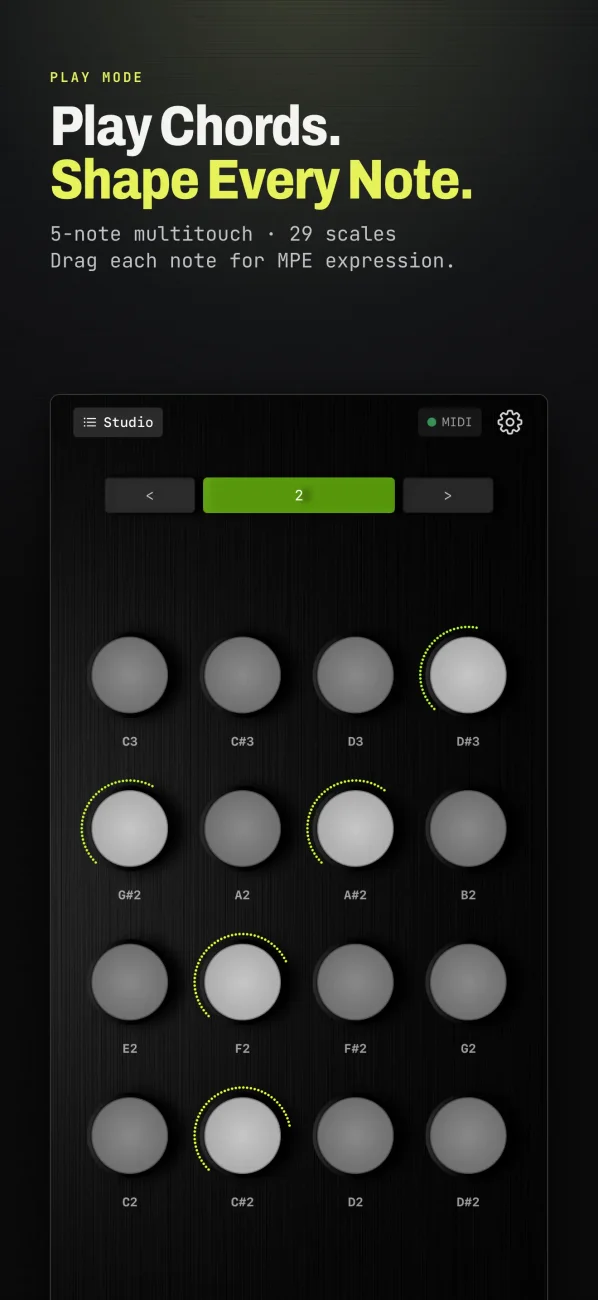
Play Mode
Turn Knob16 into a playable MIDI surface with 16 pads per bank, 29 scales, and semitone transpose.
Snapshots and Presets
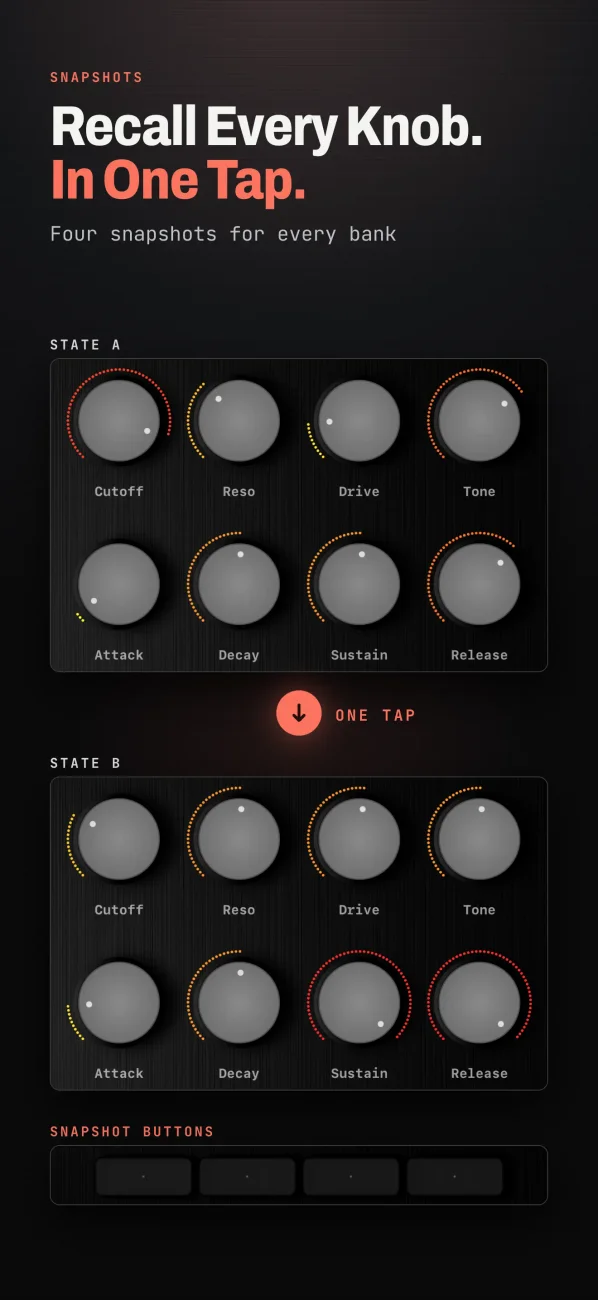
Save and recall knob values with snapshots. Use presets to switch between complete setups.
Toggle and Hold
Turn a control into an on/off button or a momentary button. Both are free.
Snapshot Morphing (Pro)
Use one knob to transition between two saved snapshots. Morph assignments stay with your presets and AU projects.
Connect Your Way
Connect to compatible MIDI destinations over USB or Network MIDI via Wi-Fi, or to other apps on the same device.
Knob16 AU
Use Knob16 as an AUv3 MIDI plugin inside compatible AUv3 hosts. Knobs, Play Mode, MPE, groups, and snapshots work right in your session. Each plugin instance keeps its own setup in the host project, and you can save AU presets through hosts that support them.
KNOB16 PRO
Unlock advanced control, performance, and connectivity features:
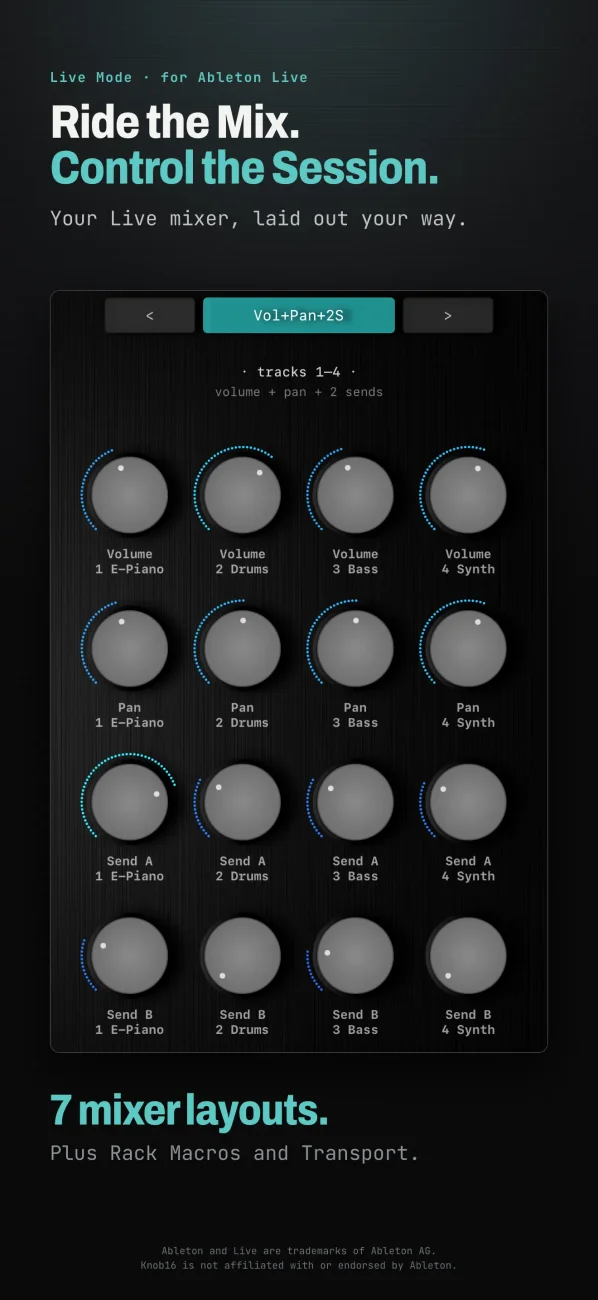
• Ableton Live Mode — control the mixer, devices, macros, and transport, with automatic Blue Hand device mapping
• Bluetooth MIDI — connect wirelessly to compatible MIDI devices
• Knob16 AU — the AUv3 MIDI plugin for compatible hosts
• Grouping Mode — link knobs with adjustable output curves
• MPE — per-note pitch bend, slide, and pressure
• 14-bit CC — 16,384 steps for high-resolution control
• NRPN — access deeper parameters on compatible MIDI gear
• 4 snapshots per bank
• Unlimited custom presets, import, and duplication
• iCloud preset sync across your devices
• All future features designated as Pro
• Snapshot Morphing — transition between two saved snapshots with one knob
Bluetooth MIDI, Grouping Mode, Live Mode, and Knob16 AU each include three free 24-hour trials.
Knob16 Pro is a one-time purchase. No subscription.
FREE FOREVER
The core of Knob16 stays free:
• 64 knobs across 4 banks
• Standard 7-bit MIDI CC
• Per-knob setup for standard CC
• Bidirectional MIDI feedback
• MIDI Learn
• Play Mode
• USB MIDI
• Network MIDI over Wi-Fi
• 1 snapshot per bank
• Two editable built-in presets
• Toggle and Hold controls
A compatible DAW, MIDI app, or MIDI device is needed to receive MIDI output. Ableton Live Mode (with the Knob16 Remote Script), 14-bit CC, and NRPN are available in the standalone app; Knob16 AU uses standard MIDI CC.
What’s new
Version 1.0.7 · Nov 15, 2026
• Snapshot Morphing (Pro): Use one knob to transition between two saved snapshots. Morph assignments are saved with presets and AU projects.
• Toggle and Hold controls: Turn a control into an on/off button or a momentary button. Available for free.
• Fixed Wi-Fi MIDI connection issues.
• Improved iCloud preset synchronization.
• Smoother MIDI feedback and more reliable AU project state restoration.
App privacy
What JURIJS KOSKINS declares on the App Store about how this app handles data.
-
Data not collected
The developer does not collect any data from this app.
Privacy practices may vary, for example with the features you use or your age.
Information
- Seller
- JURIJS KOSKINS
- Category
- Music
- Version
- 1.0.7
- Updated
- Nov 15, 2026
- Released
- May 8, 2026
- Size
- 14.0 MB
- Requires
- iOS 18.6 or later
- Age rating
- 4+
- Price
- Free
- In-app purchases
- Yes
- Languages
- English, French, German, Italian, Japanese, Korean, Portuguese, Simplified Chinese, Spanish, Traditional Chinese
- Copyright
- © 2026 KOSHKEEN
You might also like
-
 Memory MIDIWireless MIDI controller
-
 Rebond : rythme à rebondsMusic
-
 Montessori Music PlayerRaise independent children
-
 Knob OnTouch controls for VCV Rack
-
 ImanoSample-Receiver Synthesizer
-
 FadebankOSC mixing console remote
-
 Motif: Track & Scrobble MusicMusic History, Stats & Charts
-
 WaveStormAUv3 Wavetable Synth & Sampler
-
 AR MIDI PatchboxVirtual MIDI patchbay
-
 Live NavigatorMusic