
- Age rating4+
- CategoryMusic
- DeveloperRyouta Kira
- LanguagesEnglish+ 1 more
- Size16.6 MB
Links to the official App Store page
Download.org hosts no file of KQ Audio Player. The button opens its official App Store page, published by Ryouta Kira. Listing last checked on Nov 23, 2026.
Screenshots
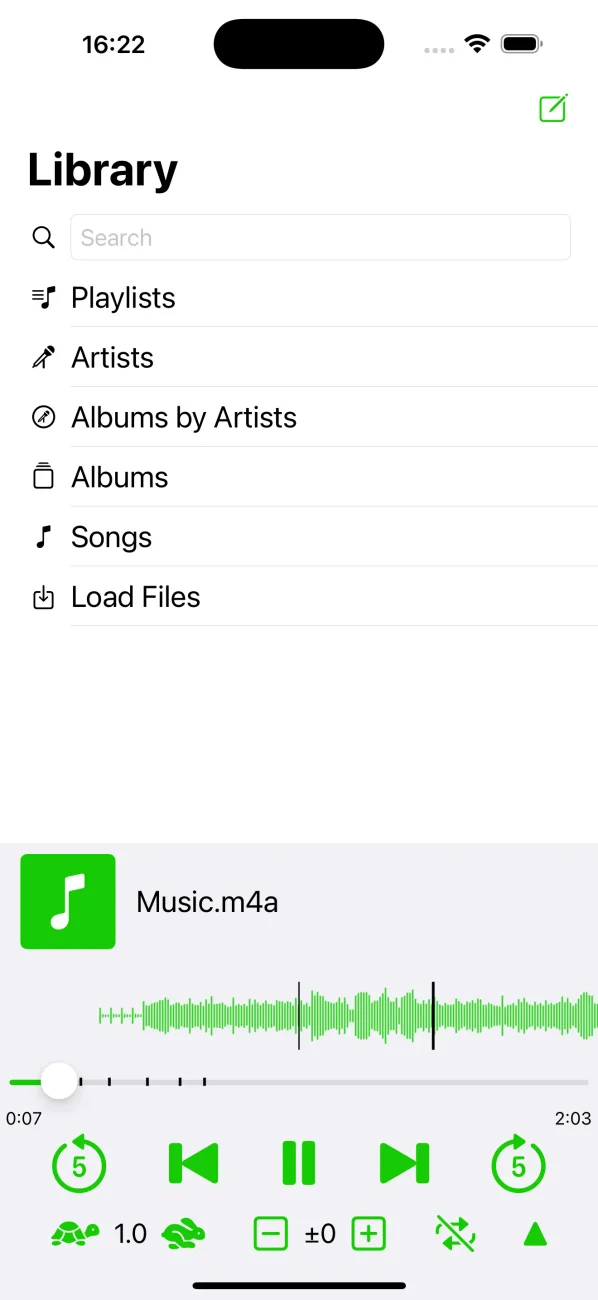
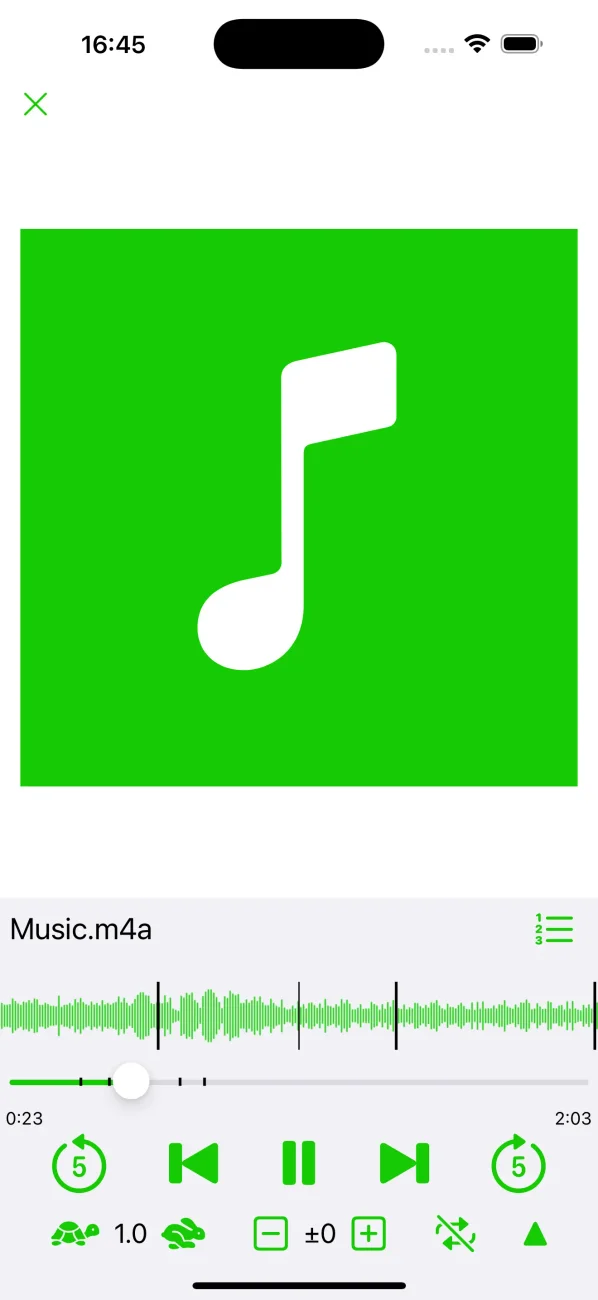
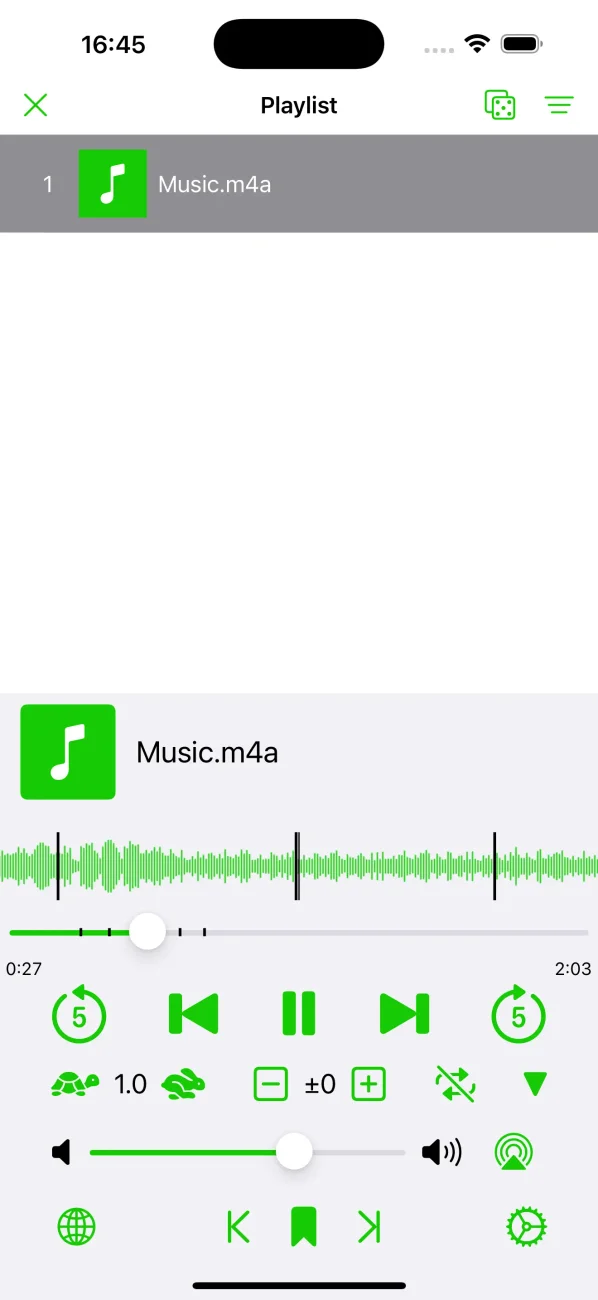
About
KQ Audio Player is a simple yet feature-rich music player, designed to provide greater comfort in your music life.
The app is also good for practice. You can change the playback rate and pitch.
How about using this app as your everyday music player?
Key Features
- Music playback: Enjoy smooth and seamless playback of your favorite songs
- Shake to change the playback speed.
- Library folders: You can freely specify folders for song libraries.
- Playlist creation: Easily create and manage your own playlists.
- Per-device settings: Allow you to set the playback mode, delay, and volume offset for individual devices. When headphones are connected, its configured settings are applied automatically.
- Playback speed control: Adjust the tempo of tracks as needed
- Pitch adjustment (Available when not using the system default engine)
- Marker Function: Set markers at any point in a track (Available when not using the system default engine)
- A-B Repeat Between Markers (Available when not using the system default engine)
- Equalizer function (Available when not using the system default engine)
- Play Audio Files: Supports playback of .m4a, .mp3, .flac, .wav, .mid files (Available when not using the system default engine).
- MIDI file playback (Available when not using the system default engine)
- Single-track playback mode: Automatically stops after playing one song
- Per-song custom settings: Save individual equalizer and playback speed settings (Globe/3-Sliders Icon)
- The volume in this app is independent from the device's volume (Only when not using the system default engine)
- Hi-res support: Up to 192kHz (Only when not using the system default engine)
Settings:
- Playback Rate
- Pitch Adjustment*
- Repeat Mode
- Volume (Independent from Device Settings*)
- Song Libraries* (Specify folders)
- Equalizer*
- Motion*
- Reduce Stereo Width*
- Time Interval between Songs*
- Start Delay*
- Sample Rate*
- Ping before Playing*
- Keep Audio Session Active*
- Prevent Sleep
- Skip Time
- Sort Order
- Show Wave View*
- Use File Name as Title*
- Detect Infinite Loop* (for MIDI files)
- Use System Engine
*Available when not using system engine.
Important Notes
- Using the system default engine allows playback of DRM-protected and online music, but some features will be restricted. By default, the system engine is disabled.
- Changing the playback speed, changing the pitch, using the equalizer, or MIDI file playback will increase battery consumption.
- Settings cannot be fully restored from backups, and exporting playlists to other devices is not supported. I recommend that you use the system music app's playlists.
This app and its description contain automatically generated text.
This app does not contain any songs.
What’s new
Version 1.4.6 · Nov 22, 2026
- Fixed the function, "Clear Settings for All Devices"
App privacy
What Ryouta Kira declares on the App Store about how this app handles data.
-
Data not collected
The developer does not collect any data from this app.
Privacy practices may vary, for example with the features you use or your age.
Information
- Seller
- Ryouta Kira
- Category
- Music
- Version
- 1.4.6
- Updated
- Nov 22, 2026
- Released
- Mar 20, 2025
- Size
- 16.6 MB
- Requires
- iOS 17 or later
- Age rating
- 4+
- Price
- $2.99
- Languages
- English, Japanese
- Copyright
- © 2025-2026 KIRA Ryouta
You might also like
-
 KA mini HuLuSiChinese HuLuSi instrument
-
 VAPolyFMv2Modular FM Synthesizer
-
 FretVizLearn Guitar w/ Visual Clarity
-
 BassEducation ComposerChord progressions & why
-
 SongSketch: Chord SongwritingSketch song ideas with vocals
-
 Handy Harp IIMusic
-
 Cruz GR - MIDI Pad ControllerCustom pads & chords for DAWs
-
 GigScript: Lyrics & ChordsTeleprompter for musicians
-
 The Color EncyclopediaExplore 351 families of notes
-
 DeDrummerDJ EQ (for removing drum&bass)