
Kwilio Projects
Projects, Tasks & Invoicing
Designed for iPhone, iPad, Mac
Free · In-app purchases
- Age rating4+
- CategoryProductivity
- DeveloperRenford Rattan
- LanguagesEnglish+ 4 more
- Size17.4 MB
Links to the official App Store page
Download.org hosts no file of Kwilio Projects. The button opens its official App Store page, published by Renford Rattan. Listing last checked on Nov 18, 2026.
Screenshots
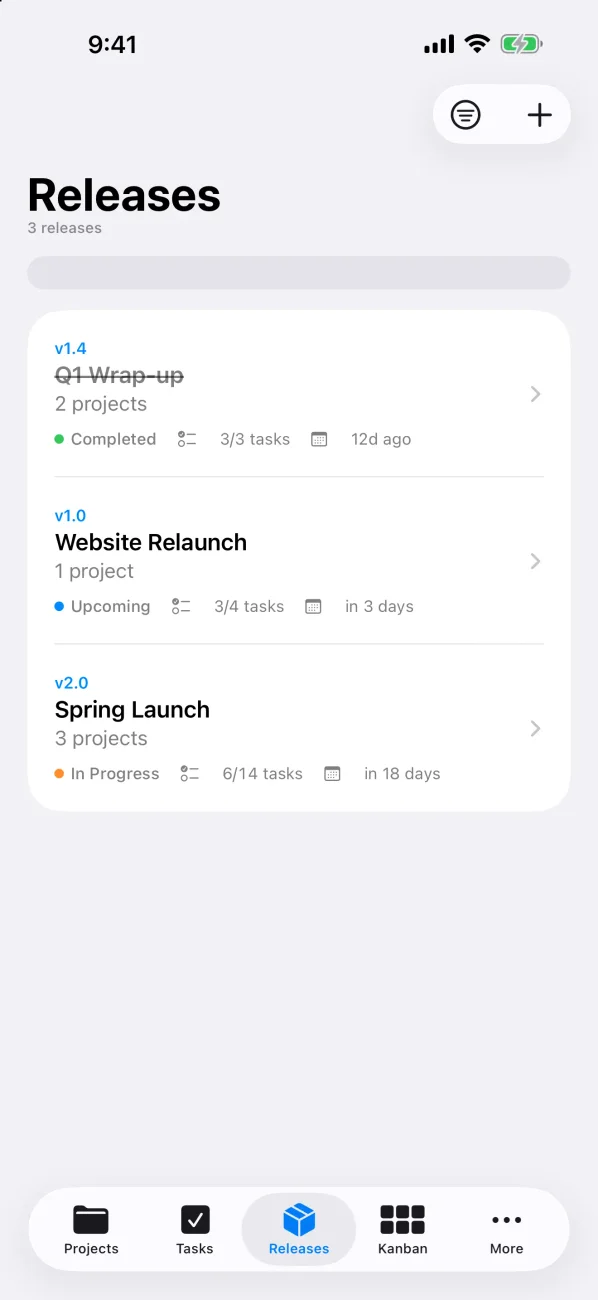
About
Kwilio Projects keeps all of your client work in one place. Plan projects, break them into tasks, track your time, send invoices and see how the business is doing, on iPhone, iPad and Mac.
Built for freelancers, studios and small agencies who want one app instead of five.
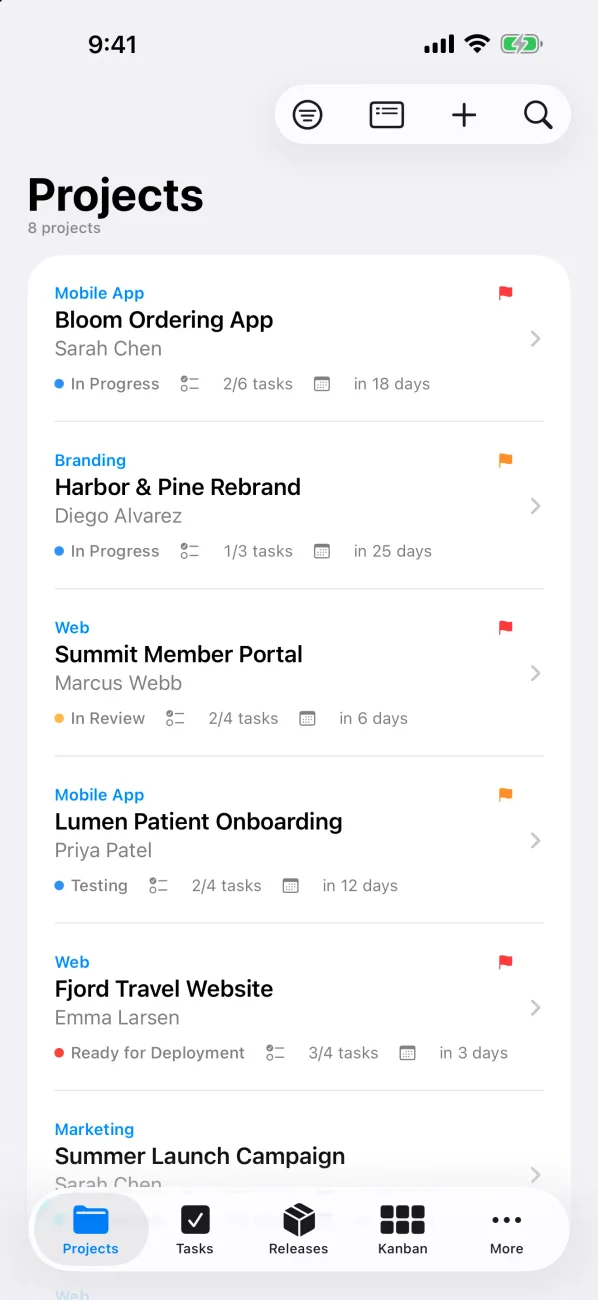
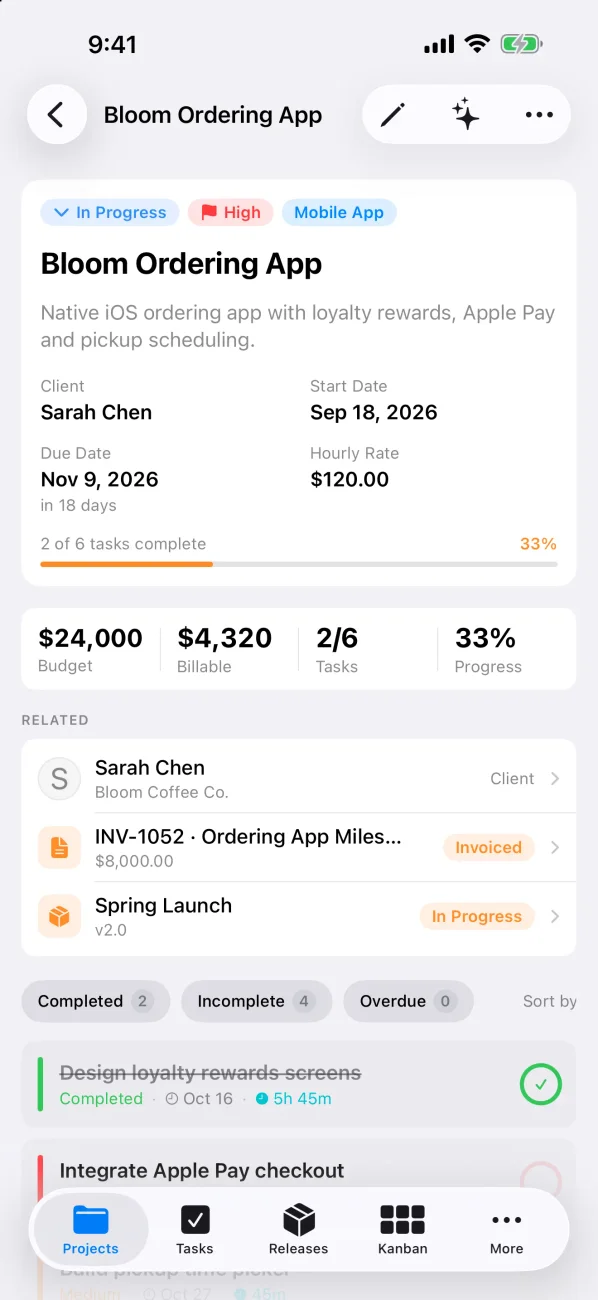
PROJECTS
• Link each project to a client and a category
• Set status, priority, start and due dates
• Track budget, hourly rate and billable amount at a glance
• See progress as tasks get done
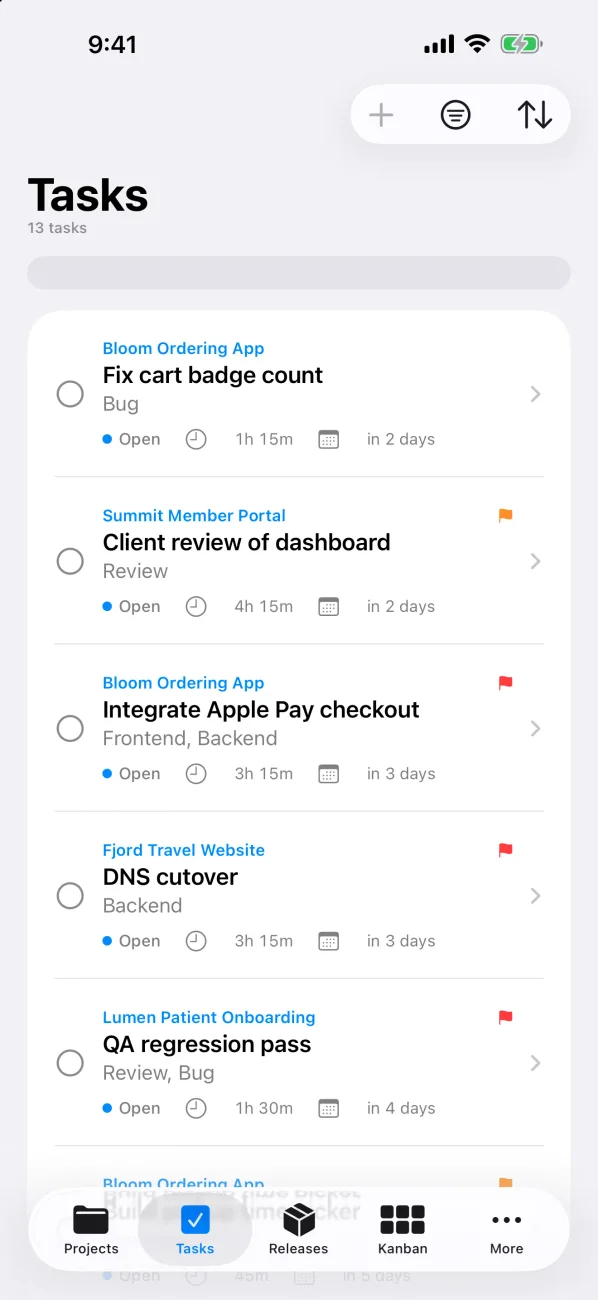
TASKS
• Add due dates, priorities and color-coded tags
• Filter by completed, incomplete or overdue, and sort however you like
• Open any task to see its project, dates and logged time
TIME TRACKING
• Start a timer on any task, or log time by hand
• Mark entries as billable
• See total and billable hours per task and per project
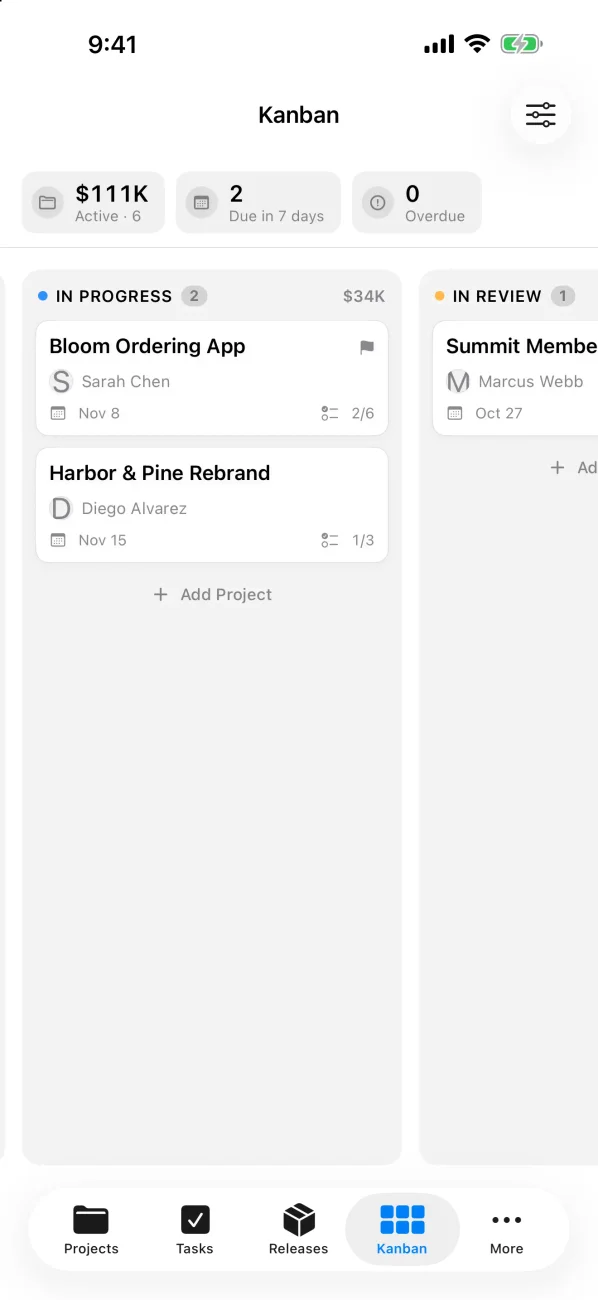
KANBAN BOARD
• Drag projects between columns as they move from Not Started to Complete
• Choose which status columns to show
• Totals for active budget, projects due this week and overdue work
TIMELINE & RELEASES
• Group projects into releases with versions and due dates
• Follow task and project progress for every release
• See your schedule on a timeline by day, week or month
CLIENTS & INVOICES
• Keep client contact details and their projects together
• Track invoices, due dates and what's been paid
REPORTS
• Financial report: invoiced, paid, outstanding and overdue, with revenue by month and by client
• Project, task, client and time reports
• Activity log of what changed and when
AI ASSISTANCE
• Suggest tasks for a project
• Draft invoices from your work
• Write client status updates in seconds
WORK TOGETHER
• Share a project with collaborators through iCloud
• Assign tasks to the people you share with
• Your data syncs across your iPhone, iPad and Mac
FOR DEVELOPERS
• Connect GitHub or Bitbucket and link tasks to repositories and branches
KWILIO PREMIUM
Kwilio Projects is free to start. Premium unlocks unlimited clients, projects, tasks, invoices and releases, unlimited AI assistance, Git integration and more sharing.
Premium is an auto-renewing monthly subscription. Payment is charged to your Apple Account at confirmation of purchase. The subscription renews automatically unless it's turned off at least 24 hours before the end of the current period. You can manage or cancel it in your Apple Account settings.
Terms of Use: https://www.apple.com/legal/internet-services/itunes/dev/stdeula/
What’s new
Version 1.9 · Oct 30, 2026
Assign tasks to teammates
You can now assign a task to someone on your team. The "Assigned" filter shows the tasks assigned to you, so you can see what's yours at a glance.
More reliable team sharing
Shared projects now sync faster and more reliably across your team's devices. Editor and Guest permissions are applied more consistently.
Fixes & polish
• On iPad and Mac, the small label above each project, task, release, invoice and client name now stays visible when you select the row.
• Notification and iCloud sync improvements.
Thanks for using Kwilio Projects! If you have feedback, we'd love to hear it.
App privacy
What Renford Rattan declares on the App Store about how this app handles data.
-
Data not collected
The developer does not collect any data from this app.
Privacy practices may vary, for example with the features you use or your age.
Information
- Seller
- Renford Rattan
- Category
- Productivity
- Version
- 1.9
- Updated
- Oct 30, 2026
- Released
- Jun 5, 2025
- Size
- 17.4 MB
- Requires
- iOS 26.0 or later
- Age rating
- 4+
- Price
- Free
- In-app purchases
- Yes
- Languages
- English, French, German, Simplified Chinese, Spanish
- Copyright
- © 2026 Kwilio LLC.
You might also like
-
 VentassoWork closes itself on merge
-
 PriorityStack: Top SixIvy Lee daily top 6 tasks
-
 ibPocketOrganize Once, Find Anything
-
 Stash | Snippet ManagerSave. Sync. Copy in a tap.
-
 Promptory - AI Prompt ManagerSave & Reuse AI Prompts
-
 My OKR - Achieve What MattersGoal setting & Time management
-
 ZyNotes: Private Offline NotesThoughts Journal & Diary App
-
 LifePal AI Chat & AssistantProductivity and Daily Planner
-
 Task Buddy: Organize & Focus4 quadrants of task management
-
 PromptBox MobileProductivity