KxCoding: Learn Swift & iOS
Courses, Tutorials & Articles
Designed for iPhone, iPad, Mac
Free · In-app purchases
- Age rating4+
- CategoryEducation
- DeveloperKeun young Kim
- LanguagesEnglish+ 2 more
- Size47.3 MB
Links to the official App Store page
Download.org hosts no file of KxCoding: Learn Swift & iOS. The button opens its official App Store page, published by Keun young Kim. Listing last checked on Nov 14, 2026.
Screenshots

About
From the moment you start learning Swift to the moment you finish your iOS app.
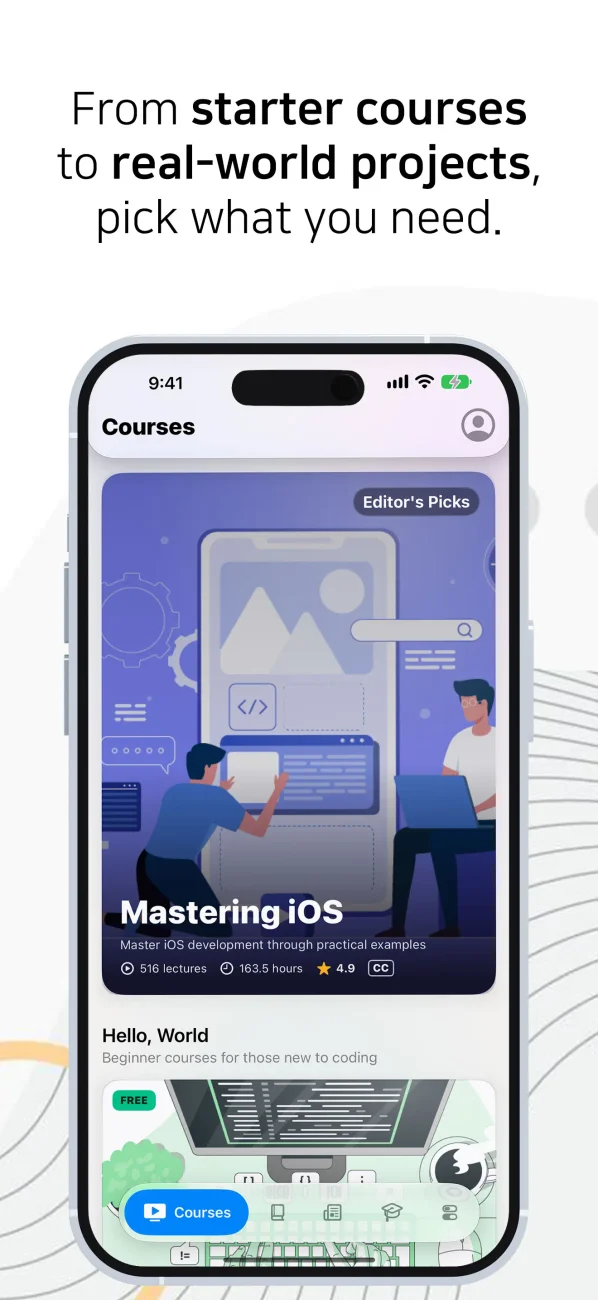
KxCoding is your place to learn Swift and development for Apple platforms. Explore structured video courses, hands-on tutorials, and articles covering the latest developments—all in one place.
■ Structured Courses, from Fundamentals to Real-World Skills
• Learn step by step, from Swift fundamentals to SwiftUI, UIKit, RxSwift, and the key technologies you need to build apps.
• Preview each course's overview, difficulty level, curriculum, and length, then choose the course that's right for you.
• Follow detailed explanations and a wide range of examples to connect concepts with real code.
■ Read, Practice, and Build with Tutorials
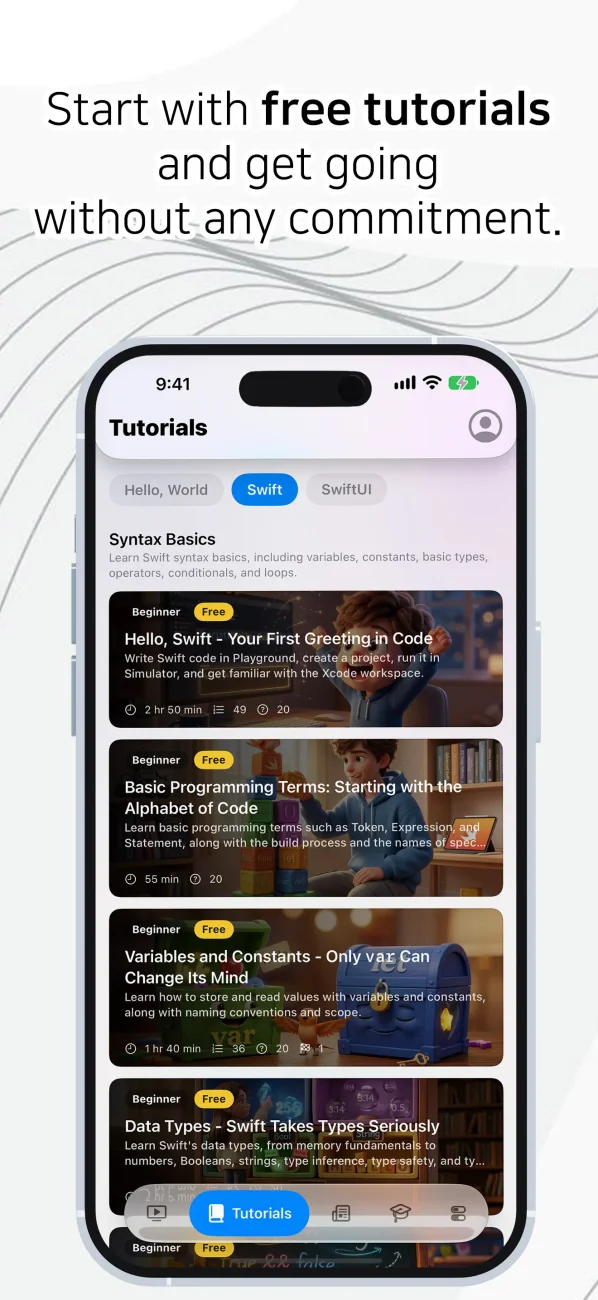
• Explore the topics you need through short, clear, step-by-step explanations.
• Go beyond reading with code examples, quizzes, and challenges that help you check your understanding and learn by doing.
• Choose what interests you, from Swift fundamentals to SwiftUI, and learn at your own pace.
■ Keep Up with the Latest Developments
• Catch up on the latest news from Swift, Xcode, WWDC, and Apple platforms at a glance.
• Bookmark articles you want to revisit and find them quickly anytime.
■ A Player Built to Keep You Focused
• Pick up right where you left off.
• Customize playback speed, skip controls, and more to fit the way you learn.
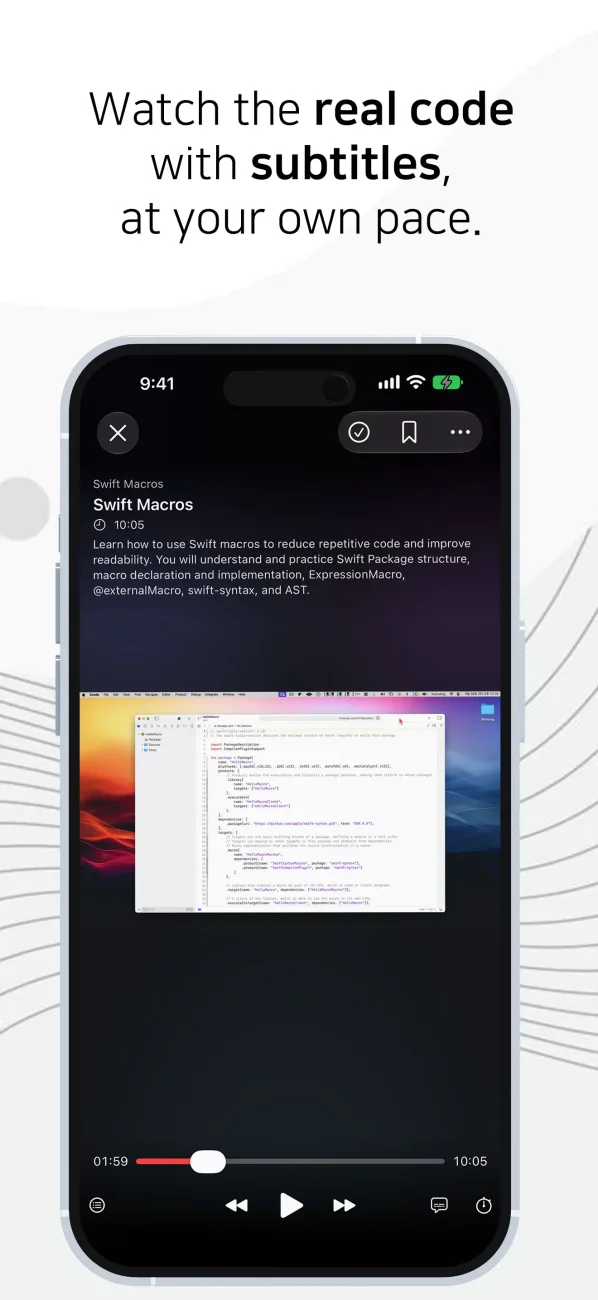
• For lectures that include subtitles, turn them on or off and adjust the text size.
• Mark lectures as complete and manage bookmarks right from the player.
■ See Your Learning Progress
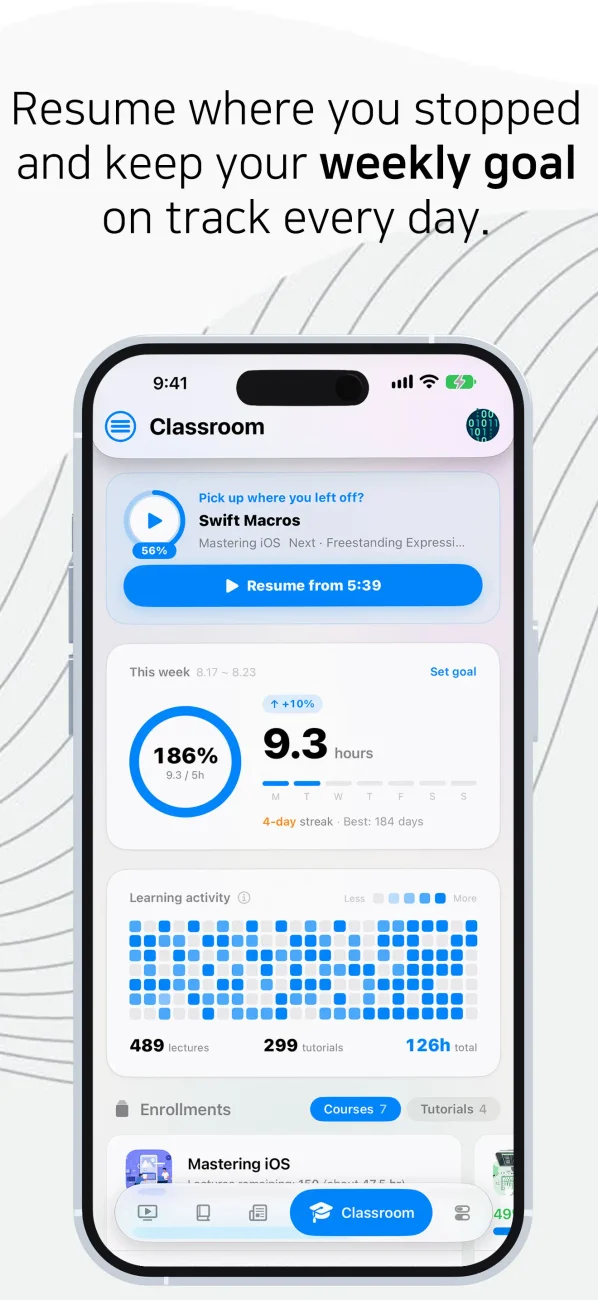
• Set a weekly learning goal and track your study time and progress toward it.
• See your learning streak and activity at a glance and build a consistent learning habit.
• Manage course progress, questions, bookmarks, reviews, and certificates with ease in Classroom.
■ Keep Learning Wherever You Are
• Learn comfortably with native apps optimized for iPhone, iPad, and Mac.
• Sign in to your KxCoding account to sync your course enrollments and learning progress across supported environments.
From first-time coders to developers looking to expand their practical skills.
Write your next line of code with KxCoding today.
Important Information
• Some courses and features require sign-in or a separate purchase.
• Content and feature availability may vary by course and environment.
• An internet connection is required to access content.
Support
https://www.kxcoding.com/help
KxCoding Website
https://www.kxcoding.com
Terms of Use
https://www.kxcoding.com/help/agreement/terms-of-use
Privacy Policy
http://kxcoding.com/help/agreement/privacy-policy
What’s new
Version 26.8.15 · Aug 18, 2026
We've improved the overall learning experience.
■ Tutorials (New)
· Follow step-by-step tutorials as you learn.
· Check your understanding with quizzes.
· Copy code for hands-on exercises and manage your learning progress.
■ Articles (New)
· Read the latest posts in the new Articles tab.
· Like and bookmark articles you want to keep.
■ Redesigned Classroom Dashboard
· Instantly resume the lecture you watched most recently.
· See your learning flow with weekly learning summaries and an activity heatmap.
· Set a weekly learning goal and track your progress toward it.
· View the courses you're taking, bookmarks, questions, and certificates together as cards.
■ Widgets and Live Activities
· Check your learning streak from a Home Screen widget.
· Resume the lecture you were playing directly from the Lock Screen.
■ Player
· Added a MiniPlayer and full-screen mode.
· Added subtitle support and redesigned the playback control bar.
■ Optimized for iPad
· Added support for a wide layout with a sidebar.
· Reorganized Classroom and lecture lists to make better use of the larger screen.
■ Sign-In and Security
· Added Sign in with Google.
· Automatic sign-in is now protected by biometric authentication.
· Manage your signed-in devices.
■ Languages and Accessibility
· Added support for English and Japanese.
· Improved VoiceOver support.
■ Performance
· Improved the networking architecture for faster loading and greater stability.
■ Version Numbering Changes
· Version numbers now use dates instead of sequential numbering.
· 26.8.15 represents the August 15, 2026 update.
App privacy
What Keun young Kim declares on the App Store about how this app handles data.
-
Data linked to you
May be collected and linked to your identity.
- Purchases
- Financial info
- Contact info
-
Data not linked to you
May be collected but is not linked to your identity.
- Usage data
- Diagnostics
Privacy practices may vary, for example with the features you use or your age.
Information
- Seller
- Keun young Kim
- Category
- Education
- Version
- 26.8.15
- Updated
- Aug 18, 2026
- Released
- Mar 6, 2018
- Size
- 47.3 MB
- Requires
- iOS 17.0 or later
- Age rating
- 4+
- Price
- Free
- In-app purchases
- Yes
- Languages
- English, Japanese, Korean
- Copyright
- © Blue Bentus.