Kynd: ADHD Focus
Focus app for ADHD brains
Designed for iPhone, iPad
Free · In-app purchases
- Age rating4+
- CategoryProductivity
- DeveloperJC Mobile App Studio LLC
- LanguagesEnglish
- Size23.3 MB
Links to the official App Store page
Download.org hosts no file of Kynd: ADHD Focus. The button opens its official App Store page, published by JC Mobile App Studio LLC. Listing last checked on Nov 18, 2026.
Screenshots




About
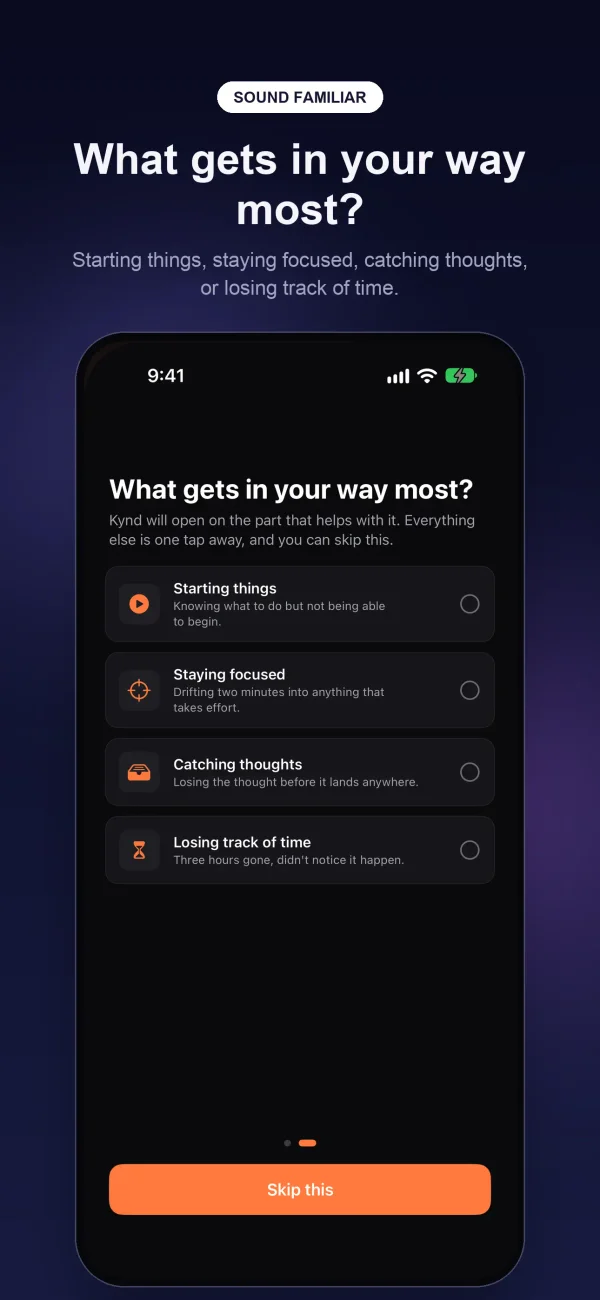
There are a lot of focus apps. Kynd is the one that meets your brain where it is.
Most productivity apps assume your tank is full. They schedule deep work right after a draining meeting, punish you with a broken streak for one missed day, and ask you to decide what to do next at the exact moment your executive function is offline. That doesn't help an ADHD brain.
Kynd runs on one idea: the smallest physical next step is everything.
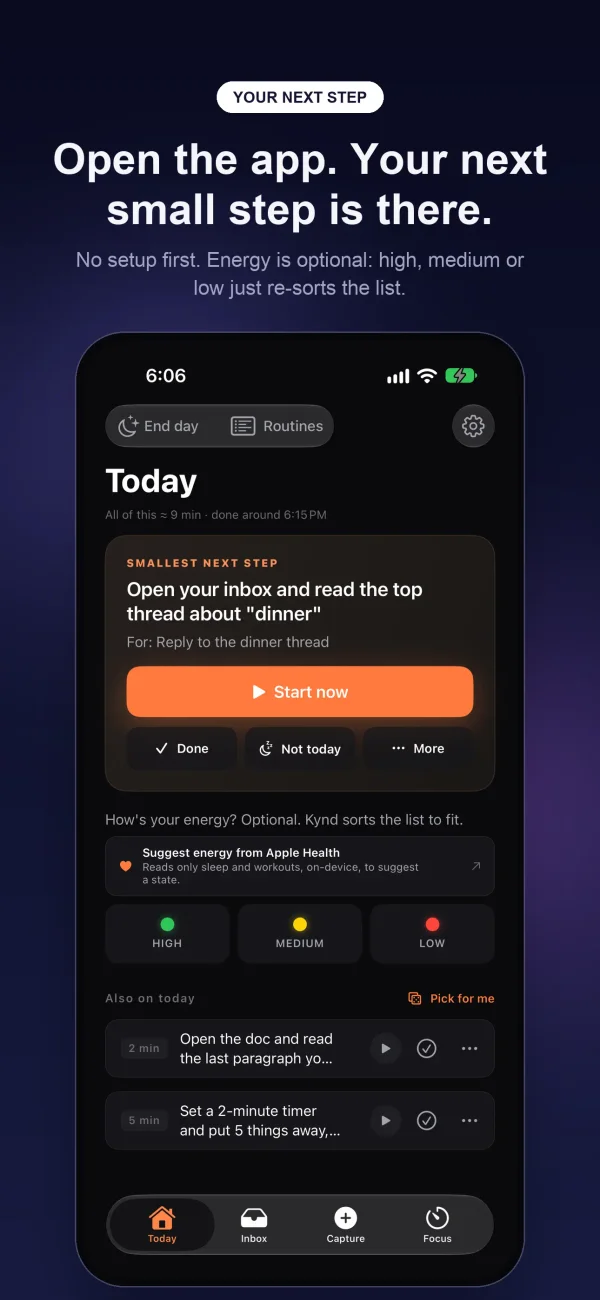
Open Kynd and your next small step is right there, with Start, Done, and Not today on the card. No setup first.
Energy, if you want it. Tell Kynd high, medium, or low and Today re-sorts: big tasks when you're up for them, small wins when you're not.
Capture before you lose the thought. One box: speak or type, then save it for later or let on-device AI suggest a first move you can finish in two minutes.
When / Then for the stuff that always slips. Pair a moment ("when I sit down with coffee") with an action ("I'll open the doc").
Focus that doesn't punish you. 2 min, 25 min, or no timer, with a visual time disk so time stops being abstract. When a session ends, take a break, add five minutes, or start the next one.
Feel the time pass. Optional gentle pulses every 5, 10, or 15 minutes, so time keeps moving while your eyes are on the work.
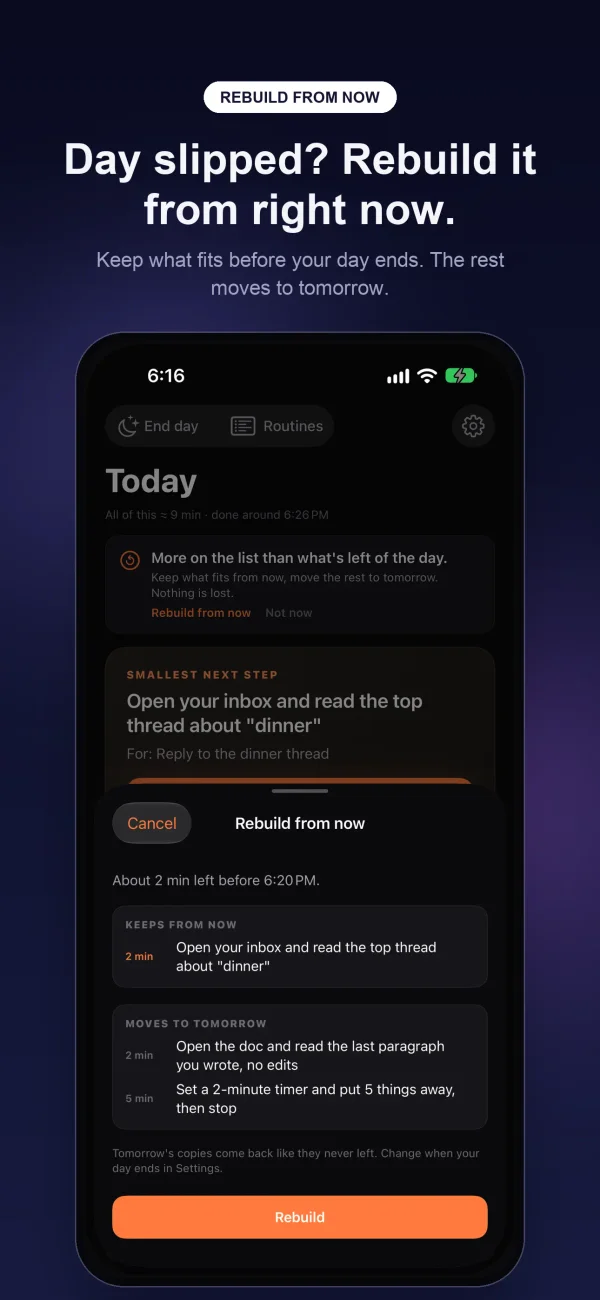
Rebuild from now. When the list is bigger than what's left of your day, keep what fits and move the rest to tomorrow.
Not today. Snooze a task and it comes back like it never left. Worked on something without finishing? That counts too. Can't choose? Pick for me.
No streaks. A missed day resets nothing. The next start is the only thing that counts.
Plain words and buttons that say what they do. Calm mode, light or dark, gentle haptics, and banners you can act on without opening the app. On iPad and iPhone Duo, Today, Focus, and Capture spread into two columns.
Routines, an inbox, an evening shutdown, widgets, Siri, and an Apple Watch app with Start and Done are included, no subscription needed.
Kynd Premium
- Break it down: turn any task into three to seven concrete steps, sized by how hard it feels. Steps stay linked, so finishing them adds up. (Needs an iPhone with Apple Intelligence.)
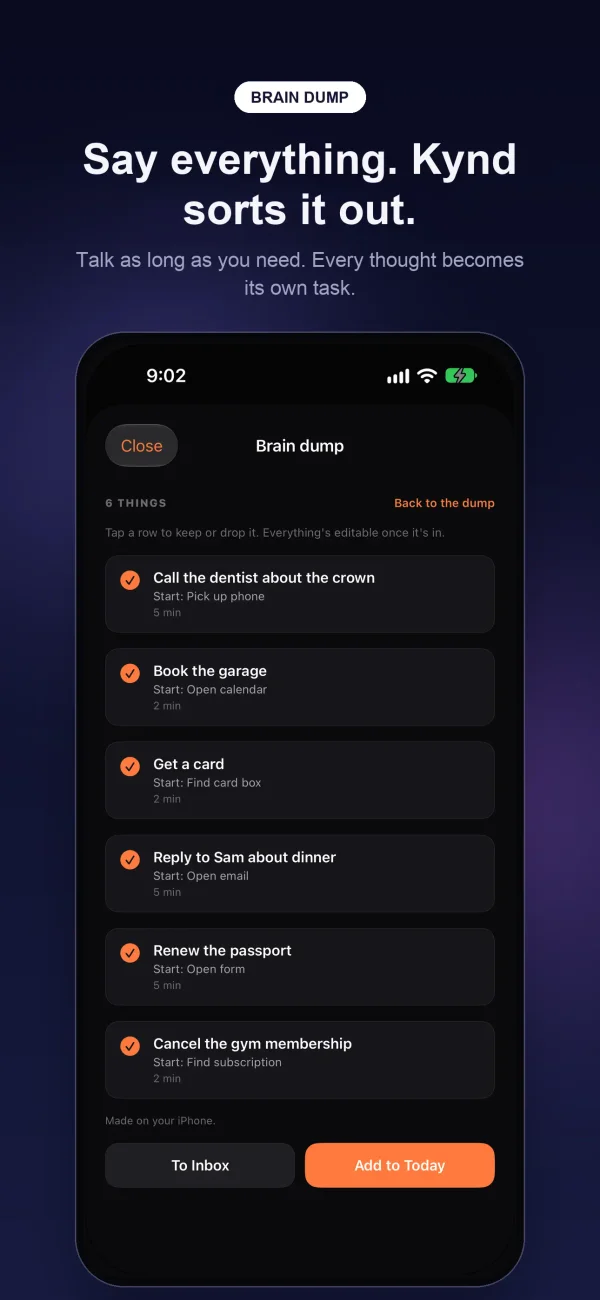
- Brain dump: talk as long as you need, then Kynd sorts it into separate tasks, each with a first move, for you to keep or drop.
- Bigger brain, optional: send hard tasks to Apple's Private Cloud Compute, designed so nobody, including Apple, can read what's sent. Off by default. Needs iOS 27.
- Focus shield: distracting apps behind a one-tap liftable shield that shows your own task, never a scold.
- Drop-in audio coworking rooms and scheduled sessions, 500 minutes a month.
- 10 CBT-for-ADHD lessons; the first is free.
- Recurring tasks, including every other week, quarterly, and "not before" a time you choose.
- Per-task timers, guided routine run-throughs with spoken prompts, and 4 more soundscapes.
- Apple Health energy hints, calendar context on Today, and iCloud sync.
Kynd is local-first. Your tasks live on your device and sync only through your own iCloud if you turn it on. AI runs on your iPhone unless you choose Private Cloud Compute. No analytics. Your tasks never touch a Kynd server; the only one handles coworking room passes and minutes.
KYND PREMIUM (auto-renewing subscription)
Monthly: $4.99. Annual: $29.99, including a 7-day free trial for new subscribers.
Payment is charged to your Apple Account at purchase confirmation. Subscriptions renew automatically unless cancelled at least 24 hours before the end of the current period. Manage or cancel anytime in your Apple Account settings.
Privacy Policy: https://jcmobileappstudio.com/apps/kynd/privacy/
Terms of Use (Apple standard EULA): https://www.apple.com/legal/internet-services/itunes/dev/stdeula/
What’s new
Version 1.6.6 · Oct 18, 2026
Tips that stay out of your way. Some of you said Kynd was a lot to take in, so this update teaches itself without piling on:
• One short tip at a time, right beside the thing it's about, and at most one new one a day.
• Each tip goes away on its own once you've used the thing it names.
• Today never opens with "you have too much." The rebuild offer waits until your second visit.
• While a timer runs, Today shows "Focusing on…" with the time left. Tap it to go straight back.
• Settings › Help and about › Tips lists every tip, with a switch to turn them off.
App privacy
What JC Mobile App Studio LLC declares on the App Store about how this app handles data.
-
Data linked to you
May be collected and linked to your identity.
- Identifiers
Privacy practices may vary, for example with the features you use or your age.
Information
- Seller
- JC Mobile App Studio LLC
- Category
- Productivity
- Version
- 1.6.6
- Updated
- Oct 18, 2026
- Released
- May 29, 2026
- Size
- 23.3 MB
- Requires
- iOS 18.0 or later
- Age rating
- 4+
- Price
- Free
- In-app purchases
- Yes
- Languages
- English
- Copyright
- © 2026 JC Mobile App Studio LLC
You might also like
-
 NEURA: Habits and PracticesWhat you do becomes evidence
-
 Goal Ahead - Progress BarProgress bar for your goal!
-
 Zain: Goals & Weekly PlannerHabit tracker, reading, notes
-
 FocusCall: ADHD Reminder CallsNag Mode calls till you answer
-
 ADHD Timer: End Time BlindnessVisual Countdown & Focus Aid
-
 My Local VoicePrivate AI Voice & Chat
-
 Project RoadMapProject Management Made Simple
-
 MobileLLMRun LLM on your device
-
 Daily Plan OneFlow: ScheduleADHD Tasks, Goals & Reminders
-
 Weeklist: Weekly PlannerTo-Do List and Reminders