
- Age rating4+
- CategoryUtilities
- DeveloperQingdao Tomato Creative Technology Service Co., Ltd
- LanguagesEnglish
- Size30.7 MB
Links to the official App Store page
Download.org hosts no file of Label Pics Plus. The button opens its official App Store page, published by Qingdao Tomato Creative Technology Service Co., Ltd. Listing last checked on Nov 18, 2026.
Screenshots
About
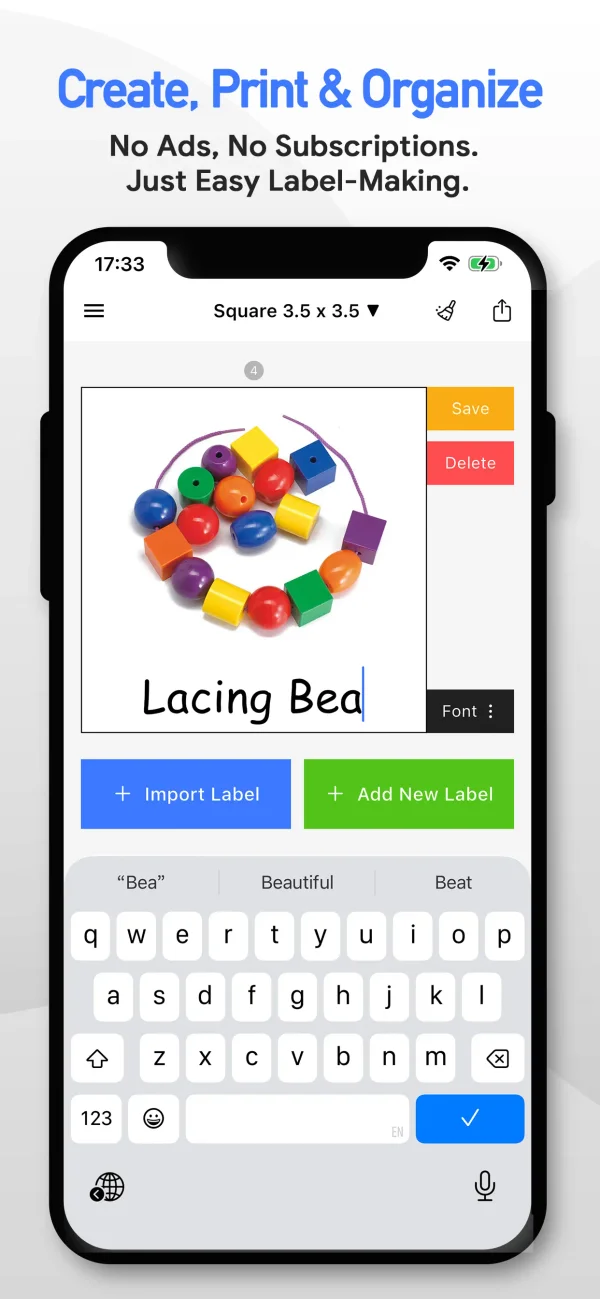
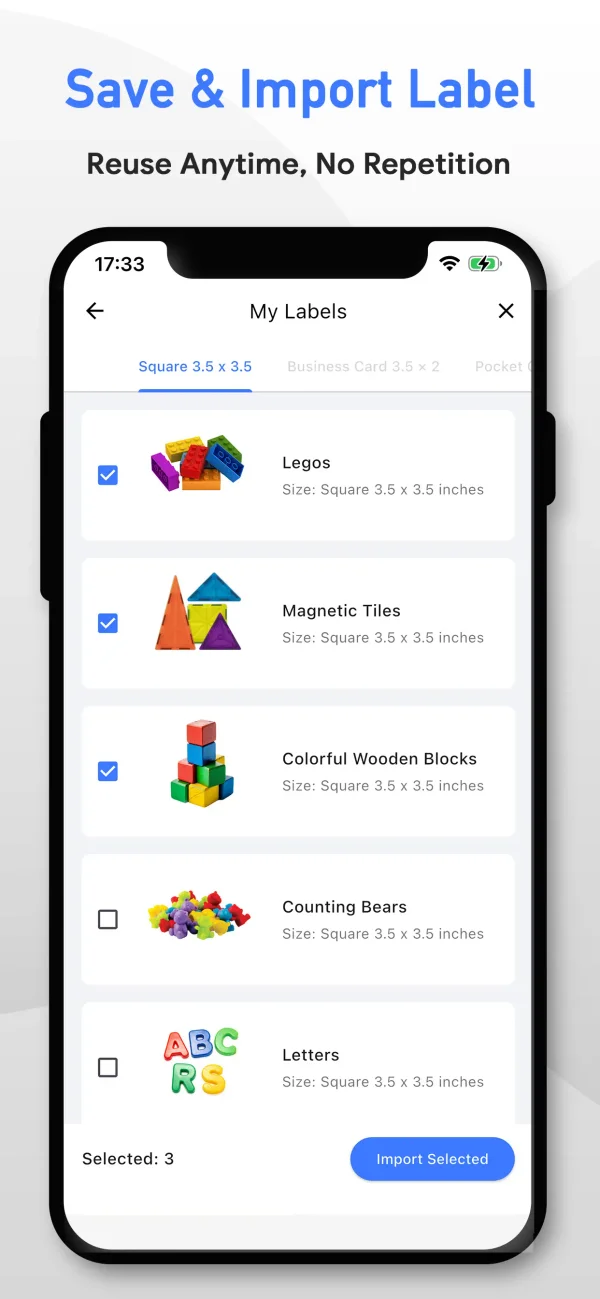
Label Pics Plus is a convenient label-making tool that supports adding/editing label images, adjusting image zoom/position, customizing label text, and saving/importing label templates. Finally, you can arrange the labels into a PDF for sharing/printing.
Perfect for Everyone — Educators, Parents & Office Managers
Whether you’re organizing a classroom, tidying your home, or streamlining office tasks, Label Pics Plus makes label-making quick, easy, and stress-free. No complicated skills required — start creating professional-looking labels in seconds!
○ WHAT MAKES IT STAND OUT ○
→ Modern & Intuitive Design
→ Smooth Performance, Ad-Free Experience
→ Ultra-Easy Operation with Intuitive Navigation
→ Effortlessly Add Custom Titles to Photos
→ Capture New Photos or Import from Photo Library
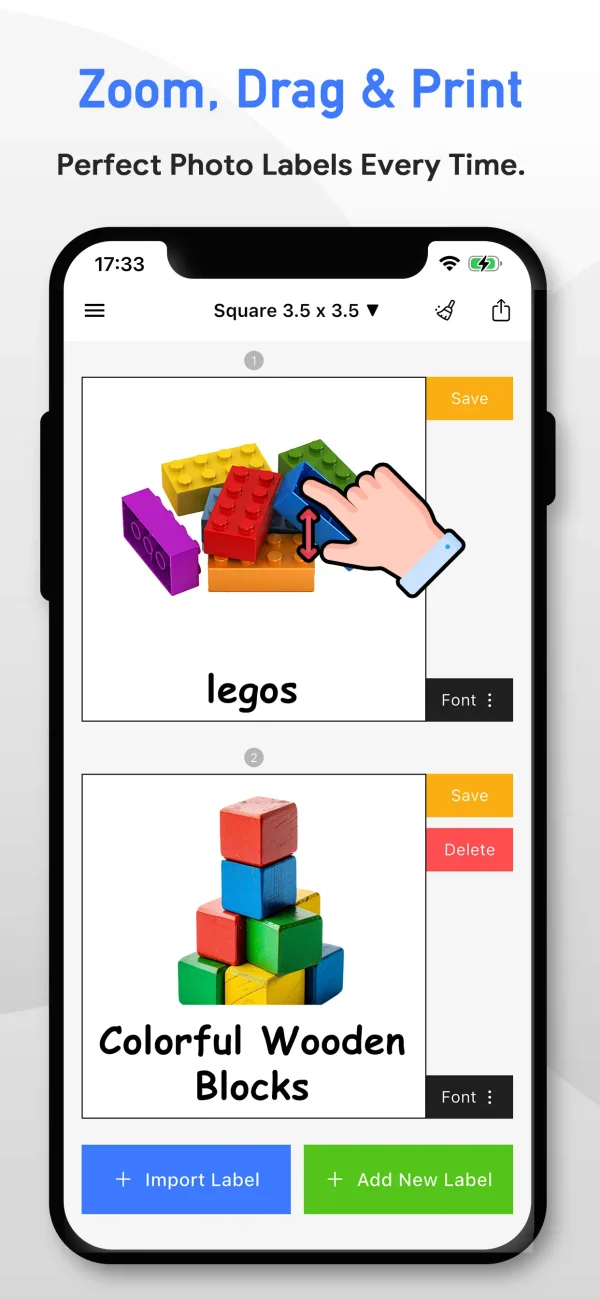
→ Zoom, Drag & Adjust Images to Perfect Position
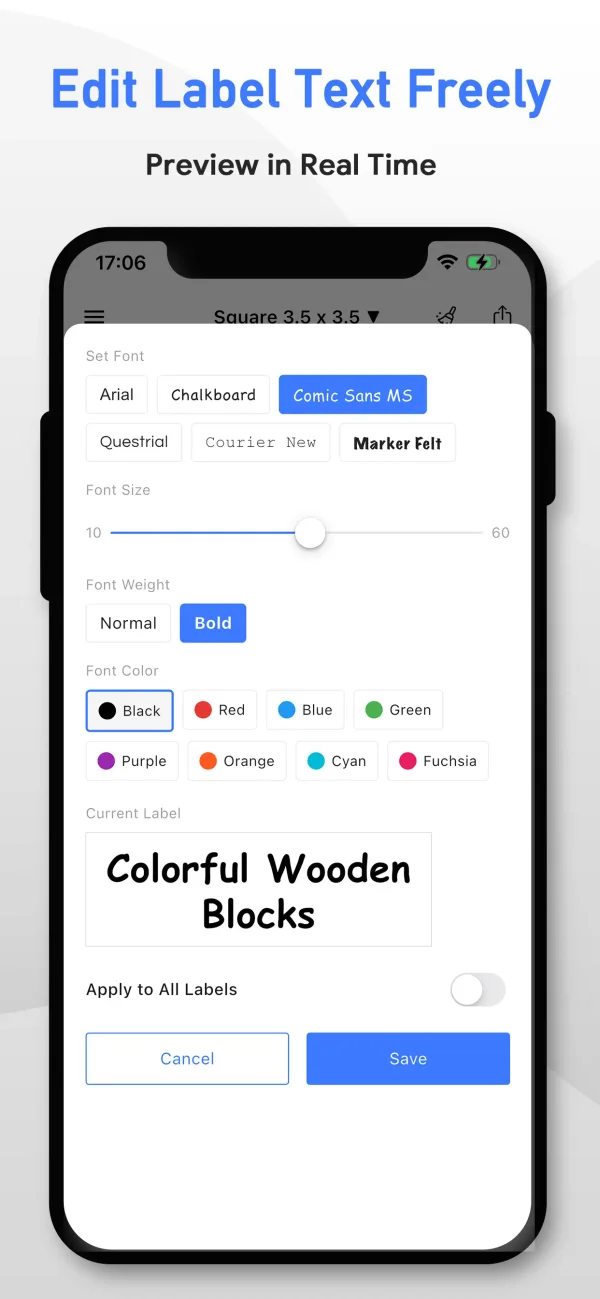
→ Customizable Fonts (Including Preschool-Friendly Fonts)
→ One-Click Save & Quick Import of Label Templates
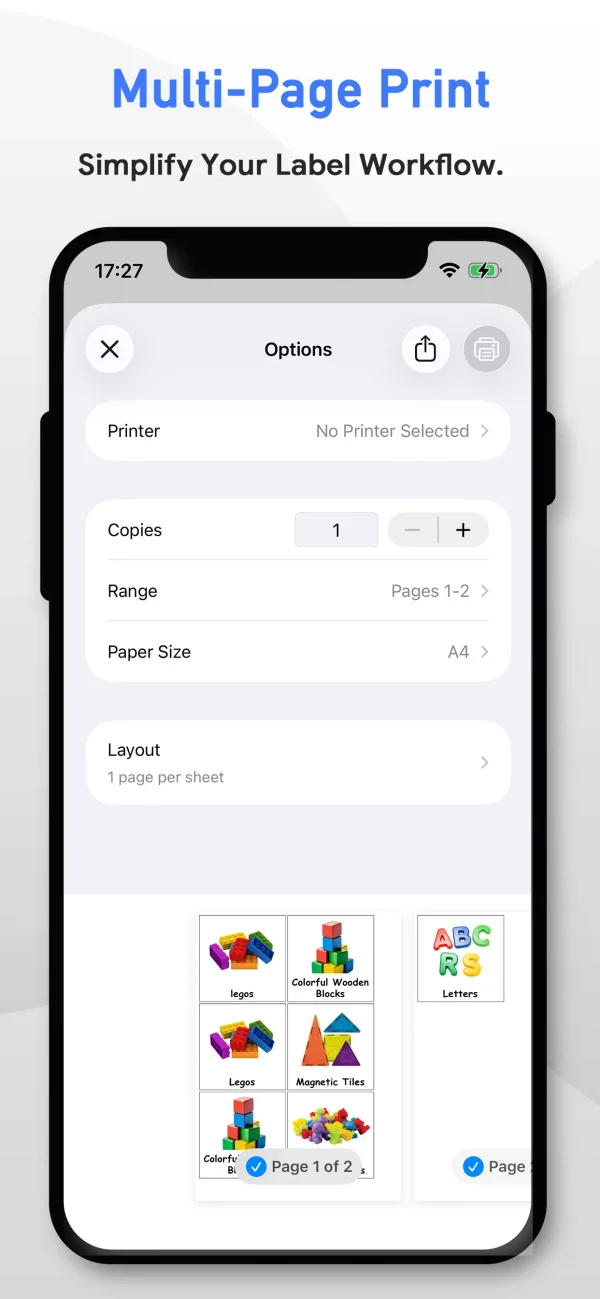
→ Multi-Page Printing Supported
→ Bilingual Label Text Editing (Dual-Line Input)
→ Secure Local Data Storage (No Data Loss)
→ Generate & Share High-Quality PDF Files
→ Batch Add Labels Efficiently
→ Real-Time Preview of Text & Image Effects
→ Preset Label Sizes for Multiple Scenarios
○ HOW IT CAN HELP YOU ○
• Organize office supplies, craft materials and classroom tools easily
• Design clear picture labels for early childhood education settings
• Create personalized photo name tags for students and staff
• Make custom pocket chart cards for daily lessons
• Develop visual flashcards for words, letters, sounds and vocabulary
• Label classrooms, cabinets, bins and shelves efficiently
• Update or replace labels quickly without re-creating from scratch
• Keep permanent records for inventory, organization and insurance
• Label moving boxes, storage bins and household items clearly
• Make tidying toys fun and simple with picture + name labels
• Create engaging classroom visual aids and teaching materials
• Provide clear, consistent instructions for kids and staff
• Save time with reusable label templates
• Print multiple labels at once for large classes or spaces
• Export high-quality PDFs for easy printing and sharing
Get Started Today
Download Label Pics Plus now and transform the way you organize, create, and share labels. No subscriptions, no ads, just a powerful tool that works when you need it.
What’s new
Version 1.0.1 · Sep 4, 2026
Bug fixes and performance improvements.
App privacy
What Qingdao Tomato Creative Technology Service Co., Ltd declares on the App Store about how this app handles data.
-
Data not collected
The developer does not collect any data from this app.
Privacy practices may vary, for example with the features you use or your age.
Information
- Seller
- Qingdao Tomato Creative Technology Service Co., Ltd
- Category
- Utilities
- Version
- 1.0.1
- Updated
- Sep 4, 2026
- Released
- Feb 12, 2026
- Size
- 30.7 MB
- Requires
- iOS 15.6 or later
- Age rating
- 4+
- Price
- $1.99
- Languages
- English
- Copyright
- © 2026 TomatoCX
You might also like
-
 Labelary - Photo Text LabelAI Photo Label Maker & Printer
-
 PicLabelsCreate labels from your photos
-
 Label Maker Stickers - LabelfyDesign Print Custom Label Fast
-
 Label Pics+Print Photo Label Organize
-
 OutdoorEXPOutdoorEXP
-
 911inform MobileUtilities
-
 FINDPOPUtilities
-
 JWEMCUtilities
-
 Glint MobileAssistive Technology
-
 FlashFiber HomeUtilities