
LabKey AI Reply Keyboard
Smart replies, dressed-up keys
Designed for iPhone, iPad
Free · In-app purchases
- Age rating9+
- CategoryUtilities
- Developer登宇 郁
- LanguagesEnglish+ 3 more
- Size3.8 MB
Links to the official App Store page
Download.org hosts no file of LabKey AI Reply Keyboard. The button opens its official App Store page, published by 登宇 郁. Listing last checked on Nov 20, 2026.
Screenshots
About
A message lands. You stare at the field for five minutes, type something, delete it.
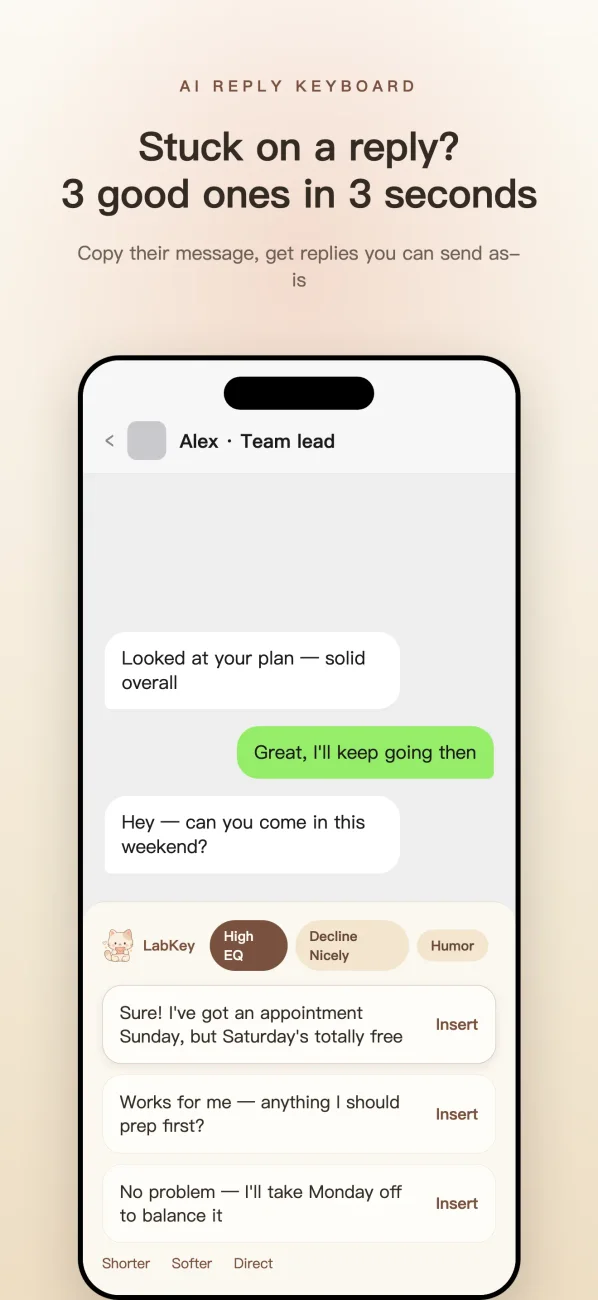
LabKey is an iOS keyboard. Copy their message, switch to LabKey, tap Generate. Three ready-to-send replies appear. Pick one, it lands in the field, done.
IT READS THE MESSAGE FIRST
This is what separates LabKey from tools that only make your words prettier.
They say "it's fine, whatever you want." Most people answer "what's wrong?" That question makes them withdraw further.
LabKey tells you first: they're pulling back, this is not really your call. Then it offers: "Alright, your call. Did you eat yet?"
Accept the line, move to something ordinary. That is the move here.
ROMANCE MODE
Off by default. Turn it on and most styles switch judgment: meet the feeling before offering a fix, do not close the topic, do not stack questions, do not defend yourself.
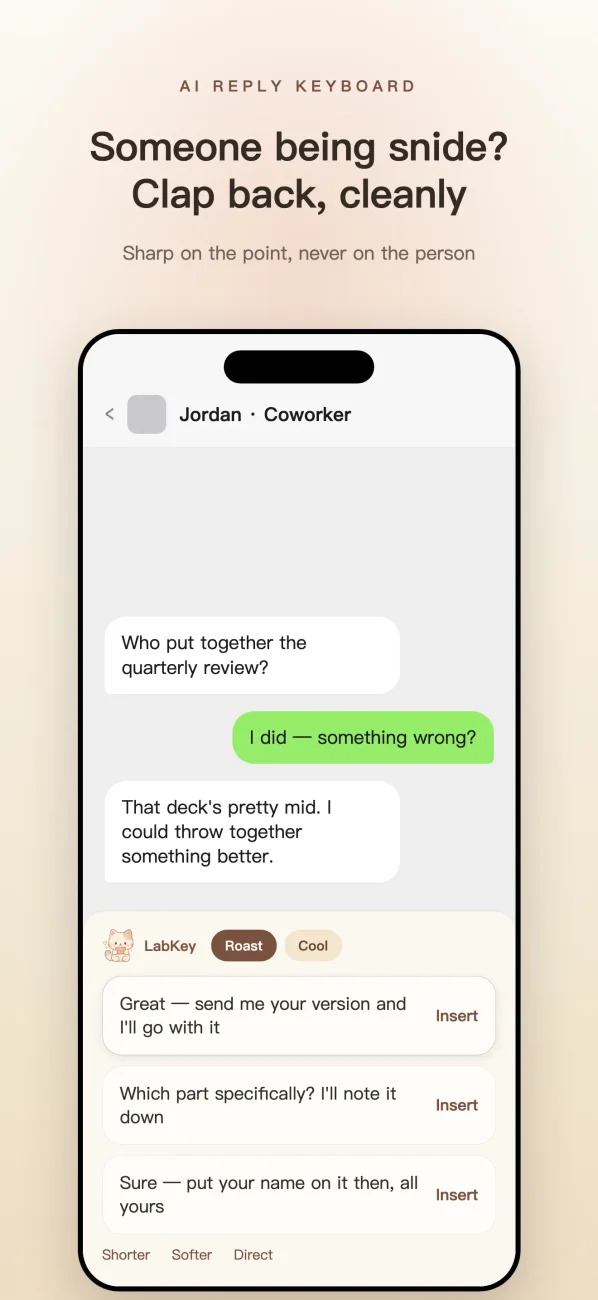
Roast, Philosophy, Business and Translate are left alone. Their character genuinely conflicts with dating judgment, so we did not force it. The screen shows before and after examples.
24 STYLES, GROUPED BY SITUATION
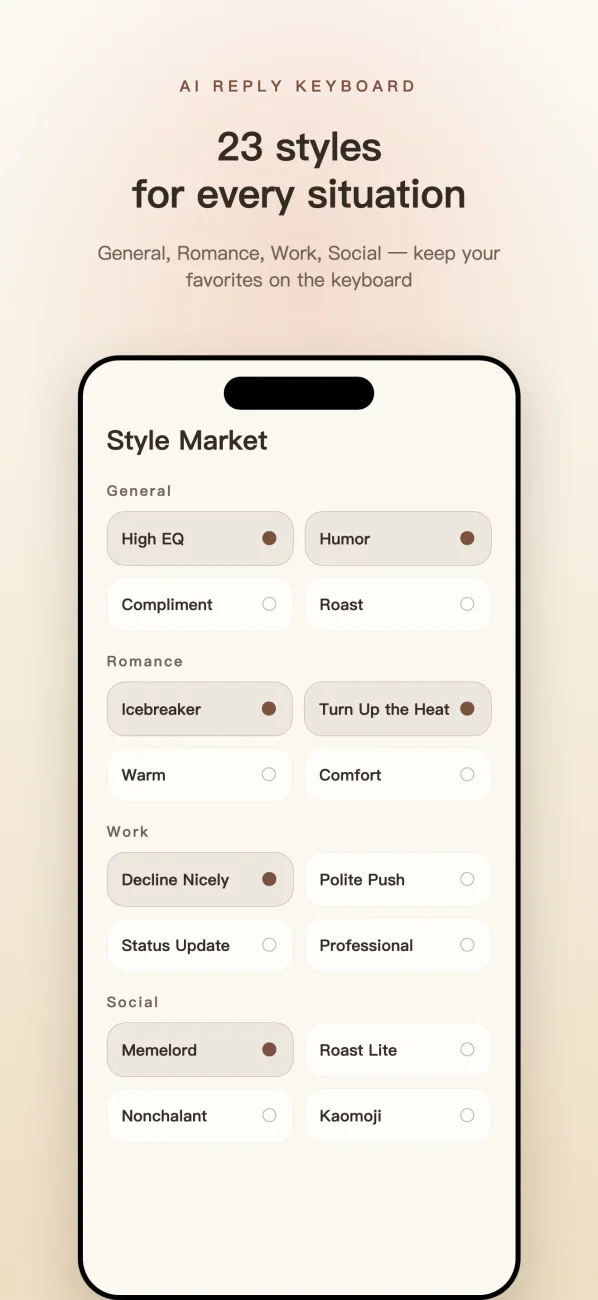
General: High EQ, Humour, Aloof, Sweet Talk, Wordsmith, Kaomoji, Emoji
Romance: Flirt (hers), Flirt (his), Icebreaker, Warm Up, Gentle, Comfort, Confess
Work: Chase, Decline, Report, Business
Social: Unbothered, Memelord, Banter
Write your own prompt if none of them fit.
CONVERSATION PLAYBOOK
The same message answered three ways, scored 2, 5 and 10, with the reason each one lands where it does.
Not platitudes: rules you can act on. Take their side while the feeling is hot. Small talk continues, it does not conclude. One question per reply, at most.
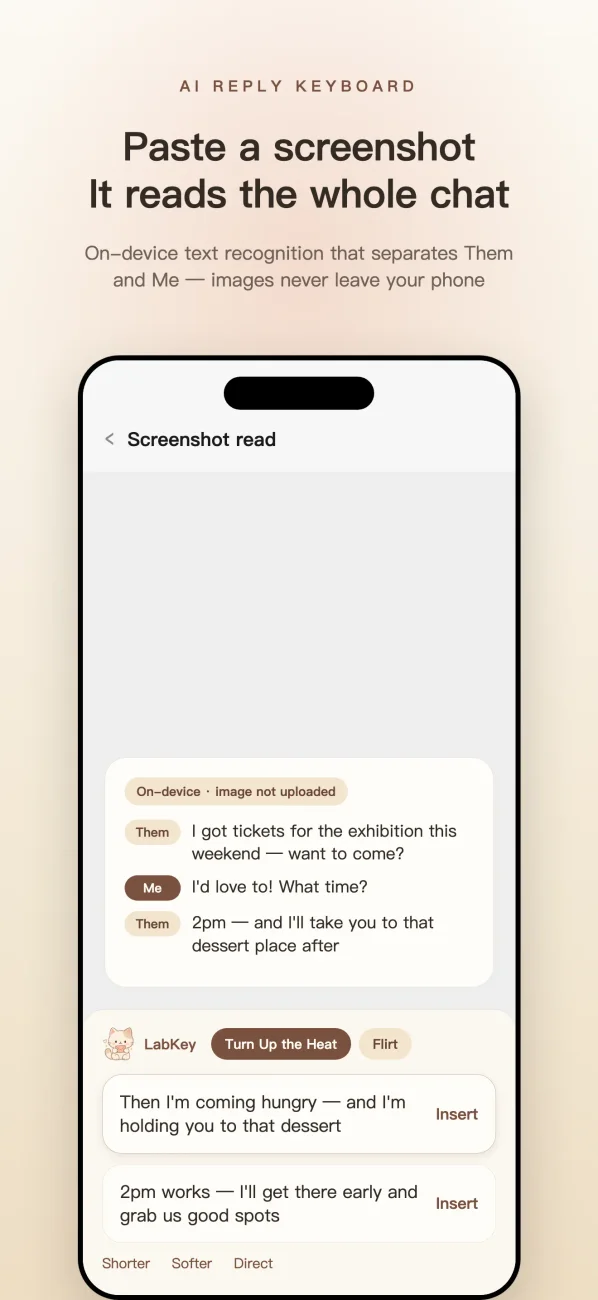
PASTE A SCREENSHOT
Paste the image and the text is read out of it, with each line attributed to the right person. Text baked into avatars, timestamps and other furniture is filtered out.
IT LEARNS HOW YOU WRITE
Every reply you pick teaches it your phrasing. Samples stay on the device; the text itself is never uploaded.
FOUR LANGUAGES, EACH LOCALISED PROPERLY
English, Japanese, Simplified and Traditional Chinese.
Japanese and Traditional are not translations. The Japanese set is rewritten for Japanese norms; the Traditional set follows Taiwan usage and pacing.
HOW IT WORKS
1. Copy their message, or just copy a screenshot of the chat
2. In any text field, switch to the LabKey keyboard and tap Paste
3. Pick a style, tap Generate, tap a reply to insert it
MORE THAN REPLIES
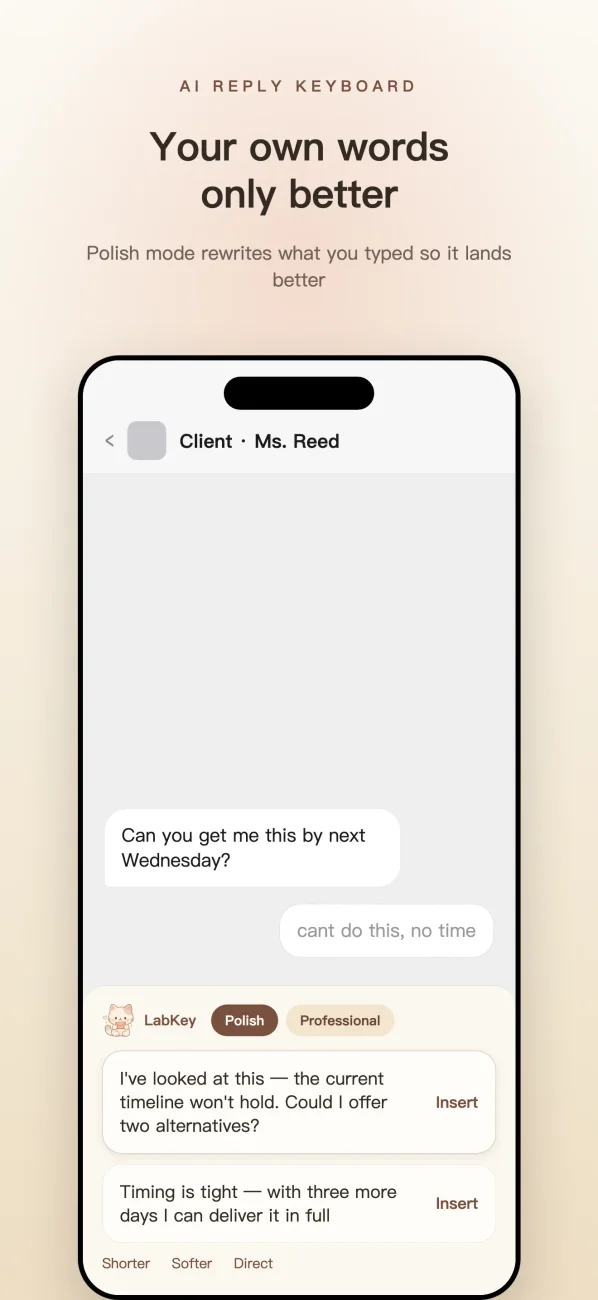
· Polish: rewrite what you already typed so it lands better
· Natural English: turn a line into how a native speaker would say it
· Custom styles: describe the tone you want in one sentence and it is yours
KEYBOARD SKINS
Full colour sets such as Cream Mail Cat, applied to the app and the keyboard at once. Switch in Settings, or go back to the stock iOS look anytime.
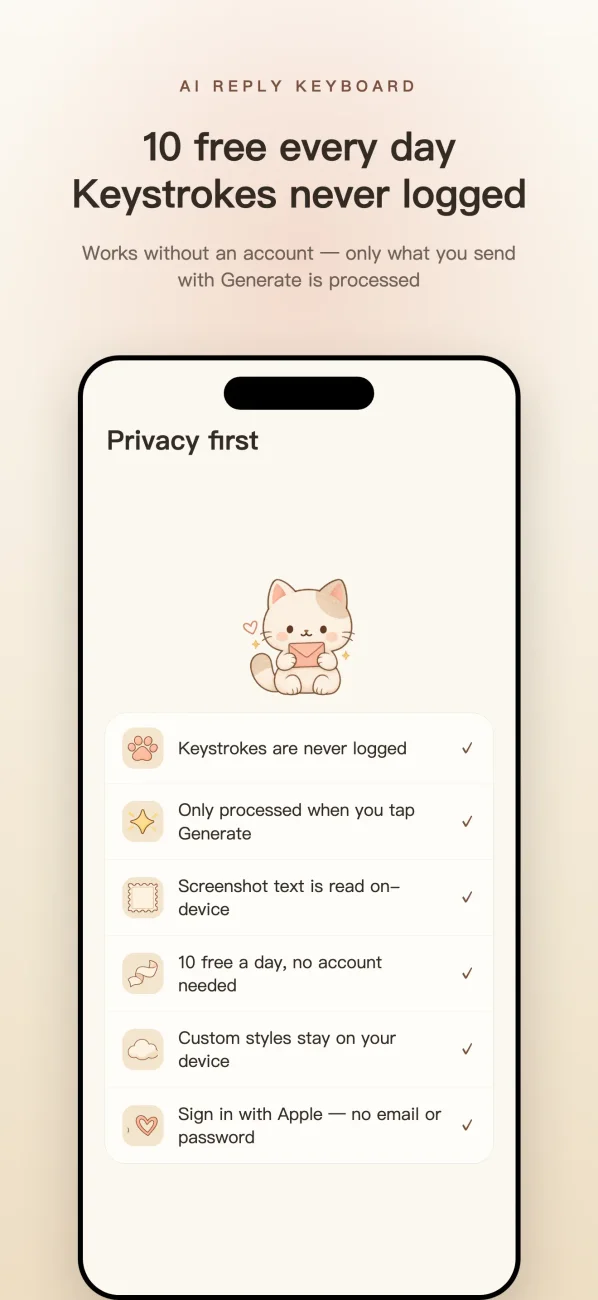
PRIVACY FIRST
· Keystrokes are never logged
· Only what you copy and explicitly send by tapping Generate is processed
· Screenshot recognition happens on-device, images never leave your phone
· Custom styles and learning samples stay on your device by default
· Sign in with Apple, no email or password, or use it with no account at all
SIMPLE PRICING
· 10 free generations every day, no account needed
· Need more: one-time packs (100 or 500) or LabKey Pro Monthly (200 per day)
· Invite a friend and you both get 50 free generations
Download LabKey and never stare at an empty text box again.
——————————
Monthly Pro is an auto-renewing subscription (1-month term). It renews automatically unless auto-renewal is turned off at least 24 hours before the end of the current period. Manage or cancel anytime in Settings > Apple ID > Subscriptions.
Terms of Use (EULA): https://www.apple.com/legal/internet-services/itunes/dev/stdeula/
Privacy Policy: https://labkey.w4xiaoyao.space/labkey/v1/privacy
What’s new
Version 1.4.2 · Sep 22, 2026
TRADITIONAL CHINESE INTERFACE
Not just the store listing. The app itself is now fully available in Traditional Chinese, bringing it to four languages.
ROMANCE MODE
A new switch. With it on, most styles adopt dating-context judgment: meet the feeling first, keep the topic open, stop chasing, stop defending. Roast, Philosophy, Business and Translate are unaffected, and the screen shows side-by-side examples of what changes.
IT READS BEFORE IT REPLIES
Above the suggestions you now see what they actually want from that message, and how to meet it.
CONVERSATION PLAYBOOK
A library of situations. One message, three replies scored 2, 5 and 10, and what separates them. Each style also has a page showing when to use it.
SCREENSHOT READING, FIXED
Replies are no longer attributed to the wrong person. Text inside avatars, timestamps and other screen furniture is filtered out instead of being fed to the model.
HISTORY YOU CAN COPY
Tap to expand the full reply, swipe to copy, long-press for more.
CLEANER AND FASTER
The standing quota line is gone; it appears only when it matters. Insert is an icon now, leaving room for the reply itself. The keyboard warms its connection as it opens, cutting about half a second from every generation.
ALSO
Sweet Talk was renamed. The first-run guide now explains how to get straight back to your own keyboard.
App privacy
What 登宇 郁 declares on the App Store about how this app handles data.
-
Data linked to you
May be collected and linked to your identity.
- Contact info
- User content
-
Data not linked to you
May be collected but is not linked to your identity.
- Identifiers
Privacy practices may vary, for example with the features you use or your age.
Information
- Seller
- 登宇 郁
- Category
- Utilities
- Version
- 1.4.2
- Updated
- Sep 22, 2026
- Released
- May 6, 2026
- Size
- 3.8 MB
- Requires
- iOS 16.0 or later
- Age rating
- 9+
- Price
- Free
- In-app purchases
- Yes
- Languages
- English, Japanese, Simplified Chinese, Traditional Chinese
- Copyright
- © 2026 Dengyu Yu
You might also like
-
 隨身租屋管家Utilities
-
 微宠医Utilities
-
 NextHub RemoteDashboard for your DNS Queries
-
 CannedText Clipboard KeyboardUltimate Text Shortcut Tool
-
 Thokey: Mechanical KeyboardTyping Sounds & ASMR Themes
-
 FontFlex: Fonts for SafariDyslexia Reading Extension
-
 AI Keyboard – Chat AssistantWarm, high-EQ replies fast
-
 Video Upscale-4K UHD UpscalerAI Video Quality Enhancer
-
 Color Fonts Keyboard: Cute BioFancy Text, Symbols & Kaomoji
-
 Fonts Keyboard: Cool Text ArtStylish Font, Emojis & Symbols