
Laboro: Construction PM
Live 3D, permits and drops
Designed for iPhone, iPad
Free · In-app purchases
- Age rating4+
- CategoryBusiness
- DeveloperRafael Figueredo
- LanguagesEnglish
- Size65.4 MB
Links to the official App Store page
Download.org hosts no file of Laboro: Construction PM. The button opens its official App Store page, published by Rafael Figueredo. Listing last checked on Nov 25, 2026.
Screenshots
About
Laboro runs NYC facade jobs — LL11 / FISP repairs, restoration, sidewalk sheds and scaffolds — from the drawing set to the last sign-off. Five sections, in the order the job happens: Live · Building · Schedule · Field · Contract.
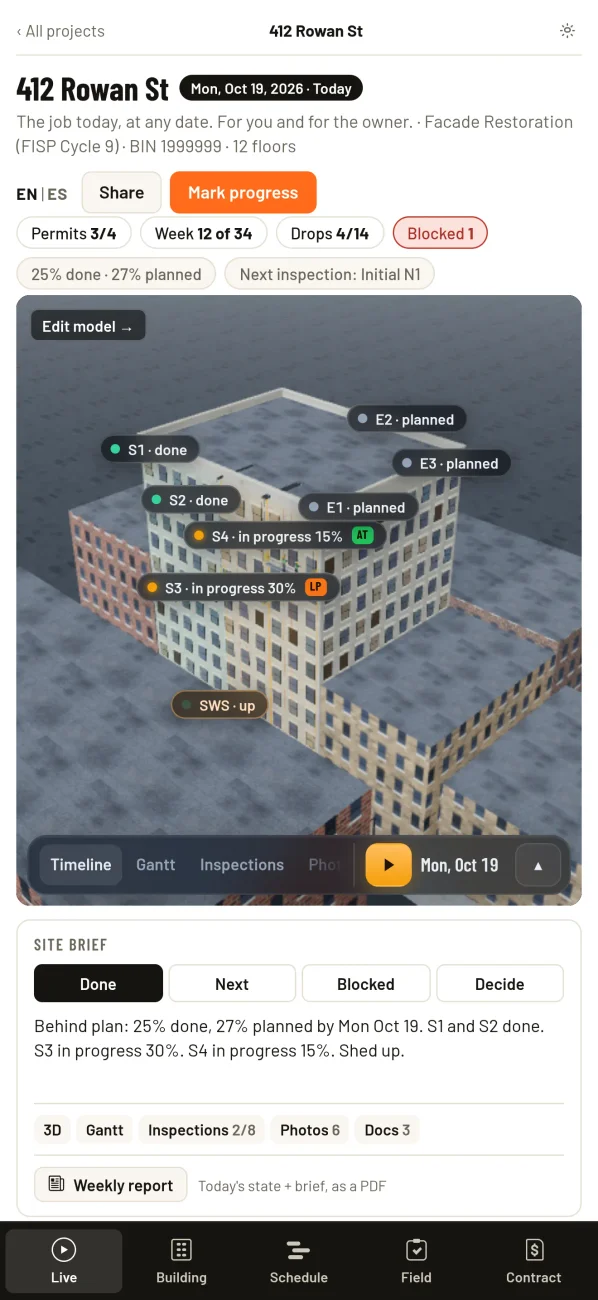
LIVE — THE JOB TODAY
• The building in 3D at today's date, or any date: the drops working with their crews, the sidewalk shed and the roof protection while they're up, and your team in the trailer
• Play the job week by week
• Site brief: Done · Next · Blocked · Decide, straight from your schedule and the field
• Weather from the National Weather Service: wind over 30 mph (gusts count) stops the suspended scaffold, rain stops pointing and coatings, under 40°F holds the mortar. Weather days are marked; you decide which ones count as non-working days
• Share with the owner: one link, an optional 4-digit PIN, your logo and colors. The owner sees the 3D, the brief, the photos, the team by role and name (never phone numbers), the weather and the days lost. Never the money
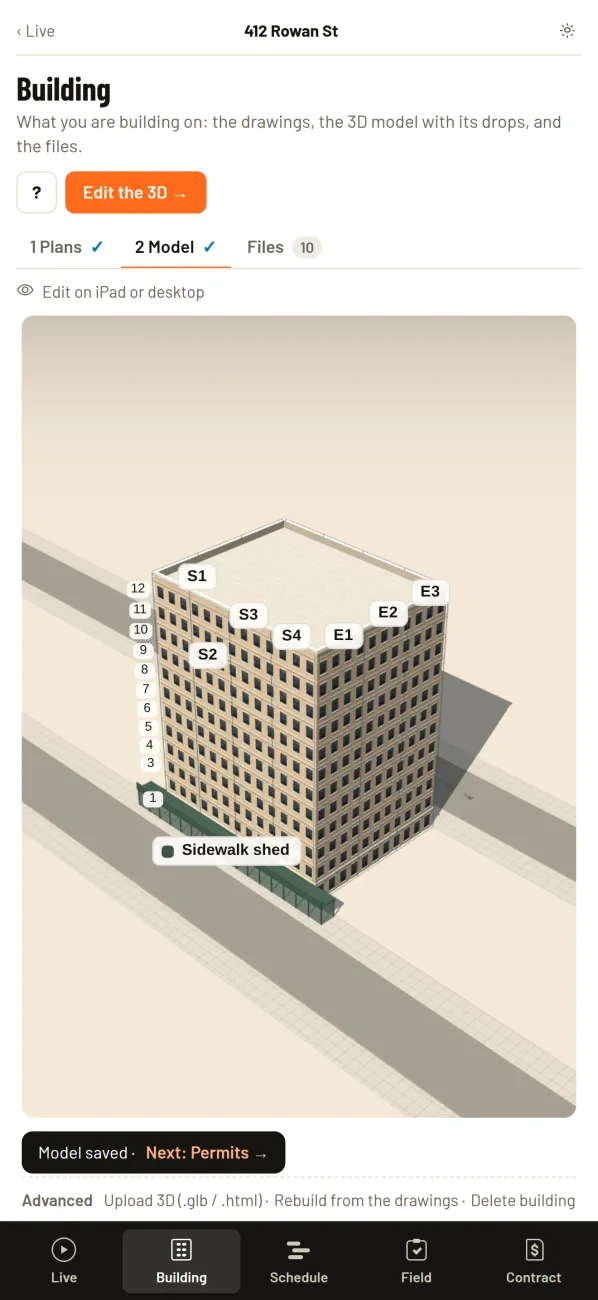
BUILDING — DRAWINGS, 3D MODEL, FILES
• Upload the drawing set: every sheet listed by its title-block number — roof plan, elevations, details
• Measure right on the sheet
• Build the 3D from the architect's elevations: windows, floor levels, bands, cornice
• Draw the drops on every facade, the sidewalk shed sized by code (BC 3307.6.3), roof and overhead protection, controlled access zones
• Several buildings under one contract, in one 3D
• Every file in the cloud, the same on iPhone, iPad and the web
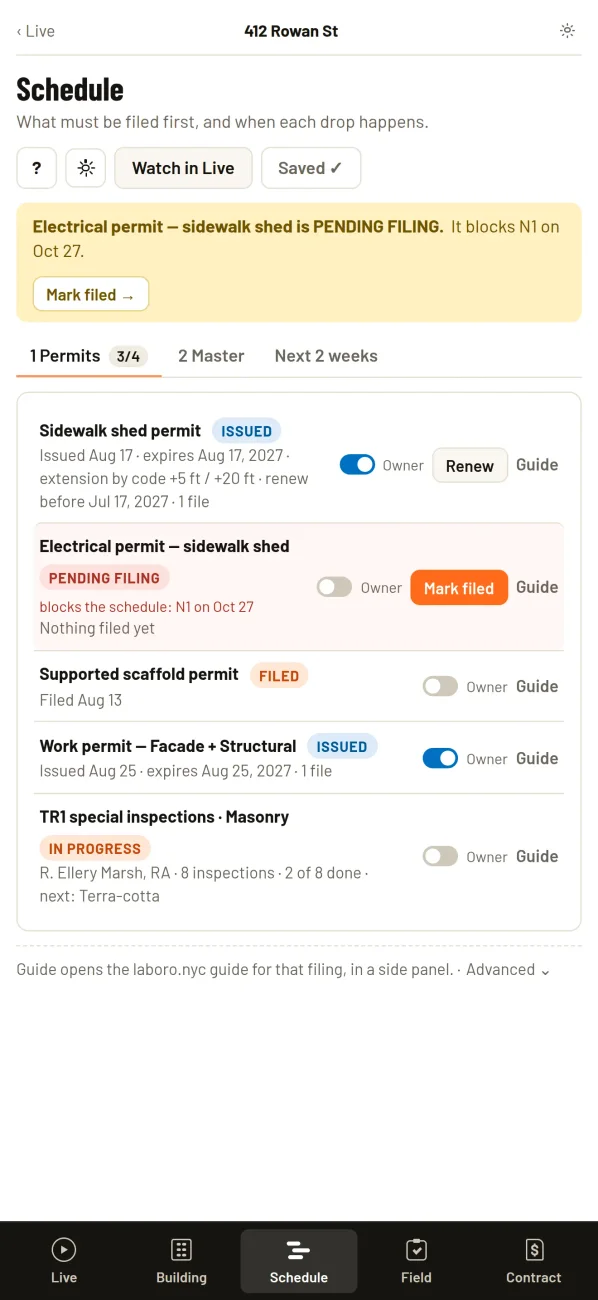
SCHEDULE — PERMITS FIRST, THEN THE DROPS
• Permits: DOB filings, work permits, the sidewalk shed permit (issued, expires, renew by) and the TR1 special inspections. If a permit blocks the schedule, it says so
• DOB NOW permits and DOB / ECB violations for each BIN
• Master schedule: a Gantt by drop and rig. Type or drag any start or duration and it stays; an order that doesn't make sense gets flagged
• Next 2 weeks: the lookahead by zone, filled from the master, ready for the crew meeting
• Your company's holidays and working days, and the Work Schedule PDF
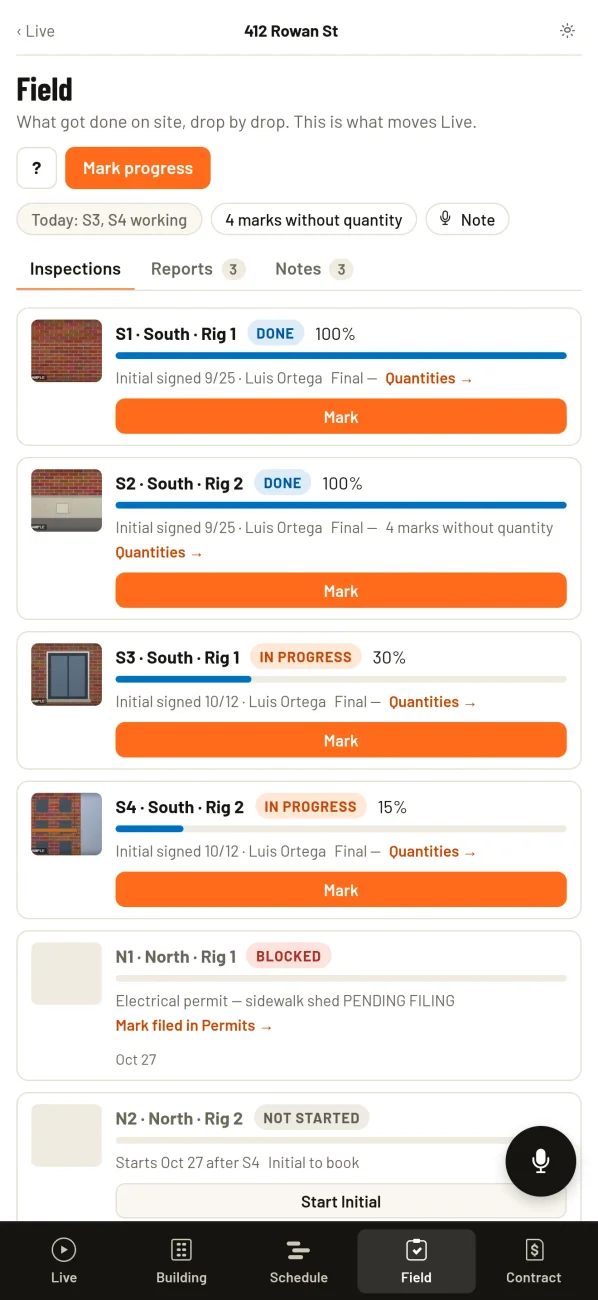
FIELD — WHAT GOT DONE, DROP BY DROP
• The engineer's tags on each drop's elevation sheet: mark what's done with the quantity and a photo
• Initial and Final for each drop, signed by the engineer or the foreman
• Links for the engineer and the foreman, no account needed
• Field reports and the weekly inspection log, with dated photos
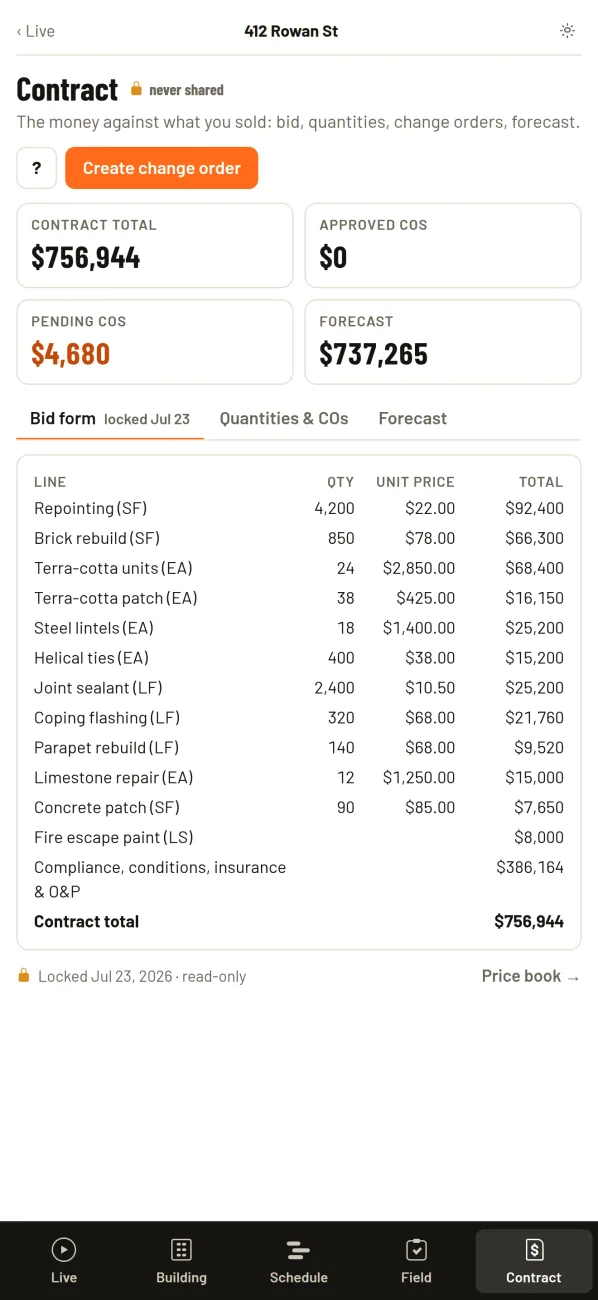
CONTRACT — THE MONEY, NEVER SHARED
• Bid form, locked as the bid when the job is awarded
• Quantities against the contract, filled from the field marks, code by code
• Change orders with a backup page of marks and photos
• Forecast by month from the master, the 3D and your price book
YOUR COMPANY
• Your logo; the colors come from it and you can change them
• People with roles — PM, super, safety — and a foreman for each crew
• Company plan for the whole team, with admins
WHO DOES WHAT
TR1 and TR8 are sealed by the RDP. Laboro runs the PM's side: it coordinates the inspections, gets the work ready to pass and hands the engineer an inspection-ready package.
iPhone, iPad and the web, with the same account. Want to look around first? Open the sample job: fictitious, complete and read-only.
Terms of Use (EULA): https://www.apple.com/legal/internet-services/itunes/dev/stdeula/
Privacy Policy: https://laboro.nyc/privacy
What’s new
Version 1.9.39 · Nov 23, 2026
Laboro 1.9.39
Learn Laboro
- Tap a step to open it. A progress bar shows how far you are, and the card says what Start does. You can hide it.
- Each step can show all the buttons of its screen, Finish counts the last step, and the end shows the ? that every screen has.
Live
- Share with the team is in More: Live > Share with owner > More (...) > Share with the team. Read-only links for the super, a sub or the engineer, WhatsApp and the Monday email.
- A drop late to start now says so in the 3D too.
Next 2 weeks
- When saved lines of your 2 weeks don't match the master schedule, the screen says so right away. More (...) > Progress by zone shows each line and how to fix it.
Reports > Site protection
- One row per sidewalk shed: it asks each shed's day once. Update the master schedule keeps one line per shed, with its day, and each section of a shed shows its own name.
Contract
- The Contract numbers and the Forecast lines show whole dollars, like the rest of Laboro. Documents, pay applications and change orders keep their cents.
App privacy
What Rafael Figueredo declares on the App Store about how this app handles data.
-
Data linked to you
May be collected and linked to your identity.
- Purchases
- Contact info
- User content
- Identifiers
- Usage data
- Diagnostics
Privacy practices may vary, for example with the features you use or your age.
Information
- Seller
- Rafael Figueredo
- Category
- Business
- Version
- 1.9.39
- Updated
- Nov 23, 2026
- Released
- Sep 1, 2026
- Size
- 65.4 MB
- Requires
- iOS 16.4 or later
- Age rating
- 4+
- Price
- Free
- In-app purchases
- Yes
- Languages
- English
- Copyright
- © 2026 Laboro
You might also like
-
 CrewLog ConstructionReports, crew hours, job costs
-
 Pecan ConstructionManage Site Tasks Easily
-
 Daily Construction LogSite report done before you go
-
 MegaTraderXFinance
-
 Nav523Productivity
-
 Dominate Life LiteStart living an adventure!
-
 Planaway: Planner & OrganizerCalendar, Tasks, Habit Tracker
-
 ASCEND AI: Gamify LifeGamify Life and Start Leveling
-
 LogMeIn Resolve AgentPowerful Remote Support
-
 Rent Savvy | Pay Rent MonthlyAny Broker. Any Property