
LaiPinDou - Bead Pattern Maker
Photo to Perler Pixel Patterns
Designed for iPhone, iPod touch
In-app purchases
- Age rating4+
- CategoryUtilities
- Developer文鹏 朱
- LanguagesEnglish
- Size65.8 MB
Links to the official App Store page
Download.org hosts no file of LaiPinDou - Bead Pattern Maker. The button opens its official App Store page, published by 文鹏 朱. Listing last checked on Nov 13, 2026.
Screenshots
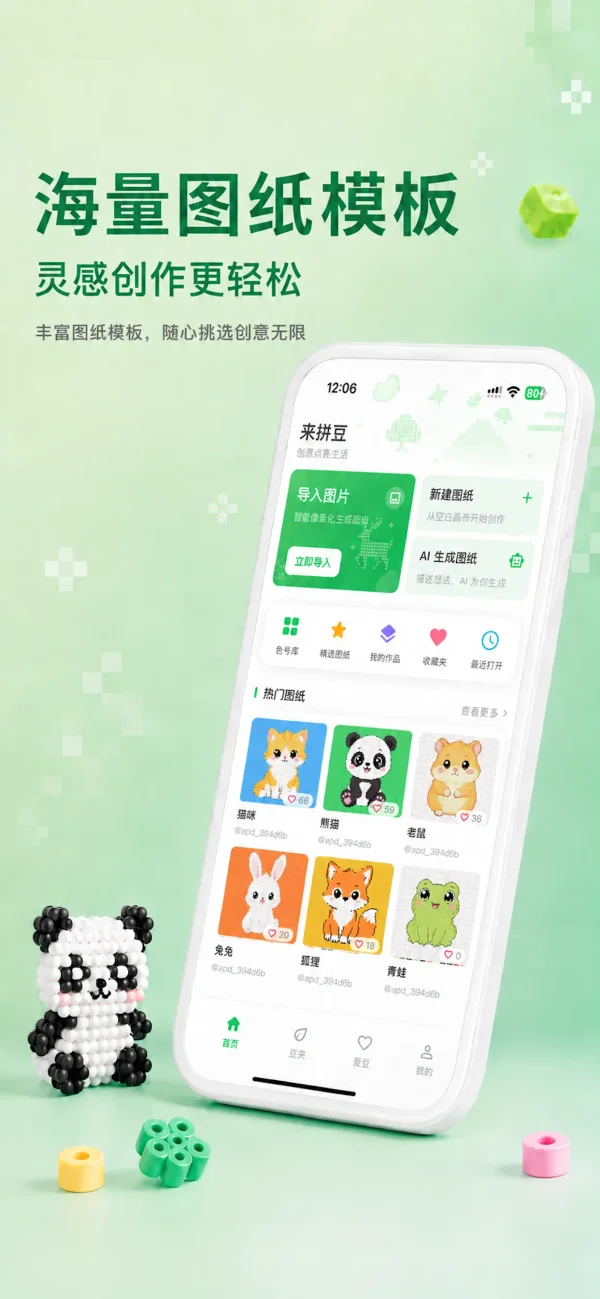

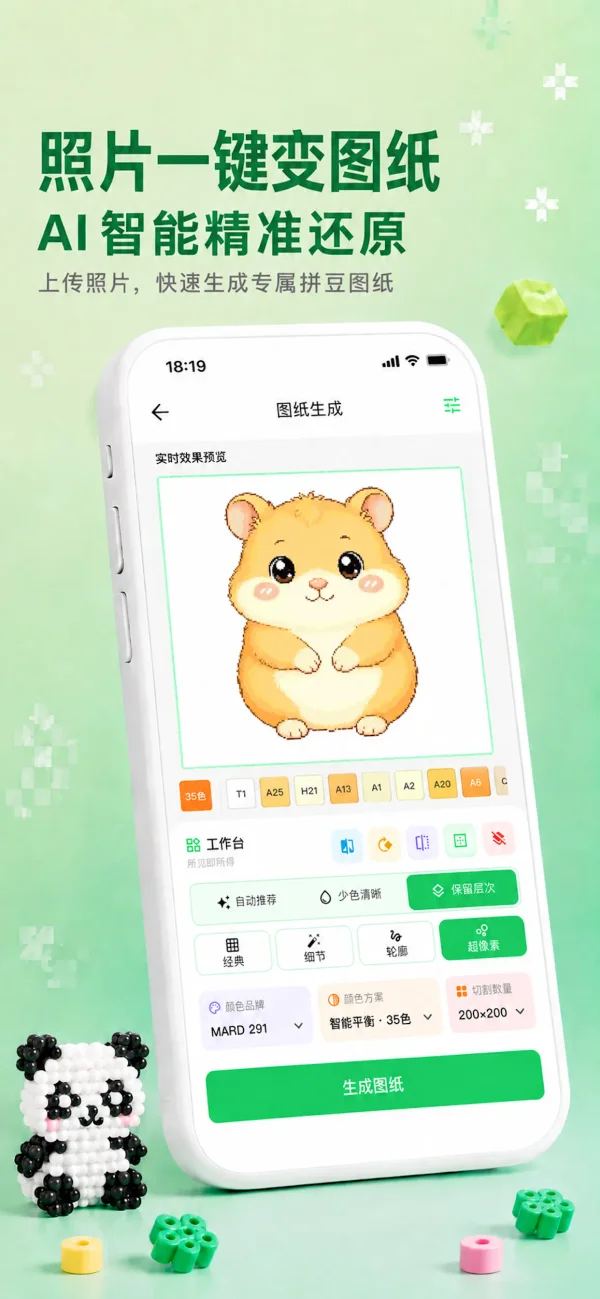

About
LaiPinDou – Professional Perler Bead Pattern Generator. Turn every picture into a beadable masterpiece!
Whether you're new to fuse beads or a seasoned pro, LaiPinDou takes the hassle out of pattern making. Just pick a photo, and get a professional bead pattern in seconds — no more counting colors square by square on your screen.
【Key Features】
- One-Tap Photo to Pattern
Import any photo or image, and our smart algorithm instantly converts it into a bead pattern. Customizable canvas sizes — from a single 29×29 pegboard to large multi-board designs.
- Professional Color Palette Matching
Built-in color charts for popular bead brands (Mard, Kale, Pancoo, and more). Colors are intelligently matched to the closest bead shades, and every pattern is labeled with color codes — buy and bead exactly what you see, zero guesswork.
- Pixel Art Editor
Not happy with the auto-generated result? Fine-tune it with the built-in pixel editor — brush, eraser, paint bucket, color picker, and more. Edit every single cell to create your own original designs.
- Bead Count Statistics
Automatically counts how many beads of each color you need, so you can shop with confidence — no overbuying, no waste.
- Export & Share
Export high-resolution patterns with color code labels. Print them, share them with fellow bead lovers, or save them to your photo library for easy access anytime.
【Who Is It For】
· Bead art enthusiasts: turn any picture you love into a pattern — bead whatever you want
· Craft shop owners: create custom patterns efficiently and take more orders
· Parents & kids: quality craft time together that builds focus and hands-on skills
· Pixel art lovers: create pixel art on the go, export and use right away
【Why LaiPinDou】
· Fast: patterns generated in seconds, no waiting
· Accurate: professional color algorithms — what you see is what you bead
· Simple: three steps from photo to pattern, easy for all ages
· Always improving: frequent updates driven by user feedback
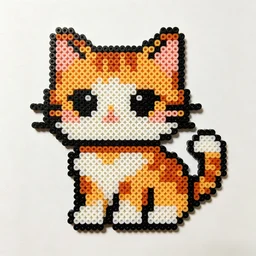
Download LaiPinDou now and turn your photos, favorite characters, and even your pets into bead art!
【Contact Us】
If you run into any issues or have feature suggestions, reach out through the in-app feedback — we read every message.
Terms of Use (EULA): https://www.apple.com/legal/internet-services/itunes/dev/stdeula/
User Agreement: https://laipindou.cn/legal/user-agreement.html
Payment Agreement: https://laipindou.cn/legal/paid-agreement.html
Privacy Policy: https://laipindou.cn/legal/privacy-policy.html
What’s new
Version 1.4.2 · Oct 24, 2026
We've refined the bead patterns once again. When you open the app, the colors should look cleaner, the outlines clearer, and each piece a little easier to make. Bead crafting is something to enjoy slowly, and we'll keep improving every pattern along the way.
App privacy
What 文鹏 朱 declares on the App Store about how this app handles data.
-
Data linked to you
May be collected and linked to your identity.
- Identifiers
-
Data not linked to you
May be collected but is not linked to your identity.
- Identifiers
Privacy practices may vary, for example with the features you use or your age.
Information
- Seller
- 文鹏 朱
- Category
- Utilities
- Version
- 1.4.2
- Updated
- Oct 24, 2026
- Released
- Sep 24, 2026
- Size
- 65.8 MB
- Requires
- iOS 15.6 or later
- Age rating
- 4+
- In-app purchases
- Yes
- Languages
- English
- Copyright
- © 2026 zhuwenpeng
You might also like
-
 BeadEcho - Bead Pattern MakerPhoto to Pattern & Color Match
-
 Bead Pattern: Photo ConverterPixel Art, Color Counts, Print
-
 拼豆图图 - DIY拼豆图纸像素画Utilities
-
 Magic Perler: Bead PatternsPhoto to Beads · Craft Mode
-
 拼豆图纸-照片制作拼豆图纸生成器Utilities
-
 拼豆点点Utilities
-
 BeadSnap: Perler Bead PatternsPhoto to Pixel Art & Craft
-
 德虎拼豆Utilities
-
 今天拼豆了吗Utilities
-
 LEDBeadStudioSync patterns to LED board