
LapLync: Stopwatch
Sync Lap & Split Timer
Designed for iPhone, iPad
Free · In-app purchases
- Age rating4+
- CategorySports
- DeveloperJUKI JUNG
- LanguagesEnglish+ 11 more
- Size5.3 MB
Links to the official App Store page
Download.org hosts no file of LapLync: Stopwatch. The button opens its official App Store page, published by JUKI JUNG. Listing last checked on Nov 16, 2026.
Screenshots



About
One stopwatch, shared by every device in the room.
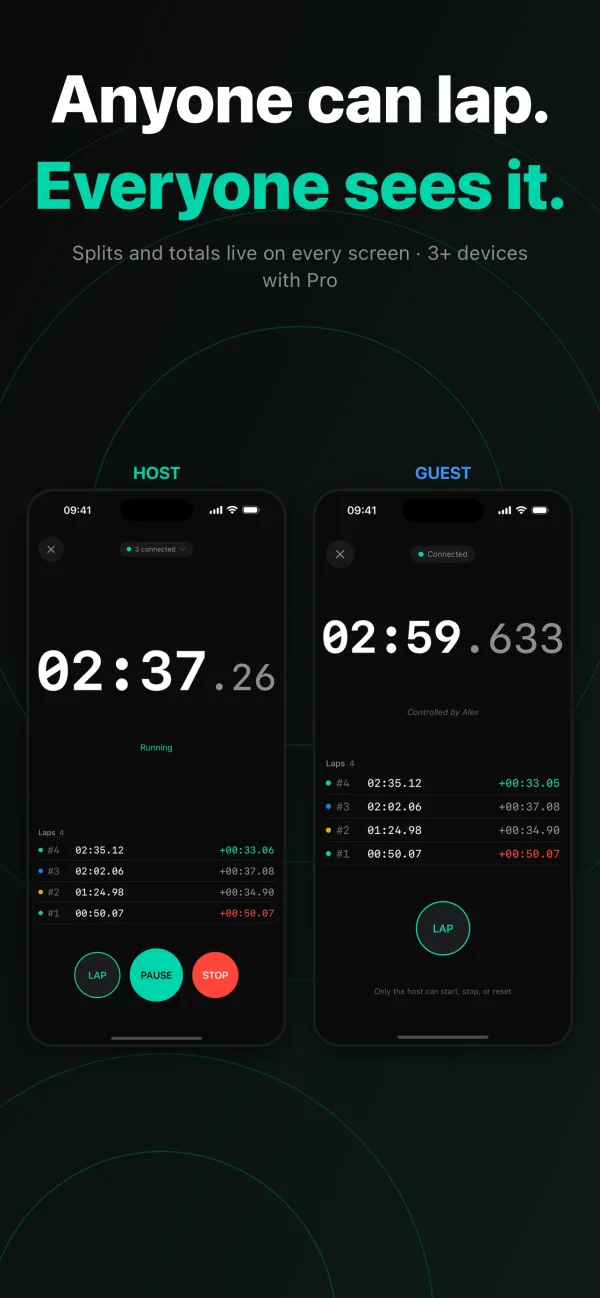
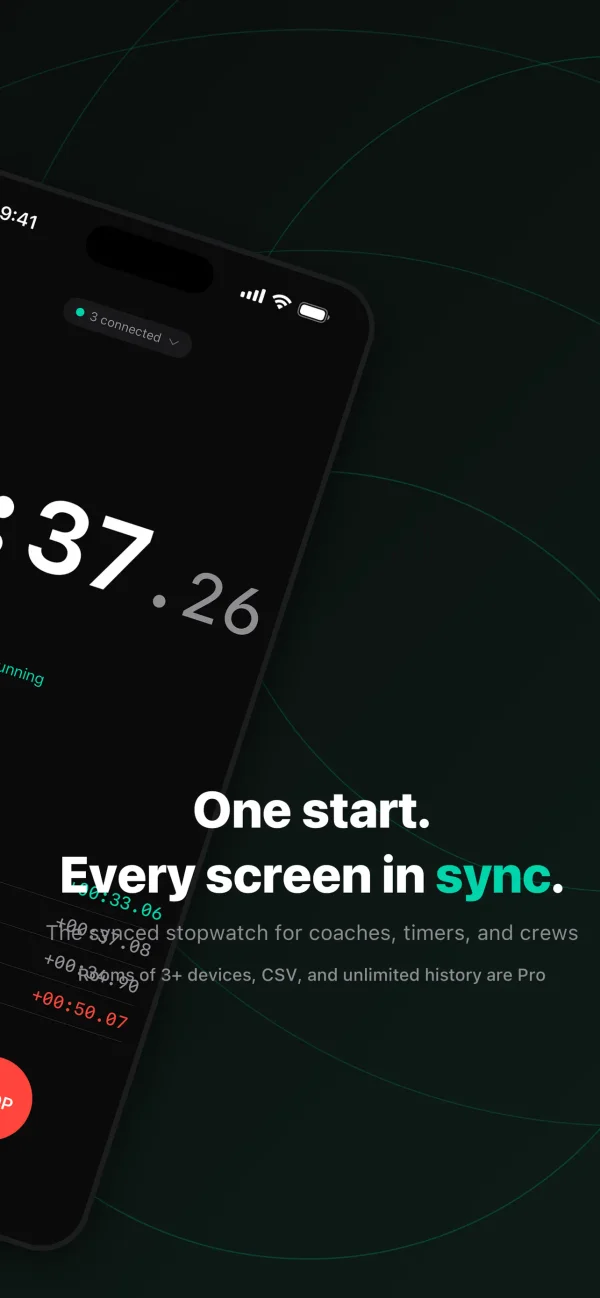
Whether you're timing sprint drills on the sideline, running a swim meet, coordinating several stations along a course, or keeping a presentation or exam on one clock, LapLync starts every device together — side by side or in another country — and keeps them in sync even when the connection drops.
FOR COACHES AND TRAINERS
Hand athletes their phones, share a 6-character room code (or let them scan your QR), and tap Start. The 3-2-1 countdown appears on every screen at the same time. Anyone in the room can record a lap, and laps and splits show up on every device — no extra hardware, no manual data entry.
FOR COMPETITION TIMEKEEPERS AND OFFICIALS
Assign a device to each judge station or timing post and create a room. Every device stays in sync whether they share the venue Wi-Fi or each use their own mobile data. Clocks are aligned to Apple's time servers (NTP); devices typically agree to within a few tens of milliseconds — about ±50 ms, depending on the network.
KEEPS RUNNING WHEN THE CONNECTION DROPS
LapLync switches connections automatically so timing keeps going:
• Bluetooth + Wi-Fi: used first when devices are close together
• Internet: used automatically when devices are on different networks — even in different cities or countries
• Independent mode: if all connectivity fails, each device keeps running from its NTP anchor — recordings merge automatically when the connection restores
A brief "Reconnecting…" banner appears while the stopwatch keeps running. LapLync reconnects over the internet on its own, or you can tap Reconnect to retry right away.
NO ACCOUNT REQUIRED
Create a room and share the 6-character code by voice, chat, or QR scan. Participants join in seconds. No sign-up, no password, no email address. When the session ends, the room disappears.
UNDO OR DELETE A LAP
Recorded the wrong lap? Tap Undo right after it's logged (can be turned off in Settings), or long-press any lap — or swipe in the full lap list — to delete it. The host can delete any lap; participants can delete their own. Deletions sync to every device.
HANDS-FREE LAP RECORDING
Record laps without touching the screen: the volume buttons, a Bluetooth shutter remote, or a keyboard/page-turner remote. Optional and off by default — turn it on in Settings.
LIVE ACTIVITY
Watch the running stopwatch right on your Lock Screen and in the Dynamic Island. Optional — turn it off anytime in Settings.
WHAT'S INCLUDED
Free
• Rooms with 2 devices — you and one more
• Join any room as a participant, as often as you like
• Synchronized start, lap recording, and split times
• Full connectivity: local Bluetooth/Wi-Fi, internet relay, and automatic fallback
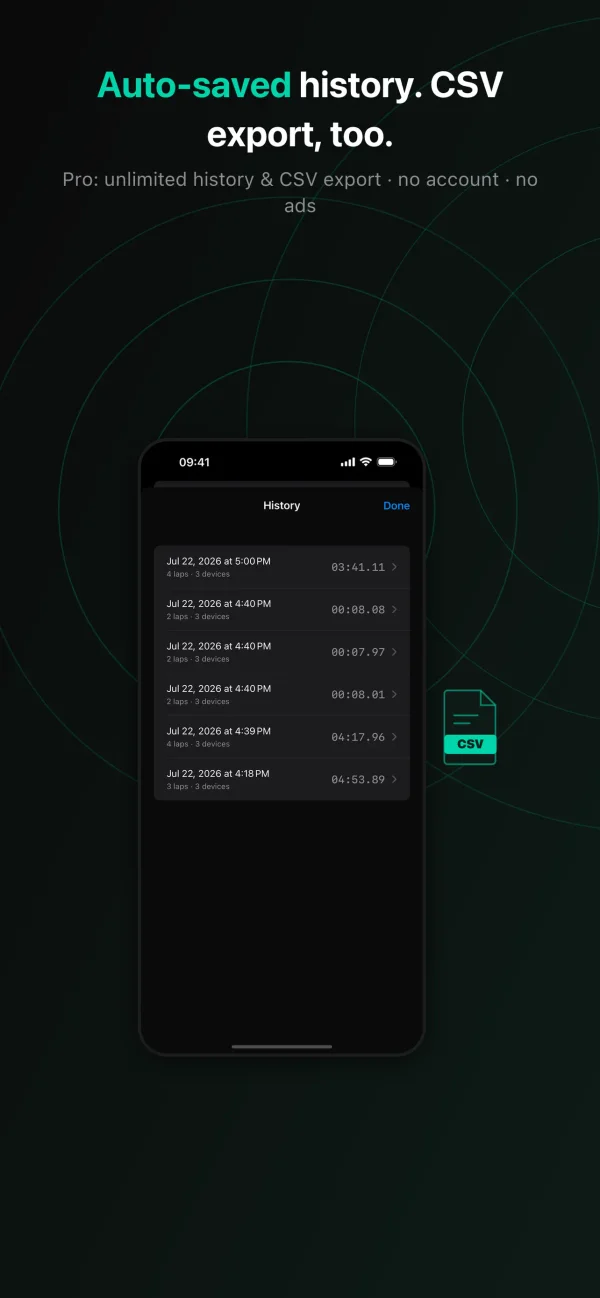
• Your 3 most recent sessions, saved locally
LapLync Pro — a one-time in-app purchase
• Rooms with up to 8 devices
• CSV export — share via AirDrop, Mail, or any app
• Unlimited session history, saved locally
To open a room for more devices, only the person who creates it needs Pro. CSV export and full history need Pro on the device that uses them. Joining is always included — hand a phone to anyone and they can take part. No subscription, no ads, no account.
PRIVACY FIRST
LapLync uses only your device UUID and device name — to identify and label your device within a room. They are kept in temporary session state while the room is active and deleted when the session ends. No location data, no contacts, no tracking, no account.
Requires iOS 17 or later.
What’s new
Version 1.1.3 · Nov 12, 2026
- Laps and stops are now recorded the instant your finger touches the button
- Timing stays steady for the whole session, even on long runs or after locking the screen
- Tapped STOP by mistake? Undo it within 5 seconds
- New setting to turn off the 3-2-1 countdown, plus a Cancel button during the countdown
- CSV export now includes who recorded each lap, the total time, and millisecond timestamps
- More reliable joining and reconnecting, and session history that stays complete on every device
App privacy
What JUKI JUNG declares on the App Store about how this app handles data.
-
Data not collected
The developer does not collect any data from this app.
Privacy practices may vary, for example with the features you use or your age.
Information
- Seller
- JUKI JUNG
- Category
- Sports
- Version
- 1.1.3
- Updated
- Nov 12, 2026
- Released
- Aug 12, 2026
- Size
- 5.3 MB
- Requires
- iOS 17.0 or later
- Age rating
- 4+
- Price
- Free
- In-app purchases
- Yes
- Languages
- English, French, German, Italian, Japanese, Korean, Portuguese, Russian, Simplified Chinese, Spanish, Traditional Chinese, Turkish
- Copyright
- © 2026 SETLOG
You might also like
-
 Running Coach's ClipboardTiming, Splits & Results
-
 Clocked TimerPrecision Group Timing
-
 Tap Score ProPadel Score Board with remote
-
 Referee LogSports
-
 Run This StopwatchRace day timing for race teams
-
 Speed Skate Time TrialsCamera Timing for Skaters
-
 Hockey TimerSports
-
 Re:WatchSports
-
 Basketball Journal: StatsLive Score · Player Tracking
-
 InfiniteHoops Basketball StatsScorekeeper & Shot Charts