- Age rating4+
- CategoryFood & Drink
- DeveloperBrent brooks
- LanguagesEnglish
- Size6.1 MB
Links to the official App Store page
Download.org hosts no file of Larder & List. The button opens its official App Store page, published by Brent brooks. Listing last checked on Nov 18, 2026.
Screenshots
About
Larder & List is a shared grocery list, recipe library and dinner planner for a household of two. It is made for people who already cook — couples, small families, roommates — and want one quiet tool that holds the list between trips, remembers the recipes they actually make, and helps get dinner on the table.
No accounts to create. No subscription treadmill. No meal plans selling you a lifestyle. Just a list, a larder, and the recipes you keep coming back to.
SHARE A LIST, WITHOUT THE DRAMA
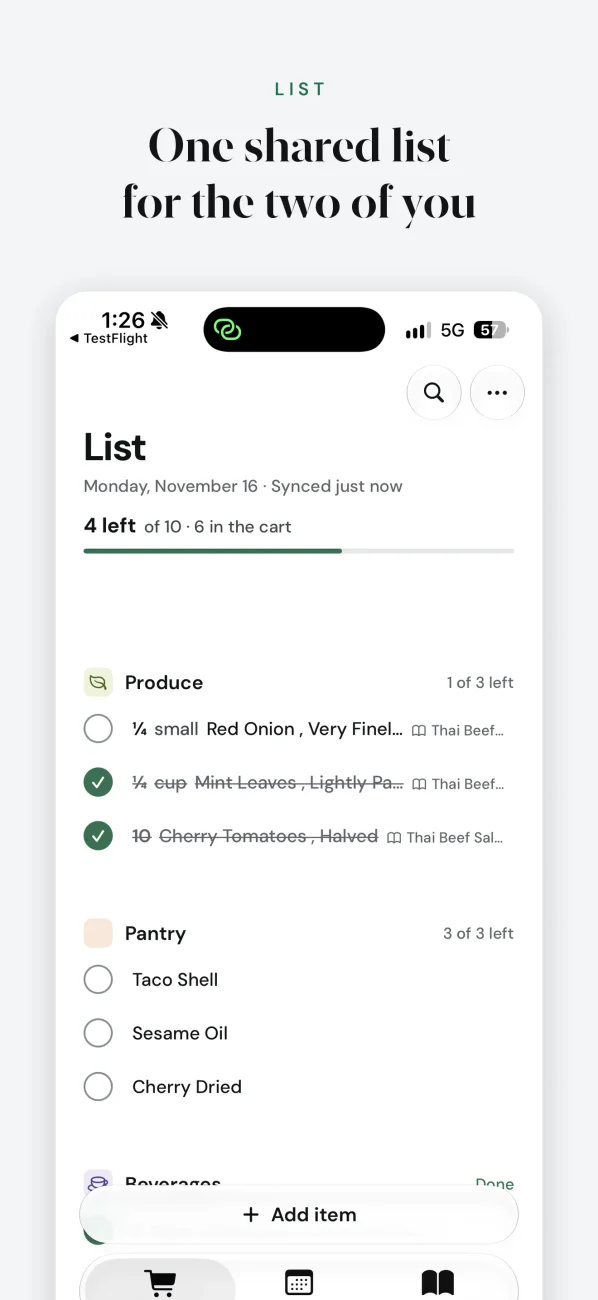
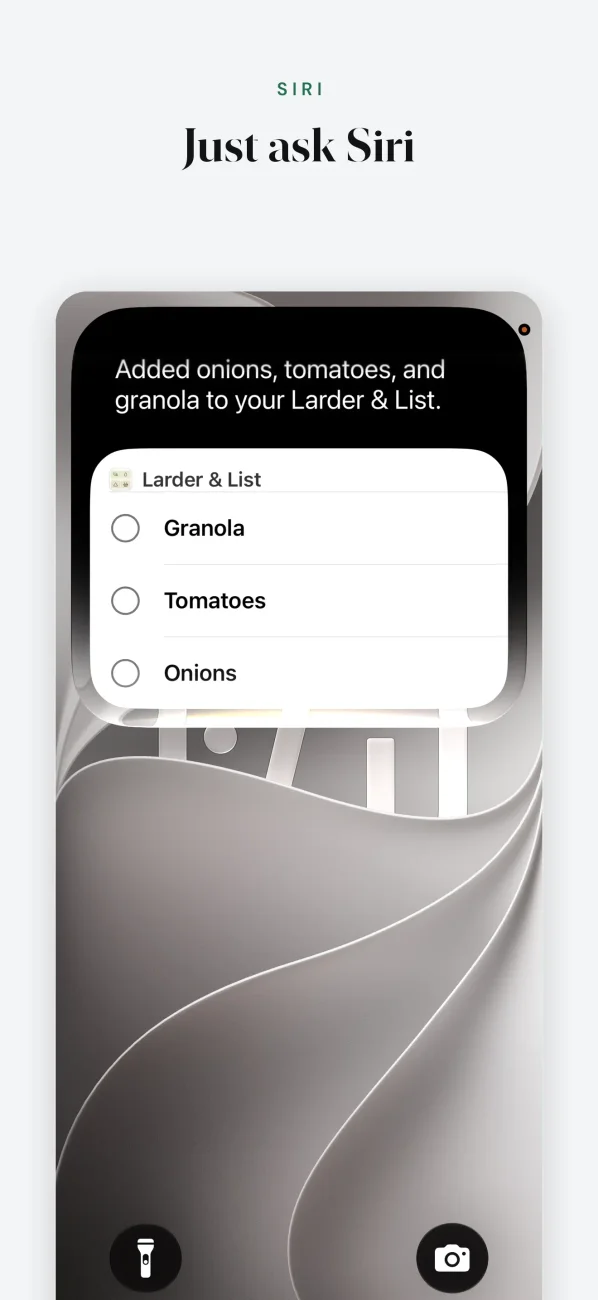
One list, two phones. Add "olive oil" from the couch and it appears on your partner's phone in seconds. Changes sync over iCloud — Apple's privacy terms, not ours — so nobody else can read your groceries. Scan a barcode to add something, or just ask Siri: "Add onions to Larder & List."
AISLE-SORTED, ALWAYS
Items group by where they live in the store — Produce, Dairy, Meat, Bakery, Frozen, Pantry, Beverages, Household — so you walk each aisle once. Tell the app where something belongs the first time and it remembers for next time.
RECIPES YOU ACTUALLY COOK
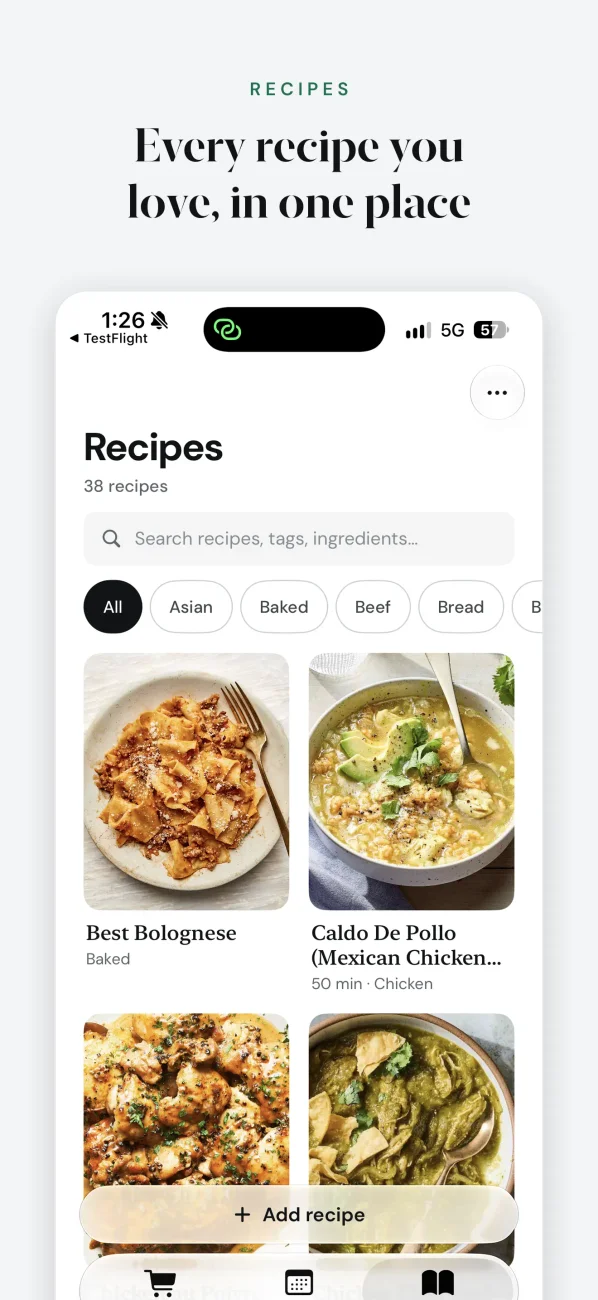
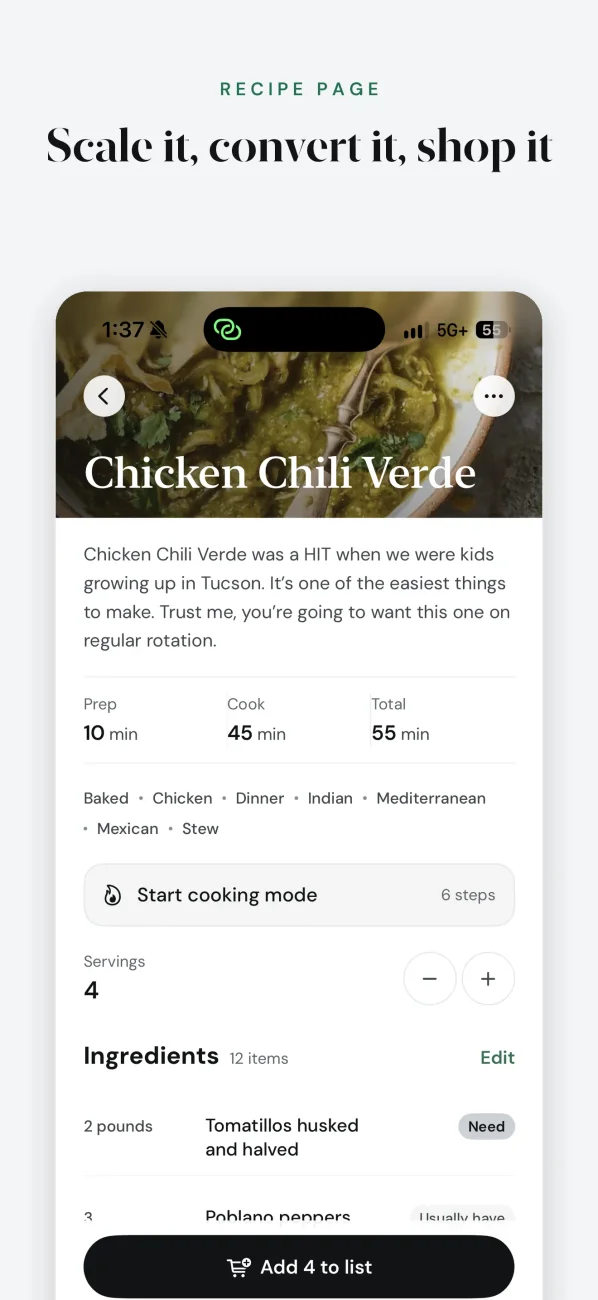
Paste a link from your favorite food blog, or share a post from Instagram, TikTok, YouTube or Pinterest, and the app pulls in the ingredients, steps and photo. Cookbook on the counter? Photograph up to 10 pages. Or type your grandmother's chili from memory — plain text works too. Scale the servings, switch between metric and imperial, and send the ingredients to your list in one tap.
PLAN THE WEEK
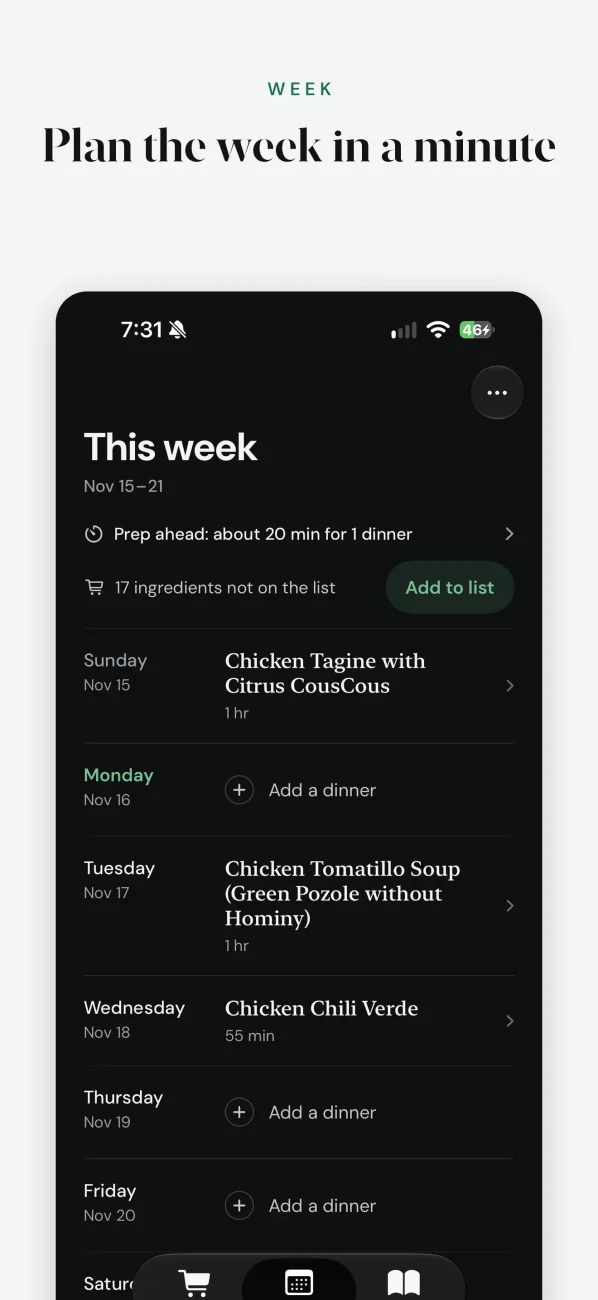
Pick a dinner for each night from the recipes you already make. Larder & List points out recipes that share ingredients with what's already planned, so the second half of the cilantro doesn't go to waste, and tells you what isn't on the list yet.
PREP DAY
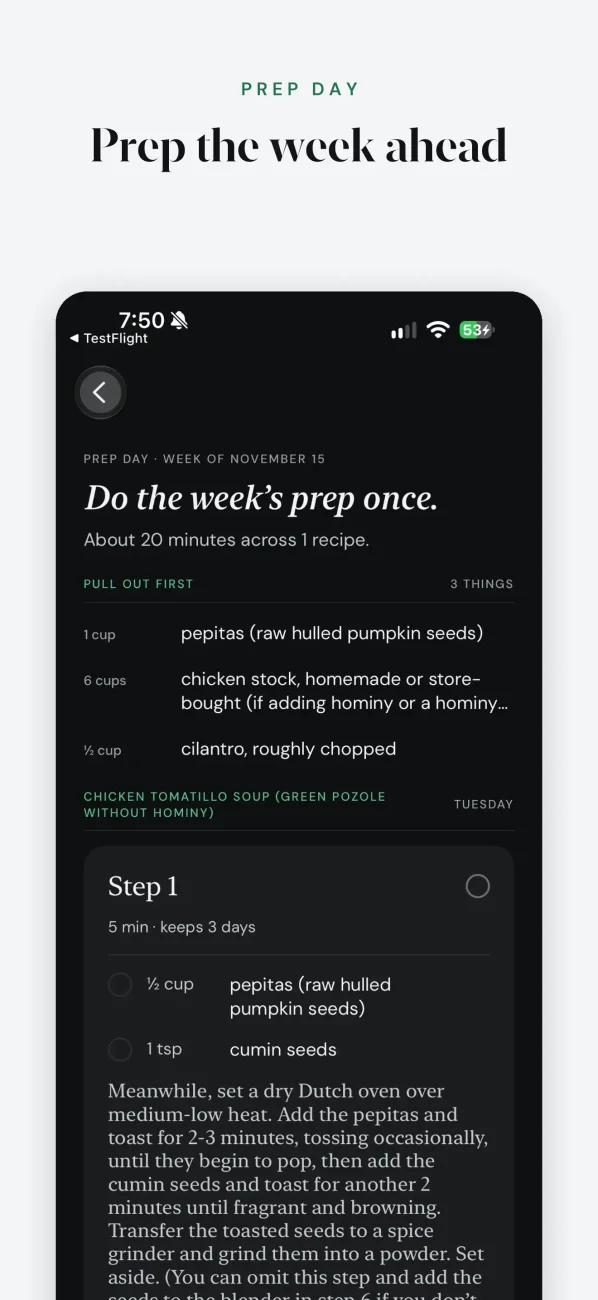
Do the week's chopping and toasting in one go. Prep Day gathers the make-ahead steps from every dinner you've planned, tells you what to pull out first, and how long each thing keeps.
COOK MODE
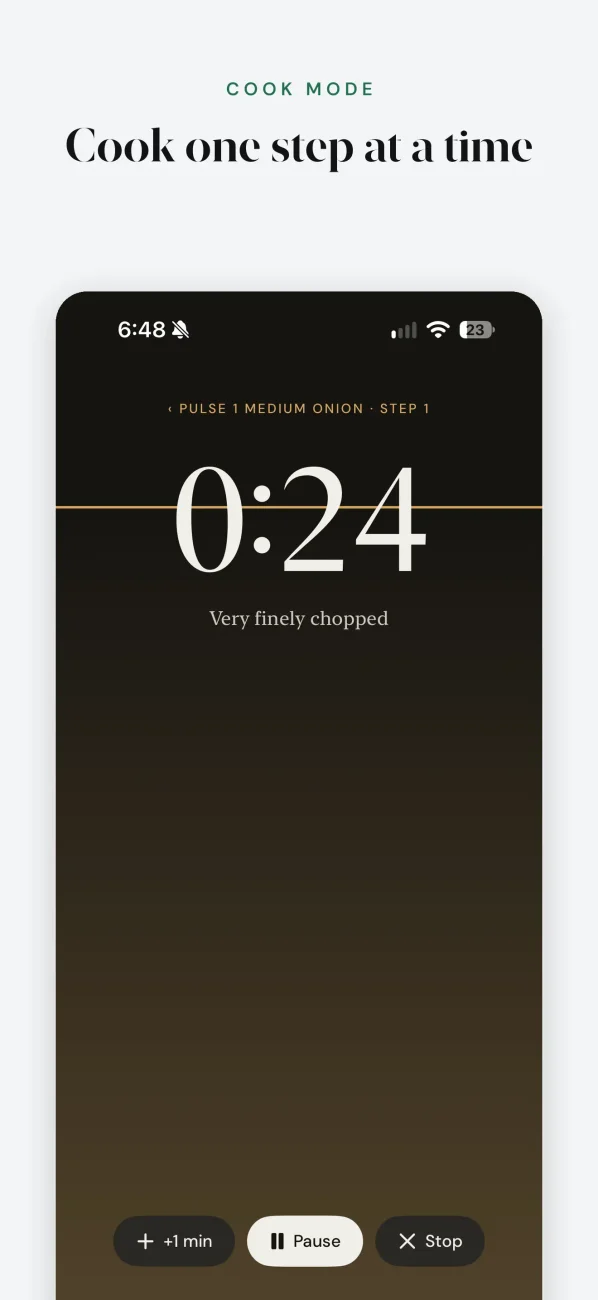
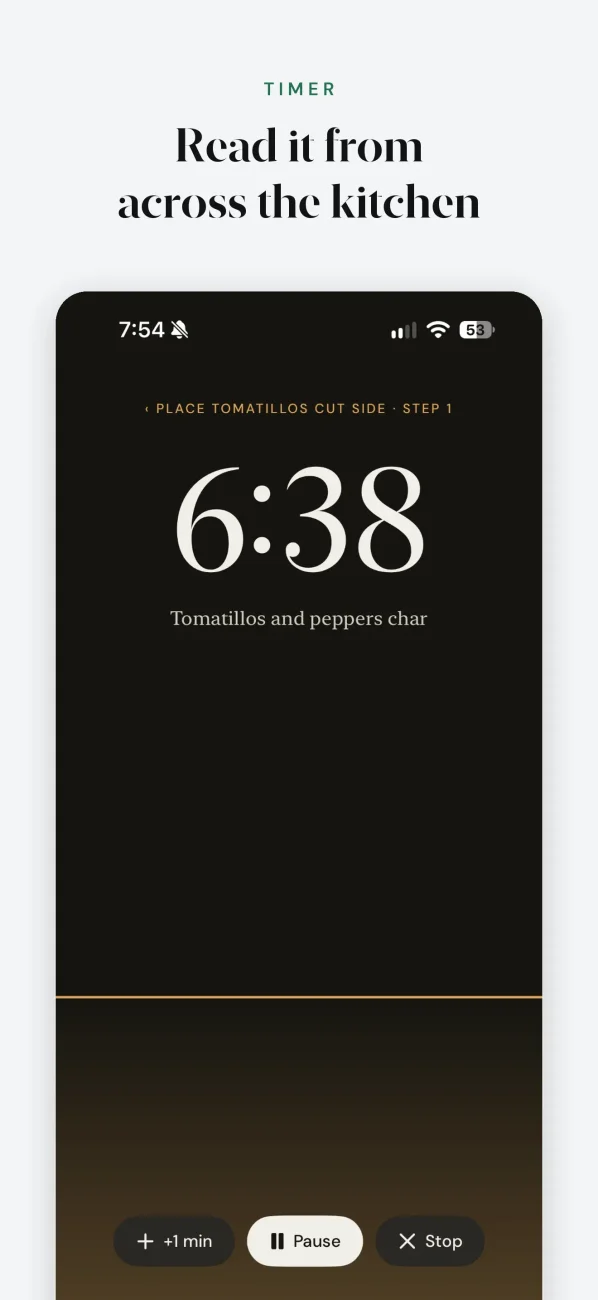
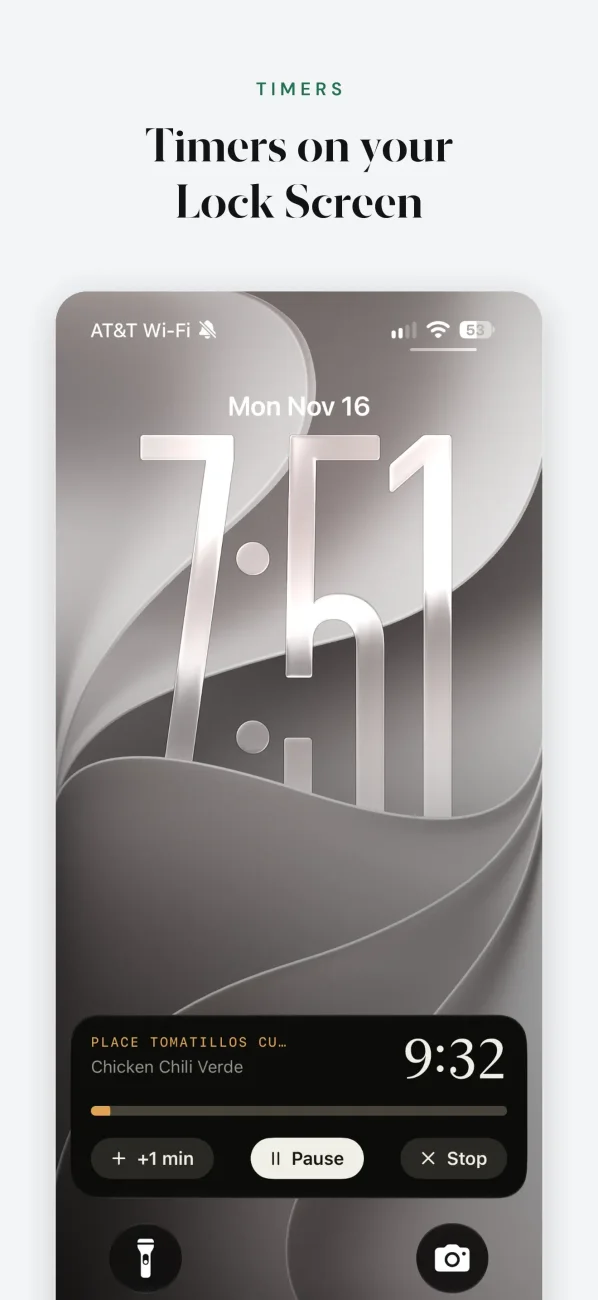
One step at a time, in big type, with that step's ingredients and amounts right there. Turn your phone sideways to keep the ingredients beside the step. Timers fill the screen so you can read them from across the kitchen, and keep running on the Lock Screen and in the Dynamic Island when you leave the app.
SMALL TOUCHES THAT ADD UP
— Track the 10:1 protein-to-calorie ratio on recipe cards, if that's a thing you care about. If it isn't, turn it off.
— Undo any deletion for 30 days via Recently Deleted.
— See your list in a Home Screen widget and on Apple Watch.
— The smart features run on your iPhone. Your recipes and lists are not sent to anyone's server.
— Everything adapts to system text size, and dark mode uses warm ink rather than the pitch-black dashboard look.
WHO IT'S FOR
Larder & List is for people who treat cooking as a craft, not a chore. If you have a short list of recipes you make often, a running grocery list you keep mentally between trips, and a partner who sometimes gets to the store first — this is the app we wanted.
It will not gamify your pantry or sell you a diet. It holds the list, remembers the recipes, plans the week with you, and gets out of your way.
REQUIRES
iPhone or iPad with iOS 26.2 or later. iCloud for sharing. A partner is optional — solo use is fully supported. The app works offline and syncs when a connection returns.
What’s new
Version 1.9 · Nov 17, 2026
A new cook mode, a timer you can read from across the kitchen, and a Prep Day that lays out the week's make-ahead work.
• Each step in cook mode now shows the ingredients and amounts it needs
• Turn your iPhone sideways to see the ingredients beside the step
• A running timer fills the screen and rises as time runs out, with +1 min, Pause and Stop
• The Lock Screen timer has a new look, with a progress bar and a +1 min button
• Prep Day shows each make-ahead step as a card, with its ingredients to tick off as you pull them out
• The week view tells you how many ingredients aren't on your list yet, and adds them in one tap
• Ask Siri to add things you buy often in one sentence, like "Add onions to Larder & List"
• Recipe cards line up neatly, and the Recipes header scrolls away with the page
App privacy
What Brent brooks declares on the App Store about how this app handles data.
-
Data not collected
The developer does not collect any data from this app.
Privacy practices may vary, for example with the features you use or your age.
Information
- Seller
- Brent brooks
- Category
- Food & Drink
- Version
- 1.9
- Updated
- Nov 17, 2026
- Released
- Apr 28, 2026
- Size
- 6.1 MB
- Requires
- iOS 26.2 or later
- Age rating
- 4+
- Price
- Free
- Languages
- English
- Copyright
- © 2026 Brent Brooks
You might also like
-
 PantriQaRecipe Saver & Meal Planner
-
 AislePromptAI Meal Planner & Instacart
-
 FreshBox: Smart FridgeSmart fridge, zero waste
-
 Shared Grocery List: ShoppingAny List, Our Grocery's Easy
-
 Pantry Helper - Meal PlannerPlan meals & grocery lists
-
 Seasoned: Recipe KeeperSave TikTok Instagram Recipes
-
 iMeal AI: Meal Calorie TrackerDiet Planner & Grocery List
-
 PickFresh: All-in-One GroceryScan, Grocery List, Recipes
-
 Mealy - Eat Better DailyFood & Drink
-
 Meals + AI Meal PlannerPowered by Dietitian Recipes