Last Seen Up
Server, site and cron uptime
Designed for iPhone, iPad
Free · In-app purchases
- Age rating4+
- CategoryDeveloper Tools
- DeveloperTimothy Murphy
- LanguagesEnglish
- Size14.6 MB
Links to the official App Store page
Download.org hosts no file of Last Seen Up. The button opens its official App Store page, published by Timothy Murphy. Listing last checked on Nov 20, 2026.
Screenshots

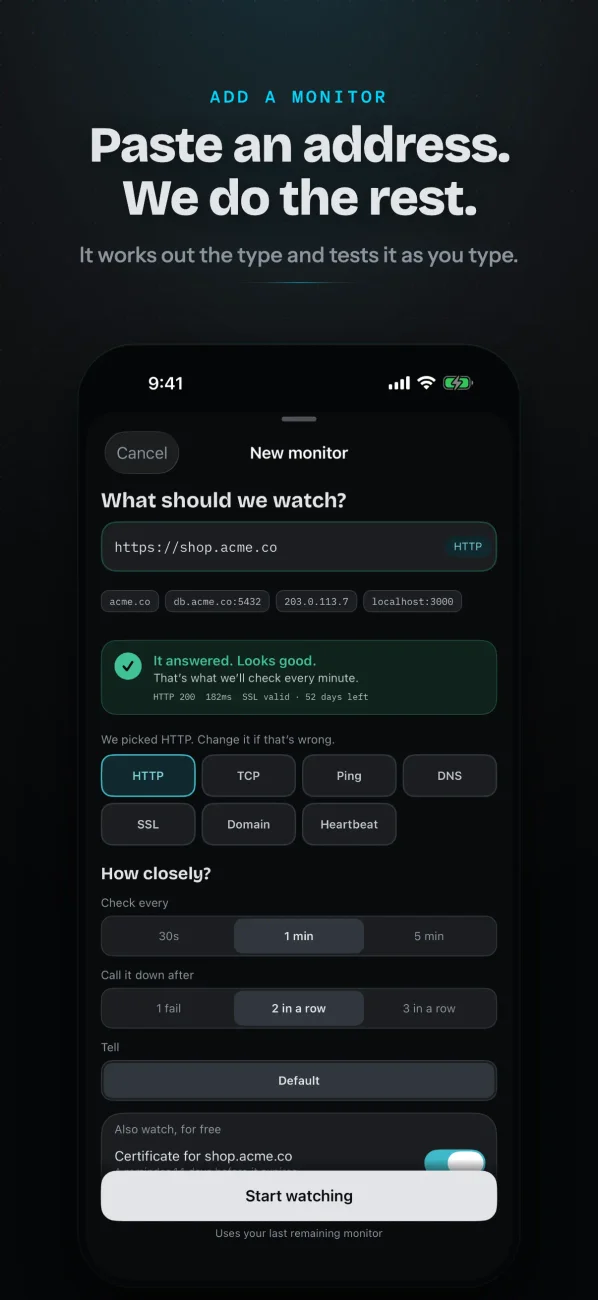
About
Know the moment it stops answering.
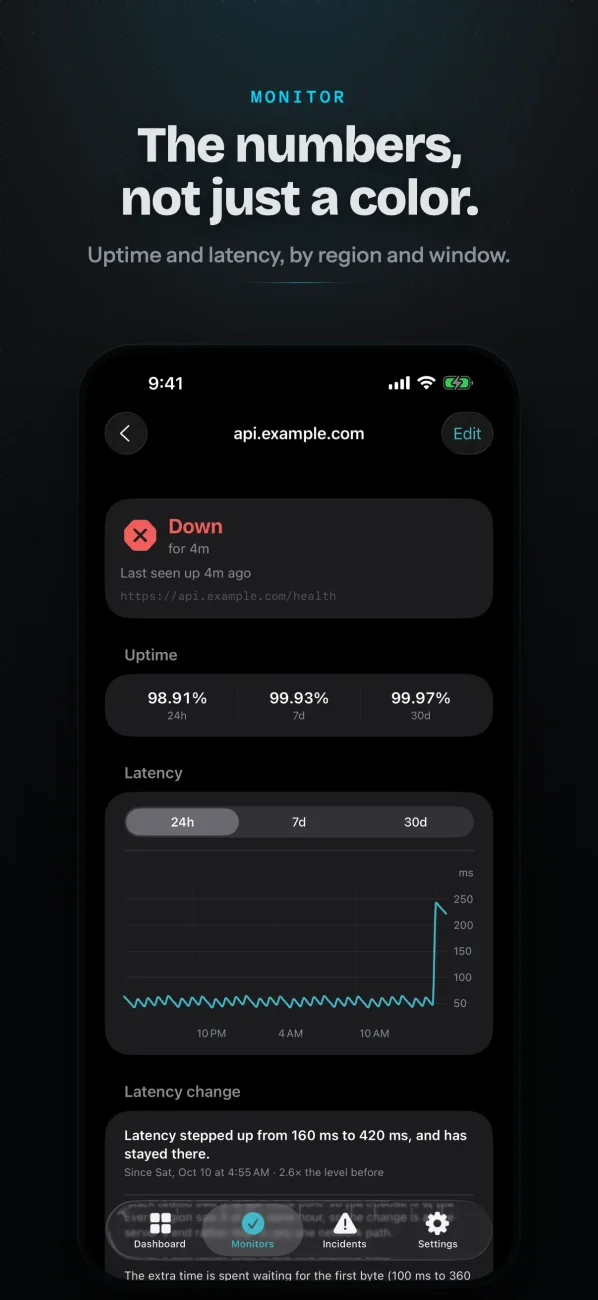
Last Seen Up watches your servers, sites, queues and cron jobs, and wakes you when something stops responding. Checks run on our servers around the clock, so the alert reaches you whether or not your phone is awake.
ONE GLANCE, ONE ANSWER
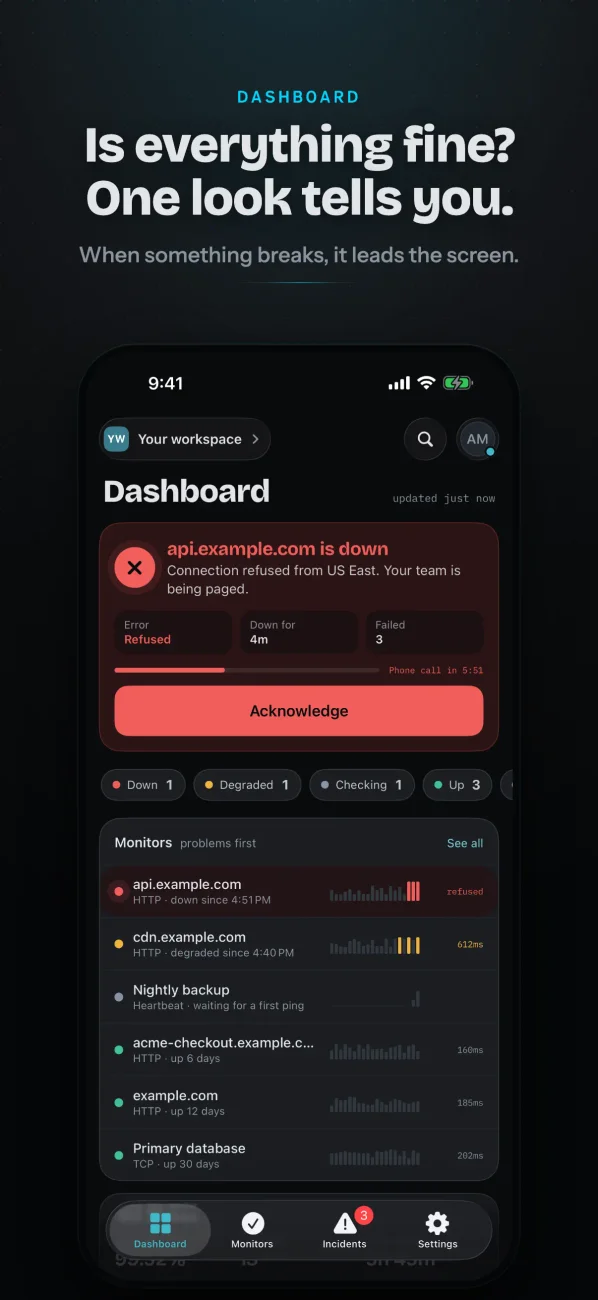
Open the app and the dashboard tells you in a single line whether everything is fine. When something is down, the dashboard becomes the incident: how long it has been down, what failed, a countdown to the next escalation step, and Acknowledge right there. Thirty days of history and upcoming renewals sit underneath.
ADD ANYTHING BY PASTING IT
Paste a website, an IP address or a host and port, and Last Seen Up works out what kind of check it needs and tests it while you type. A website is one monitor, not three: we check that it answers and keep an eye on its SSL certificate and domain registration, so the renewal you forgot is a reminder weeks out instead of an outage on a Saturday.
CATCH THE JOBS THAT DIDN'T RUN
A cron job that stops running fails silently. Give it a heartbeat URL to call when it finishes, and if the call never comes we tell you. The alert shows the last several runs at a glance, so a job that has been failing every other night for a week looks different from one that broke tonight.
WILL IT ACTUALLY WAKE YOU?
"Can we wake you?" checks whether this iPhone will really ring at 3am, and opens the right setting to fix anything that would stop it. Send yourself a test alert, or have us call you, to be sure.
ALERTS BUILT FOR 3AM
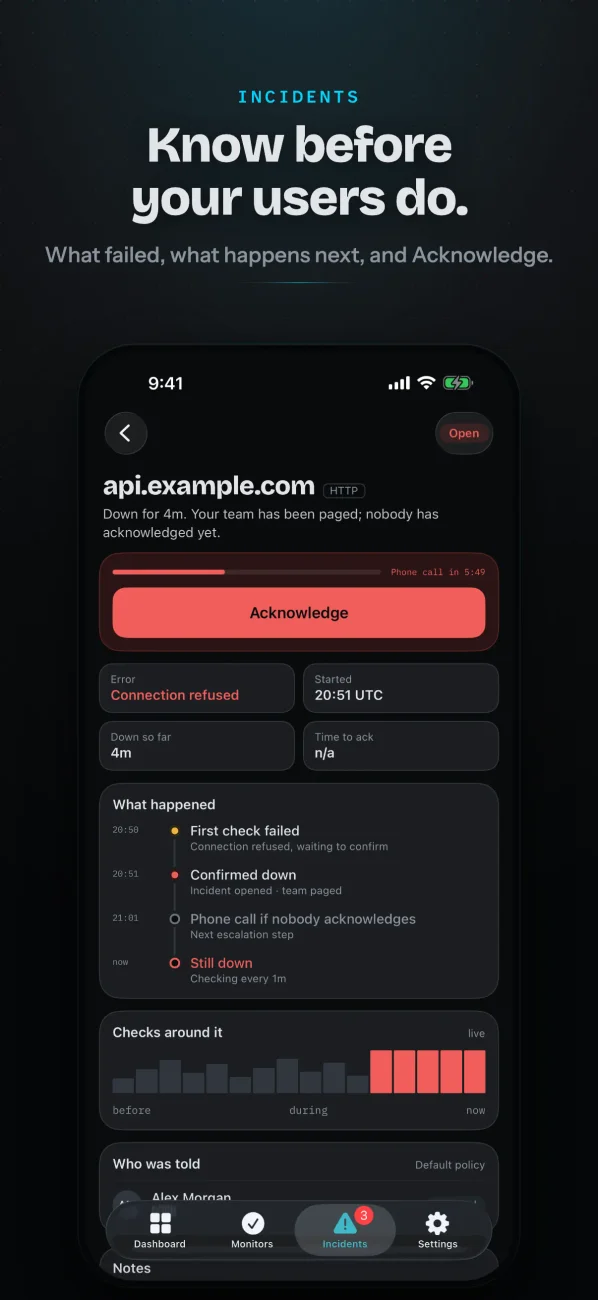
Alerts arrive as Time Sensitive notifications, so they break through a Focus. Long-press one to see how long it has been down and what failed, then acknowledge or snooze without opening the app. If nobody answers, escalation moves to the next person on your list, and the last step can be an actual phone call to a number you have verified. Quiet hours and do not disturb keep the rest of the night yours.
ANYONE CAN SAY "I'M ON IT"
Acknowledge from any iPhone you are signed in on, even when the alert went to a teammate. Everyone sees who has it, and escalation stops.
WATCH IT UNFOLD
An open incident puts a live counter on your Lock Screen and in the Dynamic Island, showing who is on it and what happens next, then ends with how long the outage lasted. Home Screen and Lock Screen widgets keep your worst monitor in view.
ON YOUR WRIST
The Apple Watch app carries the full roster. Acknowledge an incident or run a check with your phone in another room, and put your fleet's state on the watch face with complications.
YOUR TEAM, FROM YOUR PHONE
Invite teammates, switch workspaces, and set how often new monitors are checked, how many failures it takes to alert, and which alert policy they follow.
BUILT NOT TO LIE TO YOU
If the app cannot reach our servers it says so plainly rather than showing you a reassuring green screen. Status is never colour alone, so it reads correctly on a watch face, in sunlight, and with VoiceOver.
FREE TO START
One monitor and everything above, free, with no trial and no card. Pro raises the account to 50 monitors and lets you bring up to 10 people onto the team, each seeing only the monitors you assign them.
- iPhone, iPad and Apple Watch
- Sign in with Apple, Google, a passkey, or an emailed code
- Full VoiceOver and Dynamic Type support
Add the first one in about thirty seconds.
SUBSCRIPTION
Last Seen Up Pro is an auto-renewable subscription, sold monthly at $5.99 or yearly at $59.99. It raises the account to 50 monitors and 10 people on the team, and unlocks nothing else. Payment is charged to your Apple Account on confirming the purchase, and the subscription renews automatically at the then-current price unless it is cancelled at least 24 hours before the period ends. Manage or cancel it in Settings on your iPhone, under your name, then Subscriptions.
Privacy policy: https://lastseenup.com/privacy
Terms of Use (EULA): https://lastseenup.com/terms
What’s new
Version 2.0.4 · Nov 13, 2026
Thanks for using Last Seen Up!
What's new:
- An outage card left on your lock screen after a recovery now shows how long the outage actually lasted, instead of counting until you next opened the app.
- Bug fixes and performance improvements.
App privacy
What Timothy Murphy declares on the App Store about how this app handles data.
-
Data linked to you
May be collected and linked to your identity.
- Contact info
- Identifiers
Privacy practices may vary, for example with the features you use or your age.
Information
- Seller
- Timothy Murphy
- Category
- Developer Tools
- Version
- 2.0.4
- Updated
- Nov 13, 2026
- Released
- Aug 20, 2026
- Size
- 14.6 MB
- Requires
- iOS 18.0 or later
- Age rating
- 4+
- Price
- Free
- In-app purchases
- Yes
- Languages
- English
- Copyright
- © 2026 Last Seen Up
You might also like
-
 PulzorWebsite, server & API monitor
-
 URL Inspector & Link TesterDeeplink & Redirect Analyzer
-
 IDFA: Find Device IDFA & ShareAd Tracking ID & ATT
-
 Moni Proxy: HTTPS CaptureHTTP Debugger, Sniffer & Mock
-
 Uptime MateMonitor uptime on your wrist
-
 AI Website BuilderWebsite Generator using prompt
-
 KittyLitterCodex on your phone
-
 SQLPro Studio: Database ClientMySQL, Postgres & SQL Server
-
 Ocean for DODeveloper Tools
-
 HTML Viewer: View SourceDev Tools to Inspect Element