
Last Time: Home & Care Tracker
Routine Log, Filter & Warranty
Designed for iPhone, iPad, iPod touch
Free
- Age rating4+
- CategoryLifestyle
- DeveloperJames Lee
- LanguagesEnglish+ 27 more
- Size32.8 MB
Links to the official App Store page
Download.org hosts no file of Last Time: Home & Care Tracker. The button opens its official App Store page, published by James Lee. Listing last checked on Nov 23, 2026.
Screenshots
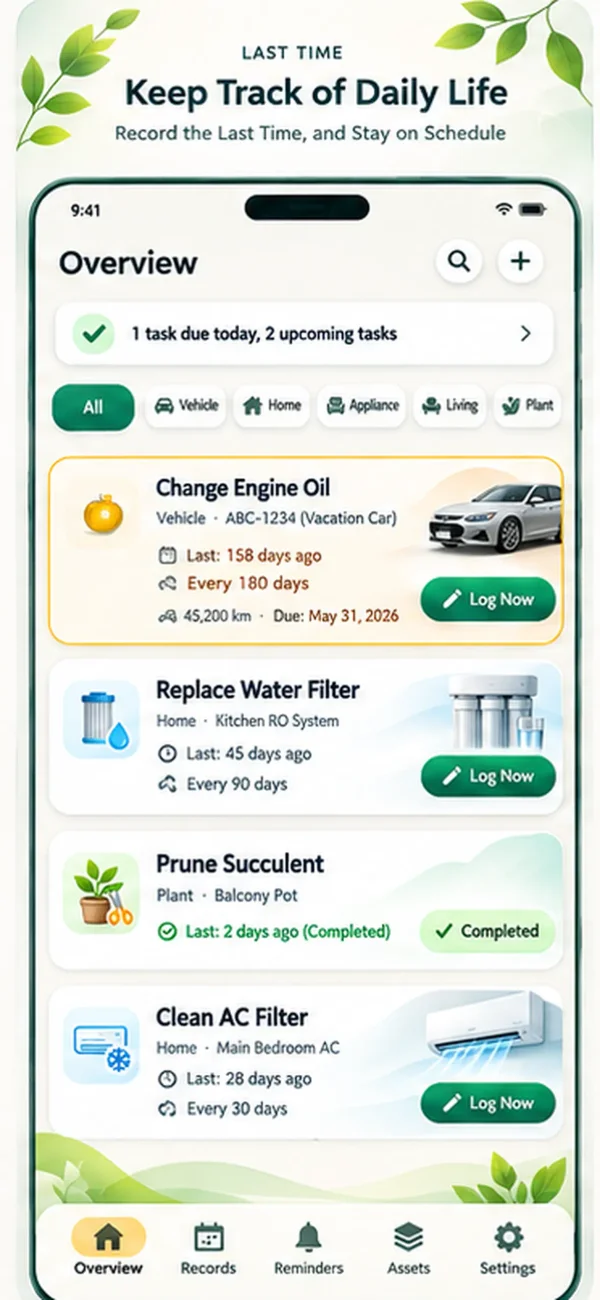
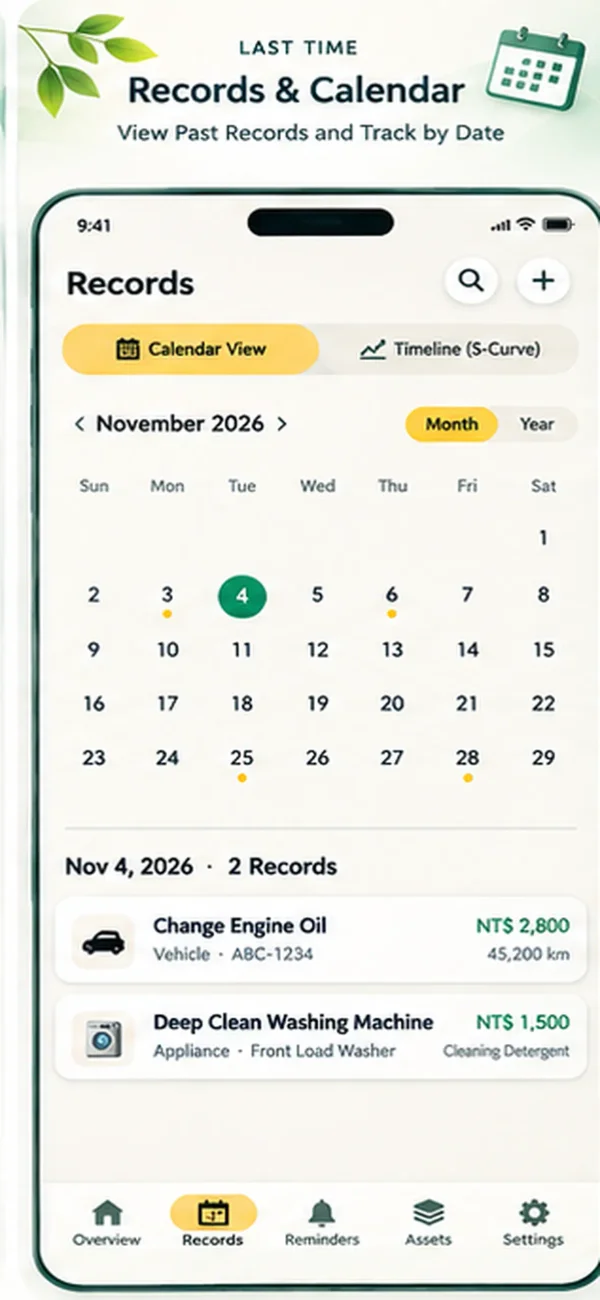
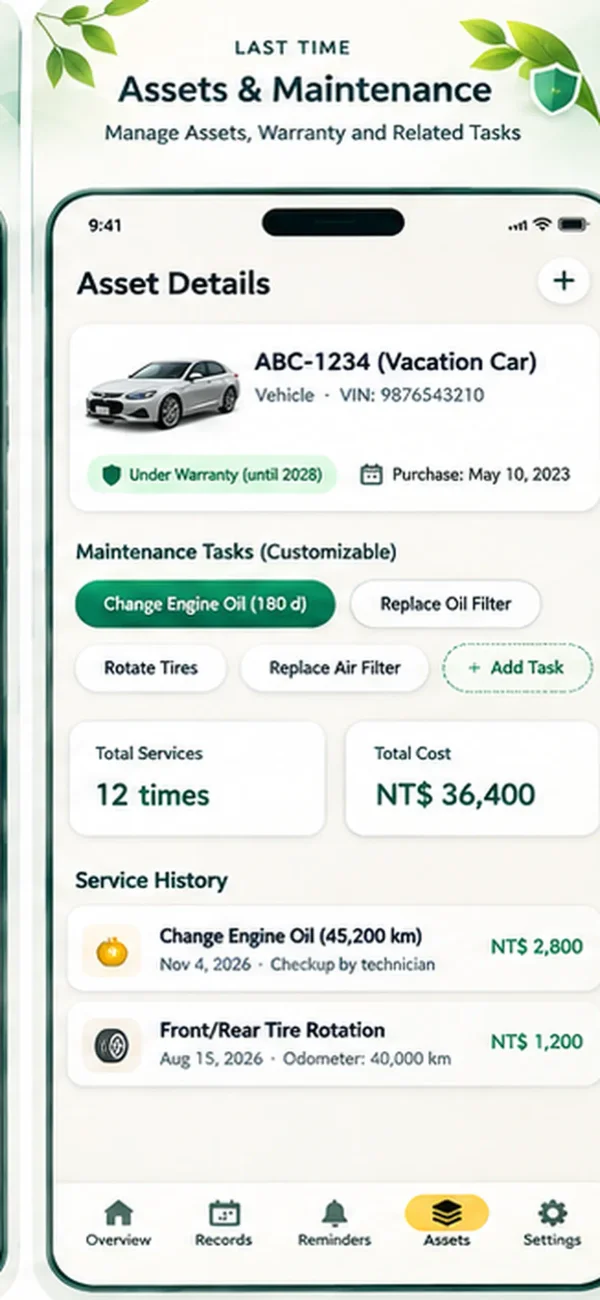
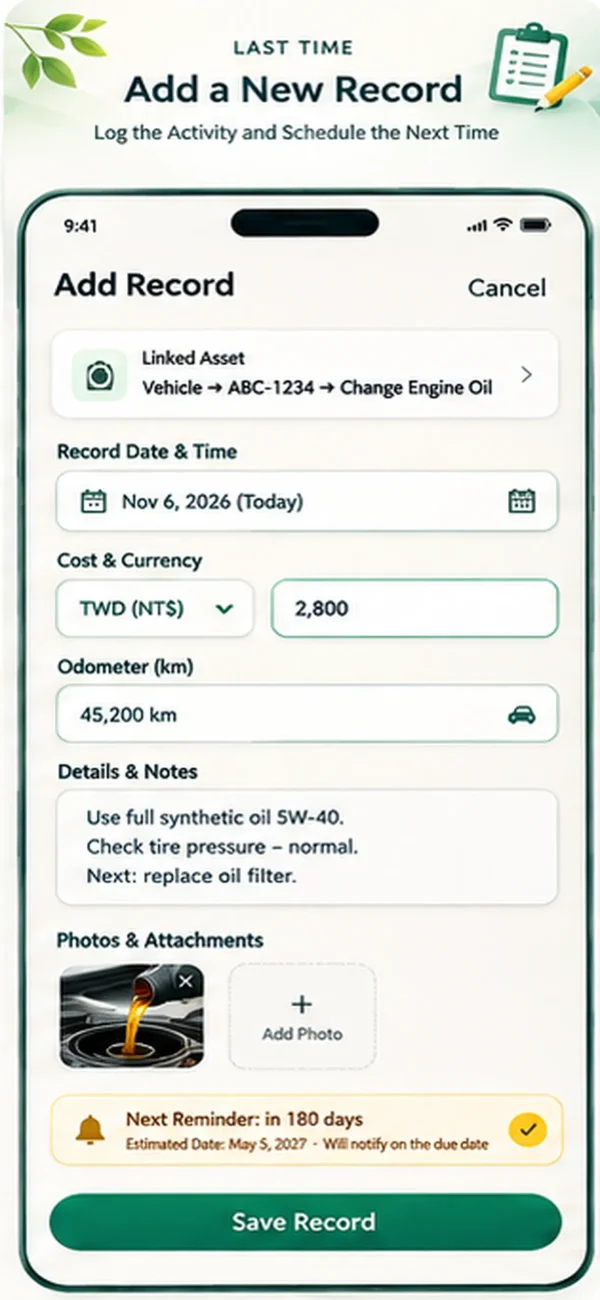

About
Did it once, but can't remember when?
Last Time? helps you remember the last time you did the things that matter. From replacing a filter or cleaning the AC to servicing the car or watering plants, it turns scattered small tasks into clear records you can look back on.
【Log in one tap, backfill any time】
Finish something and record the time right away. Forgot to log it? Add the date later, edit the entry and attach notes to keep the details that really help.
【Know how long it has been, and when is next】
See the time since last time, and set a cycle and reminders when you need them. Choose record-only, do-more or do-less mode for each item so tracking fits your life.
【Photos and documents, kept together】
Attach photos or PDFs to items and records to keep receipts, service slips and related documents for reference.
【Items and upkeep, organized in one place】
Keep item details, link related tasks, and record purchase info, warranty dates and maintenance history. For vehicles you can also add fuel logs to track mileage and consumption.
【See the rhythm of life in your history】
Review records in a timeline, calendar and statistics, and find what you need with categories, tags and search. Record values and costs so every task leaves a complete trail.
【Your data stays yours】
No account is needed, and core logging works offline. Data is stored mainly on your device, with full ZIP backup and restore including attachments, optional password encryption, and JSON/CSV export for event reports. App lock is available on supported devices.
Start with one small thing you always forget, and make the next time easier.
Notes:
• This app contains ads; ad services need an internet connection. See the Privacy Policy for how data is handled.
• Reminders require notification permission; actual delivery depends on your device and system settings.
• App lock is not backup encryption. ZIP files without a password, and JSON/CSV files, are plain text.
• System backups are controlled by your device and account settings; this app provides no account-based cloud sync.
What’s new
Version 1.0.1 · Nov 21, 2026
• Upgraded Calendar View: Displays a compact week view by default to save space, with one-tap expand/collapse to full month view and swipe navigation.
• Photo Thumbnails & Full-Screen Viewer: Record cards now show photo thumbnails with a +N badge; tap any photo to view full-screen with pinch-to-zoom.
• Inline Attachment Management: Directly preview, add, or remove photos and files right inside the Edit Record screen.
• Cleaner Amount Display: Formatted all amounts as clean whole numbers without trailing decimals.
App privacy
What James Lee declares on the App Store about how this app handles data.
-
Data not linked to you
May be collected but is not linked to your identity.
- Identifiers
- Usage data
- Diagnostics
Privacy practices may vary, for example with the features you use or your age.
Information
- Seller
- James Lee
- Category
- Lifestyle
- Version
- 1.0.1
- Updated
- Nov 21, 2026
- Released
- Nov 9, 2026
- Size
- 32.8 MB
- Requires
- iOS 15.0 or later
- Age rating
- 4+
- Price
- Free
- Languages
- English, Arabic, Bengali, Danish, Dutch, Finnish, French, German, Greek, Hindi, Indonesian, Italian + 16 more
- Copyright
- © FireDragonTW
You might also like
-
 Bóe-tshài 買菜今天吃什麼?30秒決定。
-
 RE EsperanzaWellness & Spiritual Companion
-
 MyAduan JohorLifestyle
-
 PSY by PSYLifestyle
-
 论子平-论八字(实用)Lifestyle
-
 Brainwaves: Binaural Beats HzBrainwave Sounds: Sleep, Focus
-
 Swap It.Remember every replacement day
-
 Tarotlit: Tarot Card ReadingDaily Spreads, Journal & Learn
-
 Syno PanelTurn your opinion into rewards