Later: Screen Time App Blocker
Focus, Social Media & Websites
Designed for iPhone, iPad
Free · In-app purchases
- Age rating4+
- CategoryUtilities
- Developer晓晖 王
- LanguagesEnglish+ 12 more
- Size20.5 MB
Links to the official App Store page
Download.org hosts no file of Later: Screen Time App Blocker. The button opens its official App Store page, published by 晓晖 王. Listing last checked on Nov 12, 2026.
Screenshots


About
It's gone eleven, and your thumb is hovering over a shopping app again. It's half past two, and you've opened the same social app four times in twenty minutes. Nothing's wrong, exactly. Everything is just always there.
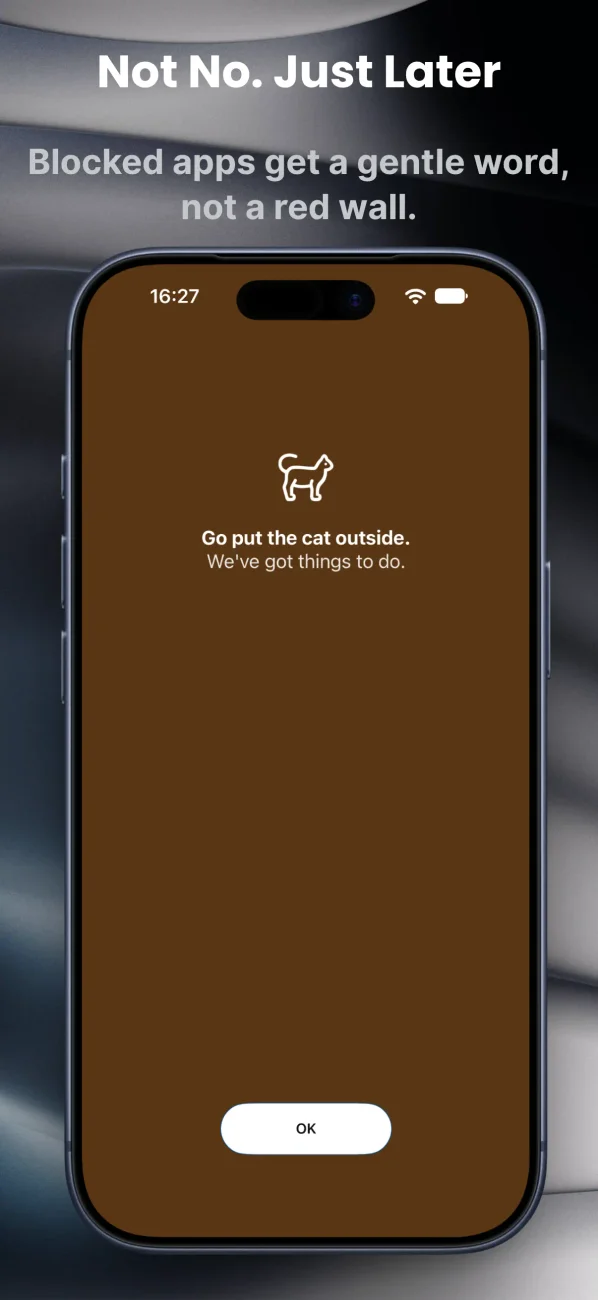
Later is a gentle app blocker. It holds back the apps and websites you choose, for as long as you choose — and when you open one, it doesn't say "no". It says "later".
# A GENTLE CHECK-IN
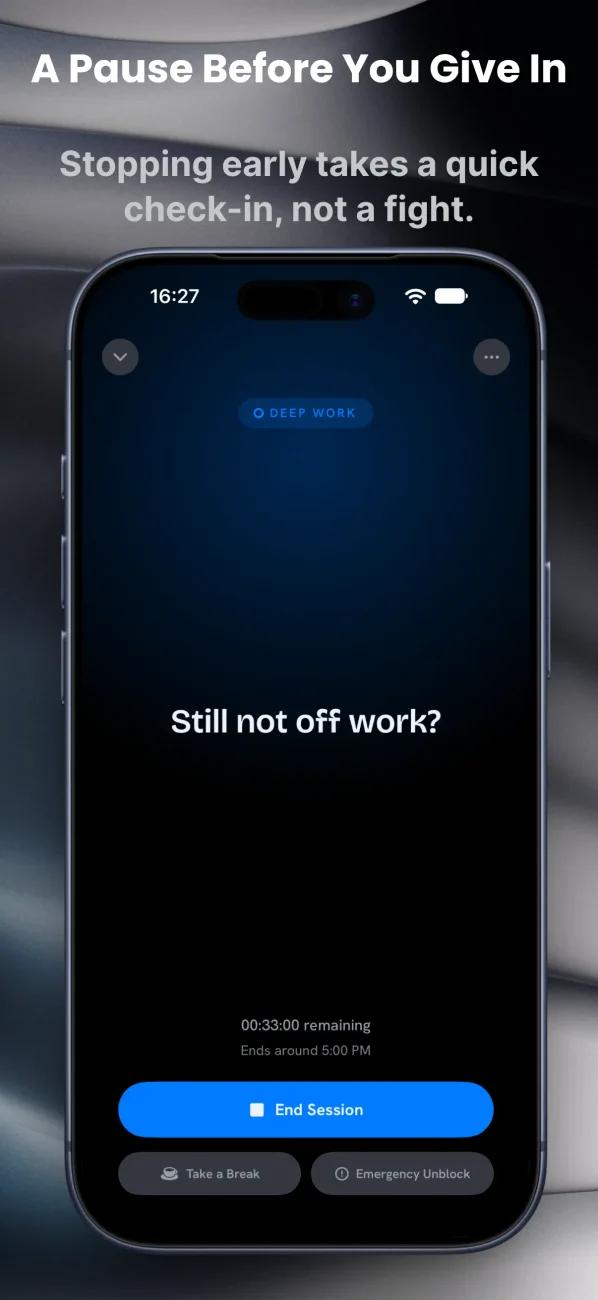
Most app blockers put up a stern red screen and hope you'll stay scared of it. Later takes a different view. By default, stopping a plan early asks for a quick check-in with Face ID, Touch ID, or your passcode. No puzzles, no tags to tap, no countdowns to sit through — just a small, deliberate pause to ask yourself: is this really what I want right now?
# START FROM A SITUATION
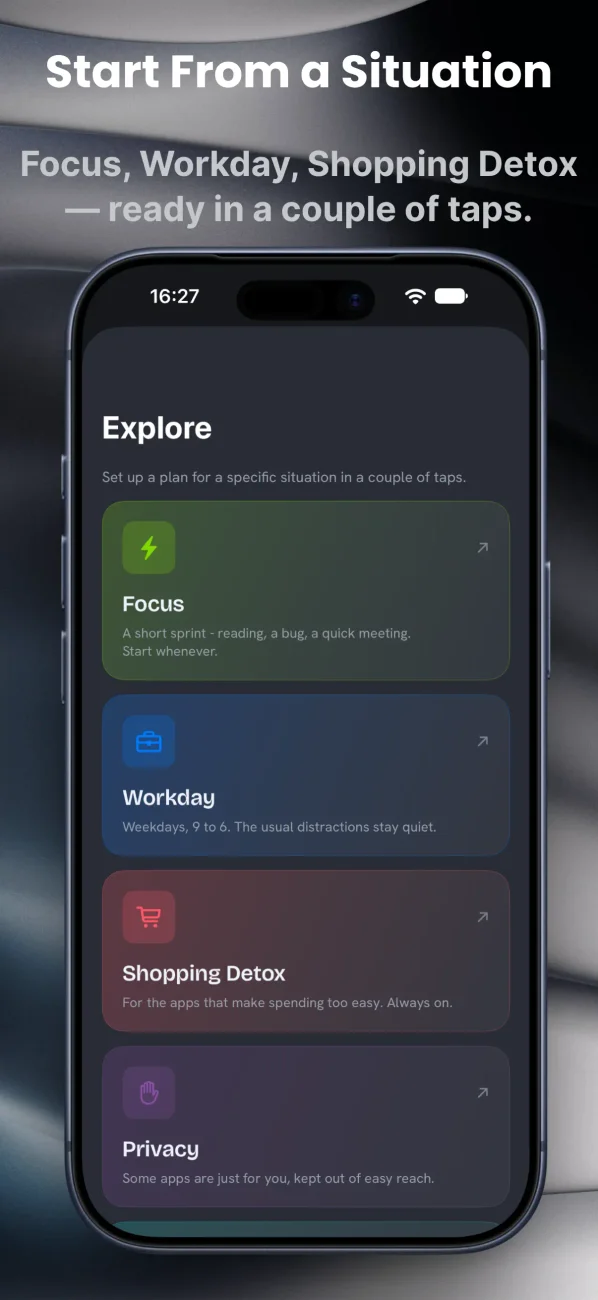
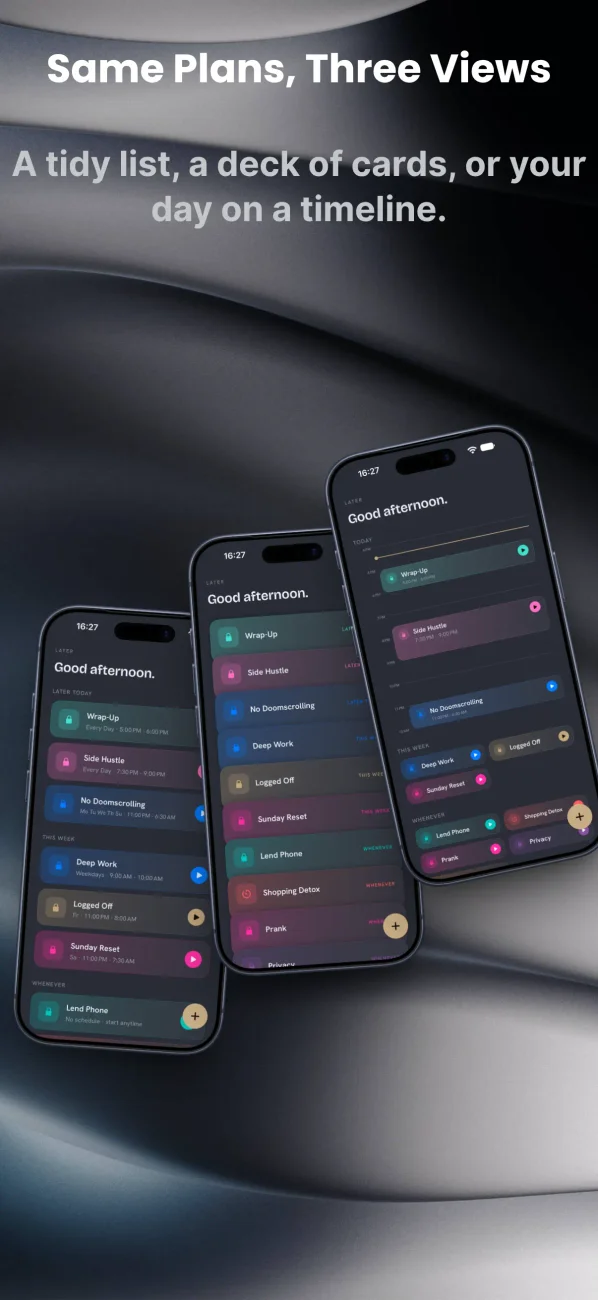
Pick a ready-made plan in Explore, choose your apps, and you're done:
• Focus — A short sprint: reading, a bug, a quick meeting
• Workday — Weekdays, nine to six, with a break when you need one
• Shopping Detox — For the apps that make spending far too easy
• Privacy — Some apps are just for you
• Lend Phone — Tuck the sensitive things away before you hand it over
Or build your own from scratch.
# PLANS THAT FIT YOUR LIFE
• Block apps, whole categories, and websites — in Safari too
• Or allow only the few apps you choose
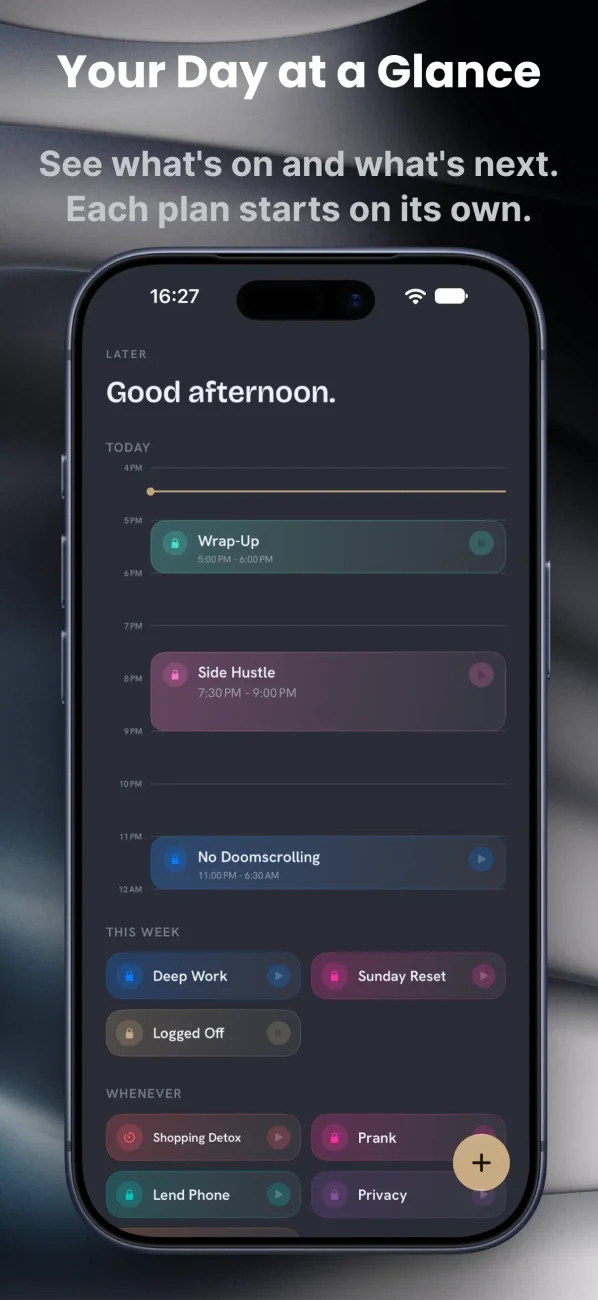
• Schedules that start and stop on their own, even overnight
• Choose how each plan ends: freely, with a check-in, on a timer, with a pause, or with a few short exceptions
• Timed breaks without ending the plan
• Optional protections: no deleting or installing apps mid-session
• Emergency Unblock for the moments you genuinely need out
# A VOICE, NOT A WALL
When you open a blocked app, Later says something — in one of four voices: Later's own gentle voice, Work, Detox, or Privacy. The same voice carries through to reminders and break notifications.
# MAKE IT YOURS
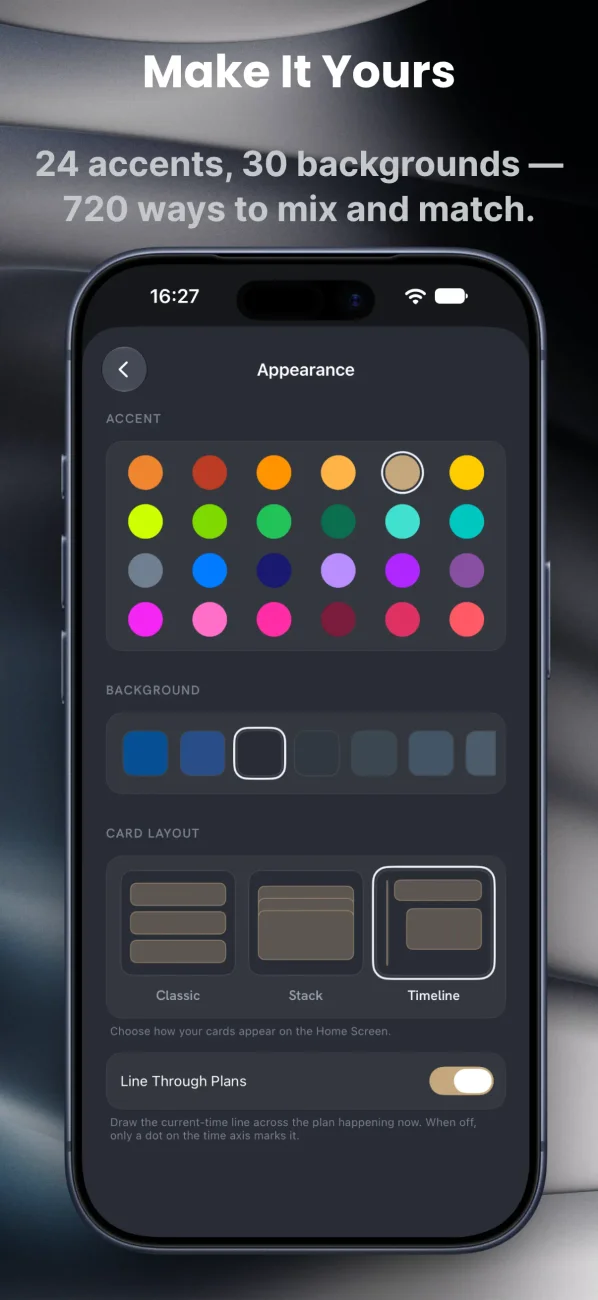
Later's default amber is the colour of the cat in its icon, halfway out of the door. Keep it, or mix any of 24 accents with any of 30 backgrounds. Each plan has its own colour, too, carried through to its card, widget, Live Activity, and shield screen. And choose how your plans are laid out: Classic, Stack, or Timeline.
# ALWAYS WITHIN REACH
• Made for iPhone, iPad, and iPhone Duo — open it out and your plans fill the big screen
• Live Activities on the Lock Screen and in the Dynamic Island
• Home Screen and Lock Screen widgets — one plan, or every plan at a glance
• Shortcuts actions for your own automations
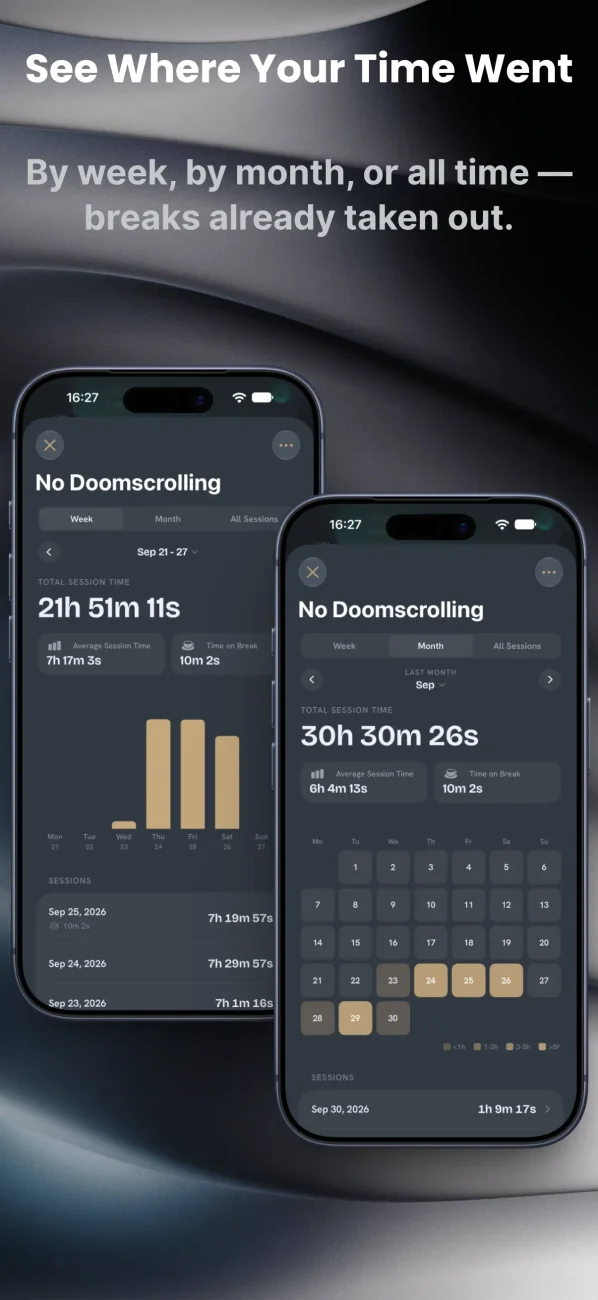
• Insights into your focus time, with breaks already taken out
# PRIVATE BY DESIGN
No sign-in, no account, no analytics, no ads. You pick apps through Apple's own Screen Time picker, so Later never sees what's on your phone. Your plans sync quietly through your own iCloud — we never see them, and there's no Later server involved. Read the full picture in our Privacy Policy.
# FREE TO START
• One plan
• Start and Stop Freely, and Check-In to Stop
• Schedules, breaks, Emergency Unblock, reminders, and every protection
• All four shield voices
• Live Activities, widgets, and Shortcuts
• This week's Insights
• iCloud sync
# LATER PREMIUM
• Unlimited plans
• Every ending: Set a Timer, Allow a Pause, and A Few Short Exceptions
• Stack and Timeline card layouts
• Complete Insights history and CSV export
• Any accent and background colour
• Choose which day your week starts
• App Lock
Available as a monthly or yearly subscription, or a one-time lifetime purchase.
Requires iOS 17.1 or later and Screen Time access. Available in 13 languages.
Not forever. Just later.
Terms of Use: https://www.apple.com/legal/internet-services/itunes/dev/stdeula/
What’s new
Version 1.4 · Nov 2, 2026
This update gets Later ready for iPhone Duo, and gives every screen a little more room.
# MADE FOR IPHONE DUO
Later fits however you hold iPhone Duo. Open it up and your plans spread out across the larger screen. Hold it half-open like a book and buttons and text stay clear of the fold. Fold or unfold halfway through something, such as creating a plan, and you'll carry on right where you left off.
# A WELCOME THAT READS LIKE A BOOK
Hold iPhone Duo half-open like a book when you first meet Later, or when you choose Replay Onboarding in Settings, and each welcome screen opens out across two pages: the picture on the left, the words and buttons on the right. Held any other way, they stay as you know them.
# MORE ROOM, EVERYWHERE
Later now hides the status bar, so your plans, a running session and the welcome screens use the whole screen. Plans, Settings, Explore, plan editing and Insights all open the same way now, on iPhone and iPad alike: swipe down to close. The buttons along the top now match the rest of your device.
# FIXES
• Long step titles when creating a plan now wrap onto a second line instead of being cut off.
• The Card Color picker now makes room for its whole description on smaller screens.
• Plus smaller fixes and polish.
Thank you for using Later. If it's helping, we'd love your support:
• Rate us on the App Store
• Share Later with friends and family
• Send us your feedback — we're always listening
App privacy
What 晓晖 王 declares on the App Store about how this app handles data.
-
Data not collected
The developer does not collect any data from this app.
Privacy practices may vary, for example with the features you use or your age.
Information
- Seller
- 晓晖 王
- Category
- Utilities
- Version
- 1.4
- Updated
- Nov 2, 2026
- Released
- Oct 9, 2026
- Size
- 20.5 MB
- Requires
- iOS 17.1 or later
- Age rating
- 4+
- Price
- Free
- In-app purchases
- Yes
- Languages
- English, Arabic, French, German, Italian, Japanese, Korean, Portuguese, Russian, Simplified Chinese, Spanish, Traditional Chinese + 1 more
- Copyright
- © 2026 Later
You might also like
-
 ZenZone - App Blocker & FocusStop phone addiction & focus
-
 Locky - Parental ControlBlock Apps, Adult Sites & IAP
-
 Ad Blocker: No Ads & TrackersBlock malware & browse faster
-
 Cool Browser - CoolFast browser
-
 琥珀AppUtilities
-
 AppCrypt - App & Site BlockerLock Apps, Block Websites
-
 魔音-AI智能配音软件&短视频配音神器Utilities
-
 Update All Apps: Full GuideUpdates Upgrade My App Helper
-
 CastHub UltraUtilities
-
 好房A+Utilities