
Later: Screenshot Brain
AI Organizer & Smart Search
Designed for iPhone
Free · In-app purchases
- Age rating4+
- CategoryProductivity
- DeveloperMymoney LLC
- LanguagesEnglish
- Size20.6 MB
Links to the official App Store page
Download.org hosts no file of Later: Screenshot Brain. The button opens its official App Store page, published by Mymoney LLC. Listing last checked on Nov 7, 2026.
Screenshots




About
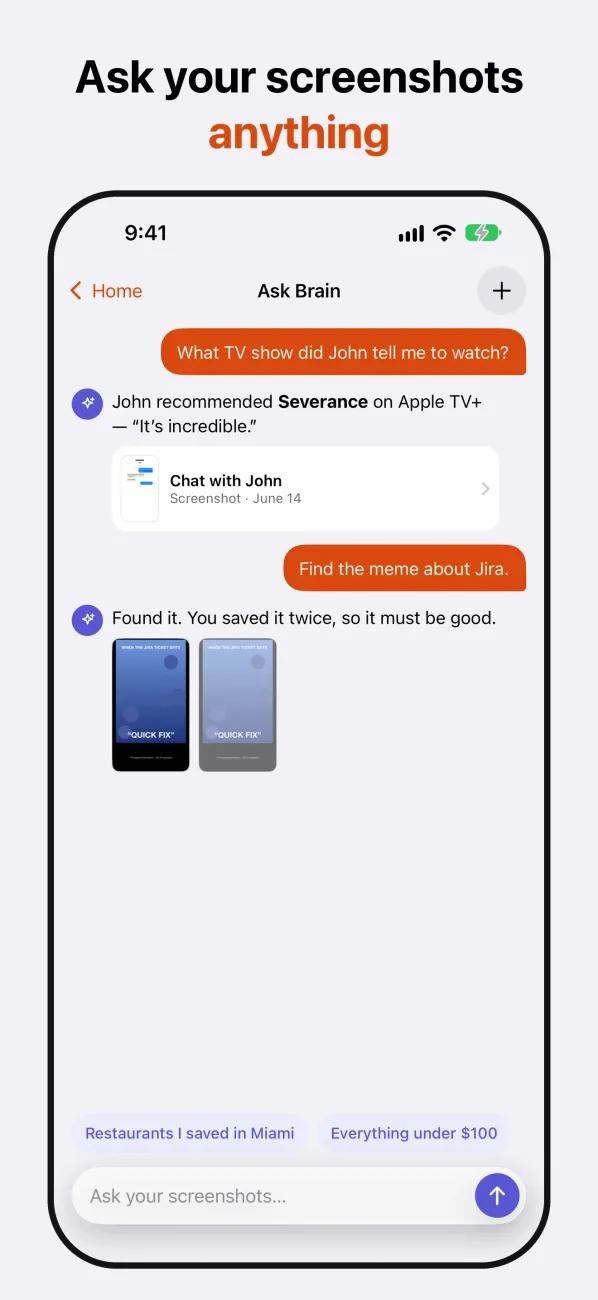
Ask your screenshots anything. Later reads them on your iPhone and turns them into places, prices, trips and recipes you can search in plain English.
You saved it for a reason. Later remembers all of it.
Later turns the screenshots piling up in your camera roll into a searchable brain: restaurants
become a map, wishlists become price alerts, flight confirmations become a trip, recipes become
a grocery list.
ASK YOUR SCREENSHOTS
Type a question like "what was that restaurant Mike sent me?" and Later finds the answer, with
the exact screenshot to prove it. No more scrolling through thousands of photos.
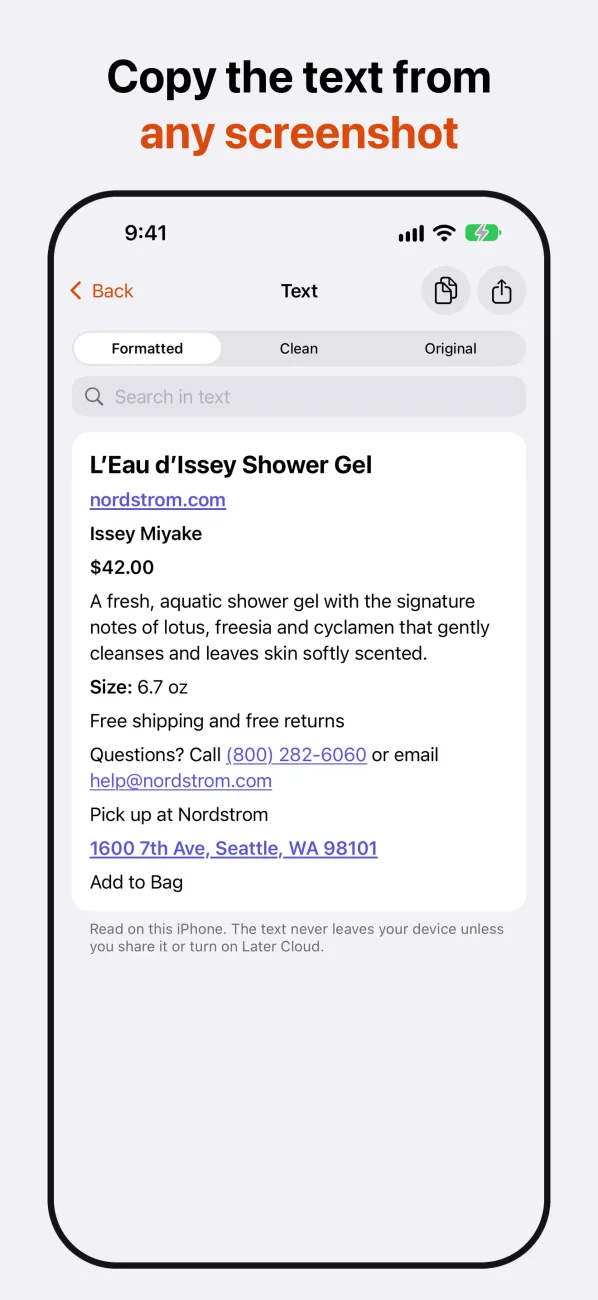
READ THE TEXT IN ANY SCREENSHOT
Open a screenshot to read, search, copy or share its text, neatly formatted — or select text
right on the image with Live Text.
YOUR BRAIN, ORGANIZED
Later sorts your screenshots into Places, Products, Travel, Food & Recipes, Fitness, Ideas,
Conversations, Events, Documents and Memes when you open it or in the background — no filing,
no folders.
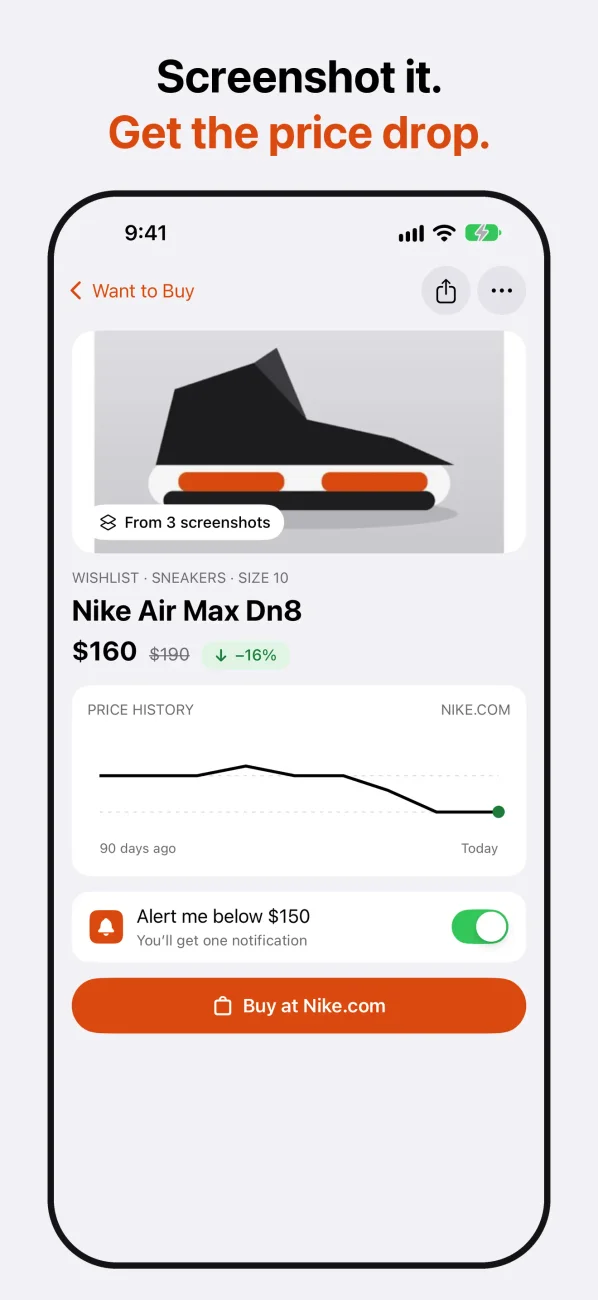
PRICE TRACKING
Screenshot something you're eyeing and Later watches the price. A drop below your target shows
up as a notification, not a spreadsheet.
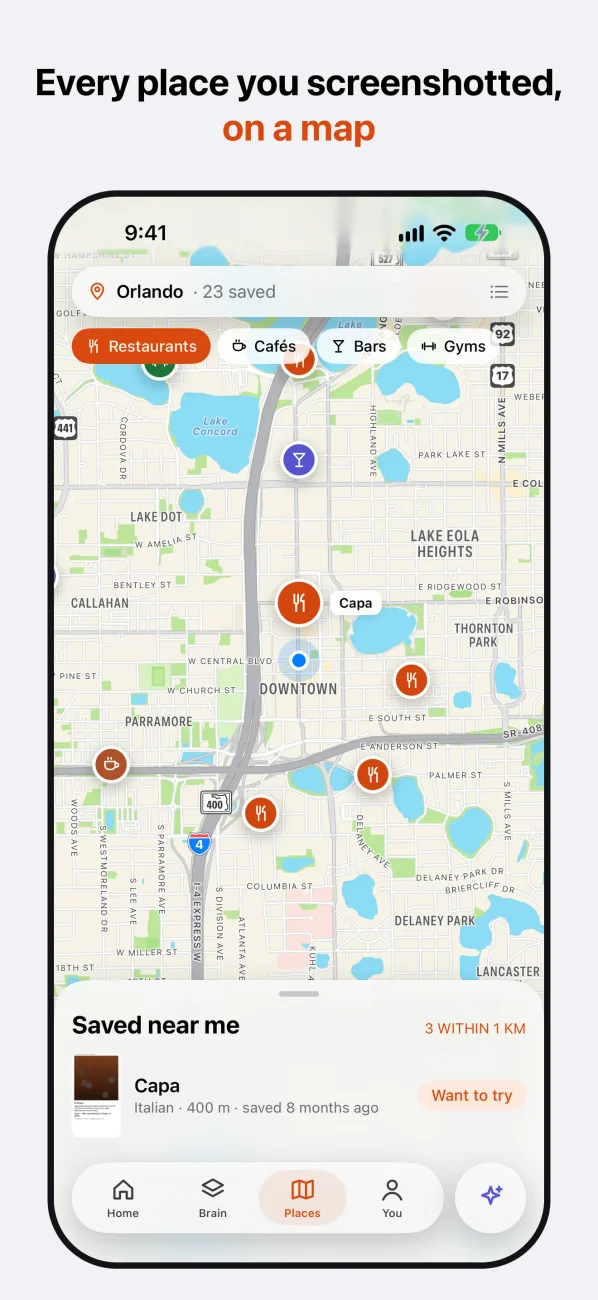
PLACES, ON A MAP
Every restaurant, shop and address you've ever screenshotted, ready to browse near you.
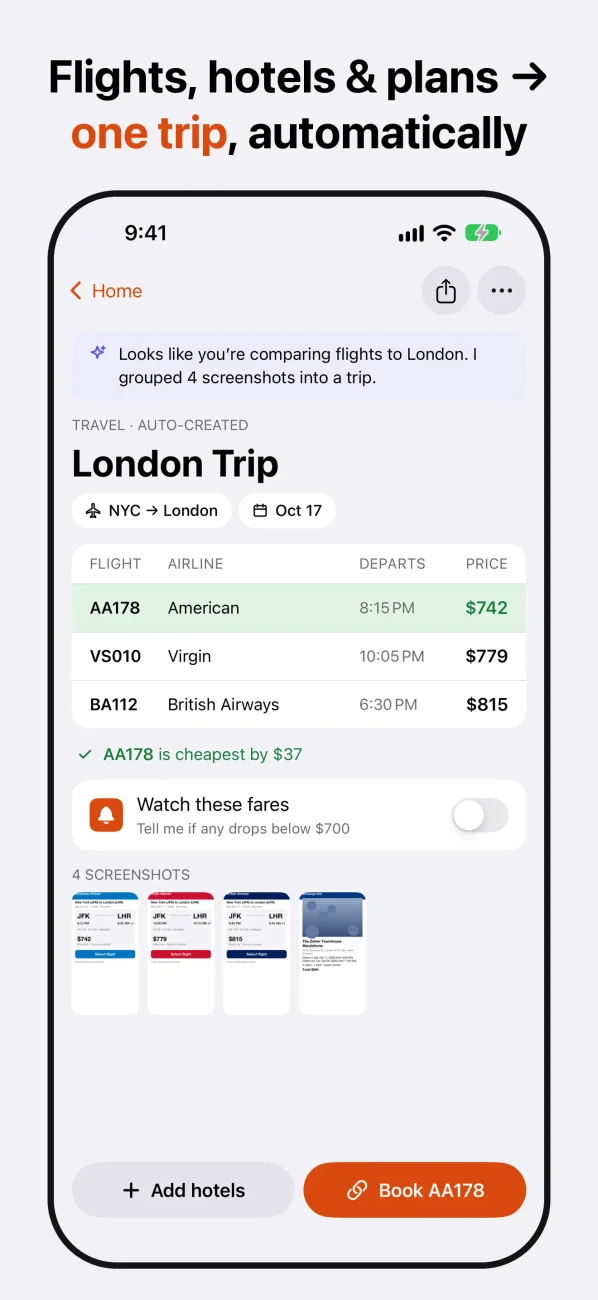
TRIP DETECTION
Later groups screenshots into a trip — confirmations, ideas, the works — and highlights the
cheapest fare among the ones you screenshotted while you're deciding.
STACKS: NUDGES YOU CONTROL
When five or more screenshots point at the same idea (say, a living room), Later notices and
offers to bundle them — you decide what happens next.
ONE-TAP ACTIONS
Add an event to your calendar or a recipe's ingredients to your grocery list in one tap.
SMART CLEANUP (PRO)
Later finds duplicates, old QR codes, expired tickets, old tracking numbers and temporary
screenshots you don't need anymore — and asks before anything is deleted. Nothing is removed
automatically.
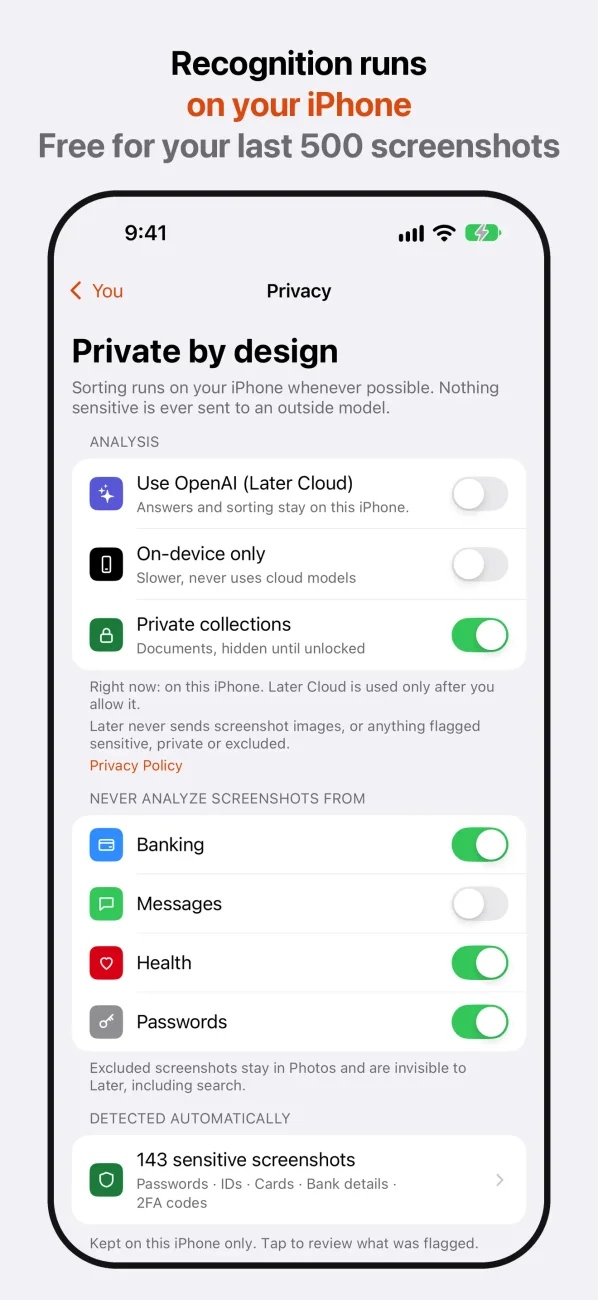
PRIVACY
Recognition, search and sorting run on your iPhone with Apple's on-device frameworks. If you're
on Pro and turn on Later Cloud, your question plus short text excerpts (never images) go through
our server to OpenAI to write the answer; on iPhones without Apple Intelligence, Later Cloud also
uses the text of a screenshot to sort it. Codes, card numbers, IDs and passwords are detected
and never leave your iPhone. Chat screenshots are read like any other unless you exclude
Messages in Settings. You can switch to on-device only anytime. Free never uses the cloud.
FREE
- Your most recent 500 screenshots, indexed and searchable
- Ask your screenshots, on your iPhone
- Price tracking and drop alerts
- Places map, trips and Stacks
- One-tap actions (calendar, grocery list)
- No ads, ever
LATER PRO
Everything in Free, plus:
- Unlimited screenshots
- Later Cloud: smarter answers (OpenAI, only if you turn it on)
- iCloud sync across your devices
- Smart Cleanup
Later Pro is $2.99/month or $19.99/year (about $1.67/month; yearly saves about 44%, with a 7-day free trial on the yearly plan).
Subscriptions renew automatically; cancel anytime in Settings.
Terms of Use: https://later-landing.later-cloud.workers.dev/terms
Privacy Policy: https://later-landing.later-cloud.workers.dev/privacy
What’s new
Version 1.2.0 · Oct 19, 2026
- Dark mode: Later now follows your iPhone's appearance.
- A refreshed design across every screen, with smoother animations and clearer cards.
- Pinch to zoom and swipe down to close a screenshot; tap to hide the controls.
- Rename a collection, see a recipe's source on your grocery list and your wishlist total.
- Small fixes and polish.
App privacy
What Mymoney LLC declares on the App Store about how this app handles data.
-
Data linked to you
May be collected and linked to your identity.
- Purchases
- User content
- Search history
- Identifiers
Privacy practices may vary, for example with the features you use or your age.
Information
- Seller
- Mymoney LLC
- Category
- Productivity
- Version
- 1.2.0
- Updated
- Oct 19, 2026
- Released
- Oct 14, 2026
- Size
- 20.6 MB
- Requires
- iOS 26.0 or later
- Age rating
- 4+
- Price
- Free
- In-app purchases
- Yes
- Languages
- English
- Copyright
- © 2026 Mymoney LLC
You might also like
-
 Pinwheel Screenshot OrganizerOrganize, find, free up space
-
 Pizazoo: Screenshot OrganizerOCR Text Search & Auto Sort
-
 CS IdentifyProductivity
-
 Claude Duet by AnthropicYour proactive work agent
-
 Mind MappingBrainstorm with ease
-
 Quicken ClassicCompanion App
-
 Genesis Intelligent AssistantProductivity
-
 Podz: Family & Group OrganizerShared Family & Group Calendar
-
 LucidchartFlowchart & Diagram Maker