Launch Canvas
Screenshots for indie apps
Designed for iPhone, iPad
Free · In-app purchases
- Age rating4+
- CategoryDeveloper Tools
- DeveloperSTEVEN JAMES GOOD
- LanguagesEnglish
- Size13.7 MB
Links to the official App Store page
Download.org hosts no file of Launch Canvas. The button opens its official App Store page, published by STEVEN JAMES GOOD. Listing last checked on Nov 13, 2026.
Screenshots
About
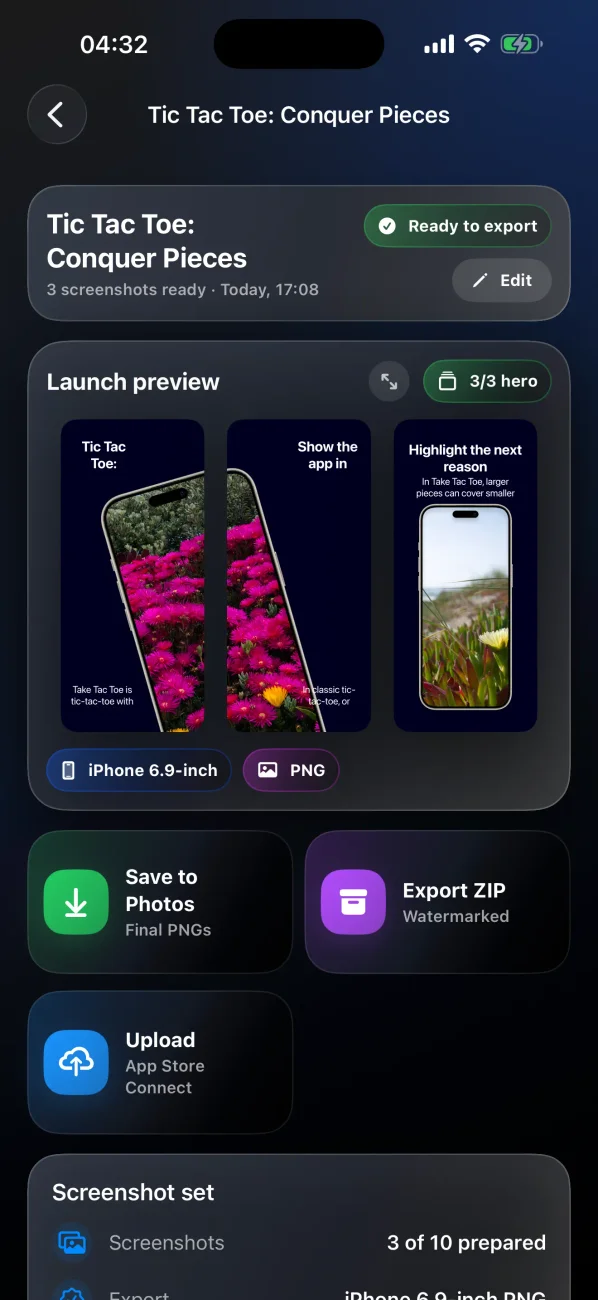
Create App Store screenshots that are ready to launch.
Launch Canvas helps iOS developers turn real app screens into polished App Store screenshots without using a complex design tool.
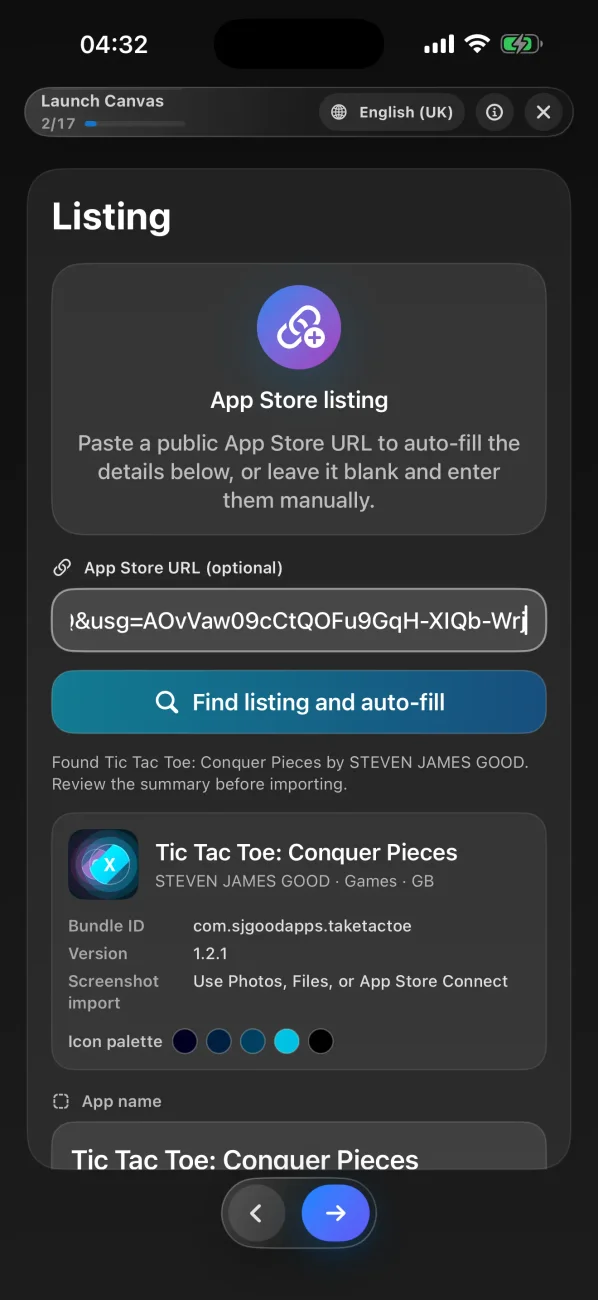
Paste your App Store link to start faster. Launch Canvas can use public listing details such as your app name, current version, icon and public screenshots where available, then help you build a premium screenshot set from your real app screens.
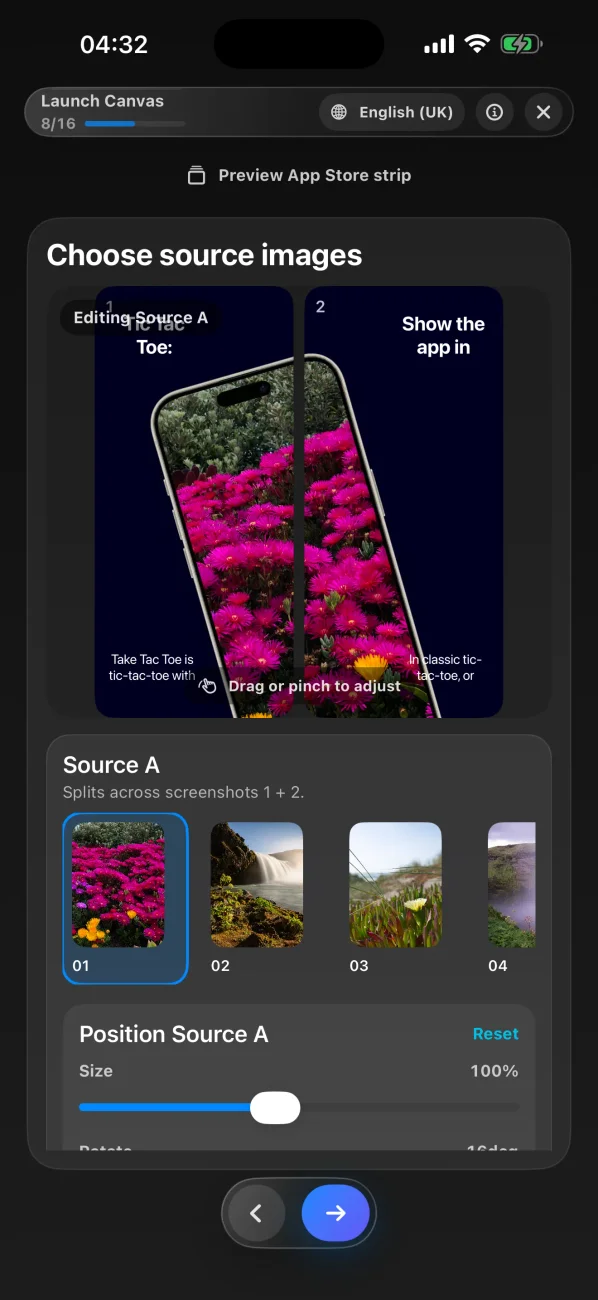
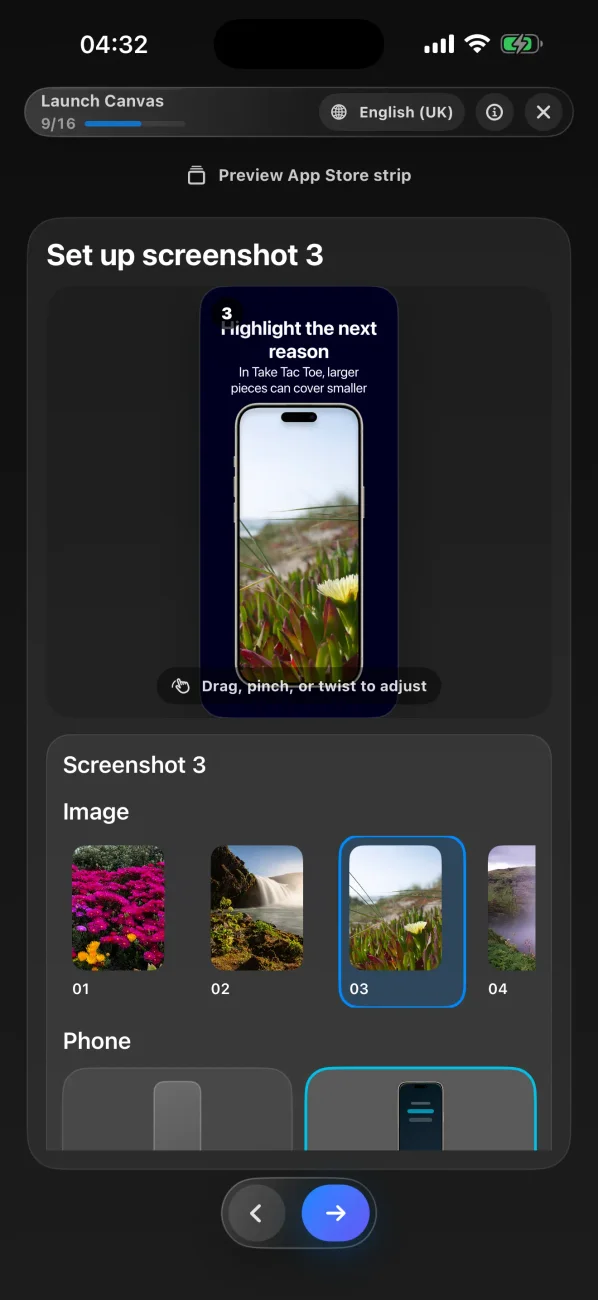
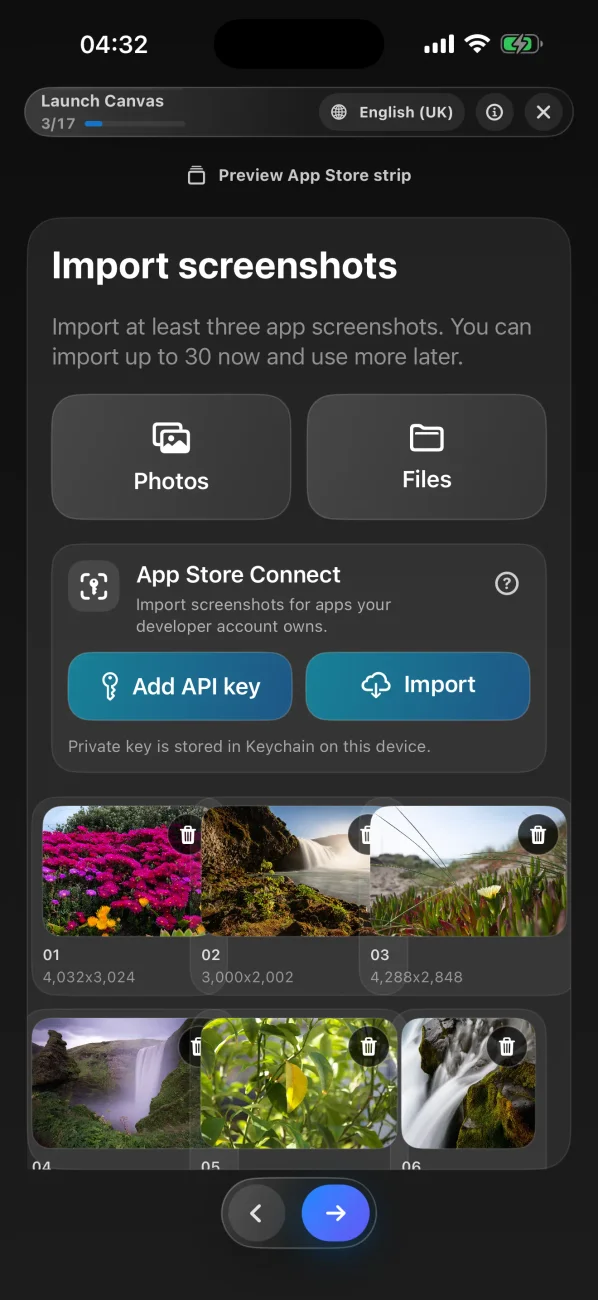
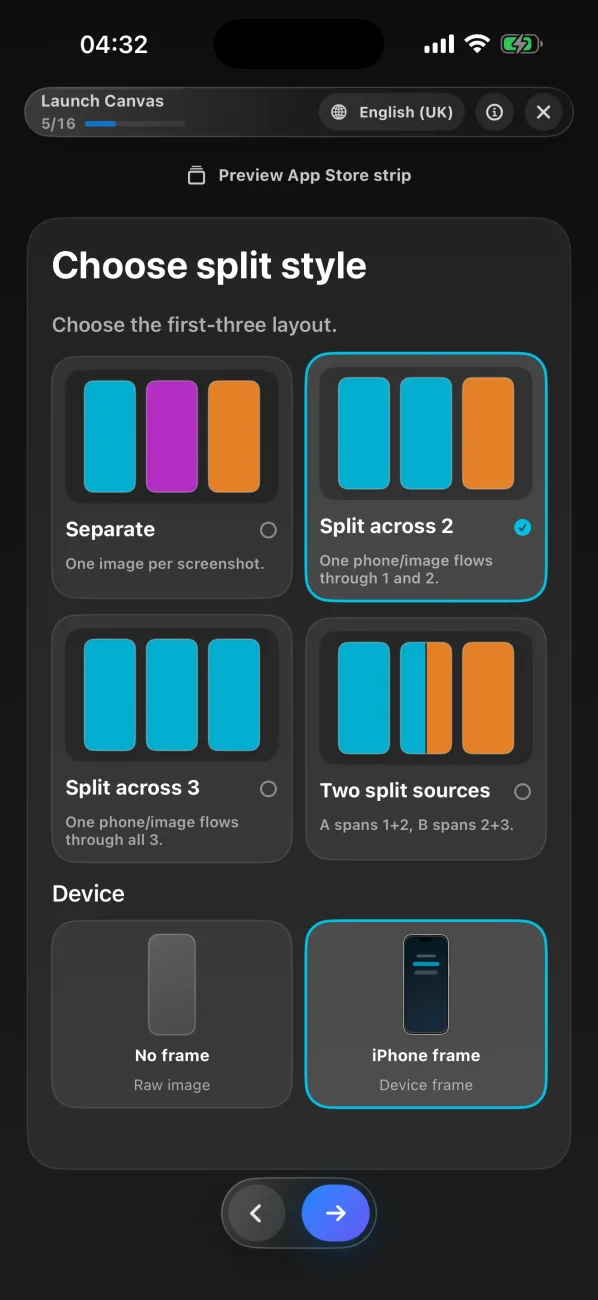
Import screenshots from Photos or Files, choose a launch-ready layout, add clear marketing copy, apply an iPhone frame, and export exact-size PNG images for App Store submission.
Built for App Store screenshot creation:
• Start from an App Store link where public data is available
• Import real screenshots from Photos or Files
• Create the first 3 screenshots as a launch hero set
• Preview screenshots together like an App Store listing
• Add titles, subtitles and supporting copy per screen
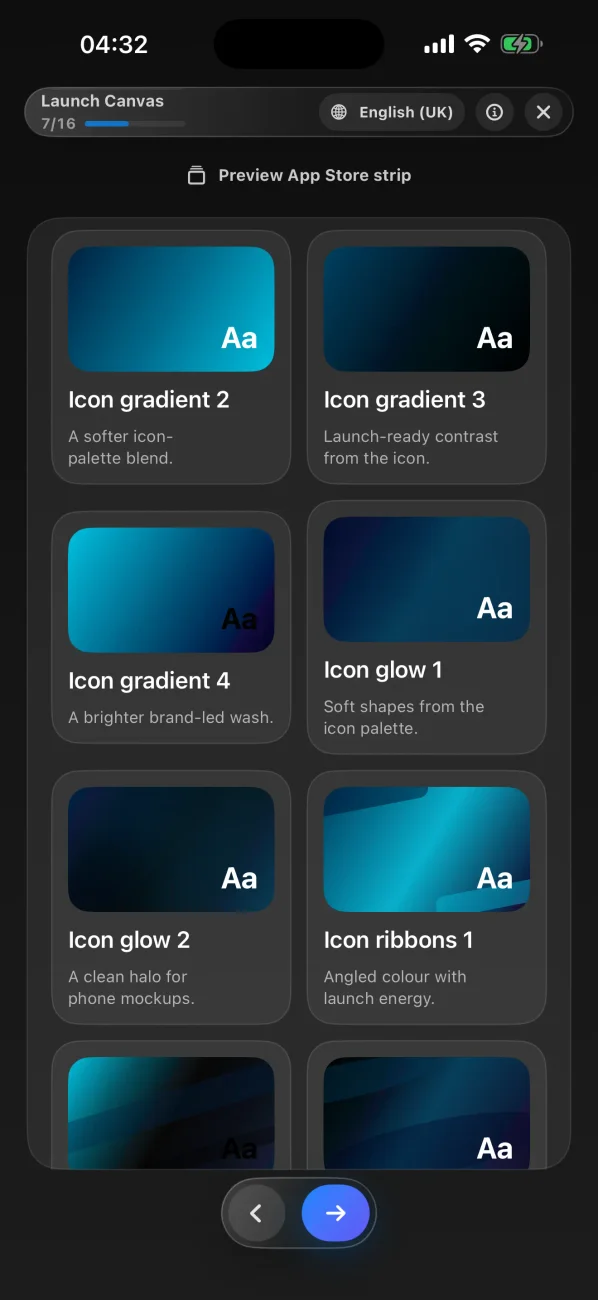
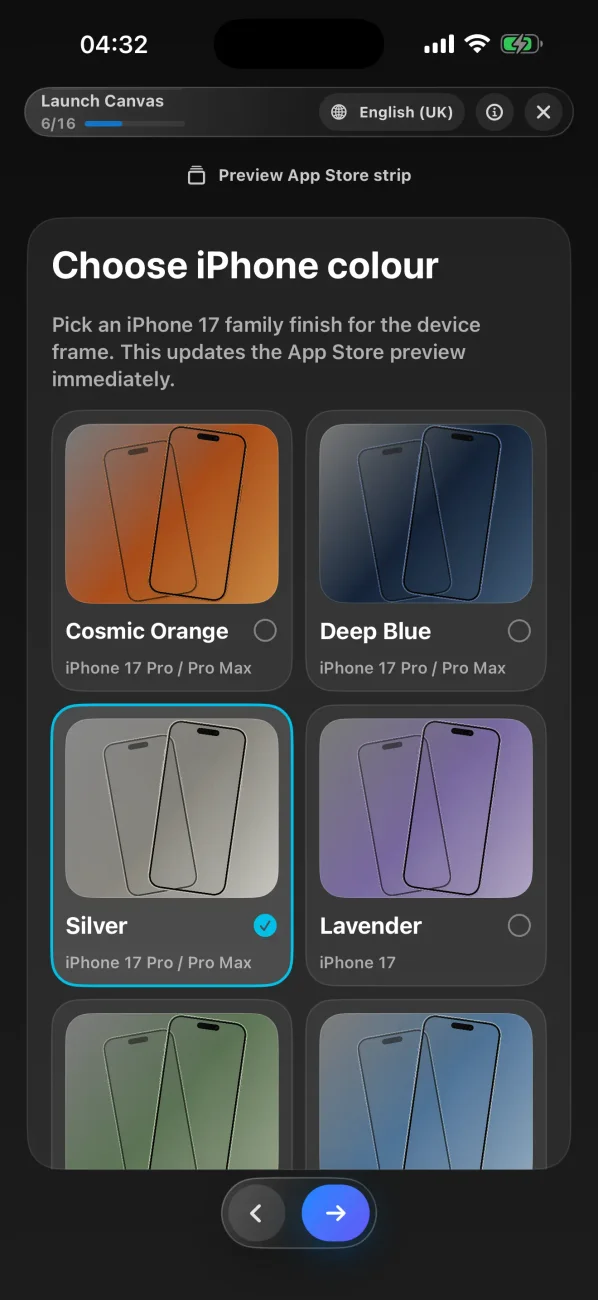
• Use iPhone frames, colour palettes and launch-ready styles
• Fine-tune text, colour, layout and device presentation
• Export production-ready PNGs at exact App Store dimensions
Launch Canvas is focused on App Store screenshots, not generic graphic design. It is also not an AI image generator. There are no prompts, random outputs or invented app screens. You work from your real screenshots and get deterministic, submission-ready images.
Use Launch Canvas for:
• New app launches
• Screenshot refreshes
• Version updates
• ASO experiments
• Product page improvements
• Cleaner app marketing visuals
No account is required. No server is used for editing. Your screenshots stay local to your device.
Terms of Use: https://www.apple.com/legal/internet-services/itunes/dev/stdeula/
What’s new
Version 1.5 · May 30, 2026
Minor bug fixes, release of full Mac version as part of package (single purchase for Mac, iPad and iPhone).
App privacy
What STEVEN JAMES GOOD declares on the App Store about how this app handles data.
-
Data not collected
The developer does not collect any data from this app.
Privacy practices may vary, for example with the features you use or your age.
Information
- Seller
- STEVEN JAMES GOOD
- Category
- Developer Tools
- Version
- 1.5
- Updated
- May 30, 2026
- Released
- May 15, 2026
- Size
- 13.7 MB
- Requires
- iOS 18.0 or later
- Age rating
- 4+
- Price
- Free
- In-app purchases
- Yes
- Languages
- English
- Copyright
- © 2026 Steven Good
You might also like
-
 GogodexMobile control for Codex
-
 FlareKit for CloudflareSite Analytics & Monitoring
-
 CFPanelMobile Console for Cloudflare
-
 Device Monitor & Phone TesterCPU, RAM & Battery Diagnostics
-
 JavaScript IDE & Node.jsScript, Console, Code Editor
-
 Text Editor : Code Editor#1 App Built for Developers
-
 DeepCode: Code with AIAI Chat for Your Code
-
 DevSnoop - Developer BrowserMobile Web DevTools
-
 Monito - Server Monitor & SSHNezha, Komari & NodeGet Client
-
 Cookie Editor Safari ExtensionCreate, Edit, Delete, Export