
- Age rating4+
- CategoryUtilities
- DeveloperSohaib Boulaich
- LanguagesEnglish
- Size50.3 MB
Links to the official App Store page
Download.org hosts no file of Lazy Mouse - trackpad. The button opens its official App Store page, published by Sohaib Boulaich. Listing last checked on Nov 15, 2026.
Screenshots

About
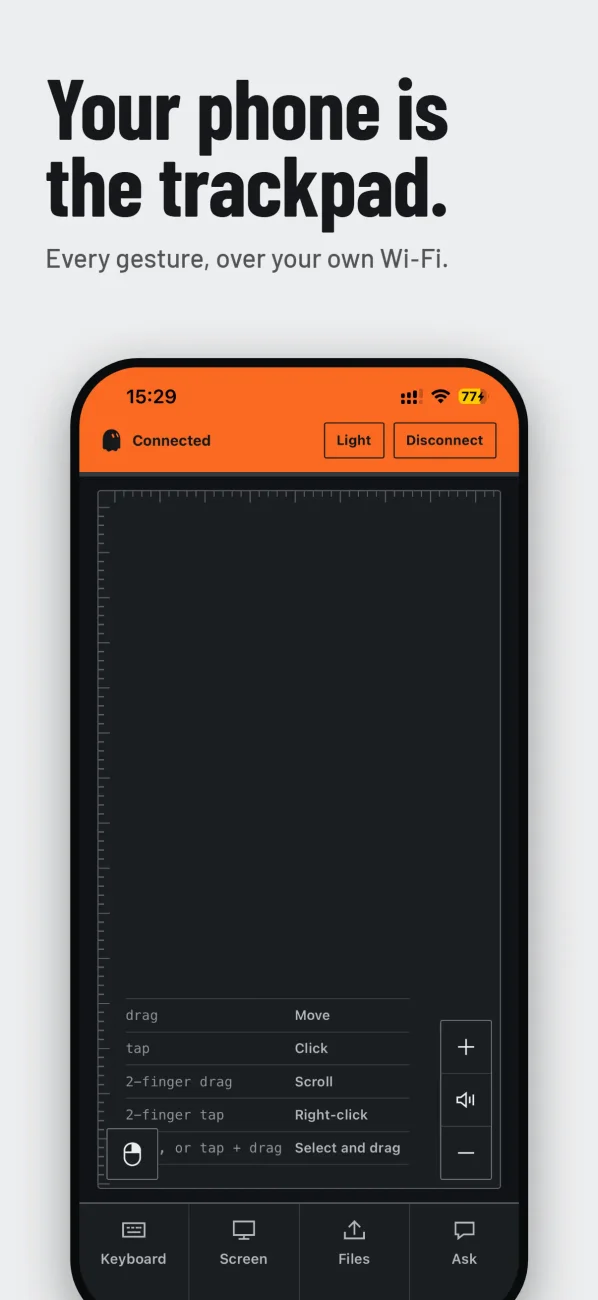
LazyMouse turns your iPhone into a trackpad for the computer next to you.
Pair once by scanning a code. After that, the pad reconnects on its own whenever you are on the same Wi-Fi. It has no account, and nothing goes through the cloud: your phone talks straight to your computer.
THE PAD
Drag to move the cursor. Tap to click, two-finger tap to right-click, two-finger drag to scroll. Double-tap and drag, or hold, to select and move things. Movement is smoothed so a slow Wi-Fi moment does not make the cursor stutter.
KEYBOARD AND VOLUME
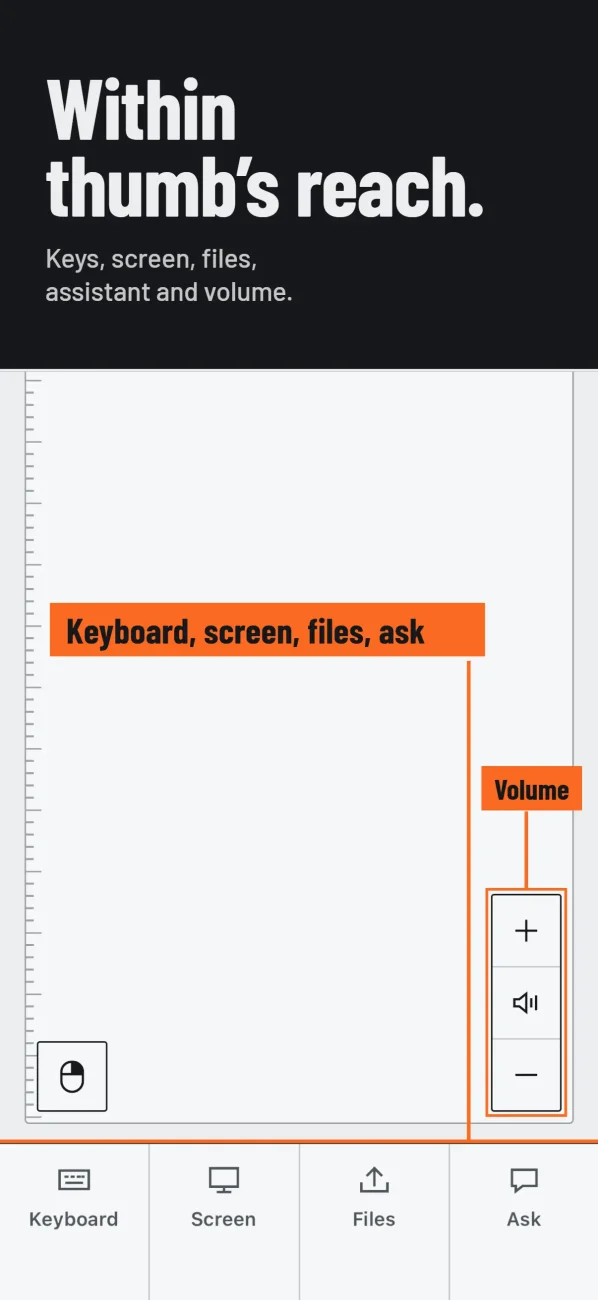
Type on the phone and it appears on the computer, with shortcuts for copy, paste, undo, arrows and the modifier keys. Volume and mute are under your thumb on the edge of the pad.
SEE THE SCREEN
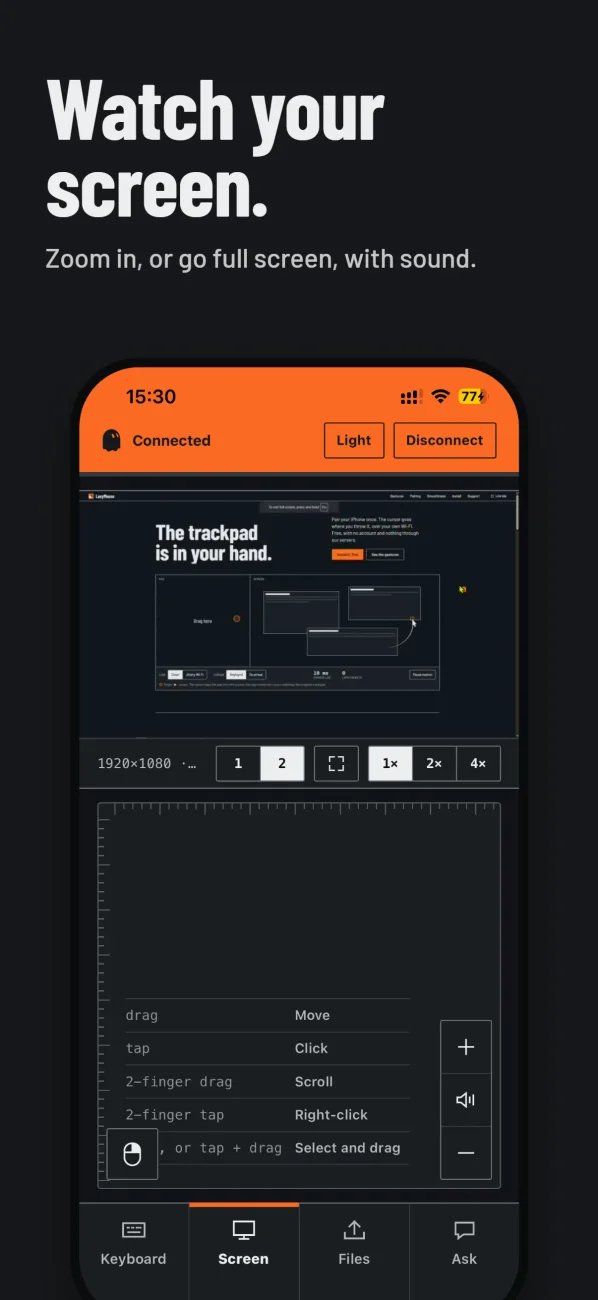
Watch your computer's screen on your phone, zoom in, and expand it to full screen sideways, with the computer's sound. Switch on touch mode to click on the picture directly, and pinch and drag to move around it.
FILES AND CLIPBOARD
Send photos, videos and files to the computer, fetch files it offers, and move copied text between the two. Nothing is copied unless you press the button.
PRIVATE
No account, no analytics, no ads. Everything stays on your network.
REQUIRES the LazyMouse app on your Windows 10 or later computer, on the same Wi-Fi network. Try the demo on the first screen to see the pad without a computer.
What’s new
Version 1.0.1 · Nov 2, 2026
THE VOICE ASSISTANT
Tap Ask, add your own OpenAI key, and tell your computer what to do: open a site, switch windows, type, click, point at things, and explain what is on the screen. Commands and risky clicks always ask you first. It is optional, and off until you add a key.
SHORTCUTS
A new panel next to the keyboard: one tap to open a site, switch windows, control media, or run a browser shortcut. Record your own key sequences and keep them.
TYPING AND DICTATION
Dictating into the keyboard now types the finished words on your computer and follows corrections as you speak. New arrow, delete and return keys.
THE POINTER
A right-click button on the pad, and a small ghost that follows the cursor on your computer and points at things when the assistant shows you.
ALSO
A new launch animation, a refreshed icon, and smaller fixes.
Needs LazyMouse 1.0.1 on your computer for the new features.
App privacy
What Sohaib Boulaich declares on the App Store about how this app handles data.
-
Data not collected
The developer does not collect any data from this app.
Privacy practices may vary, for example with the features you use or your age.
Information
- Seller
- Sohaib Boulaich
- Category
- Utilities
- Version
- 1.0.1
- Updated
- Nov 2, 2026
- Released
- Oct 27, 2026
- Size
- 50.3 MB
- Requires
- iOS 16.4 or later
- Age rating
- 4+
- Price
- Free
- Languages
- English
- Copyright
- © 2026 LazyMouse
You might also like
-
 Tap Stick: Remote TrackpadiPhone as a mouse for your Mac
-
 My Infinite BatteryConnect your Infinite Battery
-
 Remote Trackpad and KeyboardPoint, type, scroll remotely
-
 PointerDeck: Trackpad for MacA focused trackpad for Mac
-
 FreeMouse: Trackpad & KeyboardRemote mouse for your Mac
-
 PC Remote & Mouse: NotchPixelPhone mouse, keyboard & remote
-
 TabletHIDCustom Gamepad & Touch Mouse
-
 SeerGoMedia Request & Discovery
-
 16 RTSP PlayerMonitor up to 16 CCTV cameras
-
 CrowdSec MonitorControl your CrowdSec instance