
LeafTrove
Reread your eReader highlights
Designed for iPhone, iPad
In-app purchases
- Age rating4+
- CategoryBooks
- DeveloperHSIHSUN HO
- LanguagesTraditional Chinese+ 8 more
- Size30.7 MB
Links to the official App Store page
Download.org hosts no file of LeafTrove. The button opens its official App Store page, published by HSIHSUN HO. Listing last checked on Nov 21, 2026.
Screenshots




About
How many of your highlights do you still remember?
Every highlight is a line your past self left for you. But when the book ends, those lines stay on the eReader or in the reading app, mostly never opened again.
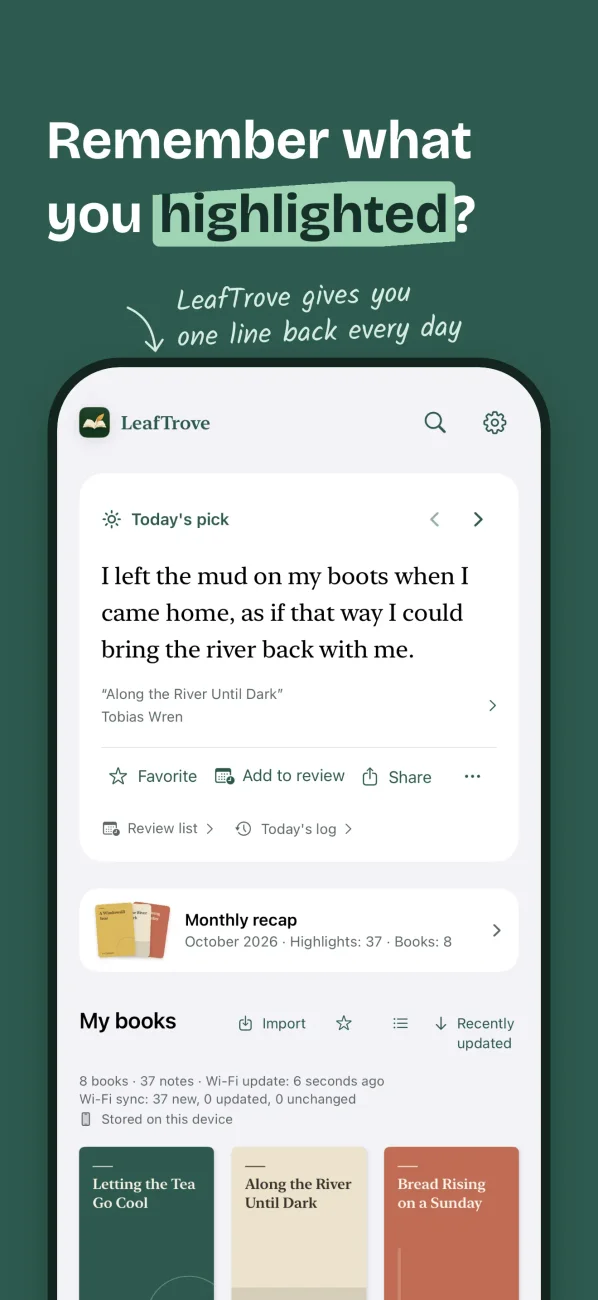
LeafTrove brings them out and gives you one back every day.
No note system to maintain. Just the lines you chose, back in front of you.
BEFORE YOU START: YOU NEED A COMPATIBLE EREADER OR A READING SERVICE THAT EXPORTS NOTES
LeafTrove imports the highlights and notes you made on an eReader, or note files a reading service exports. Not every brand or model works. Check models, firmware and import methods on the support page before a trial or subscription:
https://homadeworks.com/en/apps/leaftrove/support/
No eReader yet? Browse the sample library, no sign-in needed. Imported notes stay readable offline.
PLUG IN OR SHARE, AND BRING THEM IN
• Read by cable (free): connect the eReader to an iPhone or iPad with USB-C, no computer needed. A guide helps the first time, and the eReader is never changed.
• No cable after that (subscription): set up Wi-Fi wireless updates from a USB-C iPhone or iPad, no computer or pairing code. Then tap send on the eReader and open LeafTrove. Some models and firmware.
• Export from a computer (free, also for Lightning): open the LeafTrove export page in Chrome or Edge on a Mac or PC, nothing to install, then send the file to your iPhone or iPad. Notes are processed only on your computer.
• Note files from a reading service (free, no cable): export a book's notes in the reading app and share them to LeafTrove.
From an eReader: text highlights and notes from EPUB/KEPUB books, not PDF, handwriting or book text. Importing again adds what's new and keeps favorites, thoughts, tags and review plans.
Sources you can import include Kobo eReaders and note files exported from HyRead. LeafTrove is not affiliated with these brands; see the support page for supported models and import methods.
ONE LINE BACK EVERY DAY, FREE
• Today's pick: one note a day when you open the app; swipe back to earlier picks.
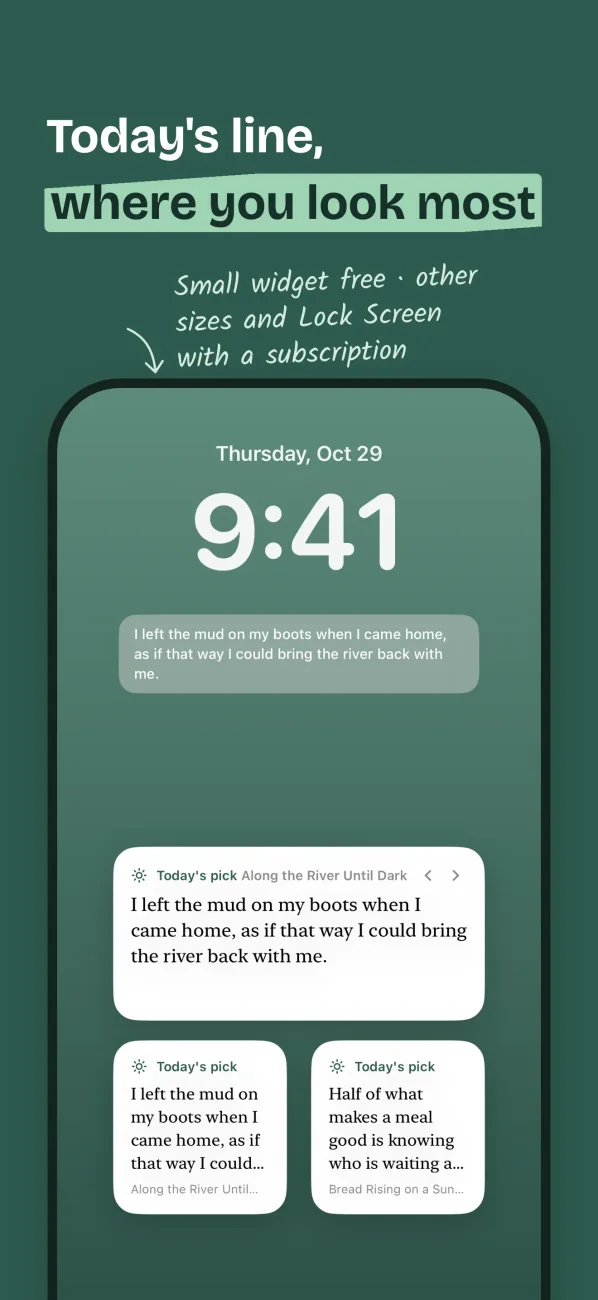
• Home Screen widget and a daily reminder.
• Favorite lines; search titles, authors, highlights and thoughts.
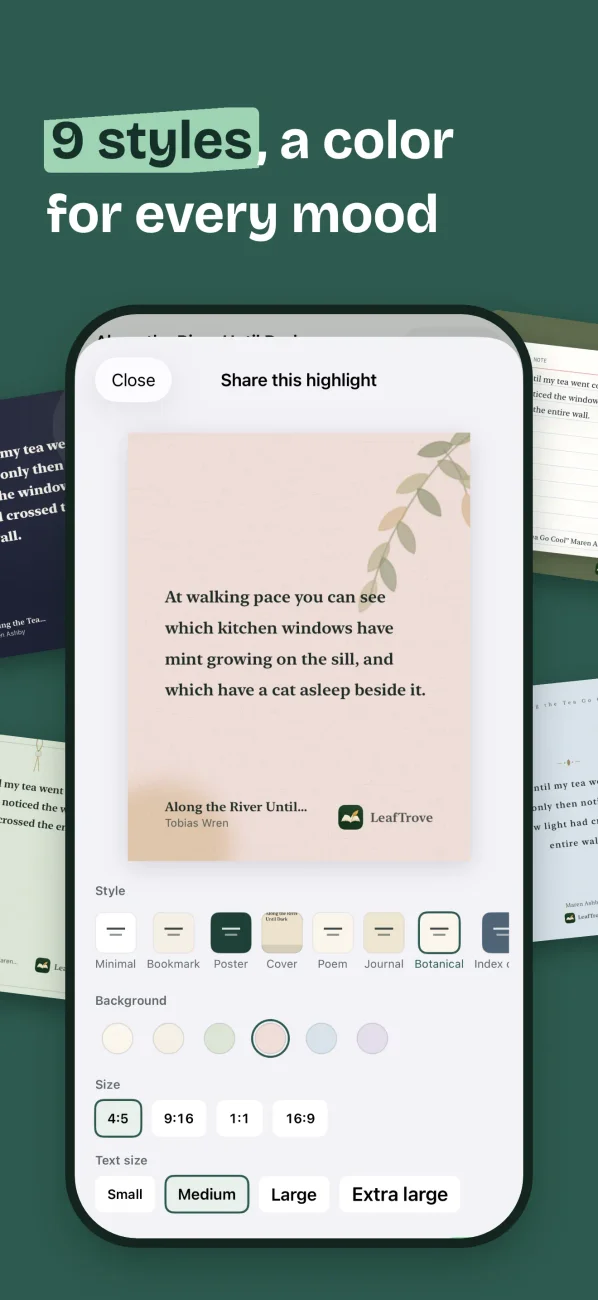
• Minimal-style share cards, as a picture or text.
• Archive: hide highlights or whole books; nothing is deleted.
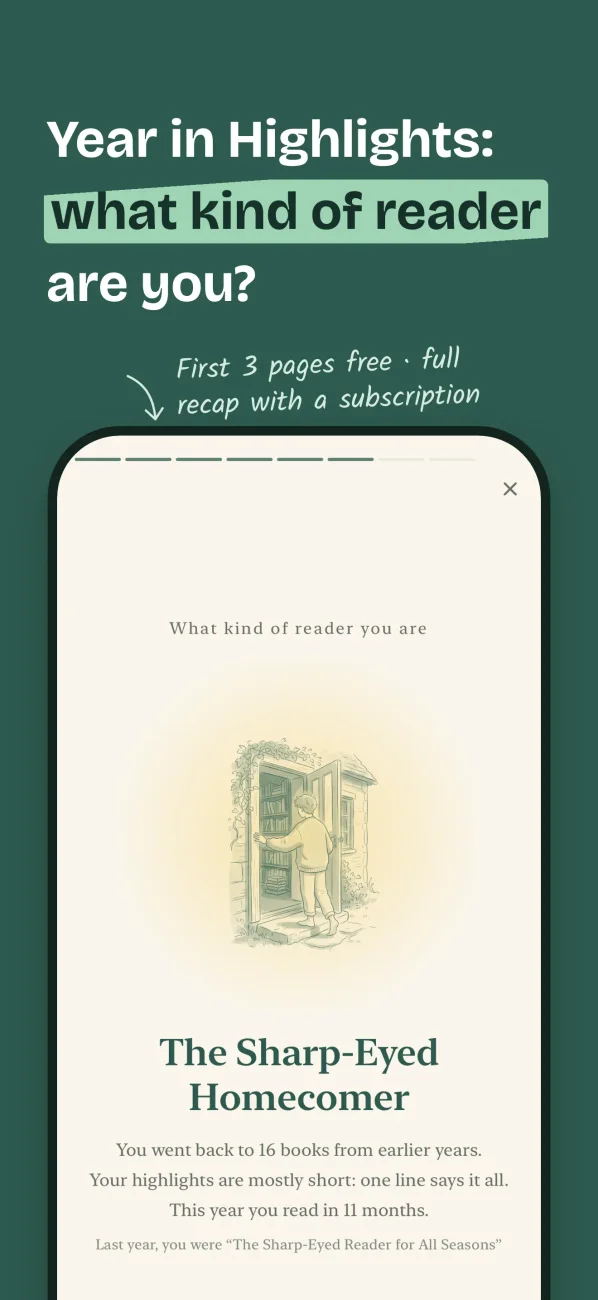
• Year in Highlights, 3 pages: your count, first line and top book.
READ IT AGAIN, THINK IT AGAIN
• My thoughts: write what you think now beside any highlight, stored encrypted on the device. Free includes 20; written thoughts stay readable, editable and exportable.
• My collections: lists you return to.
• Share notes, or export as Markdown or JSON.
SUBSCRIBE TO KEEP THEM IN YOUR DAY
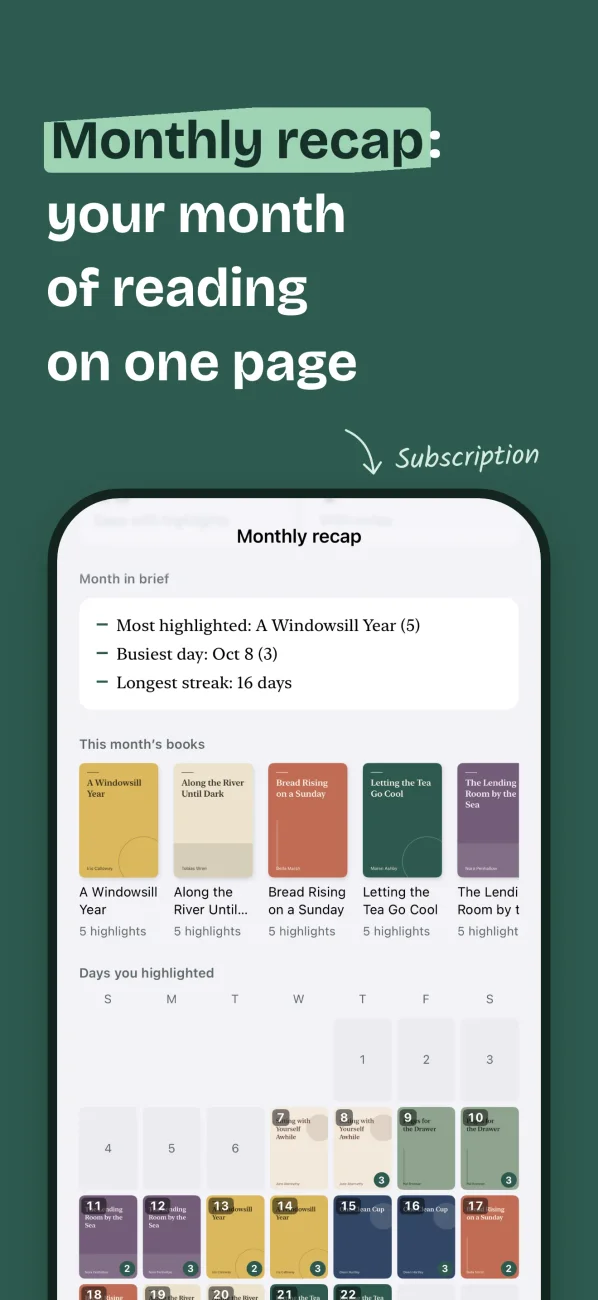
• Monthly recap and the full Year in Highlights: books, rhythm, best lines, your reader type, past years, share cards.
• Lock Screen, medium, large and iPad extra-large widgets, including Book and note.
• Unlimited thoughts; organize, filter and search notes with tags.
• Share cards: 8 more styles, colors, wide 16:9 and more sizes, text sizes, cover and tags, editable text.
• Review list: LeafTrove schedules notes to read again.
• Up to 5 reminders a day, with random times and quiet hours.
• iCloud sync of your library, thoughts and tags across iPhone and iPad.
Monthly and yearly plans have the same features; eligible users can try it free for 1 month. Price, currency and eligibility are shown on Apple's purchase sheet. After the trial the plan renews automatically; cancel anytime in your Apple subscription settings. If you stop subscribing, imported notes stay readable, searchable and exportable.
Interface in 8 languages, including English; the computer assistant and the eReader menu are in Traditional Chinese.
LeafTrove is an independent tool by HoMade Works for rereading your own notes. It provides no ebook store, book text or official eReader service. Import and share in line with applicable terms and rights.
Terms of Use (EULA):
https://www.apple.com/legal/internet-services/itunes/dev/stdeula/
What’s new
Version 1.6.3 · Nov 20, 2026
LeafTrove 1.6.3 improves setting up Wi-Fi wireless updates:
• The check before setup now looks only at highlight and book data; a problem in other data on the eReader no longer prevents setup.
• When setup cannot go ahead, the message explains why, ends with a short code, and reminds you that importing by cable still works.
App privacy
What HSIHSUN HO declares on the App Store about how this app handles data.
-
Data linked to you
May be collected and linked to your identity.
- Purchases
- User content
- Identifiers
- Usage data
- Diagnostics
-
Data not linked to you
May be collected but is not linked to your identity.
- Purchases
- Contact info
- Usage data
Privacy practices may vary, for example with the features you use or your age.
Information
- Seller
- HSIHSUN HO
- Category
- Books
- Version
- 1.6.3
- Updated
- Nov 20, 2026
- Released
- Sep 24, 2026
- Size
- 30.7 MB
- Requires
- iOS 17.0 or later
- Age rating
- 4+
- In-app purchases
- Yes
- Languages
- Traditional Chinese, German, Italian, Japanese, French, Simplified Chinese, English, Dutch, Spanish
- Copyright
- © 2026 HSIHSUN HO
You might also like
-
 Folio: Book Friends & JournalReading Tracker & Buddy Reads
-
 喵喵書評Books
-
 ReadGrowYour Reading Companion
-
 Mish: Book Tracker & NotesBookshelf, TBR & Focus Timer
-
 Book Light 書光光Books
-
 QuoteMark: Book Quotes & NotesScan & Save Reading Highlights
-
 Booking遠流Books
-
 另一頁 elsesora:小說與散文Books
-
 看冊 - TXT小說閱讀器Books
-
 Panda MateBooks