Learn Korean Typing
Hangul keyboard for beginners
Designed for iPhone, iPad, iPod touch
Free · In-app purchases
- Age rating4+
- CategoryEducation
- DeveloperJung Gil Seo
- LanguagesEnglish+ 20 more
- Size9.9 MB
Links to the official App Store page
Download.org hosts no file of Learn Korean Typing. The button opens its official App Store page, published by Jung Gil Seo. Listing last checked on Nov 26, 2026.
Screenshots

About
Learn to type Korean (Hangul) — made for complete beginners.
Never used a Korean keyboard? Start here and go one letter at a time, at your own pace.
■ New: Dictation that speaks
Each word is read aloud first. Listen, then type what you hear. Replay anytime, slow it down one syllable at a time, and use hints — first the reading, then the keys.
■ New: Today's review
Words you missed come back a few days later. Get one right five times and it graduates.
■ Hangul First Steps
Tap any of the 24 letters and watch it drawn stroke by stroke. See its name, its sound and an example word, and hear it read aloud.
■ Key features
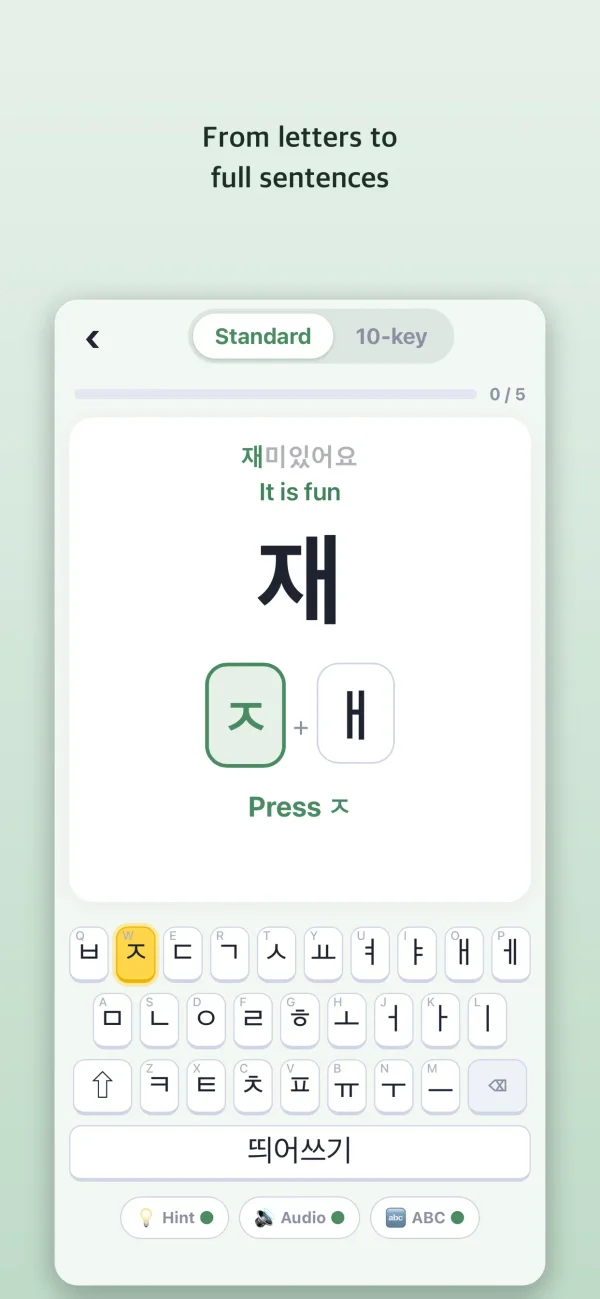
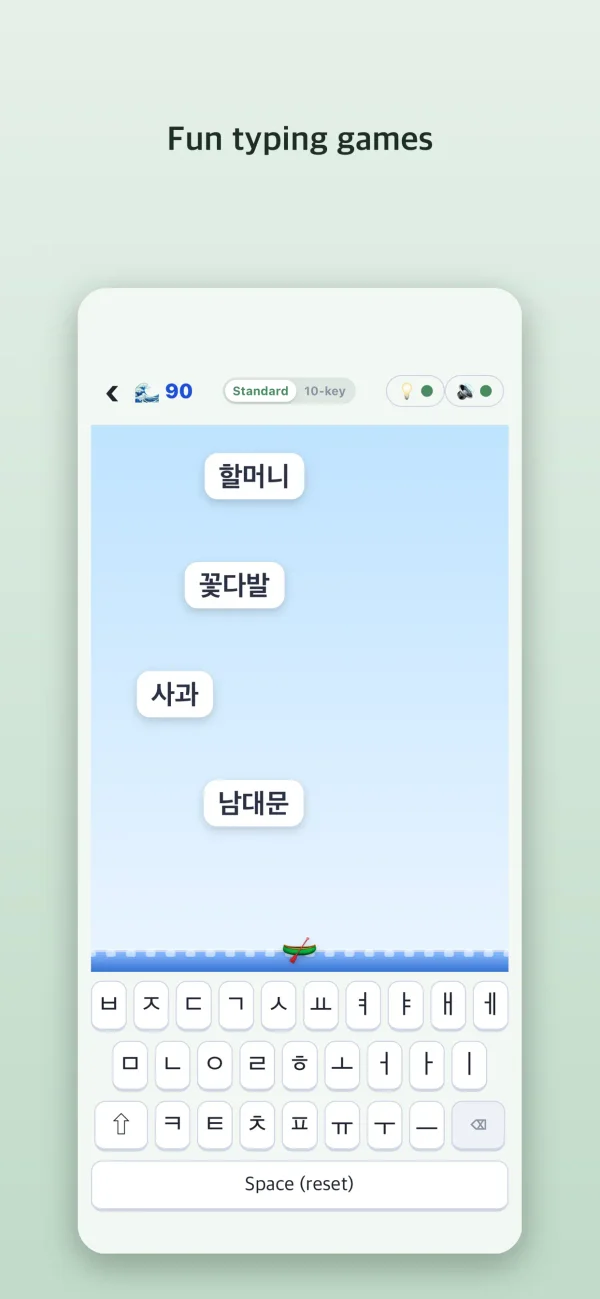
· The next key lights up — no need to memorize the layout
· Every word shows its meaning in your language and its reading (romaja)
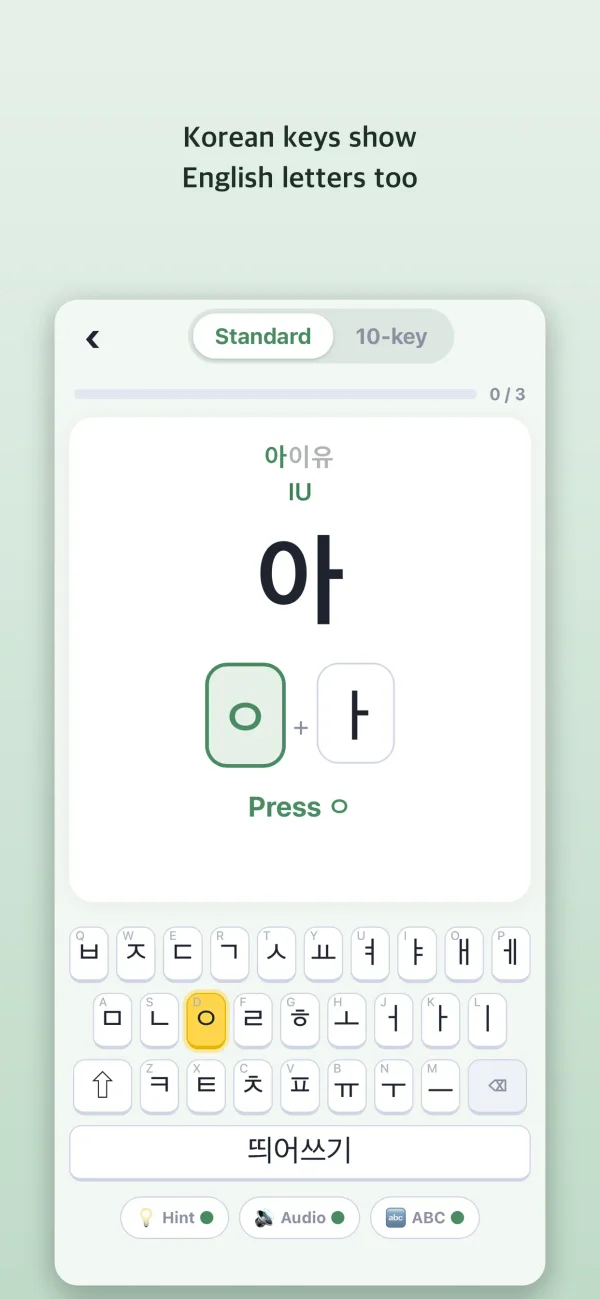
· English letters on the Korean keys
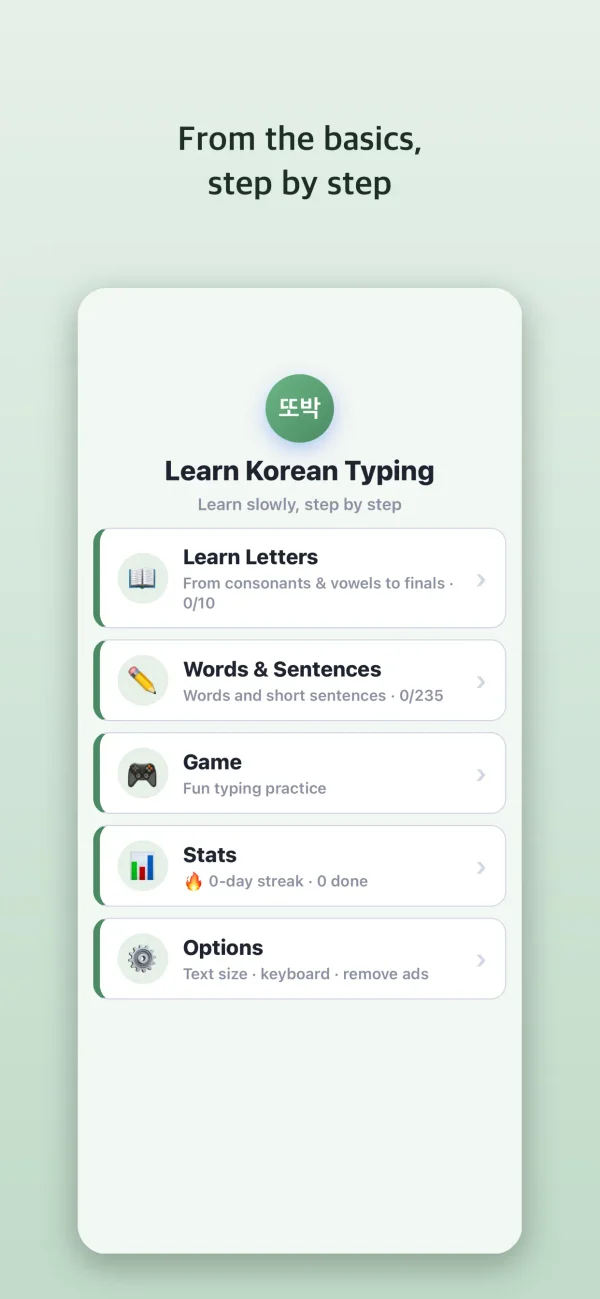
· Two layouts: Standard (Dubeolsik) and 10-key (Cheonjiin)
· Step by step: letters, final consonants, words, TOPIK basic words, sentences
· Type K-drama titles, celebrity names and everyday words
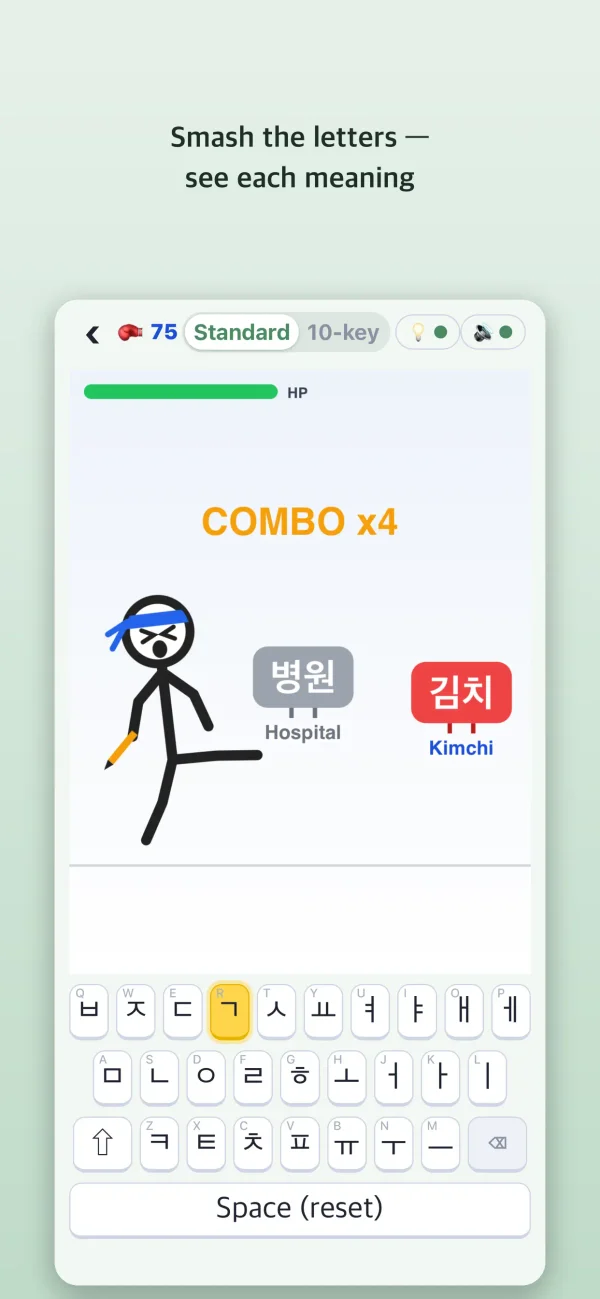
· Five typing games: Tap Fighter, Balloon Type, falling words, Time Attack and Dictation
· Big, clear text and a built-in keyboard, so letters never break apart
· Practice offline
■ 21 languages
English, 日本語, 简体中文, 繁體中文, Español, Português, Deutsch, Français, Italiano, Русский, Українська, Polski, Türkçe, Bahasa Indonesia, Tiếng Việt, ไทย, हिन्दी, العربية, Bahasa Melayu, Nederlands, 한국어
Start today, one letter at a time.
What’s new
Version 1.1.3 · Nov 24, 2026
A brand-new Stats screen, plus a guide that makes batchim easy.
· See your streak, today's goal and the last 4 weeks at a glance
· Watch the 24 basic letters turn green as you learn them
· Your keyboard map shows the keys you miss most in red
· In the Batchim stage, see the final consonant drop into the bottom slot
· A short first-time guide shows how batchim moves over when a vowel follows
· Discover more apps from HYPERSPEED in Options
One letter at a time. You've got this!
App privacy
What Jung Gil Seo declares on the App Store about how this app handles data.
-
Data used to track you
May be used to track you across apps and websites owned by other companies.
- Location
- Identifiers
- Usage data
-
Data not linked to you
May be collected but is not linked to your identity.
- Location
- Identifiers
- Usage data
- Diagnostics
Privacy practices may vary, for example with the features you use or your age.
Information
- Seller
- Jung Gil Seo
- Category
- Education
- Version
- 1.1.3
- Updated
- Nov 24, 2026
- Released
- Jun 15, 2026
- Size
- 9.9 MB
- Requires
- iOS 15.0 or later
- Age rating
- 4+
- Price
- Free
- In-app purchases
- Yes
- Languages
- English, Arabic, Dutch, French, German, Hindi, Indonesian, Italian, Japanese, Korean, Malay, Polish + 9 more
- Copyright
- © 2026 Hyperspeed
You might also like
-
 Daily Korean WordLock Screen Vocabulary Widget
-
 Lil'Card: Korean FlashcardsKorean that actually sticks
-
 Korean Typing Practice: TypeKoHangul vocabulary & listening
-
 Kory: Speak KoreanDon't Study. Just Speak Korean
-
 Korean Typing Practice: KeybitKorean Typing Practice
-
 Hangulio - Learn HangulLearn Korean Hangul
-
 Learn Korean visuallyPicture-based Korean Learning
-
 Learn Korean - Hangul & VocabGrammar, stories & speaking
-
 Learn Korean Vocab : TOPIK ATOPIK words, korean vocabulary
-
 OROT - Read KoreanLearn Korean by Reading