Lectio - Semester Planner
Readings, classes & study time
Designed for iPhone, iPad, Mac
Free
- Age rating4+
- CategoryEducation
- DeveloperMateo Arenas Salas
- LanguagesEnglish
- Size24.0 MB
Links to the official App Store page
Download.org hosts no file of Lectio - Semester Planner. The button opens its official App Store page, published by Mateo Arenas Salas. Listing last checked on Nov 26, 2026.
Screenshots
About
Lectio plans your university semester, week by week: courses, readings and tasks, your class schedule, a plan for each day, a study timer and your credits. One native app for iPhone, iPad and Mac.
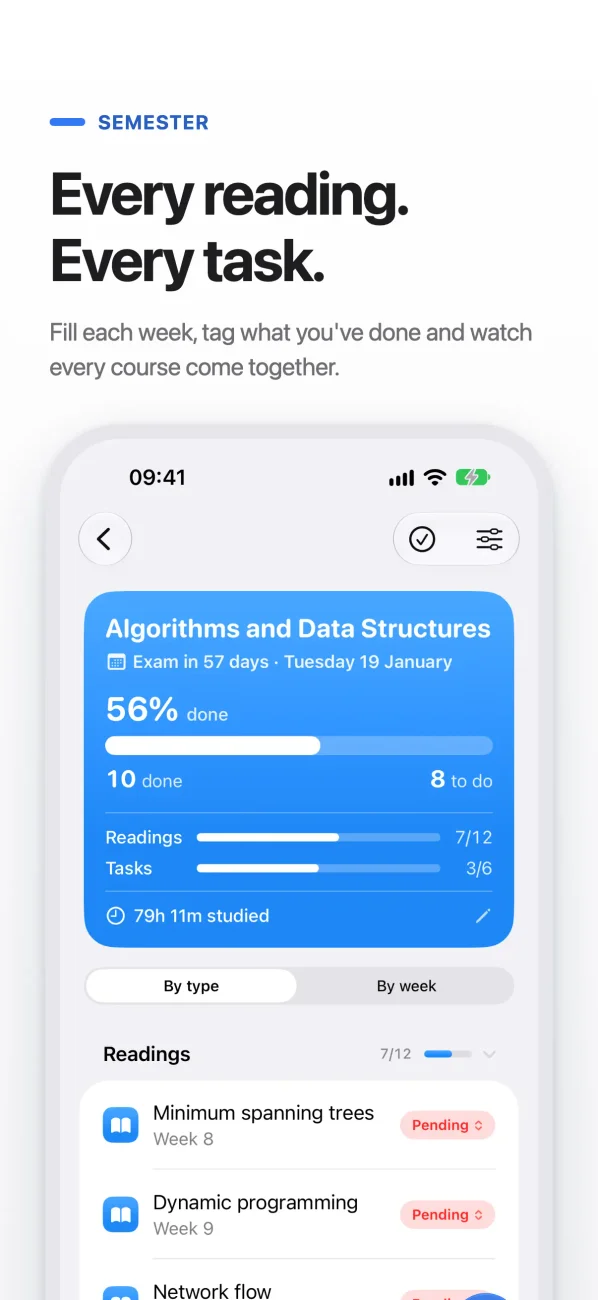
EVERY READING. EVERY TASK.
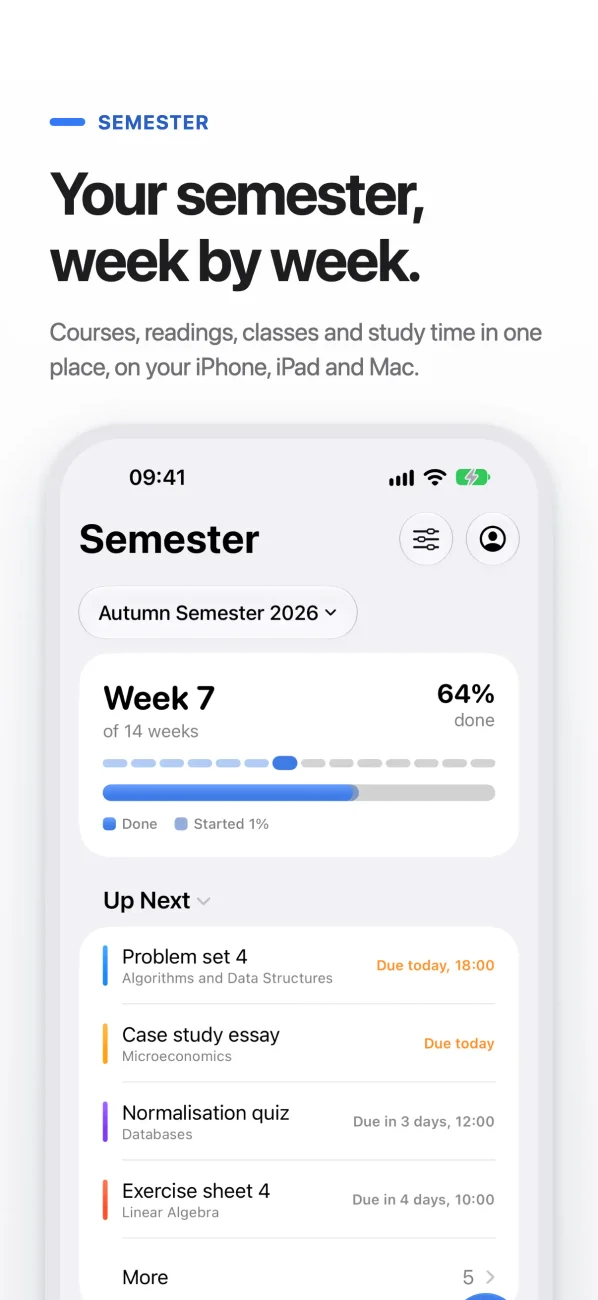
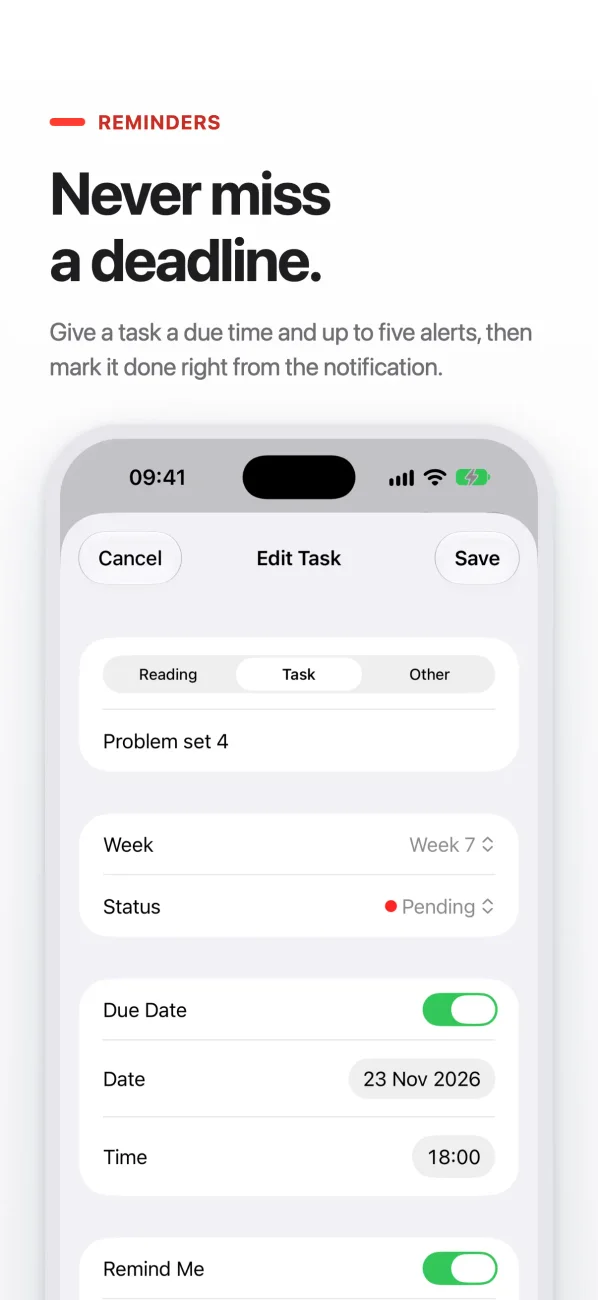
Create a semester, add your courses and fill each week with readings and tasks. Tag what you've done and watch every course come together on progress bars split into done, started and skipped. Up Next shows what's due this week, and each task can have a due time and up to five reminders you can mark done right from the notification.
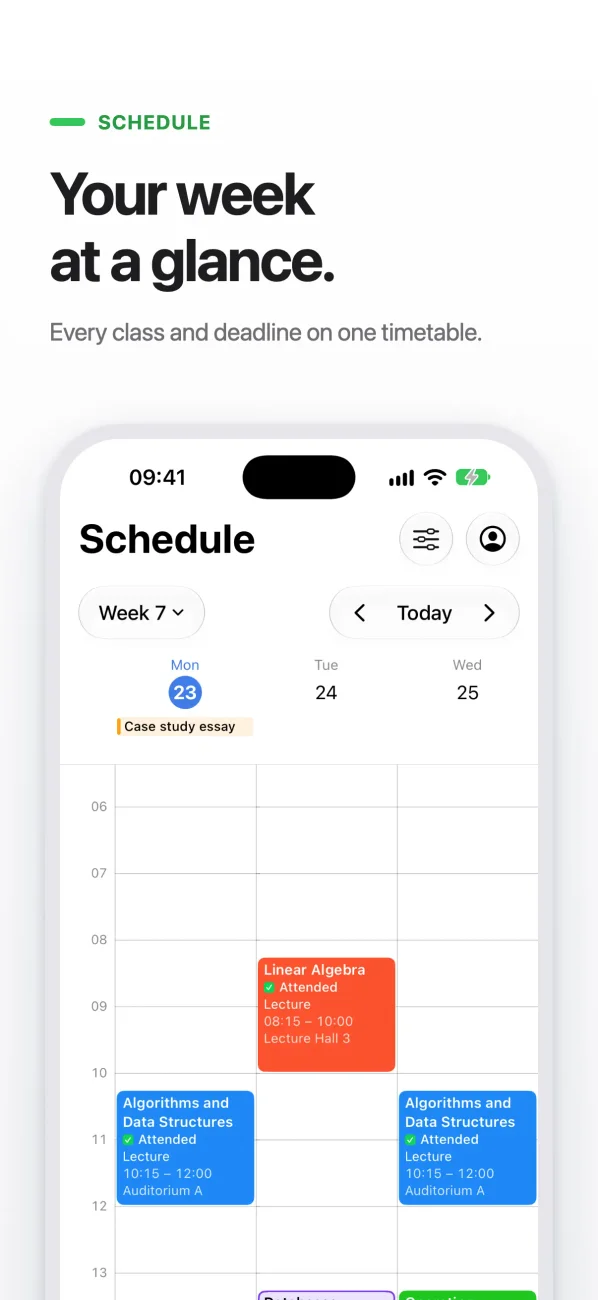
YOUR WEEK AT A GLANCE
Lectures, exercise groups and exams on one timetable, with every deadline on the day it's due. Import your timetable from an .ics file from your university's portal, draw a class right on the grid, drag it to move it, and keep vacations out of the week count. On iPhone and iPad, add classes to your calendar.
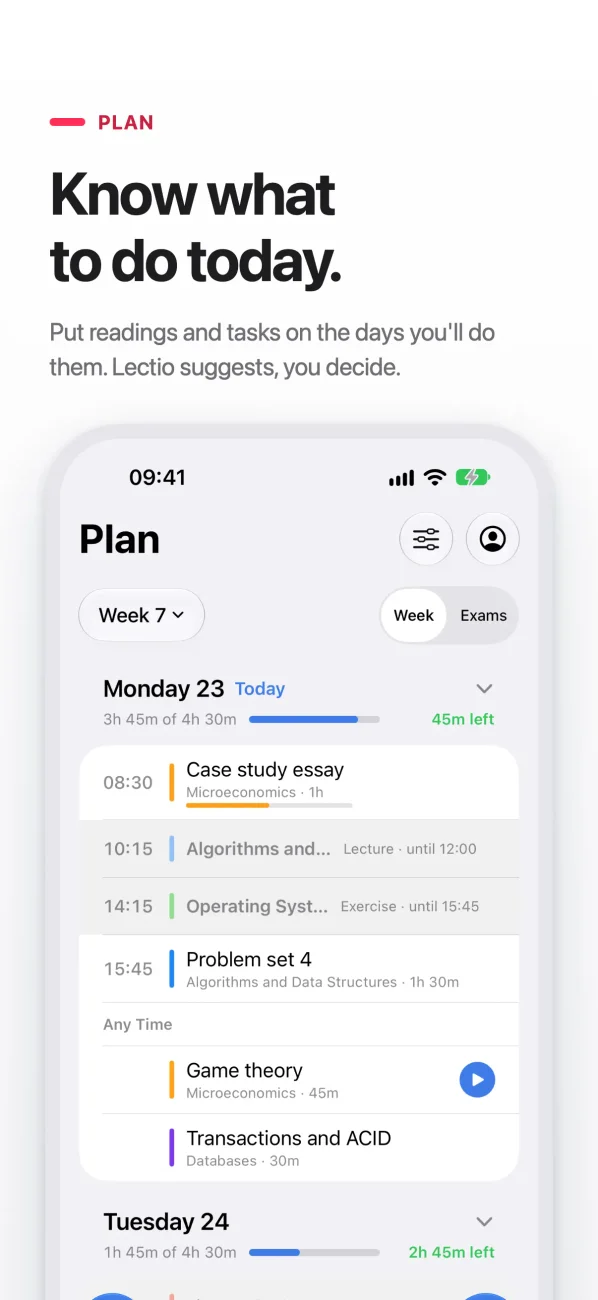
KNOW WHAT TO DO TODAY
Plan puts readings and tasks on the days you'll do them, at a set time or any time. Catch up on earlier weeks, see how full each day is, and prepare for every exam session by session. Lectio suggests, you decide.
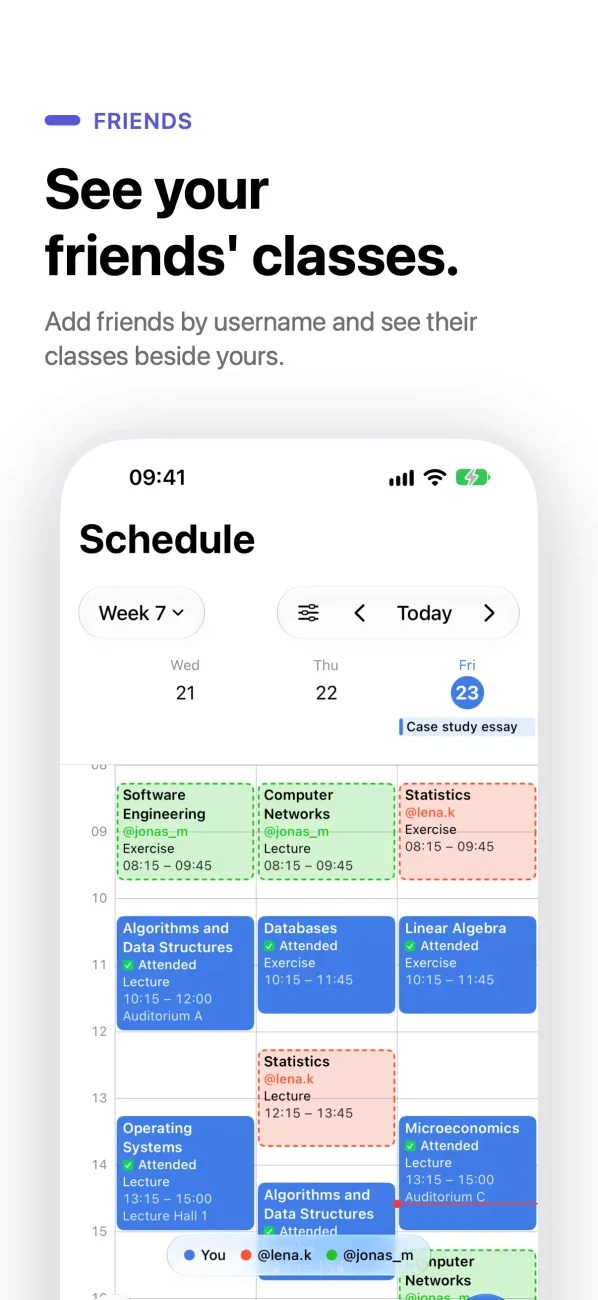
SEE WHEN YOUR FRIENDS ARE IN CLASS
Add friends by username and show their timetables next to yours. Nothing is shared until a request is accepted, and you choose what friends see. Your readings, tasks, grades and study time are never shared. Block or report anyone at any time.
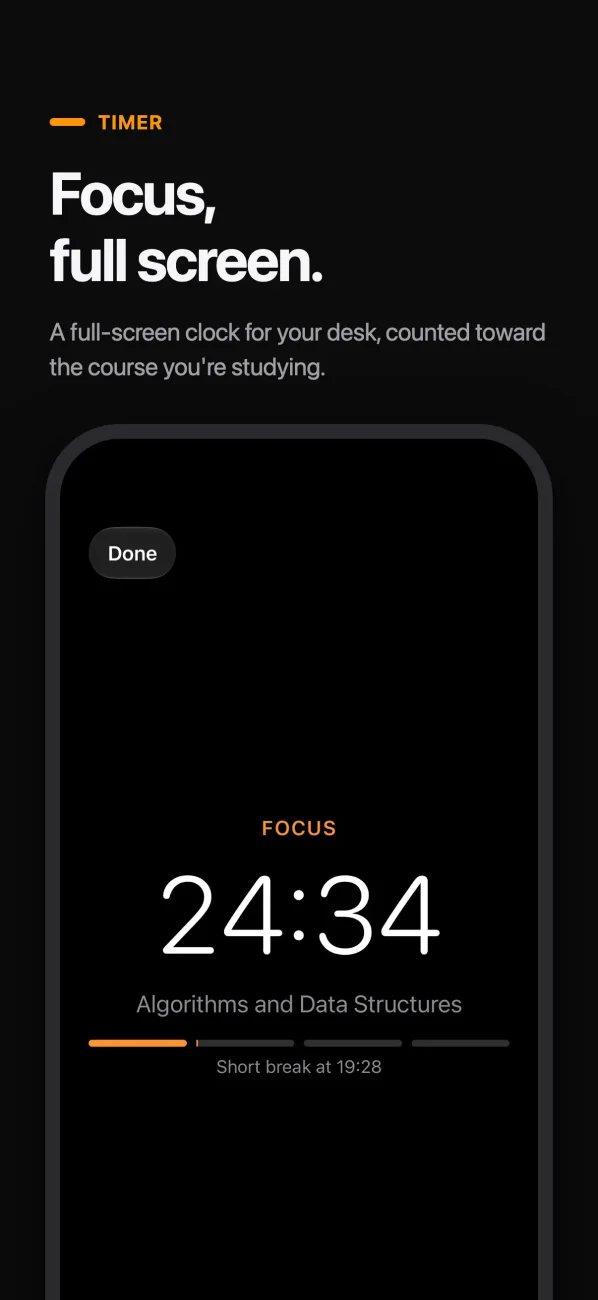
FOCUS. THEN SEE WHERE THE TIME WENT.
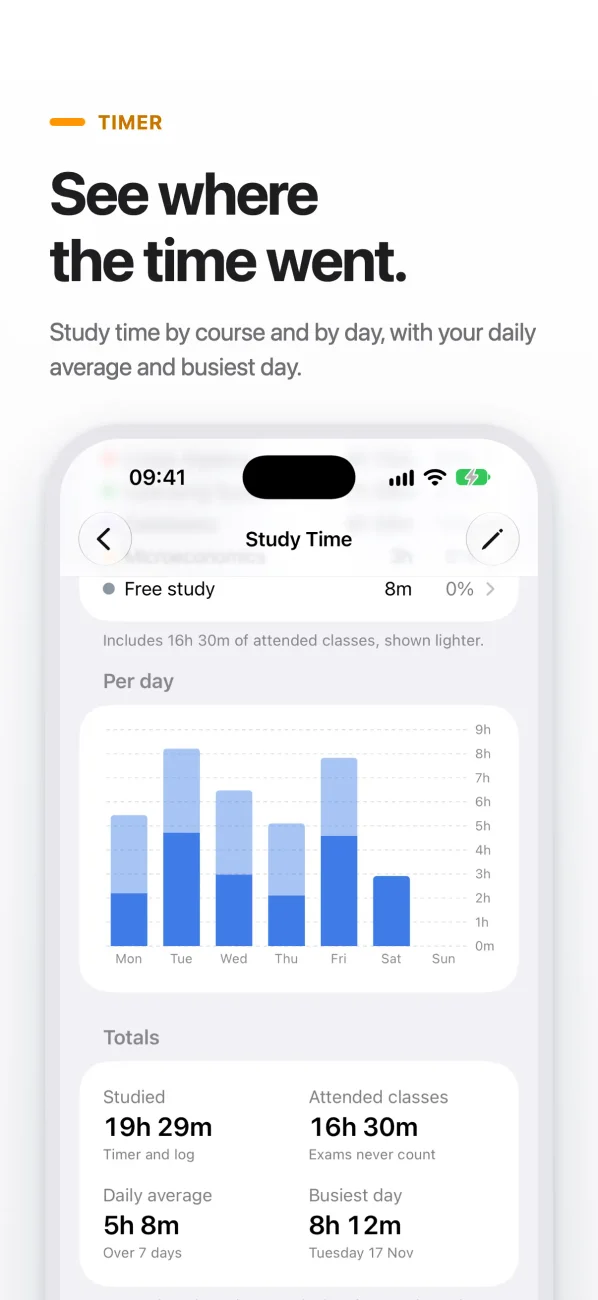
Pomodoro, stopwatch or a manual log, counted toward each course along with the classes you attend. Fit focus blocks to a planned session, open a full-screen focus clock for your desk, and see your study time by course and by day, with your daily average and busiest day. A finished phase can ring like an alarm.
CREDITS AND GPA, EVERY SEMESTER
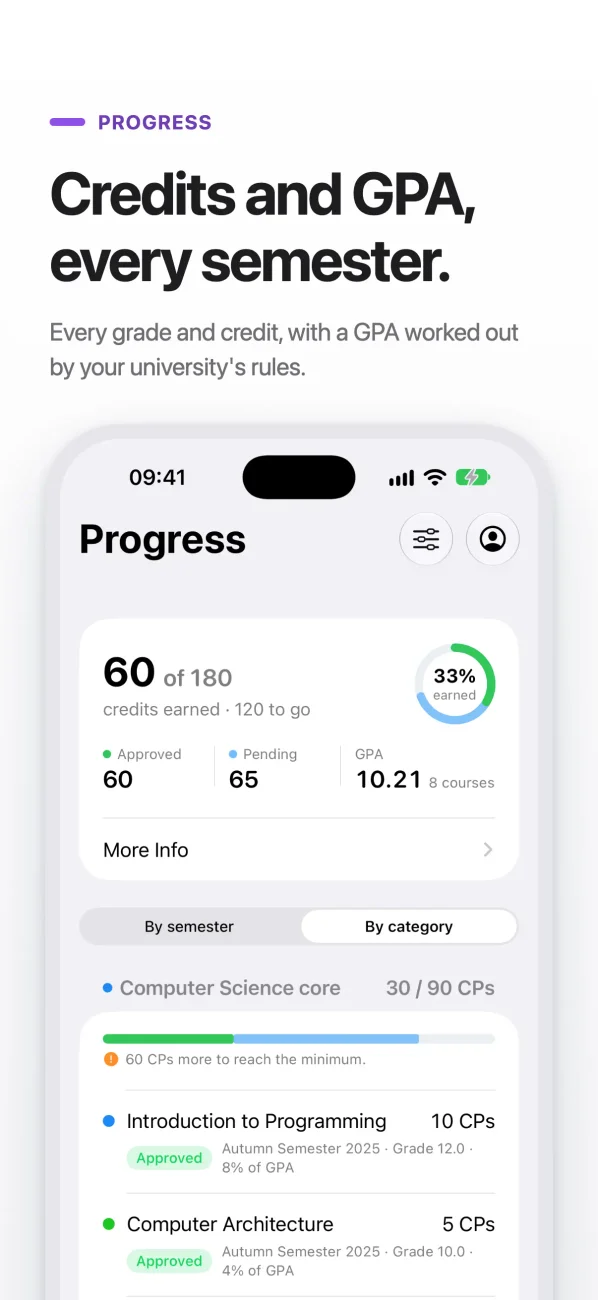
Progress adds up your grades and credits across the whole degree, with category minimums and maximums and a GPA worked out by your university's rules: weighted by credits, by your own weights or by a formula you write.
BRING YOUR SEMESTER IN
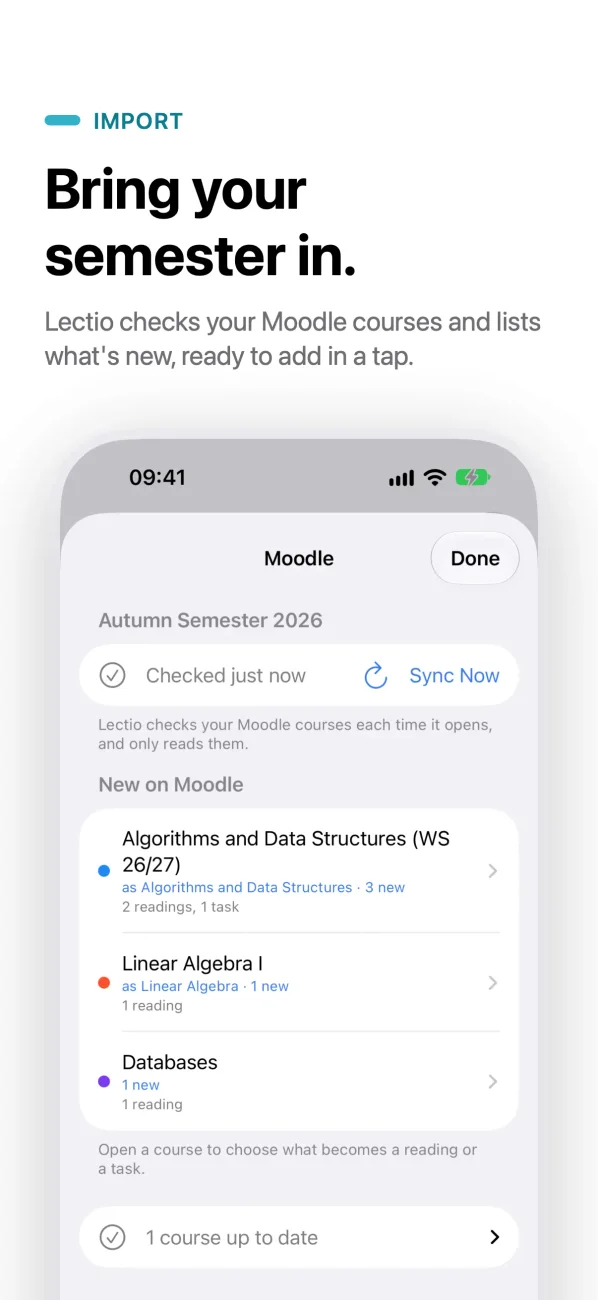
Link your Moodle courses and Lectio checks them for new material each time it opens. You pick what to add, Lectio learns how you sort it, and when Moodle moves a due date, your tasks and plan follow. New to Lectio? The setup assistant builds your first semester from Moodle, by hand or from a file.
AT HOME ON EVERY DEVICE
- Widgets for your week, what's due, your plan and the timer, on the Home Screen and Lock Screen
- A Live Activity for the timer on the Lock Screen and in the Dynamic Island
- Siri and Shortcuts, Handoff, Control Center and Home Screen quick actions
- On the Mac: a sidebar, keyboard shortcuts, a timer in the menu bar and a mini player that floats over your other apps
- Import and export semesters and courses as files
- Dark mode
SYNC OR STAY OFFLINE
Lectio works fully without an account. Sign in with Apple, Google or email to sync your semesters across your devices, and delete your account in the app at any time.
Free. No ads. No tracking.
What’s new
Version 2.3.0 · Nov 24, 2026
- Plan: a new section between Schedule and Timer. Put readings and tasks on the days you'll do them, catch up on earlier weeks, and prepare for each exam session by session. On iPad and Mac your week is a board you drag items across.
- Start focus on a planned item and choose how many blocks and pauses fit its time.
- Plan widgets: Today, Next, This Week and Exams, plus Lock Screen widgets.
- When Moodle moves a due date, Lectio updates your tasks, or asks first if you prefer.
- Moodle now brings in assignment and quiz deadlines, workshops, lessons and forums with a due date, and keeps each item's Moodle name.
- A setup assistant builds your first semester from Moodle, by hand or from a file.
- Add a new class to your calendar on iPhone and iPad.
- Progress bars in the shape of the app icon, and each course opens on a card in its colour.
- One menu in every section's bar for view, editing and options.
- On the Mac: a mini player that floats over your other apps while a timer runs.
- Fixes: Google sign-in on the Mac, the Lock Screen timer buttons, the Due Soon widget's overdue items, and a launch that could hang with a timer running.
App privacy
What Mateo Arenas Salas declares on the App Store about how this app handles data.
-
Data linked to you
May be collected and linked to your identity.
- Contact info
- Identifiers
-
Data not linked to you
May be collected but is not linked to your identity.
- User content
Privacy practices may vary, for example with the features you use or your age.
Information
- Seller
- Mateo Arenas Salas
- Category
- Education
- Version
- 2.3.0
- Updated
- Nov 24, 2026
- Released
- Oct 27, 2026
- Size
- 24.0 MB
- Requires
- iOS 17.0 or later
- Age rating
- 4+
- Price
- Free
- Languages
- English
- Copyright
- © 2026 Mateo Arenas Salas
You might also like
-
 ExamFlix: Exam Prep & StudyPast Questions, Quizzes, Notes
-
 CCMA Exam Prep Flashcards 2026NHA Clinical Medical Assistant
-
 KHub EdxKHub Edx
-
 Lexi App - Cases & LawPrinciples • Law • Quiz
-
 CCMA Exam Prep 2026 PracticeNHA Clinical Medical Assistant
-
 SuperBus-TUTUKidsFunArrive at school on time
-
 Kuibl - School & Study PlannerGPA, Exam & Grade Tracker
-
 Safe Pregnancy & Birth - NepalNepali Medical Education App
-
 GradelyGPASmart GPA tracker app.
-
 Exam planner: Study easyCreate a plan for your exam