LED Easy Board
Concert & Event LED Marquee
Designed for iPhone, iPad, iPod touch
Free
- Age rating4+
- CategoryUtilities
- DeveloperINSEOK CHOI
- LanguagesEnglish
- Size27.5 MB
Links to the official App Store page
Download.org hosts no file of LED Easy Board. The button opens its official App Store page, published by INSEOK CHOI. Listing last checked on Nov 18, 2026.
Screenshots
About
Transform Your Phone Into an LED Display!
LED Board turns your smartphone screen into a brilliant LED marquee display, perfect for concerts, fan meetings, sports cheering, parties, and events of all kinds.
* Key Features
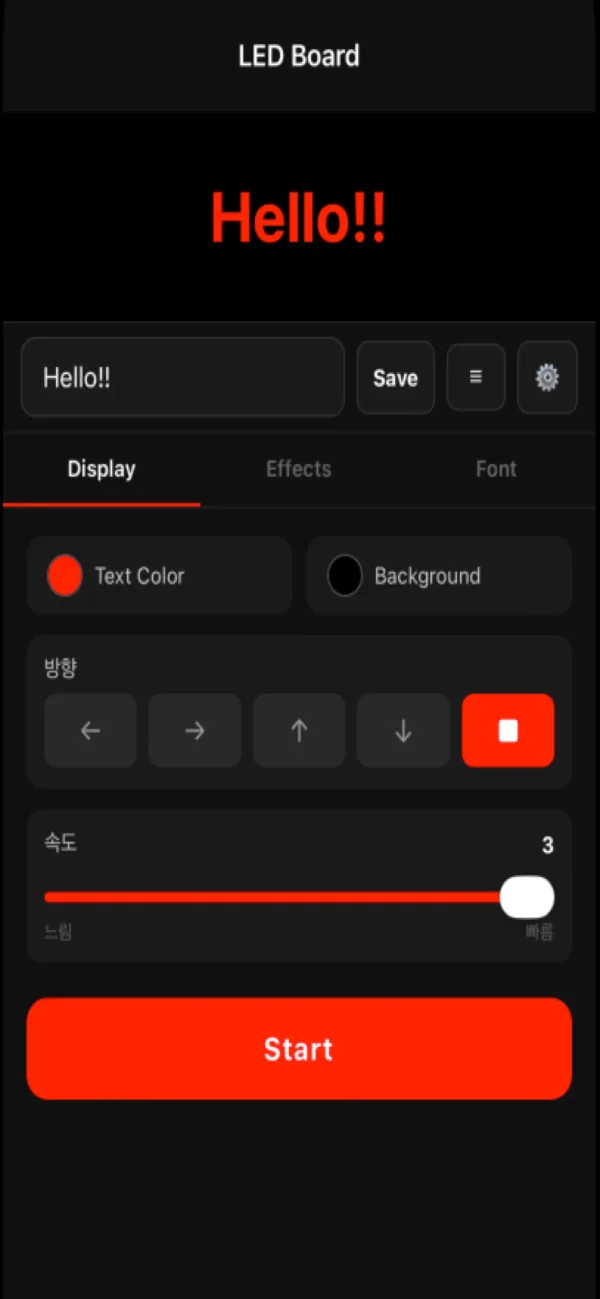
- Scrolling Text Display
Display your message in 5 directions: left, right, up, down, and static.
- Speed Control
Freely adjust the scroll speed to match any situation.
- Text Color and Background Color
Choose any color to create your own unique display style.
- Gradient Effects
Apply stunning gradient colors to both text and background.
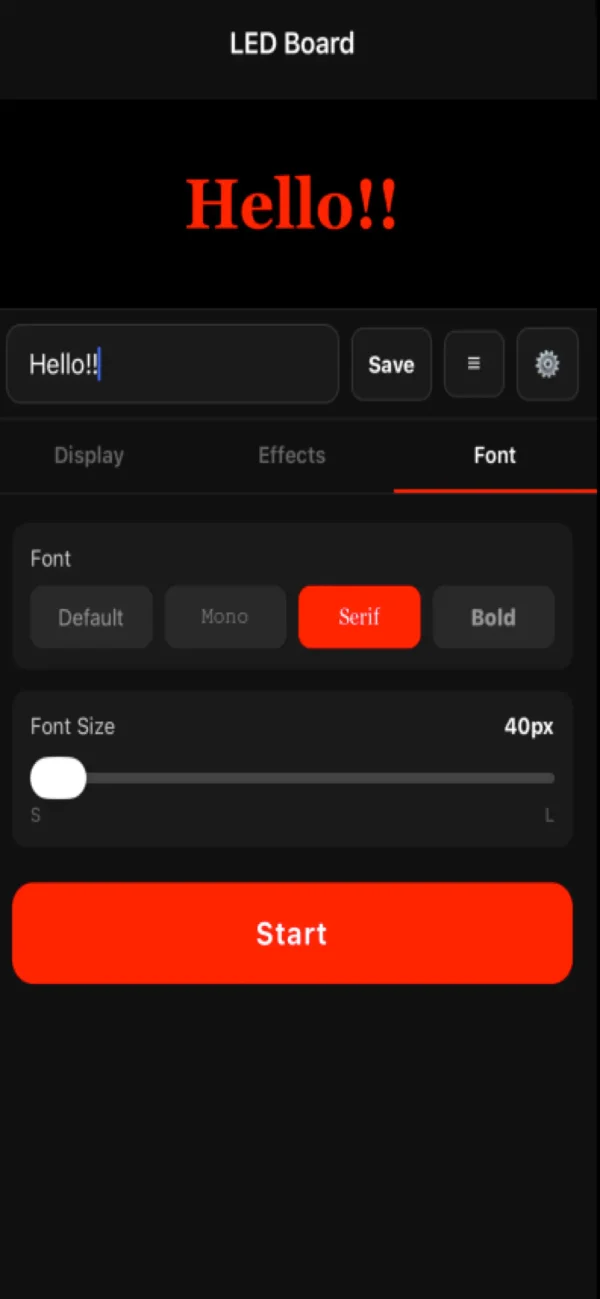
- Font Size Control
Adjust font size to fit the screen perfectly.
- Emoji Support
Enter any characters, including emoji, with full support.
- Screen Rotation Support
Supports both portrait and landscape modes. Use landscape for a wider display.
- Maximum Brightness
Automatically sets maximum brightness on the display screen for vivid visibility.
- Message Save Feature
Save and quickly recall your frequently used messages.
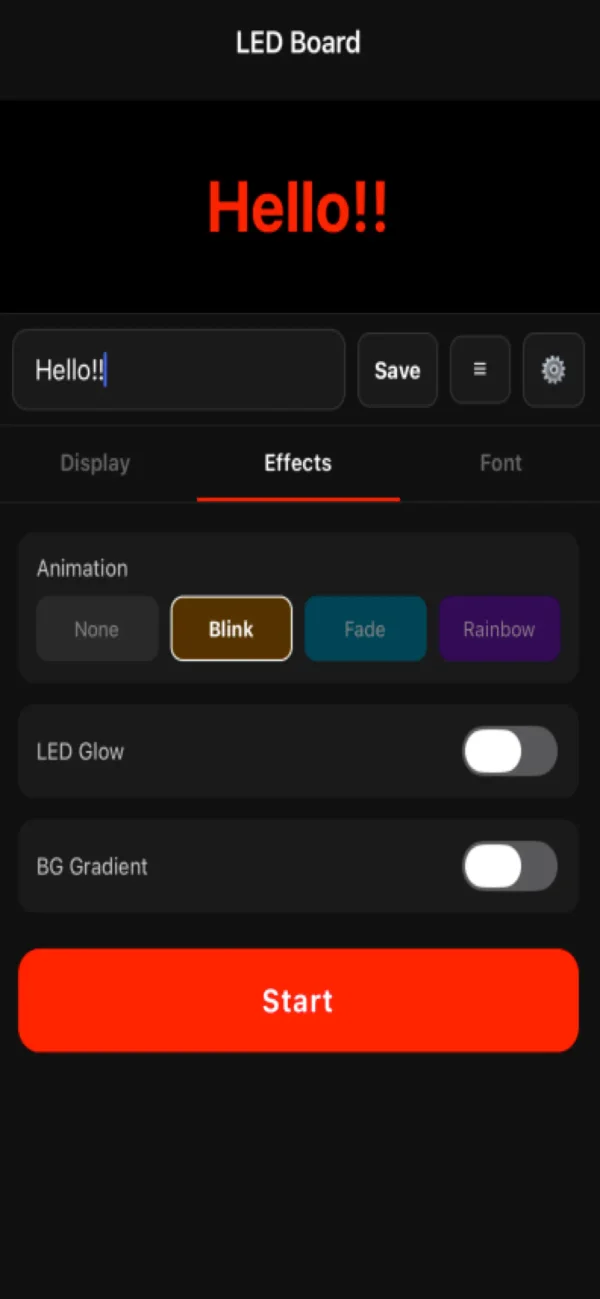
- Animation Effects
Make your display come alive with blinking, fade, and other animation effects.
* Perfect For
- Concert and fan meeting attendees
- Sports fans who want to show messages at games
- Party hosts looking to set the mood
- Campaign or demonstration participants
- Shop owners wanting to display promotions
* Advertising Notice
This app includes advertisements served by Google AdMob.
Ads may appear as banner ads or interstitial ads between screens.
Advertising identifiers collected are governed by our Privacy Policy.
What’s new
Version 1.3.1 · May 16, 2026
Keep Screen On Feature
App privacy
What INSEOK CHOI declares on the App Store about how this app handles data.
-
Data used to track you
May be used to track you across apps and websites owned by other companies.
- Identifiers
-
Data linked to you
May be collected and linked to your identity.
- Identifiers
Privacy practices may vary, for example with the features you use or your age.
Information
- Seller
- INSEOK CHOI
- Category
- Utilities
- Version
- 1.3.1
- Updated
- May 16, 2026
- Released
- Apr 21, 2026
- Size
- 27.5 MB
- Requires
- iOS 15.1 or later
- Age rating
- 4+
- Price
- Free
- Languages
- English
- Copyright
- Copyright © 2026 Brad Choi
You might also like
-
 LED Banner Display: NeonVibesUtilities
-
 LED Banner: Scroller & MarqueeScrolling Text & Light Board
-
 LED NoniPopLED Banner & Scrolling Text
-
 Scan Translate-Menu TranslatorPhoto, Camera & Document OCR
-
 LED Banner: Glow Text ScrollerDigital Signs & Message Boards
-
 LED Board: Pixel BannerConcert LED Sign & Fan Banner
-
 Pro-Lite LED SignsUtilities
-
 LabelSensorDataExport phone & witmotion data
-
 LED Text Banner AppScrolling LED sign for iPhone
-
 K-POP LEDFully Customizable LED Sign