Leeway: Time Blocking Planner
See which tasks fit your day
Designed for iPhone, iPad, Mac
Free · In-app purchases
- Age rating4+
- CategoryProductivity
- DeveloperInnovatism LLC
- LanguagesEnglish+ 23 more
- Size74.9 MB
Links to the official App Store page
Download.org hosts no file of Leeway: Time Blocking Planner. The button opens its official App Store page, published by Innovatism LLC. Listing last checked on Nov 17, 2026.
Screenshots

About
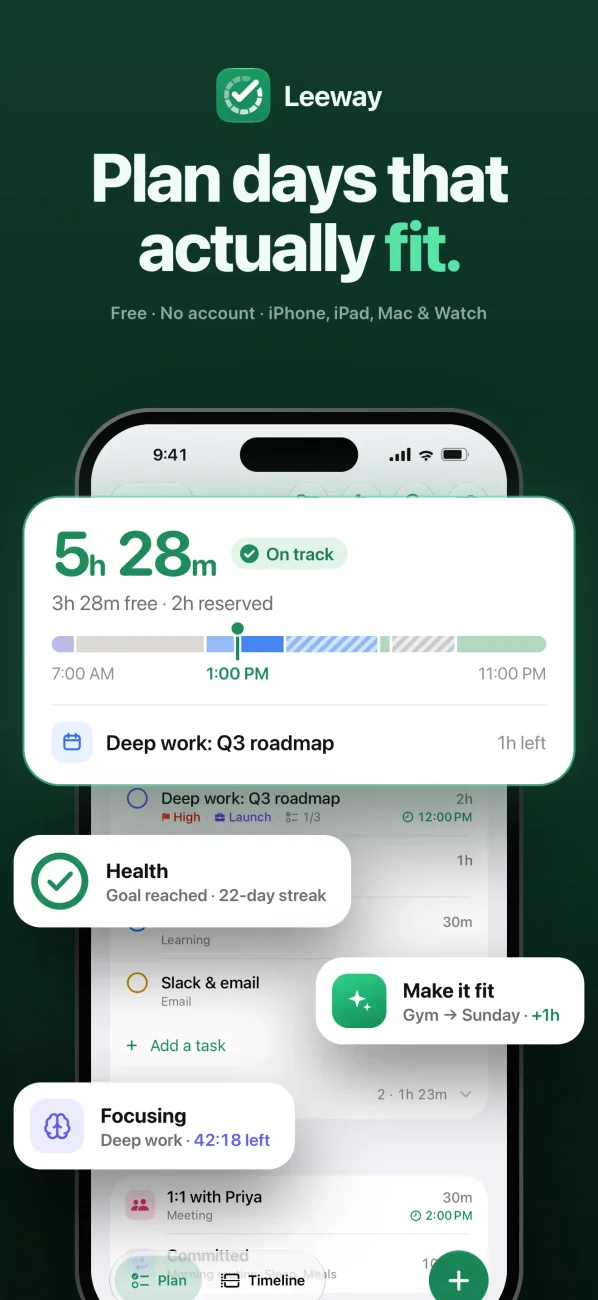
Leeway shows how much free time you really have today, then fits your tasks into it.
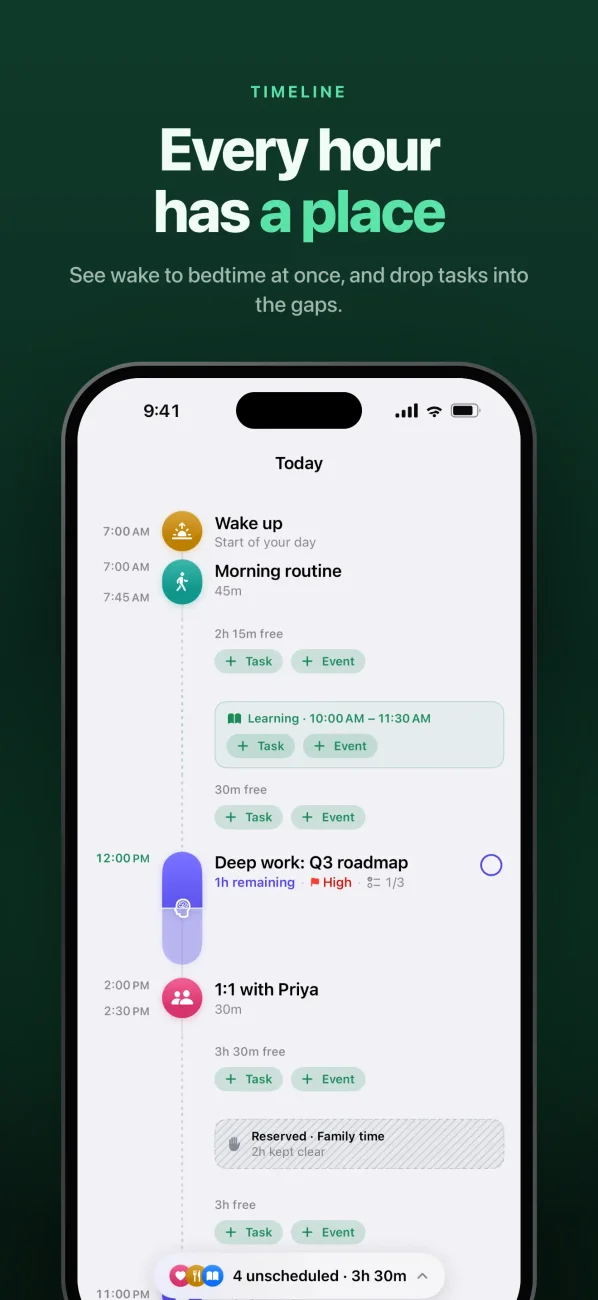
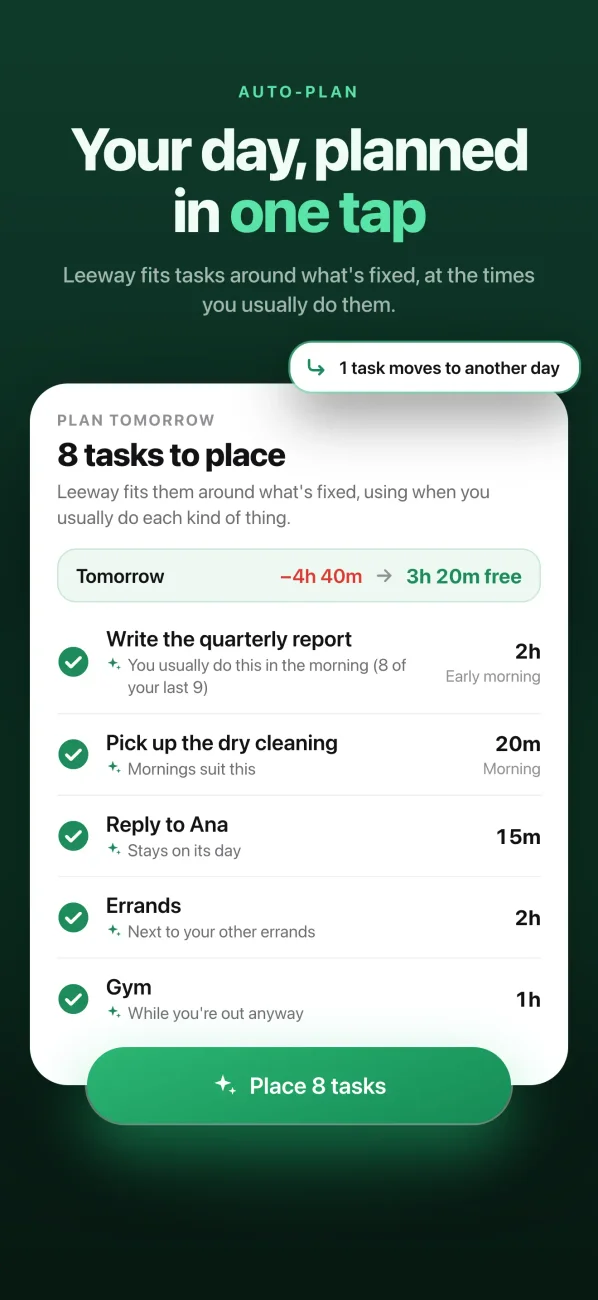
Your calendar events, reminders and routines go on the timeline first. Leeway counts the hours that are left. Tap Plan and your tasks land in the open gaps, around everything that's fixed. When the day changes, Leeway moves the rest and shows you what moved.
PLAN THE DAY IN ONE TAP
• Plan my day places your tasks in the free time you actually have, and says where anything that won't fit goes.
• Plan the week spreads work across the days ahead.
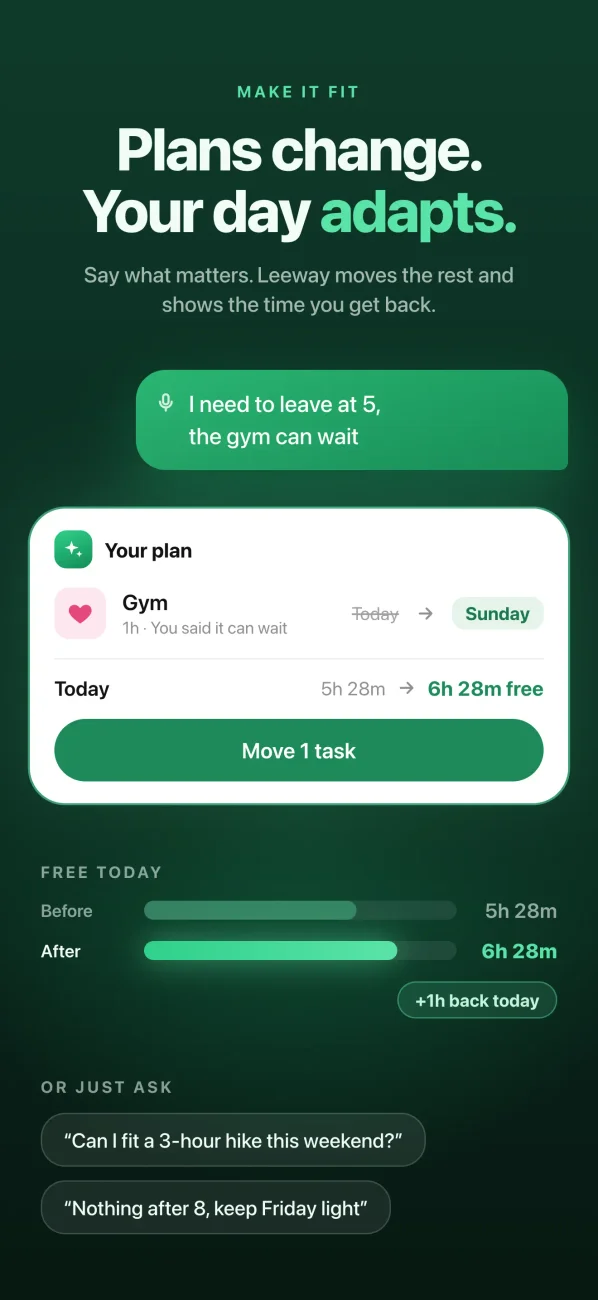
• Running late? Make it fit reshuffles the rest of today.
WORKS WITH YOUR CALENDAR AND REMINDERS
• Apple Calendar events and Reminders appear on your timeline.
• Move a task to another day and its reminder or event moves with it.
SEE THE WHOLE DAY
• A timeline from wake-up to bedtime, every hour in its place.
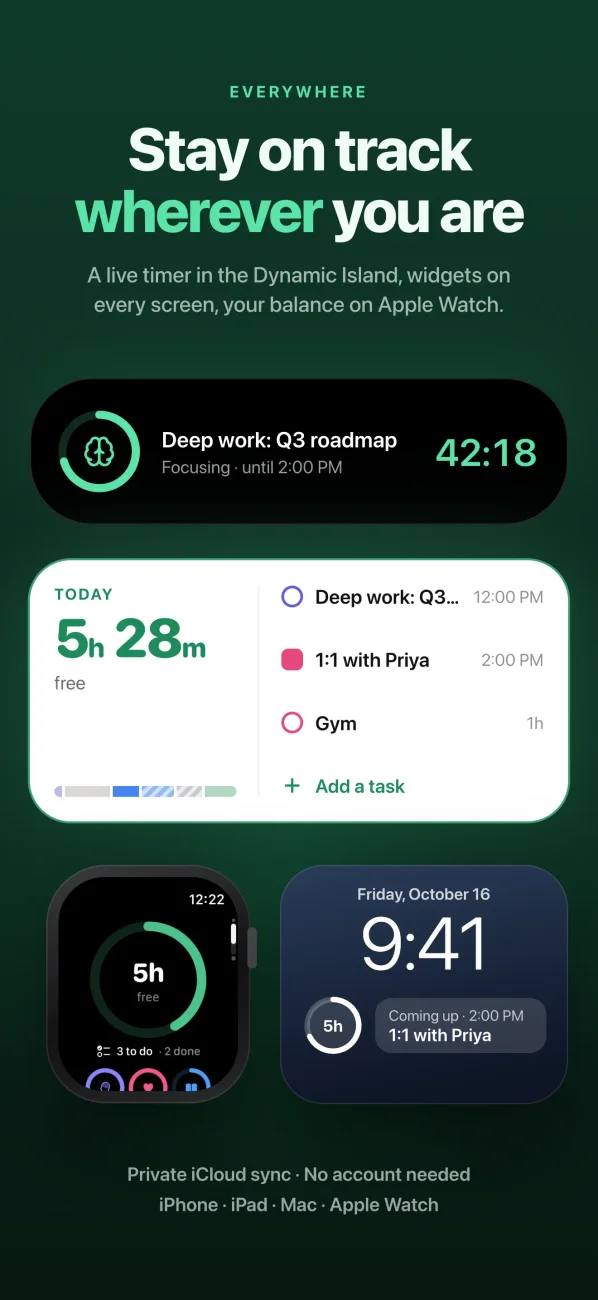
• Your free time, counted live as the day goes on.
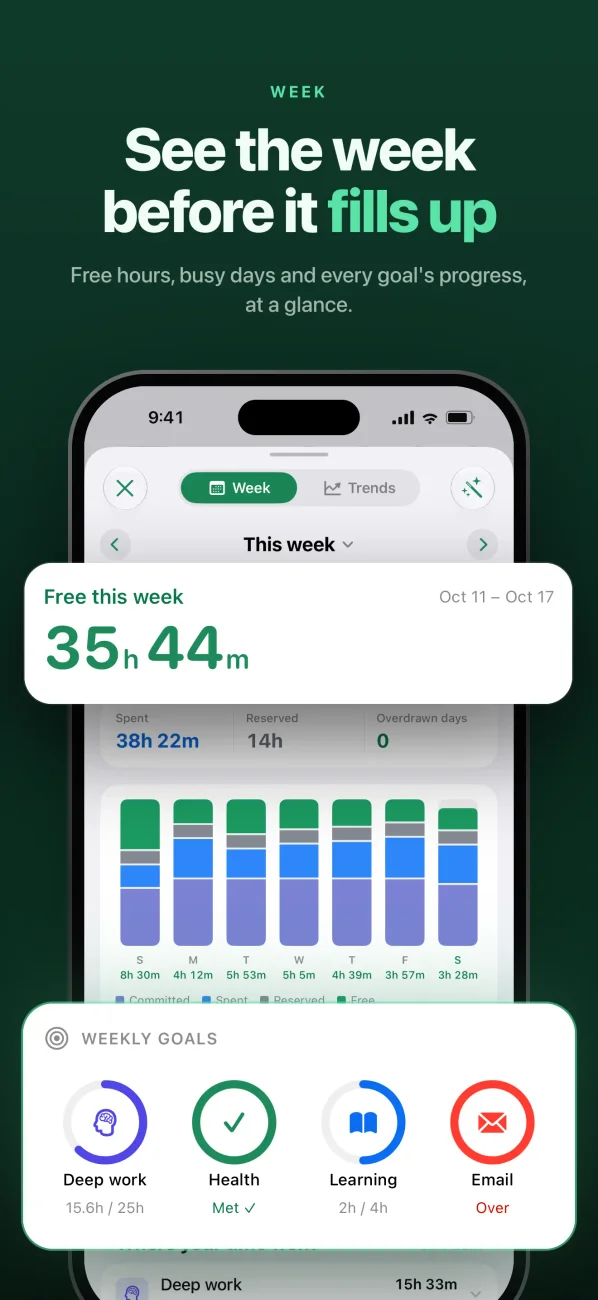
• The week at a glance, before it fills up.
KEEP TIME FOR WHAT MATTERS
• Goals with a floor for what matters and a cap for what drifts.
• A focus timer on your Lock Screen and in the Dynamic Island.
• Widgets, an Apple Watch app, and iPad, in sync over iCloud.
SAY IT ALL, GET A PLAN (LEEWAY PRO)
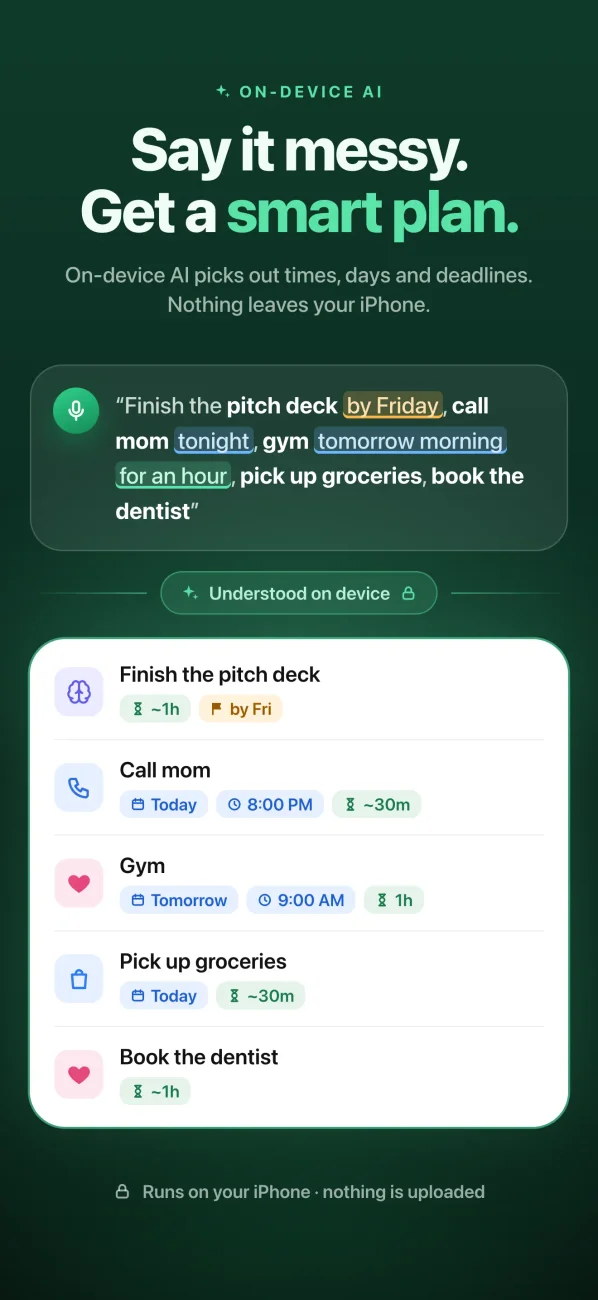
• Type or speak a messy list, and Leeway picks out the tasks, times and deadlines and plans them. With Apple Intelligence, it all runs on your device.
PRIVATE BY DESIGN
• No account and no sign-up.
• Your data syncs through your own iCloud.
LEEWAY PRO
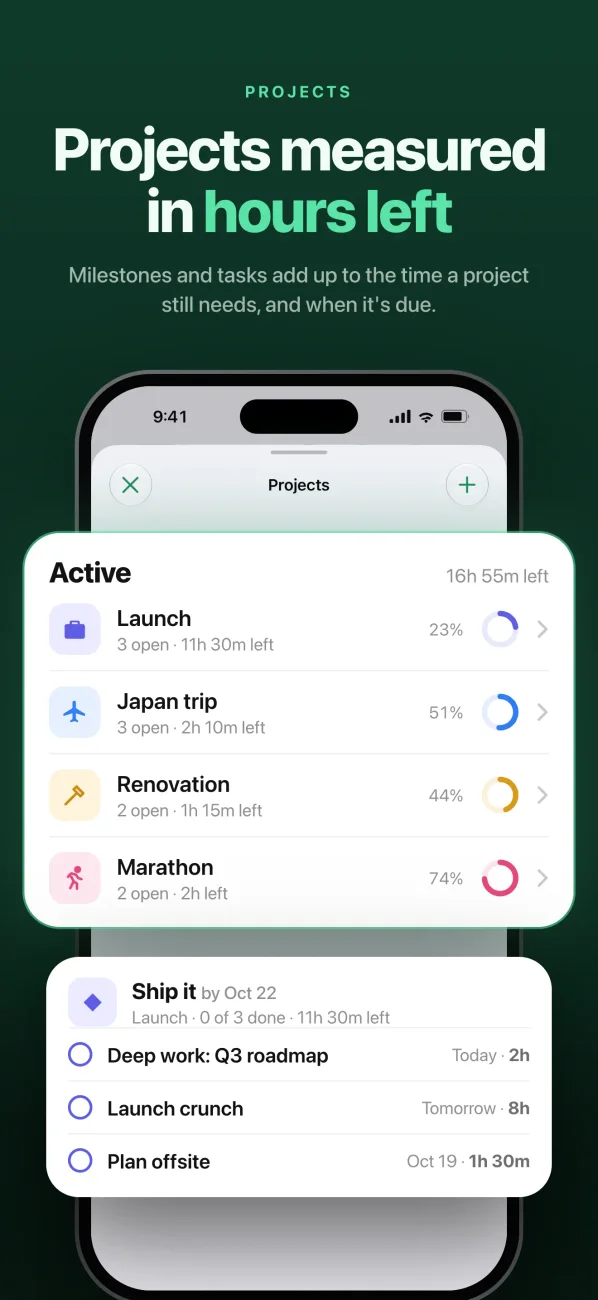
Planning, the timeline, goals, focus, widgets, the Watch app and iCloud sync are free. Leeway Pro adds the AI planner, voice capture, unlimited projects and milestones, custom categories, trends and history, and themes. Monthly, yearly with a free trial, or a one-time lifetime unlock.
Give yourself a little leeway.
Terms of Use: https://leeway.innovatism.app/leeway/terms/
What’s new
Version 1.3.3 · Nov 11, 2026
Fixes
- Calendar and Reminders sync no longer creates duplicate events or reminders. This covers editing a task on one device before it reaches another, "Times a week" tasks used on two devices, and setting Repeat on an event that's already in Calendar.
- Duplicates left behind by version 1.3.2 are cleaned up automatically. Your own reminders are never touched.
- "Remind me tomorrow" on a repeating reminder no longer puts today's task on tomorrow next to tomorrow's own.
- Repeat is only offered on calendar events that Leeway is allowed to change.
- Events and reminders that Leeway adds to Calendar and Reminders now include a link that opens the item in Leeway.
Improvements
- Apple Watch: the ring updates right away when you add 15 minutes, finish a focus session or give time back. It no longer waits for your iPhone.
- Apple Watch: tap anywhere on a step's row to tick it off.
- Completing a task from its long-press menu now confirms it with Undo and Adjust, just like the checkbox. "Mark not done" dismisses the confirmation.
- iPad: ⌘F opens Search from every view. Tapping a task in the results opens My Day on that task's day.
- VoiceOver reads counts more clearly, including the number of steps. Moving a task now has a single Move menu.
App privacy
What Innovatism LLC declares on the App Store about how this app handles data.
-
Data not collected
The developer does not collect any data from this app.
Privacy practices may vary, for example with the features you use or your age.
Information
- Seller
- Innovatism LLC
- Category
- Productivity
- Version
- 1.3.3
- Updated
- Nov 11, 2026
- Released
- Jun 16, 2026
- Size
- 74.9 MB
- Requires
- iOS 18.0 or later
- Age rating
- 4+
- Price
- Free
- In-app purchases
- Yes
- Languages
- English, Arabic, Danish, Dutch, Finnish, French, German, Hindi, Indonesian, Italian, Japanese, Korean + 12 more
- Copyright
- © 2026 Innovatism LLC
You might also like
-
 TimeBlock - Planner for ADHDVisual Planner for ADHD
-
 168: Time BudgetProductivity
-
 Now BlockProductivity
-
 Totly: ADHD To Do List & TasksBrain Dump, Focus & Planner
-
 24 Hours: Time BudgetDaily planner, hours per goal
-
 Time Block: Hourly Day PlannerVisual Schedule Routine Maker
-
 Tito: Focus & Time BlockingThe flexible task playlist
-
 Plotted: Planner & To Do ListVisual Day Planner & Tracker
-
 NowCue: Daily PlannerTasks, Habits & Calendar
-
 FlexiPlanner, Time BlockingThe Most Flexible Day Planner