Left. Budget Planner
Bills, Expense & Money Tracker
Designed for iPhone
Free · In-app purchases
- Age rating4+
- CategoryFinance
- DeveloperIvan Wize
- LanguagesEnglish
- Size21.4 MB
Links to the official App Store page
Download.org hosts no file of Left. Budget Planner. The button opens its official App Store page, published by Ivan Wize. Listing last checked on Nov 25, 2026.
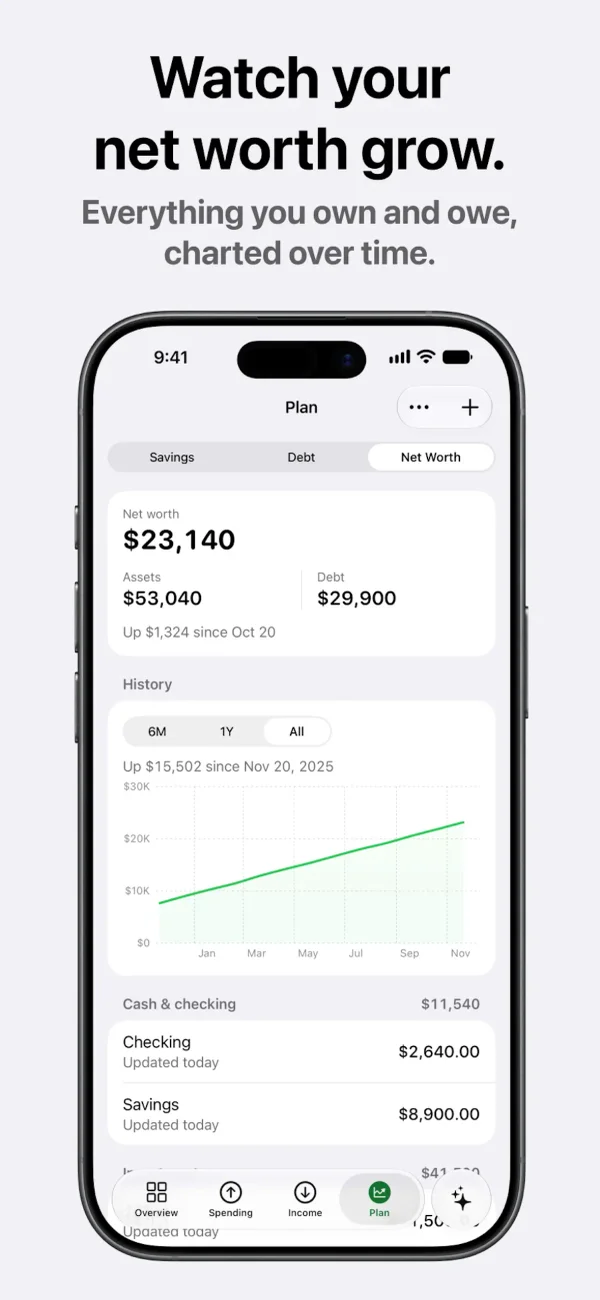
Screenshots

About
Private budgeting. No subscription.
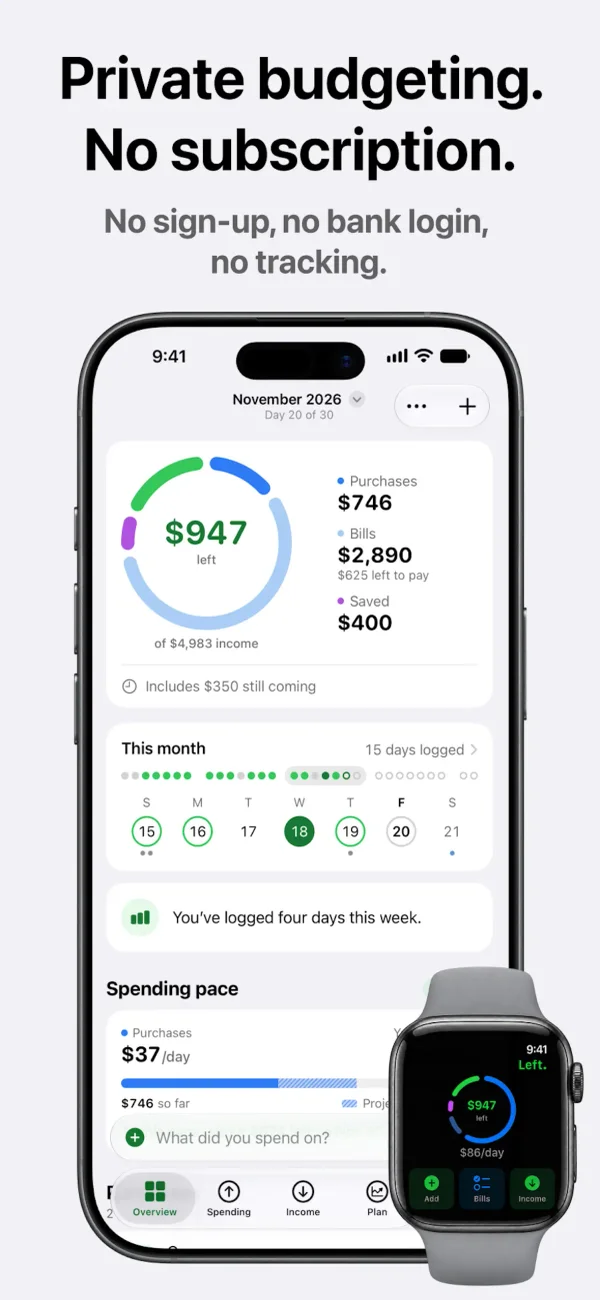
Left. puts your income, bills, purchases and savings in one ring, so you always know what’s really left to spend this month. No sign-up, no bank login, no tracking, no ads.
KEEP YOUR MONEY PRIVATE
Left. never sees what you spend, earn or owe. There’s no sign-up, so it doesn’t even know your name. Left. has no servers of its own: your data stays on your iPhone and Apple Watch and syncs through your own iCloud. Turn on Airplane Mode and it keeps working. Check App Privacy below: Data Not Collected.
JUST SAY IT
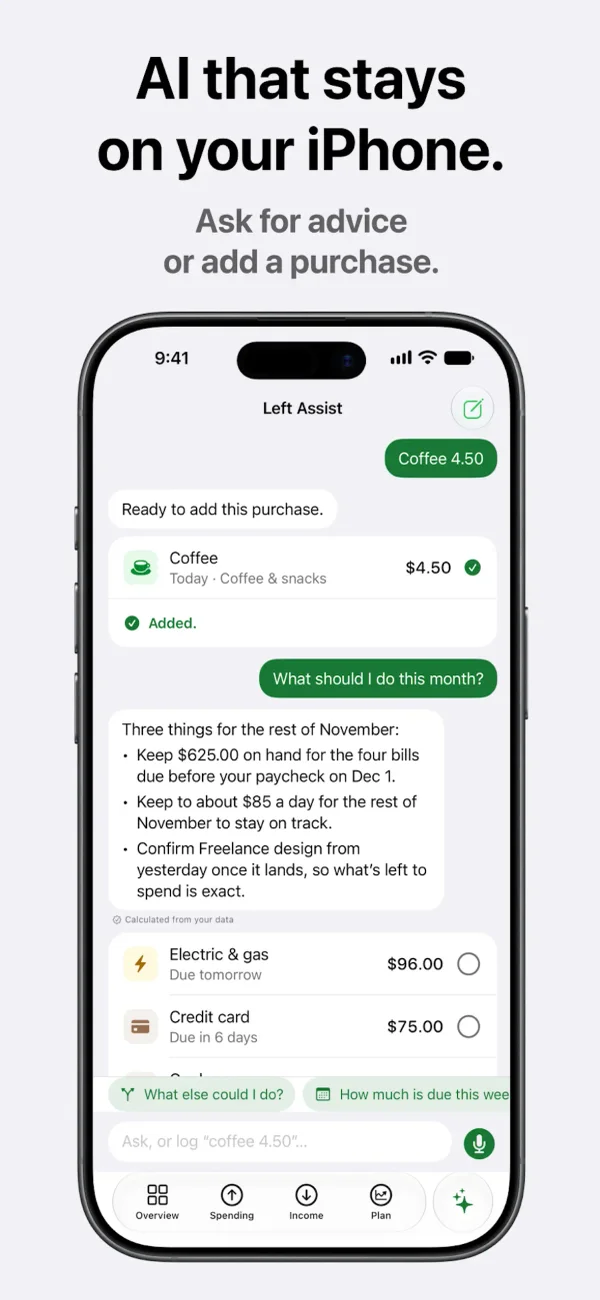
Left Assist logs purchases, answers questions and gives advice about your money, right on your iPhone.
• Tap the mic and say “coffee 4.50”, then add it with a tap.
• Ask “Am I on track this month?” or “What bills are coming up?” and get an answer worked out from your own numbers.
• Ask for advice and get up to three things to do this month or next.
• Change or delete a purchase just by asking: “make that 5.50” or “delete that”.
• Your voice never leaves your iPhone, and nothing changes until you tap to confirm.
YOUR WHOLE MONTH IN ONE RING
• See your purchases, your bills and what’s still to pay, what you’ve saved and what’s left to spend.
• Spending pace shows where your purchases are heading before the month ends.
• Up next shows the bills due soon and your next paycheck. Tap the circle to mark a bill paid.
LOG A PURCHASE IN SECONDS
Logging a purchase yourself makes you notice it. Left. makes it take seconds.
• Type one line, like “coffee 4.50 yesterday”, and the amount, category and date fill in.
• Your usual purchases wait above the keyboard, with what you paid last time.
• Scan a receipt and Left. fills in the store, total and date.
• Add purchases from a widget, Control Center, the Action Button, Siri, your Apple Watch or the built-in calculator.
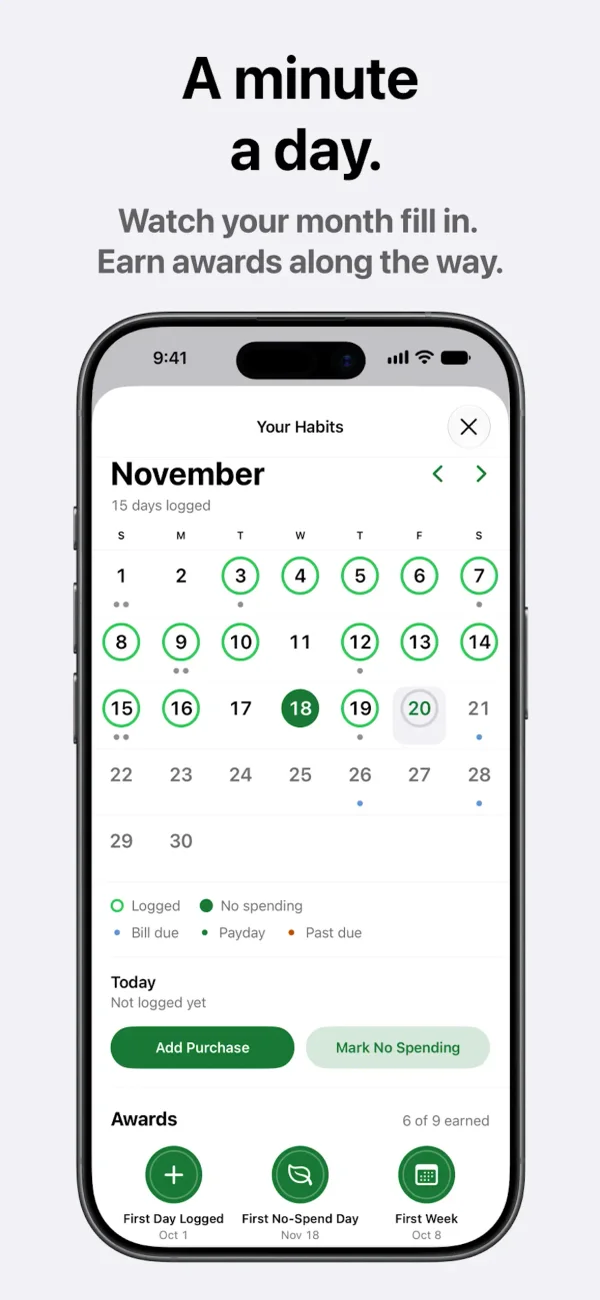
A MINUTE A DAY
• Watch your month fill in as you log, and mark the days you spent nothing.
• An optional evening check-in lets you add a purchase or mark No Spending Today right from the notification, on iPhone or Apple Watch.
• Earn awards and get a look back each week. No streaks, no guilt: every week starts fresh.
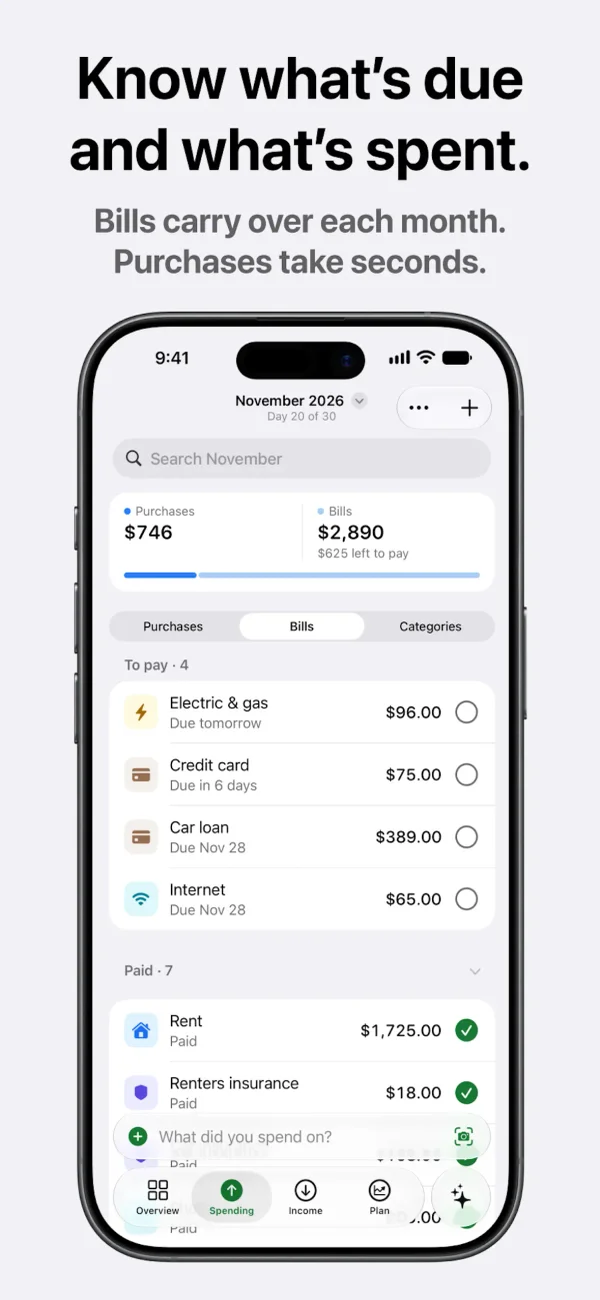
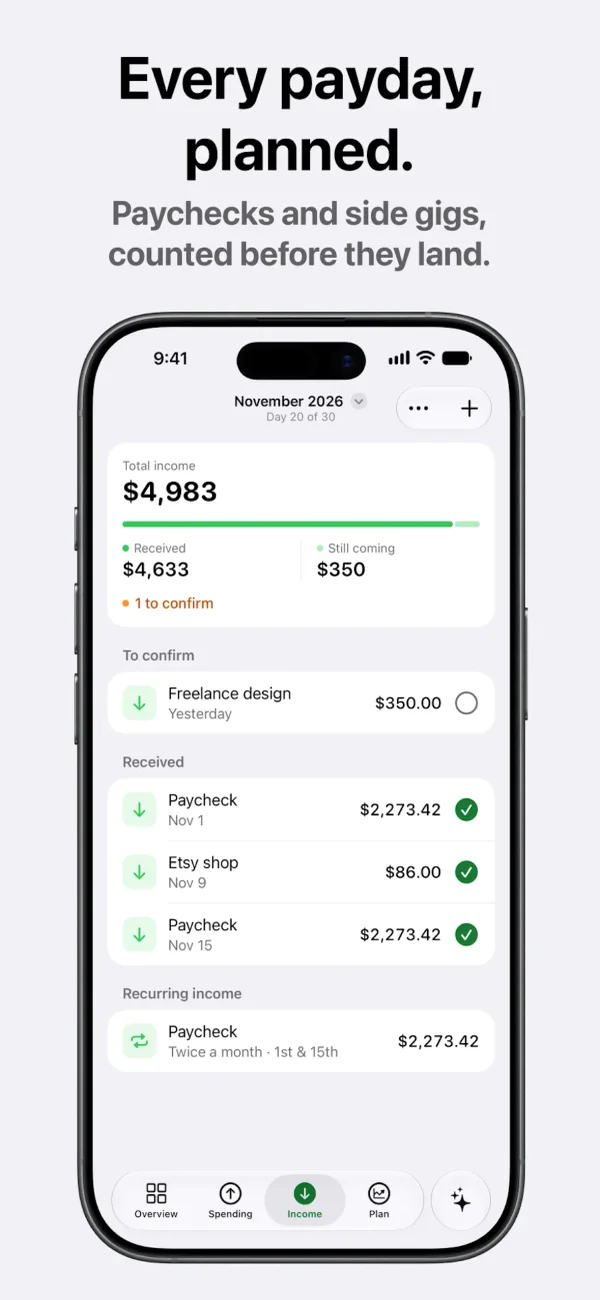
BILLS AND PAYCHECKS
• Copy a bill into a new month once, and it carries over on its own after that.
• Set up your paycheck once. Left. counts it before payday, and you confirm it with a tap when it lands.
• Side gigs and one-time income count too.
• Search finds any purchase or bill by name or amount.
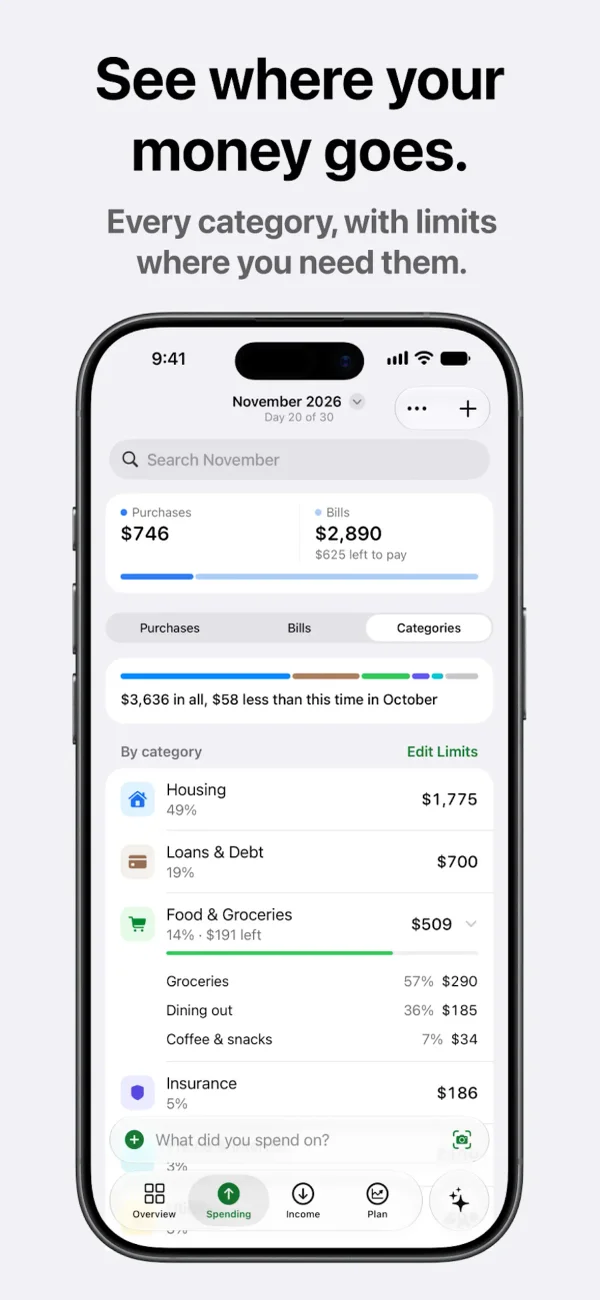
SEE WHERE IT GOES
• Categories shows where your money goes, from Food & Groceries to Gifts & Donations, and how each compares with the same point last month.
• Set a limit on any category and see how much room is left as you spend.
• Savings goals show the month you’re on pace to reach them.
ON YOUR HOME SCREEN AND WRIST
• Widgets show what’s left on your Home Screen and Lock Screen.
• The Apple Watch app shows the same ring, with Quick Add and complications for your watch face.
• Ask Siri “How much is left in Left” without opening the app. On a locked iPhone, Siri asks you to unlock before reading out your figures.
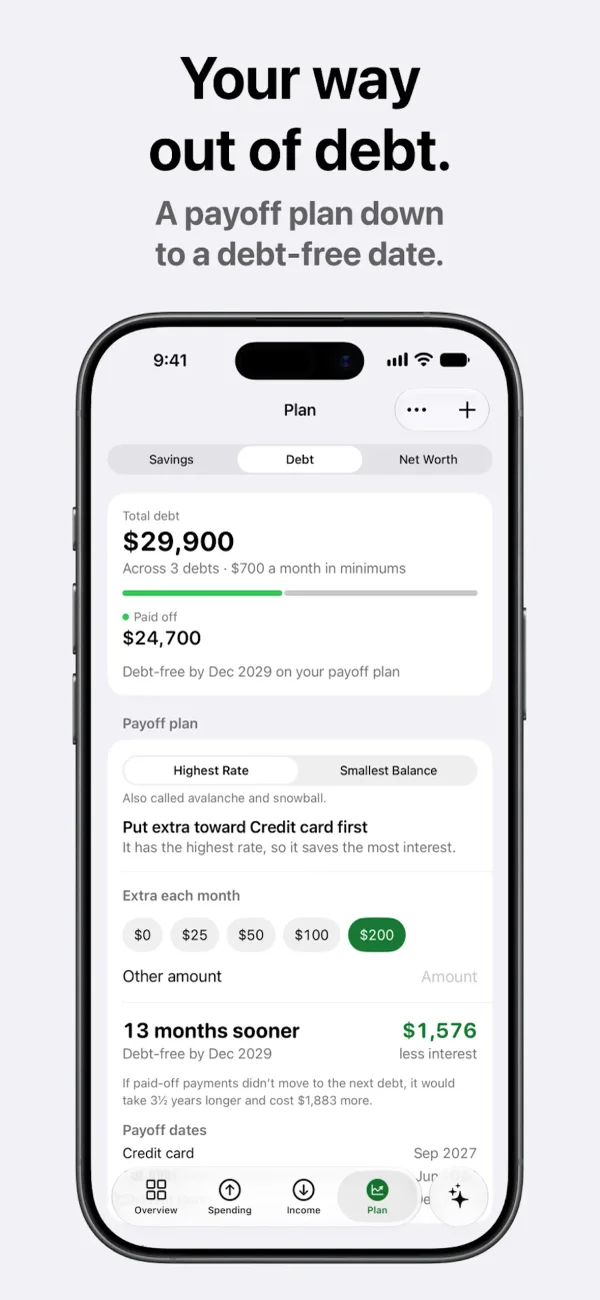
DEBTS AND NET WORTH
• Add your debts and accounts for free and see your total, minimums and net worth in one place.
• See what a payoff plan could save you, worked out from your own debts.
LEFT. PRO, ONE TIME
Budgeting is free. Left. Pro is a one-time purchase, never a subscription.
• Debt payoff plan: see which debt to pay first, by highest rate or smallest balance, and your debt-free date. When one debt is paid off, its payment moves to the next, and you can see what any extra each month saves.
• Net worth over time: a history chart of everything you own and owe, from the day you start.
Works in your local currency. Designed for VoiceOver, larger text sizes and Increase Contrast.
Requires iOS 26.1 or later. Left. and its voice input are in English. Most Left Assist answers are calculated from your own figures on any supported iPhone; open-ended questions need Apple Intelligence.
What’s new
Version 3.4 · Nov 24, 2026
A minute a day. Watch your month fill in as you log, mark the days you spent nothing, and earn awards along the way. No streaks: every week starts fresh.
Tap the calendar to see any day’s purchases, bills and paydays. Turn on an evening check-in to log right from the notification, on your iPhone or Apple Watch.
Overview is more compact, and its ring now shows purchases and bills apart. Plus a look back at each week and small fixes.
App privacy
What Ivan Wize declares on the App Store about how this app handles data.
-
Data not collected
The developer does not collect any data from this app.
Privacy practices may vary, for example with the features you use or your age.
Information
- Seller
- Ivan Wize
- Category
- Finance
- Version
- 3.4
- Updated
- Nov 24, 2026
- Released
- May 28, 2026
- Size
- 21.4 MB
- Requires
- iOS 26.1 or later
- Age rating
- 4+
- Price
- Free
- In-app purchases
- Yes
- Languages
- English
- Copyright
- © 2026 Ivan Wize
You might also like
-
 あといくら?シンプル予算管理Finance
-
 Allotted: Budget PlannerPaycheck Budget & Bill Planner
-
 Larder: Budget Planner AppPaycheck & Expense Tracker
-
 Bills Due Tracker: RemindersPaycheck Planner & Calendar
-
 Bento: Budget & Money TrackerFinance, Subscriptions & AI
-
 Control: Budget TrackerExpense & Money Manager
-
 Monthly: Bill & Budget PlannerExpense & Subscription Tracker
-
 Actual Budget Spendıng TrackerSavings Goals & Money Manager
-
 Budgeting App - Spend TrackerMoney Manager & Budget Planner
-
 Monee - Budget Planner AppMoney & Expense Tracker