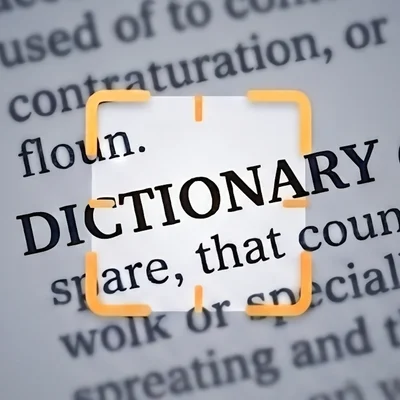
LensDict - Camera Dictionary
Point. See. Learn.
Designed for iPhone, iPad
Free · In-app purchases
- Age rating4+
- CategoryEducation
- DeveloperSuyuan Chang
- LanguagesEnglish
- Size90.6 MB
Links to the official App Store page
Download.org hosts no file of LensDict - Camera Dictionary. The button opens its official App Store page, published by Suyuan Chang. Listing last checked on Nov 14, 2026.
Screenshots



About
LensDict is a zero-input camera dictionary. Point your camera at any text and instantly see word definitions — no typing, no tapping, no internet connection needed. Everything runs locally on your device.
**How it works**
Simply aim your camera at a book, article, menu, or sign. LensDict automatically detects the word at the center crosshair, highlights it, and shows the definition in a floating card. Tap the screen to pause and explore deeper.
**Powerful lookup**
• Two built-in dictionaries: WordNet 3.1 and Wiktionary — with automatic fallback if a word isn't found in one
• Long-press any word in a definition to look it up (deep lookup)
• Lemmatization recognizes word forms — "running" finds "run", "children" finds "child"
• Text-to-speech pronunciation for every word
• Works entirely offline — no internet connection required
**Save & organize**
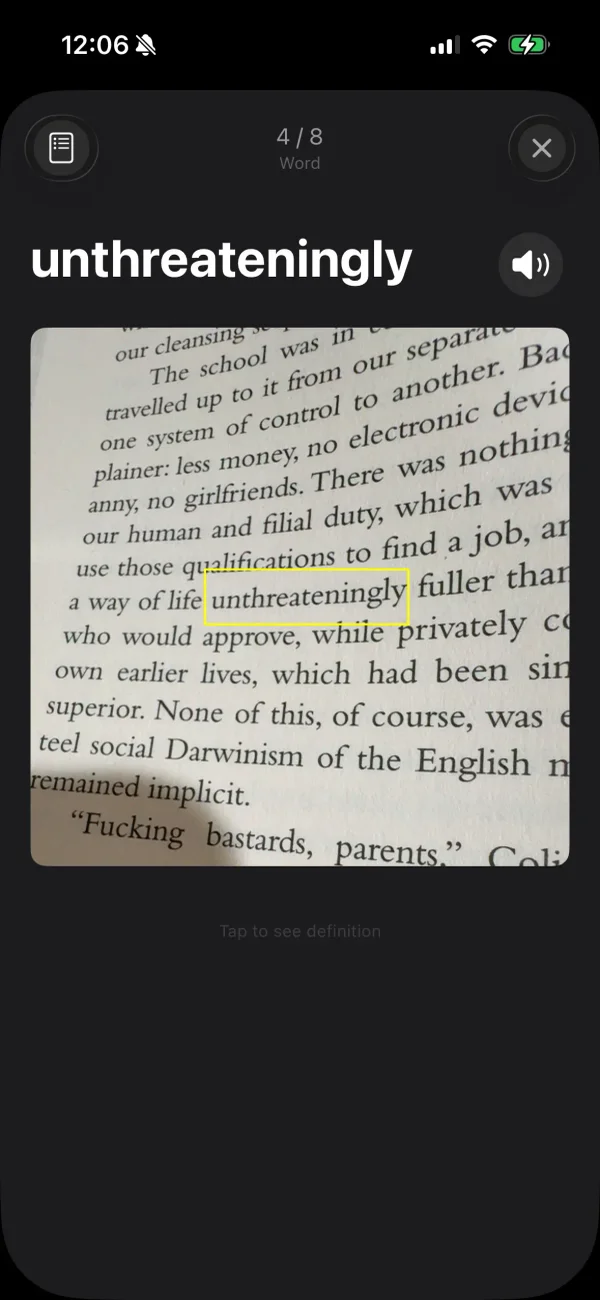
• Bookmark words with one tap — each save captures a snapshot of what you were reading
• Add personal notes with color coding to any saved word
• Browse saved words with swipe navigation
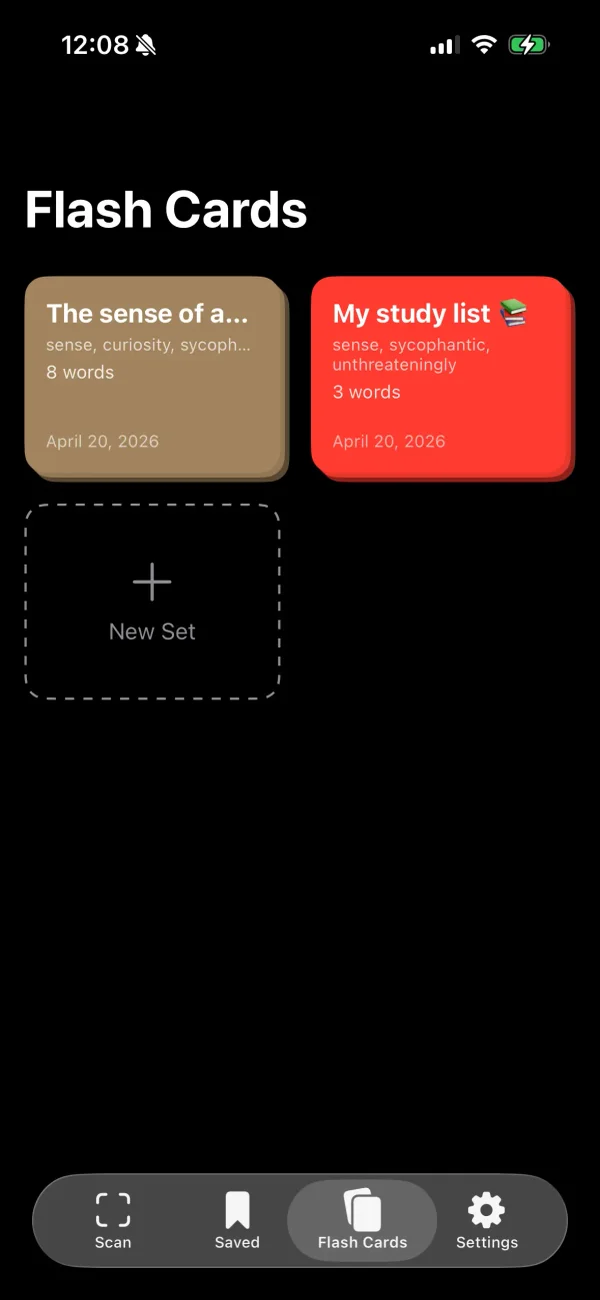
**Flash Card Sets (Premium)**
• Organize saved words into custom-colored flash card decks by topic, lesson, or difficulty
• Two-sides study mode: see the word first, tap to reveal the definition — perfect for self-testing
• Shuffle mode for randomized review
• Copy or move words between sets
• Unlimited saved words (free users can save up to 50)
**Premium Plans**
• Monthly, yearly (with 7-day free trial), or one-time lifetime purchase
• Free users enjoy full camera dictionary and up to 50 saved words
**Privacy first**
• No account required
• No data leaves your device
• No tracking, no ads
Terms of Use (EULA):
https://www.apple.com/legal/internet-services/itunes/dev/stdeula/
What’s new
Version 1.1 · May 21, 2026
**5 Online Dictionaries — Expand Your Lookup Options**
LensDict started with two powerful built-in offline dictionaries (WordNet 3.1 and Wiktionary), and now version 1.1 takes your word lookup experience even further. We've added five trusted online dictionaries so you can get richer definitions, example sentences, and usage notes whenever you're connected:
• Google Dictionary — Quick, concise definitions powered by Google's language data.
• Merriam-Webster — America's most trusted dictionary, with detailed definitions, etymology, and usage examples.
• Cambridge Dictionary — Clear explanations with both British and American English pronunciations and example sentences.
• Oxford Learner's Dictionary — Designed for English learners, with simplified definitions, grammar notes, and collocations.
• Longman Dictionary of Contemporary English — Focuses on the most common 9,000 English words, with frequency indicators and corpus-based examples.
You can switch between dictionaries at any time. When you're offline, LensDict continues to work seamlessly with its two built-in dictionaries — no internet required, just like before.
**iCloud Backup & Sync — Your Words, On All Your Devices**
Your saved words and flash card sets are now backed up to iCloud. This means:
• Seamless sync — Access your entire word collection and flash card sets on your iPhone, iPad, or any device signed into the same iCloud account.
• Automatic backup — Never worry about losing your saved words. Your data is safely stored in iCloud and can be restored at any time.
• Easy device migration — Switching to a new device? Your vocabulary and study progress come with you automatically.
Backup and restore can be managed from the Settings screen. You're always in control of when and how your data syncs.
**Reorder Flash Card Sets — Organize Your Way**
You can now drag and reorder your flash card sets to arrange them exactly the way you want. Put your most active study decks at the top, group sets by topic, or organize them by priority — it's entirely up to you.
Simply long-press on a flash card set and drag it to your preferred position. Your custom order is saved automatically and syncs across devices via iCloud.
**Why Update?**
Version 1.1 makes LensDict more versatile and connected while keeping everything you love about the app — instant camera-based word lookup, offline support, and a privacy-first design. Whether you're a student studying for exams, a traveler navigating foreign texts, or a lifelong learner expanding your vocabulary, these new features are designed to fit naturally into your workflow.
Thank you for using LensDict. We're always listening to your feedback — if you have ideas for future improvements, please reach out through the app's Settings page.
App privacy
What Suyuan Chang declares on the App Store about how this app handles data.
-
Data not collected
The developer does not collect any data from this app.
Privacy practices may vary, for example with the features you use or your age.
Information
- Seller
- Suyuan Chang
- Category
- Education
- Version
- 1.1
- Updated
- May 21, 2026
- Released
- May 4, 2026
- Size
- 90.6 MB
- Requires
- iOS 17.0 or later
- Age rating
- 4+
- Price
- Free
- In-app purchases
- Yes
- Languages
- English
- Copyright
- © 2026 Suyuan Chang
You might also like
-
 Lupa VisionCamera dictionary for books
-
 WordNex: Camera DictionaryScan words. Explore word maps
-
 XiaoYing (小英) English OCRScan Text & Look Up Words
-
 Visionary OCR DictionaryScan Books for Definitions
-
 Dictionary - OfflineOffline Dictionary
-
 Cam Dictionary: Learn Englishdaily read, flashcards & more
-
 Camera Dictionary + Web SearchDefinitions, pronounce, search
-
 Linmoh - Read & LearnTap a word, get it in context
-
 SnapDicPoint. Scan. Learn.
-
 Examen CVQEducation