- Age rating4+
- CategoryProductivity
- Developer跃洋 王
- LanguagesEnglish+ 7 more
- Size13.4 MB
Links to the official App Store page
Download.org hosts no file of Lessonday: Lesson Planner. The button opens its official App Store page, published by 跃洋 王. Listing last checked on Nov 10, 2026.
Screenshots

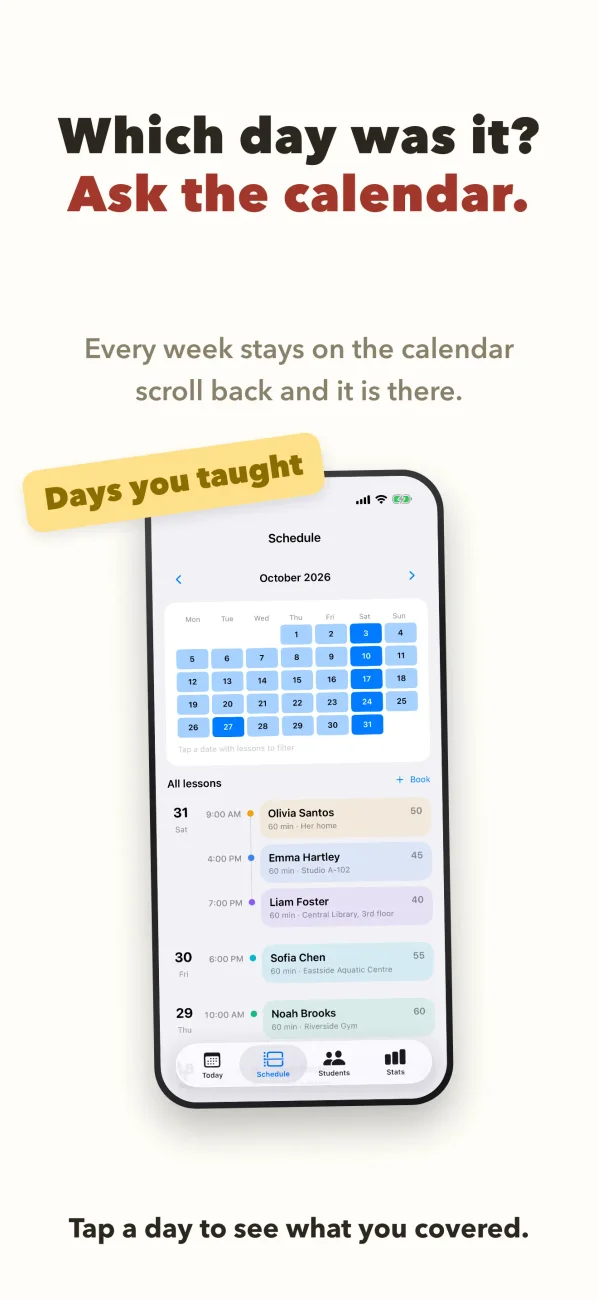
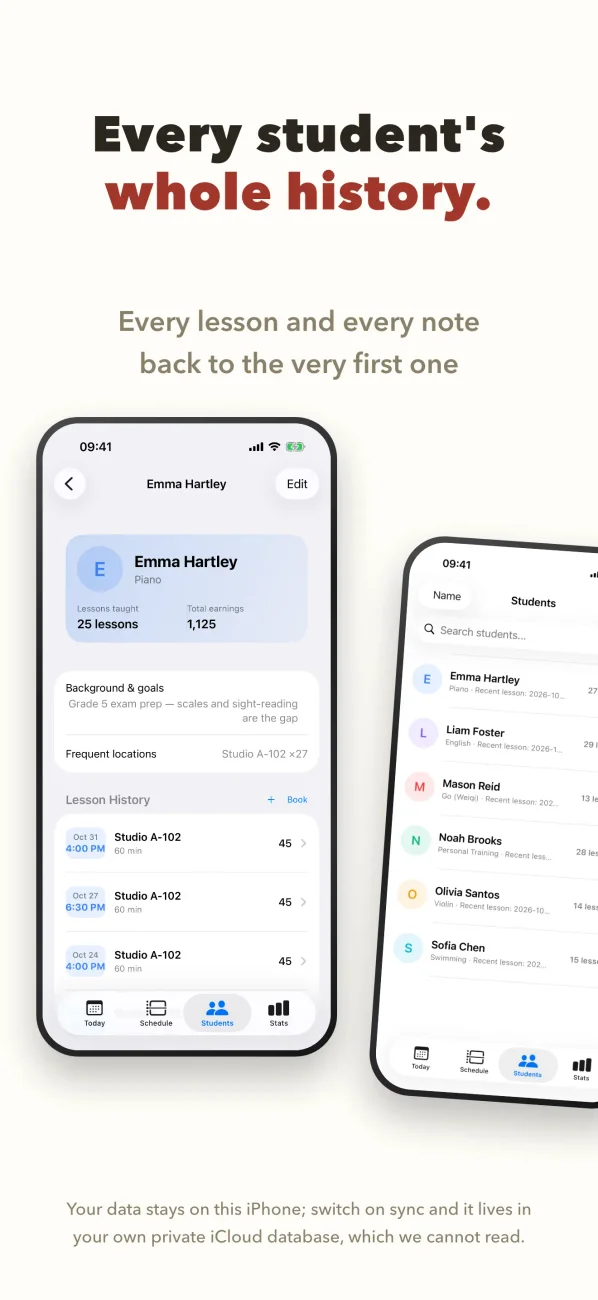
About
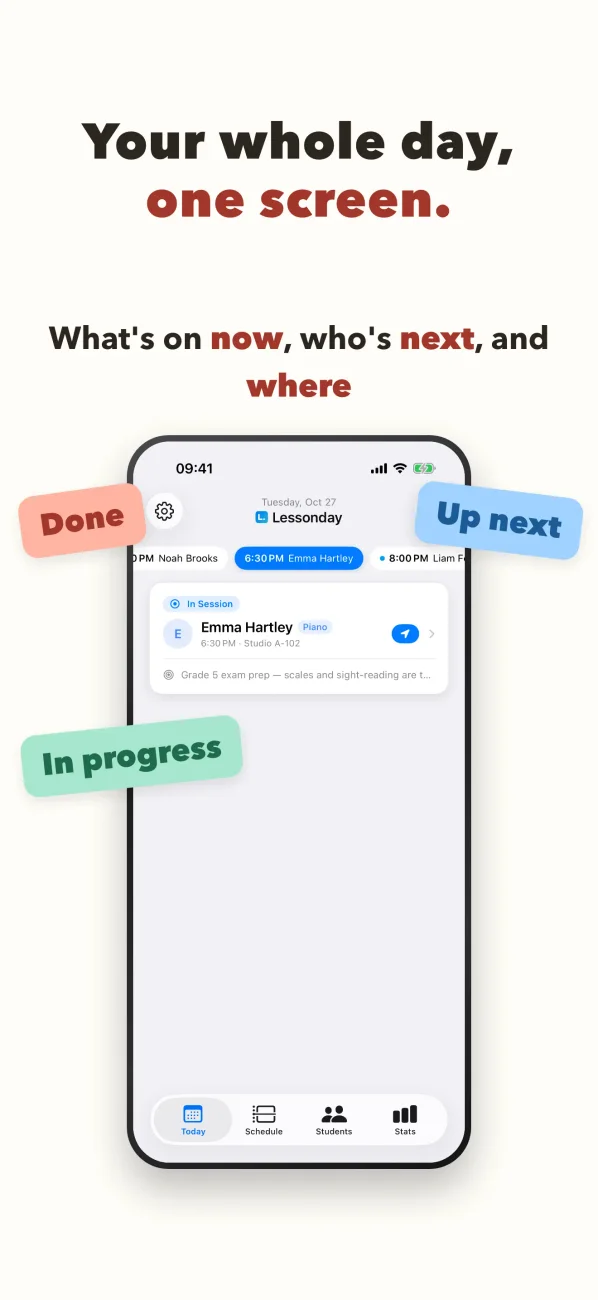
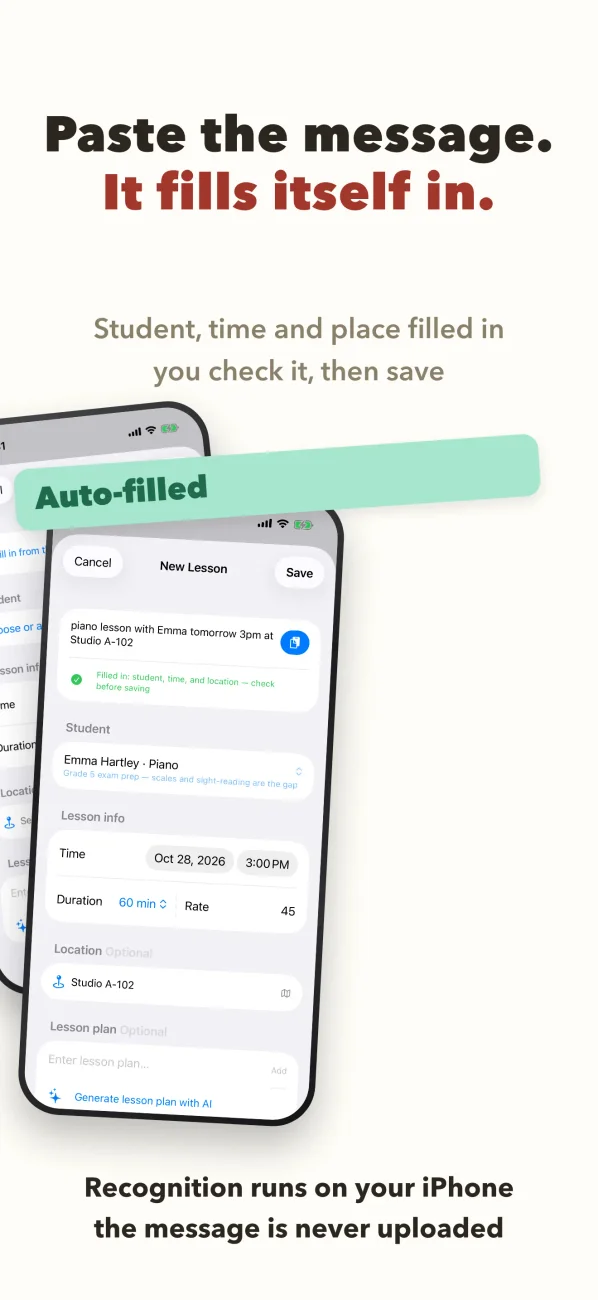
Lessonday is the planner for people who teach on their own. Paste the message you were sent: the date and time are read on your iPhone and filled in for you, and a student you already have is matched by name.
REMINDED BEFORE, NOT AFTER
Every lesson reminds you before it starts, with time to get there. See what is next the moment you open the app: who, when, where, and what you planned to cover.
THE ADDRESS IS ALREADY THERE
Each lesson keeps its own address, and the places you already teach at are one tap away when you book the next one. Open a lesson and get directions to it without typing the address again.
THE MONTH ADDS UP
Hours taught, what they came to, how many students you are actively seeing, and how it is all trending.
WHO TO BOOK NEXT
Lessonday sorts your students by who you have not taught in the longest, so the ones quietly going cold surface before you notice they are gone.
ONE RATE, OR AS MANY AS YOU NEED
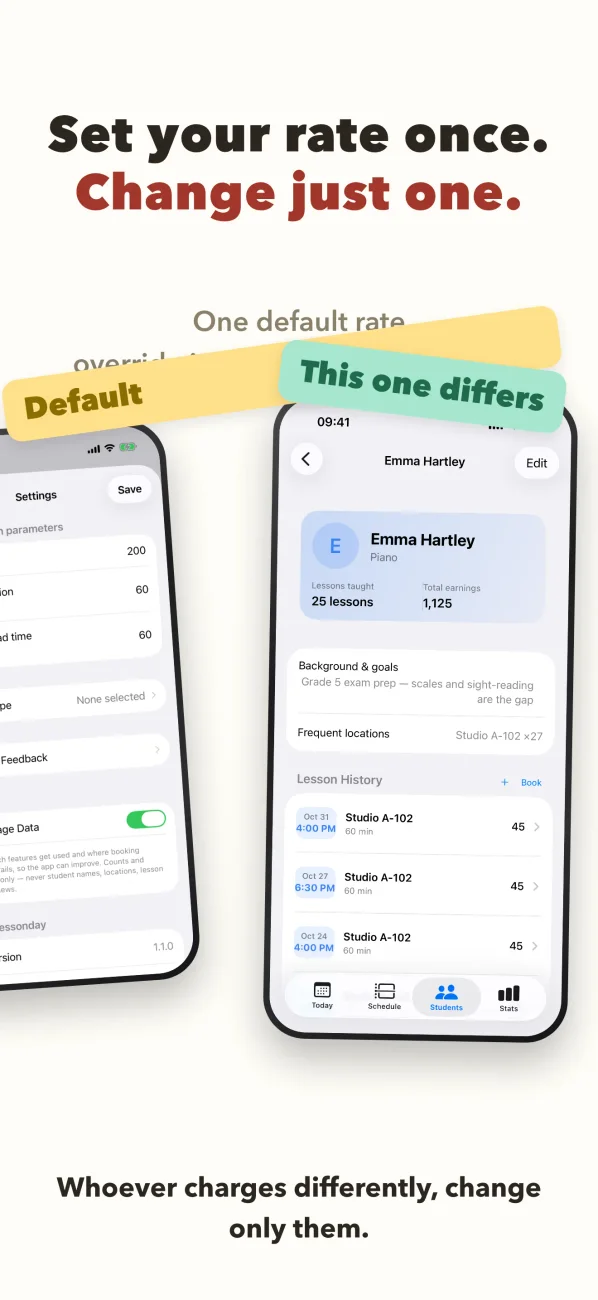
Set what you charge once and every lesson picks it up. Charge differently for a subject or for a student, and the more specific rate wins. Student beats subject beats default.
WHATEVER YOU TEACH
Thirty-eight subjects across nine kinds of teaching: music, sport and fitness, academics, language, martial arts, dance, arts and crafts, tech and mind games. Anything missing, you add in a moment and it behaves exactly like the rest.
ON IPAD AND APPLE WATCH
On iPad, your lessons and the one you are looking at sit side by side. On Apple Watch, raise your wrist for today's lessons and what you planned to cover, and tap once for directions. Your next lesson can sit right on the watch face.
NO ADS, NO ACCOUNT, NO SIGNAL NEEDED
There are no ads in Lessonday and nothing to sign up for. Your lessons and students live on your iPhone, so it opens instantly and never waits on a connection. Everything is also kept in your own private iCloud database, tied to your Apple Account rather than to us: we run no server that holds your records, and no account here can read your students' names. Sign in on a new iPhone and years of teaching are already there.
It is a notebook for your own teaching, not a platform your students log into. Open it, teach, close it. Your week is already written down.
What’s new
Version 1.1.0 · Oct 28, 2026
New: iPad and iPhone Duo support
New: Apple Watch: see your lessons and lesson plans, get directions in one tap
New: lesson notes on the lesson page, saved as you type
New: travel time to the lesson on Today and on the lesson page
Improved: choose which map app opens when you tap Navigate
Improved: lessons count as taught once they end, with nothing to mark done
Improved: on New Lesson, the paste box is always there and the duration follows the student's last lesson
Fixed: various bugs
App privacy
What 跃洋 王 declares on the App Store about how this app handles data.
-
Data not linked to you
May be collected but is not linked to your identity.
- Identifiers
- Usage data
Privacy practices may vary, for example with the features you use or your age.
Information
- Seller
- 跃洋 王
- Category
- Productivity
- Version
- 1.1.0
- Updated
- Oct 28, 2026
- Released
- Sep 15, 2026
- Size
- 13.4 MB
- Requires
- iOS 18.0 or later
- Age rating
- 4+
- Languages
- English, French, German, Japanese, Korean, Portuguese, Simplified Chinese, Spanish
- Copyright
- © 2026 Yueyang Wang
You might also like
-
 MyTutorHour: Lessons & PayTrack hours,payments,schedule
-
 课度 - 排课签到与课时记账Productivity
-
 Music Teacher Studio: RecitalLessons, Timetable & Billing
-
 课小汇-老师课表排课与教务管理系统Productivity
-
 LessonPocket: Tutor PlannerAttendance, Lessons & Payments
-
 教练课时本Productivity
-
 Tutor Track: Class PlannerLessons, Attendance & Payments
-
 课伴-家教课时管理与AI课后反馈Productivity
-
 Dersim: Tutor Lesson TrackerStudents, schedule & payments
-
 TutorTally Lesson TrackerTutor & Music Teacher Payments