- Age rating4+
- CategoryHealth & Fitness
- DeveloperJose Antonio Quiles
- LanguagesEnglish+ 1 more
- Size6.5 MB
Links to the official App Store page
Download.org hosts no file of Letswalk: Steps & Walks. The button opens its official App Store page, published by Jose Antonio Quiles. Listing last checked on Nov 18, 2026.
Screenshots
About
Letswalk helps you move more every day and keep a record of your walks, with clear statistics and no hassle.
EVERY DAY
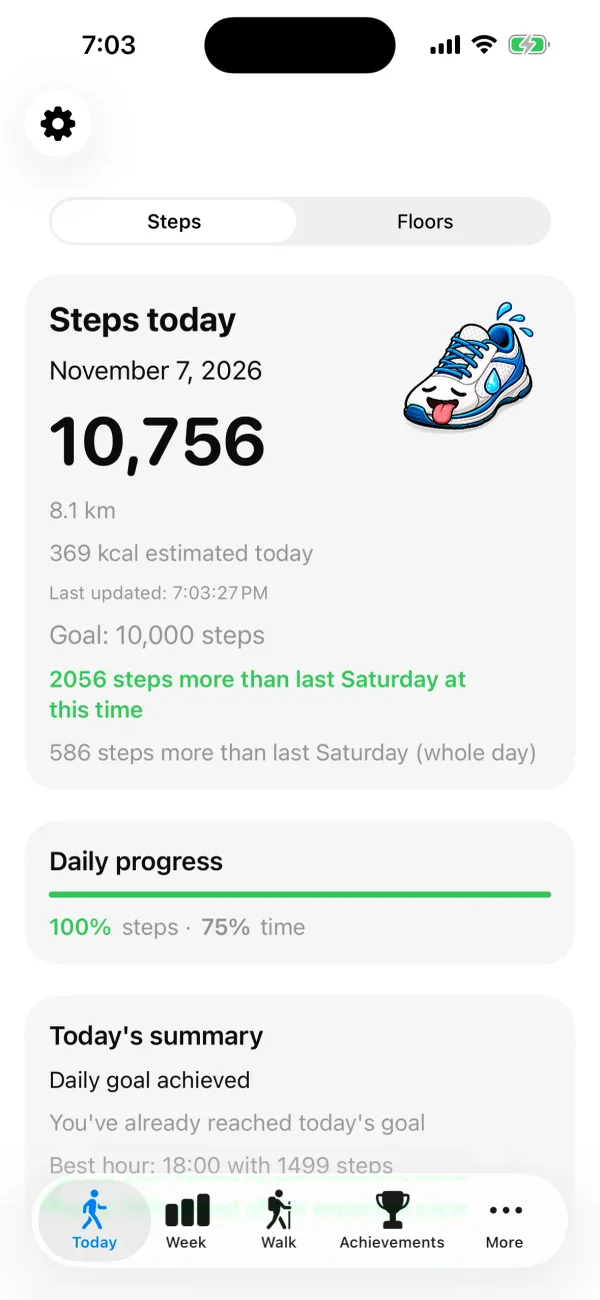
- Today's steps and floors climbed, compared with the same day last week at this time and with that full day
- Real-time progress towards your daily step and floor goals
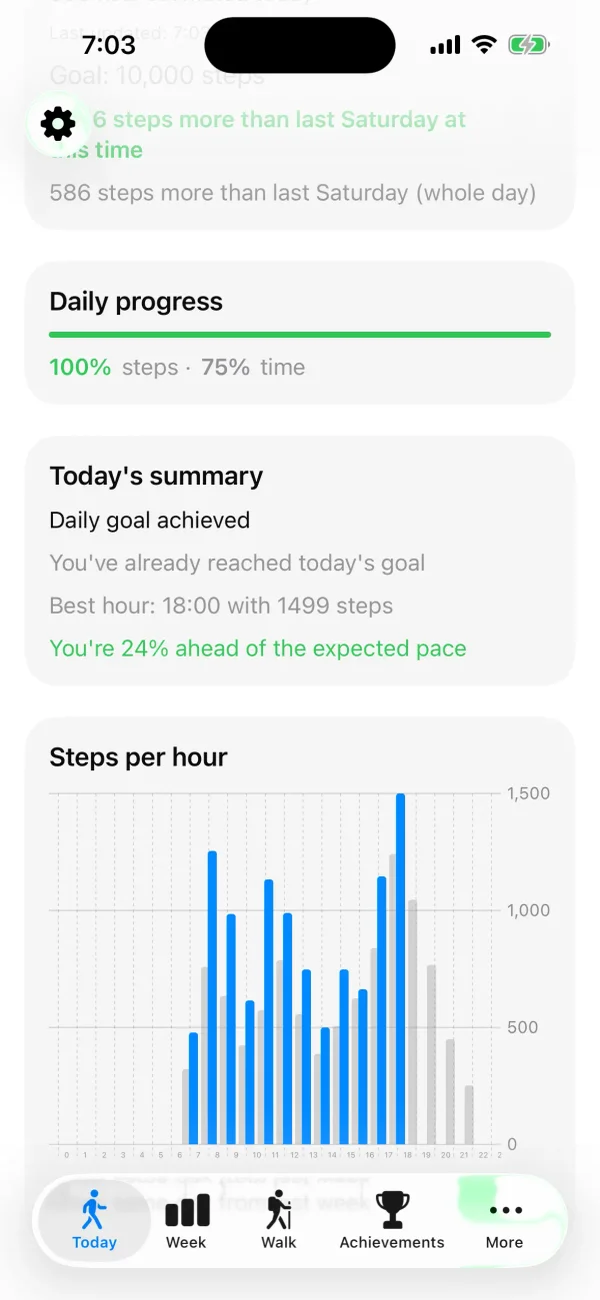
- Hourly step chart
- Expected pace versus actual pace, so you know whether you are on track
- Estimated calories for the day, based on your steps and floors climbed
WIDGETS
Check your progress without opening the app. Steps update throughout the day using the iPhone pedometer:
- On the Home Screen: today's steps with a progress ring towards your goal and the difference with the same day last week at this time; the medium size also shows floors, kilometres and whether you are ahead of or behind the expected pace
- On the Lock Screen: a circular widget with your progress, a rectangular one with steps, floors and distance, and an inline one above the clock with your steps and goal percentage
STATISTICS AND ACHIEVEMENTS
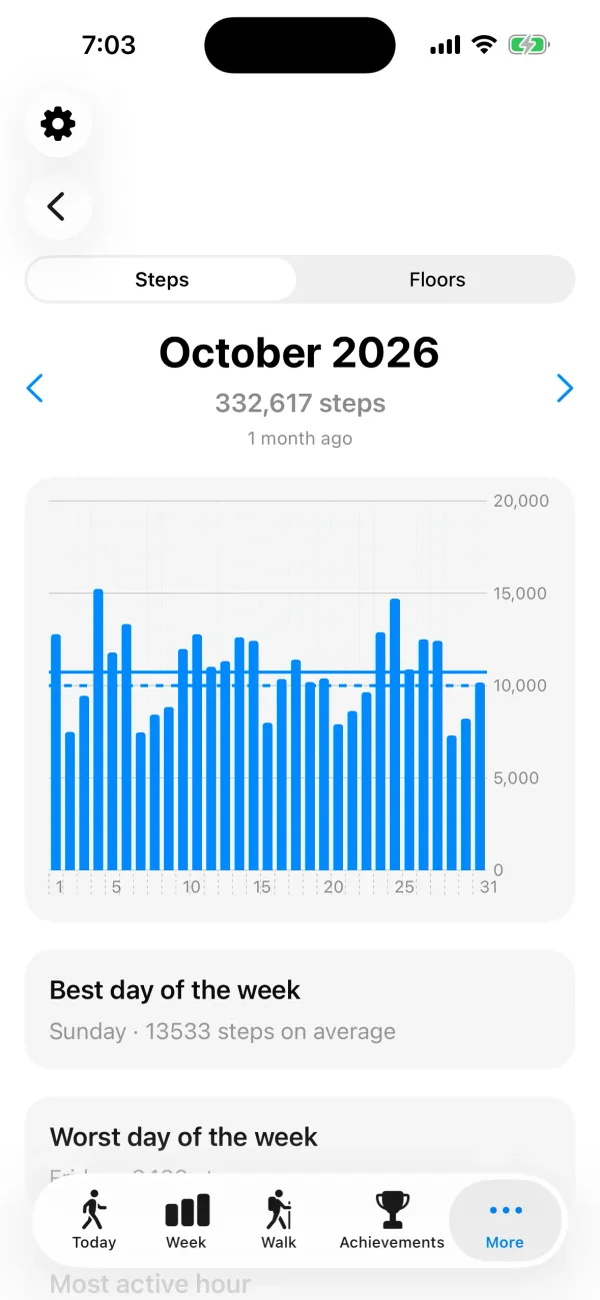
- Weekly, monthly and recent-months summaries for both steps and floors climbed
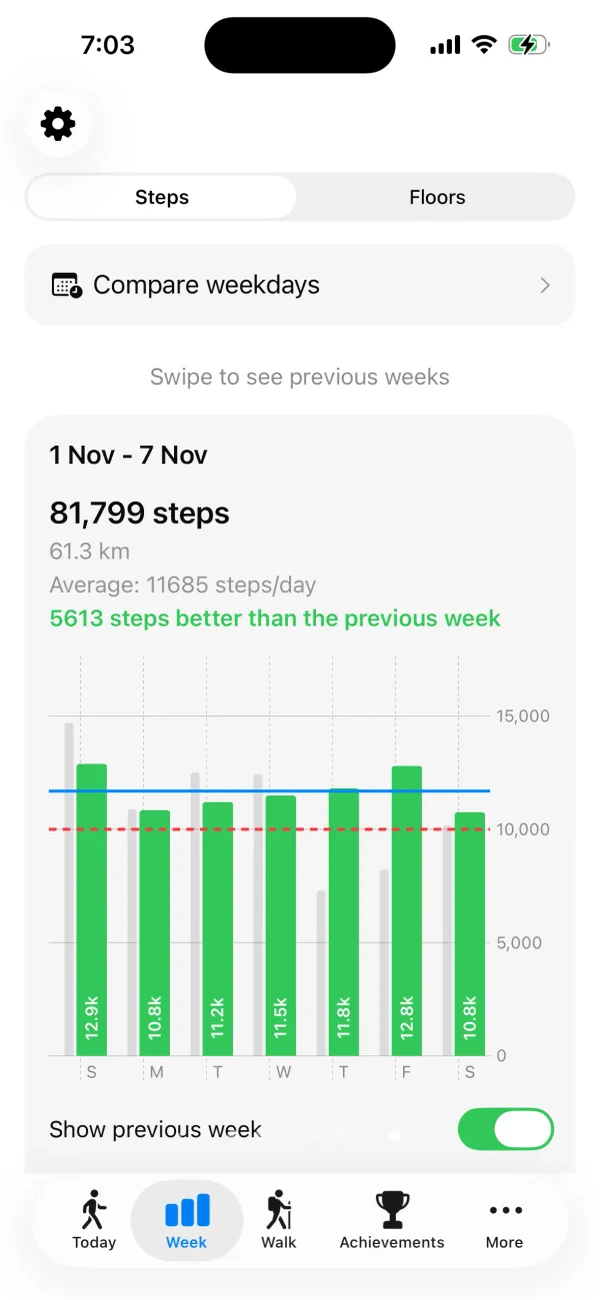
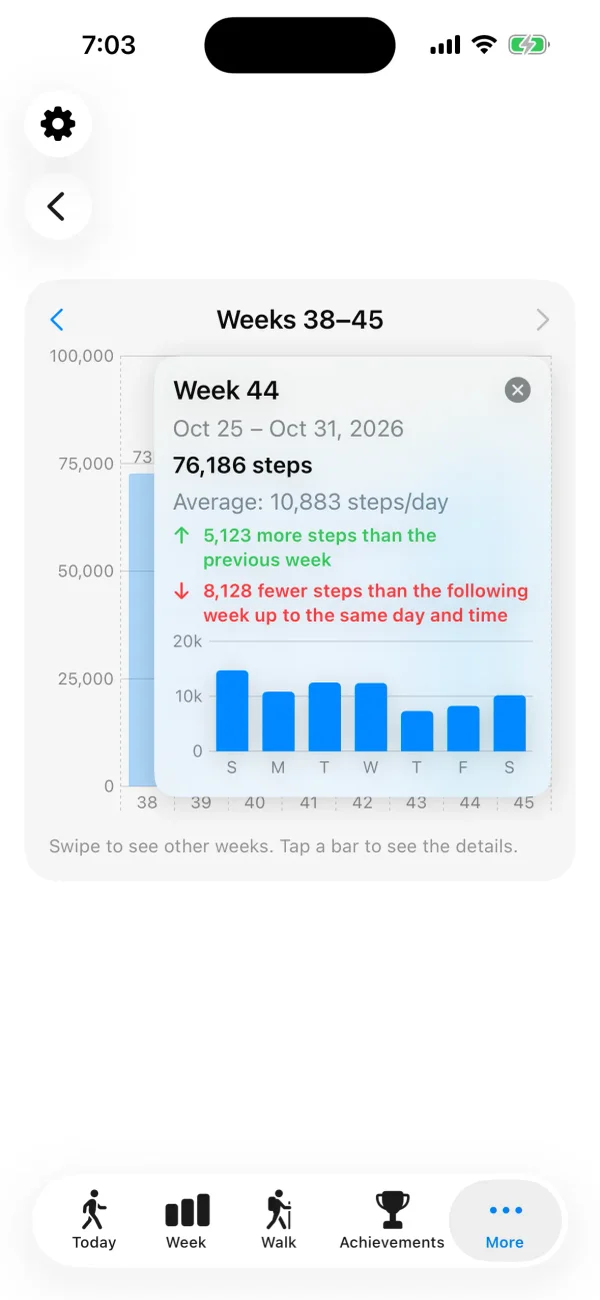
- Comparison with previous weeks
- Steps from your recent weeks in a chart you can swipe back through. Tap a week to see its dates, total, daily average, steps for each day and the comparison with the previous and next week; the current week is compared up to the same day and time
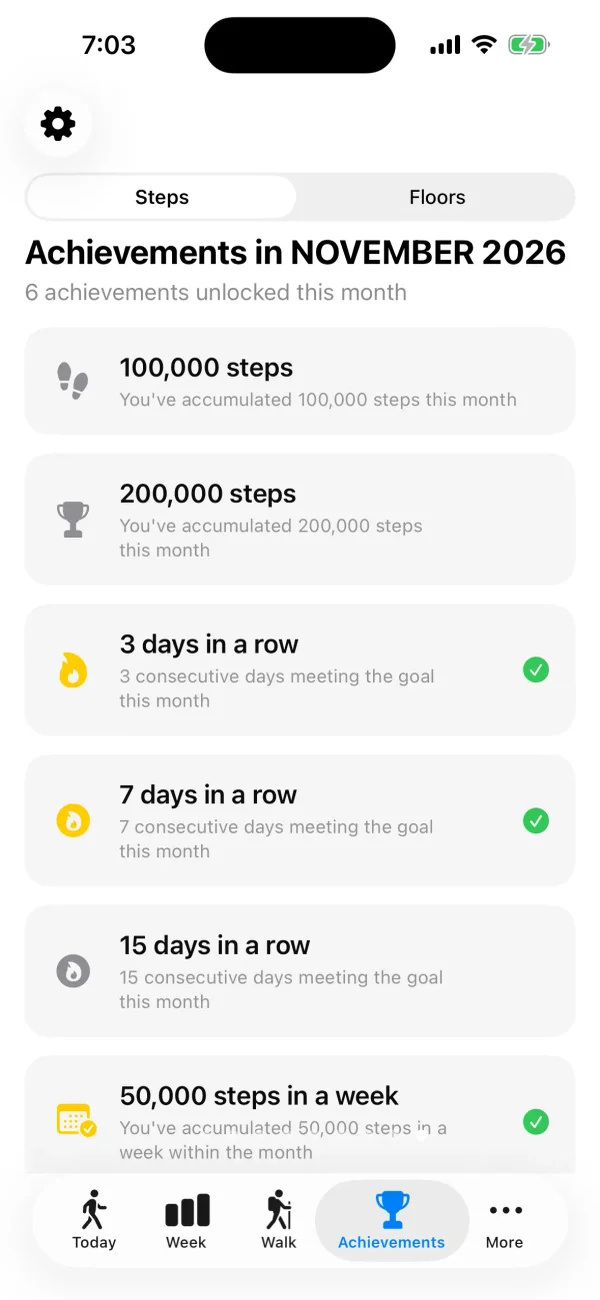
- Achievements for regularity and consistency, including floors climbed
YOUR WALKS
Start, pause and finish a walk whenever you like. While you walk, you will see live:
- Your route drawn on a map
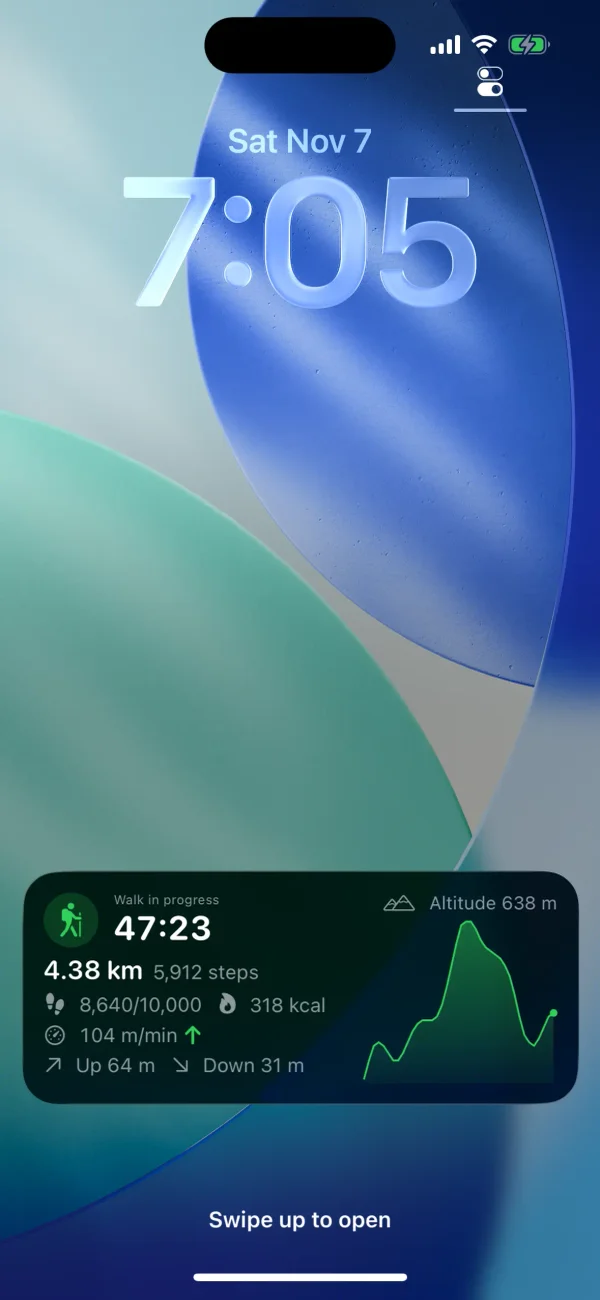
- Distance, steps, average speed and elevation gain and loss, and whether you are going uphill, downhill or walking on the flat right now
- Estimated calories, updated as the walk goes on
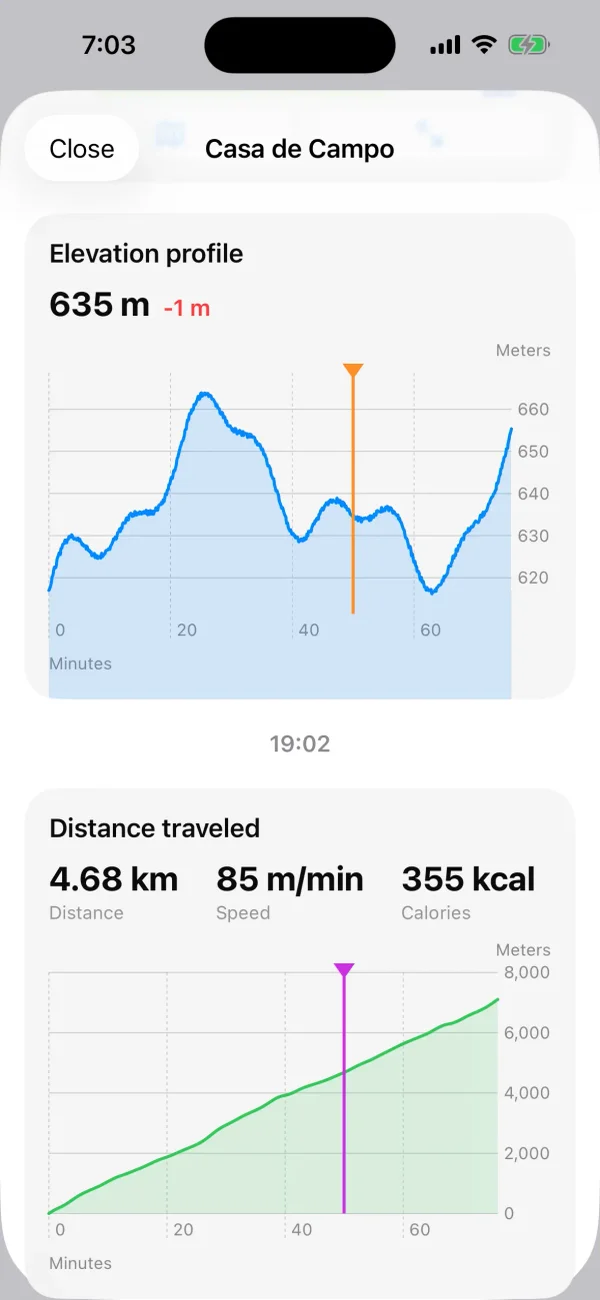
- An elevation profile chart
- On the Lock Screen, without unlocking your phone: time, distance, steps, current speed in metres per minute and whether it is above or below your average, metres climbed and descended, current altitude, calories, your steps for the day against your goal and the elevation profile of the walk
- In the Dynamic Island: time, distance, steps, metres climbed and descended and whether you are going uphill, downhill or on the flat
Tracking keeps working even if you lock the screen or switch apps, and if the app ever closes for any reason, you can pick up your walk right where you left off when you open it again.
RELIVE EVERY WALK
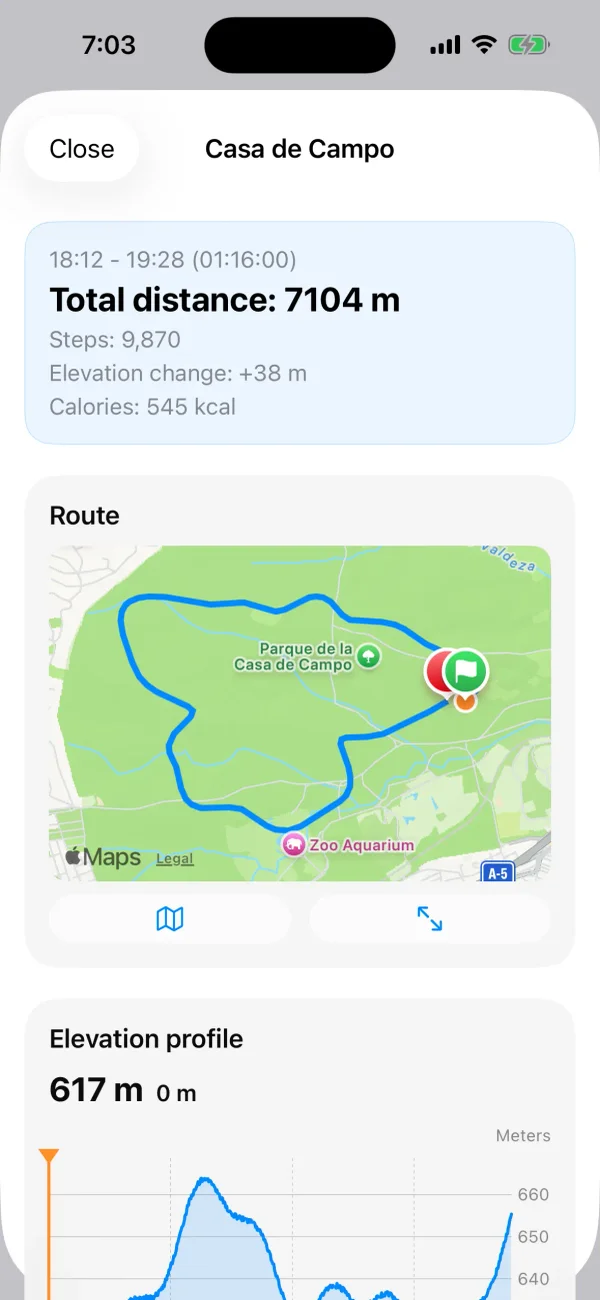
- The full route on the map
- Synchronised altitude and distance charts: drag the marker on either one to see the altitude, distance, speed and calories burned up to that point, also marked on the map
- Complete statistics: total time, distance, total elevation gain, estimated calories, number of records and detected stops
Make Letswalk your own: daily step and floor goals, active hours and step length, so the comparisons fit you. If you also add your weight, height, year of birth and sex, optional data used only for this calculation, Letswalk will estimate the calories you burn on each walk and each day. You can also choose the app's text size, independently of your iPhone setting.
Letswalk is available in English, Spanish, French, German, Italian, Portuguese (Portugal and Brazil), Russian, Simplified Chinese, Traditional Chinese, Japanese and Korean.
What’s new
Version 25 · Nov 9, 2026
- New languages: Brazilian Portuguese, Russian, Simplified Chinese, Traditional Chinese, Japanese and Korean.
- Week tab: the days in the chart follow the week order of your region (Monday to Sunday or Sunday to Saturday) and always match the dates shown.
- Fixes and improvements.
App privacy
What Jose Antonio Quiles declares on the App Store about how this app handles data.
-
Data not collected
The developer does not collect any data from this app.
Privacy practices may vary, for example with the features you use or your age.
Information
- Seller
- Jose Antonio Quiles
- Category
- Health & Fitness
- Version
- 25
- Updated
- Nov 9, 2026
- Released
- Apr 29, 2026
- Size
- 6.5 MB
- Requires
- iOS 18.6 or later
- Age rating
- 4+
- Price
- Free
- Languages
- English, Spanish
- Copyright
- © José Antonio Quiles Follana
You might also like
-
 Ground- 40Hz Brain RegulationStop Overthinking
-
 5BXTrack your daily 5BX exercises
-
 SuperFit - FitnessclubHealth & Fitness
-
 Let’s WalkTrack your steps. Get prizes!
-
 Posture Reminder: Good SpinePerfect posture, No back pain
-
 MSK Sono: Ultrasound GuideNerves, Joints,Muscles,Anatomy
-
 Necklo: Fix Posture & PainNeck pain, posture, mobility
-
 EchoRefUltrasonography Reference
-
 Pedometer.Step CounterDaily Goals & Health App Sync
-
 LIUJO SW SETHealth & Fitness