
LexiSprig
Learn Words from Photos
Designed for iPhone, iPad
Free · In-app purchases
- Age rating4+
- CategoryEducation
- Developer笑明 贾
- LanguagesEnglish+ 1 more
- Size102.5 MB
Links to the official App Store page
Download.org hosts no file of LexiSprig. The button opens its official App Store page, published by 笑明 贾. Listing last checked on Nov 20, 2026.
Screenshots
About
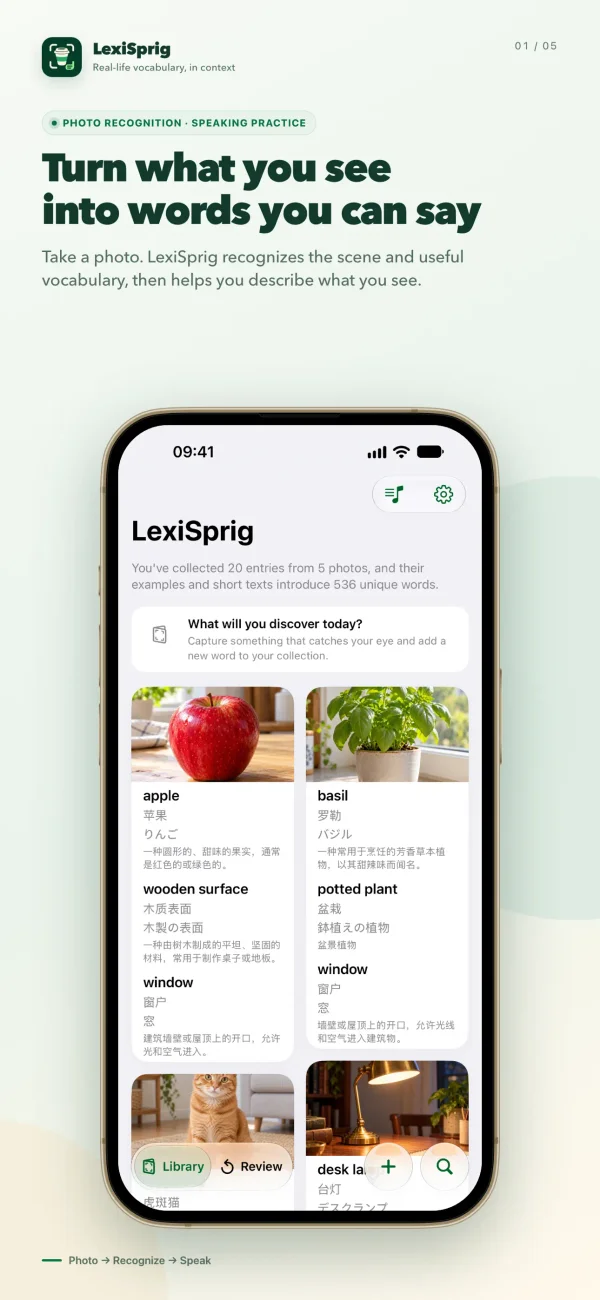
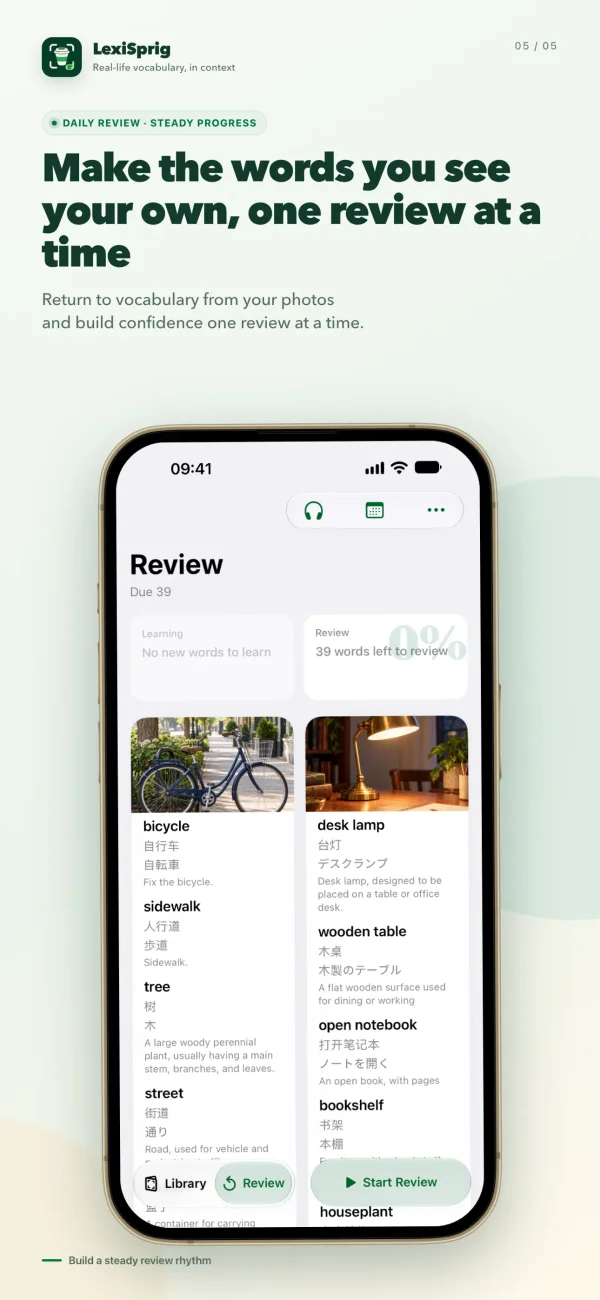
Turn your everyday scenes and printed vocabulary pages into word cards you can understand, practice, and return to.
COLLECT WORDS FROM YOUR OWN LIFE
Photograph objects around you, review what was recognized, and correct names before saving. Scan a printed vocabulary page, check and edit the candidates, then collect them in batches. Keep the source photo and continue editing its cards later.
UNDERSTAND WORDS IN CONTEXT
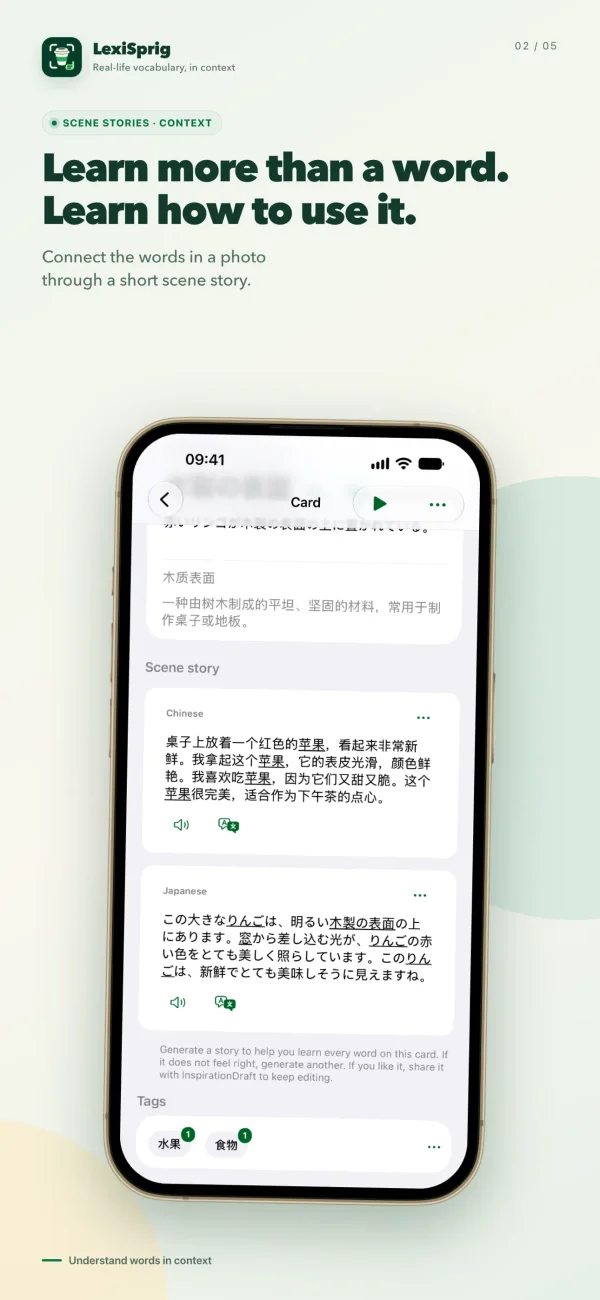
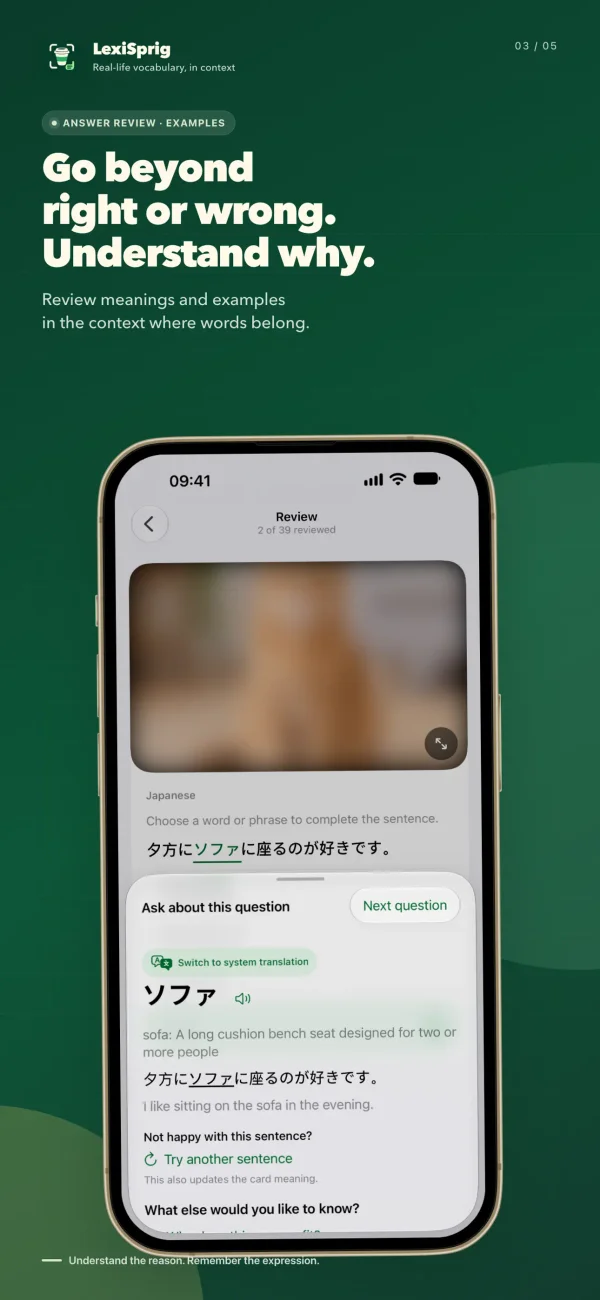
Each card includes meanings and example sentences. Connect words from a photo or scanned page into a short passage, practice with context-based cloze questions, and ask follow-up questions about words or passages. After answering, read explanations and translations or generate more examples. Send a photo and its passage to InspirationDraft when you want to continue writing.
LEARN MORE LANGUAGES WITHOUT REBUILDING YOUR LIBRARY
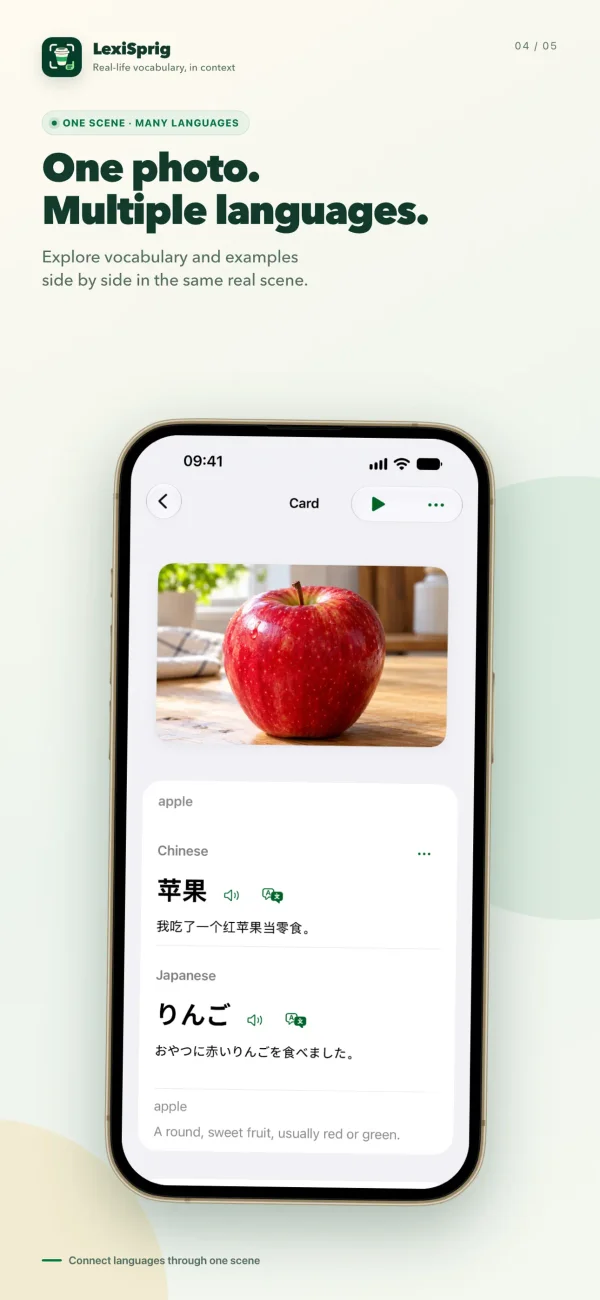
Choose among English, Simplified Chinese, Hindi, Spanish, Arabic, French, Portuguese, Indonesian, Japanese, German, Korean, Hong Kong Cantonese, Turkish, Russian, and Thai. Set your explanation language separately. When adding a language, choose whether to complete existing cards or use it only for new cards. Each language keeps its own review schedule.
BUILD A ROUTINE AT YOUR OWN PACE
Set daily limits for new words and reviews; unfinished work continues on later days. Start learning from a single card or use scheduled study and mistake review. Practice through photo-assisted, shuffled, and photo-hidden rounds. Cloze practice works in batches, with answer explanations and retry or skip options.
LISTEN WHILE YOU LEARN
Read words and examples aloud, choose voices and playback content, and use vocabulary playlists. Check the current word and control playback from system Now Playing and the Lock Screen. Download system translation languages and higher-quality voices using the preparation instructions in Learning settings. System language and voice availability varies by device.
CHOOSE THE AI THAT FITS YOUR DEVICE AND TASK
Use the downloadable on-device E4B model, or connect a supported cloud vision model with your own API key. Choose the model for supported collection, learning, review, and translation tasks. Local performance and quality depend on your device; cloud providers may charge separately.
For more image privacy, enable local image recognition while using a cloud model. Protected AI tasks keep image payloads on your device and send only the required text and locally recognized descriptions to your chosen provider. Recognition accuracy may be lower, and recognized text may still contain personal information. Cloud connection tests use a sample image with your confirmation; iCloud backups are managed separately.
KEEP YOUR COLLECTION UNDER YOUR CONTROL
Search and organize saved vocabulary, export local backups, and create or restore manual iCloud backups. Automatic iCloud backup pauses when the app cannot verify the complete cloud backup history, protecting earlier copies rather than treating an incomplete local listing as authoritative.
FREE LIBRARY, PREMIUM LEARNING
View and manage saved cards, generated content, learning records, and backups for free. Premium unlocks new-word study, scheduled and mistake review, advanced review rounds, and new AI learning content. Plans and localized prices appear on the App Store purchase screen.
AI-generated meanings, examples, explanations, and passages may be incomplete or inaccurate. Review them before relying on them.
Terms of Use (EULA): https://lexisprig-app.github.io/legal/terms.html
Privacy Policy: https://lexisprig-app.github.io/legal/privacy.html
What’s new
Version 3.1.0 · Nov 17, 2026
LexiSprig 3.1.0
From collecting words from photos to organizing cards, creating passages, and practicing, this update makes the whole flow smoother and easier to tailor.
Paste images to collect words
Paste an image copied from another app to recognize vocabulary without first saving it to Photos. If reading fails or times out, you’ll get a prompt to try again.
Organize multiple words from one photo
Collect and view related words from the same photo together. Grouping by source makes it easier to revisit each image alongside its vocabulary.
Adjust card passage preferences
Choose the difficulty and length of card passages, and decide whether they should draw on the photo. The result can better fit your learning needs.
Choose a card passage format
Choose a daily story, explanatory text, narrative, argumentative text, or dialogue for card scene passages. This preference applies to generated and regenerated card passages; it does not affect review cloze passages.
Study with the passage on the card
During learning, cloze questions use the passage from the word’s card, keeping practice connected to what you just studied. Review passages are generated for review.
Improve cloze questions and answer matching
A passage can still be used when it contains fewer words than the card. Word-form matching is more accurate, reducing false matches with unrelated words.
Skip review questions that cannot be checked
Skip a question that is temporarily unavailable. The word remains unfinished, receives no score, and keeps its review schedule so you can return to it later.
Improve word generation and editing
Enter a clue when adding a word, then use it to generate or regenerate the entry and its examples. Edits stay in a draft until you save, and you can revise a clue if generation needs another try.
Make photo recognition and collection more reliable
Improve photo re-recognition, resuming work after leaving the app, and saving recognized results to reduce repeated steps after interruptions.
Improve card appearance and playback
Refine photo cards, themes, and dark appearance for clearer reading in different environments. Playback also makes it easier to follow the current learning content.
Keep vocabulary sorting consistent and speed up library loading
The home page and card details use a consistent order for each learning language. Reducing repeated grouping and sorting also makes larger libraries quicker to browse.
Version: 3.1.0
App privacy
What 笑明 贾 declares on the App Store about how this app handles data.
-
Data not collected
The developer does not collect any data from this app.
Privacy practices may vary, for example with the features you use or your age.
Information
- Seller
- 笑明 贾
- Category
- Education
- Version
- 3.1.0
- Updated
- Nov 17, 2026
- Released
- Oct 26, 2026
- Size
- 102.5 MB
- Requires
- iOS 26.0 or later
- Age rating
- 4+
- Price
- Free
- In-app purchases
- Yes
- Languages
- English, Simplified Chinese
- Copyright
- Copyright © 2026 HDDevTeam. All rights reserved.
You might also like
-
 Nazoru: Read JapaneseTap a word, keep the sentence
-
 这句Education
-
 无痛日语 - AI背单词、查词典、JLPT考级Education
-
 语境岛 - 精听外语,在语境里背单词英语日语韩语等99种语言逐句字幕
-
 LingoDew: Dual-Subtitle VideosJapanese & English by level
-
 SceneWord - Daily WordsLearn languages through comics
-
 入戏英语Real Scenes, Natural English
-
 清河日语-日语背单词与JLPTEducation
-
 麻瓜日语Education
-
 根记日语-视觉画面记单词Education