Lifeline: Memory Journal
Private diary of your life
Designed for iPhone, iPad, iPod touch
Free · In-app purchases
- Age rating4+
- CategoryLifestyle
- DeveloperKonstantin Tikhaev
- LanguagesEnglish+ 8 more
- Size75.8 MB
Links to the official App Store page
Download.org hosts no file of Lifeline: Memory Journal. The button opens its official App Store page, published by Konstantin Tikhaev. Listing last checked on Nov 23, 2026.
Screenshots


About
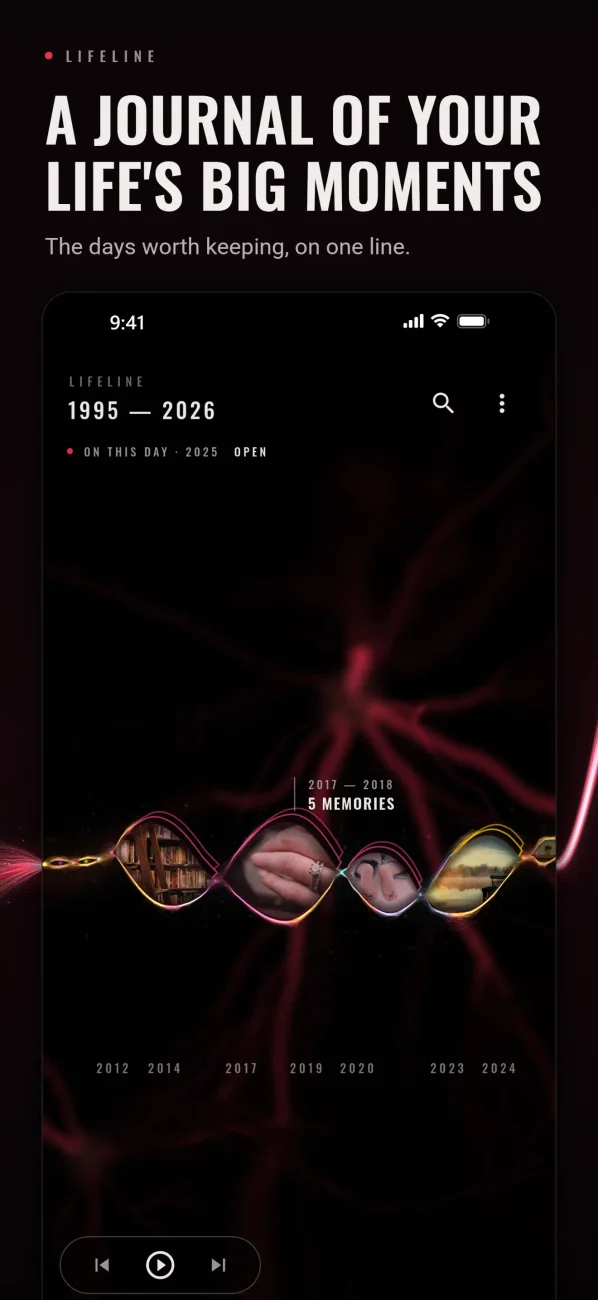
Lifeline is a memory journal for the big moments of your life, all on one timeline.
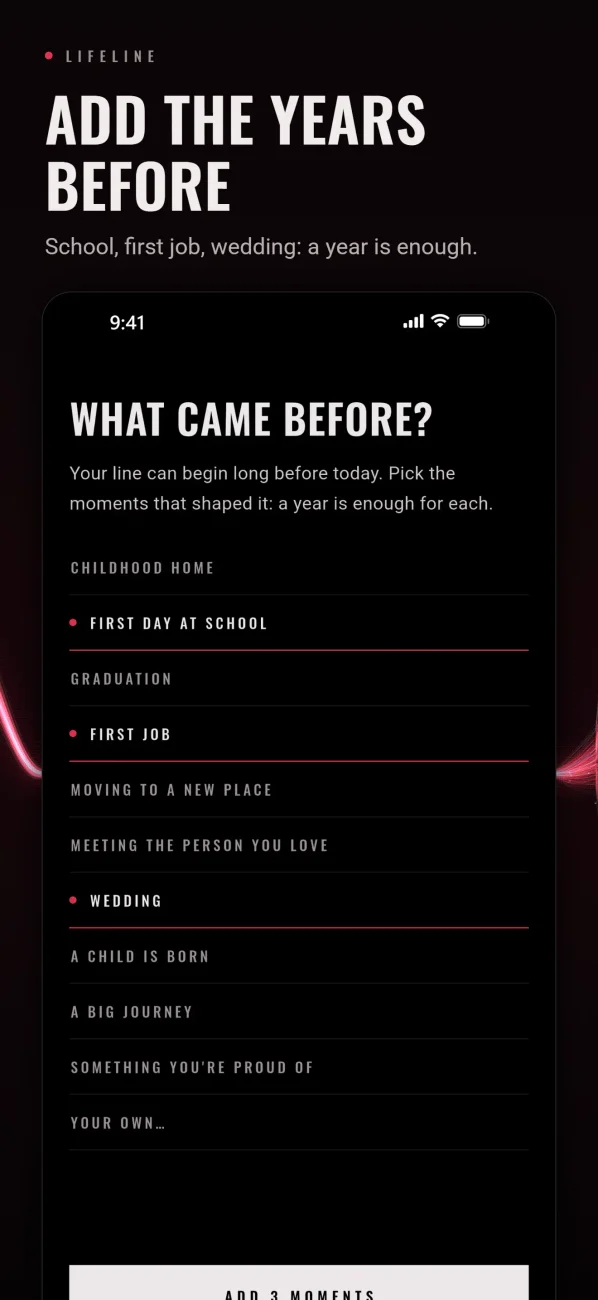
No daily pressure, no empty page every evening: write when something matters – a first day at school, a move, a wedding, a trip you still think about. Add the years before, too: school, a first job, the day you met. Each moment becomes a lens on one strand that runs from your earliest memory to today.
YOUR LIFE ON ONE LINE
• Every memory becomes a lens on the strand. The stronger the feeling, the larger the lens.
• Pinch to travel through the years; tap a lens to step back inside the moment.
• Long quiet stretches fold together, so decades fit on one screen.
A MOMENT, THE WAY IT FELT
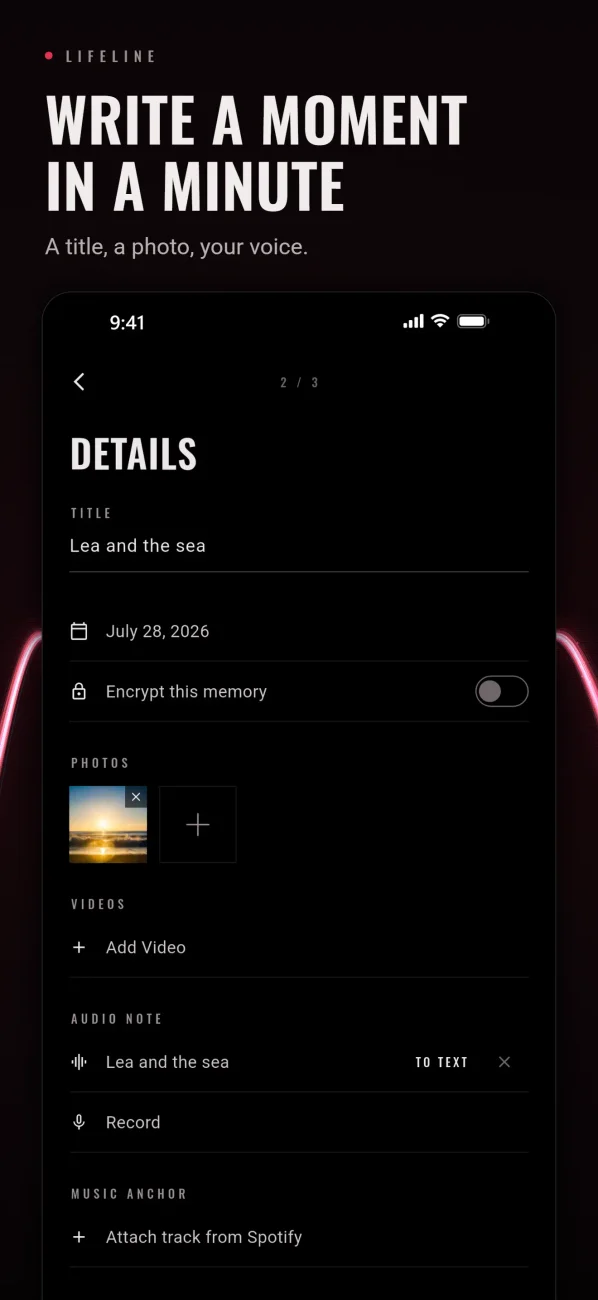
• A title, a date and your own words.
• One or two emotions, a word of your own for the feeling and how strong it was.
• Photos, a video and a voice note. Dictate with your phone's own dictation, or turn a recorded note into text.
• A song from Spotify and an ambient sound.
• A reflection: what it changed, the lesson, a step you want to take.
ON THIS DAY
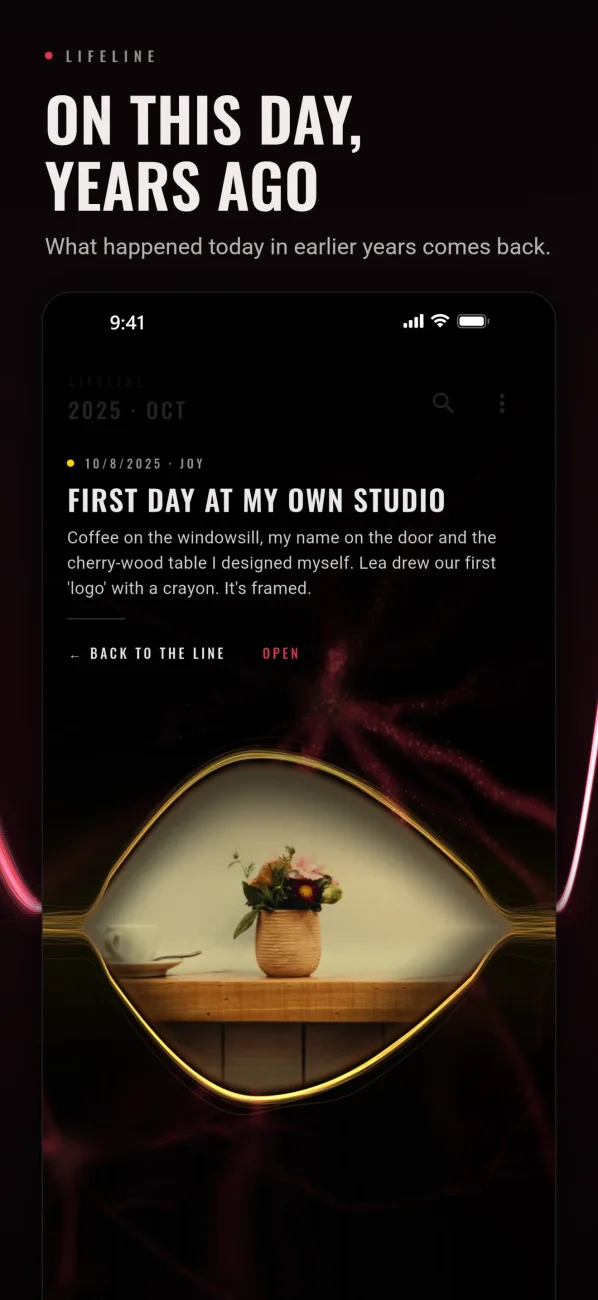
In the morning, a memory from this same day in an earlier year can come back. Mark the days that hurt as quiet dates, and nothing comes back on its own.
AI, ONLY IF YOU WANT IT
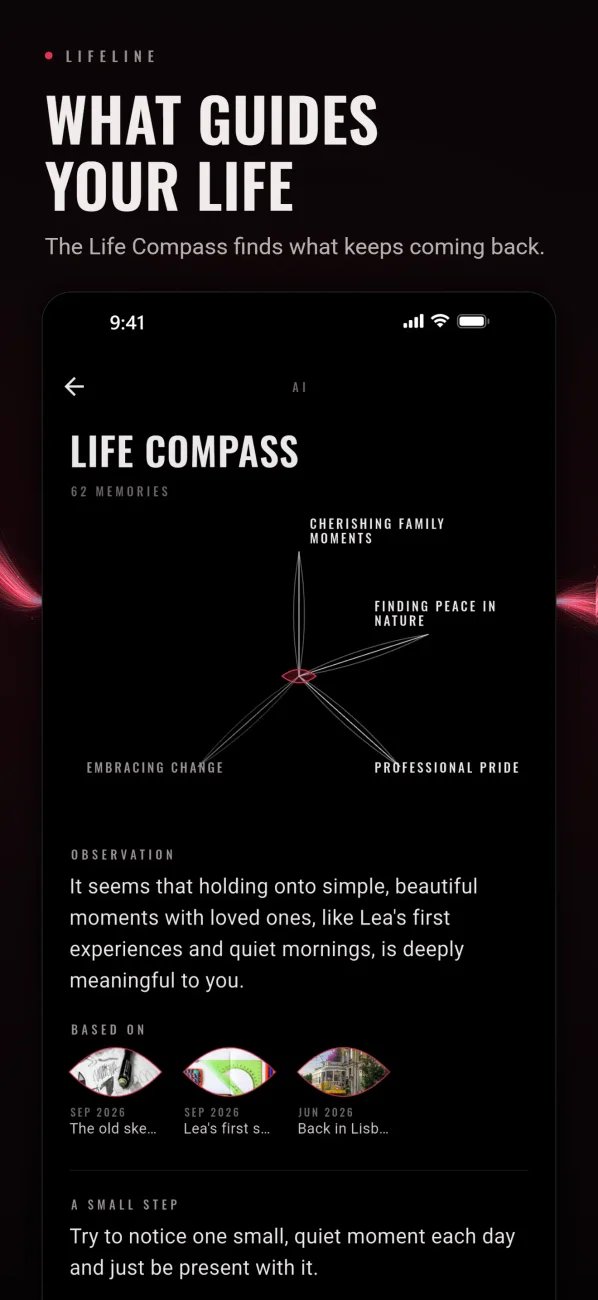
AI is optional, for people aged 18 and older, and nothing is sent before you agree. It doesn't write your story; it asks gentle questions about a moment. With Premium it can also find the pattern of a month, draw your Life Compass from your memories and show what followed similar moments. The "What the AI sees" screen shows exactly what each feature sends.
PRIVATE BY DESIGN
• Encrypt any memory with your master password. Its text, reflections and the AI's questions and your answers are encrypted on your phone before they are synced. The title, date, emotions, photos, videos and voice notes are not encrypted, so the line and On this day can work.
• An optional recovery key, so a forgotten password doesn't lock you out.
• Unlock with Face ID or Touch ID.
• No ads, and we don't sell your data. Usage statistics only if you allow them.
• Export your whole archive for free: every memory as text, with its photos, videos and voice notes, in one ZIP – with a PDF if you like.
ALSO
• Works offline and syncs across your iPhone and iPad.
• Try it as a guest, without an account (up to 5 memories).
• Sign in with Apple, Google or email.
• In 9 languages.
LIFELINE PREMIUM
Free with an account: unlimited memories; up to 10 photos, 1 video, 1 voice note and 1 song per memory; the first round of AI questions; voice note to text; On this day; encryption and the full export.
Premium adds: no limits on photos, videos, voice notes and songs in a memory; reminders for your action plans; the full ambient sound library; "In the world" – the news and songs of a memory's day; playing a memory's song in the background through the Spotify app (needs the Spotify app and a Spotify account; Spotify Premium for on-demand tracks); the deeper round of AI questions, the Life Compass, monthly patterns and what followed similar moments.
Premium is a monthly or yearly subscription. New subscribers get a 1-week free trial. Payment is charged to your Apple Account. The subscription renews automatically unless you cancel it at least 24 hours before the end of the current period; manage or cancel it in your App Store account settings.
Terms of Use: https://lifelinestory.com/terms_en.html
Privacy Policy: https://lifelinestory.com/privacy_en.html
What’s new
Version 2.0.9 · Nov 18, 2026
• A reminder about a moment now opens that moment right away — a year and a few words will do.
• Shared memories: a new photo no longer briefly shows the previous one.
• Small fixes.
App privacy
What Konstantin Tikhaev declares on the App Store about how this app handles data.
-
Data used to track you
May be used to track you across apps and websites owned by other companies.
- Purchases
- Identifiers
- Usage data
-
Data linked to you
May be collected and linked to your identity.
- Purchases
- Contact info
- User content
- Identifiers
-
Data not linked to you
May be collected but is not linked to your identity.
- Location
- Identifiers
- Usage data
- Diagnostics
Privacy practices may vary, for example with the features you use or your age.
Information
- Seller
- Konstantin Tikhaev
- Category
- Lifestyle
- Version
- 2.0.9
- Updated
- Nov 18, 2026
- Released
- Nov 20, 2025
- Size
- 75.8 MB
- Requires
- iOS 15.0 or later
- Age rating
- 4+
- Price
- Free
- In-app purchases
- Yes
- Languages
- English, Arabic, French, German, Hebrew, Portuguese, Russian, Simplified Chinese, Spanish
- Copyright
- © 2026 Konstantin Tikhaev
You might also like
-
 Moss: Private Journal & DiaryWith Lock, Voice, Photo & Mood
-
 Memoora AppPreserve your memories
-
 AuraDaily AI: Daily JournalMood Tracker & Gratitude Diary
-
 background: media journalYour media collection
-
 Mindora - Tagebuch & BegleiterLifestyle
-
 BalanceLifeLifestyle
-
 EiMotionMood Tracker & Breathing
-
 Birthday Reminder: Gift Ideasai generate Wish List tracker
-
 Lineo · Life StoryYour Life. Timelined.
-
 journyy: Journal, Mood, HabitsNo subscription, no pressure