
- Age rating4+
- CategoryLifestyle
- Developer晓晗 宿
- LanguagesEnglish+ 3 more
- Size44.0 MB
Links to the official App Store page
Download.org hosts no file of LifeLogs - 我的五年日记. The button opens its official App Store page, published by 晓晗 宿. Listing last checked on Nov 6, 2026.
Screenshots



About
The developer has not provided this text in your language.
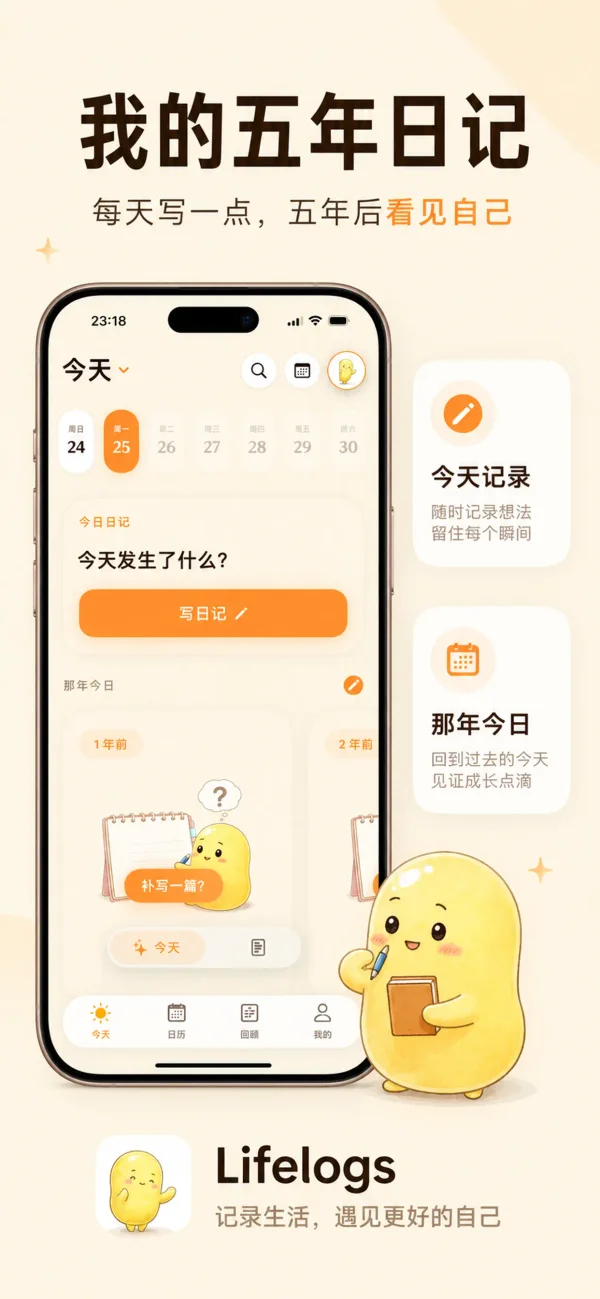
LifeLogs 是一本为长期陪伴设计的五年日记。
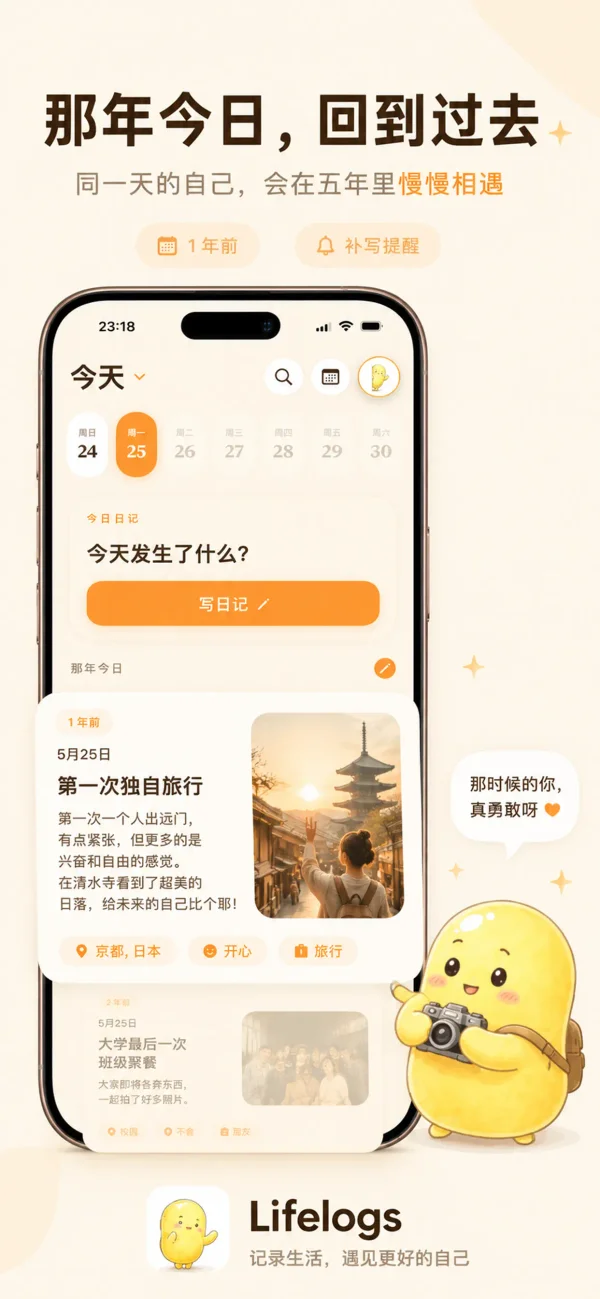
每天写下一点今天,未来同一天再打开时,你会看到过去几年此刻的自己:当时在烦恼什么、喜欢什么、去了哪里,又是怎样一点点长成现在的样子。
核心功能:
那年今日
自动整理过去同一天的记录,让回忆不只是存档,而是在每一次重逢里被重新看见。
轻松记录
支持文字、照片、语音和位置。可以认真写一篇,也可以只留下一个瞬间,让记录没有压力。
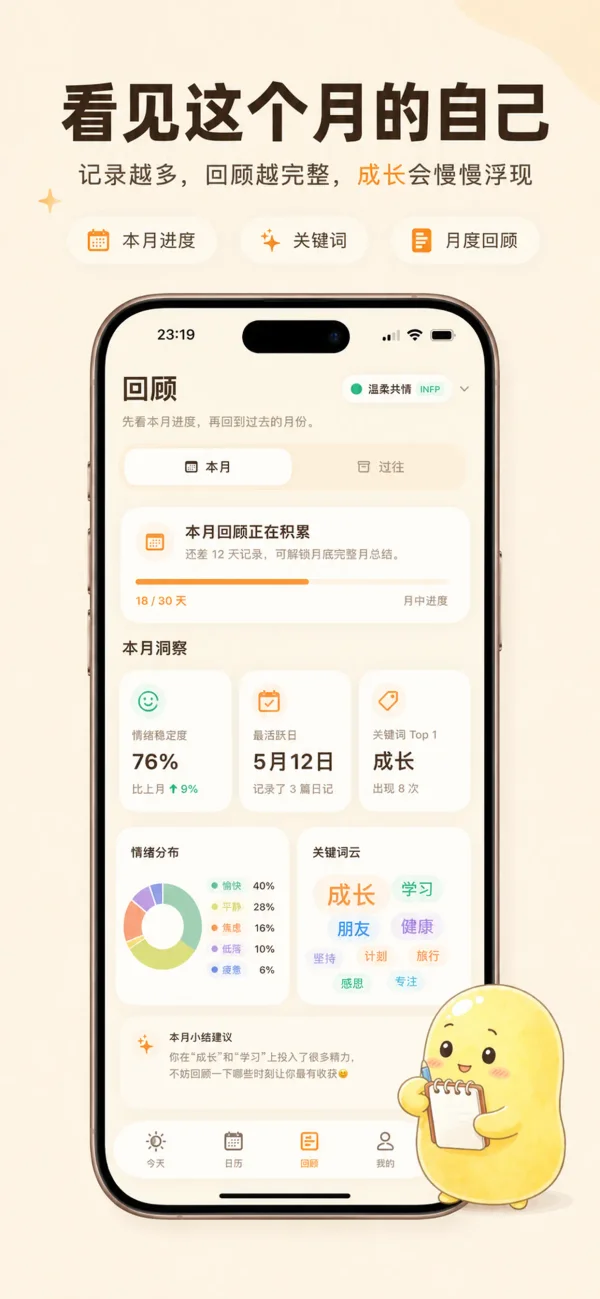
月度回顾
当某个月累计超过 15 天可总结的日记后,LifeLogs 会为你生成月度回顾,提炼关键词、情绪趋势和重要片段。即使你后来补写过去月份的日记,也能自动补全对应月份的总结。
iCloud 备份
开启 Plus 后,可使用 iCloud 备份和同步,让重要回忆在你的 Apple 设备之间更安心地保存。
多种总结风格
同样的日记,可以用不同角度理解自己。你可以选择更犀利、更温柔或更务实的月总结表达方式。
隐私与安全
日记是很私人的内容。LifeLogs 优先在本机保存你的记录;当你开启 iCloud 相关能力时,数据会进入你的私人 iCloud 环境,并在同步前尽量保护本地已有内容,避免被云端状态直接覆盖。
适合谁使用:
想坚持写日记的人。
想记录生活变化的人。
想在几年后重新遇见自己的你。
从今天开始,把每一天都留给未来的自己。
Terms of Use (EULA): https://www.apple.com/legal/internet-services/itunes/dev/stdeula/
What’s new
Version 1.12 · Oct 11, 2026
本次更新:
• 修复 Plus 购买及恢复成功后会员状态未及时更新的问题。
• 优化订阅套餐加载和错误提示,开通或恢复成功后自动关闭开通页面。
• 优化日记编辑、日期浏览与界面布局。
• 完善隐私与数据使用说明。
App privacy
What 晓晗 宿 declares on the App Store about how this app handles data.
-
Data linked to you
May be collected and linked to your identity.
- Purchases
- Contact info
- User content
- Identifiers
- Usage data
Privacy practices may vary, for example with the features you use or your age.
Information
- Seller
- 晓晗 宿
- Category
- Lifestyle
- Version
- 1.12
- Updated
- Oct 11, 2026
- Released
- Oct 11, 2026
- Size
- 44.0 MB
- Requires
- iOS 18.1 or later
- Age rating
- 4+
- In-app purchases
- Yes
- Languages
- English, Japanese, Korean, Simplified Chinese
- Copyright
- © 2026 Xiaohan Su
You might also like
-
 AI预言家Lifestyle
-
 Hollo - AI Mood Journal & VentTalk it out. Keep the record.
-
 Freely WallpaperBuild your own wallpaper
-
 Me, Every DayYour days. A portrait of you.
-
 毛仔派对 furppy - 宠物出行帮手Lifestyle
-
 物品日记 - 智能物品管理与保质期提醒Lifestyle
-
 OneLine – Daily DiaryOne Line a Day Journal
-
 Suka Digital CardFind numbers, have fun.