LifeMap: Time Left
Time left, and money ahead
Designed for iPhone
In-app purchases
- Age rating4+
- CategoryFinance
- Developershinya takayanagi
- LanguagesJapanese+ 1 more
- Size1.1 MB
Links to the official App Store page
Download.org hosts no file of LifeMap: Time Left. The button opens its official App Store page, published by shinya takayanagi. Listing last checked on Nov 23, 2026.
Screenshots


About
LifeMap counts the time you have left, and helps you plan the money that has to last that long.
■ Time left, in six units
Set your birthday and the age you want to count to. The app shows the time between now and then in years, months, days, hours, minutes, and seconds. 43 years. 16,010 days. 1.38 billion seconds. The same length of time looks very different depending on the unit.
The seconds tick down as you watch. The one you are living right now is one of them.
■ Your past, on one timeline
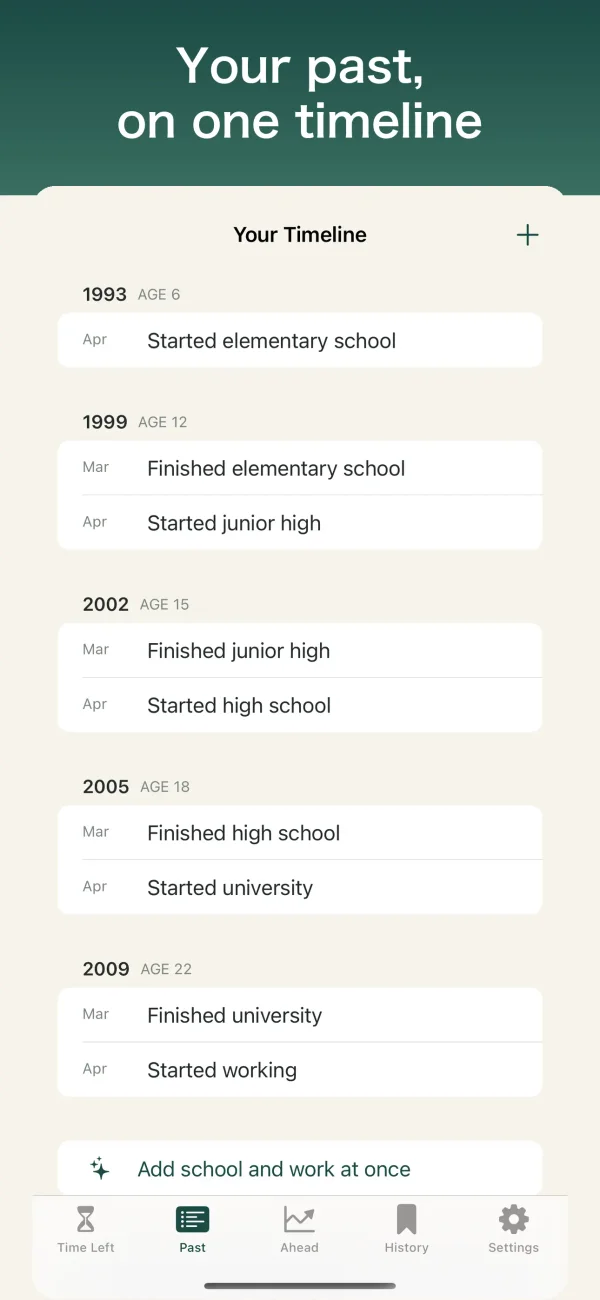
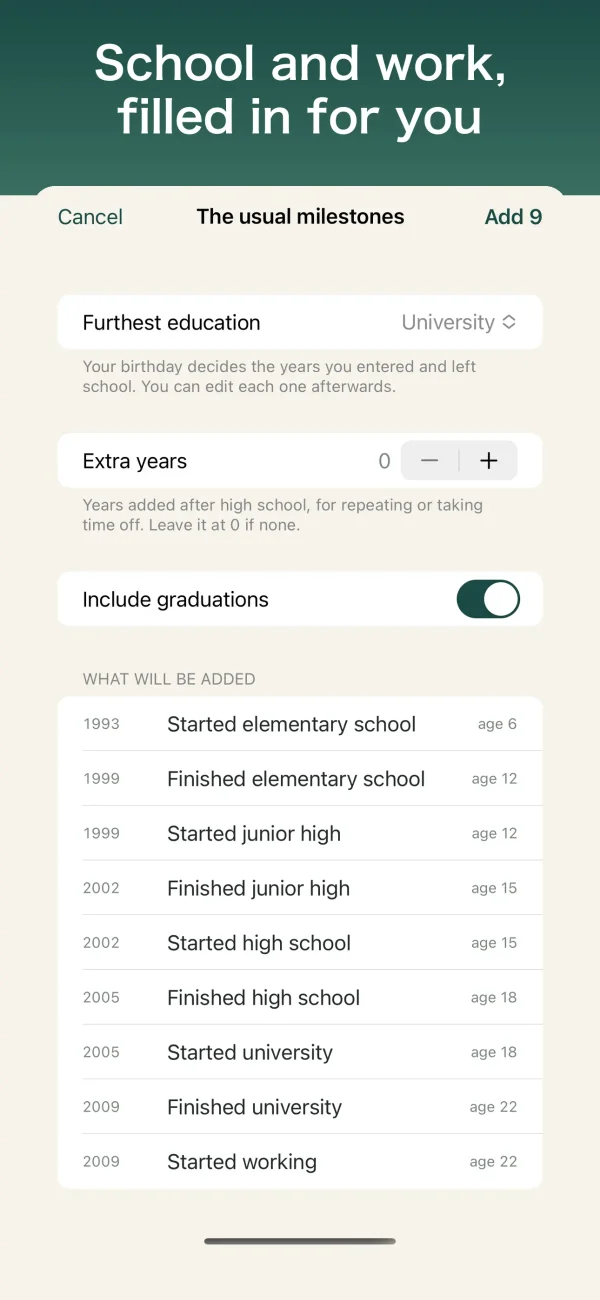
Write down what has already happened. A year is enough — you do not have to remember the month. If you have set your birthday, your age at each moment is added for you. School and work, from first grade to your first job, can be filled in by answering a few questions. Export the finished timeline as a single image.
■ You choose the number
The age you count to is yours to set. The default is 84, and you can change it whenever you like. The app never asks about your gender or your health.
■ The money, in the same app
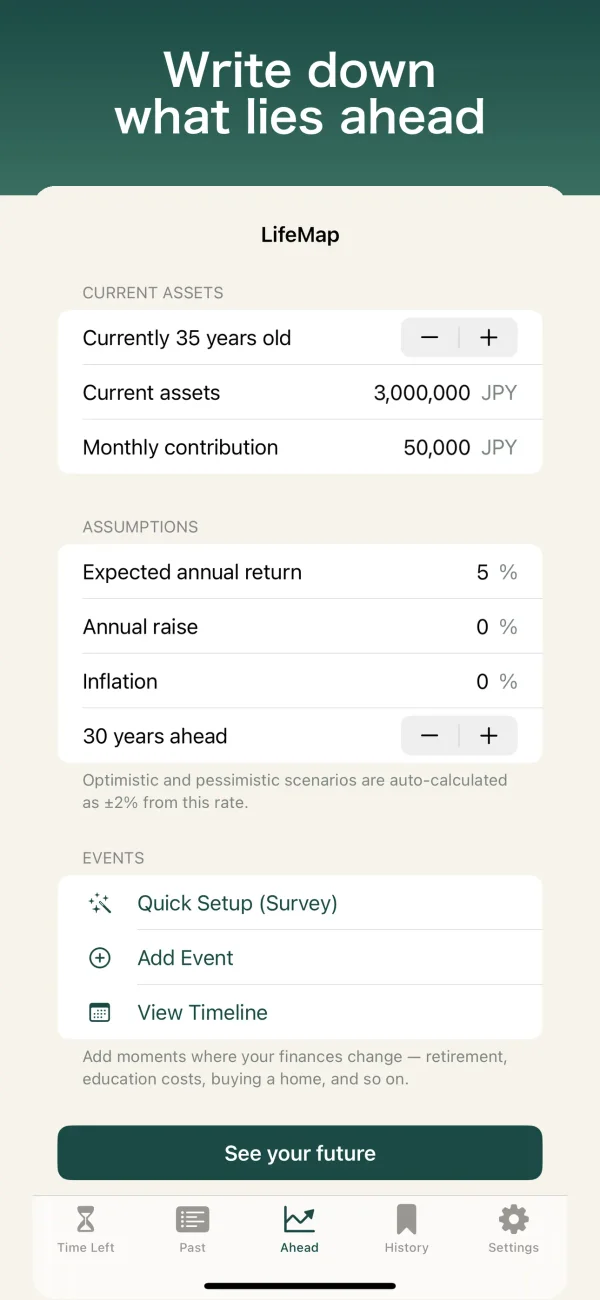
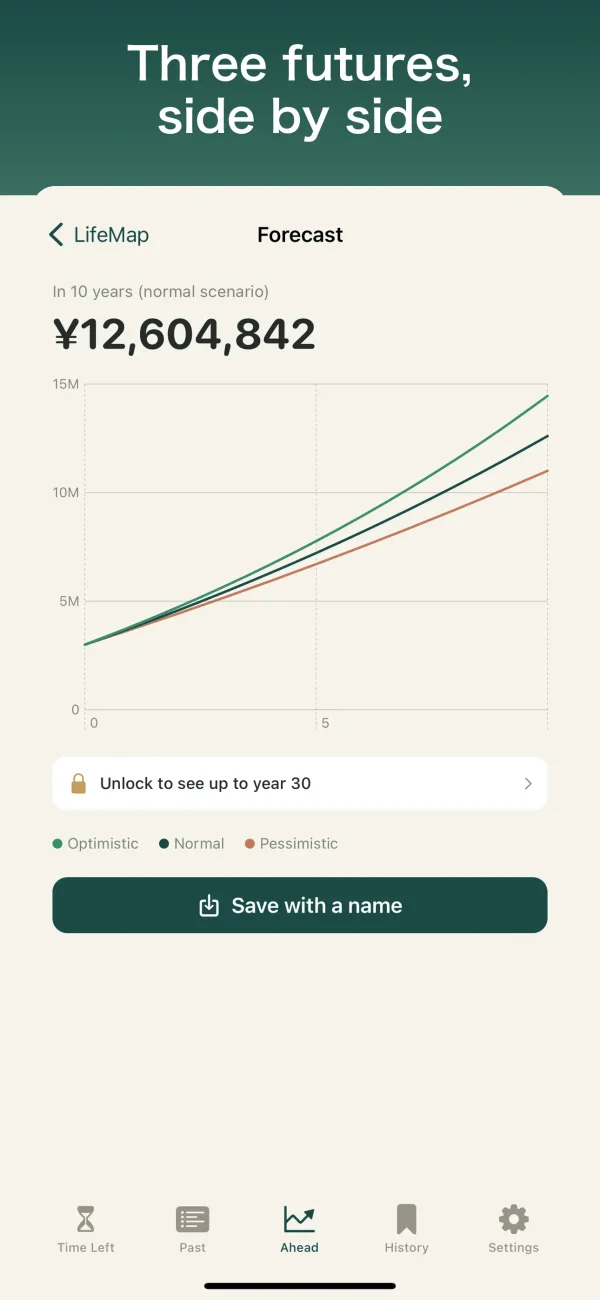
From your current assets and monthly contributions, LifeMap projects what you will have and when — as three scenarios at once (optimistic, normal, pessimistic), so you can see the range rather than a single line.
■ Life events, folded in
Retirement, education, buying a home. Add the moments where your income or spending changes and the projection takes them into account.
■ Compare the choices
"If I keep this pace." "If I save more." Save scenarios with a name and put them side by side later.
■ Everything stays on your device
What you enter is stored on your device only. No account, no sign-in.
What’s new
Version 1.4 · Nov 15, 2026
・You can now rate the app from Settings.
・Minor improvements.
App privacy
What shinya takayanagi declares on the App Store about how this app handles data.
-
Data not linked to you
May be collected but is not linked to your identity.
- Identifiers
- Usage data
- Diagnostics
Privacy practices may vary, for example with the features you use or your age.
Information
- Seller
- shinya takayanagi
- Category
- Finance
- Version
- 1.4
- Updated
- Nov 15, 2026
- Released
- Sep 8, 2026
- Size
- 1.1 MB
- Requires
- iOS 16.0 or later
- Age rating
- 4+
- In-app purchases
- Yes
- Languages
- Japanese, English
- Copyright
- © 2026 Shinya Takayanagi