
- Age rating12+
- CategoryProductivity
- DeveloperJonnatan Lebron
- LanguagesEnglish
- Size45.3 MB
Links to the official App Store page
Download.org hosts no file of LifeOps Assistant. The button opens its official App Store page, published by Jonnatan Lebron. Listing last checked on Nov 12, 2026.
Screenshots
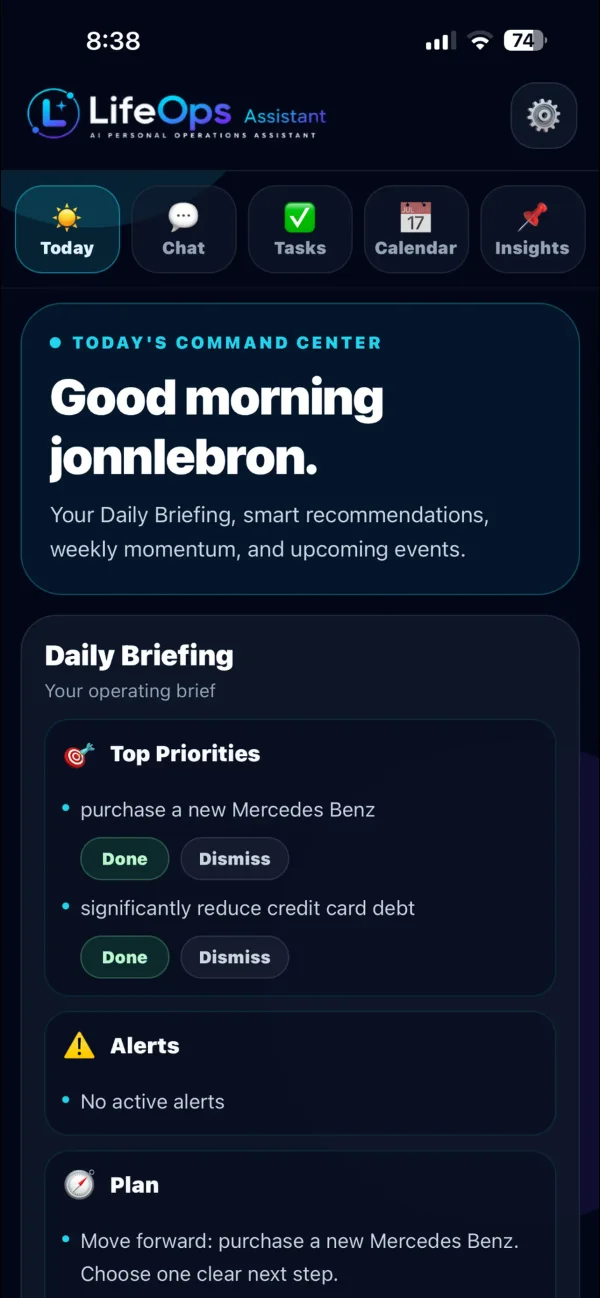


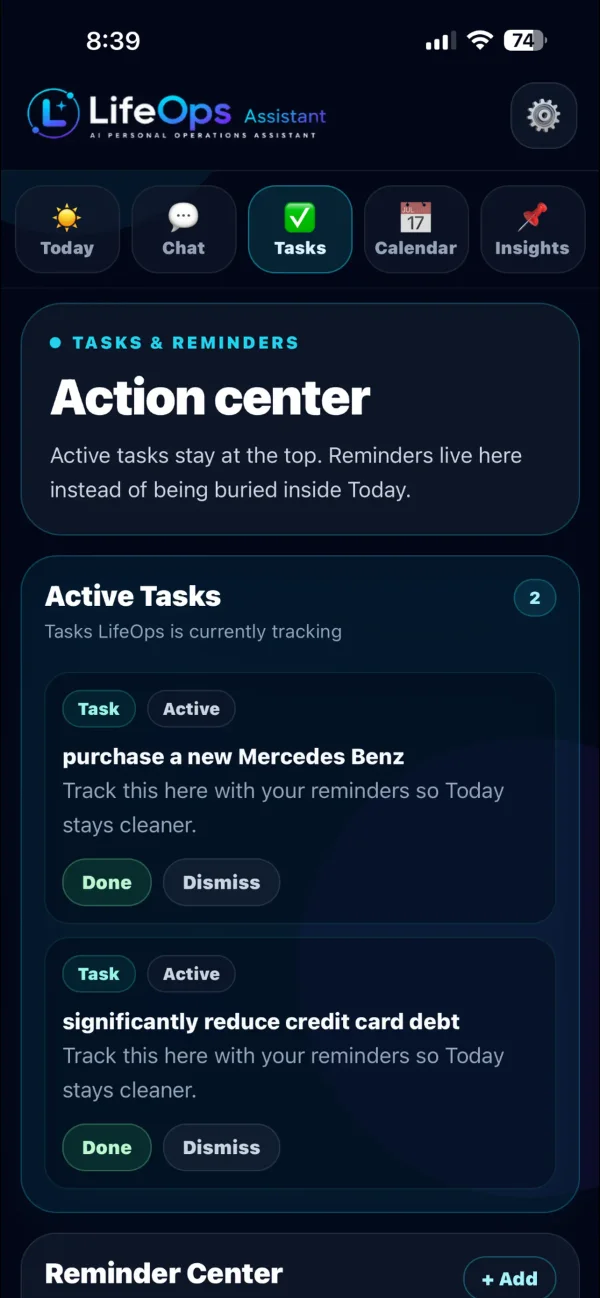
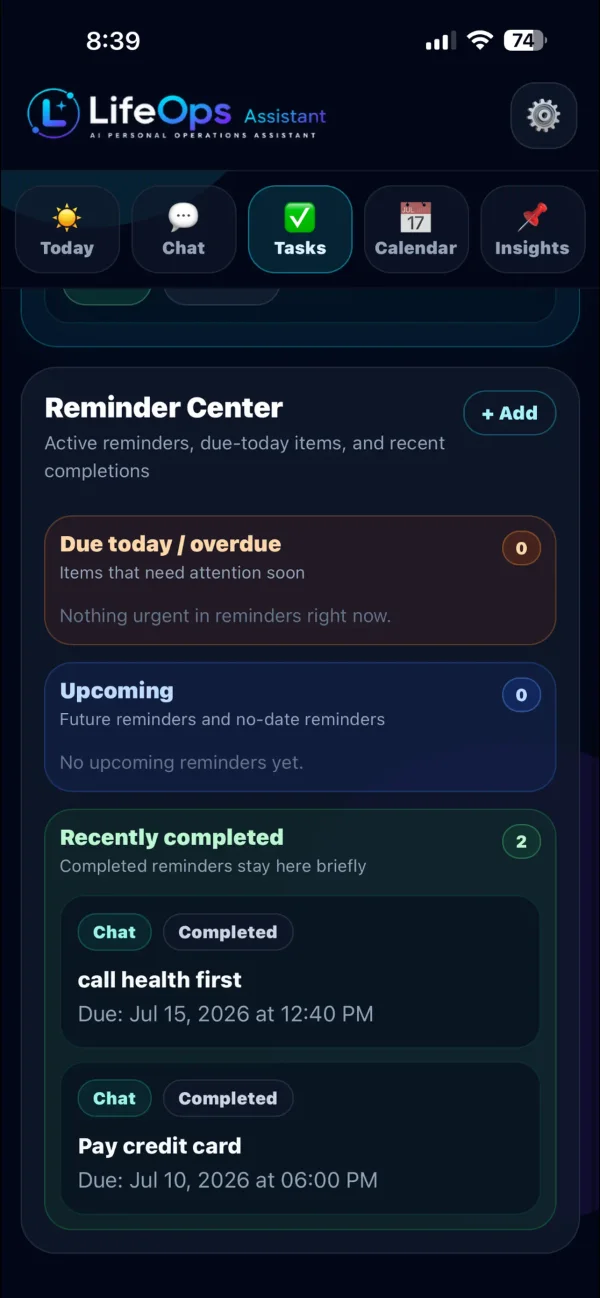

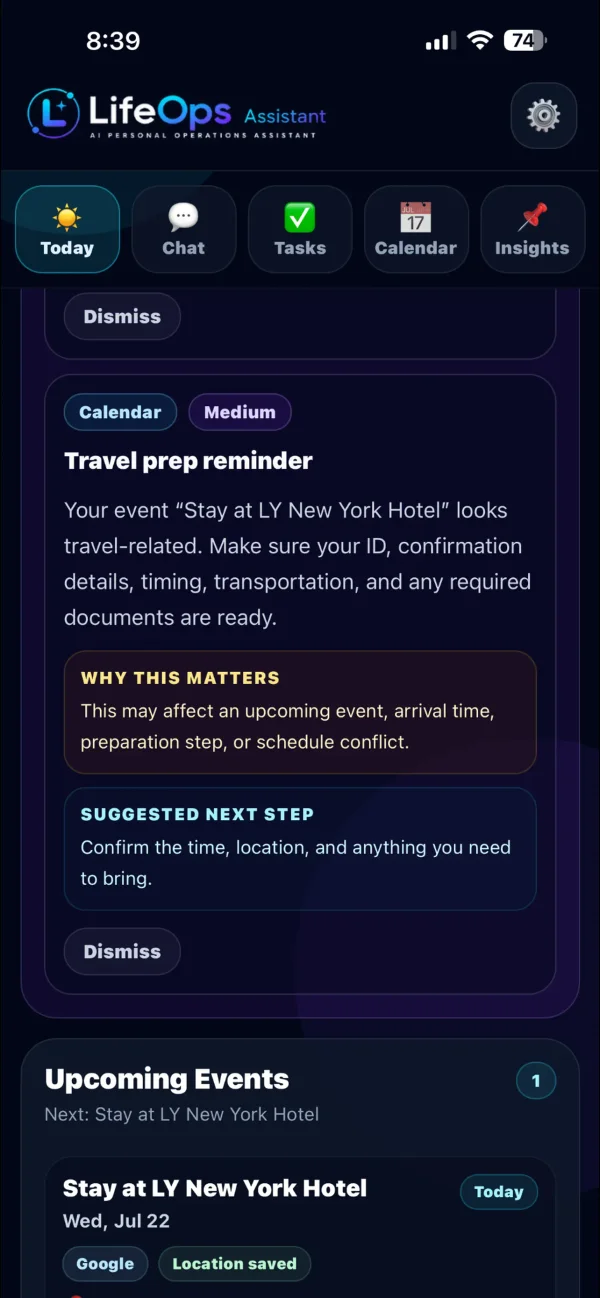
About
LifeOps Assistant is your AI-powered personal operations assistant, designed to help you stay organized, informed, and ahead of what matters.
Bring your everyday priorities into one intelligent workspace. LifeOps helps you manage tasks and reminders, understand important email signals, stay aware of upcoming calendar events, analyze files and images, and get personalized guidance throughout your day.
KEY FEATURES
• AI Personal Assistant
Chat naturally with LifeOps to get help planning your day, organizing responsibilities, answering questions, and deciding what to focus on next.
• Daily Briefing
Start your day with a clear overview of your priorities, alerts, upcoming obligations, and recommended next steps.
• Email Intelligence
Connect supported Gmail and Outlook accounts to surface useful signals such as bills, deadlines, appointments, orders, travel updates, account notices, and other items that may need your attention.
• Calendar Awareness
Connect Google Calendar and Microsoft Calendar to view upcoming events and organize your schedule. Create and update supported calendar events directly from LifeOps.
• Tasks & Reminders
Create, manage, complete, and track tasks and reminders so important responsibilities do not slip through the cracks.
• Smart Recommendations
LifeOps can turn useful information from your connected services and activity into practical recommendations and suggested actions.
• File & Image Analysis
Upload supported documents, screenshots, and images to summarize information, extract important details, identify deadlines, and determine useful next steps.
• Live Information
Ask questions that need current information and LifeOps can perform live web searches when needed.
• Proactive Notifications
Receive enabled reminders, Daily Briefings, calendar preparation alerts, and Smart Recommendation notifications.
PRIVACY & CONTROL
Connecting Google or Microsoft is optional. You control your connected services and can delete your LifeOps account directly from the app.
LifeOps uses AI-generated information, which may occasionally be incomplete or inaccurate. Always verify important information before making significant decisions.
Your life has a lot of moving parts. LifeOps helps bring them together.
Terms of Use: https://www.apple.com/legal/internet-services/itunes/dev/stdeula/
What’s new
Version 1.1.0 · Sep 5, 2026
LifeOps now includes a new first-run tutorial to help you quickly understand Daily Briefings, AI Chat, calendars, tasks, reminders, Smart Recommendations, email intelligence, and the benefits of Pro and Premium plans. This update also includes onboarding improvements and general polish.
App privacy
What Jonnatan Lebron declares on the App Store about how this app handles data.
-
Data linked to you
May be collected and linked to your identity.
- Contact info
- User content
- Search history
- Identifiers
- Usage data
Privacy practices may vary, for example with the features you use or your age.
Information
- Seller
- Jonnatan Lebron
- Category
- Productivity
- Version
- 1.1.0
- Updated
- Sep 5, 2026
- Released
- Sep 2, 2026
- Size
- 45.3 MB
- Requires
- iOS 16.4 or later
- Age rating
- 12+
- In-app purchases
- Yes
- Languages
- English
- Copyright
- © 2026 Jonnatan Lebron
You might also like
-
 Vane: AI Executive AssistantVoice notes, tasks & meetings
-
 SecondBrain AI AssistantYour Quiet AI Coach
-
 Otto: AI Email & CalendarPersonal Assistant & Secretary
-
 EXTRA ManagerProductivity
-
 Device info: Mobile Phone InfoProductivity
-
 OmniPlan 4Powerful project management
-
 MiiTel Phone MobileAI-powered cloud IP phone
-
 AI Assistant: Voice ChatbotYour AI Chat Companion
-
 Sync with iCloud DriveBackup photos to iCloud Drive
-
 BlockyTime - Easy Time TrackerManage Time by Tapping Blocks