
- Age rating4+
- CategoryHealth & Fitness
- DeveloperHyunjin Jang
- LanguagesKorean+ 2 more
- Size28.7 MB
Links to the official App Store page
Download.org hosts no file of Lift Diary. The button opens its official App Store page, published by Hyunjin Jang. Listing last checked on Nov 8, 2026.
Screenshots

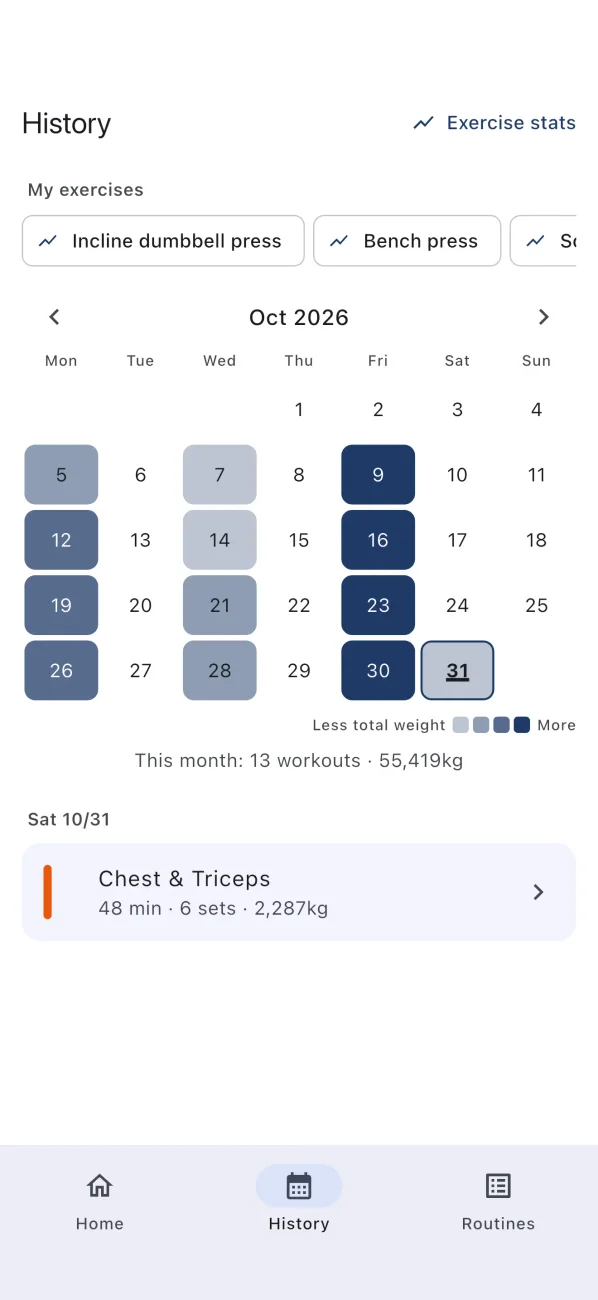
About
Open it, tap one button, and log your first set. No account, no setup.
Lift Diary is a gym workout log. After each set, you write down the weight and reps in about 3 seconds.
■ Start the moment you open it
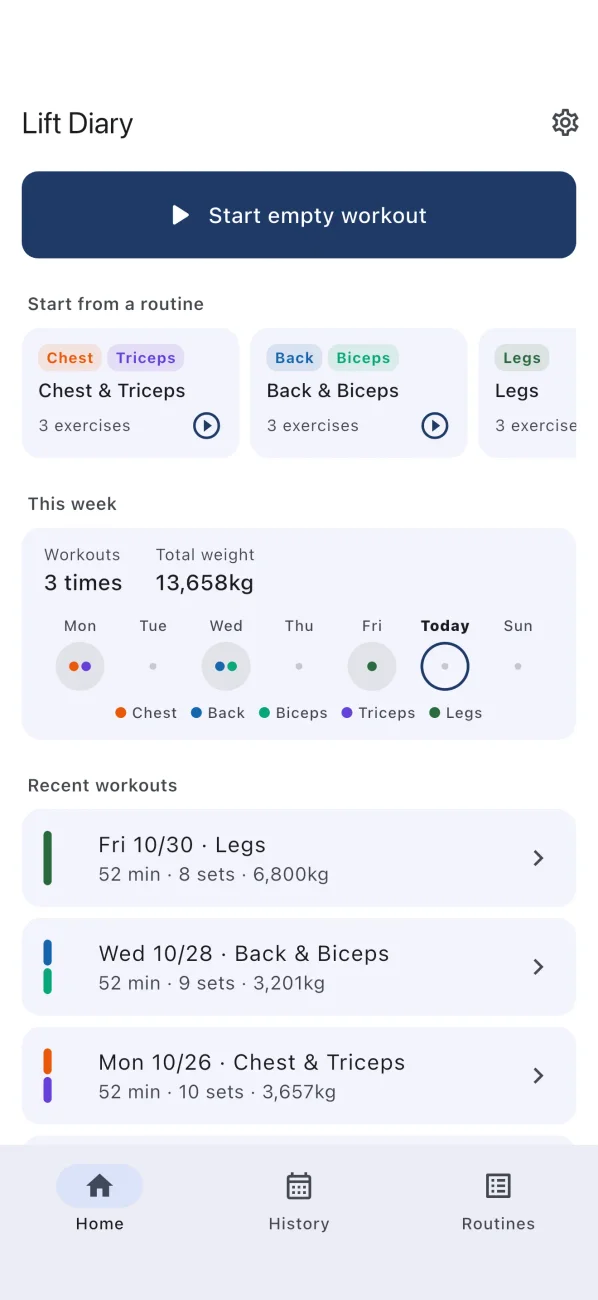
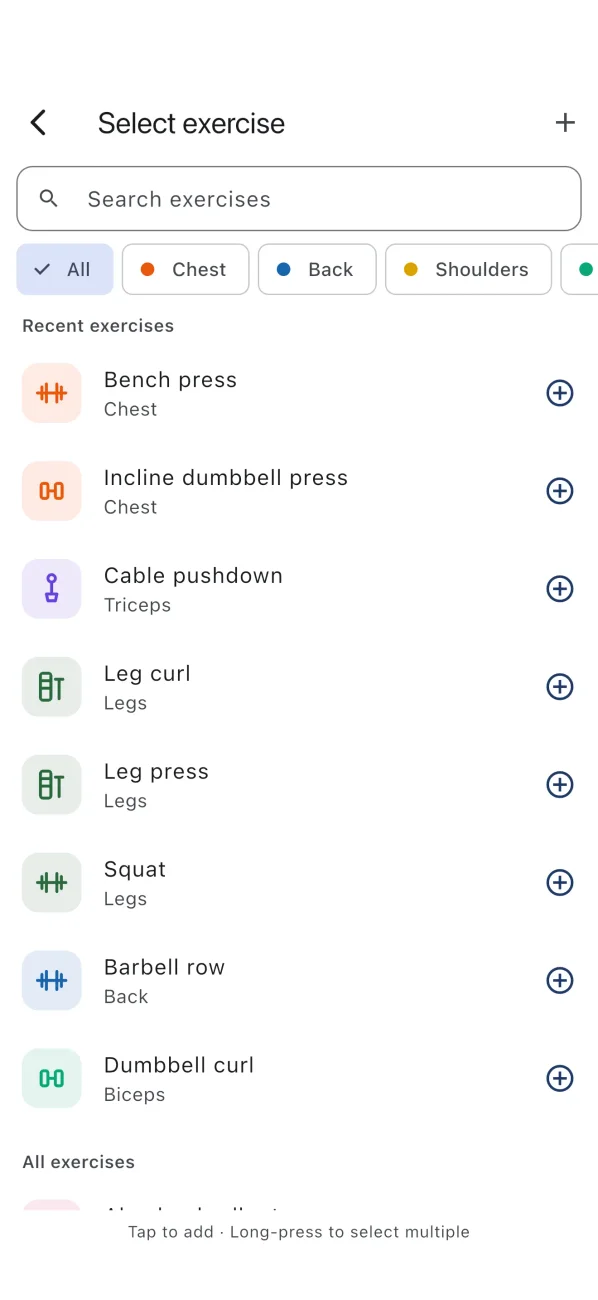
There is no sign-up, no body measurements to enter and no tutorial. Tap "Start empty workout" on the Home tab and the exercise list opens.
■ About 3 seconds per set
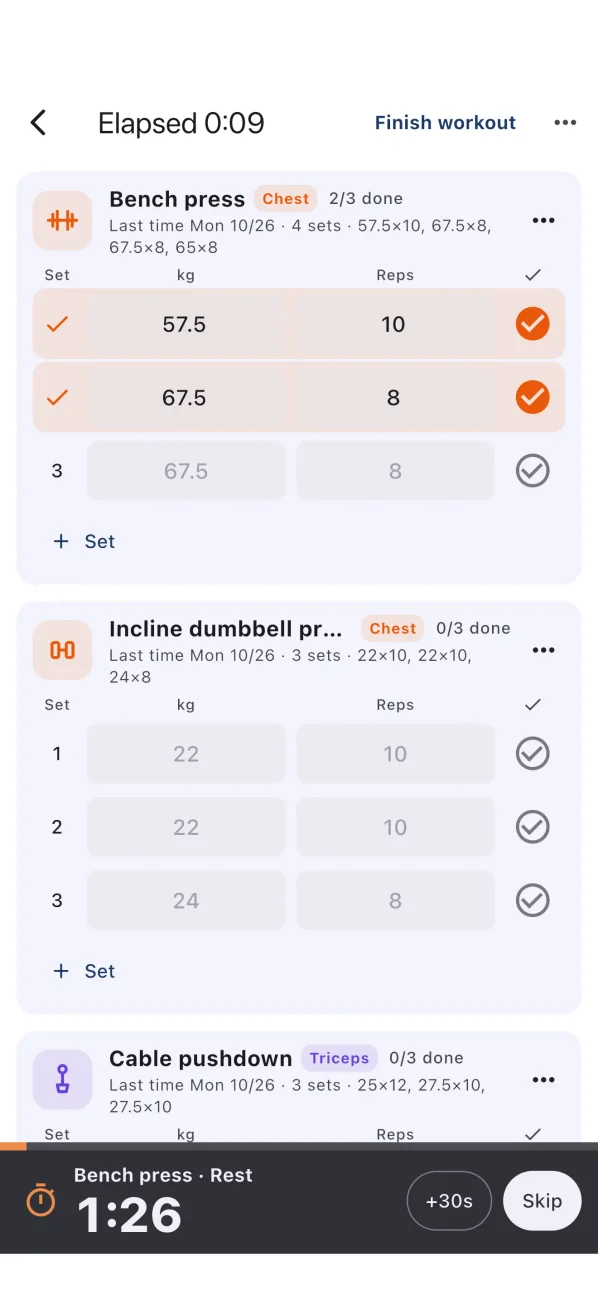
Pick an exercise, enter the weight and reps, and mark the set done. What you lifted last time shows faintly in each field, so when it is the same you only tap done. Buttons above the keyboard add +2.5 or +5, and one tap copies a set to the sets below it. Weights are in kg.
■ Rest timer
Marking a set done starts the rest timer. When the rest is over, you get a notification, even if you put your phone down. Each exercise can have its own rest time.
■ Routines
Save your usual split, such as chest and triceps or back and biceps, as a routine. The workout starts with your exercises and last weights ready. You can also save the workout you just finished as a routine.
■ Colors and icons
Each exercise has a muscle group color and an equipment icon. The week view shows which muscle groups you trained each day as colored dots. Choose a navy, charcoal or teal color theme.
■ Records that build up
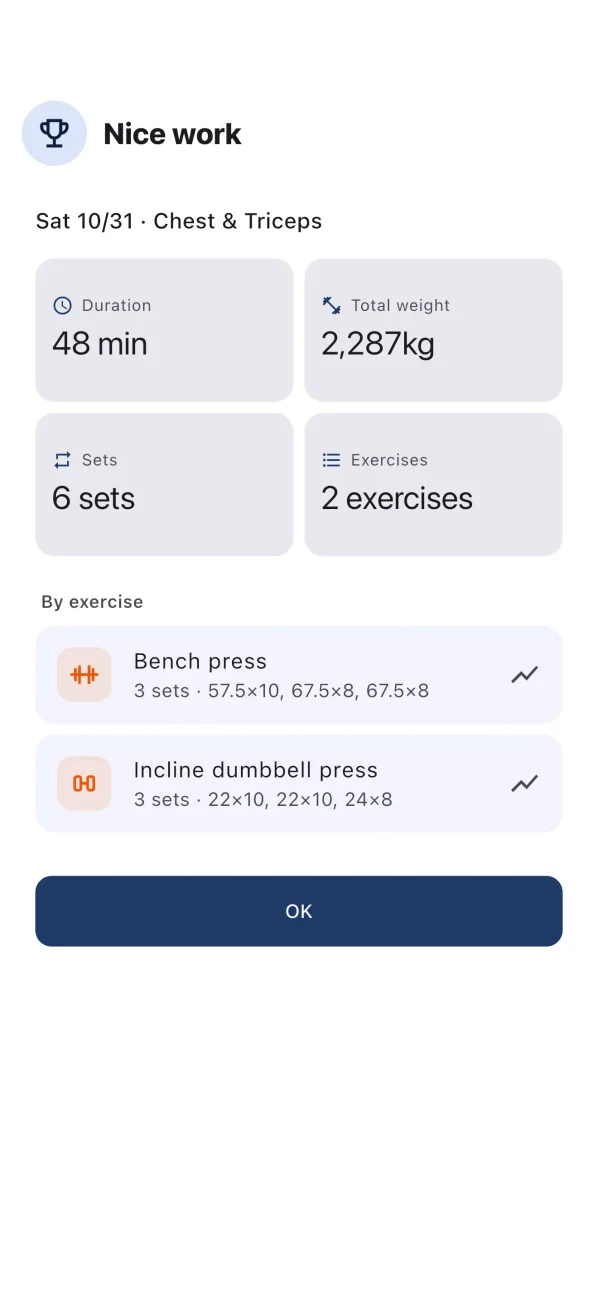
Workout days are filled in on the calendar, darker when the total weight is higher. For each exercise, see charts of estimated 1RM and total weight. When you finish a workout, the app tells you about any new record.
■ Apple Watch
See the workout you started on your iPhone on your wrist: the weight and reps for your next set, a button to mark it done, the rest time left, and a tap on your wrist when the rest ends.
■ Nothing gets in your way
No pop-ups cover the screen between sets or while the timer runs. You can keep your attention on the next set.
■ Your records stay on your device
All records are stored on your device and are not sent to a server. Export a backup file and import it on a new device. App lock with a PIN or Face ID is also available.
Contact: setlog@hyunjins.co.kr
What’s new
Version 0.1.12 · Nov 1, 2026
Added a 1RM calculator to exercise stats. Enter a weight and reps to see the estimate.
Settings now shows when you last backed up, and Home reminds you when it has been a while.
Backup files are checked more carefully when imported.
App privacy
What Hyunjin Jang declares on the App Store about how this app handles data.
-
Data used to track you
May be used to track you across apps and websites owned by other companies.
- Identifiers
-
Data not linked to you
May be collected but is not linked to your identity.
- Location
- Identifiers
- Usage data
- Diagnostics
Privacy practices may vary, for example with the features you use or your age.
Information
- Seller
- Hyunjin Jang
- Category
- Health & Fitness
- Version
- 0.1.12
- Updated
- Nov 1, 2026
- Released
- Sep 27, 2026
- Size
- 28.7 MB
- Requires
- iOS 15.5 or later
- Age rating
- 4+
- Languages
- Korean, English, Japanese
- Copyright
- © 2026 현진스
You might also like
-
 RoutineFlow: Daily RoutineRoutines from iPhone to Watch
-
 Workout Tracker: Timer & LogInterval Timer & Routine Log
-
 Fit: Workout Diary & LogAny sport, one line a day
-
 Bodybuilding app: GymMonsterLifting & Gym Workout Tracker
-
 Lightly Weight TrackerSimple weight trends
-
 ProteinMax: Protein TrackerAI Macro Counter & Diet Log
-
 MORA - 모라일상 속 재활치료
-
 Plankstar: Plank workout timerHealth & Fitness
-
 아이약 - 쉽고 편한 약 관리, 약 알람, 건강관리Medical