
LiftLock: Rest Timer & Blocker
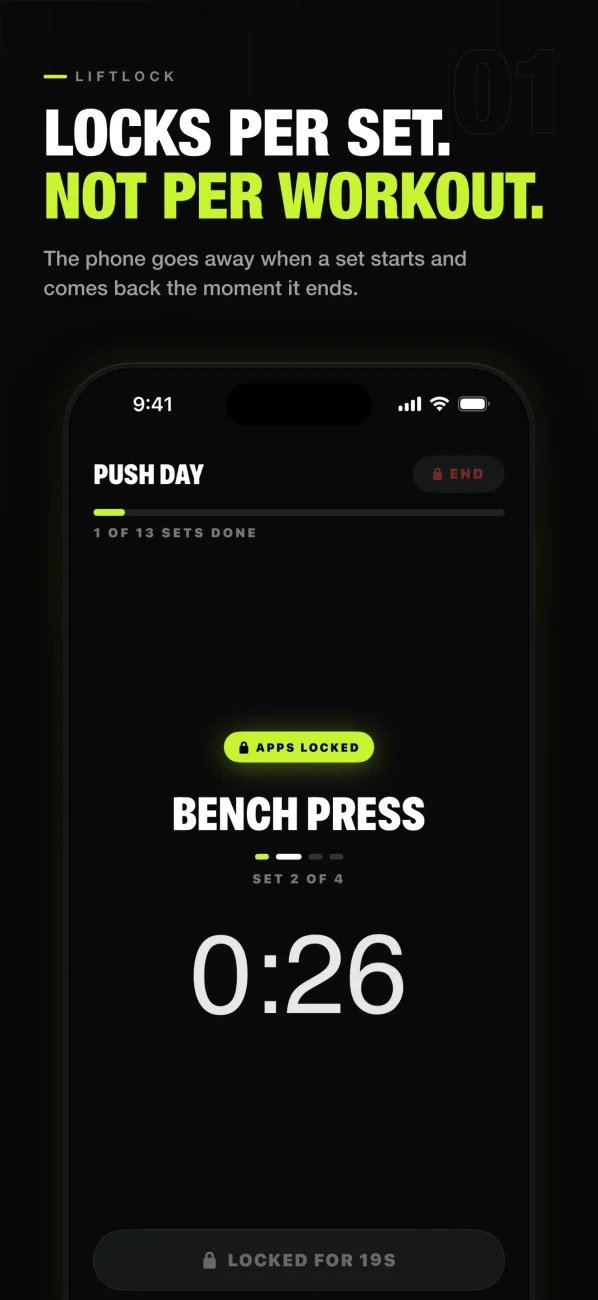
Locks per set, not per workout
Designed for iPhone
Free
- Age rating4+
- CategoryHealth & Fitness
- DeveloperTASKR LLC
- LanguagesEnglish+ 32 more
- Size7.5 MB
Links to the official App Store page
Download.org hosts no file of LiftLock: Rest Timer & Blocker. The button opens its official App Store page, published by TASKR LLC. Listing last checked on Nov 24, 2026.
Screenshots



About
LiftLock is a workout timer built on Apple's Screen Time.
Start a set and every app on your phone locks. Tap done and they come back for your rest. When rest hits 0:00, they lock again on their own — even mid-scroll, and even if LiftLock isn't open.
HOW A WORKOUT RUNS
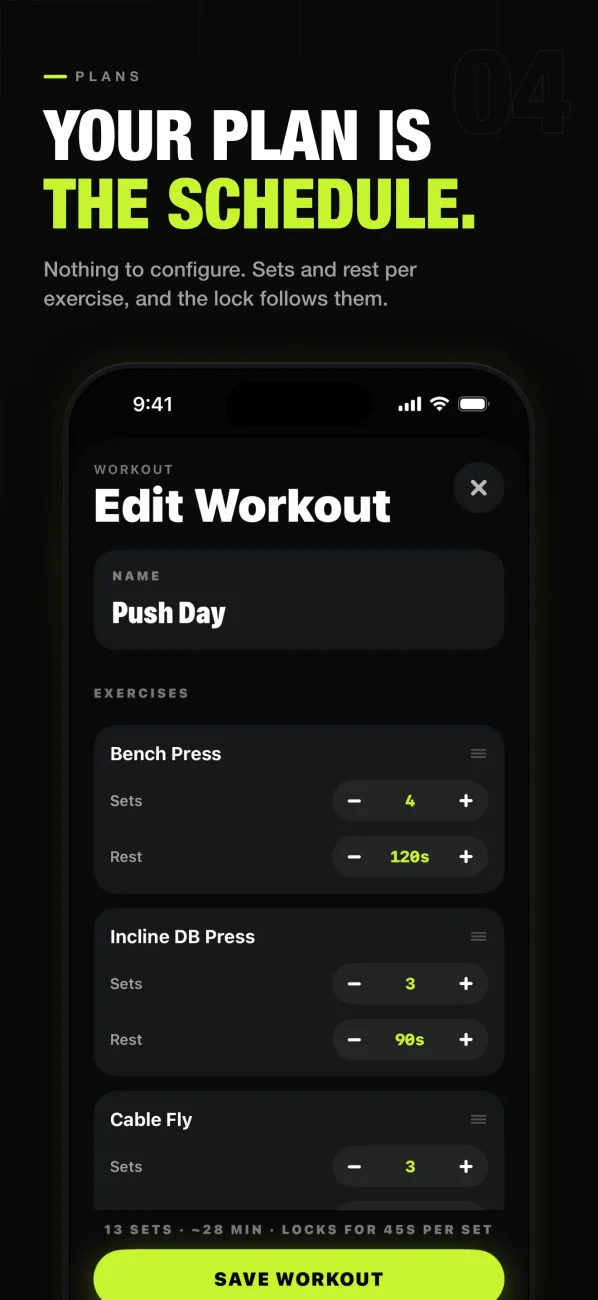
1. Build a workout: exercises, sets, and rest times.
2. Start a set. Your apps lock.
3. Tap done. Your apps come back and the rest timer starts.
4. Rest hits 0:00. Your apps lock again and the next set begins.
You never have to open LiftLock to make the lock happen. iOS holds it.
YOUR PHONE IS YOURS DURING REST
Most blockers take the whole session. LiftLock only locks while a set is actually running. Every rest window is yours — check a message, change the music, film a lift. The lock comes back when rest ends, so you don't have to be the one who decides to put the phone down.
MUSIC KEEPS PLAYING
Add Spotify, Apple Music, or whatever you listen to, to your exceptions list. You do it once and it sticks. Those apps stay usable while everything else stays locked.
IT DOESN'T RUN ON A SCHEDULE
Screen Time and most focus apps block by clock — 6pm to 7pm, weekdays, that kind of thing. LiftLock blocks against your actual sets, so a workout that runs long or short still works the same.
QUITTING THE APP DOESN'T UNLOCK IT
The block is held by iOS, not by LiftLock being open. Closing the app or swiping it away doesn't lift it. Ending the workout does, and that's a deliberate button.
IT CAN'T SEE WHAT YOU USE
LiftLock only tells iOS when to raise and drop the block. It never receives your app usage — not which apps, not when, not for how long. No ads, no analytics, no tracking.
THE SCOREBOARD
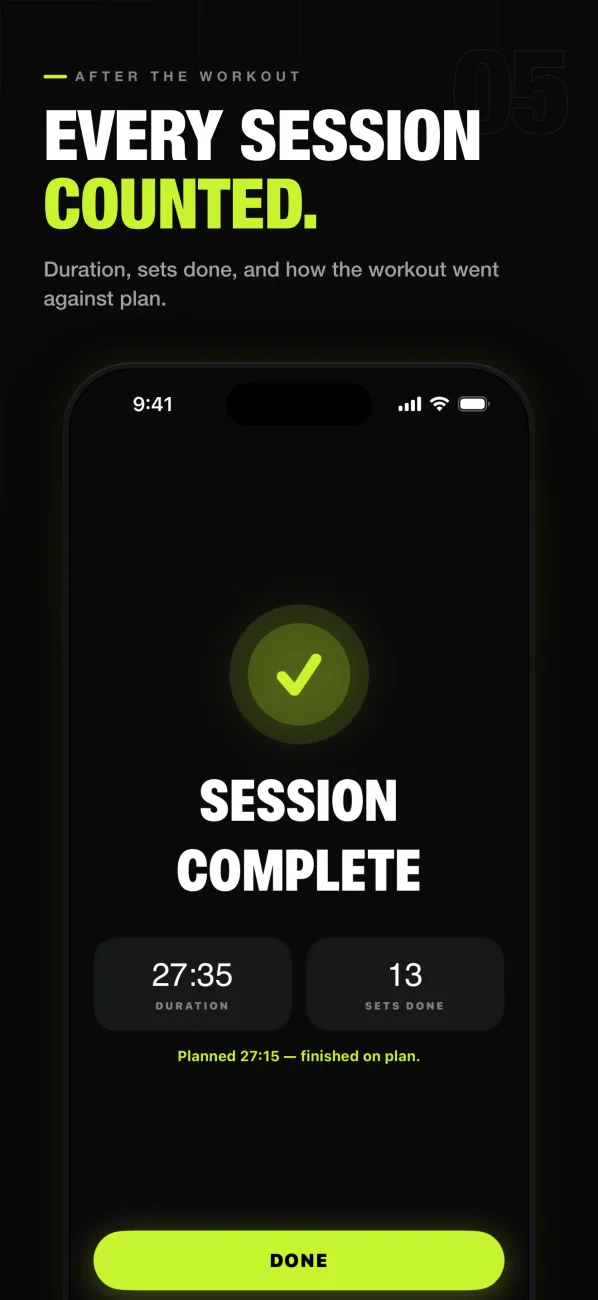
The home screen keeps a running total of the time you spent off your phone, plus workouts done, sets completed, and what you did this week.
REQUIREMENTS
iPhone with iOS 17 or later. Blocking needs Screen Time access, which LiftLock asks for during setup and you can revoke any time in iOS Settings.
LiftLock works offline and doesn't require an account. Sign in with Apple is optional, and only exists so your workouts and history can follow you to a new phone.
Privacy policy: https://tryliftlock.com/privacy
Support: https://tryliftlock.com/support
What’s new
Version 1.1.1 · Sep 1, 2026
Bug fixes and improvements.
App privacy
What TASKR LLC declares on the App Store about how this app handles data.
-
Data linked to you
May be collected and linked to your identity.
- Health and fitness
- Contact info
- Identifiers
- Usage data
Privacy practices may vary, for example with the features you use or your age.
Information
- Seller
- Taskr LLC
- Category
- Health & Fitness
- Version
- 1.1.1
- Updated
- Sep 1, 2026
- Released
- Aug 26, 2026
- Size
- 7.5 MB
- Requires
- iOS 17.0 or later
- Age rating
- 4+
- Price
- Free
- Languages
- English, Arabic, Catalan, Croatian, Czech, Danish, Dutch, Finnish, French, German, Greek, Hebrew + 21 more
- Copyright
- © 2026 Taskr LLC
You might also like
-
 Gym Rest Timer: Workout SetsHaptic countdown between lifts
-
 KixxWalk. Compete. Collect.
-
 Body Fat Calculator - LeanFuelProtein & Macro Tracker
-
 Tabata Timer: HIIT WorkoutsInterval Timer for Rounds
-
 Accountabilio: Quit PMO, UrgesOvercome Lust, Quit Addiction
-
 Runner's World ItaliaHealth & Fitness
-
 Posh FitHealth & Fitness
-
 Confess: Catholic ConfessionExamination of Conscience
-
 RepPass: Workout to Unlock AppExercise to earn screen time.
-
 FitBlok: Screen Time BlockerPush Up to Unlock Your Phone