
LiFTY: Workout Log
See Progress, Hit Your Goals
Designed for iPhone
Free · In-app purchases
- Age rating4+
- CategoryHealth & Fitness
- DeveloperIppei Ishida
- LanguagesJapanese
- Size48.9 MB
Links to the official App Store page
Download.org hosts no file of LiFTY: Workout Log. The button opens its official App Store page, published by Ippei Ishida. Listing last checked on Nov 23, 2026.
Screenshots

About
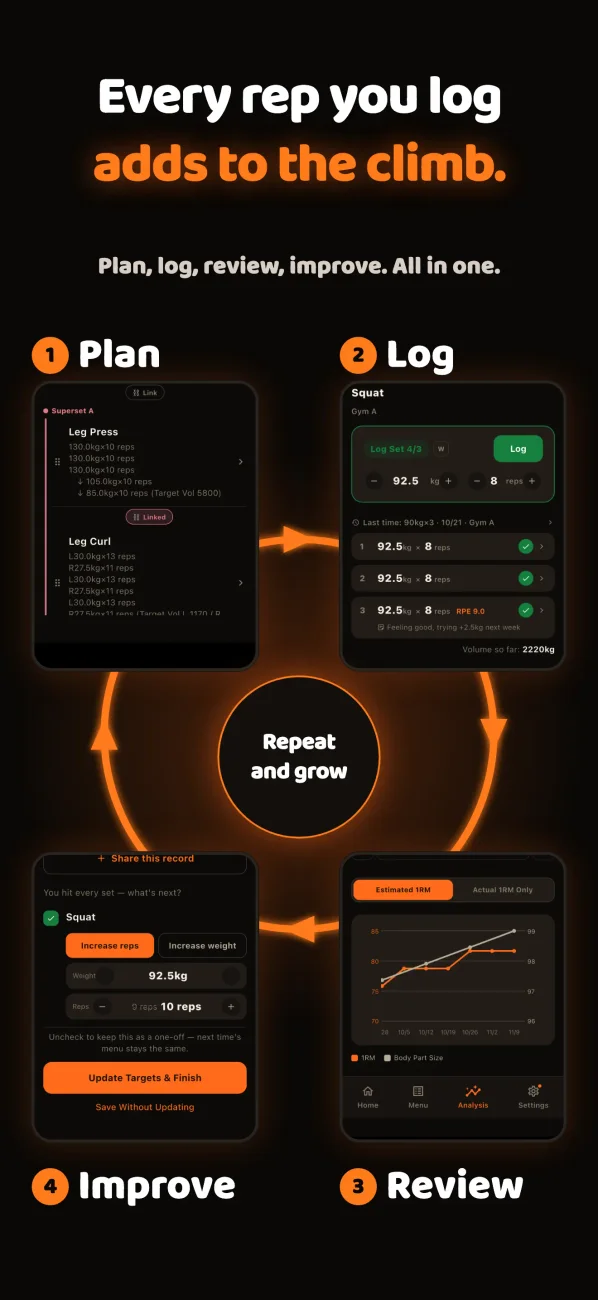
LiFTY is a strength training log that turns every workout into your next step forward. Plan your menu and goals, log quickly while you train, review your progress, and aim for the next goal — the whole cycle, in one app.
■ Plan: set your menu and goals
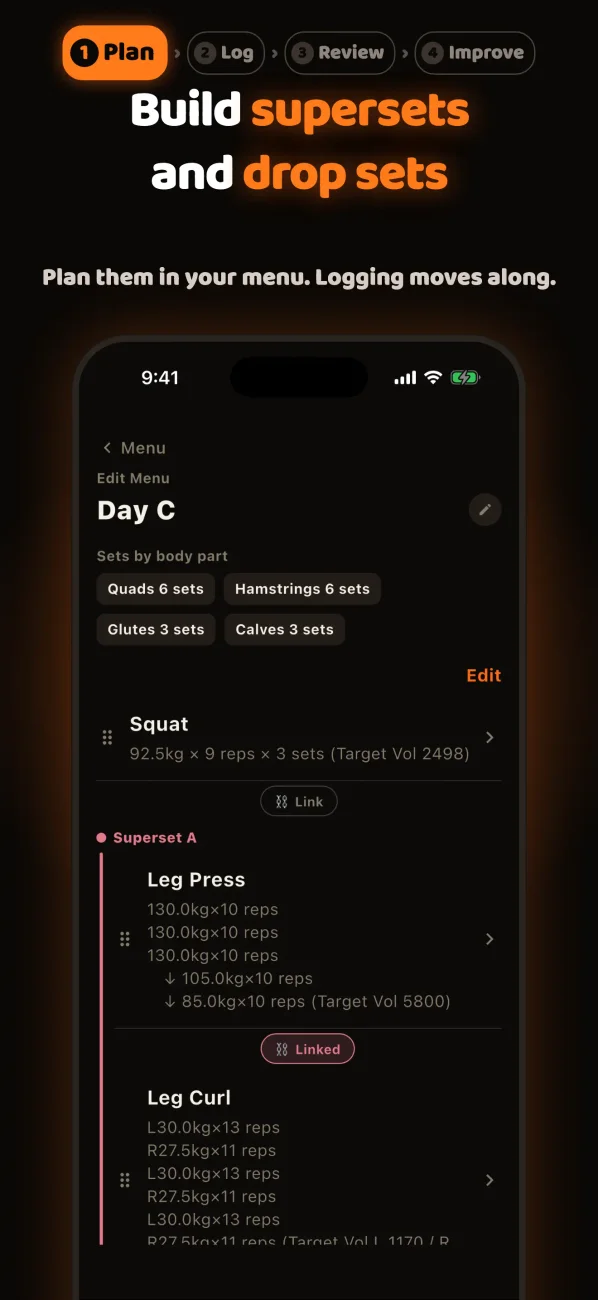
• Save recurring routines like Day A/B/C, with per-body-part set counts at a glance
• Build supersets and drop sets into your menu. You move to the linked exercise automatically, and drops follow right after the set (counted together with it as one set)
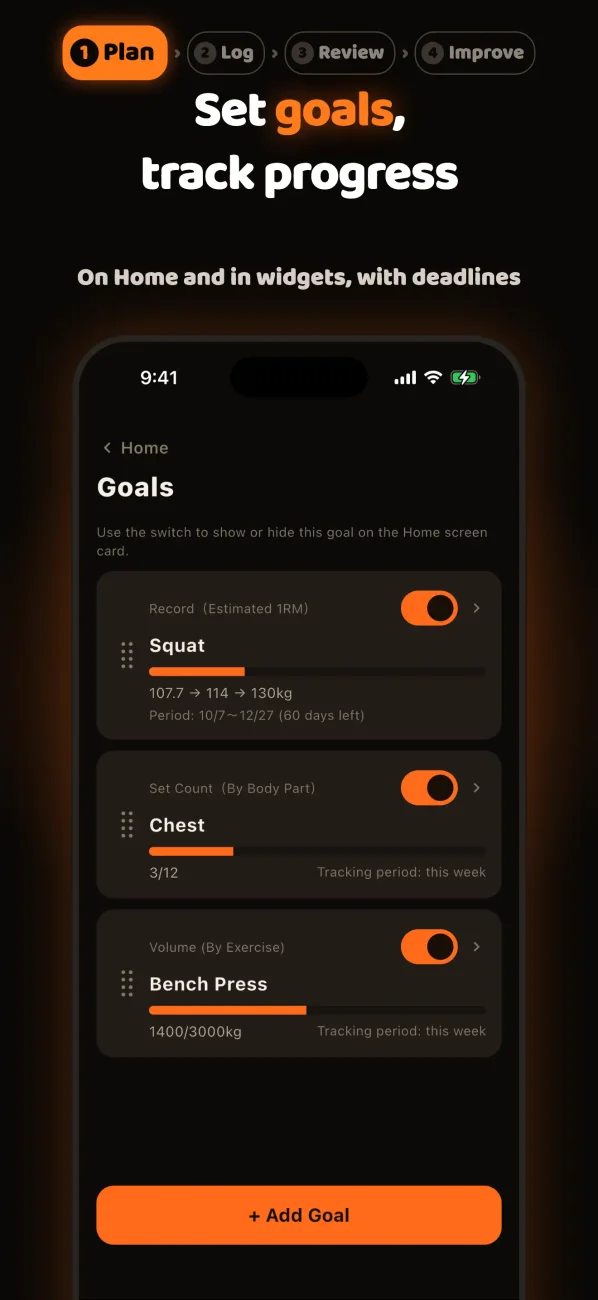
• Set goals with a deadline around set count, volume, body weight, estimated 1RM, and more. Check progress on the Home screen or in a widget
■ Log: fast, even mid-workout
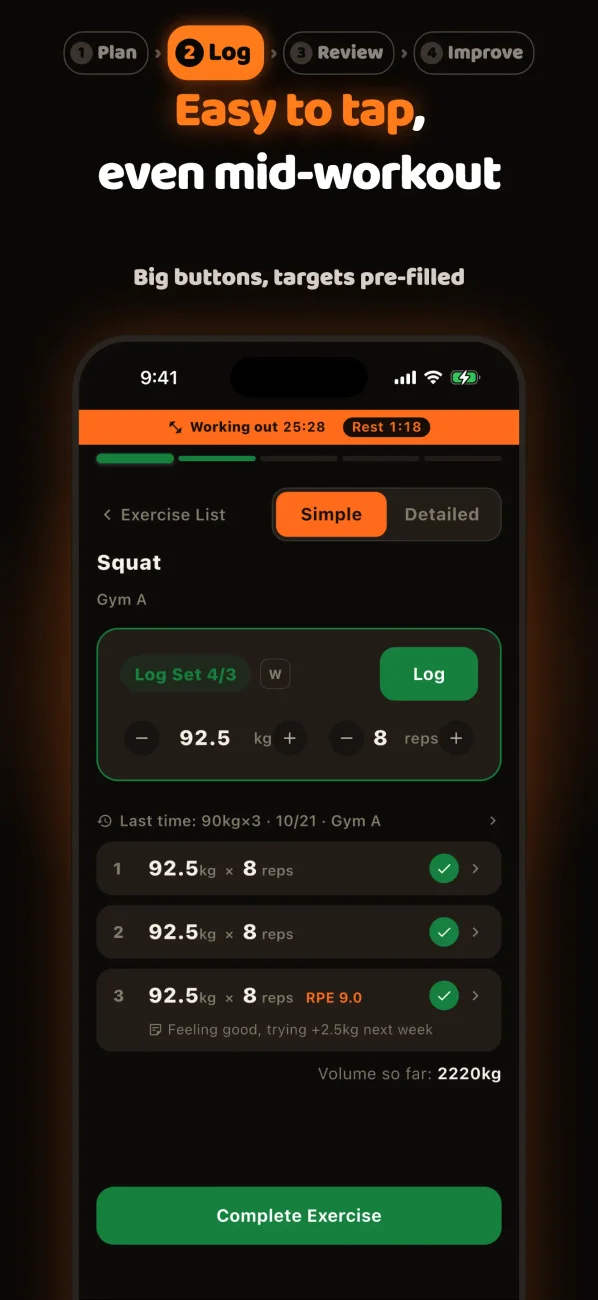
• Big buttons, with your target weight and reps already filled in — just tap to log
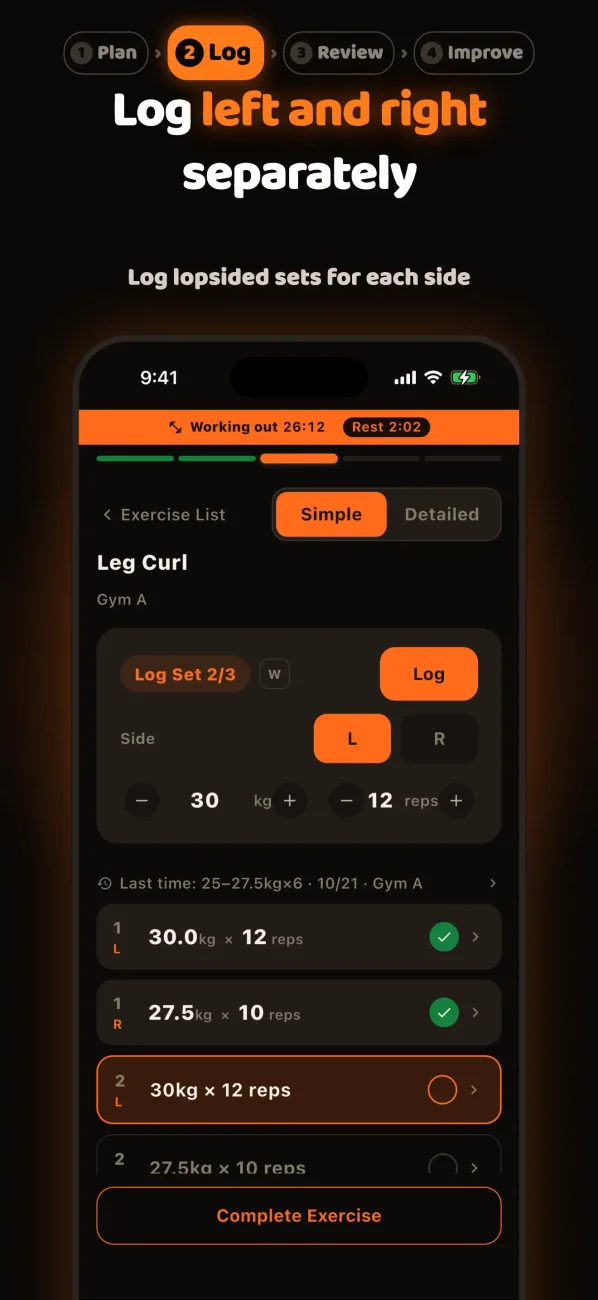
• Start simple with weight and reps. When you're ready, switch on left/right tracking, RPE (rate of perceived exertion), warm-up set flags, and notes
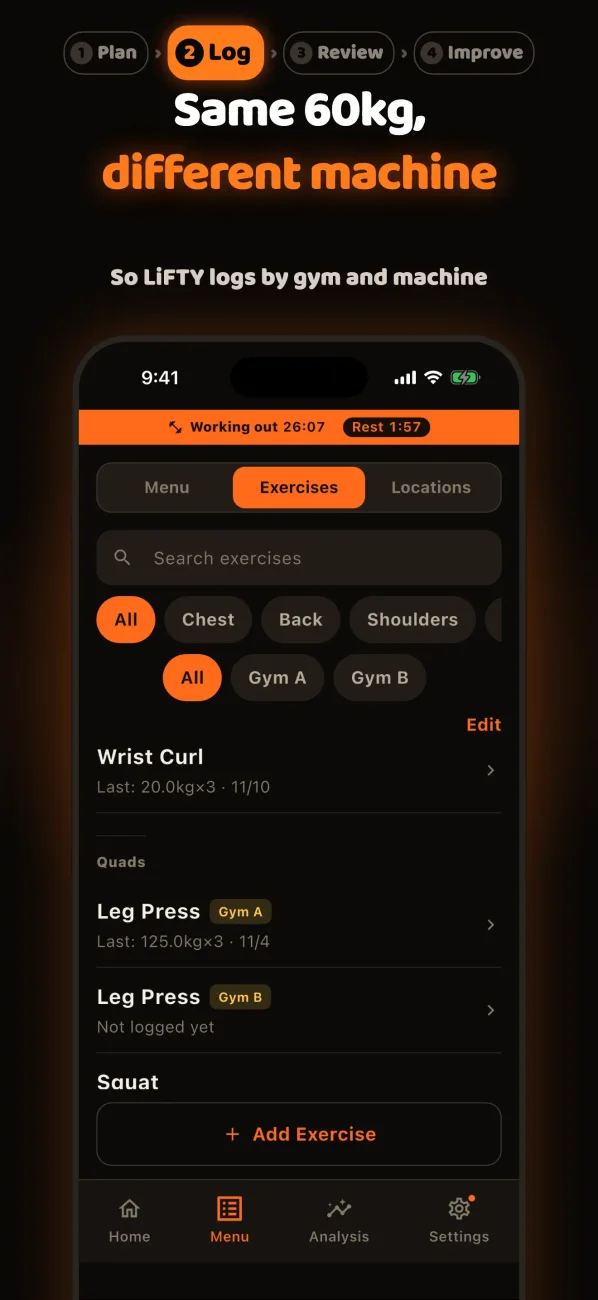
• Train at more than one gym, or at home and the gym? Log each exercise by gym and machine, so "60kg" on different machines is never mixed up
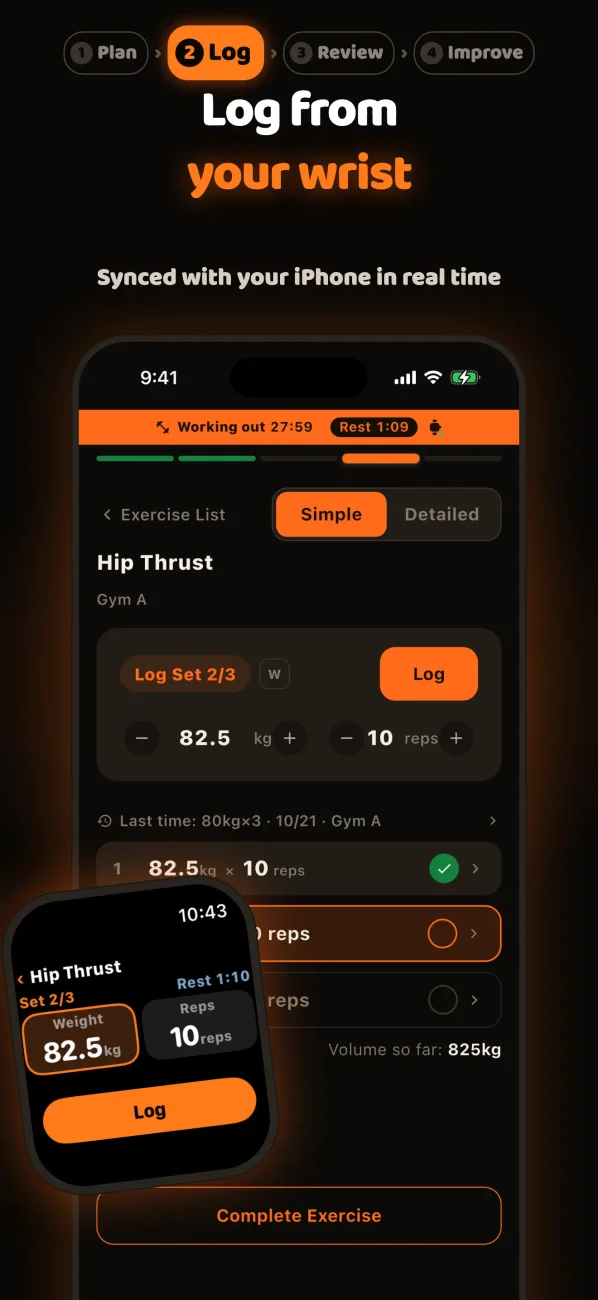
• Start, log, and finish a workout from your Apple Watch alone — or join one you started on your iPhone. Heart rate is tracked in real time
• See your rest time between sets at the top of the screen and on the Lock Screen
■ Review: see how far you've come
• Personal bests are detected automatically and shown against your previous best
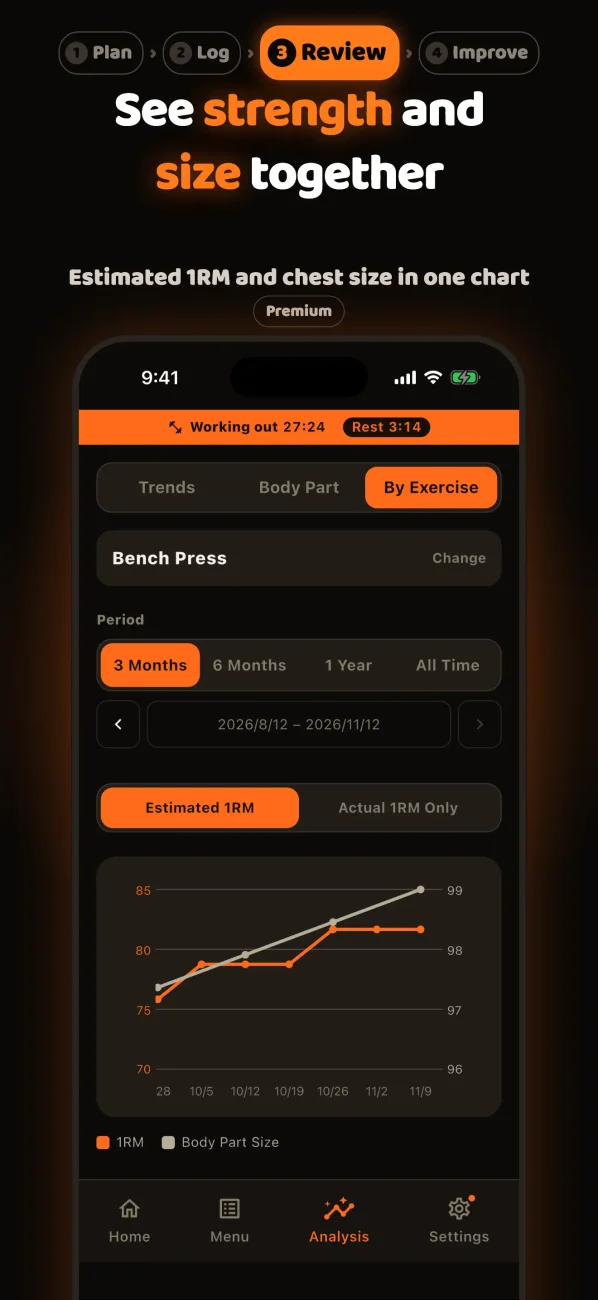
• Compare estimated 1RM, volume, and left/right differences over time — and overlay your body stats (weight and measurements) to see strength and size together
• A training calendar shows what you trained and when, plus body-part breakdowns and training frequency
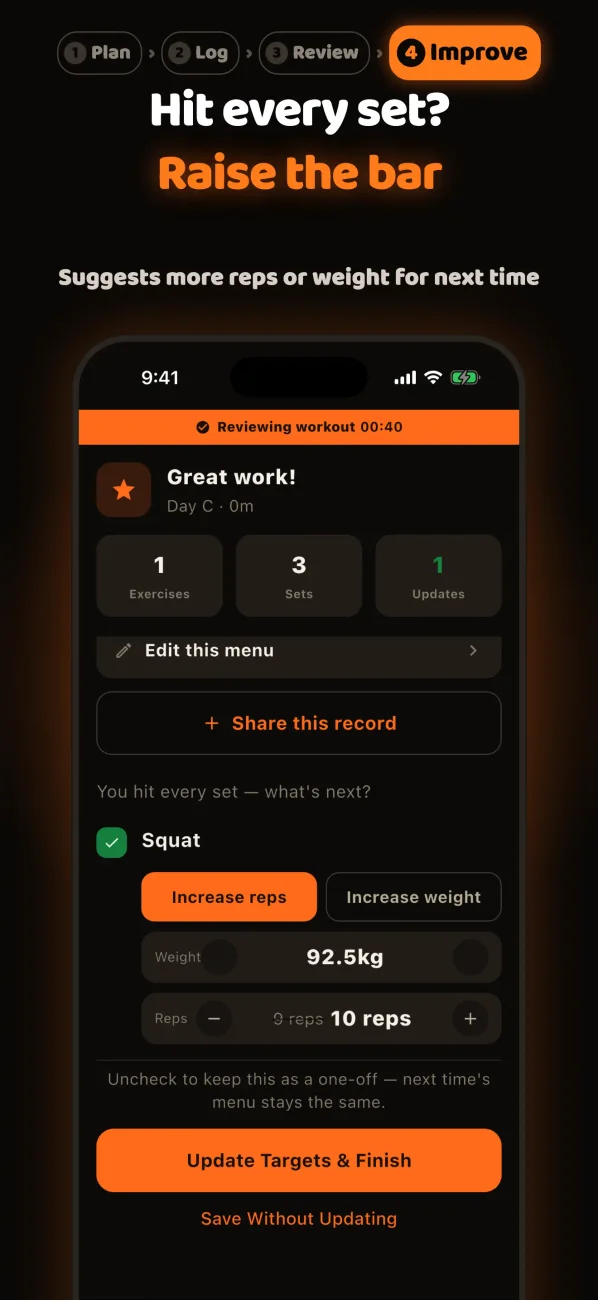
■ Improve: raise the bar
• Hit every target set, and LiFTY suggests more reps or weight for next time. Apply it to your menu with one tap
■ More features
• Cardio: log duration, distance, calories, and heart rate
• Body stats: track weight, body fat %, and body measurements, with Apple Health sync
• Share: share a finished workout as an image or text
• Data import: bring your history over from another app with a CSV file and pick up where you left off
• No account required: start logging right after you install. Log in later to back up to the cloud
■ Languages
Available in Japanese and English.
■ Pricing
All core logging features are free. The premium plan adds cross-device cloud sync & backup, unlimited gyms and menus, full access to the analysis features, an ad-free experience, custom color themes, and CSV data export.
Terms of Use: https://liftyfit.com/en/terms.html
What’s new
Version 1.3.0 · Nov 18, 2026
• Supersets are here. Link exercises in a menu with "Link," and during a workout you'll move to the partner exercise automatically after each set. Round progress is shown too
• Drop sets are here. After logging a set, tap "Add Drop" to keep going at a lighter weight. Each drop rolls into the next until you tap "Cancel drop," and drops count together with their set as one set. Change the drop amount in Settings > Workout
• Plan drops in a menu's targets too. Log that set and LiFTY goes straight into the drops, then moves on to your next set once they're done (after the last set, you can keep dropping). In a superset, you move to the partner exercise after the drops
• Log supersets and drop sets on Apple Watch too. Drop entry stays in sync with your iPhone
• CSV export and import now carry over supersets and drop sets
• Changing a menu's targets during a workout now updates target progress right away
• Other improvements and bug fixes
App privacy
What Ippei Ishida declares on the App Store about how this app handles data.
-
Data used to track you
May be used to track you across apps and websites owned by other companies.
- Identifiers
-
Data linked to you
May be collected and linked to your identity.
- Health and fitness
- Purchases
- Contact info
- User content
- Identifiers
- Usage data
- Diagnostics
-
Data not linked to you
May be collected but is not linked to your identity.
- Location
- Diagnostics
Privacy practices may vary, for example with the features you use or your age.
Information
- Seller
- Ippei Ishida
- Category
- Health & Fitness
- Version
- 1.3.0
- Updated
- Nov 18, 2026
- Released
- Sep 13, 2026
- Size
- 48.9 MB
- Requires
- iOS 18.0 or later
- Age rating
- 4+
- Price
- Free
- In-app purchases
- Yes
- Languages
- Japanese
- Copyright
- © 2026 Ippei Ishida
You might also like
-
 LiftyHealth & Fitness
-
 RepLog - Gym Workout LogSimple sets, reps & 1RM log
-
 筋トレ記録・分析アプリ|AnabolyticsHealth & Fitness
-
 Hamster: Gym & Workout LogStrength Training Tracker
-
 PhysiqueNoteHealth & Fitness
-
 Muscle Routine MemoRoutines, sets & rest tracking
-
 Workout Tracker - GymGrid LiteSimple Gym Log · Free
-
 筋トレを記録して強くなるAI筋トレアプリ-LiftLogHealth & Fitness
-
 Trero: Workout Log & GoalsGym Log, Goals & Progress
-
 アンドトレーニング|筋トレ記録・ワークアウト管理Health & Fitness