
Light Meter - FilmBox
Rangefinder, DOF & Flash
Designed for iPhone
Free · In-app purchases
- Age rating4+
- CategoryPhoto & Video
- Developer卓 朱
- LanguagesEnglish+ 5 more
- Size57.1 MB
Links to the official App Store page
Download.org hosts no file of Light Meter - FilmBox. The button opens its official App Store page, published by 卓 朱. Listing last checked on Nov 27, 2026.
Screenshots

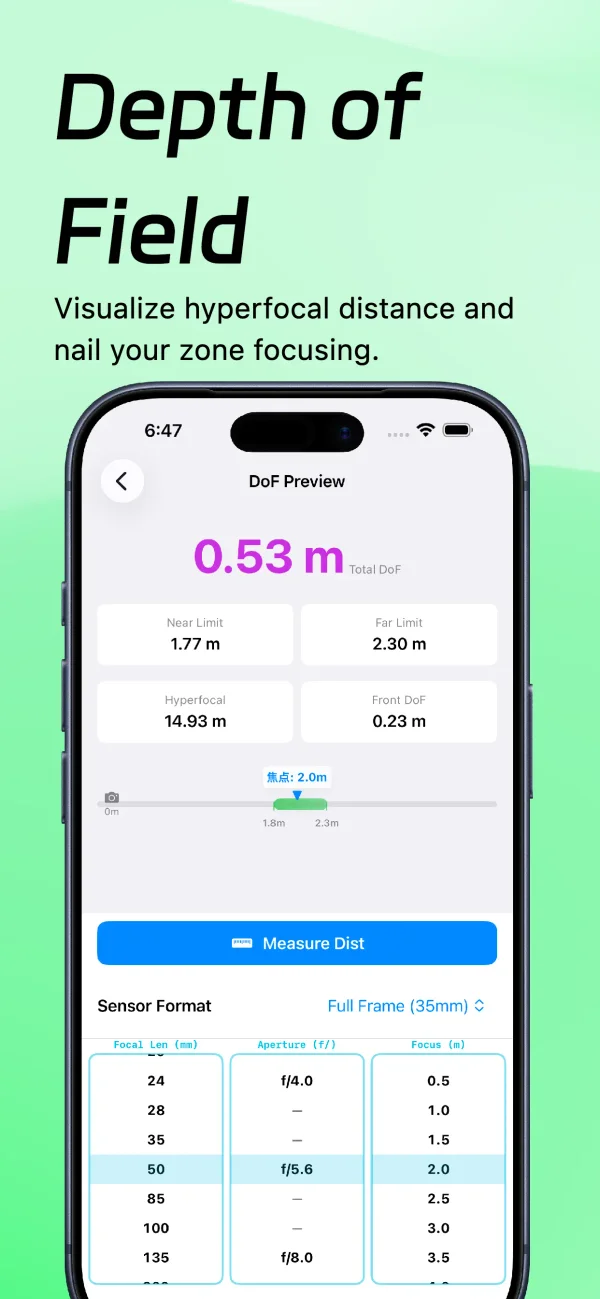
About
FilmBox Toolkit
Shoot film with greater confidence.
From exposure decisions and manual focusing to long-exposure compensation and photo notes, FilmBox Toolkit brings essential film photography tools together on your iPhone. Make informed choices before you press the shutter.
ZONE SYSTEM METERING
Visualize readings from different areas of your scene using Zone System principles. Compare highlights and shadows, decide which details to preserve, and adjust your exposure. Built for situations where careful exposure control matters.
FREE TOOLS
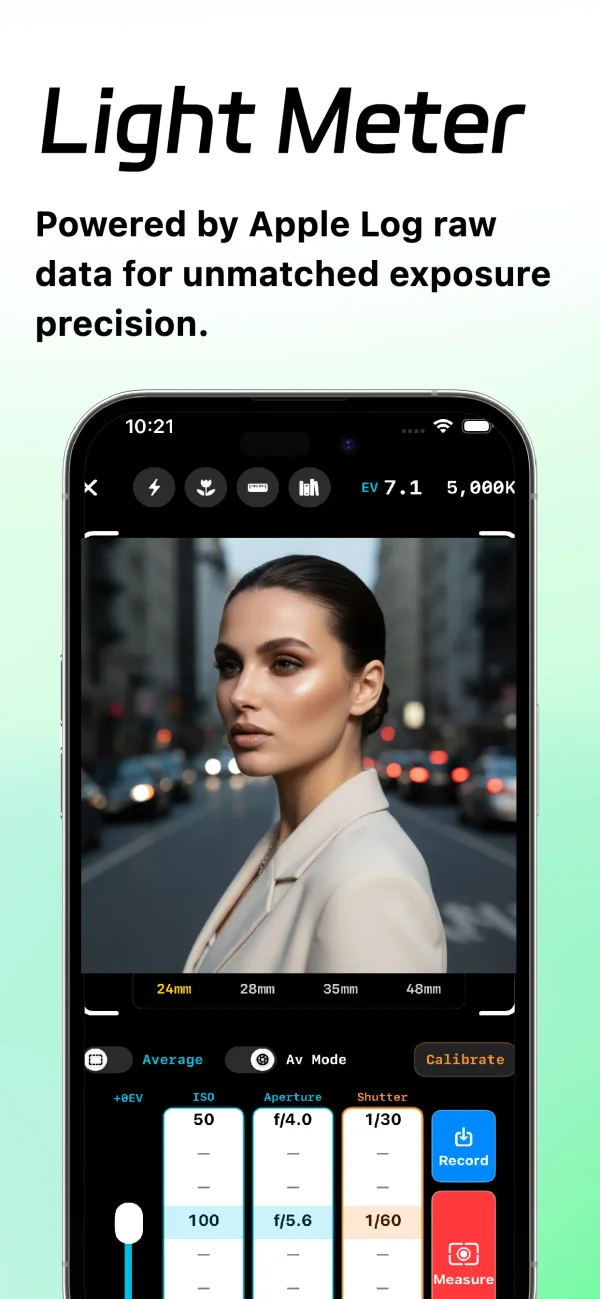
• Light Meter (basic mode): Evaluate ambient light and get exposure settings to work from.
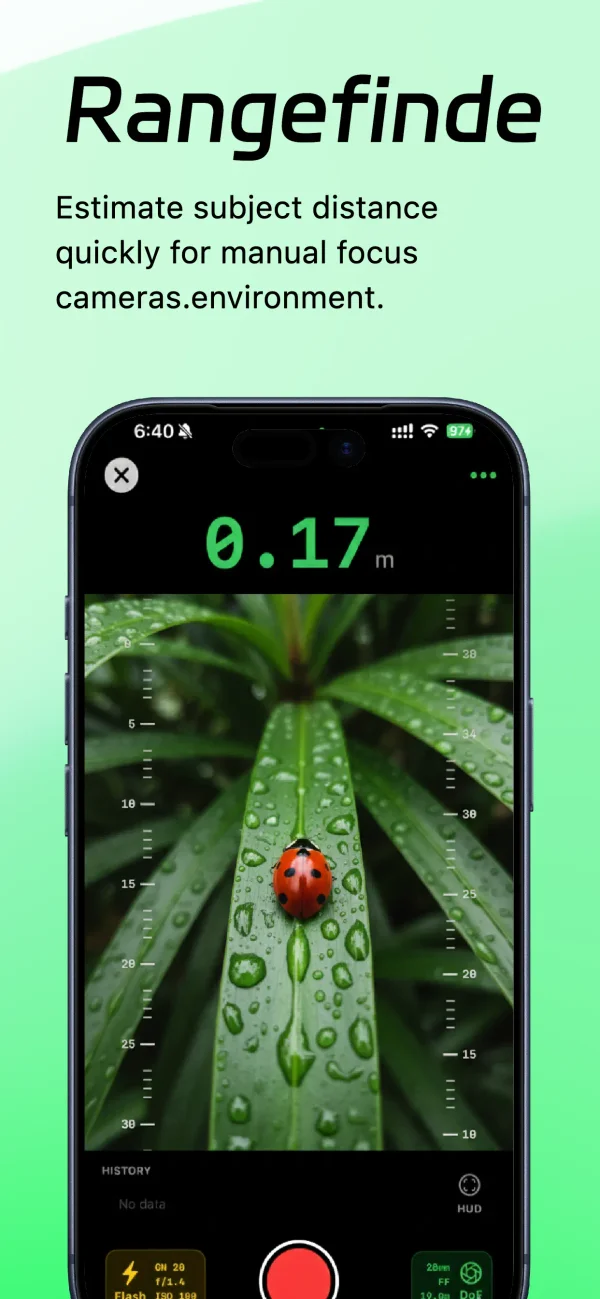
• LiDAR Rangefinder (up to 1 meter): Estimate subject distance to assist manual focusing and flash calculations. Requires compatible hardware.
• Flash Calculator (GN): Calculate settings from the guide number for shooting without TTL.
• Depth of Field Calculator: Estimate your focus range and hyperfocal distance.
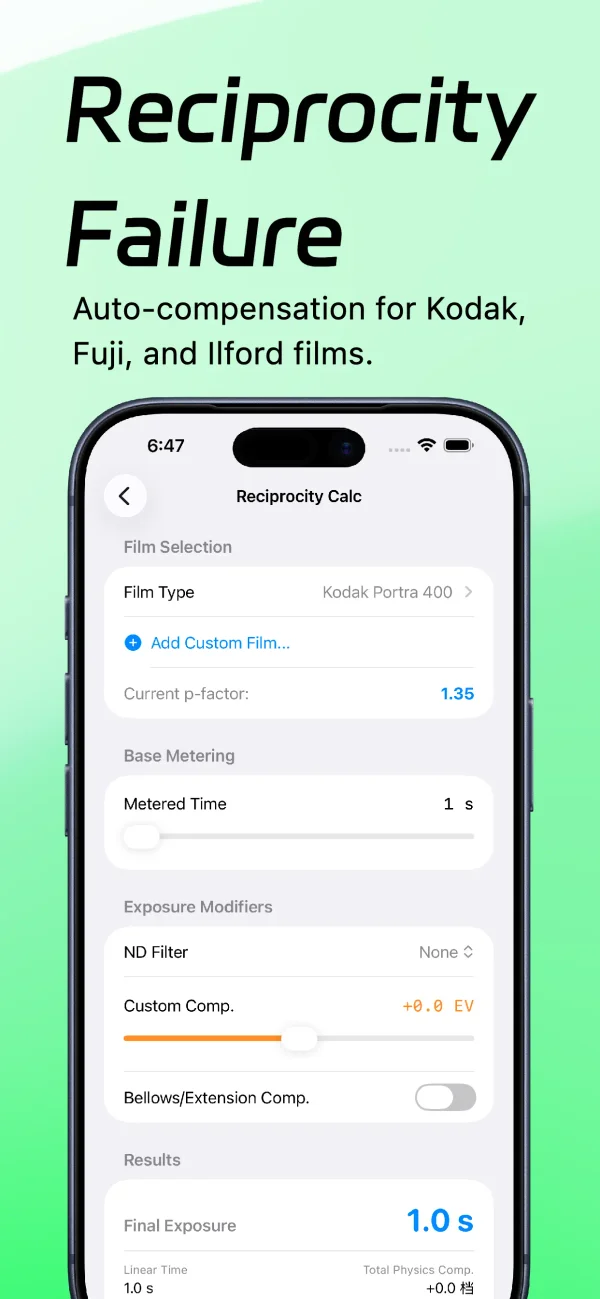
• Reciprocity Failure Compensation: Calculate long-exposure adjustments based on your selected film.
• Shutter Speed Test: Help check your camera's shutter speed and assess its performance.
• Negative Viewer: Use the camera to preview negatives as positive images and inspect their contents. For previewing only; not a replacement for professional scanning or post-processing.
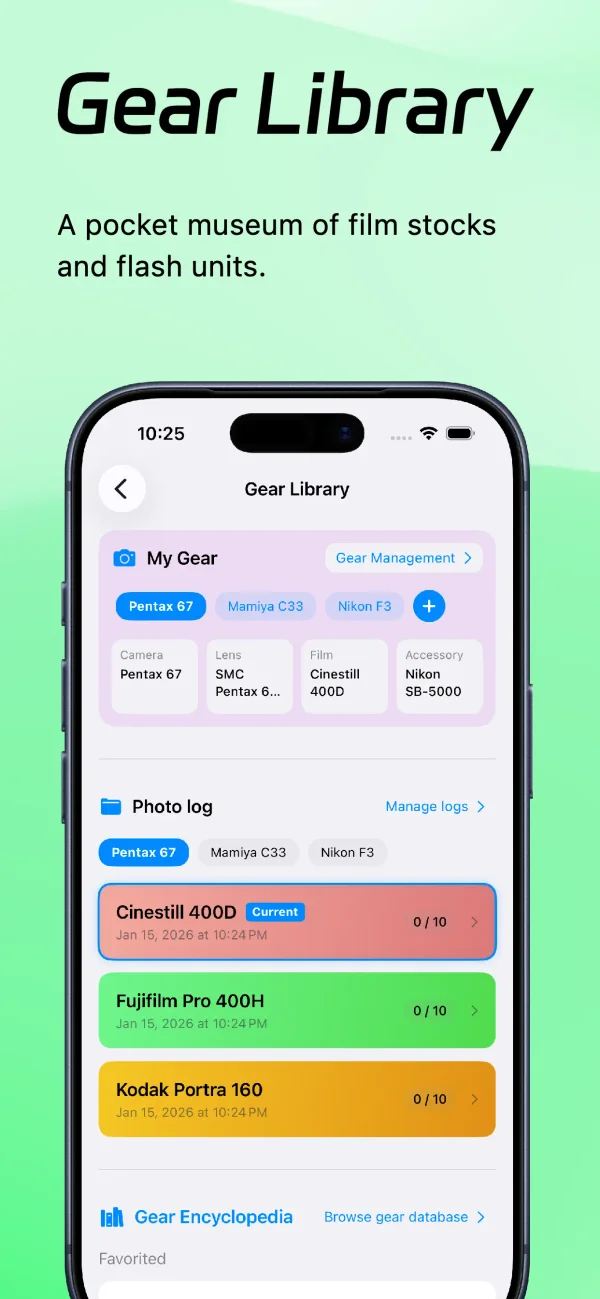
• Gear Library & Photo Log: Organize film stocks, flashes, and preferred settings, and keep shooting notes for later reference.
FREE & PRO
FilmBox Toolkit is free to download. All features are free except the three Pro features below. Free features include manual input for Zone System metering, basic light metering, rangefinding up to 1 meter, the Shutter Speed Test, and the Negative Viewer.
FilmBox Pro unlocks:
• Zone System metering: real-time light readings.
• Light Meter: 1-degree spot metering mode.
• Rangefinder: distance measurements beyond 1 meter.
Choose either:
• A one-time lifetime purchase.
• An annual subscription with access during the subscription period.
See the in-app purchase screen for current pricing and purchase terms.
DEVICE COMPATIBILITY
• Standard SDR metering: Compatible iPhones running iOS 17 or later.
• Apple Log metering: Uses 10-bit Apple Log data. Supported on iPhone 15 Pro/Pro Max, 16 Pro/Pro Max, and 17 Pro/Pro Max. The app selects the appropriate mode for your device.
• LiDAR rangefinding: Requires a LiDAR-equipped iPhone: Pro and Pro Max models in the iPhone 12, 13, 14, 15, 16, and 17 families.
Devices without Apple Log or LiDAR can still use other compatible features. Hardware support and Pro access are separate requirements.
PRIVACY
Metering, depth of field, and other calculations run locally on your device. We do not collect or upload your personal data.
Privacy Policy: https://www.filmboxtoolkit.com/privacy.html
TERMS OF USE
This app is licensed under Apple's standard End User License Agreement (EULA):
https://www.apple.com/legal/internet-services/itunes/dev/stdeula/
What’s new
Version 1.8.1 · Nov 26, 2026
What’s New?
1. Freeze the preview to plan zone placement and save your metering notes.
2. Stabilize the preview when metering handheld.
3. The exposure dial adapts to your camera and lens so you can choose an aperture and shutter speed faster.
4. Swipe left on the Zone Metering preview to show exposure latitude.
5. Fine-tune the framing guides for more accurate composition.
6. Edit photo logs in the Gear Library. Archive blank entries individually or archive an entire roll at once.
What’s Fixed?
1. Fixed issues that could occur at launch.
2. Reduced the delay after tapping Record.
3. Fixed a preview that stayed too dark after automatic spot metering.
4. Fixed crashes on some devices.
5. Fixed other known issues.
App privacy
What 卓 朱 declares on the App Store about how this app handles data.
-
Data not collected
The developer does not collect any data from this app.
Privacy practices may vary, for example with the features you use or your age.
Information
- Seller
- 卓 朱
- Category
- Photo & Video
- Version
- 1.8.1
- Updated
- Nov 26, 2026
- Released
- Jan 13, 2026
- Size
- 57.1 MB
- Requires
- iOS 16.6 or later
- Age rating
- 4+
- Price
- Free
- In-app purchases
- Yes
- Languages
- English, Italian, Japanese, Korean, Simplified Chinese, Traditional Chinese
- Copyright
- © 2025 Zhuo Zhu
You might also like
-
 Modern Meter - Film PreviewSpot Meter & Zone System
-
 FilmMetermeter,rangefinder,reciprocity
-
 FilmerYour film photography database
-
 Analog FilmStockFilm Fridge & Camera Tracker
-
 Lightme - LogbookYour bff 4 analog photography
-
 Frames: Film Photography LogTrack Analog Shots & EXIF Data
-
 Reciprocity TimerPhoto & Video
-
 Film Logbook - Analog TrackerAnalog Film Roll Tracker
-
 Second View - viewfinderLight meter, film tools & more
-
 SpektraLabFilm darkroom for RAW photos