Lightning Alerts: Live Tracker
Real-time strikes on a map
Designed for iPhone, iPad
Free · In-app purchases
- Age rating12+
- CategoryWeather
- DeveloperLightning Alerts Oy
- LanguagesEnglish+ 6 more
- Size23.6 MB
Links to the official App Store page
Download.org hosts no file of Lightning Alerts: Live Tracker. The button opens its official App Store page, published by Lightning Alerts Oy. Listing last checked on Nov 25, 2026.
Screenshots
About
Lightning Alerts is a live lightning tracker and storm map with nearby alerts, for iPhone and iPad. Lightning data powered by Vaisala Xweather.
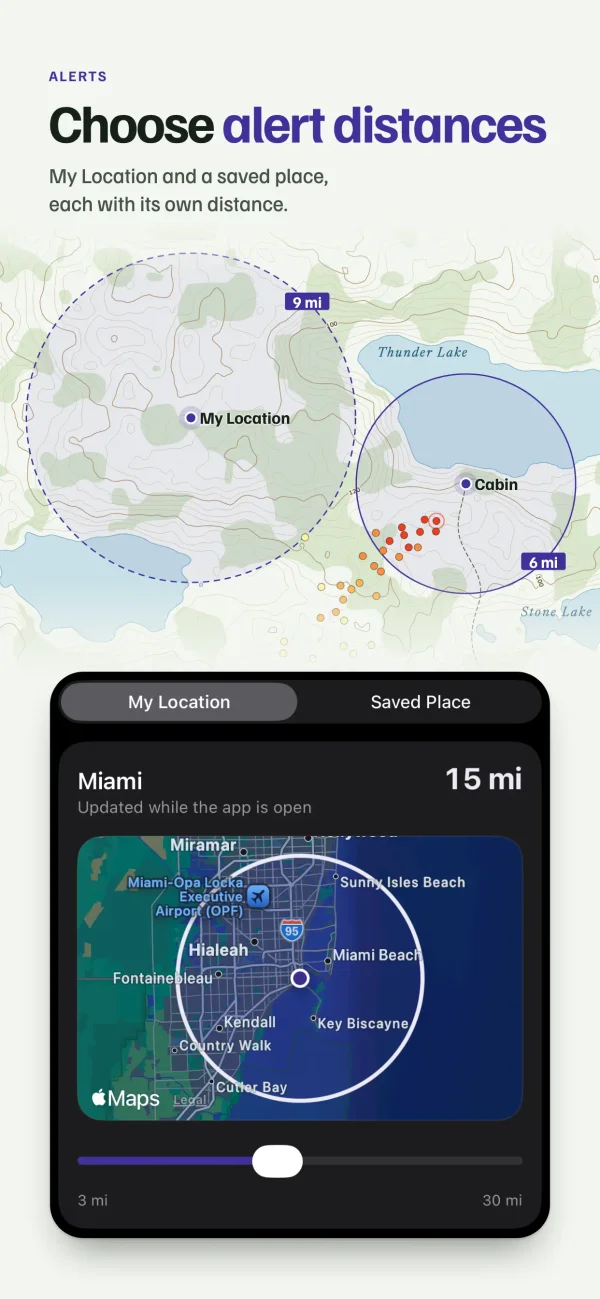
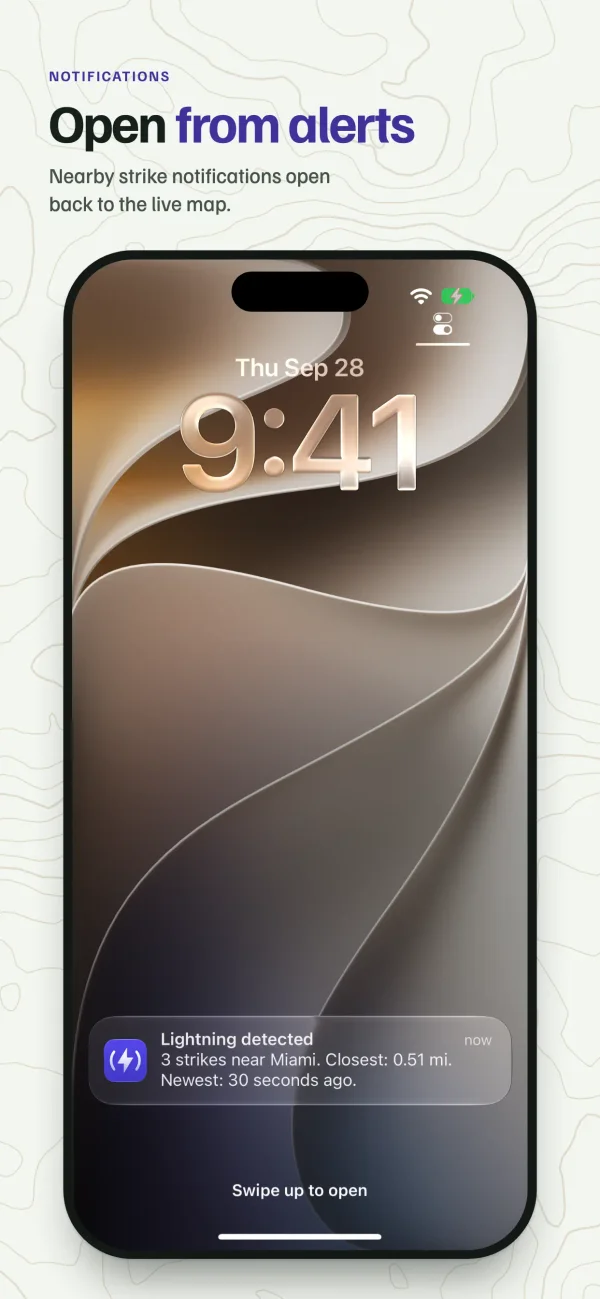
Choose an alert radius from 5 to 50 km, or 3 to 30 miles, separately for My Location and one Saved Place. Alerts come as push notifications, also when the app is closed. My Location alerts use your position from the last time the app was open; a Saved Place stays fixed. The app does not track your location continuously in the background, and the live map updates only while the app is open.
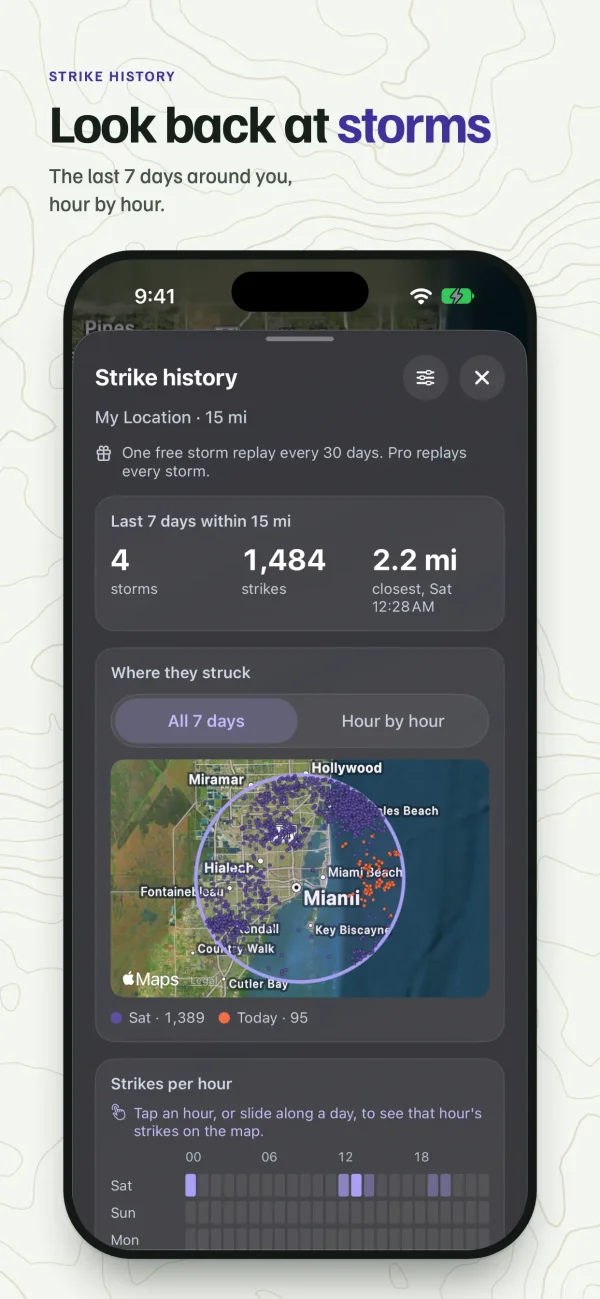
Free with ads: the live map, strike details and filters, radar, alerts for both places, and the 7-day strike history summary. One storm replay is free every 30 days. Continuing live map updates may require watching a short ad after the included refreshes are used.
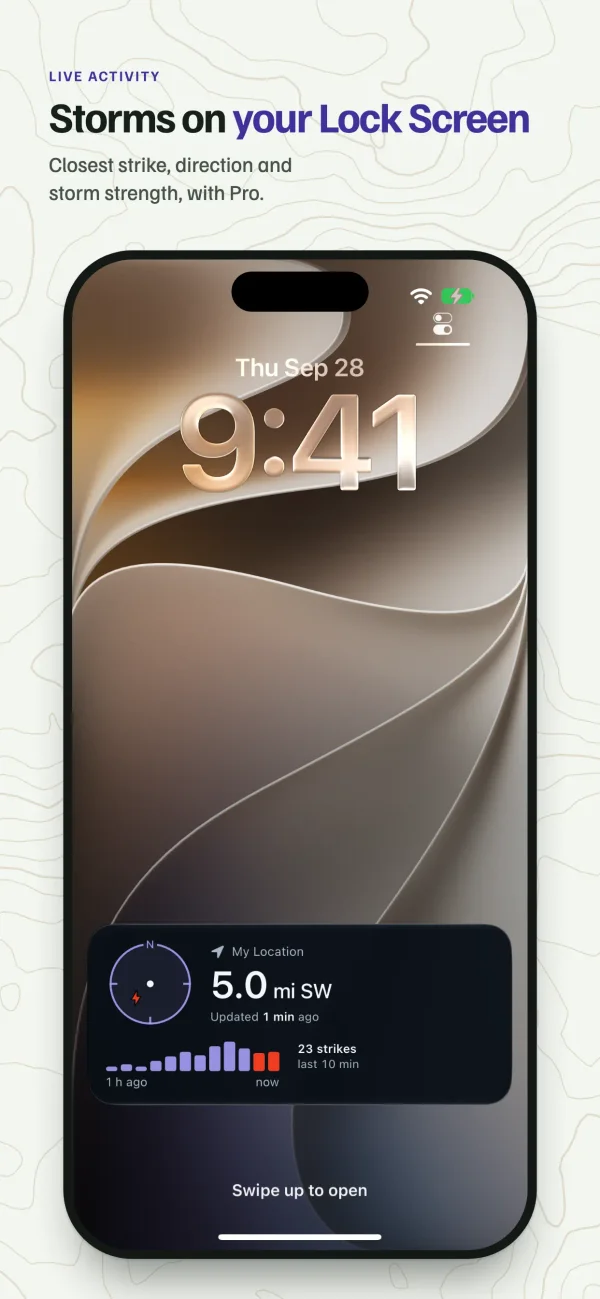
Pro is an optional subscription, monthly or yearly, that removes ads, adds storm Live Activities on the iPhone Lock Screen and in the Dynamic Island, keeps live map updates running without watching an ad, even for big areas, and unlocks every storm replay in strike history.
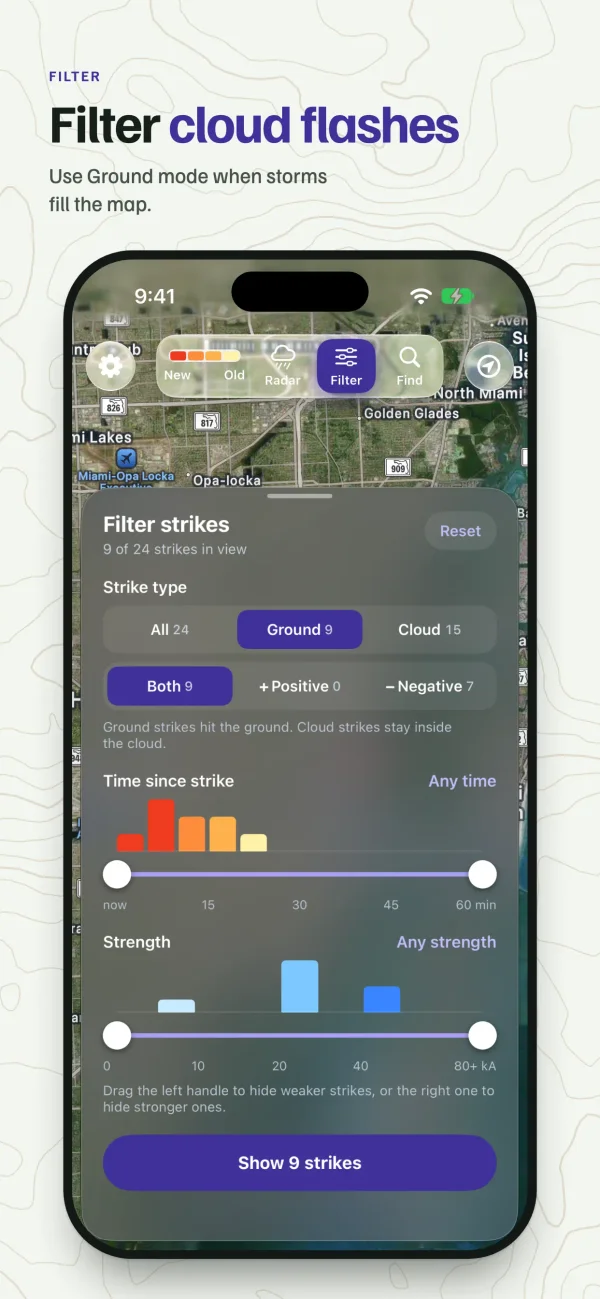
Open the map without creating an app account. Check recent strike activity before travel, golf, hiking, boating, surfing, fishing, open-water activities, or everyday weather planning. The map can show both ground-reaching and intracloud strikes. Ground mode helps filter cloud flashes so busy storms are easier to read.
What you can see:
- Live map of recent strike activity
- Nearby alerts for your location or a saved place
- No app account required to open the map
- Ground-reaching and intracloud strike types
- Ground mode to reduce cloud-flash noise
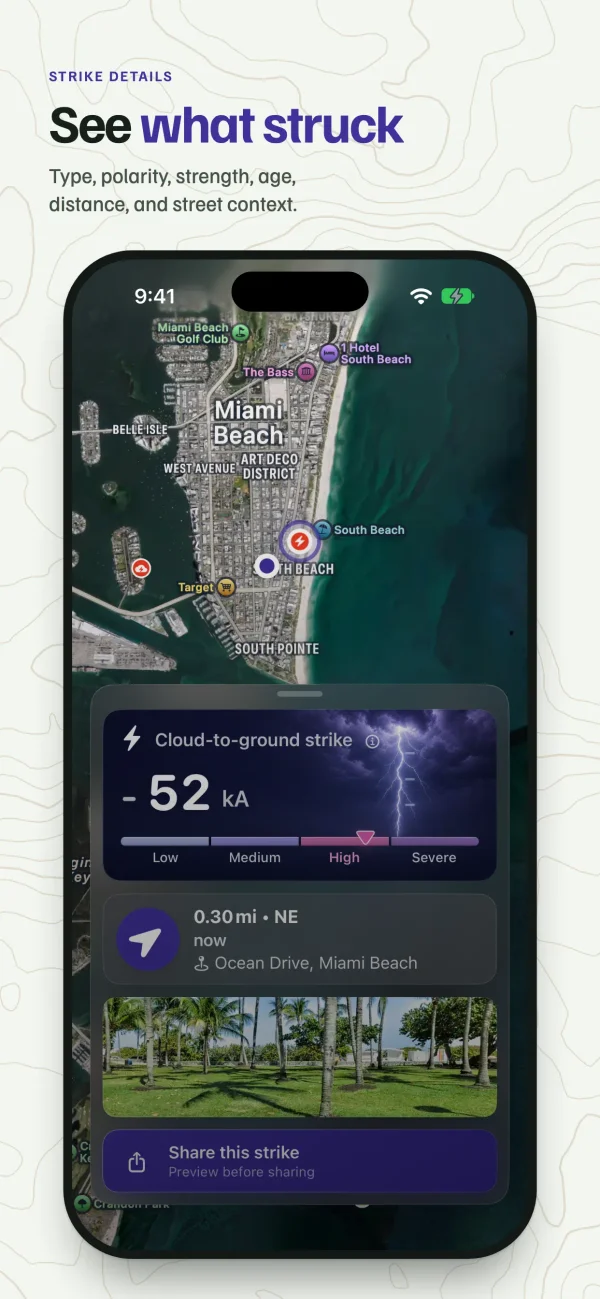
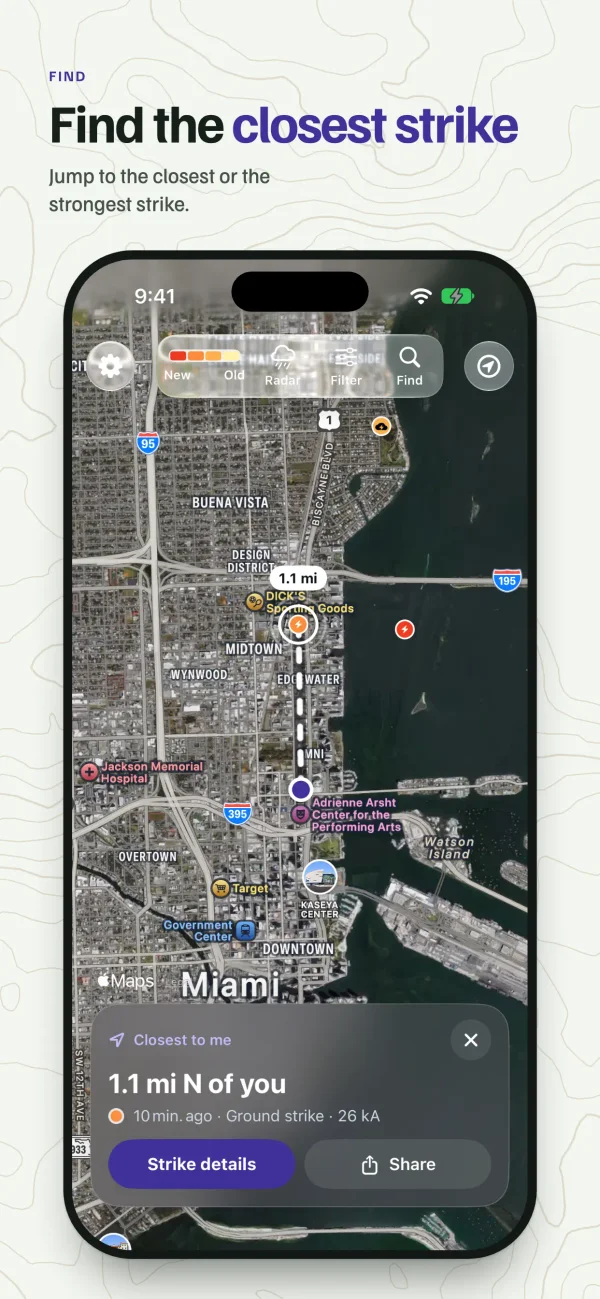
- Closest-strike distance, age, direction, and street context
- Strike strength, polarity, and detailed strike type
- Polarity filter: show only positive or only negative ground and cloud strikes
- Strength filter and Find > Strongest in view
- Find > Strike history: the last 7 days around your location or saved place, with storm replays
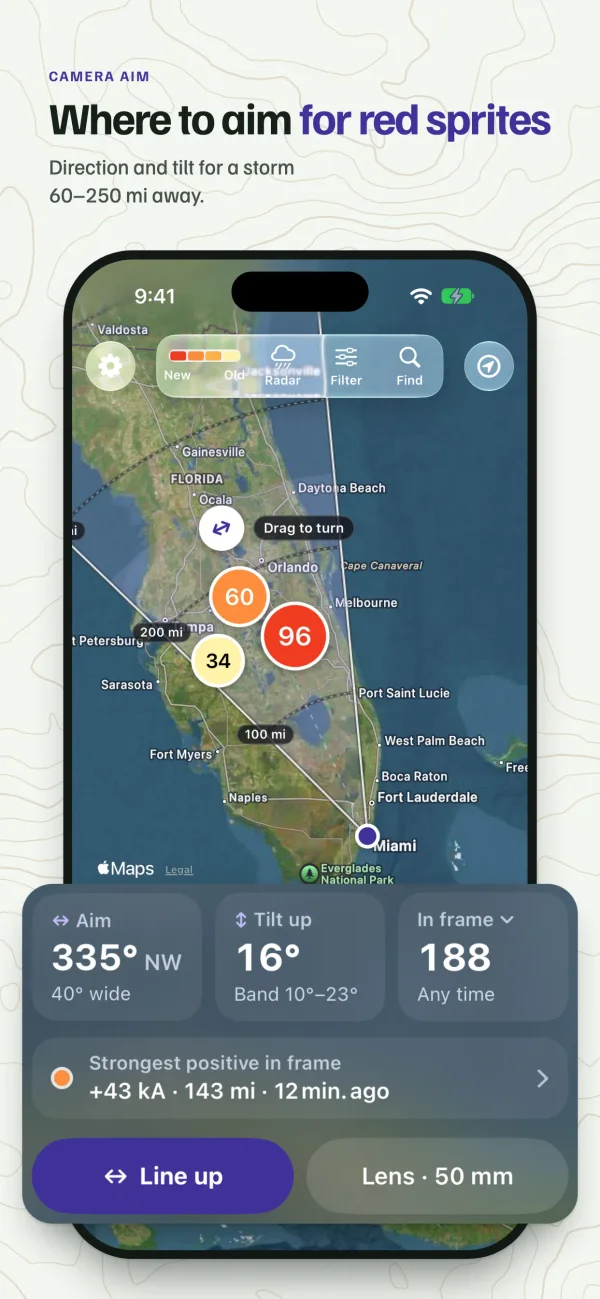
- Camera aim: where to point your camera and how far to tilt it for red sprites above a distant storm
- Weather radar with strikes on the same map
- Save one place you care about
- Clear controls for alerts, ads, privacy, and analytics
Use Lightning Alerts before you head outside, while storms are nearby, or when you want a clearer view of activity around a place. Choose the strike filter, inspect the closest strike, and use notifications to return to the live map when activity changes.
Photographers and sprite chasers can show only positive ground strikes, which are less common and often stronger. Tap a strike to see its distance and direction.
Lightning Alerts is a weather awareness tool, not an emergency warning system. Always follow official weather alerts, local rules, and venue safety guidance.
Terms of Use (EULA):
https://www.apple.com/legal/internet-services/itunes/dev/stdeula/
What’s new
Version 1.1.5 · Nov 23, 2026
Fixed a problem that could cause missed alerts when your phone's clock was wrong. The storm Live Activity no longer restarts over and over when the app updates your location. Where a law requires it, the app now checks the age range that the App Store shares: if the App Store reports that you're under 13, the app blocks access, and some teens may need a parent's approval first.
App privacy
What Lightning Alerts Oy declares on the App Store about how this app handles data.
-
Data linked to you
May be collected and linked to your identity.
- Purchases
- Location
- Identifiers
- Usage data
-
Data not linked to you
May be collected but is not linked to your identity.
- Purchases
- Diagnostics
- Other data
Privacy practices may vary, for example with the features you use or your age.
Information
- Seller
- Lightning Alerts Oy
- Category
- Weather
- Version
- 1.1.5
- Updated
- Nov 23, 2026
- Released
- Jun 26, 2026
- Size
- 23.6 MB
- Requires
- iOS 17.0 or later
- Age rating
- 12+
- Price
- Free
- In-app purchases
- Yes
- Languages
- English, Finnish, French, German, Italian, Polish, Spanish
- Copyright
- © 2026 Lightning Alerts Oy
You might also like
-
 Bolted: Lightning TrackerLightning Alerts & Safety
-
 Lightning on Map : LR TrackerLightning Tracker & Alert
-
 Lightning Tracker: Radar MapThunderstorm Alerts & Forecast
-
 Lightning Tracker & Radar AppLive strike alerts near you
-
 Lightning Tracker Strike RadarLightning Alerts & Weather Map
-
 Real-Time Lightning by MesoSkyLive Strikes, Radar, Alerting
-
 Lightning RadarLive strikes & storm distance
-
 StrikeCast: Lightning TrackerStorm Distance & Live Alerts
-
 ThundraLive Lightning Maps
-
 Lightning Tracker & MapLive Storm Alerts & Radar