- Age rating4+
- CategoryProductivity
- DeveloperShaoKai Zheng
- LanguagesEnglish+ 7 more
- Size30.8 MB
Links to the official App Store page
Download.org hosts no file of LiLiCal. The button opens its official App Store page, published by ShaoKai Zheng. Listing last checked on Nov 23, 2026.
Screenshots

About
LiLiCal is a calendar and reminders app that works with the system apps you already use. Your events come from Calendar, your reminders from Reminders, and the days you care about get their own countdown.
HOLIDAYS FOR ANY REGION
· Public holidays for 37 countries and regions, ready to subscribe
· Each subscription gets its own color; one day can carry marks from several regions
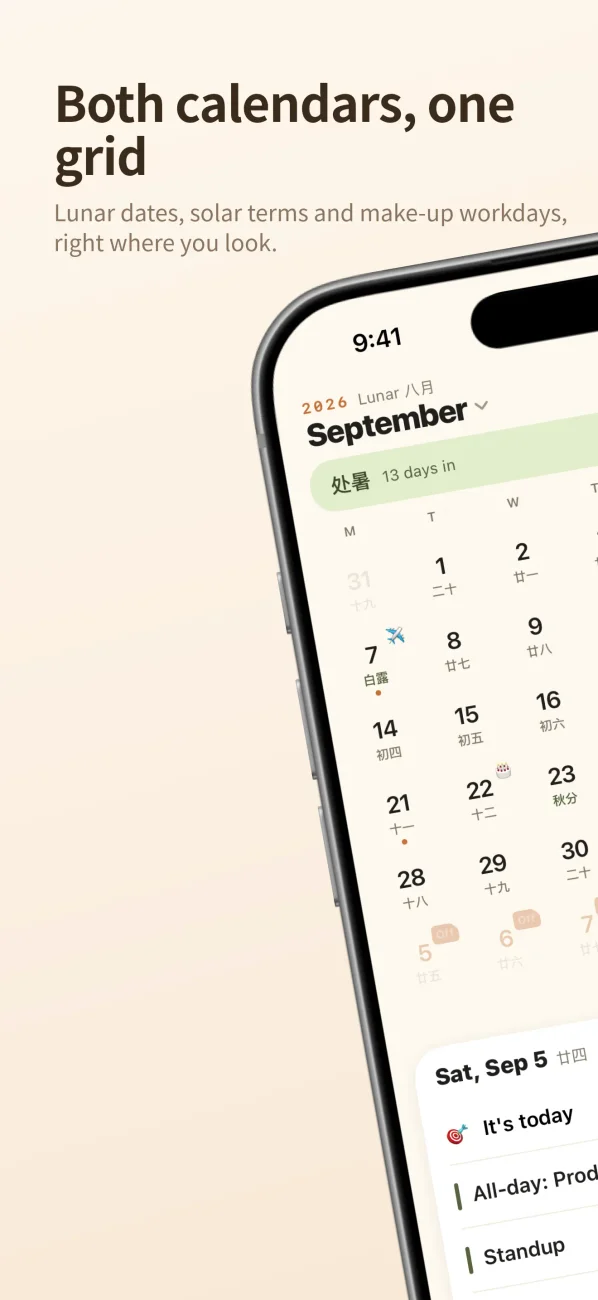
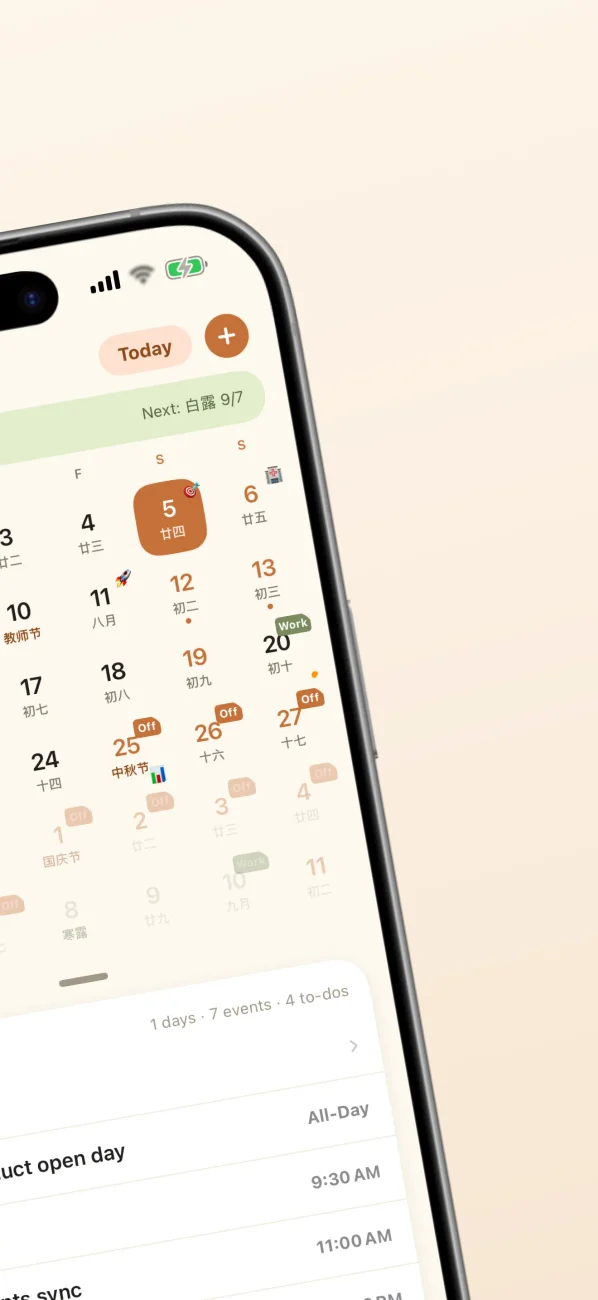
· Chinese lunar dates, the 24 solar terms, traditional festivals, and mainland China's statutory holidays with make-up workdays — always on
WORKS WITH CALENDAR AND REMINDERS
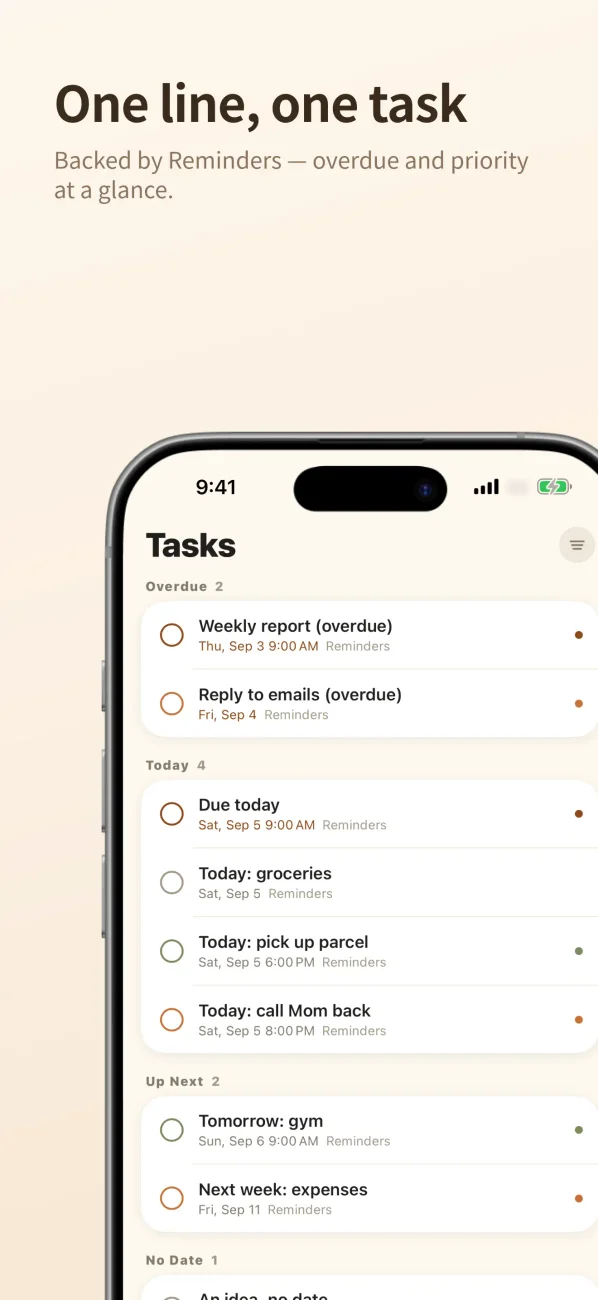
· Events and reminders are read and written straight to the system apps — no separate silo
· The week ahead grouped by date; show only the calendars you pick
· Pre-meeting notifications with one-tap join for online meetings
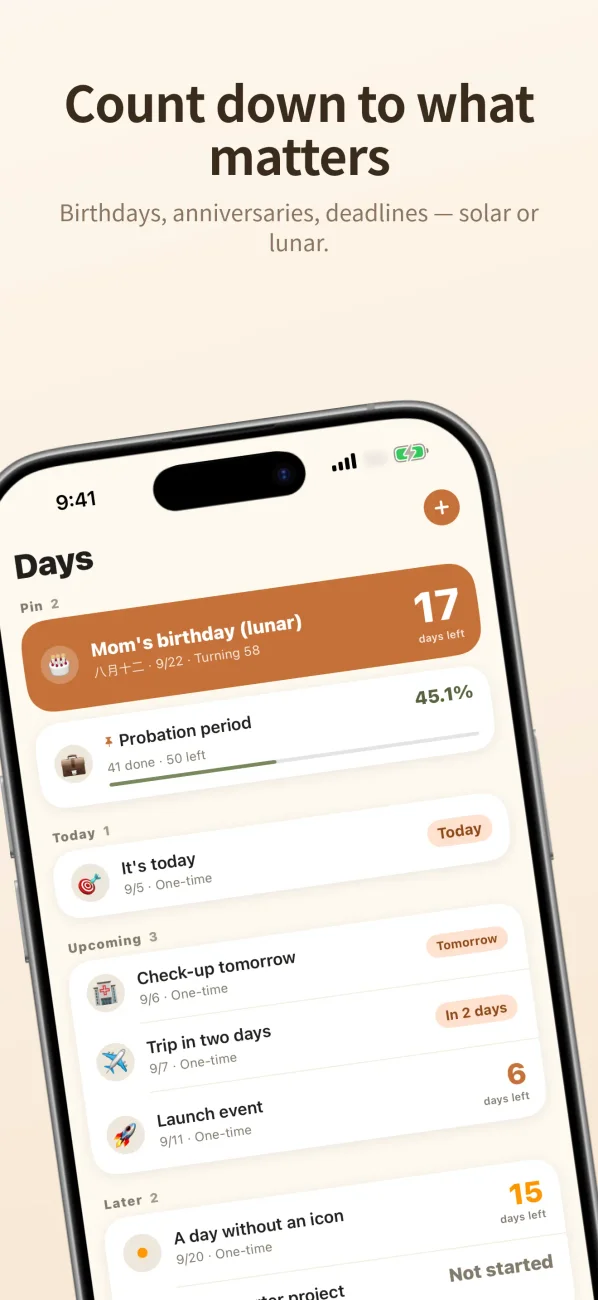
MAKE THE DAYS COUNT
· Birthdays, anniversaries, project milestones — with yearly lunar repeat and custom cycles
· Grouped by urgency, with milestones that tell you where the next one worth marking is
· Syncs with the Mac app through your own iCloud, in real time
WIDGETS ON HOME SCREEN AND LOCK SCREEN
· Four widgets — month, agenda, reminders, countdowns — in small, medium and large
· LiLi Agenda counts down to your next item on a big card at the top, with today's events, reminders and countdowns in one list below — choose countdown or time, and what to list, in Edit Widget
· A countdown for the Lock Screen too
· Tap any row on a widget to open that item
THOUGHTFUL TOUCHES
· Turn tabs on or off and drag them into the order you want
· Start the week on Sunday, Monday or Saturday; show week numbers; choose how many weeks the month view shows
· A Pomodoro focus timer (off by default, switch it on in Settings)
· iPad and landscape iPhone use a two-column layout: list on the left, editor on the right
PRIVACY FIRST
No personal information is collected. Events and reminders are read and written on your device only; Countdowns sync through your own iCloud. The only network requests fetch public holiday data.
What’s new
Version 4.2.0 · Nov 20, 2026
Attachments
• New Attachments page in Settings: everything attached to events, reminders and countdowns in one place, with the total space in use, sorting by size or date, and search
• Each attachment shows which item it belongs to and opens from there; you can also rename it, attach it to another item, or delete it
• Tap Clean Up on the storage card to open a sheet from the bottom with the attachments over 5 MB or whose item is already past
Calendar
• Dragging the handle below the month view to change its height no longer pushes the selected day out of sight
Widgets
• The right column of the medium LiLi Cal widget lists your subscribed holidays again
• Date headers no longer merge with the divider above them, and the list no longer draws a line along its top edge
• The medium LiLi Week widget has a tighter header, more room between its three rows, and even top and bottom margins
Interface
• The search field, filters and some capsule buttons now use system controls — glass on iOS 26
App privacy
What ShaoKai Zheng declares on the App Store about how this app handles data.
-
Data not collected
The developer does not collect any data from this app.
Privacy practices may vary, for example with the features you use or your age.
Information
- Seller
- ShaoKai Zheng
- Category
- Productivity
- Version
- 4.2.0
- Updated
- Nov 20, 2026
- Released
- Jul 20, 2026
- Size
- 30.8 MB
- Requires
- iOS 17.0 or later
- Age rating
- 4+
- Price
- Free
- Languages
- English, French, German, Japanese, Korean, Simplified Chinese, Spanish, Traditional Chinese
- Copyright
- © 2026 ShaoKai Zheng
You might also like
-
 PinNote - Lock Screen NotesSticky Note Widget & Reminder
-
 Cairn: Countdown & Days SinceAnniversary widget & reminders
-
 Kanban Board & Notes - BoardlyTask Lists, Projects & Planner
-
 FacilityLogNursing home audit for family
-
 Near: Pickup Codes & TicketsTickets, Codes & Lock Screen
-
 Hourloom: World ClockCompare time zones for calls
-
 AppBlocker-Block Apps & FocusScreen Time Limits & Detox
-
 AuthGuard - PA RecordsPrior Auth & Appeal Tracker
-
 On The Lock - Lock Screen MemoA note you cannot miss
-
 WelljotSimple tasks. Simply done.