- Age rating4+
- CategoryPhoto & Video
- DeveloperLomation
- LanguagesEnglish
- Size91.2 MB
Links to the official App Store page
Download.org hosts no file of lilocam. The button opens its official App Store page, published by Lomation. Listing last checked on Nov 24, 2026.
Screenshots



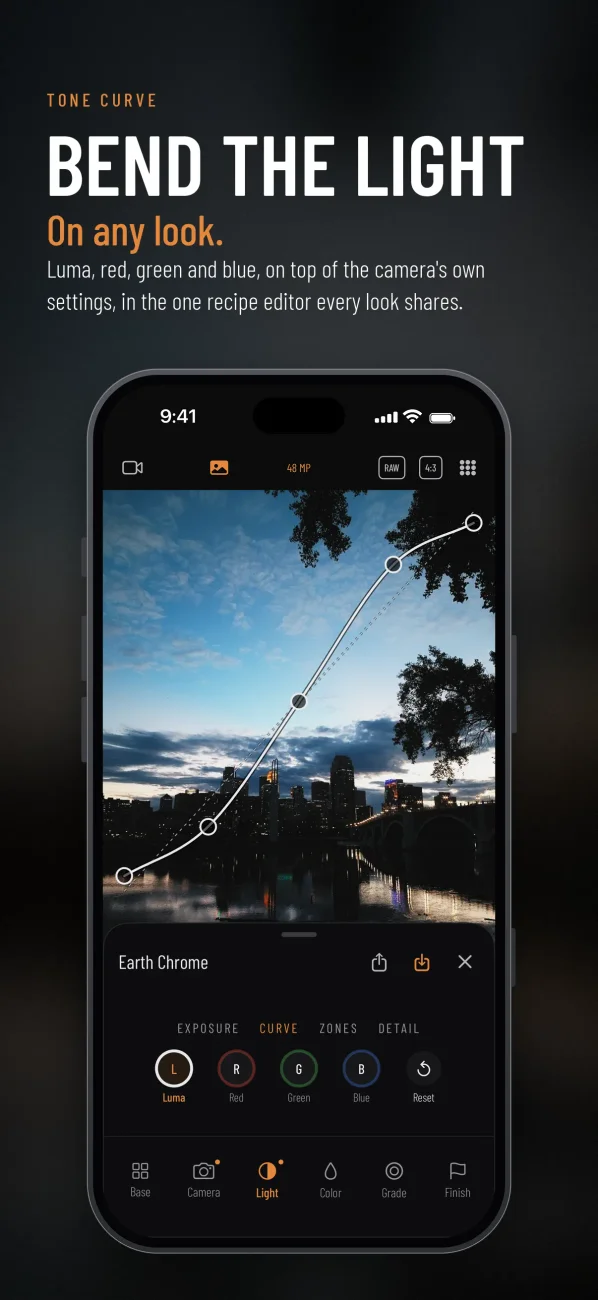

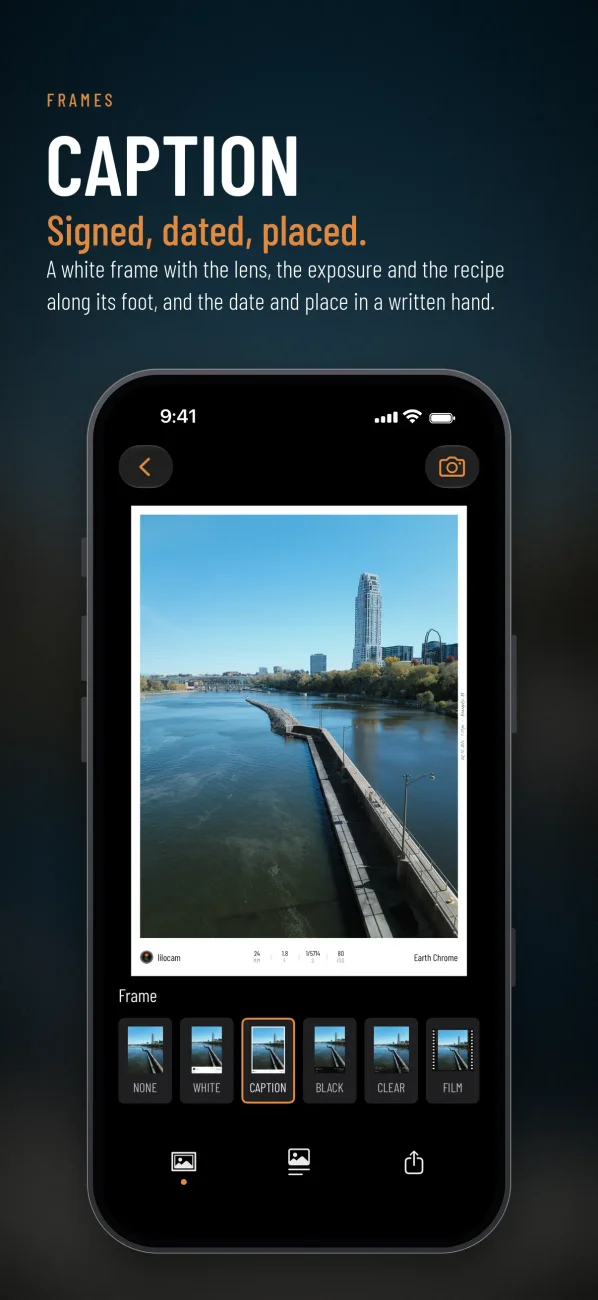
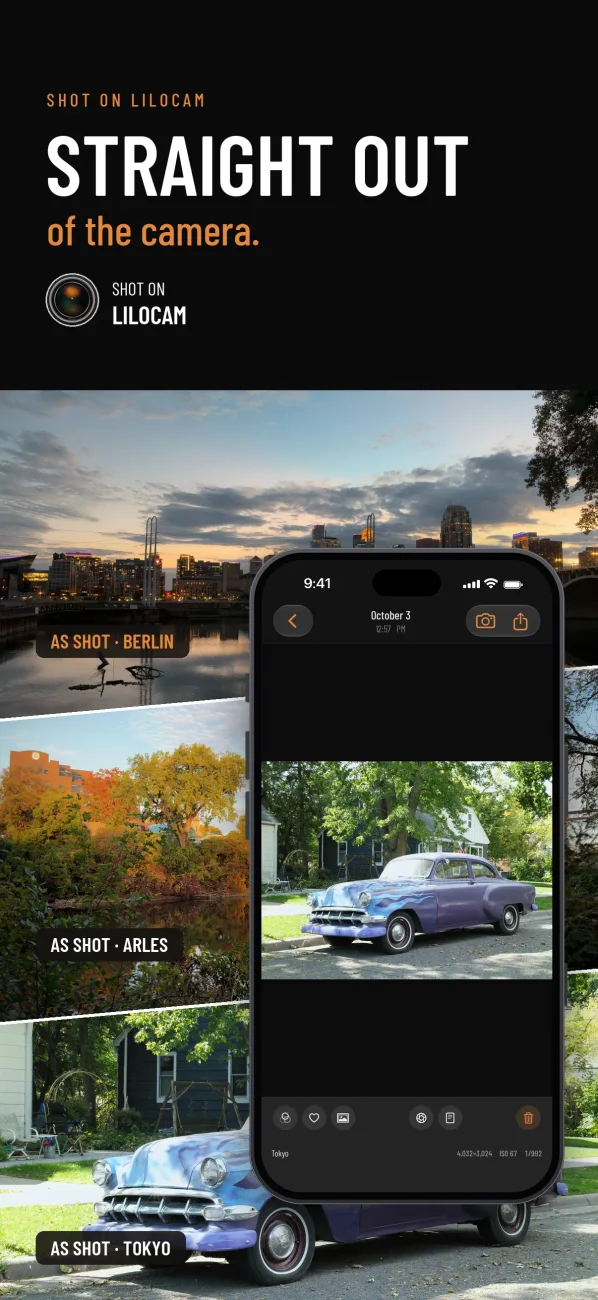
About
CAMERA EMULATION SO GOOD THAT IT CAN SHOOT THE CAMERA'S OWN CUSTOM FILM RECIPES, COLOR SCIENCE, AND LOOKS.
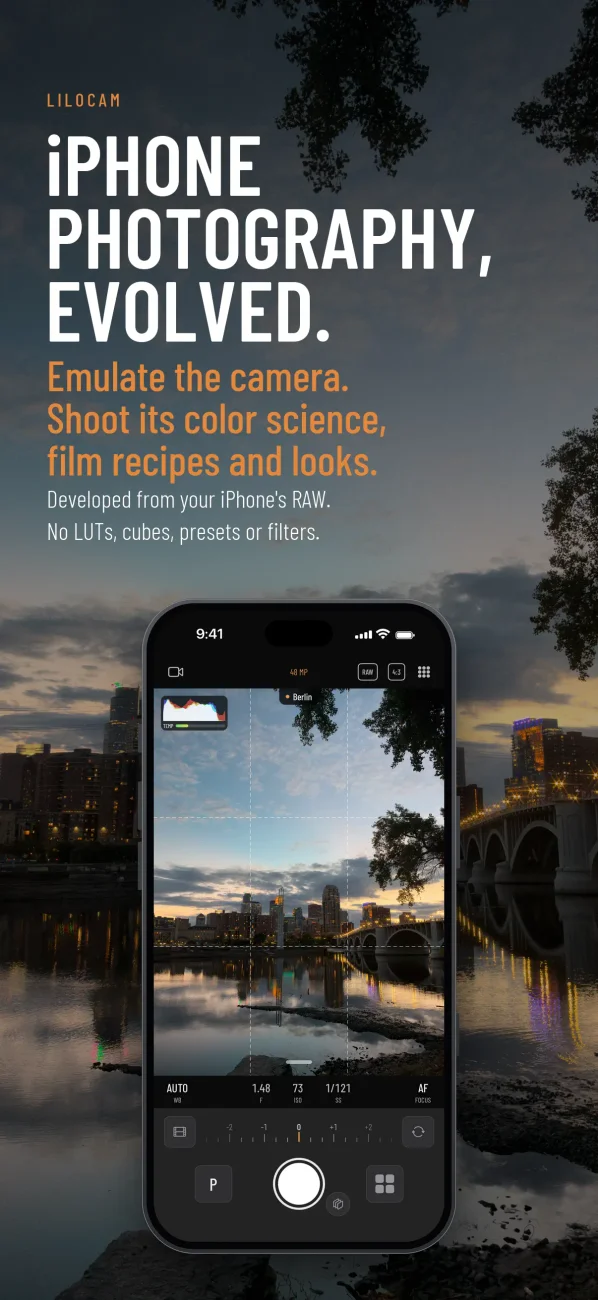
lilocam turns your iPhone into a "real camera" with real color science. Every shutter press keeps a RAW negative and develops it, right on your phone, into a finished photograph with the soul of film. No filters. No LUTs. No presets. Just pictures that don't look like they came from a phone.
DEVELOPED, NOT DECORATED
Other apps paint a "film look" over a photo that's already finished. lilocam does what a camera's own processor does: it starts from the RAW negative and develops it through Nebula, its own darkroom engine. Exposure, tone, color, grain and dynamic range are worked out for every picture, never pasted on top.
And because every RAW photo stays a negative, nothing is ever final. Fall for a new look next month? Develop the same shot again, with nothing lost.
LOOKS YOU'LL FALL IN LOVE WITH
• lilocam's own look: the free signature default, rich, warm and always HDR
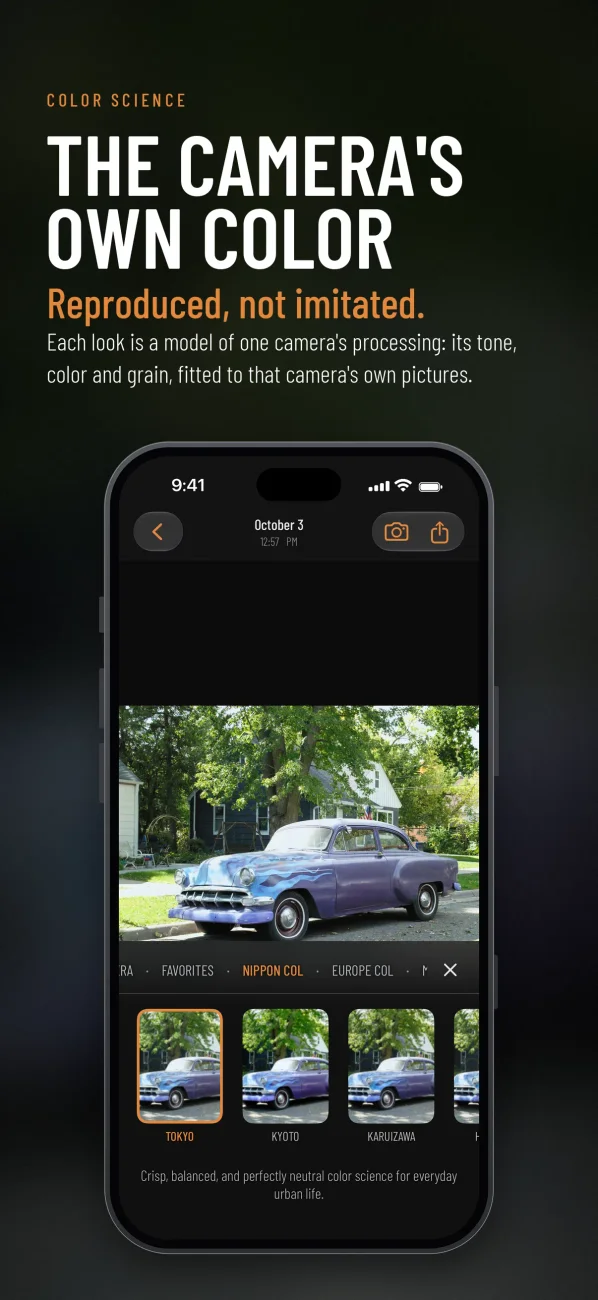
• The NIPPON COLLECTION: the color science of a legendary Japanese camera and its 20 film simulations, from vivid slide film to deep, moody black and white
• The EUROPEAN COLLECTION (PRO): 21 looks of precision German photography, rich, restrained and timeless
• Your own film recipes: build one, name it, pin it to the film strip and shoot with it. Found one online? Scan its text recipe or paste it in.
A CAMERA, NOT A FILTER APP
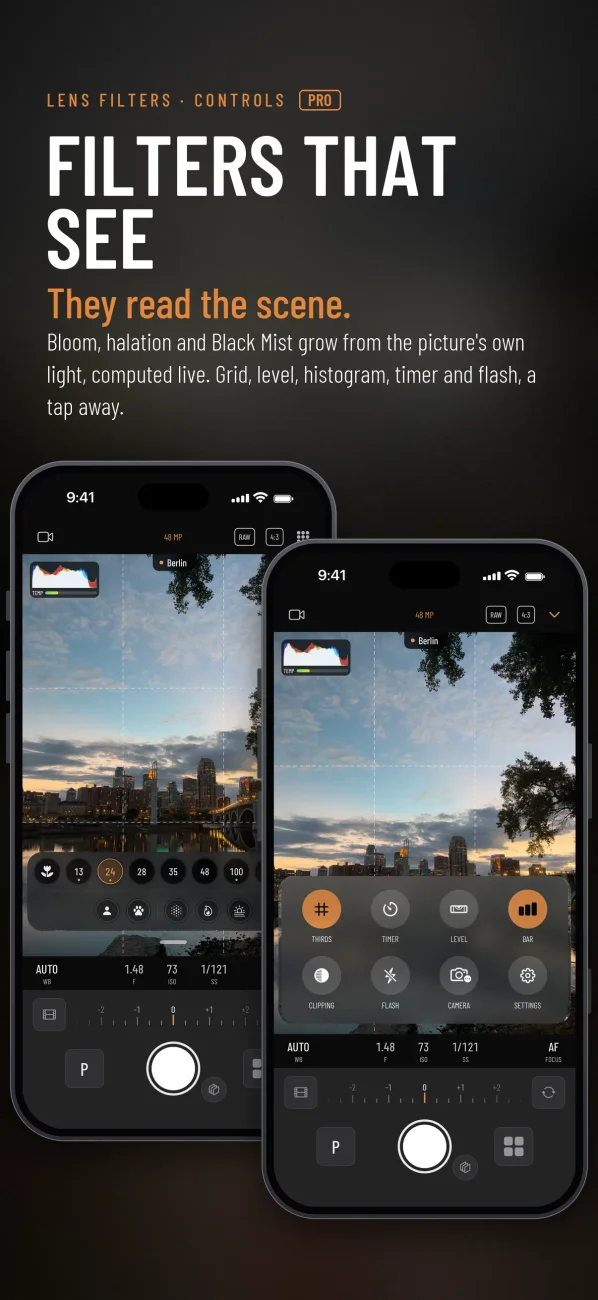
P, A, S and M. An EV dial under your thumb. Every lens one tap away. Level, histogram and focus peaking. Night mode, burst and panoramas. Five aspect ratios, up to 65:24. RAW, JPEG or HEIF. Lens filters for a dreamy, filmic glow: Mist, Bloom and Halation (PRO). HDR photos that shine on screens that can show them (PRO).
MOVIES WITH YOUR LOOK
Movie mode grades your footage live with the recipe you shoot with, in Apple Log and ProRes RAW too on iPhones that record them. Ready to watch the moment you stop.
YOUR DARKROOM WITH A PRO-LEVEL PHOTO EDITOR, ALWAYS OPEN
Unlike most other camera apps, lilocam emulates cameras, not "film simulations". It doesn't have to simulate film recipes or looks because it was built to shoot them. Sure, lilocam has a film recipe maker for unlimited creative shots. It even has an incredibly powerful photo editor. But they are purely optional.
YOUR CAMERA'S BEST COMPANION
Shoot with an X-Trans V camera? Pair it over Bluetooth, no other app needed:
• Read, write, edit and delete your camera's custom recipes, no cable needed
• Browse and download photos and movies over the camera's Wi-Fi
• Shoot remotely with the camera's own live view and controls
PRIVATE BY DESIGN
No account. No analytics. No servers. Your photographs never leave your phone.
BEST ON iPhone 14 Pro OR LATER
Every iPhone shoots RAW negatives, ProRAW or Bayer. Only a photo shot as a RAW negative can be developed again with a different recipe.
TRY EVERYTHING, FREE
Your first 72 shots are on us: two full rolls of film, with every feature unlocked, PRO included. Every new picture, re-develop, recipe added or camera change uses one. When you're ready, pick your edition:
• lilocam Standard: the full camera and darkroom. Monthly, yearly, or once for life.
• lilocam PRO: everything in Standard, plus the EUROPEAN COLLECTION, Lens filters (Mist, Bloom, Halation) and every new feature and collection to come. Once, for life. Never pay for a "look" pack again.
Subscriptions renew automatically unless canceled at least 24 hours before the end of the current period. Manage or cancel them anytime in your Apple Account settings.
Terms of Use: https://www.apple.com/legal/internet-services/itunes/dev/stdeula/
Privacy Policy: https://daisycloud.us/lilocam/privacy
lilocam is an independent app and is not affiliated with, endorsed by or sponsored by any camera manufacturer. Every look is an approximation dialed in by hand with Daisycloud's Nebula darkroom engine. Connecting a camera is at your own risk; every other part of lilocam works without one.
What’s new
Version 1.0.6 · Nov 23, 2026
UPDATE
• In addition to video color grading, you can now trim, split, move and delete clips on a timeline, and give each section its own recipe. Your original take is never changed.
• Sound: edit the take's sound on its own track and set a volume for every track, with fades in and out on songs.
• Transitions: nine kinds between clips, from a quarter second to two seconds long.
• Text: titles in any font and size, colors from a harmony wheel with saved harmonies and an eyedropper, outlines, boxes, rotation and fades.
• Chyrons: a title and subtitle on a panel with an accent bar. Save a design and use it again in any movie.
• Pictures and videos: add photos, logos and signatures (transparent PNGs too) as layers and place them exactly with X and Y. Cut other videos in as clips, or lay them over as picture in picture.
• Object tracking: text, pictures and videos can follow a subject, with an arrow pointing to it. Move or resize the tracking box to pick up a new subject.
• Asset library: pictures, videos and sounds brought in from Photos, Files and your music library, ready for any movie.
• Zebras: movie mode's clipping warning is now zebra stripes, red or black (Movie settings › Viewfinder).
• An amber spinner shows while a new photo is saving to Photos.
• A recipe picked while another is still developing is applied as soon as the first one finishes.
BUG FIXES
• Applying a recipe to an edited photo is faster: the photo is developed once, your edit is kept exactly as it is, and the progress bar follows it to the end.
• Applying a recipe to an edited photo, and then another before the first has finished, now shows the last recipe you picked.
• If lilocam is closed while a recipe is being applied to an edited photo, the photo is finished the next time lilocam opens.
• Save to Photos from a photo's share menu now puts the photo in the lilocam album, so with iCloud Photos lilocam lists it on your other iPhones too. lilocam photos already in Photos are gathered into the album.
• RAW photos shot on iPhones without ProRAW (Bayer RAW) are much cleaner in low light: color noise and heavy grain are taken out when the photo is developed.
• Photos still being saved to Photos no longer flicker in the album.
• A black and white recipe stays black and white when the photo is opened in the editor.
• A photo whose develop failed while saving to Photos now says so, and a tap tries again.
• The same photo no longer shows up twice in the viewer right after it is saved to Photos.
• Edited movies with 4-channel spatial audio keep their sound when exported.
• A copy-protected audio file brought into a movie is now refused with a clear message.
App privacy
What Lomation declares on the App Store about how this app handles data.
-
Data not collected
The developer does not collect any data from this app.
Privacy practices may vary, for example with the features you use or your age.
Information
- Seller
- Koua Lo
- Category
- Photo & Video
- Version
- 1.0.6
- Updated
- Nov 23, 2026
- Released
- Oct 25, 2026
- Size
- 91.2 MB
- Requires
- iOS 26.0 or later
- Age rating
- 4+
- Price
- Free
- In-app purchases
- Yes
- Languages
- English
- Copyright
- © 2026 Koua Lo, Daisycloud
You might also like
-
 CMRA - A Camera, Kept SimpleZero Process Simple Camera
-
 Citus CameraReal film looks, live.
-
 Masoc: Photo & Video EditorRAW, film looks & AI masks
-
 frmrrFilm camera & photo diary
-
 Chamber: Film Camera & EditorVintage, Disposable & Digicam
-
 Rayon: Pro Film & RAW CameraVintage, cinematic & manual
-
 FilmHantong - Film CameraDisposable cam & photo strips
-
 Pocket Finish: Color GradingLUTs & Log Video Editor
-
 Dream Camera AIAI camera and photo styles
-
 UMBRAL: Premium Photo CameraTasteful, High-Quality Filters