
- Age rating4+
- CategoryUtilities
- DeveloperSION NOH
- LanguagesEnglish+ 1 more
- Size4.0 MB
Links to the official App Store page
Download.org hosts no file of Limi - AI Usage Widget. The button opens its official App Store page, published by SION NOH. Listing last checked on Nov 14, 2026.
Screenshots
About
Ever been cut off by a usage limit right in the middle of your work?
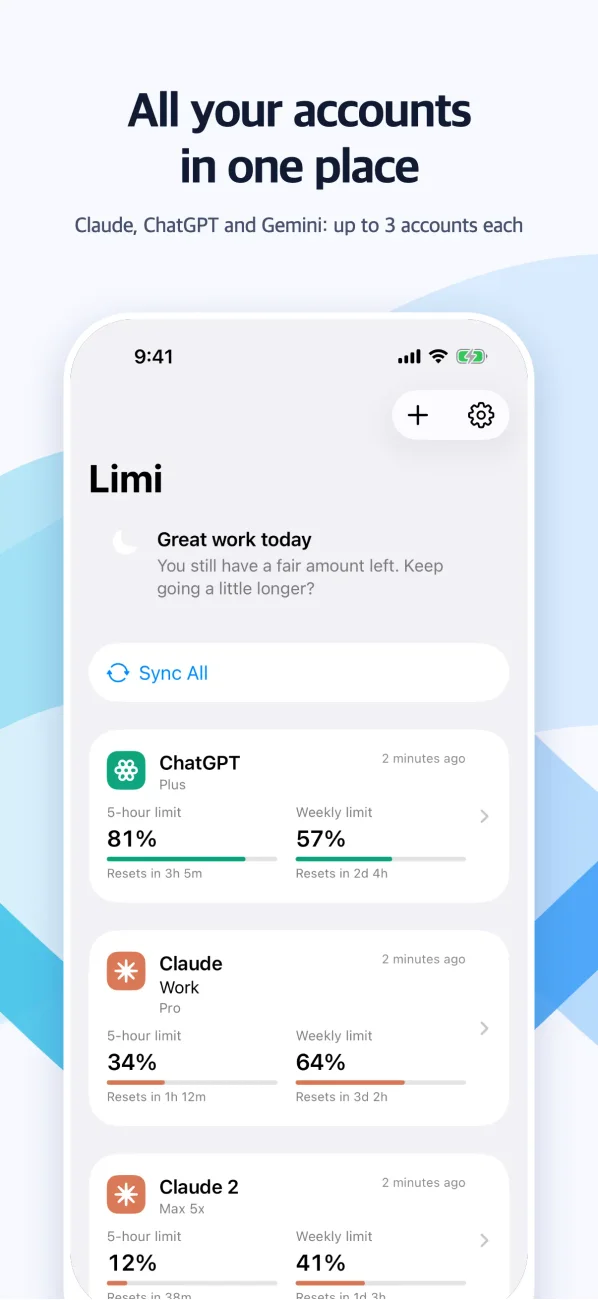
Limi shows how much usage is left on your Claude, ChatGPT and Gemini subscriptions, and when it refills, all in one place. Check it at a glance with Home Screen and Lock Screen widgets, without opening the app.
AT A GLANCE
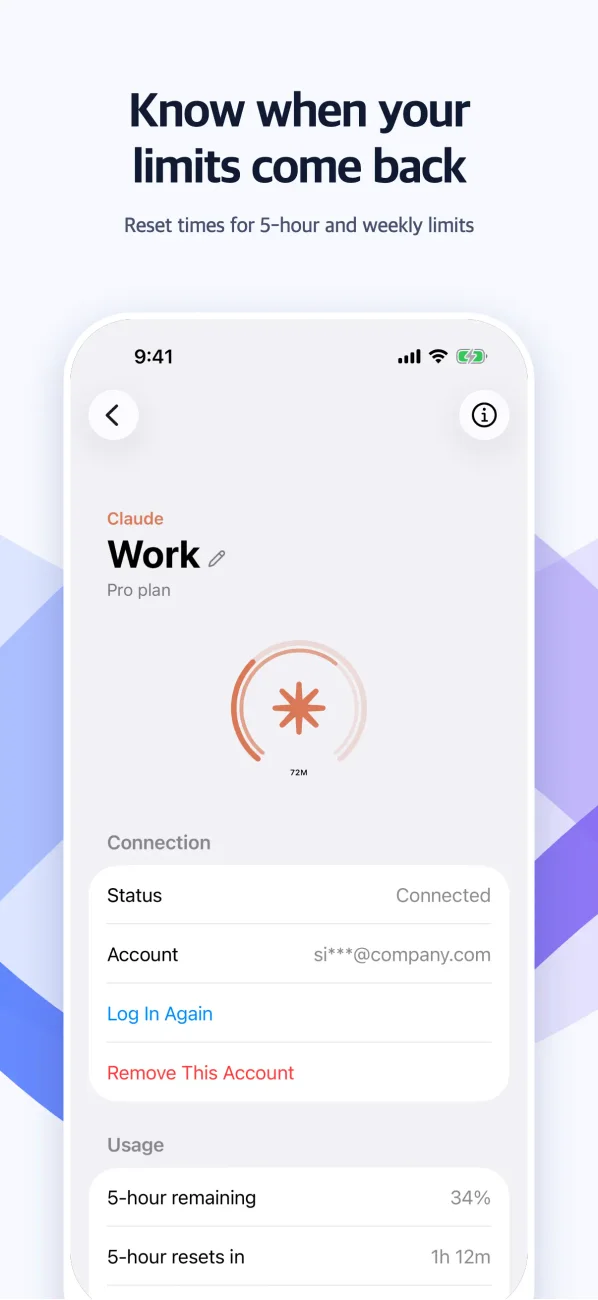
• 5-hour limit: how much is left and when it resets
• Weekly limit: how much is left this week and when it resets
• Which AI has the most room right now
SUPPORTED SERVICES
• Claude: plan usage limits
• ChatGPT: Codex (coding agent) usage limits
• Gemini: Gemini app usage limits
The limits shown depend on what each service provides for your account. Plans without these limits may not show a value.
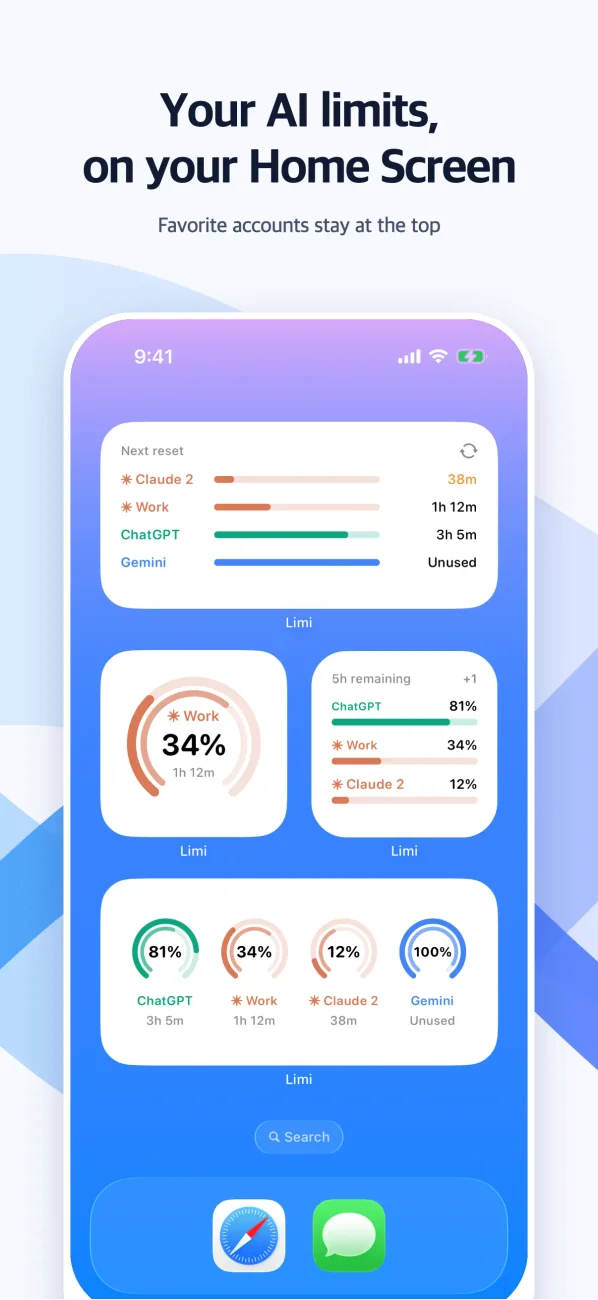
HOME SCREEN WIDGETS
• AI Usage Comparison: 5-hour usage left for your AIs, side by side
• Recommended AI: the AI with the most usage left right now
• AI Usage Gauge: one AI of your choice, big and clear (iOS 17 or later)
• AI Usage Dashboard: circular gauges for every AI at once
• Reset Countdown: limits in the order they reset
• AI Usage Details: 5-hour and weekly usage left with reset times
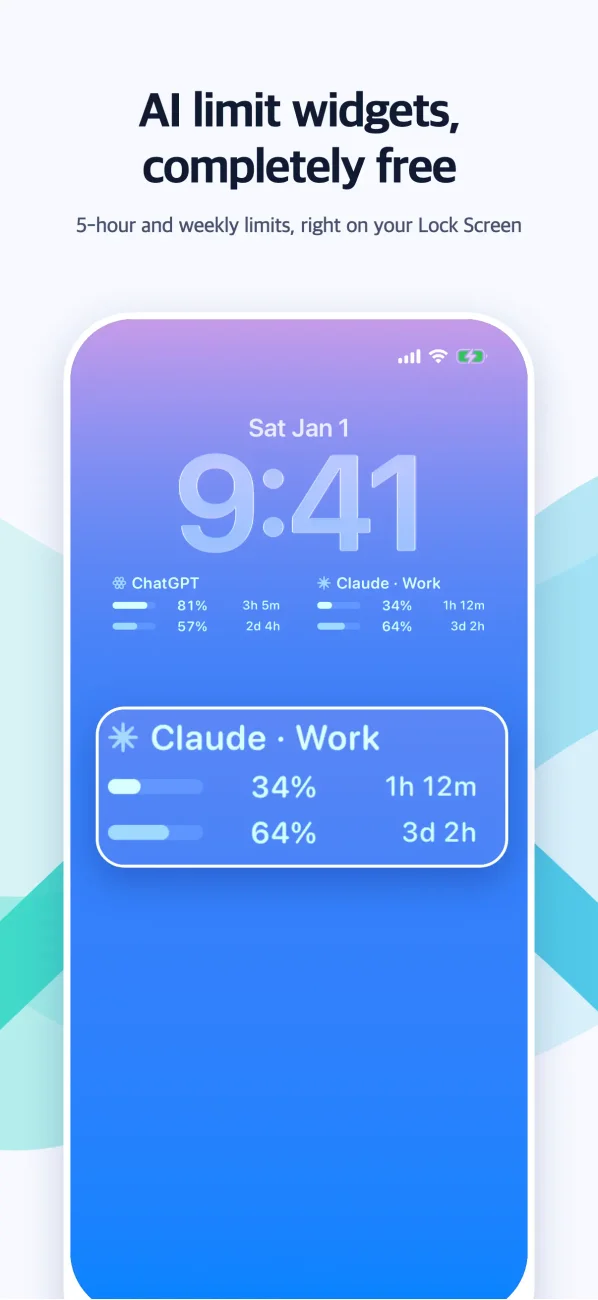
LOCK SCREEN WIDGETS
• A circular gauge for each service
• A two-line widget for each service: 5-hour and weekly usage left and time until reset
• Sync Usage button: refresh without opening the app (iOS 17 or later)
Tap a widget to jump straight to that AI.
APPLE WATCH
• See usage left in the Watch app, on watch faces and in the Smart Stack.
AUTOMATIC REFRESH
Your iPhone refreshes usage in the background from time to time, even when the app is closed. iOS decides how often, based on battery and other conditions.
NOTIFICATIONS
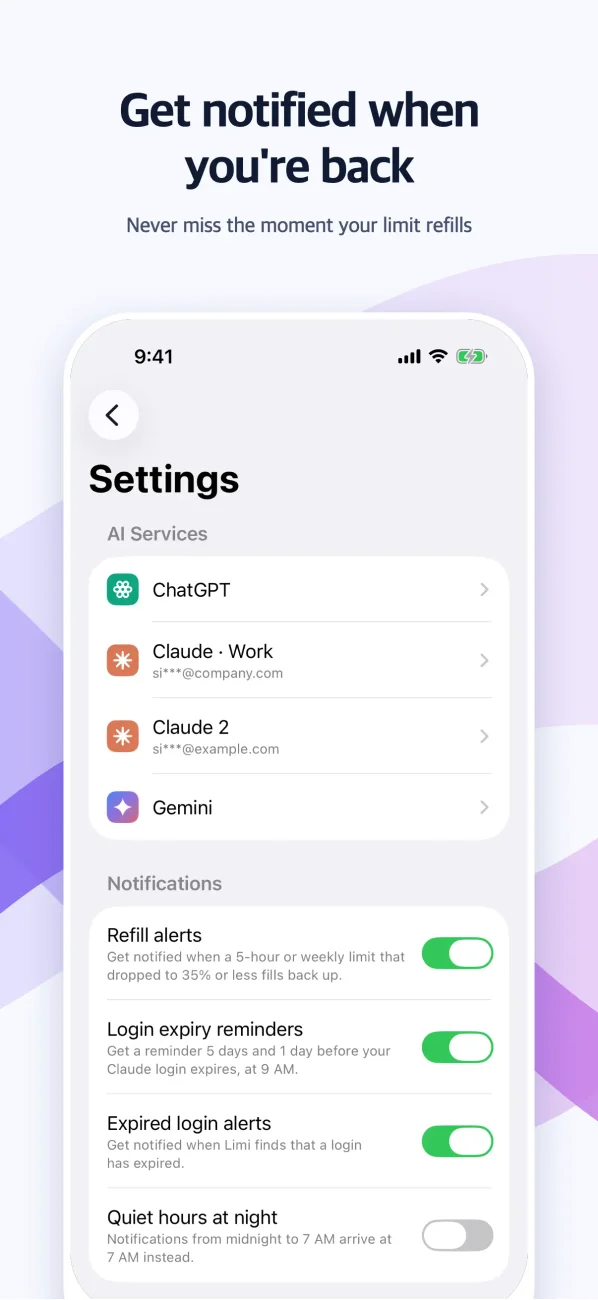
• Get notified when a limit you used heavily (35% or less left on the 5-hour or weekly limit) refills.
• Get a heads-up 5 days and 1 day before your Claude login expires.
• Get notified right away if a login expires.
• Optionally hold night-time (midnight to 7 AM) notifications until 7 AM.
YOUR PRIVACY
• No developer server. Usage goes straight from each service to your iPhone.
• We never ask for your password. You sign in on each service's own login page.
• Login info is stored only in your iPhone's Keychain, encrypted.
• No ads, no analytics, no tracking. Notifications are created on your iPhone.
• Login info is used only to read usage. Limi never sends messages or uses up your usage.
GOOD TO KNOW
• Limi is an independent app and is not affiliated with Anthropic, OpenAI or Google. Claude, ChatGPT and Gemini are trademarks of their respective owners.
• These aren't official integrations, so a change on a service's side may briefly stop them from working. We'll fix issues as quickly as we can.
• Claude requires signing in again about once a month.
• Requires iOS 16 or later. Some widgets require iOS 17 or later.
Contact: sioninzion918@gmail.com
What’s new
Version 1.4 · Nov 1, 2026
• Multiple accounts: connect up to 3 accounts per AI and give each one a name.
• Favorites: star accounts in Settings > Widgets > Favorites to keep them at the top of multi-AI widgets and on Apple Watch.
• Fixed Lock Screen widgets showing old numbers after a sync.
App privacy
What SION NOH declares on the App Store about how this app handles data.
-
Data not collected
The developer does not collect any data from this app.
Privacy practices may vary, for example with the features you use or your age.
Information
- Seller
- SION NOH
- Category
- Utilities
- Version
- 1.4
- Updated
- Nov 1, 2026
- Released
- Oct 6, 2026
- Size
- 4.0 MB
- Requires
- iOS 16.0 or later
- Age rating
- 4+
- Price
- Free
- Languages
- English, Korean
- Copyright
- © 2026 SION NOH
You might also like
-
 Kitty AI UsageUsage limits in a cat widget
-
 Usage GaugeLock screen usage widgets
-
 AI limits : usage trackerTrack your AI usage limits
-
 JaugeAIClaude, Codex & Gemini limits
-
 Claudometer WidgetsToken usage, at a glance.
-
 FoldWall: Duo Wallpaper FitPreview cover & inner screens
-
 RetranslatorLive translation in AirPods
-
 AngleDuo – ProtractorInclination, level and miter
-
 ARGO WMSUtilities
-
 Web Live ActivitiesWeb Powered Live Activities