
Linesider: Bus, Plane & Train
Bus, train, tram, plane & ship
Designed for iPhone, iPad
In-app purchases
- Age rating4+
- CategoryTravel
- DeveloperTony STILLING
- LanguagesEnglish
- Size14.4 MB
Links to the official App Store page
Download.org hosts no file of Linesider: Bus, Plane & Train. The button opens its official App Store page, published by Tony STILLING. Listing last checked on Nov 22, 2026.
Screenshots

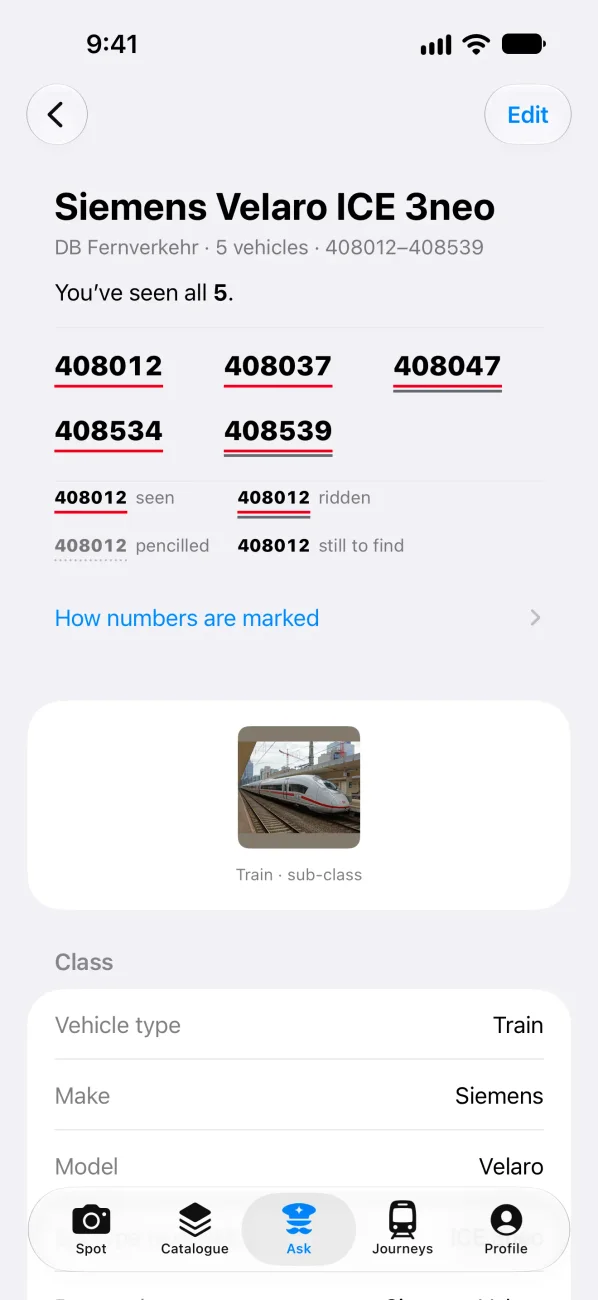

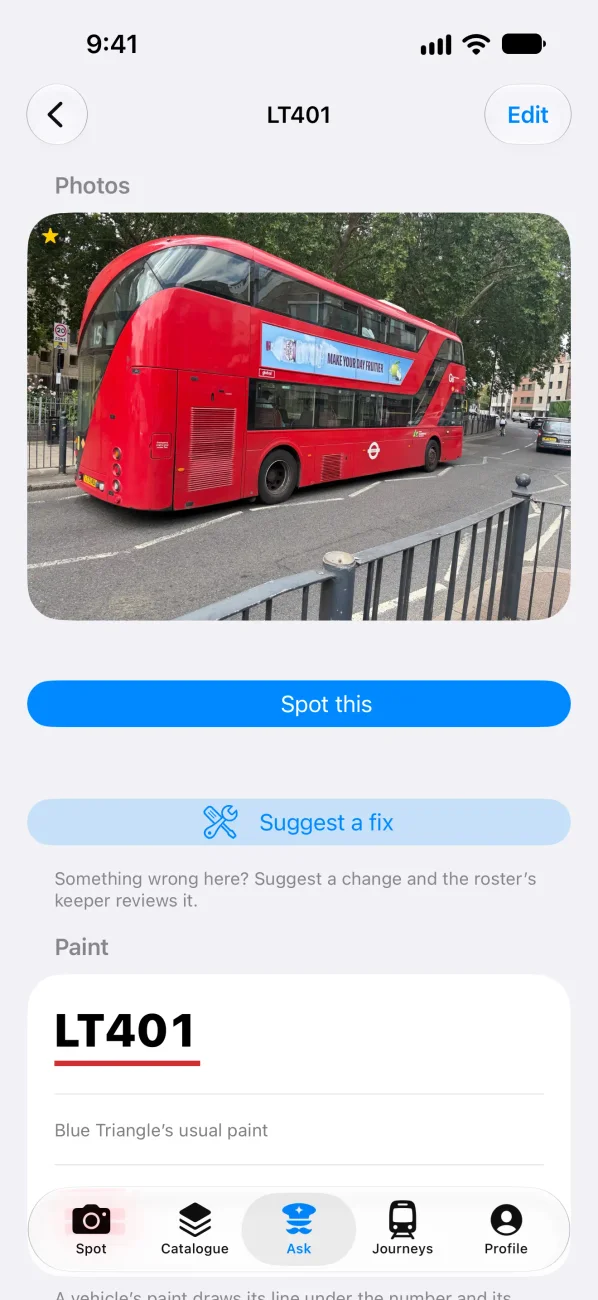

About
Linesider is the modern companion for transport spotting.
Photograph a bus, train, tram, aircraft or ship and Linesider identifies it, cross-checking what it reads against live vehicle movements and your own catalogue before it fills in the details. What used to be a notebook and a lot of guesswork is a tap.
See what's around you, live
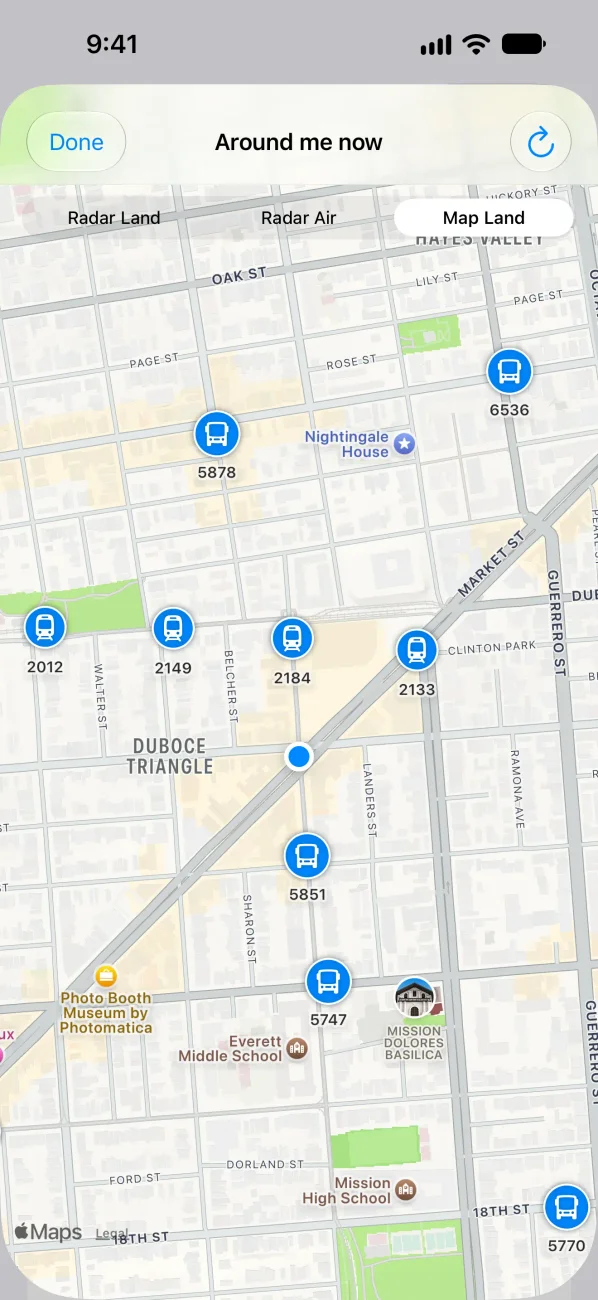
Open Around Me and Linesider shows the vehicles near you right now, with real fleet numbers, across a growing set of regions: today the UK, the Netherlands, Germany and the San Francisco Bay Area. Tap one and the spot is already half-written.
Boards at airports and stations
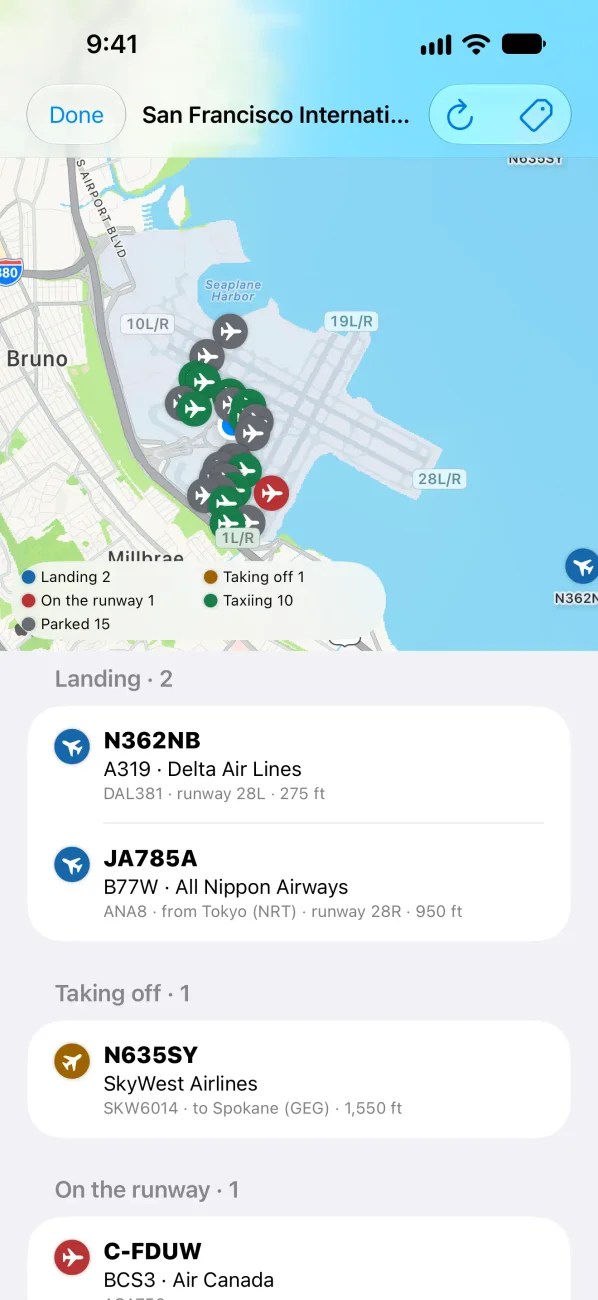
At an airport, see a map of the airfield with every aircraft landing, taking off, taxiing or parked. At a station in the UK, the Netherlands or Germany, see every train due now, with its platform and how late it is.
Identify from a photo
One photo is enough. Linesider reads the vehicle, matches it against the catalogue, and hands you a filled-in form to check rather than a blank one. Identification only ever runs when you ask it to.
Ask Inspector Sands
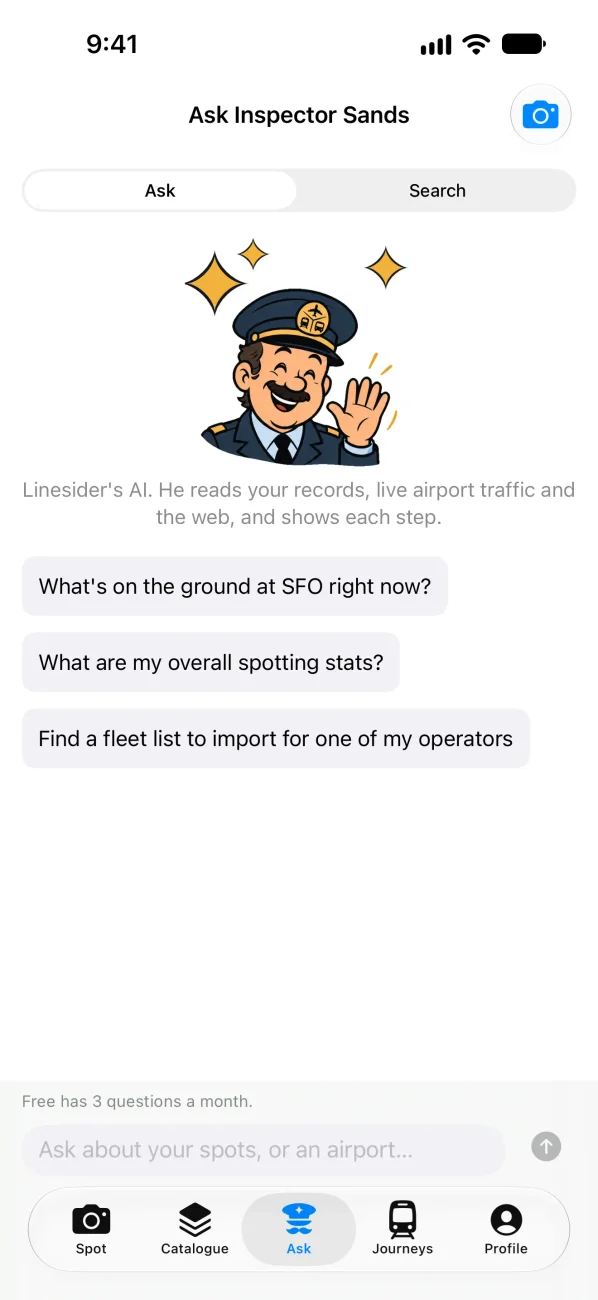
Inspector Sands is Linesider's AI. Ask him about your collection and he answers from your own records, or ask what is at an airport right now. Then try to beat him, naming the vehicle in real spotters' photos.
Whole-train spotting
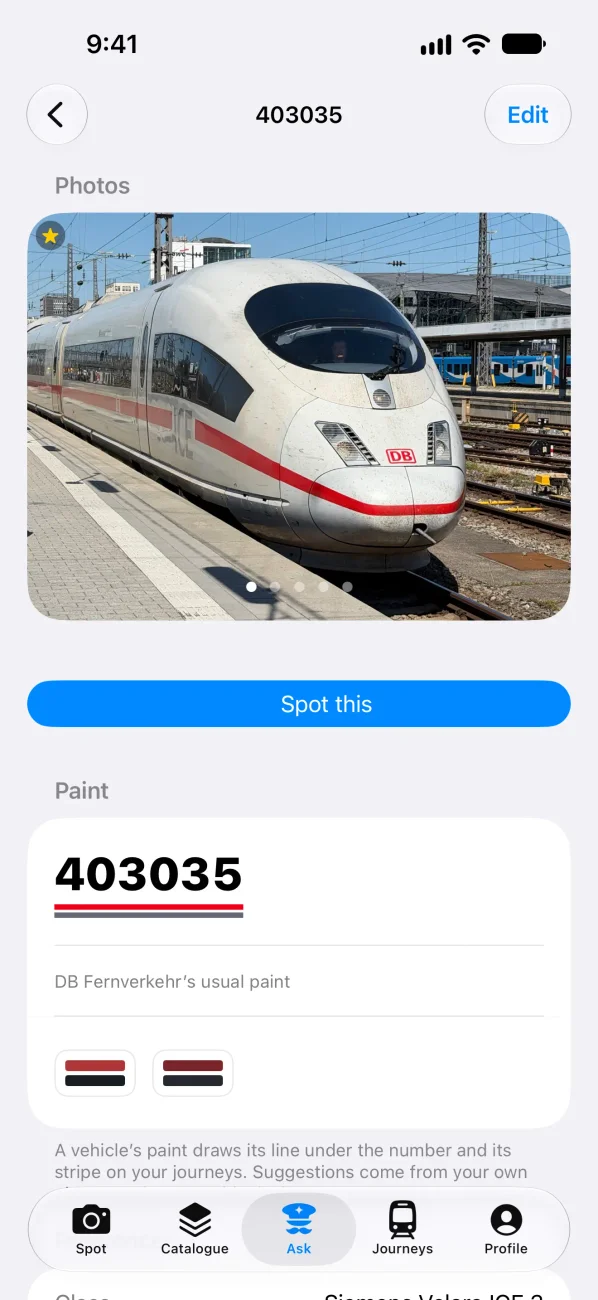
Spot one unit and, where formation data is available, Linesider knows the whole train: carriage numbers and consists land on the record automatically, locomotives and coaching stock included.
Fleet lists with a memory
Operators, classes and individual vehicles live in one catalogue. Every spot ticks off progress against the rosters you care about, and an importer builds a fleet list in minutes instead of an evening.
Journeys and achievements
Rode it rather than just saw it? Log the trip with its route and stops. Badges arrive as your collection grows.
A shared catalogue, kept clean
Publish operator fleets and lists for other spotters, or keep yours private. Shared sets are reviewed before they land, and rosters kept current from official sources are badged as such, so you know whose list you're ticking before you trust it.
Your log is yours
Your spots, photos and journeys are private unless you choose to share them. Location on a spot is optional. You can delete your account, and everything in it, from inside the app.
Linesider covers buses, trains, trams, aircraft and ships. The bus and rail catalogues run deepest, refreshed from official sources. Aircraft and ship fleets are lighter for now, and yours to build as you spot them.
Free, Pro and credits
Free includes a taster of the AI features, 3 operators and 200 MB of photos. Linesider Pro adds 1,500 credits a month for the AI features and 20 GB of photos. A day pass unlocks Pro for 24 hours.
Linesider Pro is an optional subscription, monthly or yearly, with a 3-day free trial. It is paid through your Apple ID and renews automatically unless you cancel at least 24 hours before the current period ends. You can manage or cancel it in your App Store account settings.
Terms of Use: https://www.apple.com/legal/internet-services/itunes/dev/stdeula/
Privacy Policy: https://linesider.app/privacy
What’s new
Version 1.5 · Nov 18, 2026
Find, then file. The Spot page has one search field for a number, service or destination, and choosing a vehicle opens its spot in a sheet. Around you shows one kind of vehicle at a time, with Air beside Trains and Buses.
Type a number and Linesider finds the vehicle, listing the choices when several carry it. A registration plate or a London Underground car number works too.
Station maps. The station board opens on a map with each train at its platform. List trains by time or platform, and spot a train's units together.
Time and place. Log a spot after the event, with Around you as it stood then.
Bulk spotting on iPhone, with a row for every vehicle in a photo of several. With Pro, Also in this photo logs the other vehicles in a single spot's photo too.
Identify reads your photo on the phone first and fills the spot without a credit when it can. Every AI feature runs on Claude and says what it cost.
Your network map shows any period and shares as a PDF printed like a Tube map. Distances can show in miles.
App privacy
What Tony STILLING declares on the App Store about how this app handles data.
-
Data linked to you
May be collected and linked to your identity.
- Purchases
- Location
- Contact info
- User content
- Identifiers
- Diagnostics
Privacy practices may vary, for example with the features you use or your age.
Information
- Seller
- Tony STILLING
- Category
- Travel
- Version
- 1.5
- Updated
- Nov 18, 2026
- Released
- Sep 3, 2026
- Size
- 14.4 MB
- Requires
- iOS 18.0 or later
- Age rating
- 4+
- In-app purchases
- Yes
- Languages
- English
- Copyright
- © 2026 Tony Stilling-Warren
You might also like
-
 Navo - Bus & TransitLive Bus & Transit Times
-
 Train Tracker: Live Rail MapReal-time departures & delays
-
 Uk Rail Staff AssistantTravel
-
 Trip360 - Drive TrackerCar GPS stats, replay & ranks
-
 Beka Rezerwat PrzyrodyTravel
-
 FlightRadar | TrackerTrack Any Flight In Real Time.
-
 TrainAtlas: Rail Trip TrackerMap every journey, live delays
-
 TABOR: Warsaw TransitCatch every Warsaw bus & tram
-
 London Gatwick Airport iPlaneLive flight board AI assistant