
LinguaDuck: Learn & Level Up
Word games with pixel pictures
Designed for iPhone, iPad, iPod touch
Free · In-app purchases
- Age rating4+
- CategoryEducation
- DeveloperViktor Khasenko
- LanguagesEnglish
- Size596.4 MB
Links to the official App Store page
Download.org hosts no file of LinguaDuck: Learn & Level Up. The button opens its official App Store page, published by Viktor Khasenko. Listing last checked on Nov 26, 2026.
Screenshots


About
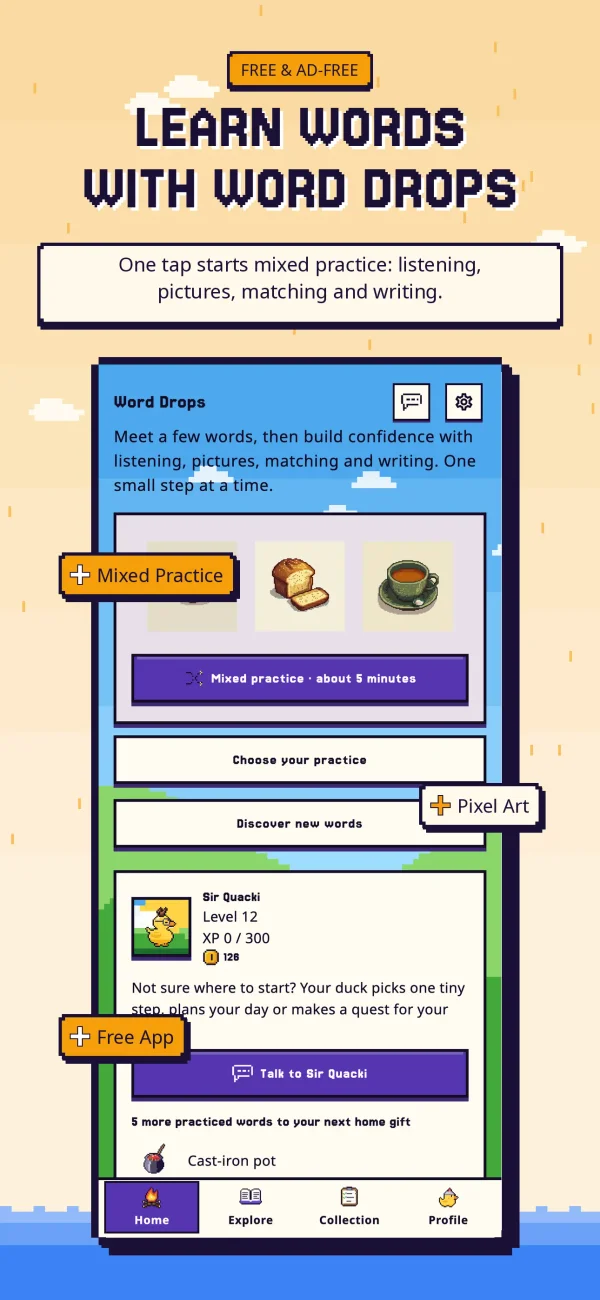
Learn words the playful way. LinguaDuck turns vocabulary practice into a cozy retro pixel game, free and without ads.
FREE, NO ADS, NO SUBSCRIPTION
Every learning feature is free. Lessons never stop for an advertisement and there are no paywalls. If you enjoy LinguaDuck, you can support it voluntarily; support unlocks nothing extra.
WORD DROPS
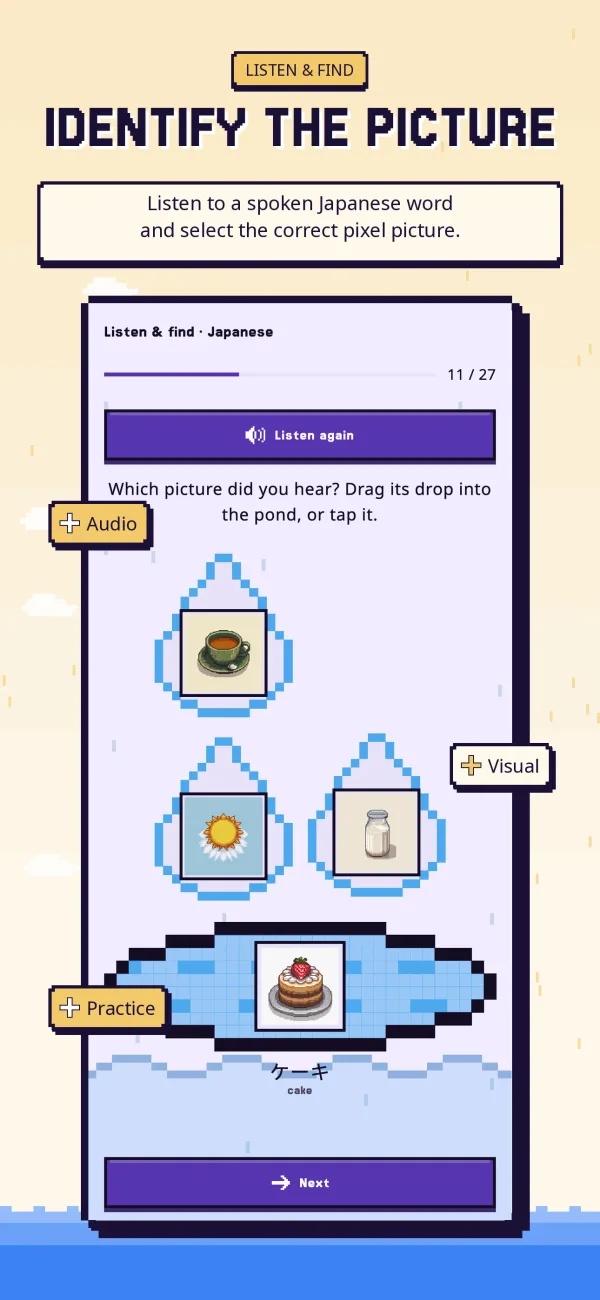
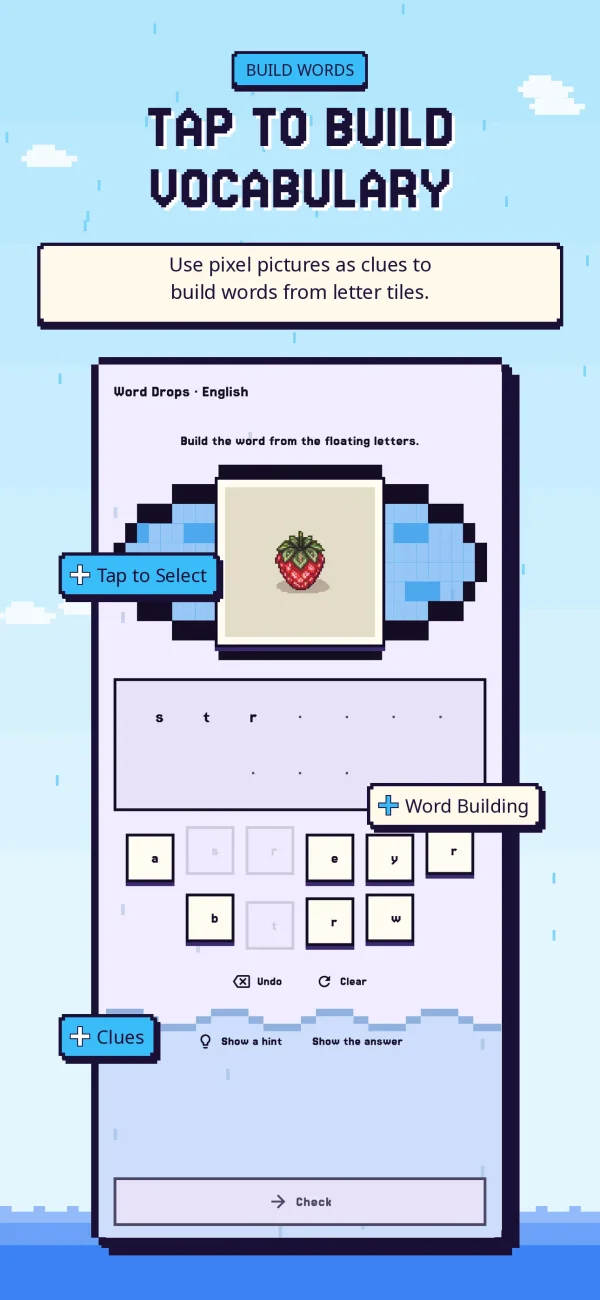
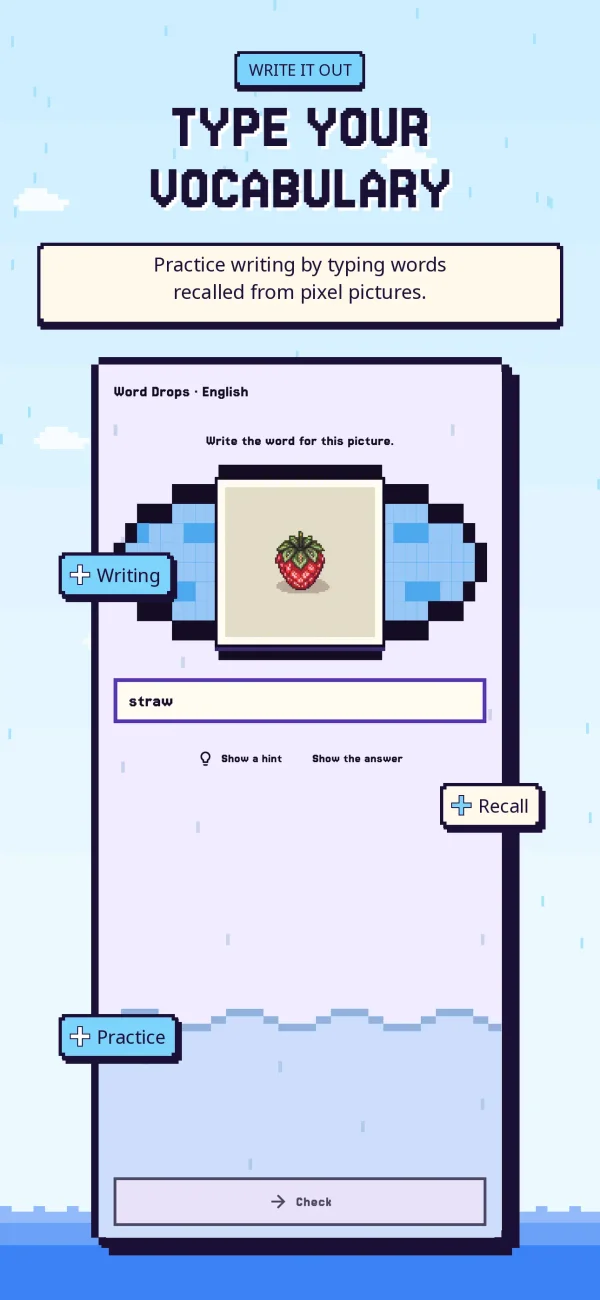
Each new word arrives in a pixel water drop with its picture, sound and meaning. Then practise it your way:
• Listen and find: hear a word and pick its picture.
• Read: match the written word to its picture.
• Pairs: connect words and meanings.
• Letter tiles: build the word from floating letters.
• Type: write the word from memory.
Choose mixed practice, a quick session, or a review of familiar words. Sessions take only a few minutes.
EXPLORE TOPICS AT YOUR LEVEL
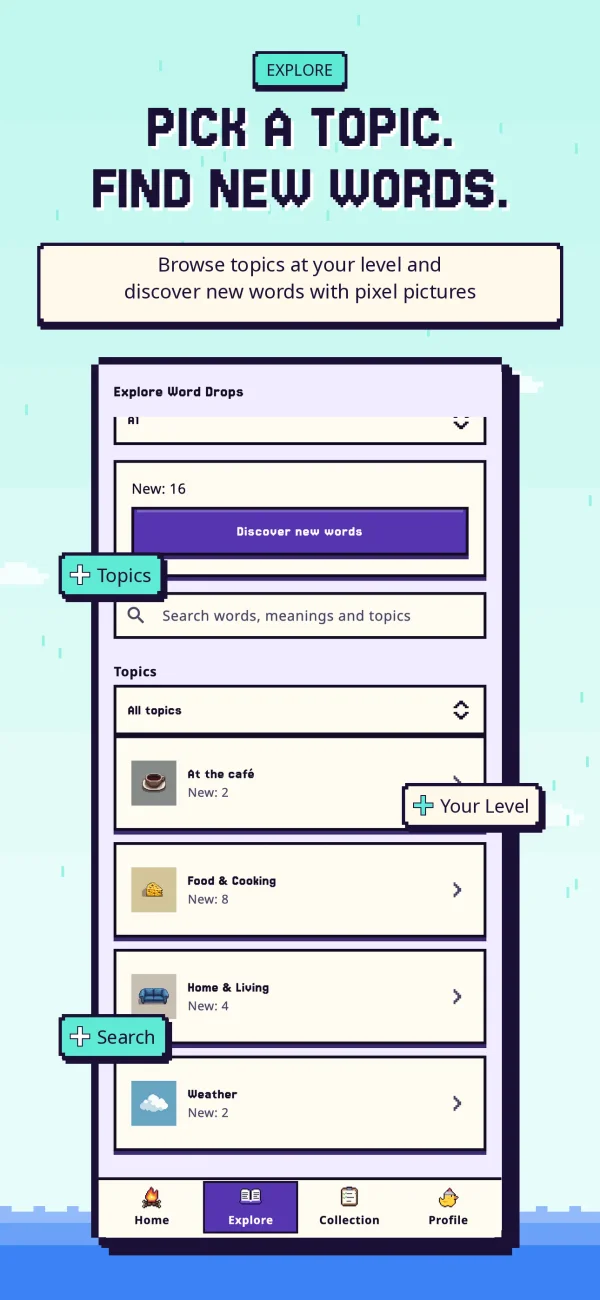
Pick a language and your level, then browse topics such as food, home, weather or the café. Each topic shows how many new words are waiting. Search words and meanings, and open courses and grammar when you want more.
YOUR COLLECTION
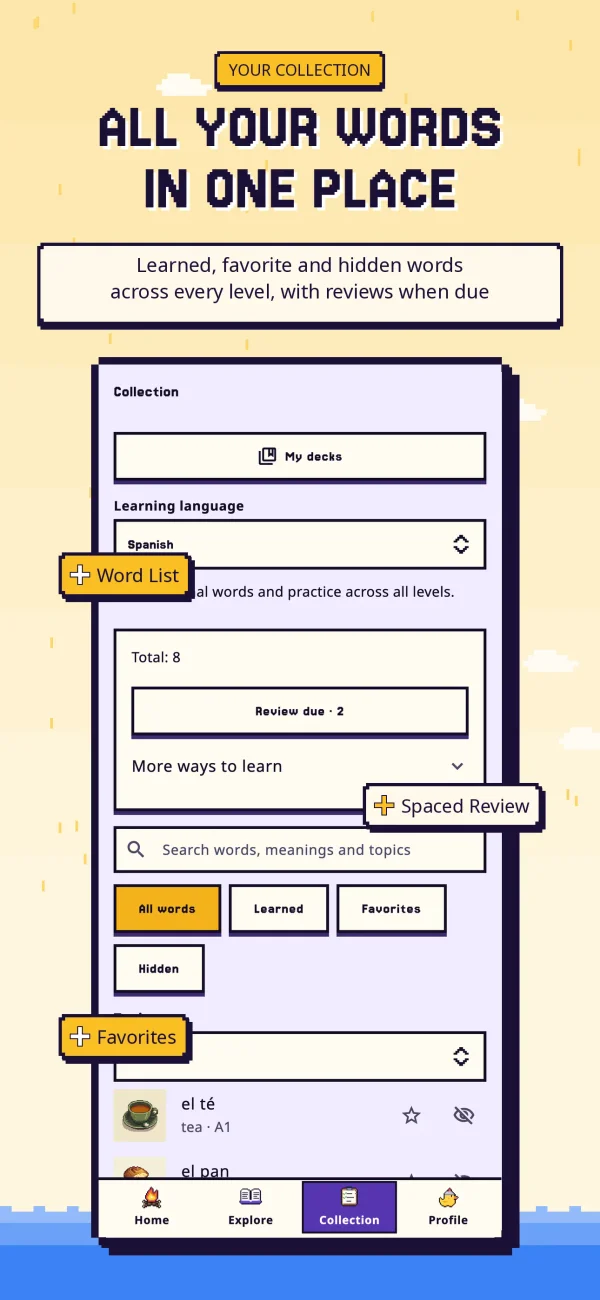
Every word you practise or favourite lands in your Collection, across all levels. Filter learned, favourite and hidden words, search them, and review the ones that are due with spaced repetition.
MAKE YOUR OWN DECKS
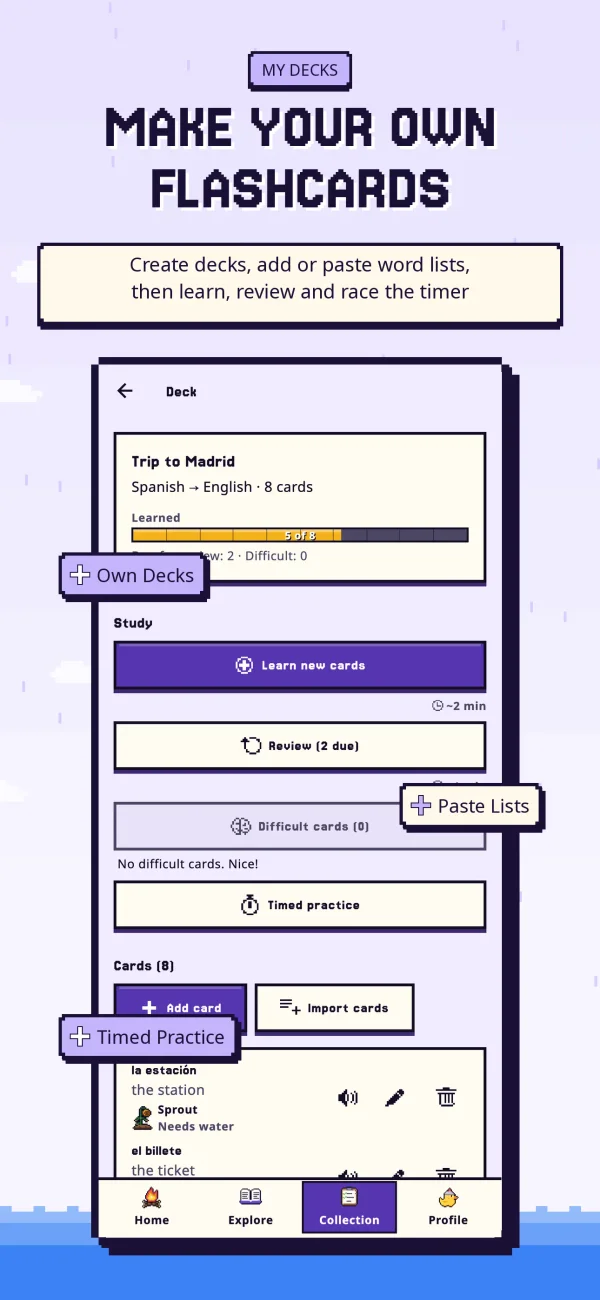
Create flashcard decks for anything you want to learn. Add cards one by one or paste a whole word list, hear cards read aloud, then learn new cards, review due ones, practise difficult cards or race the timer. A progress bar shows how far each deck has come.
LEARN WITH LOCALS
Watch short real-world video clips from creators about gaming, sports and everyday life. Follow captions, show translations, replay at a slower speed and check your understanding with quizzes. Available clips vary by language.
JAPANESE AND MORE SCRIPTS
Practise kana and kanji with stroke-order guides and write-from-memory drawing. Read illustrated stories and manga with tap-to-read help, zoom and saved reading progress. First writing guides are also available for Korean letters, Thai script and Chinese characters.
CHAT WITH AI CHARACTERS
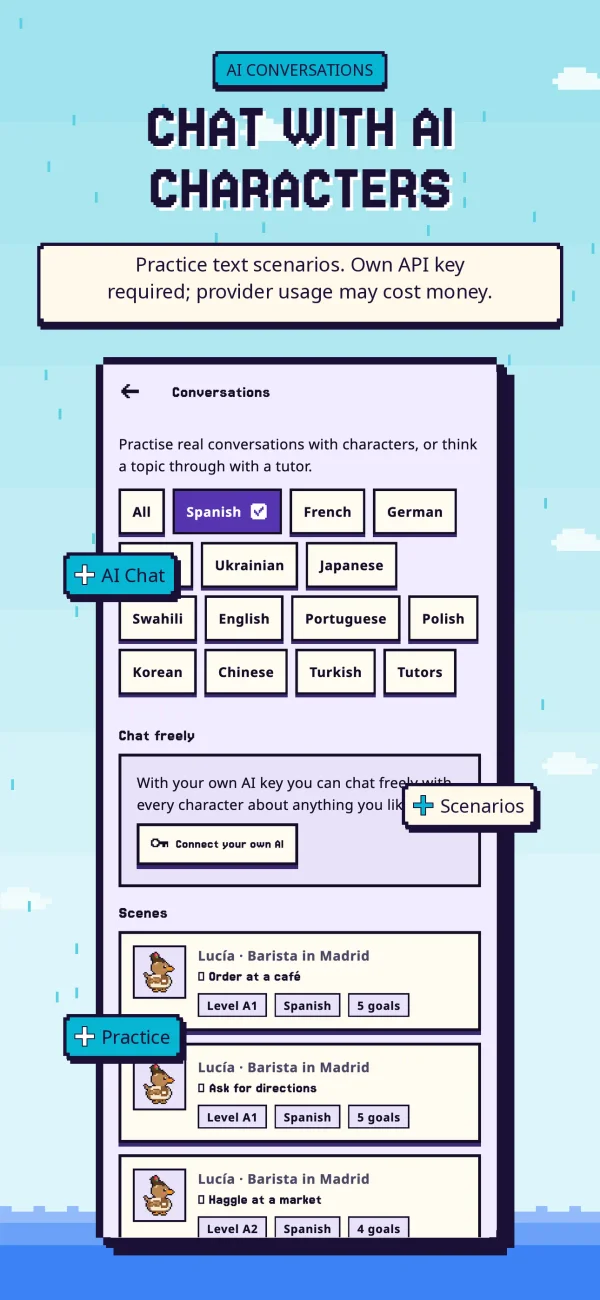
Practise everyday text conversations, such as ordering at a café or asking for directions, with friendly AI characters. AI chat requires your own AI provider key; provider usage may cost money.
YOUR DUCK AND ITS HOME
Meet Sir Quacki, your duck hero. Change its feathers, beak and hair, watch it grow as you learn, and furnish a pixel home with rooms to unlock.
COMFORTABLE FOR EVERYONE
Choose reading fonts including OpenDyslexic, Lexend and Atkinson Hyperlegible, scale text up to 200 %, raise contrast and reduce motion. Screen readers and keyboard navigation are supported.
Core vocabulary practice works offline with bundled content. Video streaming, AI chat and other connected features need an internet connection.
Start with a few words today — LinguaDuck makes the next small step easy.
Terms of Use: https://www.apple.com/legal/internet-services/itunes/dev/stdeula/
What’s new
Version 2.1.4 · Nov 25, 2026
• Explore and Collection now do different jobs: Explore shows topics and new words at your level; Collection keeps all your own words across every level, with reviews when they are due.
• My decks is one tap away in Collection: create your own flashcard decks, add or paste word lists, then learn, review or play timed practice. Fully learned decks can still be practised any time.
• Listening practice now fits on one screen: the word and its translation are never hidden behind the Next button.
• Changing your duck's feathers, beak or hair is saved right away and shows everywhere in the app.
• New ducks start as Sir Quacki — rename yours any time.
• One clear, comfortable picker for languages, levels and topics instead of floating menus.
• Easier to read Home, clearer empty states and many small fixes.
App privacy
What Viktor Khasenko declares on the App Store about how this app handles data.
-
Data not collected
The developer does not collect any data from this app.
Privacy practices may vary, for example with the features you use or your age.
Information
- Seller
- Viktor Khasenko
- Category
- Education
- Version
- 2.1.4
- Updated
- Nov 25, 2026
- Released
- Sep 19, 2025
- Size
- 596.4 MB
- Requires
- iOS 15.0 or later
- Age rating
- 4+
- Price
- Free
- In-app purchases
- Yes
- Languages
- English
- Copyright
- © 2026 Viktor Khasenko
You might also like
-
 Drop Note: Learn & RememberEducation
-
 The White Roots AcademyEducation
-
 LingoDropLearn language, one drop a day
-
 Tavi - Language LearningLearn languages with your AI
-
 Vocabulary - VocaStackLearn 4 Languages Side by Side
-
 Palabrify: Vocabulary BuilderLearn Spanish with Flashcards
-
 Svenska StegvisSwedish vocabulary for SFI A-D
-
 Quiz Lang - Learn VocabularyFrench, Spanish & more
-
 ShortcardsKeyboard Shortcuts Cheatsheets
-
 Brill: Language at First SightThe Language Widget