LinkFlow: Tasks & Goals
Plan daily. Track progress
Designed for iPhone, iPad
Free · In-app purchases
- Age rating4+
- CategoryProductivity
- Developer永强 李
- LanguagesEnglish+ 25 more
- Size65.7 MB
Links to the official App Store page
Download.org hosts no file of LinkFlow: Tasks & Goals. The button opens its official App Store page, published by 永强 李. Listing last checked on Nov 23, 2026.
Screenshots
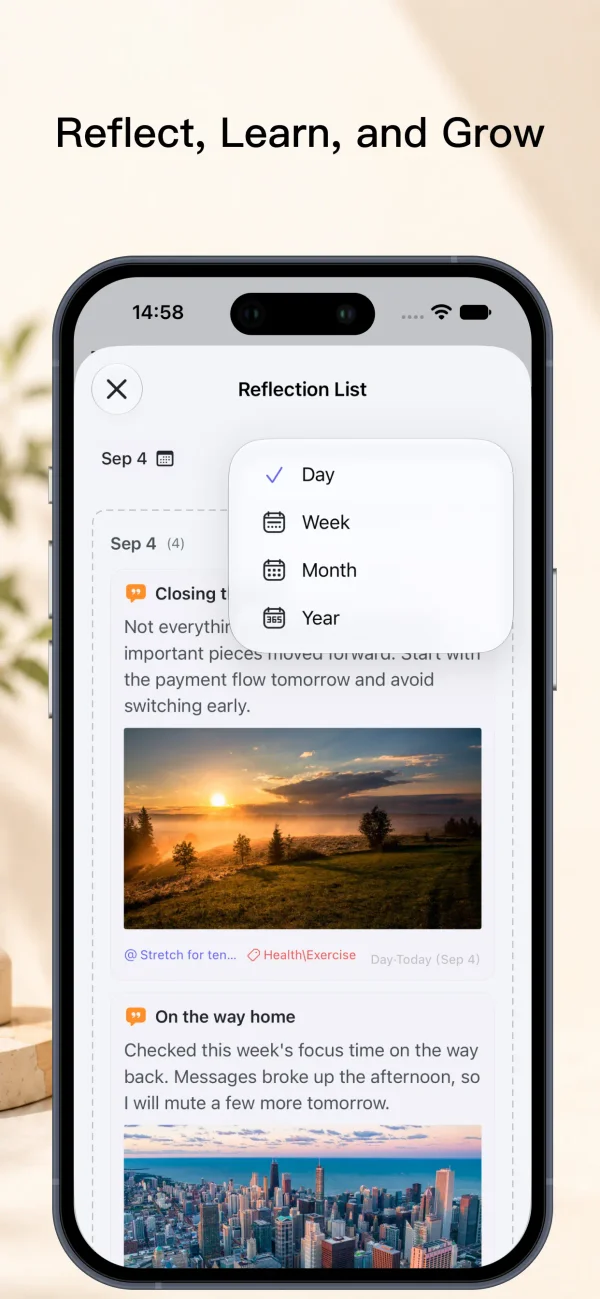

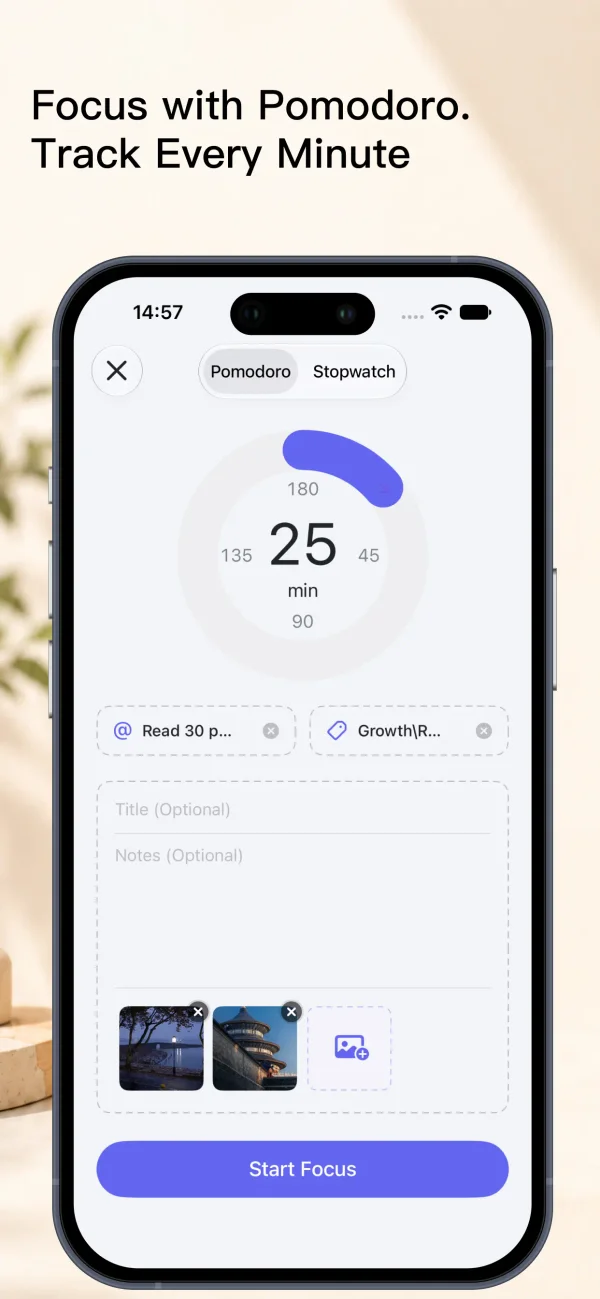
About
LinkFlow|Connect Today to Your Bigger Goals
You cannot always see where one small action will eventually take you.
But when you look back, you will find that the tasks you completed, the time you invested, and the moments you recorded have quietly connected into the path you have taken.
LinkFlow starts with time and connects your plans, actions, and reflections.
What you can do with LinkFlow:
- Planning:
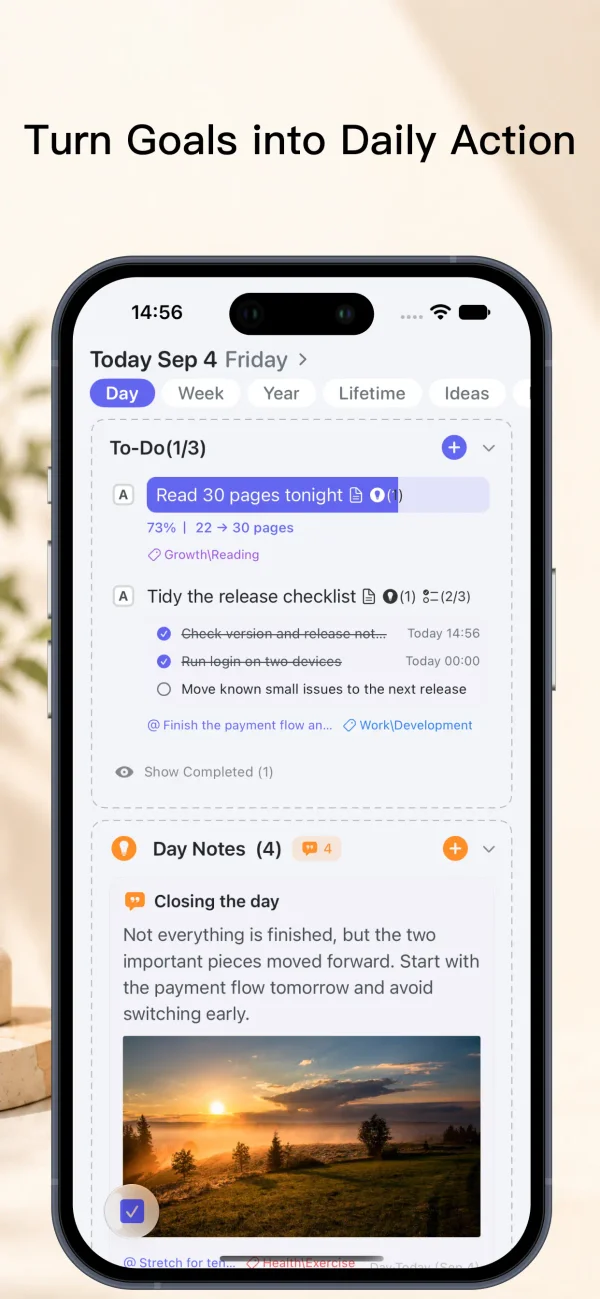
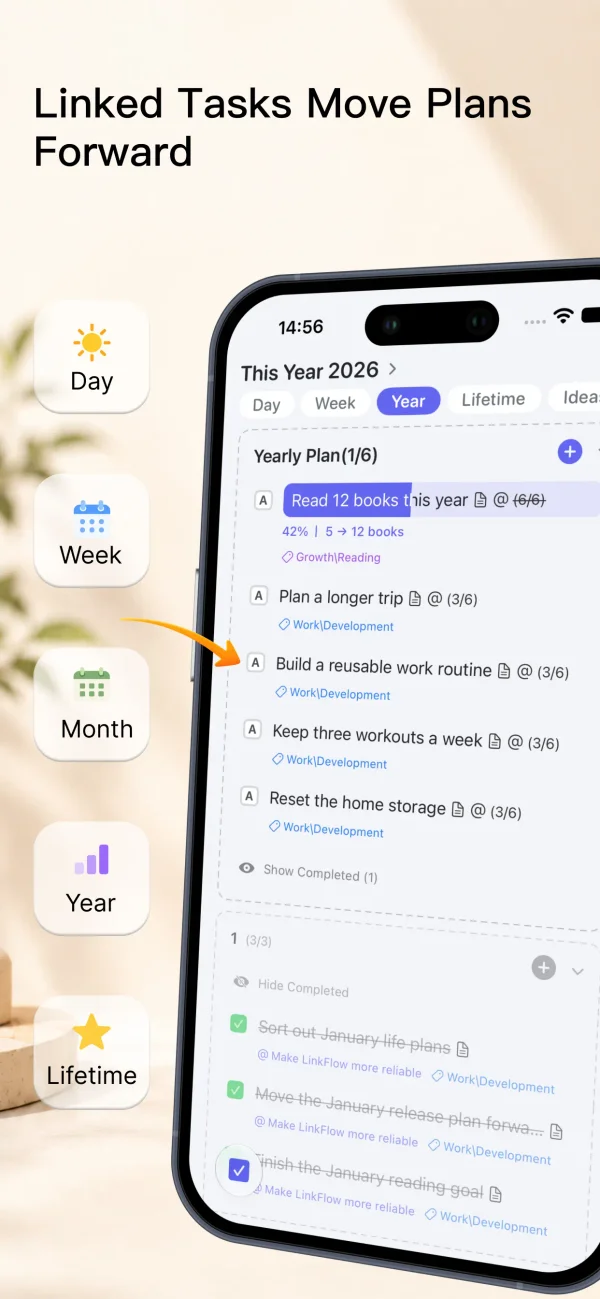
Support daily, weekly, monthly, yearly, and long-term goals, and break them down step by step.
- Connected Tasks:
Complete subtasks, checklist items, or quantified goals, and your parent plan updates automatically.
- Timeline:
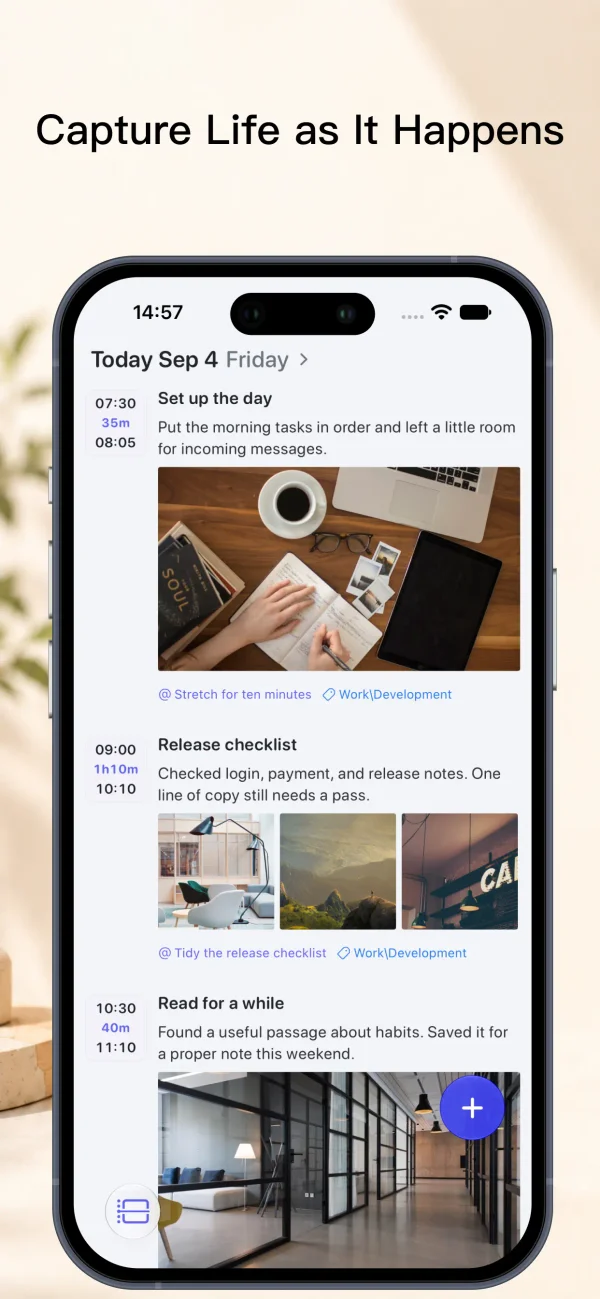
Record focus sessions, time spent on tasks, and what really happened each day.
- Reminders & Recurring Tasks:
Set reminders and let recurring tasks generate automatically based on your rules.
- Measurable Goals:
Use numbers to track progress in reading, exercise, saving, and more.
- Review & Statistics:
View completion rates, focus time, plan progress, and long-term changes.
- Tags & Customization:
Create tags, categories, and personalized tabs.
- iCloud Sync:
Keep your records in sync across your Apple devices.
LinkFlow is more than a way to remember more things.
It helps you see your direction, turn long-term goals into one step you can take today, record the time you truly invest, and look back to see yourself gradually becoming who you want to be.
Connect your plans to action. Make your time visible.
Auto-Renewable Subscription:
The subscription will automatically renew unless auto-renewal is turned off at least 24 hours before the end of the current period. Your account will be charged for renewal within 24 hours prior to the end of the current period, and the renewal cost will be identified.
Subscriptions can be managed by the user, and auto-renewal can be turned off by going to the user's App Store account settings after purchase.
Contact Us:
QQ: 826001000
Weibo: 松花蛋蘸醋
X: forterli1
Email: forterli@163.com
Privacy Policy: https://forterweb.ovdt.top/linkFlow/privacy
Terms of Use (EULA): https://forterweb.ovdt.top/linkFlow/terms
What’s new
Version 1.5.1 · Nov 18, 2026
Introducing habit tracking—a new way to connect your plans, actions, and time.
• Build your habits: Customize icons and colors, set goals, schedules, and reminders. Check in multiple times a day, add past check-ins, or undo a record.
• Organize with groups: Group and archive habits, and access them from your daily to-do view.
• See your progress: Explore check-in calendars, trends, streaks, and weekly reports.
• Connect habits with time: Link habits to focus sessions, timeline entries, and tags to track progress and time spent.
• Fixed issues with custom tag colors.
• Task timelines: See focus time, trends, and records grouped by day. Include subtasks and share the full page as an image.
App privacy
What 永强 李 declares on the App Store about how this app handles data.
-
Data not collected
The developer does not collect any data from this app.
Privacy practices may vary, for example with the features you use or your age.
Information
- Seller
- 永强 李
- Category
- Productivity
- Version
- 1.5.1
- Updated
- Nov 18, 2026
- Released
- Aug 5, 2026
- Size
- 65.7 MB
- Requires
- iOS 17 or later
- Age rating
- 4+
- Price
- Free
- In-app purchases
- Yes
- Languages
- English, Arabic, Bengali, Dutch, French, German, Hindi, Indonesian, Italian, Japanese, Korean, Malay + 14 more
- Copyright
- © 2026 Forter H Inc.
You might also like
-
 Doit Todo&TimeTodo,Plan,Focus,Track
-
 HowLong: To-Do & RemindersLock Screen Tasks & Checklist
-
 Firefly Todo: Calendar PlannerDrag Tasks, Log Time & Review
-
 ZanZan: Effort into RewardsTo-Do List & Habit Tracker
-
 DelayLens: Procrastination LogFind Causes, Take a Small Step
-
 TimeLog: Time Budget & TrackerLog hours, manage & analyze
-
 Remi - AI Reminders & To-DosSpeak. AI organizes your tasks
-
 SnapNote - 极简记录灵感智能分类,想到的,已记下。
-
 无事记 - 计划·备忘·记录·待办·清单Productivity
-
 Ply Note - Capture Daily LifeLight Notes, Free Flow