
List3+
Tasks, checklists and budget
Designed for iPhone, iPad, Mac
Free · In-app purchases
- Age rating4+
- CategoryProductivity
- Developerhyonsoo han
- LanguagesEnglish+ 13 more
- Size71.9 MB
Links to the official App Store page
Download.org hosts no file of List3+. The button opens its official App Store page, published by hyonsoo han. Listing last checked on Nov 23, 2026.
Screenshots

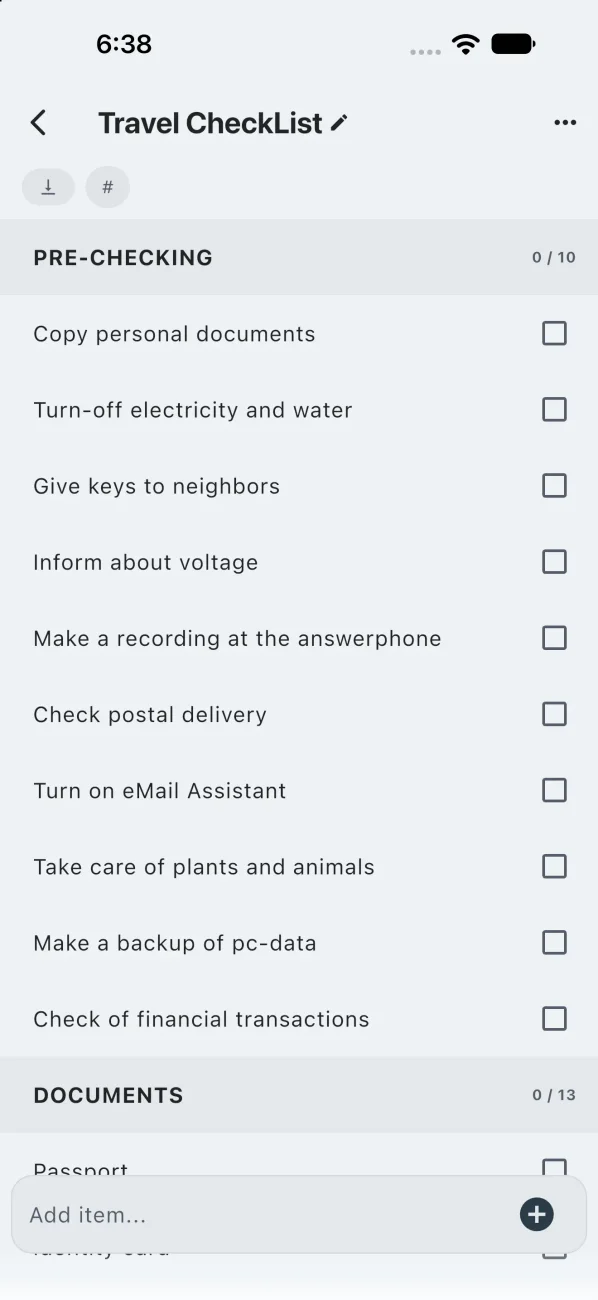
About
list3+ keeps tasks, checklists and spending in one place. Pick a type when you create a list, and the list shows only what that type needs — so groceries, packing, household spending and to-dos all stay light and simple.
■ Four list types
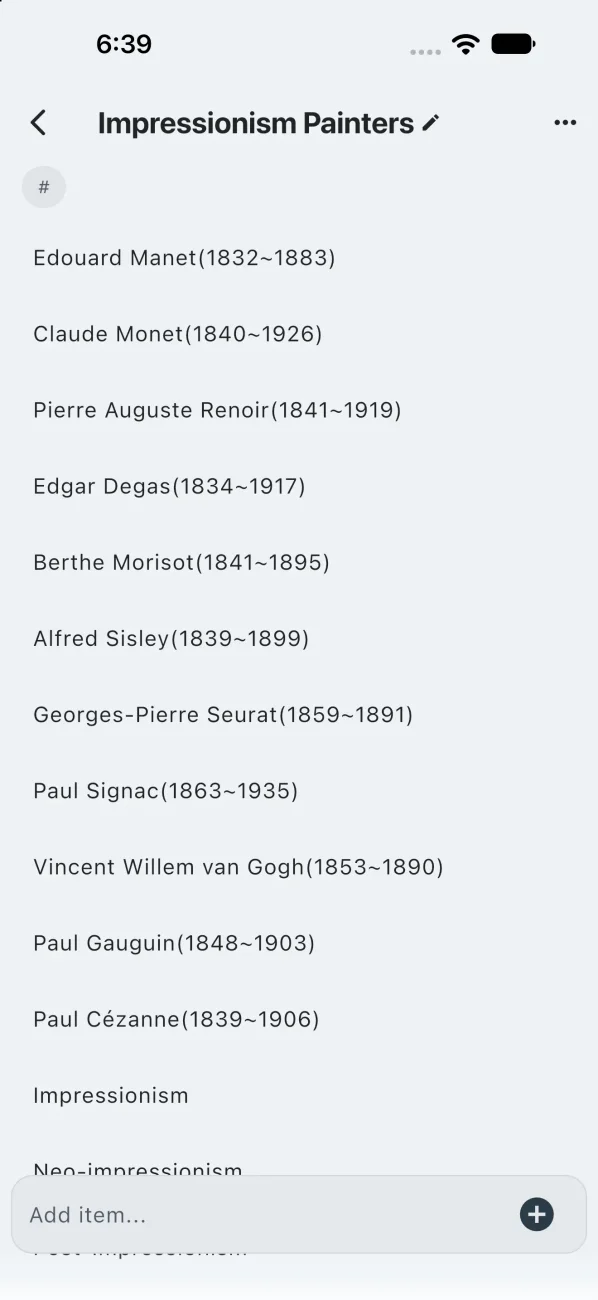
· Simple list — a plain list you jot into. Shows the item count.
· Checklist — check off what is done. Move checked items to the bottom, or clear them all at once.
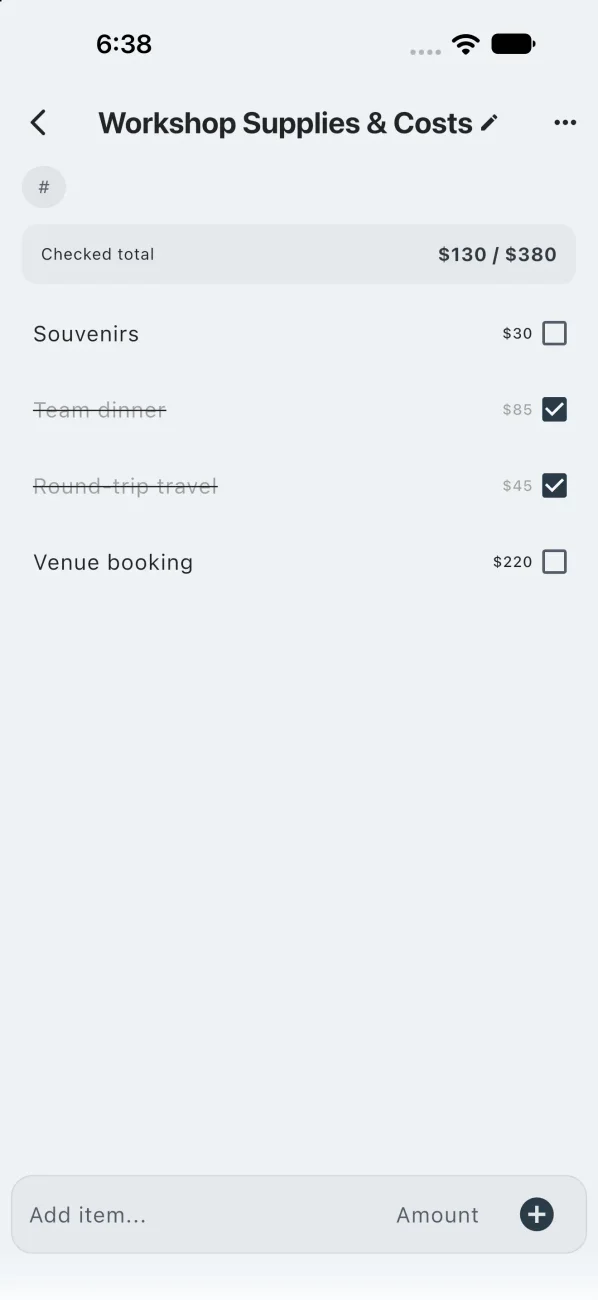
· Expense list — give each item an amount and see the total. Set a budget and the balance is tracked.
· Expense + checklist — for lists that need both, like groceries. See the checked amount next to the total.
■ Add things fast
· Type and add in one step. Long-press the + button to pick a date and insert it in the format you like.
· Share text from another app and it lands as items in the list you choose.
· Group items, and drag to reorder them.
· Tap a link, phone number or email in an item to open it in another app.
· Save a list you use often as a sample, and start new lists from it.
■ Repeating checklists
· Turn on "Repeat when done", and once every item is checked, a fresh unchecked round of the list is created. Great for weekly groceries, packing for work trips or cleaning routines.
· Number each round and look back at past rounds.
■ Everything at a glance
· The home dashboard shows upcoming reminders, pinned lists, unchecked items and your spending total. Reorder the cards as you like.
· Pick a currency for each list; spending totals are kept per currency.
· Filter lists by tag, and search list names and items together.
· Archive lists you are done with; restore deleted ones from the trash.
■ Don't forget
· Set reminders on lists and items, with repeats — daily, on chosen weekdays, monthly or yearly.
· Put a list on your home screen with the widget and check items straight from it. Repeating checklists move on to the next round right from the widget.
■ Across your devices
· Sign in to back up to the cloud and restore on another device.
· Turn on sync (beta) to keep lists, items and tags matched across iPhone, iPad, Mac, Android and the web (app.list3.plus) on the same account.
· On wide screens like iPad, see your lists and the open list side by side.
■ Keep it safe, take it with you
· Lock the whole app, or a single list, with a passcode and Face ID.
· Export lists as TXT or PDF to share, or copy them to the clipboard.
■ Make it yours
· Choose light or dark mode, a point colour and a background colour for each list.
· Adjust the text size and item spacing.
· Pick one of four app icon styles.
· Available in 14 languages, including English, Korean and Japanese.
■ Purchases
· Remove ads: a one-time purchase that removes ads permanently.
· Subscription (monthly or yearly): removes ads and adds automatic backup and printing.
· Purchases are tied to your account. Sign in with the same account on Mac and they apply there too.
· Subscriptions renew automatically unless cancelled, in Settings > Apple Account > Subscriptions.
Your entries are stored on your device by default. They reach the cloud when you run a backup or turn on sync, and periodically on their own if you subscribe and turn on automatic backup.
Terms of Use (EULA): https://list3.plus/en/terms
What’s new
Version 1.9.1 · Nov 20, 2026
• Signing out now turns off sync, and you can choose to also remove the lists on this device.
• Running totals in expense lists restart at each group, so grouping by card shows a subtotal per card.
• Editing a group header no longer shows an amount field.
• The list menu now opens as a side panel. In Theme settings, preview the real look while choosing font size, checkbox position, and item spacing.
• Amounts are shown in larger text.
App privacy
What hyonsoo han declares on the App Store about how this app handles data.
-
Data used to track you
May be used to track you across apps and websites owned by other companies.
- Identifiers
-
Data linked to you
May be collected and linked to your identity.
- Purchases
- Contact info
- User content
- Identifiers
-
Data not linked to you
May be collected but is not linked to your identity.
- Identifiers
- Usage data
- Diagnostics
Privacy practices may vary, for example with the features you use or your age.
Information
- Seller
- hyonsoo han
- Category
- Productivity
- Version
- 1.9.1
- Updated
- Nov 20, 2026
- Released
- Sep 11, 2026
- Size
- 71.9 MB
- Requires
- iOS 18.0 or later
- Age rating
- 4+
- Price
- Free
- In-app purchases
- Yes
- Languages
- English, French, German, Indonesian, Italian, Japanese, Korean, Portuguese, Russian, Simplified Chinese, Spanish, Thai + 2 more
- Copyright
- © 2026 Hansoo Labs
You might also like
-
 のこりメモ - 金額を自動合計・残額管理Productivity
-
 FarmersHandsCattle health & breeding
-
 List Calc - Shopping & BudgetTrack Expenses & Smart Lists
-
 MyTasks! - To Do ListToDo list with clear deadlines
-
 AxNote: Note TakingSketches, text & images
-
 SumsAppa number-aware notepad
-
 stone for iPadProductivity
-
 PottLoood - NotebookProductivity
-
 Defter Noteshandwritten spatial notes
-
 Radius on Map : draw circleshare perimeter and location