- Age rating4+
- CategoryBusiness
- DeveloperDariusz Czochara
- LanguagesEnglish+ 1 more
- Size2.5 MB
Links to the official App Store page
Download.org hosts no file of Lista Obecności. The button opens its official App Store page, published by Dariusz Czochara. Listing last checked on Nov 25, 2026.
Screenshots

About
Obecność is the simplest way to keep a staff attendance list — on iPhone, iPad and Mac.
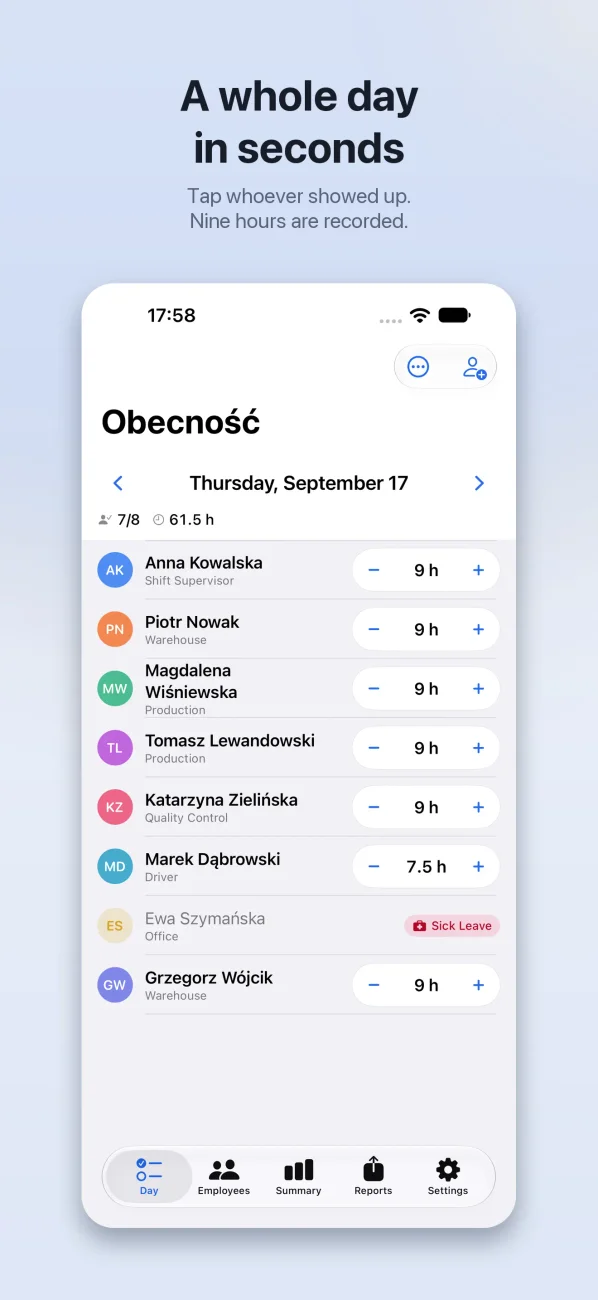
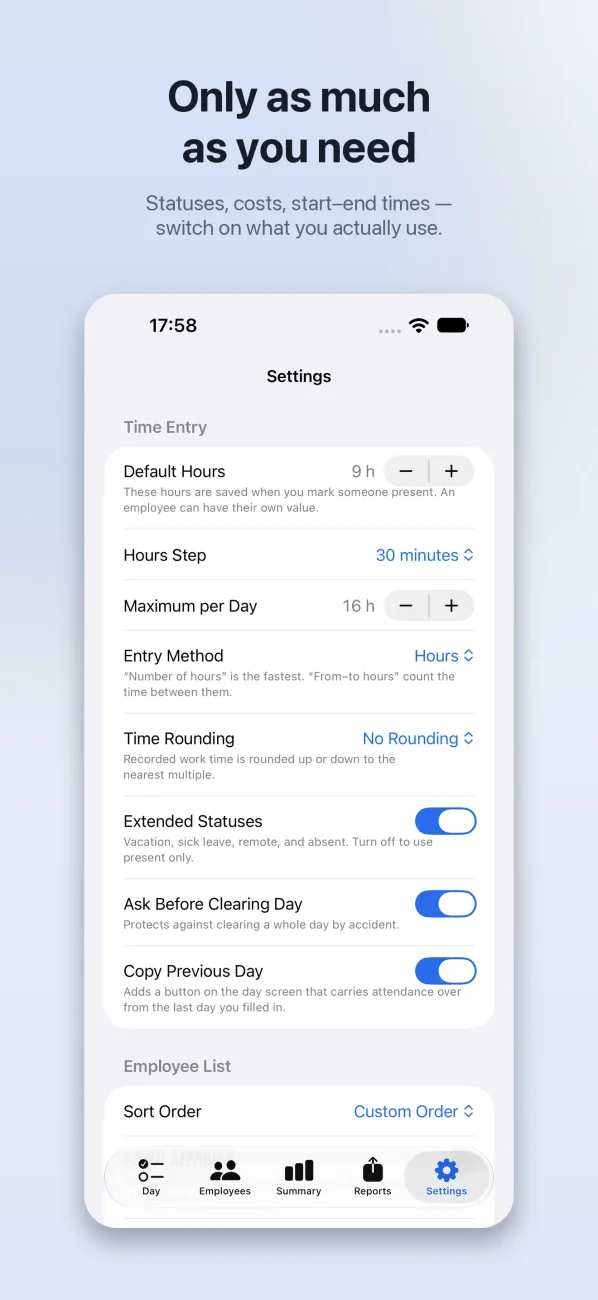
Open the app and you see today's date and your team. Tap the people who showed up. Nine hours are recorded by default. If someone worked different hours, adjust them right there with plus and minus — no extra screen, no dialog. Closing the day takes seconds.
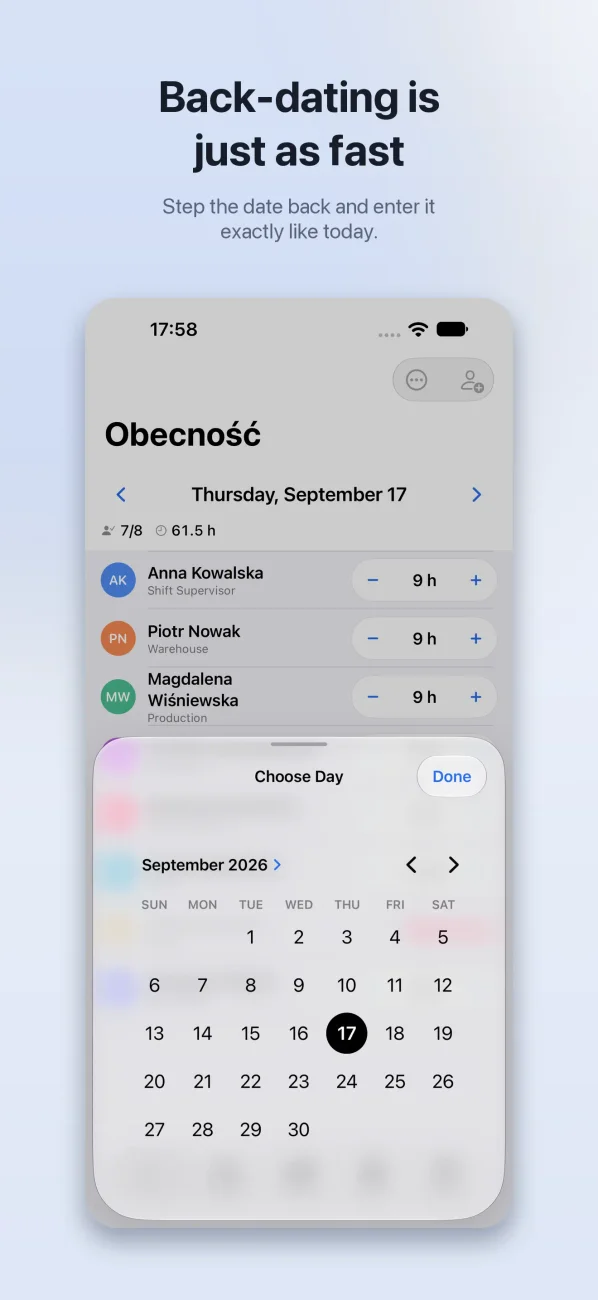
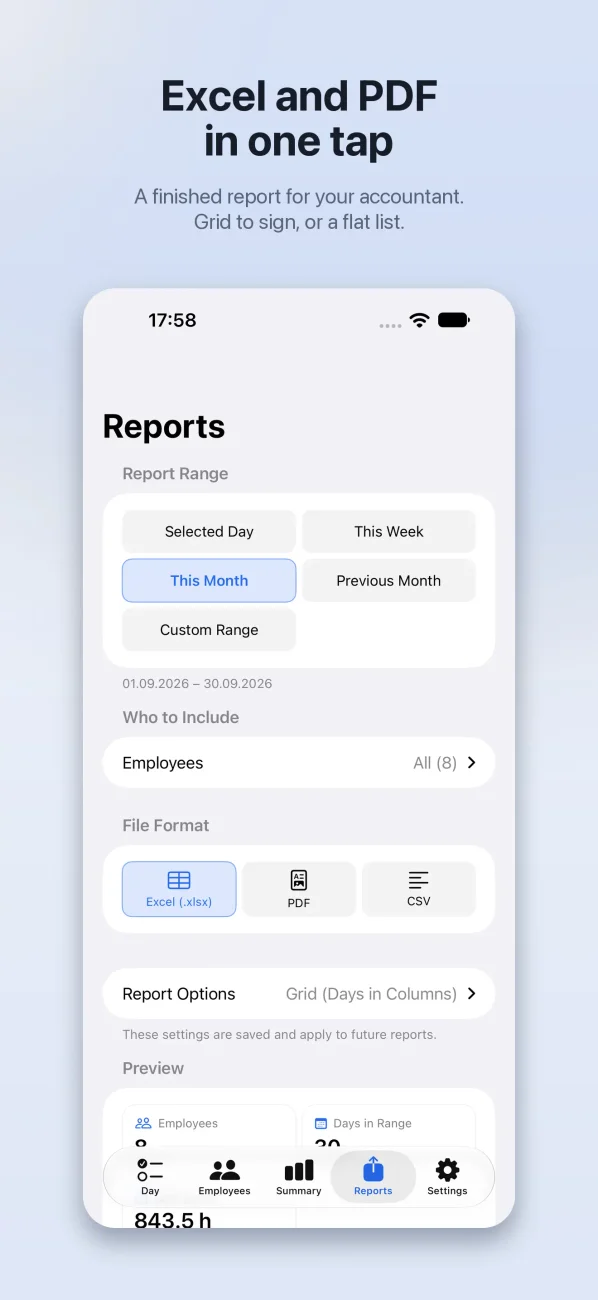
Filling in the past? Step the date back and enter it the same way. Export a whole month to Excel or PDF and send it to your accountant.
WHAT IT DOES
• One tap marks attendance with your default hours
• Any date — entering past days is just as fast
• Adjust hours in place, in whatever step you choose
• Statuses: present, remote, vacation, sick leave, unpaid leave, absent
• Start–end times instead of a plain hour count, if you prefer
• Copy attendance from the previous day
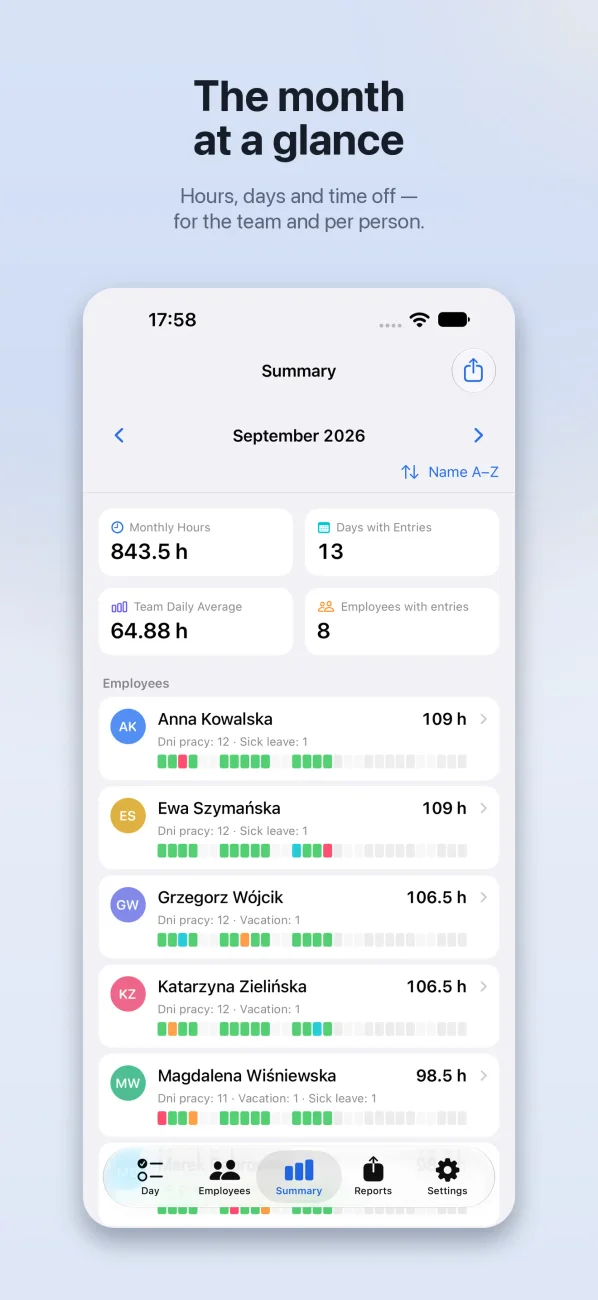
• Monthly summary: hours, days and absences per person and for the whole team
• Export to Excel (.xlsx), PDF and CSV — a grid with days across columns, or a flat list for pivot tables
• Signature column, company name in the header, status legend
• Optional rates — hourly or daily, with half-days — and amounts in reports
• Backup and restore from a file
ICLOUD SYNC
Your data lives in your own private iCloud. Enter it on the phone on the floor, review it on the Mac in the office. No accounts, no sign-in, no third-party servers.
SIMPLE ON PURPOSE
By default you see a date, a list of people and their hours. Absence statuses, costs, start–end times, grouping by role — all of it can be switched on in Settings, and none of it gets in your way until you ask for it.
NO SUBSCRIPTION, NO ADS, NO DATA COLLECTION
The app has no accounts, sends nothing anywhere and collects no information about you or your staff.
What’s new
Version 1.2 · Nov 24, 2026
• Half days on the daily rate. A “½” button sits next to the hours — a day marked that way counts as half the rate. Ten days with one half day make 9.5 days, and that is what reaches the summary, the PDF, Excel and CSV.
• A missing rate is now called a missing rate. When no rate is set, the app says “no rate” instead of showing zero as if it were a calculated amount — in the summary, in the employee view and in the list of people.
• Settings now point out when switching between hourly and daily billing has left the other field empty, and one button copies the same numbers across.
App privacy
What Dariusz Czochara declares on the App Store about how this app handles data.
-
Data not collected
The developer does not collect any data from this app.
Privacy practices may vary, for example with the features you use or your age.
Information
- Seller
- Dariusz Czochara
- Category
- Business
- Version
- 1.2
- Updated
- Nov 24, 2026
- Released
- Sep 22, 2026
- Size
- 2.5 MB
- Requires
- iOS 18.0 or later
- Age rating
- 4+
- Price
- Free
- Languages
- English, Polish
- Copyright
- © 2026 Czochara.io
You might also like
-
 GrafikPro: Lista ObecnościBusiness
-
 Attendance Tracker: Class LogLesson Credits & Reports
-
 Q-Site: Contractor Job ManagerCrew & Field Management
-
 ManveroTeam Attendance & Timesheet
-
 Attendance Tracker & RegisterRoll call & Attendance Sheet
-
 Personel Puantaj TakipTime & payroll tracking
-
 KOLIBER - Forum wolnościoweBusiness
-
 AttendanceElfTap in/out for your staff