
LiteScribe
AI Transcription & Recording
Designed for iPhone, iPad, Mac
In-app purchases
- Age rating4+
- CategoryProductivity
- DeveloperCLINTON EDWARD BROWNE
- LanguagesEnglish+ 19 more
- Size96.4 MB
Links to the official App Store page
Download.org hosts no file of LiteScribe. The button opens its official App Store page, published by CLINTON EDWARD BROWNE. Listing last checked on Nov 22, 2026.
Screenshots


About
LiteScribe turns what you record or upload into a transcript, notes and answers.
RECORD
- Record on your phone first, even without a signal, and upload when you choose.
- Recording keeps going with the screen locked.
- Transcribe Meeting shows a live transcript as people speak (needs an internet connection).
UPLOAD
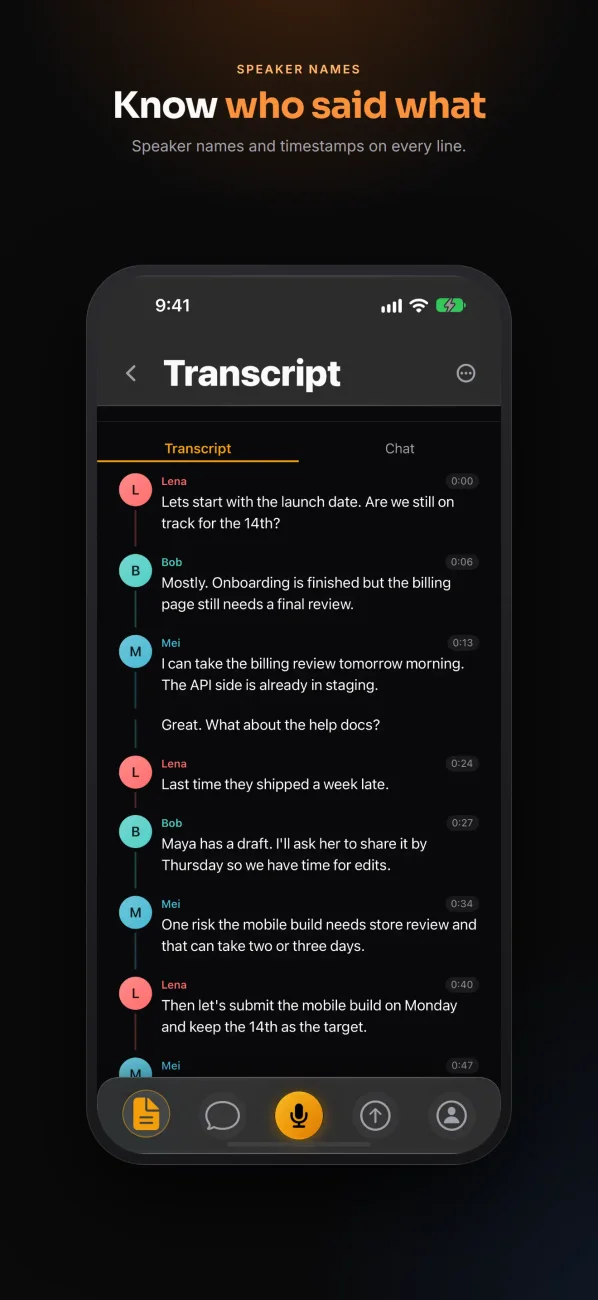
- Pick an audio file, or a video from your photos, and get a transcript with the speakers labelled.
- Transcribe in dozens of languages, or translate the transcript into another.
NOTES AND CHAT
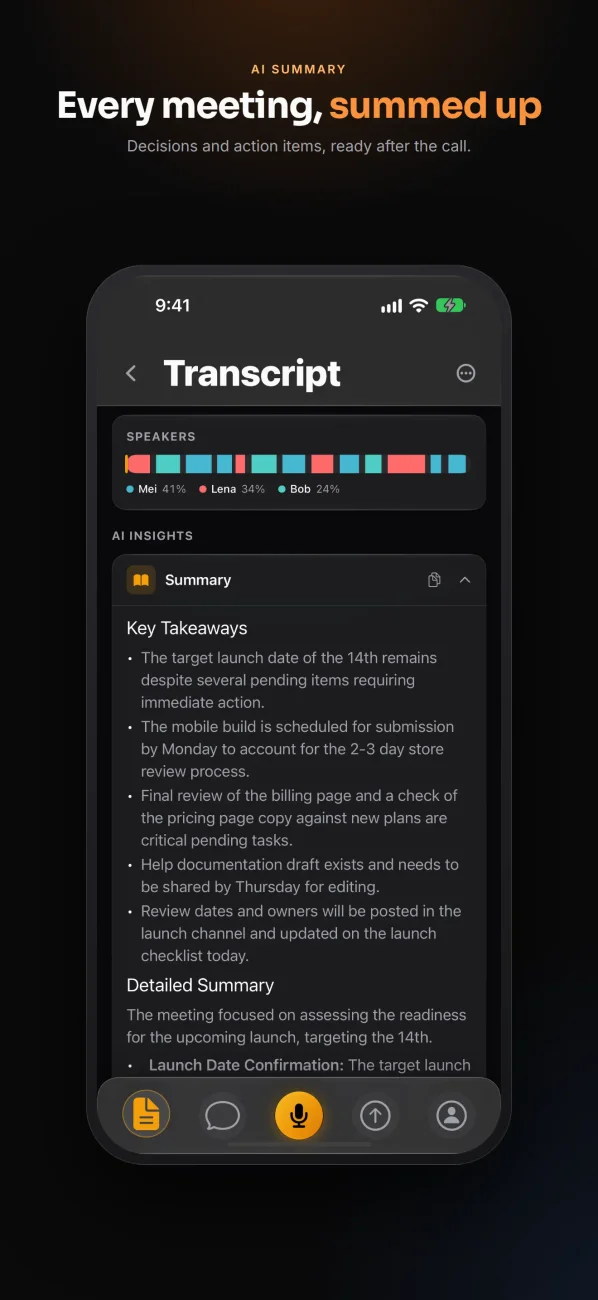
- AI notes: summaries, action items and the decisions that were made.
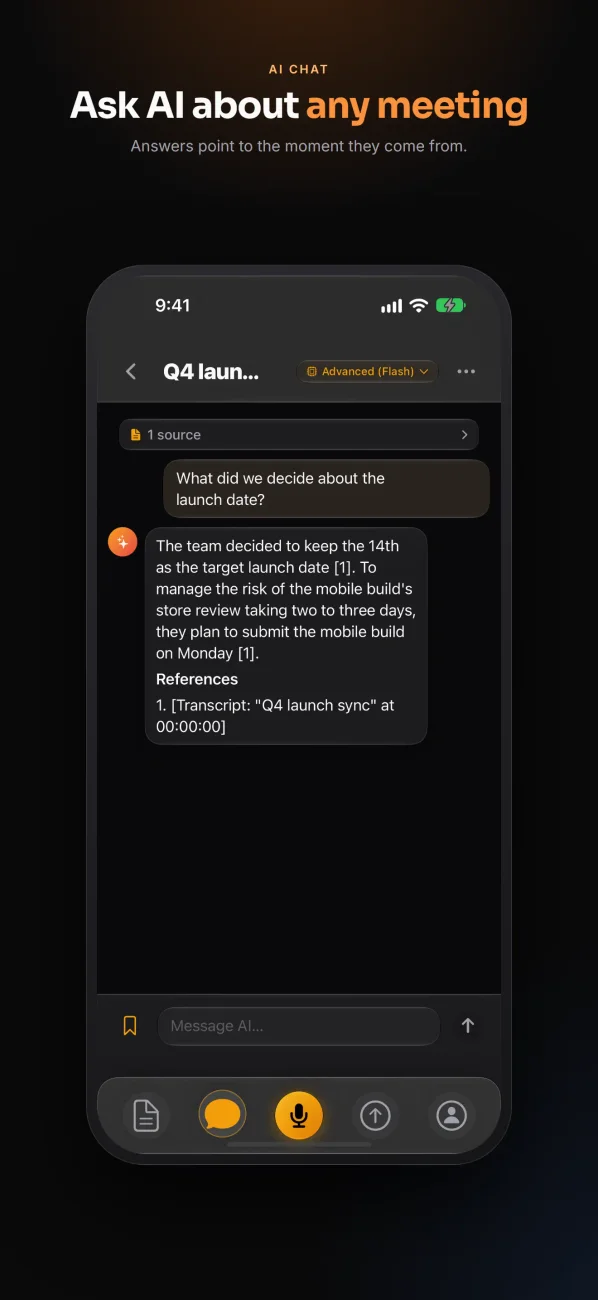
- Ask questions about any transcript and get answers from what was actually said.
- Write your own notes next to the transcript.
EXPORT
- Share any transcript as text or SRT subtitles, free.
- PDF and Word downloads come with any minute pack.
PRIVATE BY DEFAULT
- Your recordings are stored in your account only.
- Export or delete your recordings, or your whole account, at any time.
PRICING
- 120 free minutes every month.
- Need more? Buy a minute pack in the app. Packs are one-time purchases, not subscriptions, and the minutes last 12 months.
What’s new
Version 2.8.24 · Nov 17, 2026
- New: turn on "I follow live captions" in Settings > Accessibility for a one-tap Start captions button on Home.
- Captions have one header row and fill the screen to the bottom.
- Better layouts at the largest text size.
- Speakers are named Speaker A, Speaker B and so on, from live captions to the saved transcript.
- Your own voice shows as "You" only when it really sounds like you.
- Rooms say clearly when your microphone is off.
- A clearer stop and save screen.
- A recording cut short by closing the app is offered back the next time you open it.
- Fixed a discarded live recording that could still be saved.
App privacy
What CLINTON EDWARD BROWNE declares on the App Store about how this app handles data.
-
Data linked to you
May be collected and linked to your identity.
- Contact info
-
Data not linked to you
May be collected but is not linked to your identity.
- Contact info
- Usage data
Privacy practices may vary, for example with the features you use or your age.
Information
- Seller
- CLINTON EDWARD BROWNE
- Category
- Productivity
- Version
- 2.8.24
- Updated
- Nov 17, 2026
- Released
- Apr 20, 2026
- Size
- 96.4 MB
- Requires
- iOS 17.0 or later
- Age rating
- 4+
- In-app purchases
- Yes
- Languages
- English, Arabic, Danish, Dutch, Finnish, French, German, Hindi, Indonesian, Italian, Japanese, Korean + 8 more
- Copyright
- © 2026 LiteScribe.ai
You might also like
-
 Voice to Text: Any LanguageSpeech to Text in 30 Languages
-
 Marmot Vox: AI Meeting NotesMeetings that move forward
-
 Cadence - Audio TranscriptionSpeaker Transcripts, Offline
-
 Vocal Notes - Speech to TextPrivate, 100% On-Device
-
 Find ClarityOffline speech to text
-
 InternalizeInternalize your goals
-
 XPERC - XCORPAttendance & Team Tasks
-
 QuikMemo: Record & TranscribeRecord Now, Read later
-
 AI Checker & Rewrite HumanizerAI Detector: Text, Image & PDF
-
 VoxScriberProductivity