LiteZo: Compress & Convert
PDF, Image & Video Toolkit
Designed for iPhone, iPad, Mac
Free · In-app purchases
- Age rating4+
- CategoryUtilities
- DeveloperMehmet Sabri Sepik
- LanguagesEnglish+ 19 more
- Size5.3 MB
Links to the official App Store page
Download.org hosts no file of LiteZo: Compress & Convert. The button opens its official App Store page, published by Mehmet Sabri Sepik. Listing last checked on Nov 23, 2026.
Screenshots

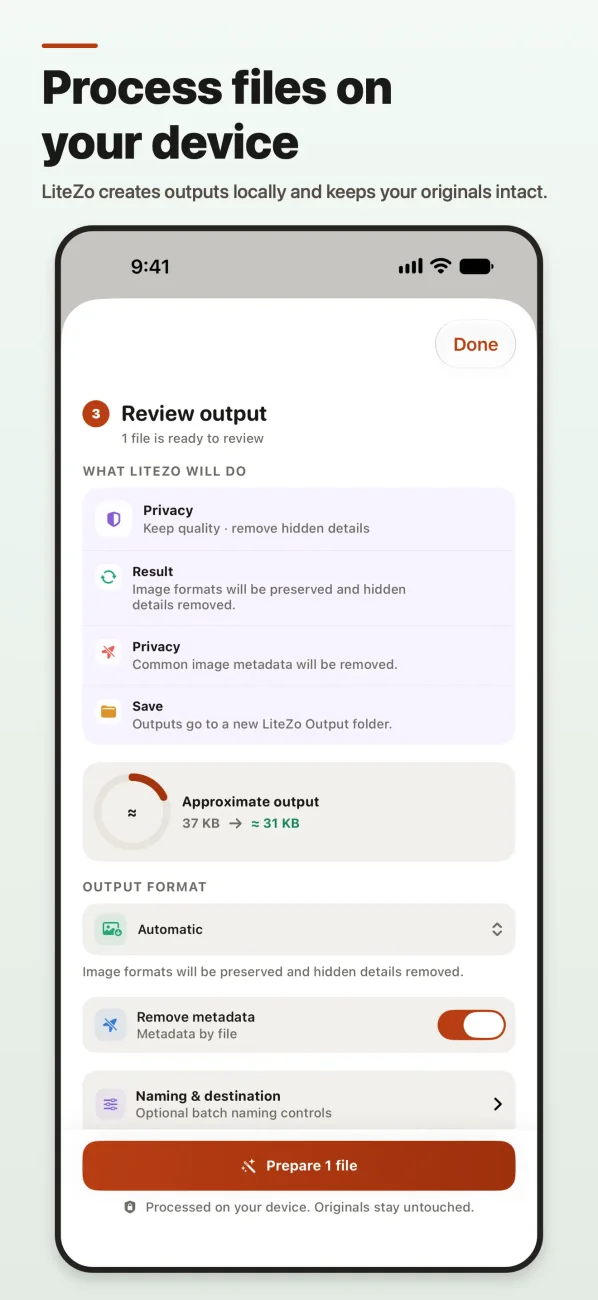
About
Compress, convert, clean and organize PDFs, images, videos and archives without uploading your files. LiteZo brings the file tools you use every day into one private workspace on Mac, iPhone and iPad.
YOUR FILES STAY ON YOUR DEVICE
LiteZo processes selected files locally. There is no account, advertising SDK, analytics SDK or app-owned upload service. Originals stay untouched and every operation creates a new output in a separate LiteZo Output folder.
IMAGES
• Convert between JPEG, PNG, WebP and HEIC
• Turn an image into a separate PDF file
• Compress toward a practical target size
• Remove GPS, camera and common author metadata
• Apply image orientation correctly during conversion
• Preserve transparency when the output format supports it
PDF TOOLS
• Optimize and compress PDF files
• Remove common PDF metadata
• Use stronger compression for scan-heavy documents when needed
• Export every PDF page as JPEG, PNG, WebP or HEIC
• Convert images to PDF
• Keep each converted result clearly organized
VIDEO TOOLS
• Compress compatible videos to MP4 with H.264
• Aim for a selected size while choosing a compatible export quality
• Remove common sharing metadata
• See live progress and cancel processing at any time
ARCHIVES AND OFFICE FILES
• Create a separate ZIP archive for every selected file
• Recompress ZIP archives
• Clean common packaging files such as .DS_Store and __MACOSX
• Remove common author, title, subject, company and last-editor metadata from DOCX, XLSX and PPTX packages
SIX PURPOSE-BUILT PRESETS
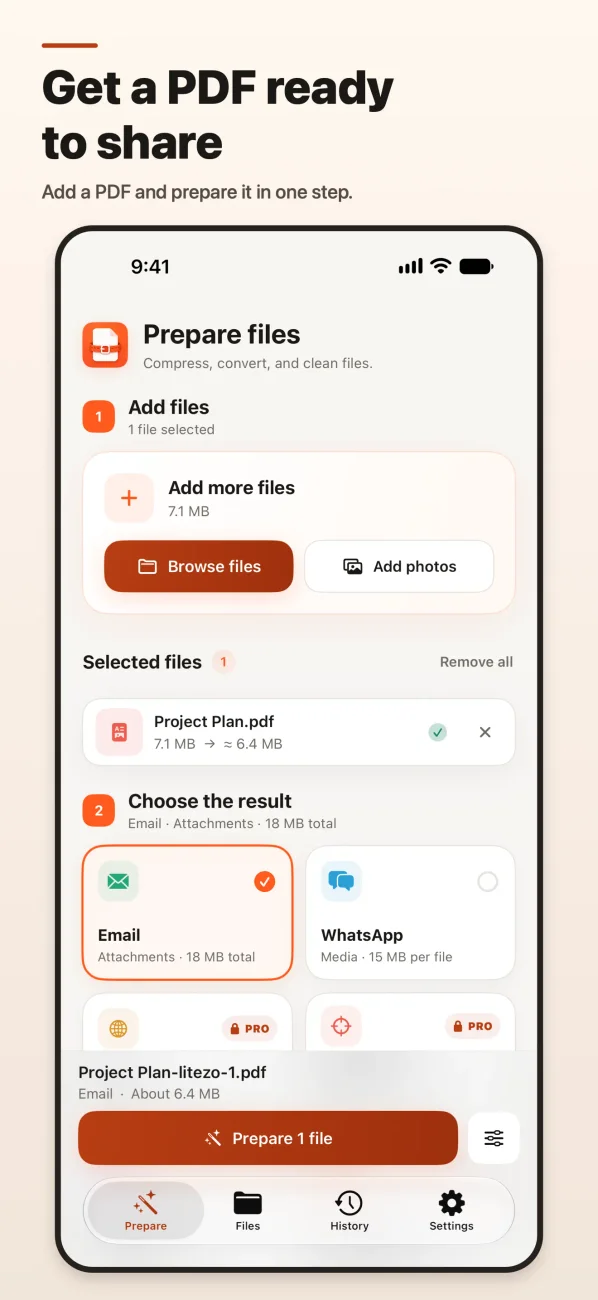
• Email: prepare a batch around an 18 MB total attachment goal
• Messaging: prepare share-ready files around 15 MB per file
• Web: create modern WebP images around 8 MB per file
• Target Size: choose an approximate total or per-file goal from 1 MB to 100 MB
• Privacy: keep practical quality while removing hidden details
• Save Space: create smaller practical files around 5 MB per file
BATCH WORKFLOW
• Add files from Files or choose photos and videos from the photo library
• Drag and drop files into the Mac app
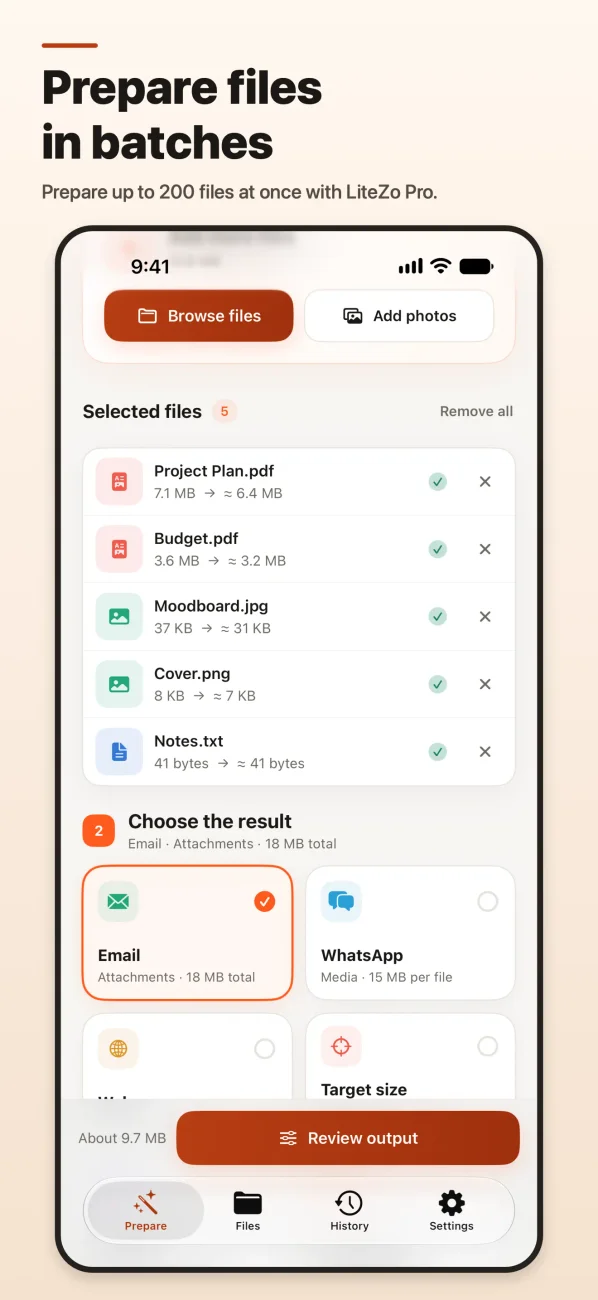
• Process up to 200 files in one Pro batch
• Apply a target to the whole batch or to each file
• Preview the planned output format, name and estimated size before starting
• Rename in bulk with {name}, {index} and {date} tokens
• Follow per-file progress
• Cancel safely without keeping incomplete output
• Continue receiving successful results when another item in the batch fails
• Review clear warnings when a target cannot be reached without unsafe quality loss
FILES AND HISTORY
• Keep prepared results in the local LiteZo Files library
• Search by file or batch name
• Filter images, PDFs, videos, documents and archives
• Preview with Quick Look, open, share or delete a result
• View file counts and local storage usage
• Review completed and partially completed batches
• See original size, output size and percentage change
• Clear activity history without deleting prepared files
• Access outputs in the Files app on iPhone and iPad or Finder on Mac
FREE AND PRO
The permanent free tier prepares one file at a time with core Email, Messaging and Privacy workflows plus Automatic, JPEG, PNG and MP4 output. LiteZo Pro unlocks batches up to 200 files, every preset, WebP, HEIC, PDF and ZIP output, custom size targets and custom batch naming. Files, History, sharing and deletion remain available to everyone.
One eligible purchase works across Mac, iPhone and iPad when the devices use the same App Store account and the product supports sharing under Apple rules. Restore Purchases is included.
Important: Requested file sizes are goals, not guarantees. Results depend on the source format, duration, complexity and quality that can be preserved safely. Strong PDF compression may flatten text, links, forms and accessibility structure, and LiteZo displays a warning when it uses that method.
Privacy Policy: https://www.pleyra.com/privacy.html
Terms of Use: https://www.pleyra.com/terms.html
Support: support@pleyra.com
What’s new
Version 1.1.0 · Nov 20, 2026
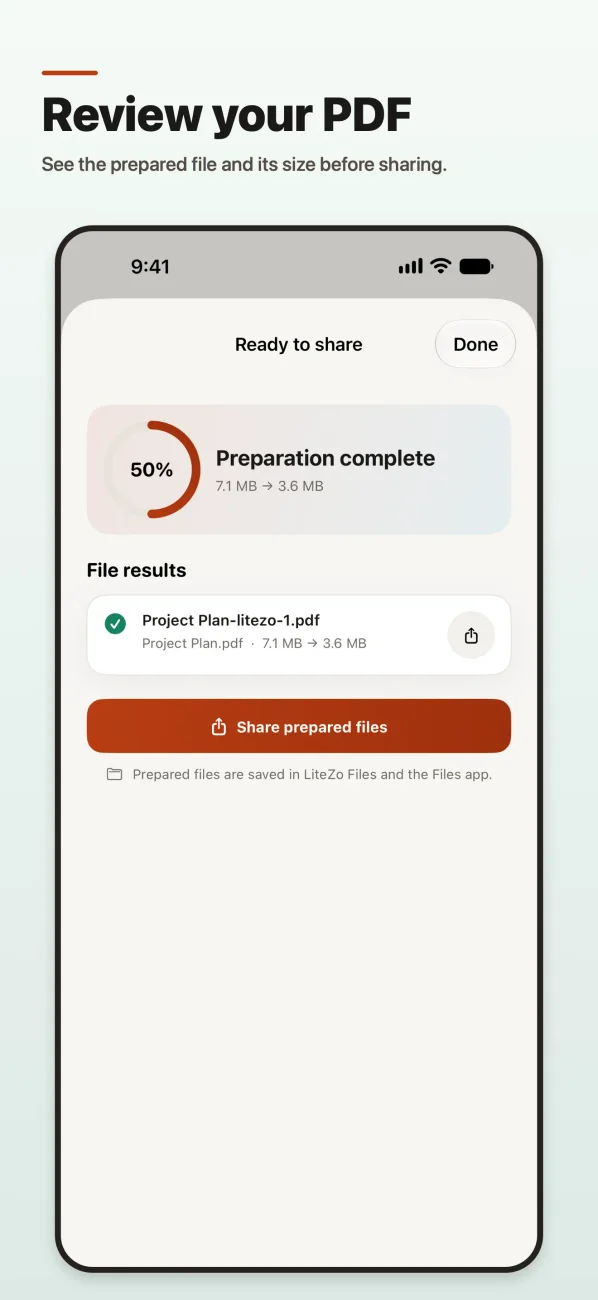
Prepare and share a PDF in fewer steps. Free users can choose one file directly from the queue. The updated LiteZo Pro screen puts batch preparation and naming up front.
App privacy
What Mehmet Sabri Sepik declares on the App Store about how this app handles data.
-
Data not collected
The developer does not collect any data from this app.
Privacy practices may vary, for example with the features you use or your age.
Information
- Seller
- Mehmet Sabri Sepik
- Category
- Utilities
- Version
- 1.1.0
- Updated
- Nov 20, 2026
- Released
- Jul 27, 2026
- Size
- 5.3 MB
- Requires
- iOS 17.0 or later
- Age rating
- 4+
- Price
- Free
- In-app purchases
- Yes
- Languages
- English, Arabic, Dutch, French, German, Hindi, Indonesian, Italian, Japanese, Korean, Polish, Portuguese + 8 more
- Copyright
- © 2026 Mehmet Sabri Sepik
You might also like
-
 视频压缩-无损高清压缩Utilities
-
 GemTrail: Rock IdentifierScan Crystals & Minerals
-
 Shrink PDF Audio Video PhotoCompress MP3 MP4 & reduce size
-
 PhotoZip: Photo Video CompressShrink MP4 JPEG HEIC Bulk
-
 Video Speed for SafariVideo Speed Changer for Safari
-
 PDF Size Reducer & CompressorShrink Docs for Email & Upload
-
 FastClic WiggUtilities
-
 PDF Compressor: To Any SizeCompress PDF Reduce PDF Size
-
 Flex VPN: Secure ConnectionOne tap to connect
-
 Audio Extractor: VoxCutExtract Audio from Video