
- Age rating4+
- CategoryFinance
- DeveloperNicole Garcia
- LanguagesEnglish
- Size3.9 MB
Links to the official App Store page
Download.org hosts no file of Little Ledger. The button opens its official App Store page, published by Nicole Garcia. Listing last checked on Nov 12, 2026.
Screenshots

About
As a freelancer, if you want to get more money back in your wallet, expense tracking is a crucial step toward lowering your taxable income.
But expense tracking is tiresome: it requires going through your various accounts, hunting down details about what was purchased and how it relates to your business. It's usually the last thing we want to do (or have time for).
Automated systems can make this easier, but they often come at the risk of your financial privacy and security.
These problems are solved through Little Ledger. The simple, straightforward design allows for logging new expenses on-the-go, wherever and whenever. With all your expenses in one place, Little Ledger is the perfect companion for your bookkeeping routine.
With Little Ledger, you can:
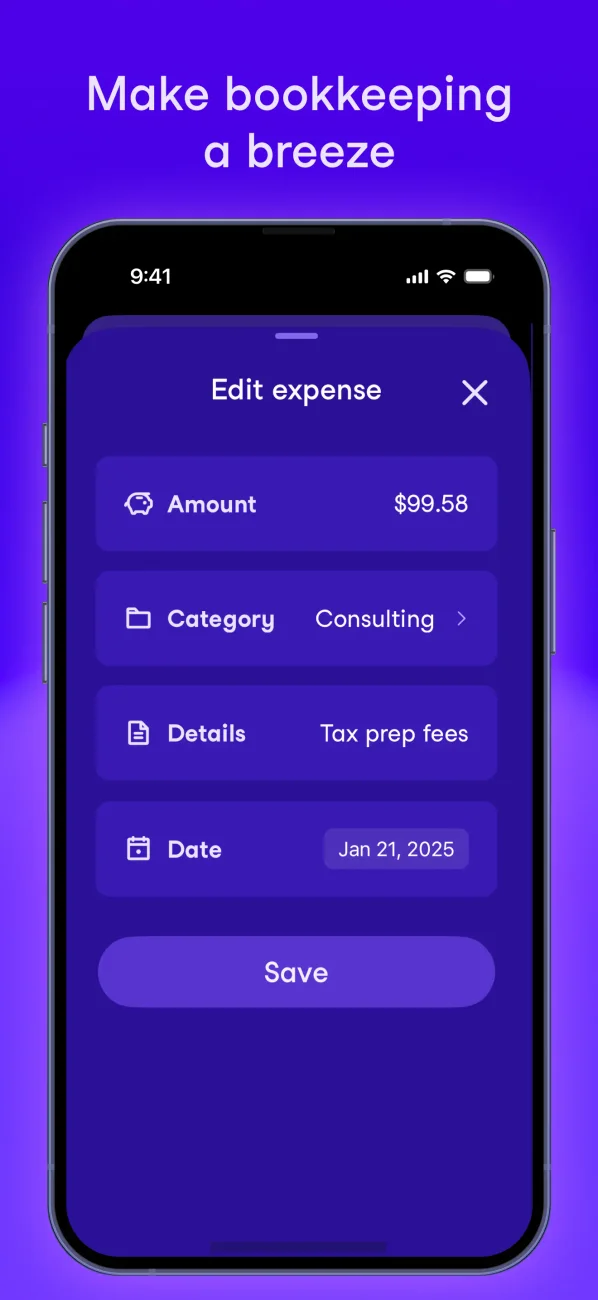
1. Log new business expenses, including details like the amount and a description of what the expense is
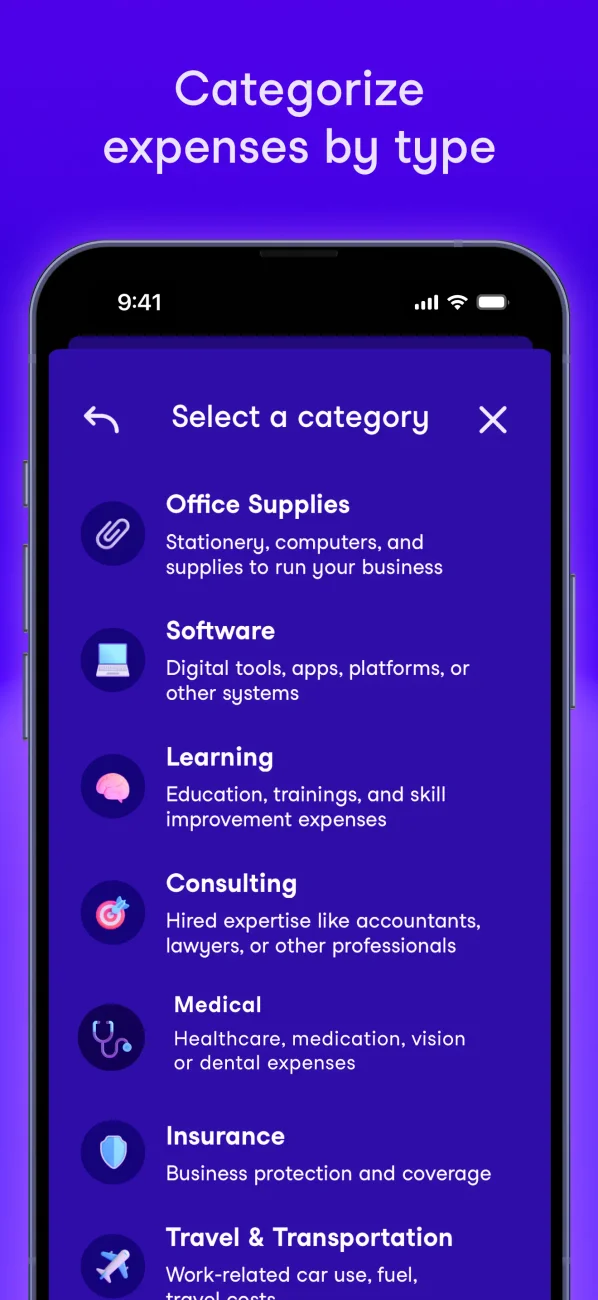
2. Organize expenses by pre-populated tax-deductible categories, including office supplies, software, professional memberships, learning and education, and more
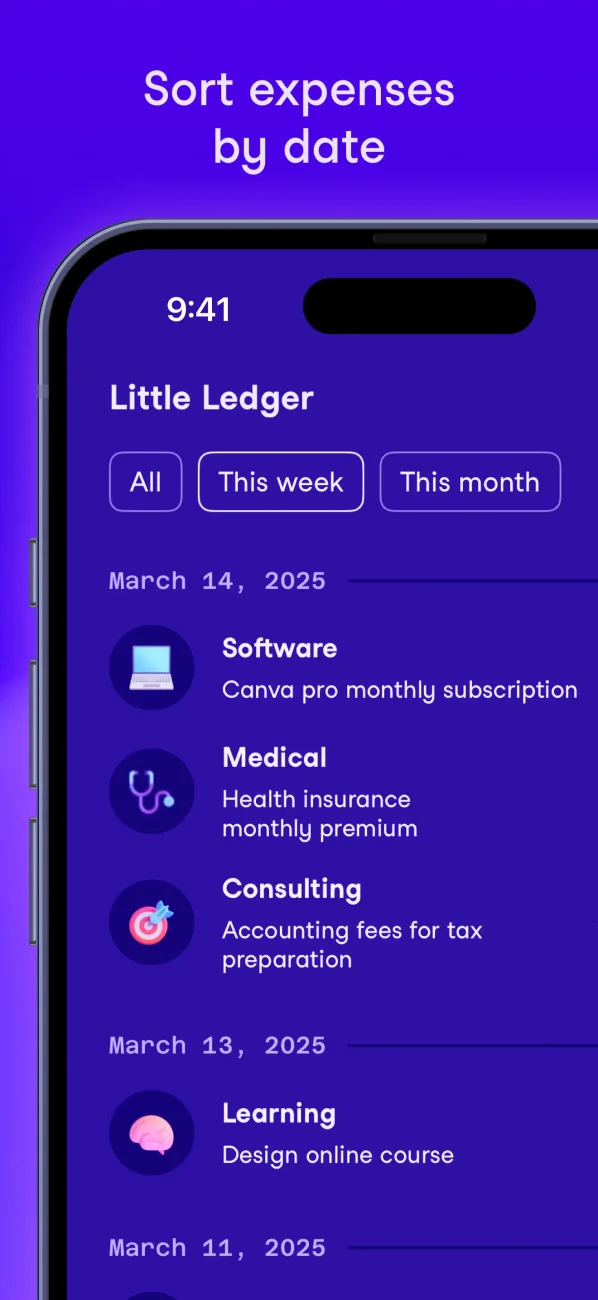
3. View all expenses in a easy-to-scan list, organized by date
For self-employed freelancers, those running a side hustle, or business owners who are just starting out, we hope Little Ledger will support your bookkeeping habits and make your tax season easier.
What’s new
Version 1.2 · Mar 16, 2025
Date filtering: You can now focus on expenses from specific time periods with the new filtering options found at the top of your expenses list. Tapping a filter will update your expenses list dynamically. So if you’re reviewing your expenses on a weekly or monthly basis, or if you just want to see fewer expenses at a time, try out the new filters!
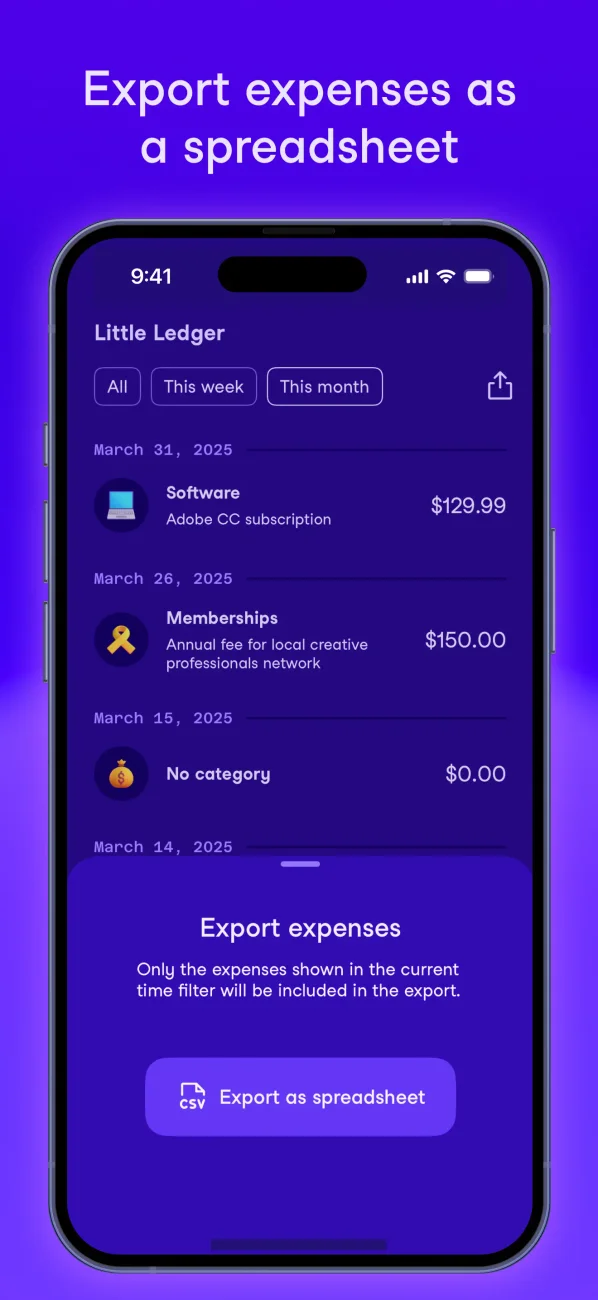
Export expenses as a spreadsheet: Seamlessly integrate Little Ledger with your other accounting workflows. The new export button, found at the top right, lets you save filtered expenses as a spreadsheet file. Share directly to your computer, Google Drive, Dropbox, or any other place where you manage your finances.
Your review matters: Leaving a review for Little Ledger helps me improve the app, and it also helps other freelancers and small businesses discover what the app has to offer. If you see the prompt show up, I encourage you to leave a review. (You can leave a new review with each version update!)
App privacy
What Nicole Garcia declares on the App Store about how this app handles data.
-
Data not collected
The developer does not collect any data from this app.
Privacy practices may vary, for example with the features you use or your age.
Information
- Seller
- Nicole Garcia
- Category
- Finance
- Version
- 1.2
- Updated
- Mar 16, 2025
- Released
- Feb 1, 2025
- Size
- 3.9 MB
- Requires
- iOS 18.2 or later
- Age rating
- 4+
- Price
- Free
- Languages
- English
- Copyright
- © 2025 wontonface LLC
You might also like
-
 My Ledger: Modern BudgetingSimple and efficient budgeting
-
 Mduyen LedgerFinance
-
 ReceiptersReceiving made easy
-
 Monspend: Installment TrackerSubscriptions, Bills & Cards
-
 PocketLedger: Track ExpensesPrivate Finance Tracker
-
 Mizentra: Simple BookkeepingIncome, expenses and VAT prep
-
 DAX LedgerFinance
-
 Double-Entry BookkeepingPersonal accounting
-
 Mojo BillingFinance