Little Things: Task Breakdown
ADHD Brain Dump & Shared List
Designed for iPhone, iPad
Free · In-app purchases
- Age rating4+
- CategoryProductivity
- DeveloperEverminimal Studio, L.L.C.
- LanguagesEnglish
- Size18.2 MB
Links to the official App Store page
Download.org hosts no file of Little Things: Task Breakdown. The button opens its official App Store page, published by Everminimal Studio, L.L.C. Listing last checked on Nov 23, 2026.
Screenshots
About
Stuck between "I need to do this" and actually starting? Little Things breaks the task into small steps, so the first one is easy to begin.
Little Things was inspired by my son, who has ADHD. He finished things more easily once they were broken into small pieces. So do I, and so do a lot of people.
Built for ADHD brains, and for anyone whose executive function stalls at the starting line.
BREAK IT DOWN
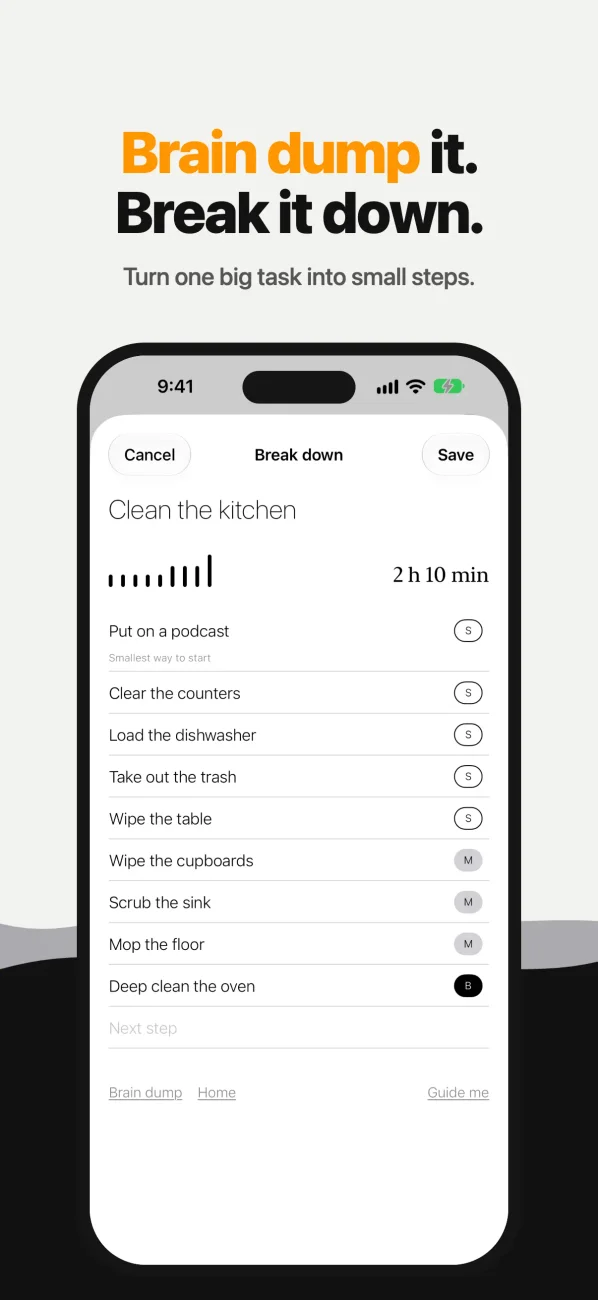
Do a brain dump, or type one big task and add its steps. Each one gets a size: small, medium or big. On iPhones with Apple Intelligence, a brain dump is sized and turned into steps for you, all on your device.
A DAY THAT FITS
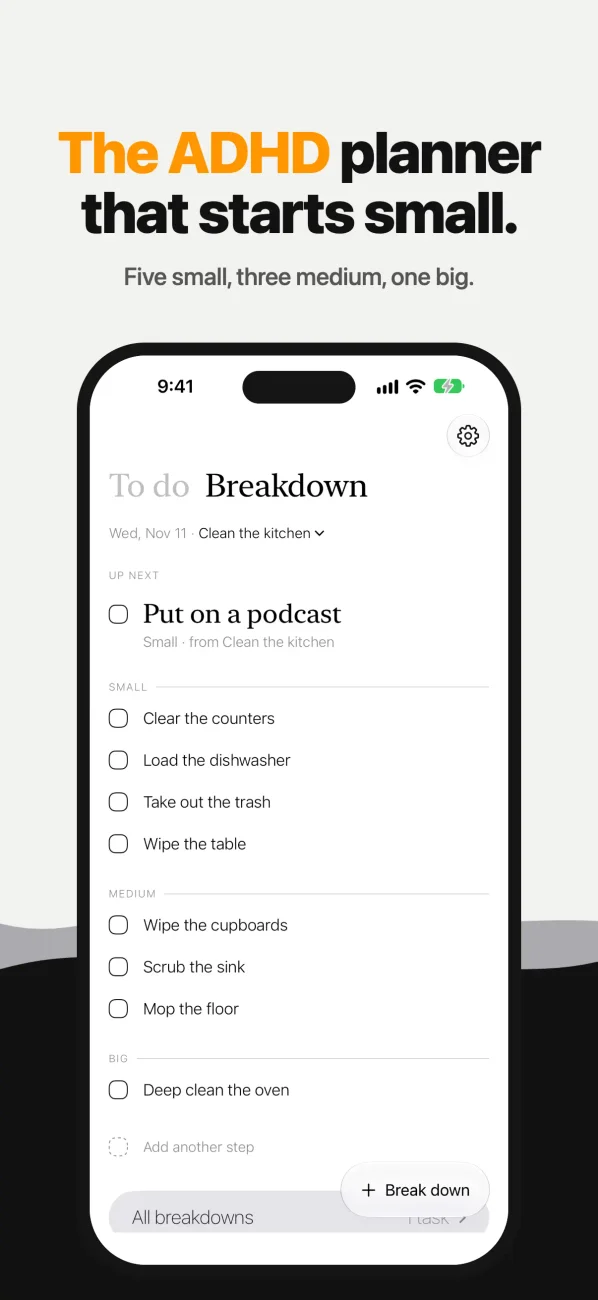
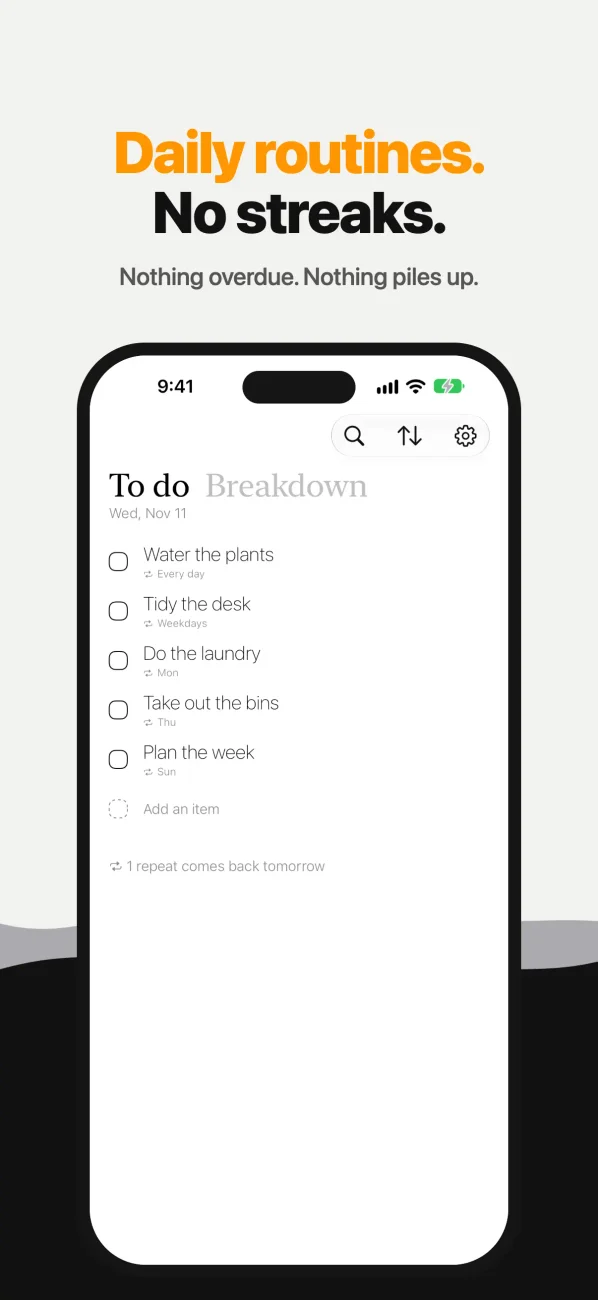
Your to do list for each day follows a simple shape: five small steps, three medium, one big. Small ones come first, so you build momentum before the hard part. Not sure how much you've got in you? Suggest my day asks about your energy and fills the day to match.
ONE THING AT A TIME
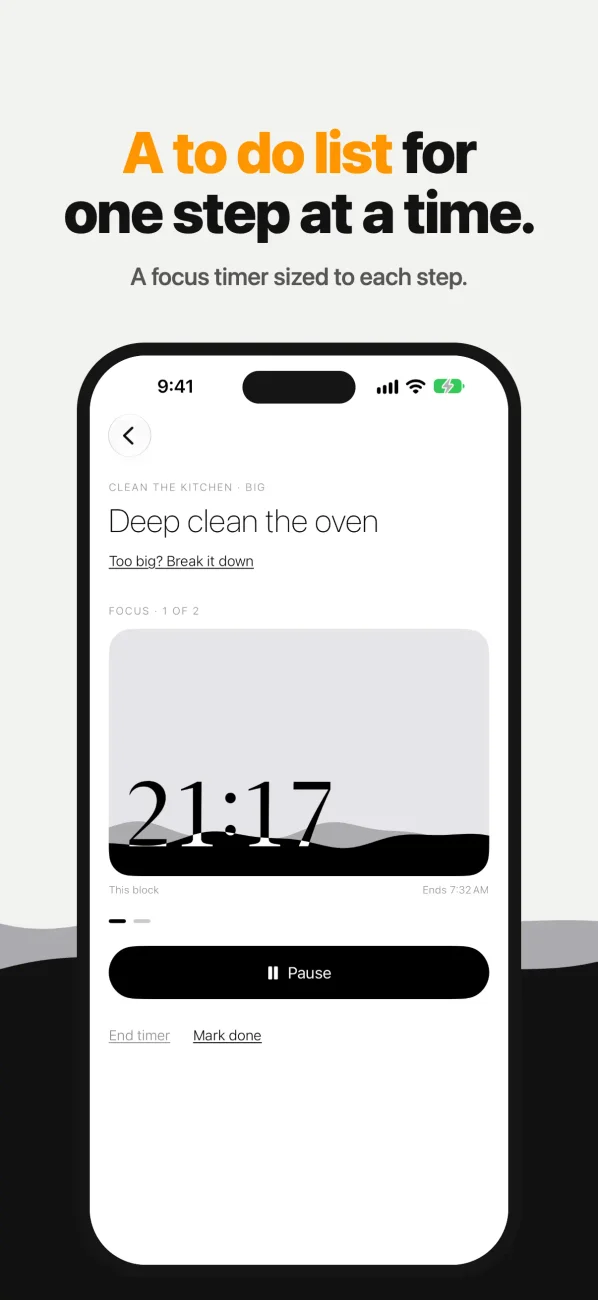
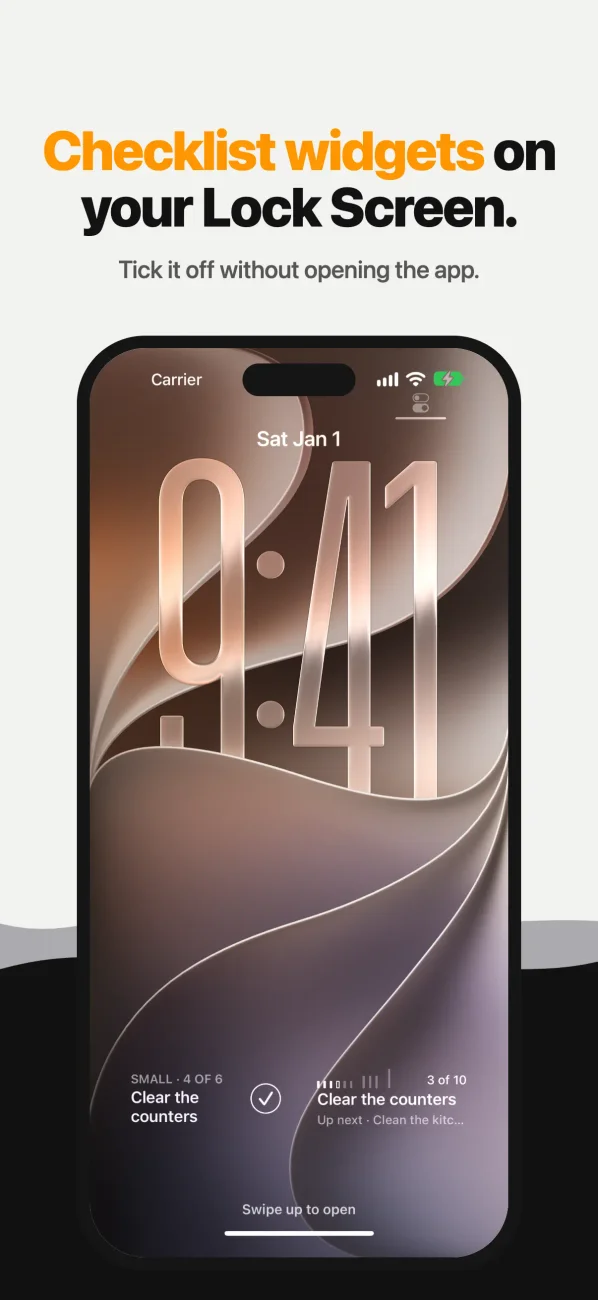
Pick a task to work on and its steps fill today. A Live Activity keeps the step you're on in view on the Lock Screen and in the Dynamic Island, with a check to tick it off. A focus timer sized to each step helps you start, not race.
NO STREAKS, NO SHAME
Nothing turns red. Nothing counts what you missed. Steps left over can wait for later, and the app only ever shows what you did.
TOGETHER, IF YOU LIKE
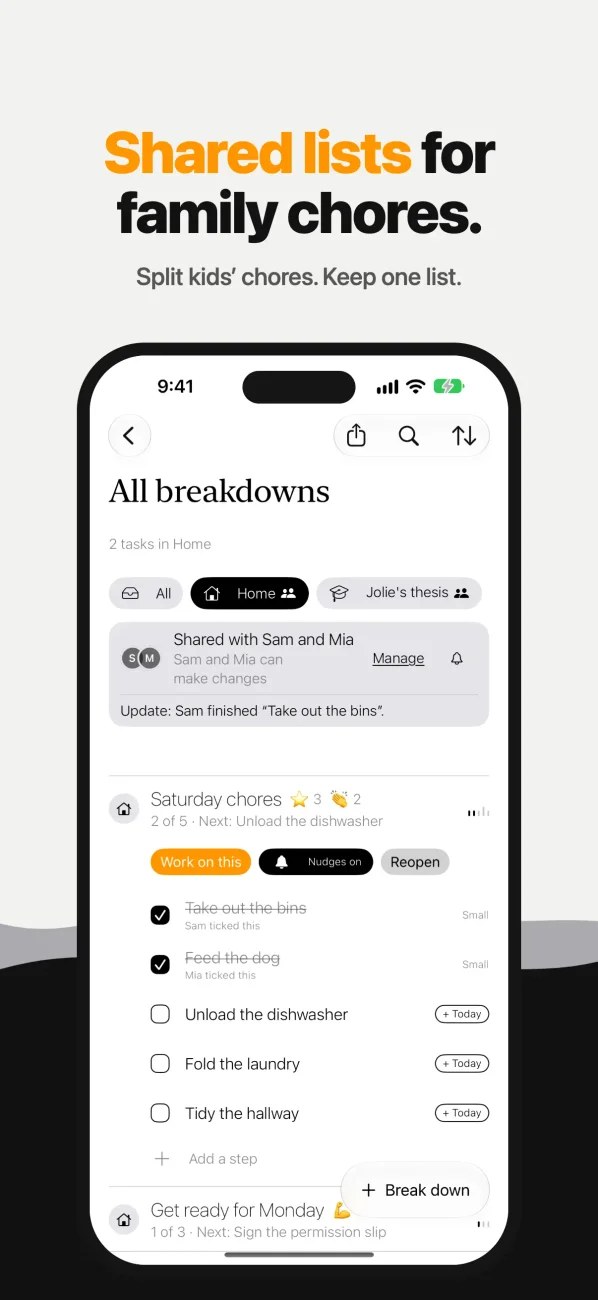
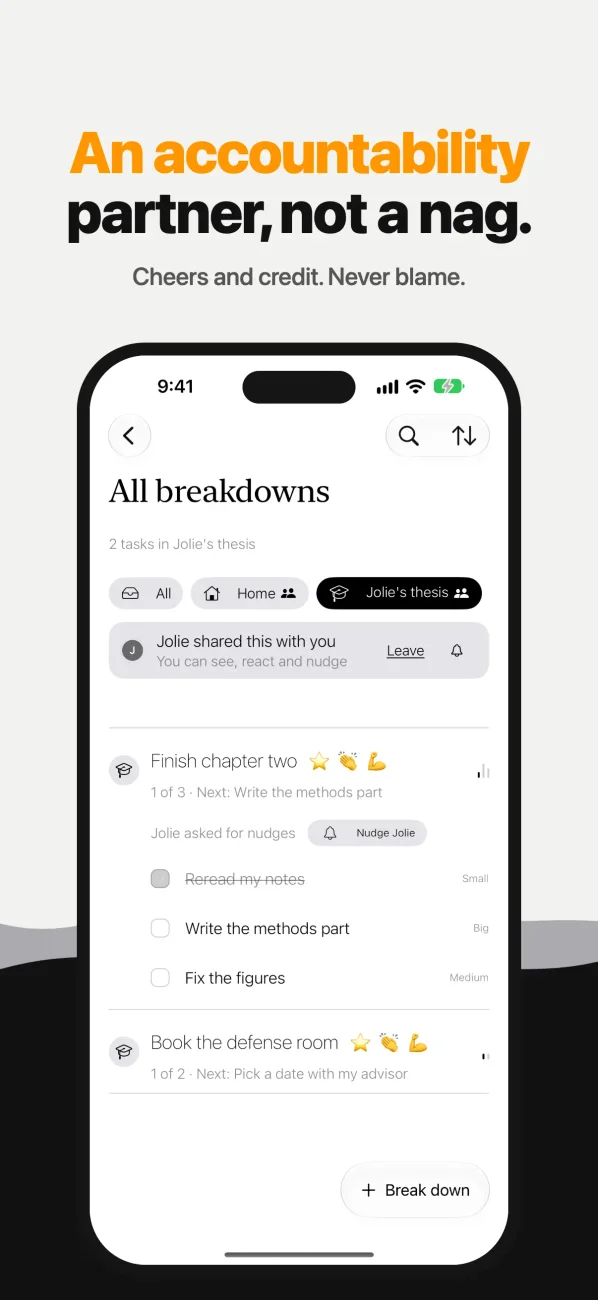
Share a folder through iCloud with family, a partner or an accountability partner. Split kids' chores, keep a shared list, and cheer each other on. Only credit is shown, never who hasn't done something.
EVERYWHERE YOU LOOK
Home Screen and Lock Screen widgets show what's up next and let you tick it off. iCloud keeps iPhone and iPad in step.
LITTLE THINGS PLUS
Your first week has everything. After that, Little Things stays free with a smaller day: one big step, one medium and three small. Plus brings the full day, Suggest my day, Apple Intelligence sizing, and iCloud sync and shared folders. Choose Yearly, Monthly, or Lifetime paid once. Plus can be shared with your family. Nothing you've made is ever locked.
Subscriptions renew automatically unless turned off at least 24 hours before the end of the period, and can be managed in your Apple Account settings.
Terms of Use: https://www.apple.com/legal/internet-services/itunes/dev/stdeula/
Take it one little thing at a time.
What’s new
Version 1.4 · Nov 22, 2026
New improvements and a sprinkle of new features
• You can now add your reminders app lists in your to do
• Big reminders? you can break them down. Little Things can suggest older reminders to break into smaller, more manageable steps.
• A little more mindful of your time. With Calendar, a busy day starts with a lighter plan, nudges wait for a free moment, and the focus timer shows when your next event begins.
• Everything stays together. A to do you break down now stays in To do, with its steps tucked underneath
• You can now select the repeat while creating a task
• A day you can see before you choose it. The Suggest my day button now shows the shape of the day it will plan.
• More ways to ask Siri. Try "Capture in Little Things" or "Quick add in Little Things."
IMPROVED
• A tidier All Breakdowns. Finished tasks tuck themselves away until you want them.
• Your work stays safe. A breakdown you're still writing won't close on an accidental swipe.
• Sharing, made clearer, with one way to invite someone to help and another to share a link for support.
FIXED
• The freeze when opening Settings on iPad
App privacy
What Everminimal Studio, L.L.C. declares on the App Store about how this app handles data.
-
Data linked to you
May be collected and linked to your identity.
- User content
- Identifiers
Privacy practices may vary, for example with the features you use or your age.
Information
- Seller
- Everminimal Studio, L.L.C.
- Category
- Productivity
- Version
- 1.4
- Updated
- Nov 22, 2026
- Released
- Nov 18, 2026
- Size
- 18.2 MB
- Requires
- iOS 17 or later
- Age rating
- 4+
- Price
- Free
- In-app purchases
- Yes
- Languages
- English
- Copyright
- © 2026 Everminimal Studio, L.L.C
You might also like
-
 Quad To-Do: Eisenhower MatrixFocus on What Truly Matters
-
 Mote: Lock Screen NotesSimple reminders, clear mind
-
 Yike: To-Do List, Task PlannerFocus Timer, Calendar & Alerts
-
 Handy: Snippets & FilesReuse text, links and files
-
 iFieldSurveyOffline Forms, Kiosk & Raffle
-
 iScript: Learn from ScriptsShadowing, AI notes, review
-
 SnipMark: Screenshot MarkupAnnotate, compress, rename
-
 Titanova: Life PlannerGoals, Habits, Tasks & Focus
-
 Floaty: Lock Screen EssentialsTo-Dos, Train & Flight Tickets
-
 Calendar in Motion: DaySpinEvents,Reminders,Schedule