
Little Waves Contraction Timer
Calm, one-handed labour timer
Designed for iPhone, iPad
- Age rating4+
- CategoryHealth & Fitness
- DeveloperLittle Nuno Studios
- LanguagesEnglish
- Size4.1 MB
Links to the official App Store page
Download.org hosts no file of Little Waves Contraction Timer. The button opens its official App Store page, published by Little Nuno Studios. Listing last checked on Nov 12, 2026.
Screenshots

About
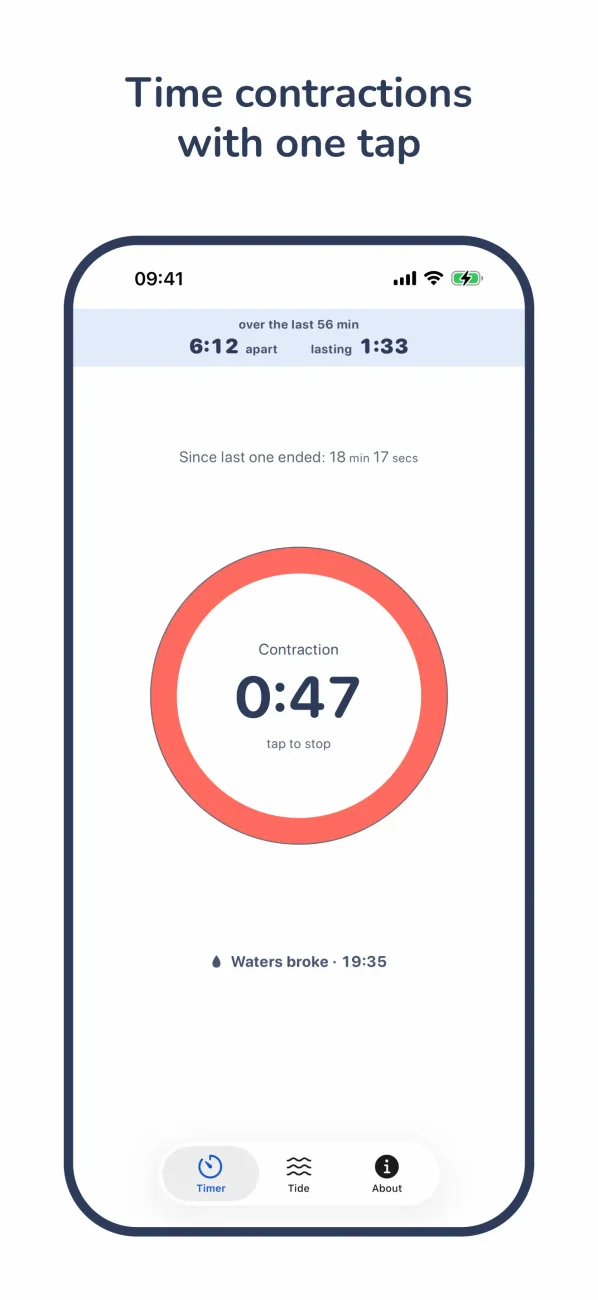
Time contractions with one tap. Hand the pattern to your midwife. That is the whole app.
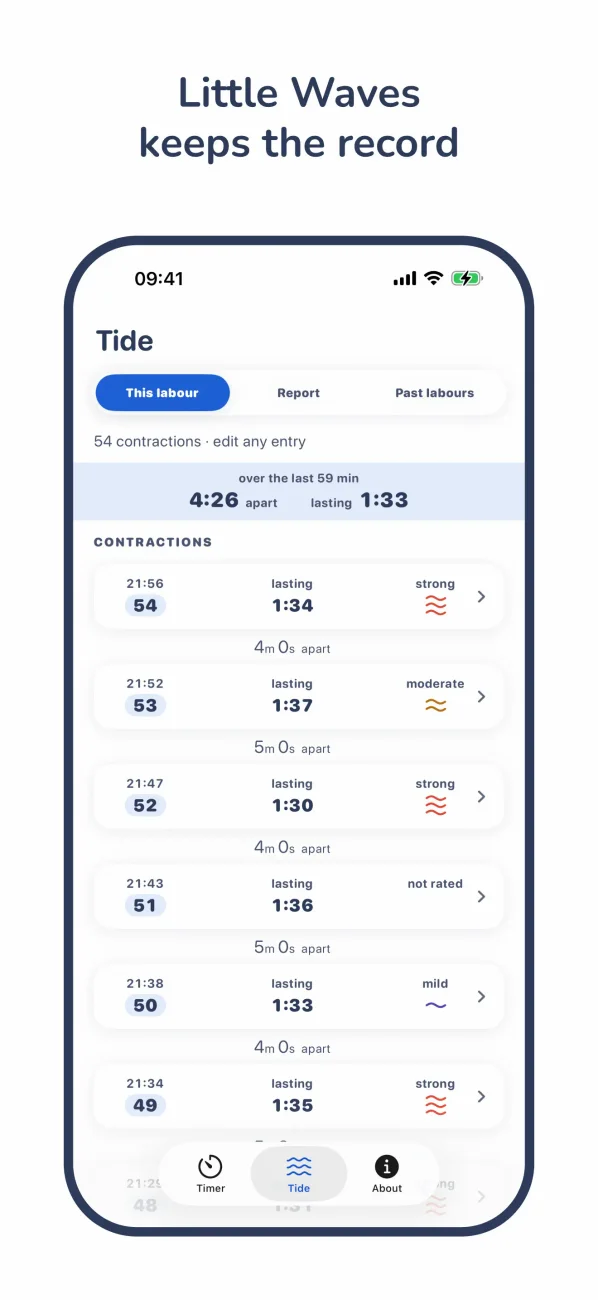
One giant button, made for one hand in the dark. Start when a contraction starts, stop when it stops. The app shows how long, how far apart, and how the last hour looks, in plain words. No alarms, no instructions, no drama.
This is a record, not medical advice. You and your healthcare professional decide what it means. We just keep the record straight.
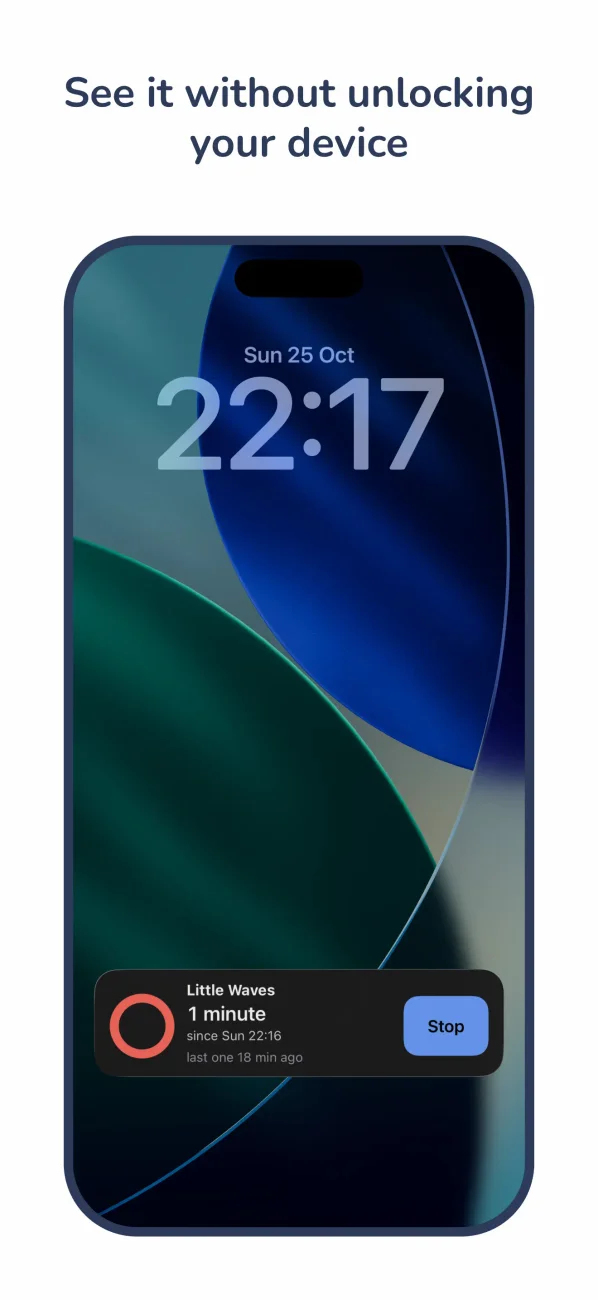
Your timing stays on the Lock Screen, so you can see it without unlocking your device.
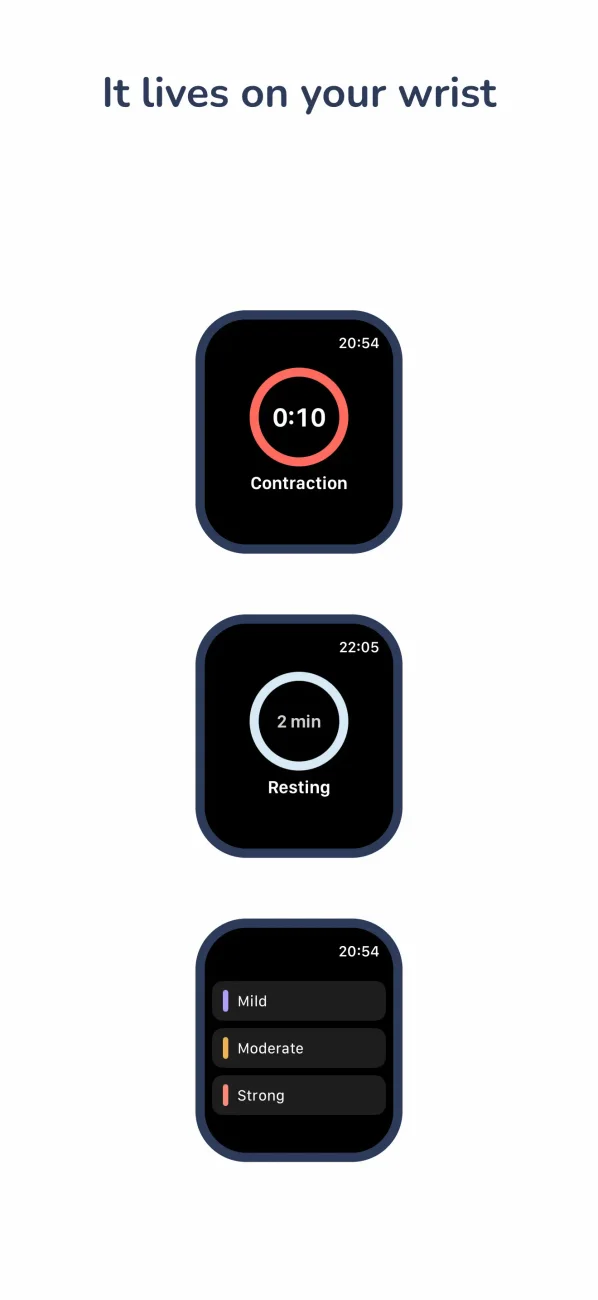
And it lives on your wrist: one big button on Apple Watch, for when the phone is across the room.
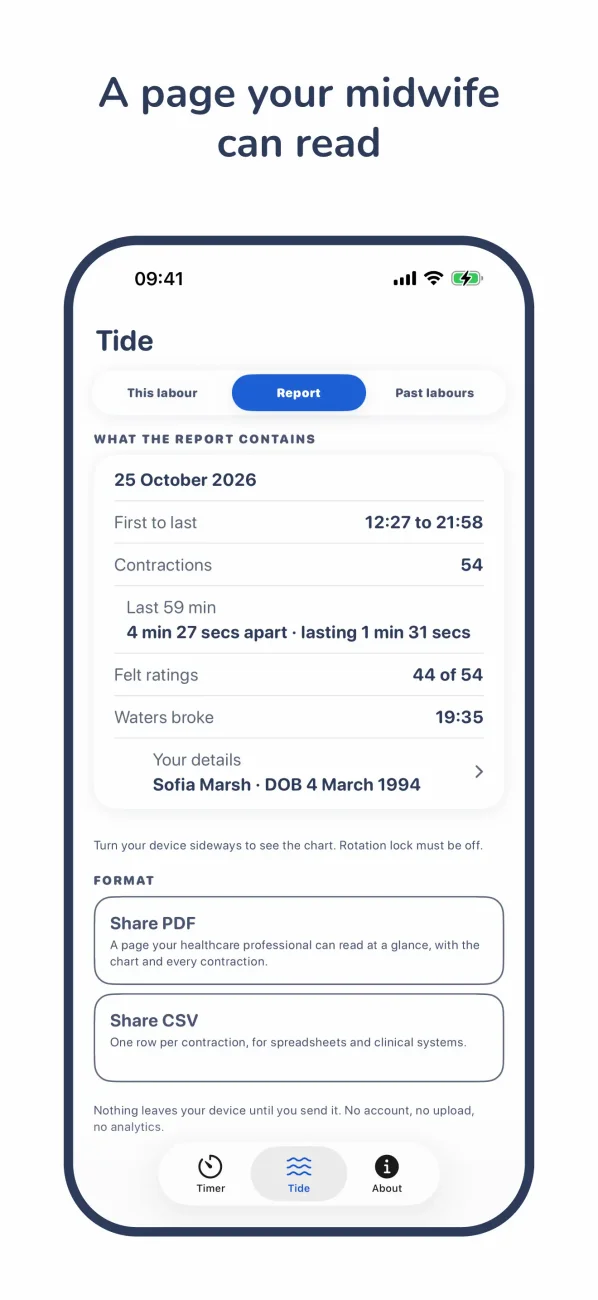
When it is time, share the whole story: a tidy summary as a PDF your midwife can actually read, or the raw data as a CSV. Every entry, always, and never behind a purchase.
Four short "How it works" pages show the basics, offered on the Timer at first and kept in About, under Help.
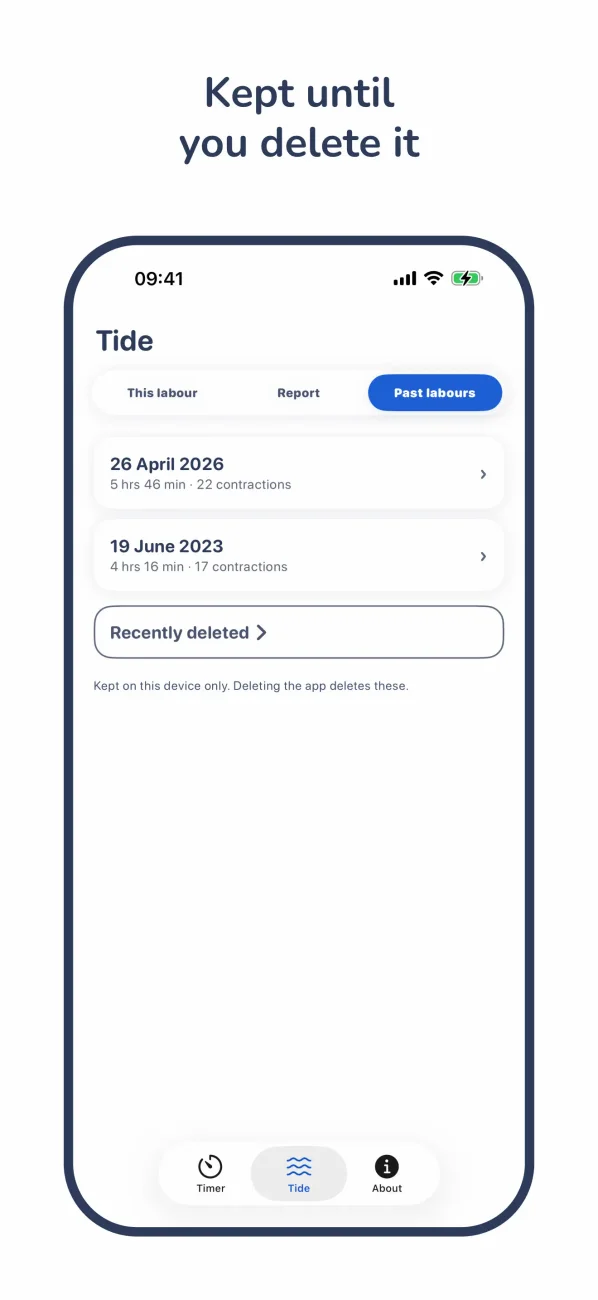
Your records are kept until you delete them. Your record survives locking, restarting, and force-quitting your device, because we built it so it cannot forget.
Why "Little Waves"? Because every wave brings your little one closer.
Free. Completely. Nothing to buy, and no ads, because nobody should meet an advert at 3am between contractions.
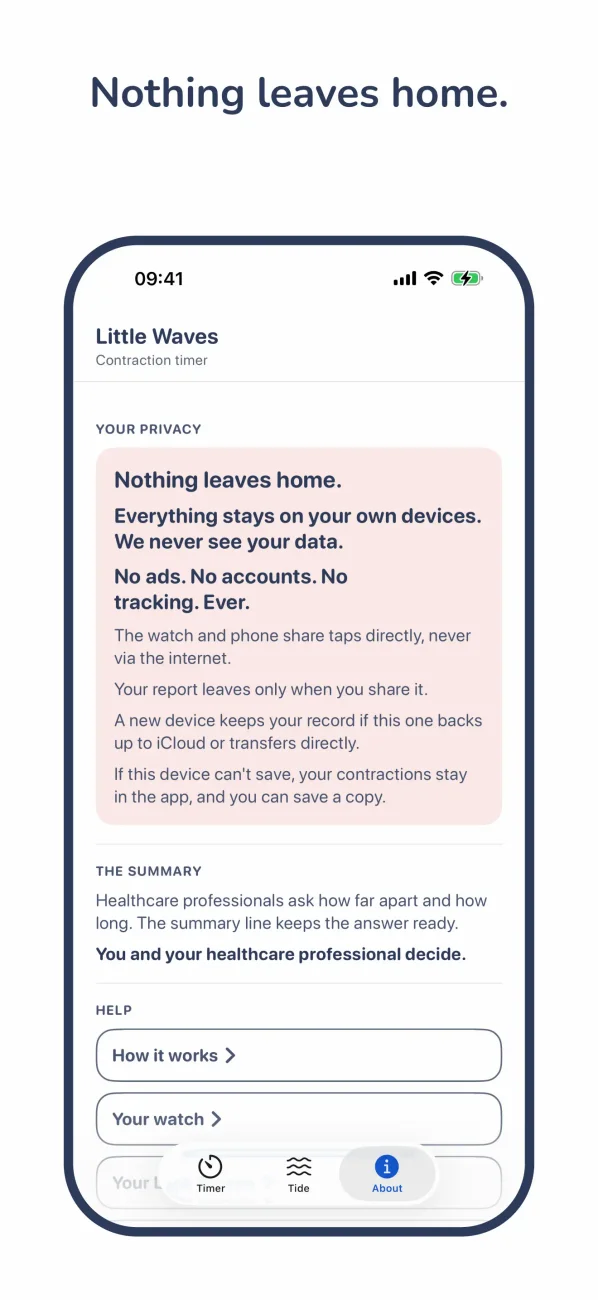
Nothing leaves home.
No ads. No accounts. No tracking. Ever.
Everything stays on your own devices. We never see your data. It works with the internet switched off. Your labour is yours.
From Little Nuno Studios: small, beautiful apps, made properly.
What’s new
Version 1.1.0 · Oct 28, 2026
How it works: a quiet button on the Timer opens four short pages on the basics, also kept in About, under Help.
A new look: buttons, links and the selected tab are blue, and light mode's background is pure white. The start and stop ring is unchanged.
How a contraction felt now shows as one, two or three small waves beside the word. Waters broke is marked with a small water drop.
Fixed: if Little Waves met a saved file it could not use and could not set aside, on a full device for example, version 1.0 could open empty and write over that file. Now the file is kept untouched, new records are held in the app, the "isn't saving" banner shows, and the file is set aside once there is room. Apple Watch keeps its file the same way, and no longer says "Saved" for a tap it has not saved.
Fixed: after a clock change during a contraction, the summary line could go back to explaining when the summary appears. It no longer does.
Fixed: "Save a copy" on the "isn't saving" banner now stays easy to read while a contraction runs.
Little Waves now needs iOS 26 or later (iPadOS 26 on iPad, watchOS 26 on Apple Watch). A device on an earlier version keeps version 1.0.0.
Your records come across unchanged.
App privacy
What Little Nuno Studios declares on the App Store about how this app handles data.
-
Data not collected
The developer does not collect any data from this app.
Privacy practices may vary, for example with the features you use or your age.
Information
- Seller
- Little Nuno Studios Ltd
- Category
- Health & Fitness
- Version
- 1.1.0
- Updated
- Oct 28, 2026
- Released
- Sep 10, 2026
- Size
- 4.1 MB
- Requires
- iOS 26.0 or later
- Age rating
- 4+
- Languages
- English
- Copyright
- © 2026 Little Nuno Studios Ltd
You might also like
-
 Go Brush Pro: Toothbrush TimerImprove Oral Hygiene Daily
-
 Rezolve FitnessHealth&Fitness
-
 Mone Postpartum & Baby SupportExpert content, wellness tools
-
 Dance Calories: Arcade BurnFitness Tracker Retro Style
-
 Interval FlowFlow through multiple timers
-
 Tapping StudioEFT Tapping and EMDR
-
 Hippobrush: Toothbrush TimerTeeth Brushing, Floss & Rinse
-
 Breastfeeding Tracker: TimerBaby Feeding, Bottle & Pumping
-
 Contraction Timer & Live ShareDoctor & midwife follow along
-
 Lung Buddy: Quit NicotineQuit vaping & smoking