LiveCut – Multicam Editor
Sync cameras, cut them live
Designed for iPhone, iPad
In-app purchases
- Age rating4+
- CategoryPhoto & Video
- DeveloperCarlos Martini
- LanguagesGerman+ 1 more
- Size2.9 MB
Links to the official App Store page
Download.org hosts no file of LiveCut – Multicam Editor. The button opens its official App Store page, published by Carlos Martini. Listing last checked on Nov 12, 2026.
Screenshots

About
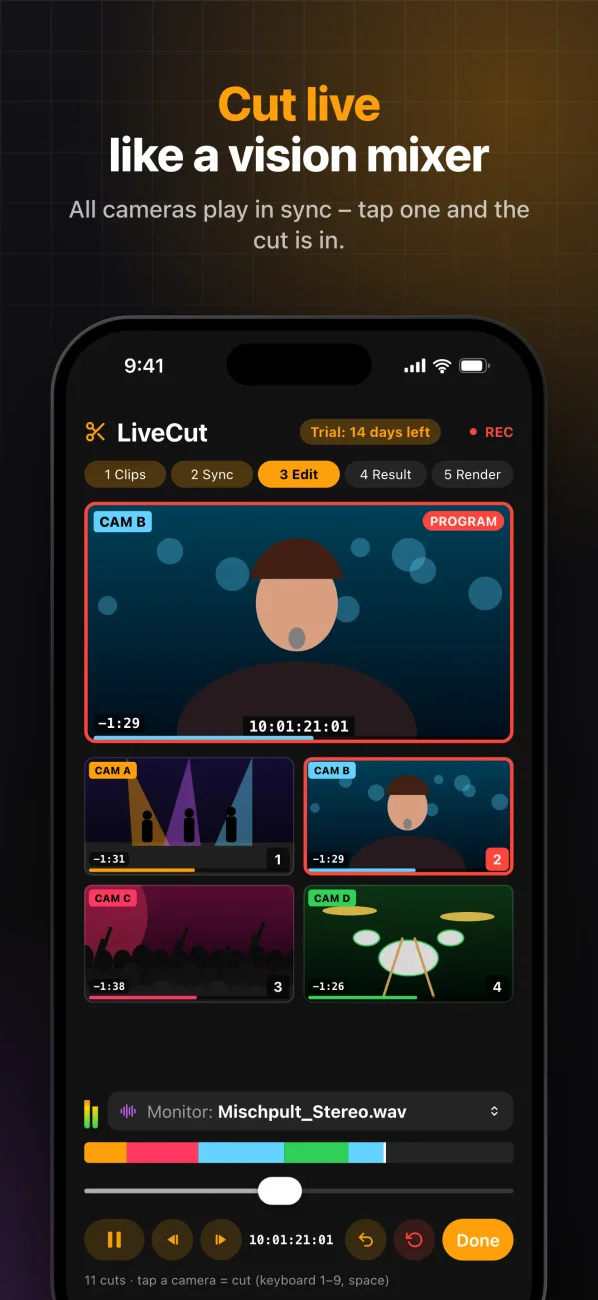
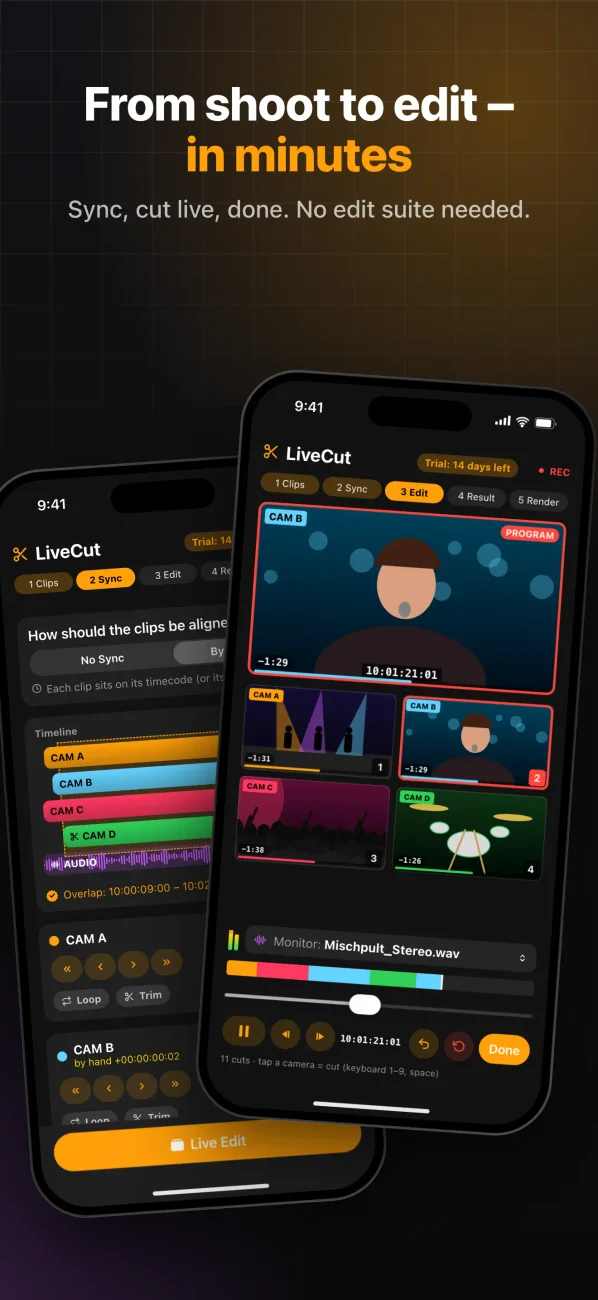
Several cameras, one performance – and no wish to spend hours editing at the computer? With LiveCut you line up the footage of all cameras, play them back at the same time and cut like on a vision mixer: tap a camera – cut.
HOW IT WORKS
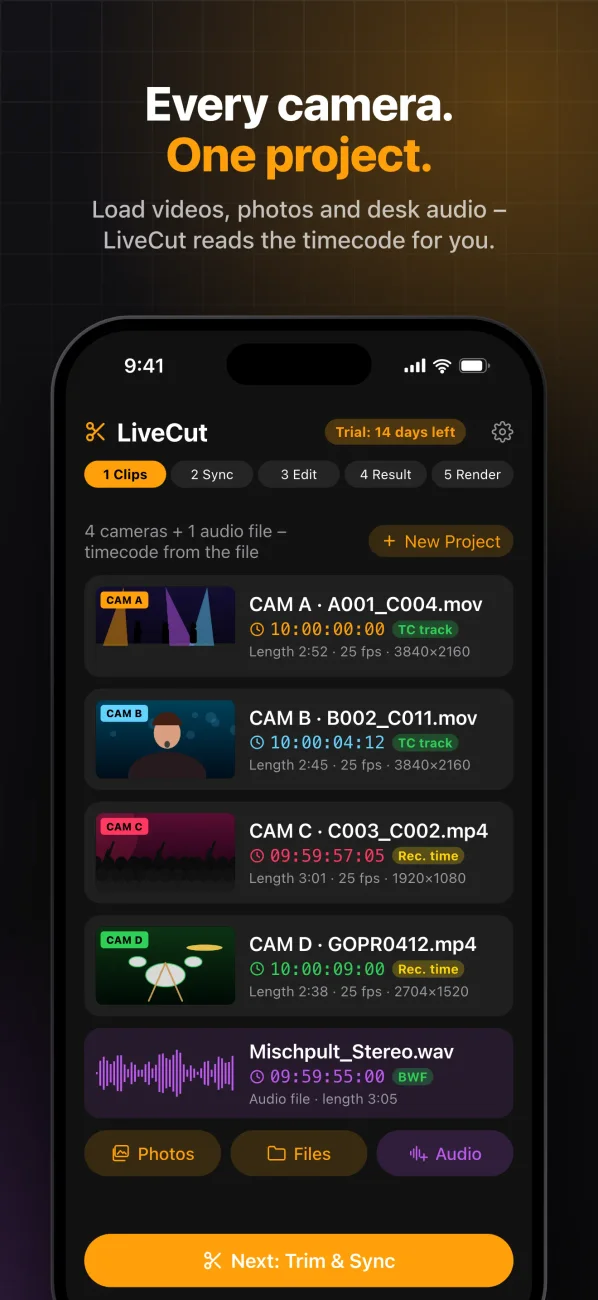
• Load clips: videos, photos and audio from Photos or Files, up to 9 cameras.
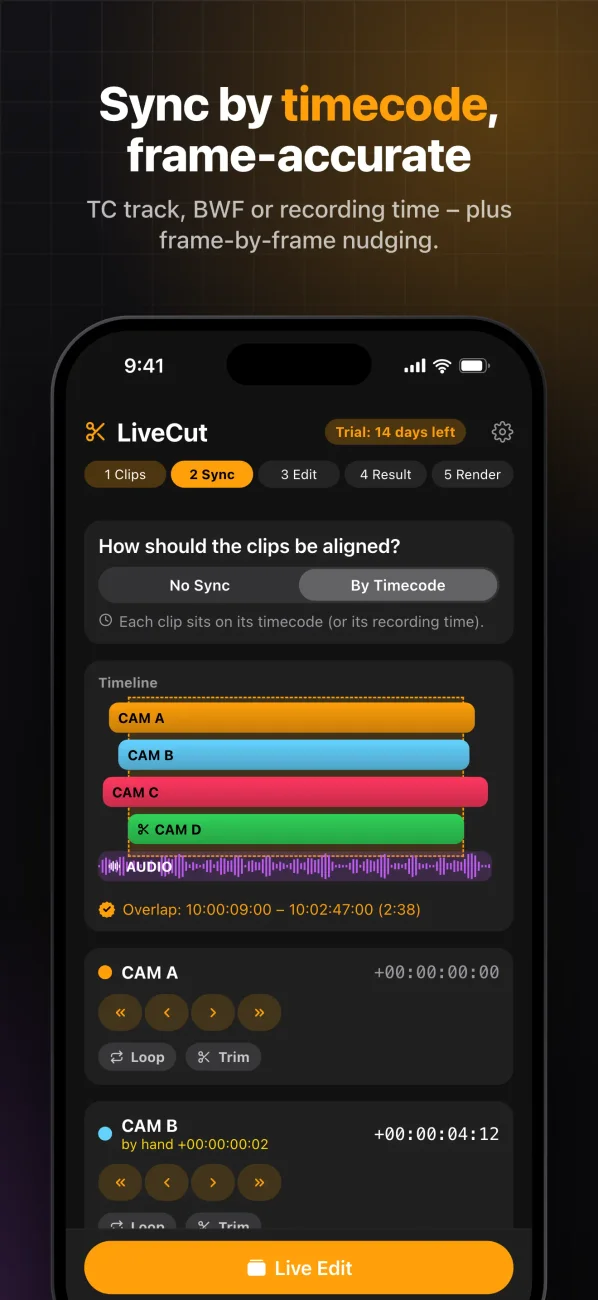
• Sync: all clips on the first frame – or by timecode (TC track, BWF, recording time). Nudge frame by frame, trim, loop short clips.
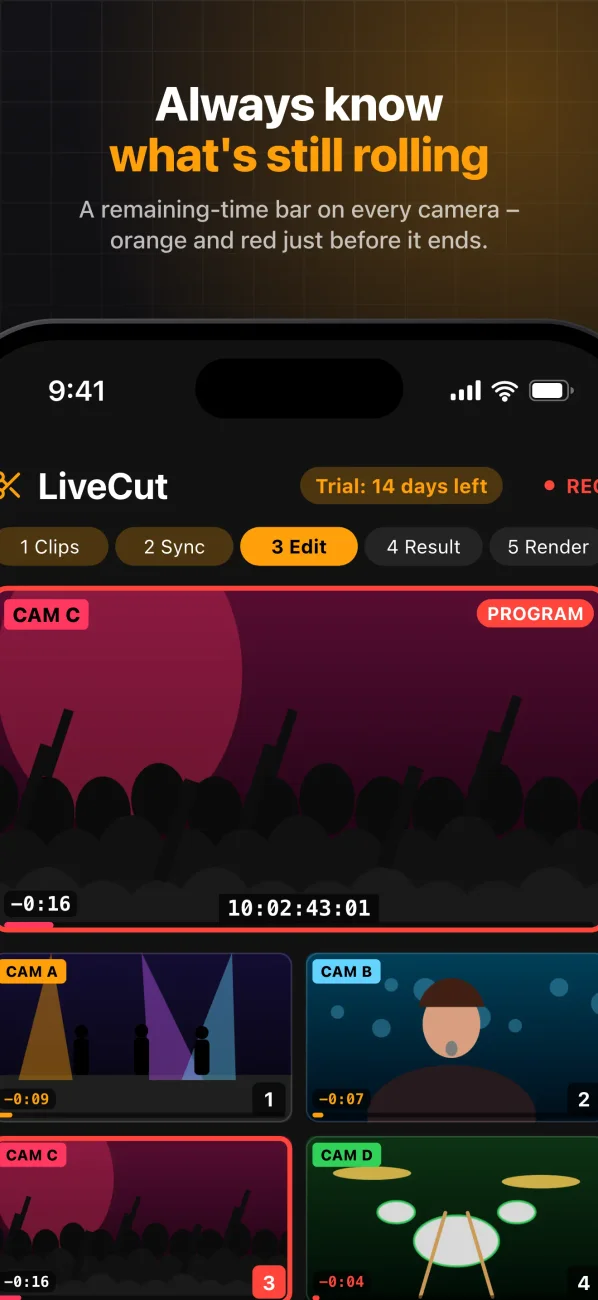
• Cut live: all cameras play in sync in a multiview, a tap cuts. Remaining-time bar per camera, undo, countdown before the start.
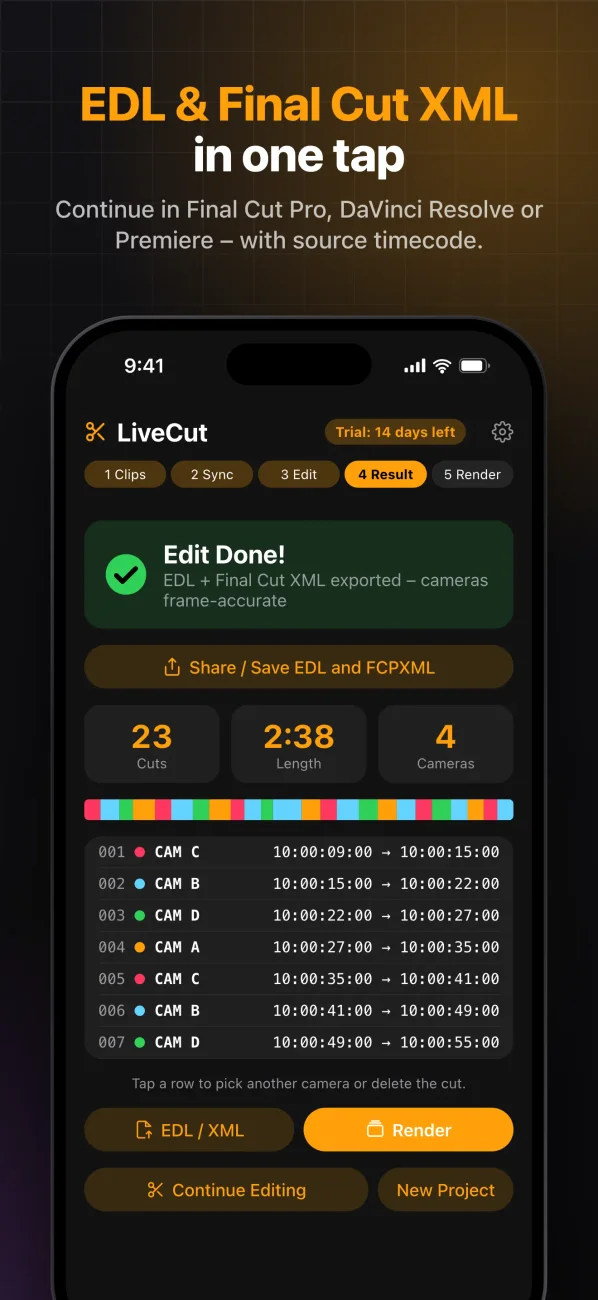
• Result: edit the cut list, export as EDL or Final Cut XML for Final Cut Pro, DaVinci Resolve and Premiere.
• Render: the finished video right on your iPhone or iPad – trim, preview, save to Photos.
AUDIO YOUR WAY
Mixing desk recording (WAV/MP3) or audio from another video – for monitoring while cutting and in the finished video.
FOR IPHONE AND IPAD
On iPad with a sidebar, keyboard shortcuts (cameras 1–9, space bar, ⌘Z) and trackpad support.
PRIVATE
No sign-up, no account, no server. Your videos stay on your device.
PRICE
All features free for 14 days. After that, keep going for free: load clips, sync, cut live with 2 cameras, export EDL. LiveCut Pro is a one-time €9.99 – no subscription: up to 9 cameras, rendering, Final Cut XML, separate audio source. Everything from the trial is kept.
What’s new
Version 1.1 · Nov 11, 2026
New in version 1.1:
• Hold: Next to “Loop”, you can now set any camera to “Hold”. The video only plays while it is on program and picks up exactly where it stopped at the next cut – perfect for clips, intros and graphics. This also applies to rendering and to EDL/FCPXML export.
• iPad in landscape: all multiview tiles and their key numbers now fit on screen during live editing.
• Minor improvements and bug fixes.
App privacy
What Carlos Martini declares on the App Store about how this app handles data.
-
Data not collected
The developer does not collect any data from this app.
Privacy practices may vary, for example with the features you use or your age.
Information
- Seller
- Carlos Martini
- Category
- Photo & Video
- Version
- 1.1
- Updated
- Nov 11, 2026
- Released
- Nov 10, 2026
- Size
- 2.9 MB
- Requires
- iOS 18.0 or later
- Age rating
- 4+
- In-app purchases
- Yes
- Languages
- German, English
- Copyright
- © Carlos Martini
You might also like
-
 TakeAlign: Audio Video SyncSeparate audio, one video
-
 SJCAM XPhoto & Video
-
 Vuer HDRLive Video Monitor
-
 Ferrey – Film CameraNon Stop, Timeless Vibes
-
 Feiyu SCORPPhoto & Video
-
 Crisp Zoom CameraPhoto & Video
-
 PotensicProPhoto & Video
-
 eZy Watermark PhotosProtect and Watermark Photos
-
 Stop Motion Factorystop motion camera
-
 Saal DigitalPhoto book, Photo Calendar